Thinking about turning on retail selling but not sure how it will behave in your store?
Running stock branch by branch changes a few things at once — which themes it works on, where quantities are set, how stock is deducted, and how shipments reach the customer. These are the questions merchants ask most about retail selling and the Retail stores app, answered in one place. In this guide, you'll learn what the app gives you and your customers, where the feature appears, how product quantities work, and how multiple shipments behave.
Retail selling lets you manage stock branch by branch. It works on newer themes such as the Nomow and Raed themes, applies quantities at branch level only, and shows availability on the product page as available, unavailable, or limited quantity — limited meaning fewer than 50 units.
📌 Article overview
- What the Retail stores app gives you
- Themes, branches, and where the feature appears
- Product quantities and stock deduction
- Shipments and shipping companies
✅ What the Retail stores app gives you
What do I get from installing the Retail stores app?
For merchants
- Managing stock by branch becomes much simpler.
- You save on shipping costs for products held in certain warehouses and not in others.
For customers
- They can browse products by what is available in their city.
- They can browse the products available in the branches near their location.
🎯 Themes, branches, and where the feature appears
Will the feature work on every theme?
No. It works on the newer themes only, such as the Nomow theme, the Raed theme, and the ones released after them.
Will customers see the feature in the store app?
No. The feature is available to customers who visit the store through a browser such as Chrome.
When I install the app, are branches, cities, and countries linked automatically to the list I already added under branches and warehouses?
Yes. They are linked directly to the active branches you added on the branches and warehouses page.
📦 Product quantities and stock deduction
After I install the app and set browsing by branch, will the product page show the quantity available at that branch?
For now, it shows only the status — available, unavailable, or limited quantity — without a number. Limited quantity appears when the quantity is below 50.
Do product quantities apply to branches, or can they be set at city or country level?
Branches only.
How does showing a product's remaining quantity on the product page relate to the availability status (available, unavailable, limited quantity)?
The new feature lets your customer browse the list of branches together with the availability status for each one.
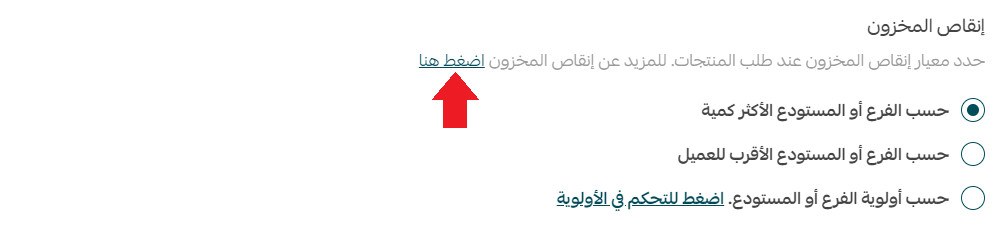
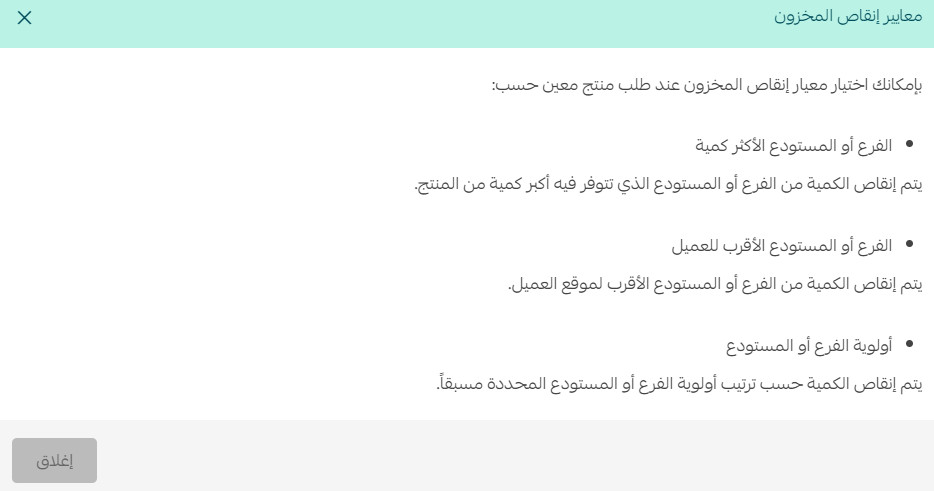
What decides which branch stock is deducted from when a product is ordered?
To read the full deduction criteria, go to the retail stores settings page and click (Click here).
The details of every criterion then appear like this:
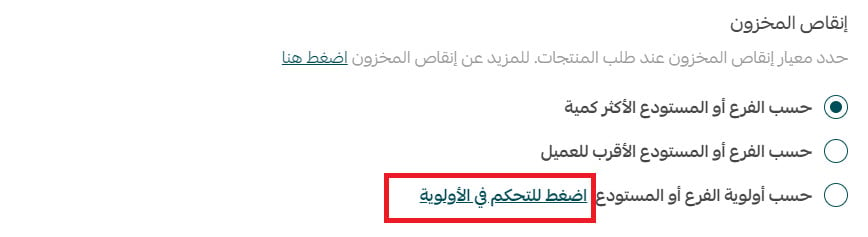
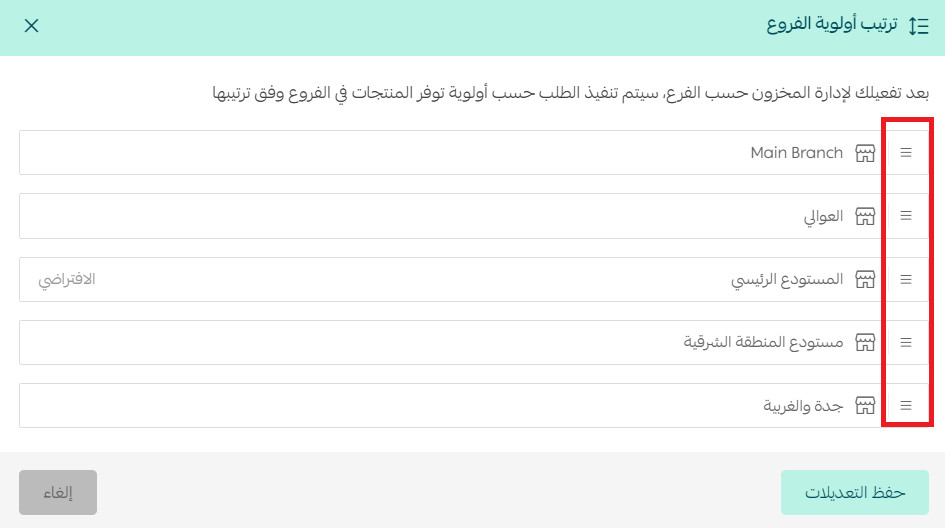
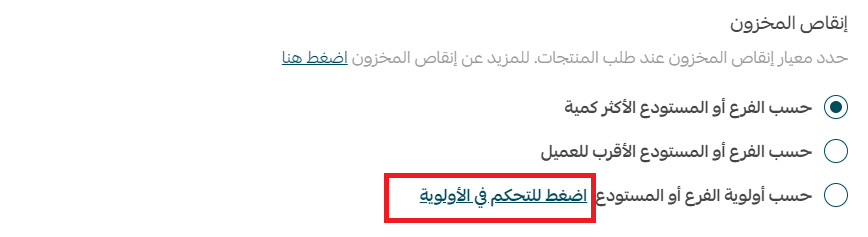
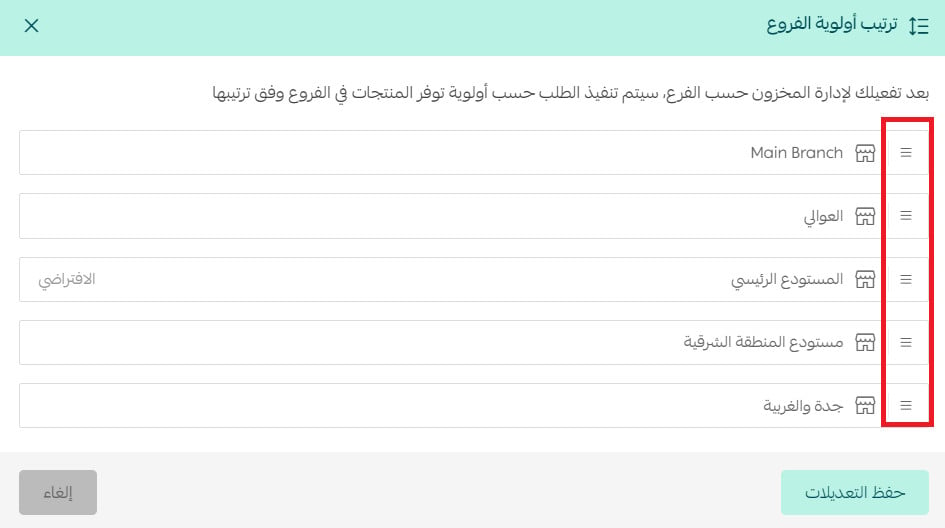
Can I rank which branches stock is pulled from first?
Yes. From the retail stores settings page, click (Click to control priority).
Then order the branches by dragging and dropping them.
For more details, see setting up your store's branches and warehouses.
When is a product's quantity considered "limited"?

A product's quantity counts as "limited" when it falls below 50.
🚚 Shipments and shipping companies
What changes when I turn on multiple shipments?
Shipping options disappear from the customer's checkout page.
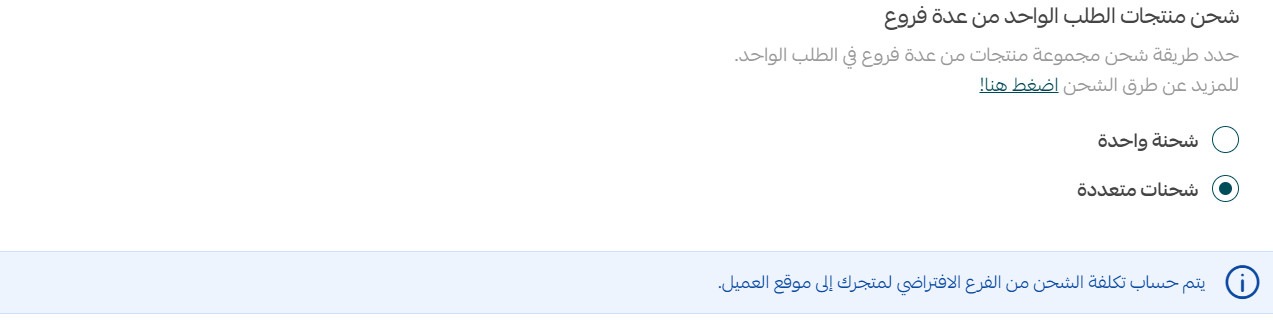
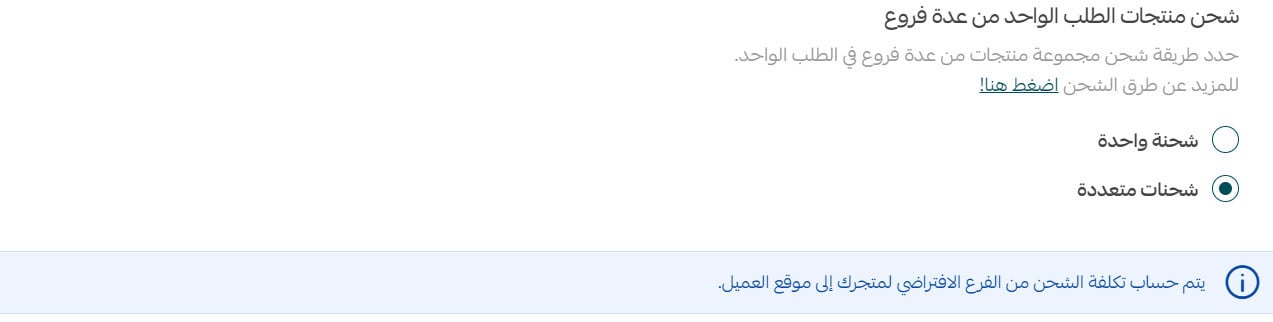
What changes when I set the cost calculation for multiple shipments?
This applies when you set the cost calculation to either a flat amount or the sum of the shipment fees. [Verify: the Arabic answer stops mid-sentence and never states what actually changes — confirm the intended answer with the content owner; the screenshot below is all the source provides.]
Can I rank shipping companies for automatic assignment?
Yes. To rank the shipping companies, click (Click to control priority).
Then order the shipping companies in the list by dragging and dropping them.
Can one order contain both a delivery shipment and a branch pickup shipment?
No — not unless you edit the order yourself. Orders reach you from the customer either as delivery or as branch pickup.
When I create the order myself, can I choose more than one shipping company for it?
No. The shipping company and its cost apply to every shipment in the order.
If I set deduction by the branch with the most stock and the customer orders from the branch in their own city, where is the quantity deducted from?
If you have browsing by branch turned on, the quantity is deducted from the branch the customer ordered from, and the stock deduction strategy options are disabled.
If I have browsing by city turned on and deduction by the branch with the most stock, and a customer orders a product in a particular city?
The quantity is deducted from the branch holding the largest amount in that city.
Retail selling behaves predictably once you know these rules — set your branch priorities and your deduction strategy first, and the rest of the flow follows from them.