Are casual orders and a rising return rate eating into your margins?
A pre-purchase declaration is a short message the customer has to agree to before the order goes through. It sets expectations in plain language — what your return policy is, what happens after they pay, how long delivery takes — and that alone filters out a lot of unserious orders and returns. In this guide, you'll learn how to set the declaration up in your store, how to write one that customers respond well to, and what a few ready-made examples look like.
The pre-purchase declaration is set up from Store settings, then Store options, in the order options section. You choose when it appears, write the text customers must agree to, format it, and can link words to a page such as your return policy. Turning on automatic approval reduces the number of checkout steps.
📌 Article overview
- How to set up the pre-purchase declaration
- How to write a pre-purchase declaration
- Example declarations you can start from
- Frequently asked questions
👣 How to set up the pre-purchase declaration
1. From the side menu of your dashboard, click (Store settings).

2. Click (Store options).

3. On the store options page, in the order options section, click (Set) next to the pre-submission declaration.

4. Enter the declaration details, then click (Save).
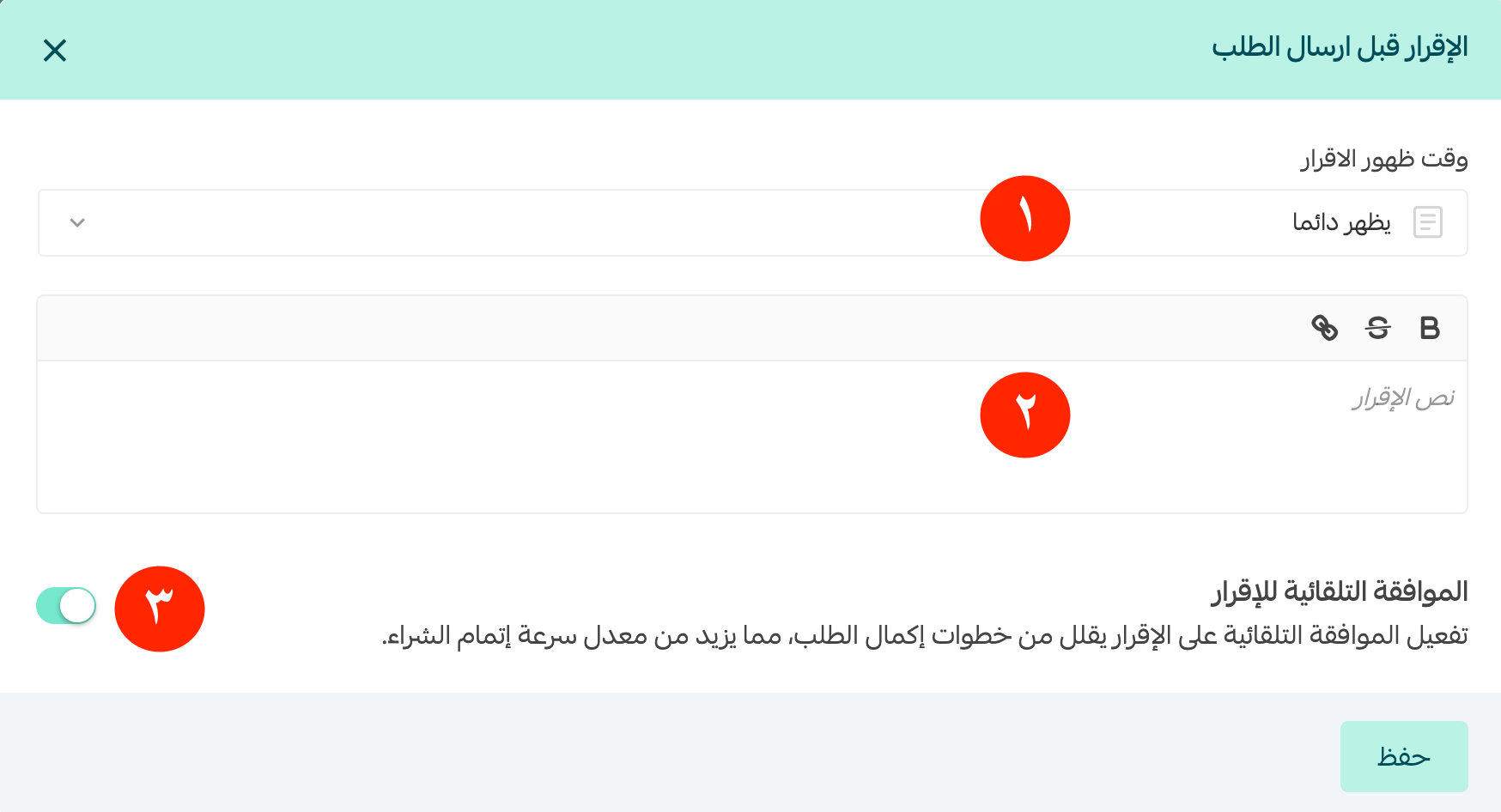
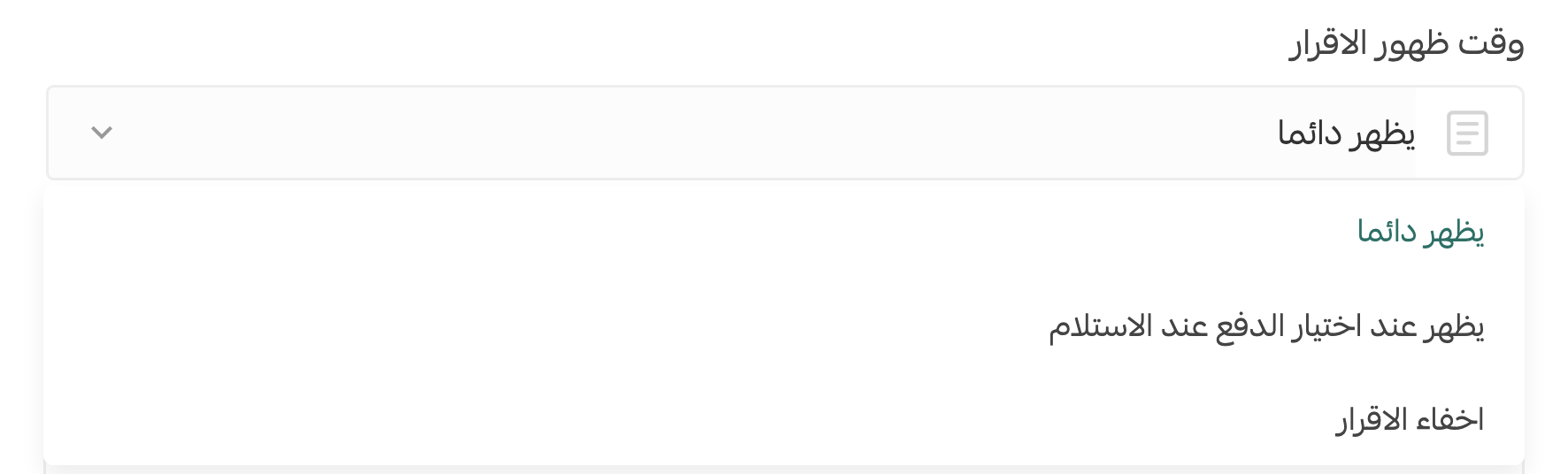
1. Choose when you want the declaration to appear.
2. Write the text of the declaration.
You can format the text to stand out with bold or underline, or link it to a web address to send the customer there.

To send the customer to a specific page, such as your return policy, select the text first, click the link button, click (Save), then save the declaration, as shown:
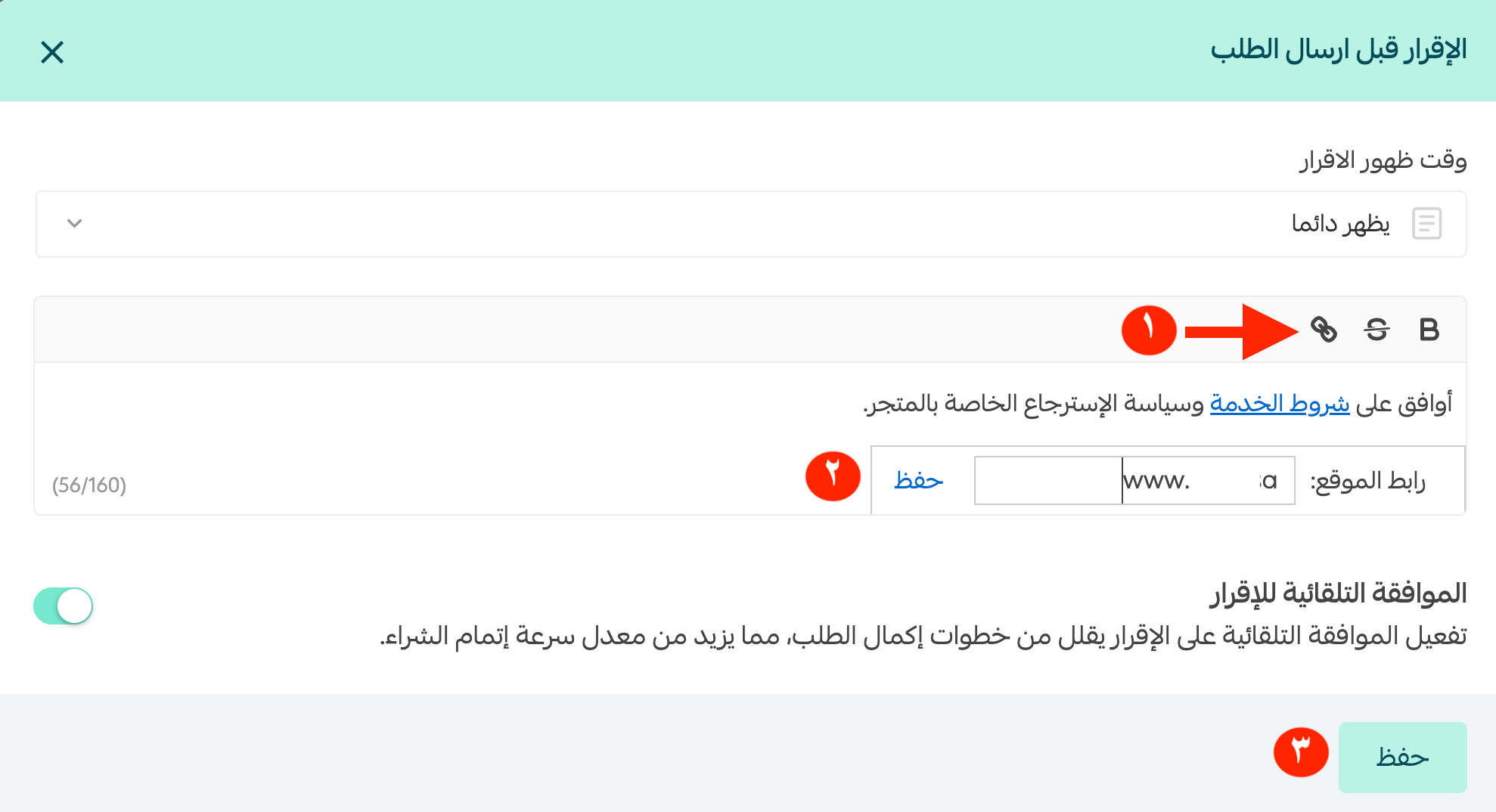
The declaration settings page then looks like this:

Turn on automatic approval of the declaration to cut a step out of the customer's checkout.

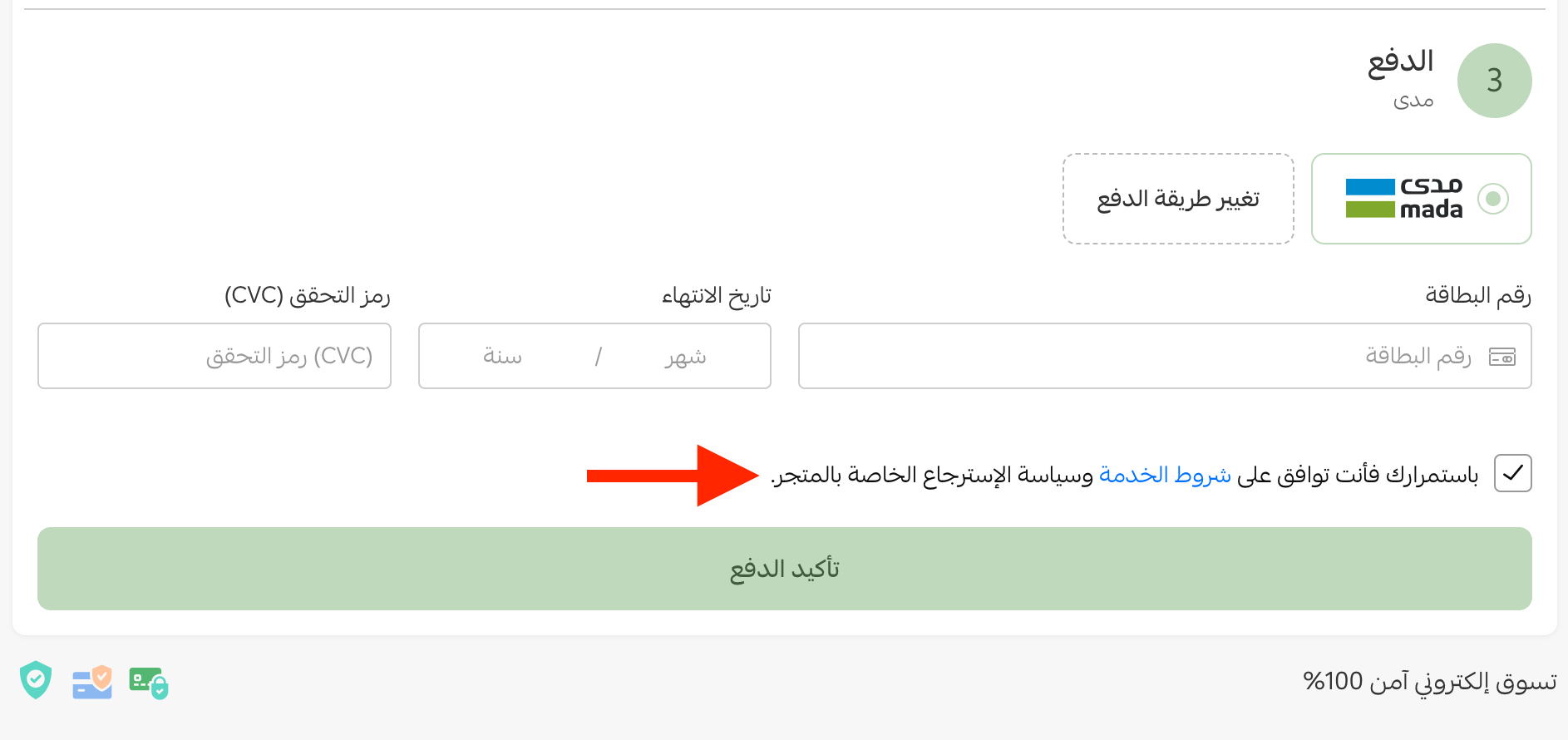
This is how the declaration appears to your customer:
To take customer satisfaction further, enrol in the customer service and after-sales management course, which covers practical strategies for returns and for dealing with customers after the sale. The course is taught in Arabic.

✍️ How to write a pre-purchase declaration
The language of your declaration works best when it is:
- Clear, precise, and courteous, without sounding like you are refusing returns outright.
- Positive, so the customer responds to it and feels understood.
- Written as if every one of your customers is watching you write it.
- Transparent about why you are sending the message.
- Honest about the effort and resources that go into preparing an order.
- Unhurried, giving the customer enough time to think twice about returning.
💡 Example declarations you can start from
You can build your own declaration from any of the examples below, adapting it to the kind of business you run and the customers you serve.


📝 Important notes
- The example declarations above are screenshots written in Arabic. Use them as a structure to follow and write your own wording in the language your customers read.
❓ Frequently asked questions
What are the key points to include in the declaration?
Your return policy, the payment terms, any fees the customer might pay, the delivery date, and why the details the customer gives you need to be accurate.
How does a pre-purchase declaration reduce unserious orders?
It states your order terms and policies up front, which sets clear expectations and makes an impulsive, poorly considered purchase less likely.
Where do I set the declaration up?
From the side menu, open (Store settings), click (Store options), and in the order options section click (Set) next to the pre-submission declaration.
Can I link to my return policy inside the declaration?
Yes. Select the text you want to link, click the link button, add the address, click (Save), then save the declaration.
What does automatic approval do?
It approves the declaration for the customer automatically, which removes a step from completing the order.
A declaration is a small piece of text that does a lot of work: it tells customers what they are agreeing to before they pay, and it gives you something clear to point back to when a return request arrives.