Do shipment delays caused by low order volumes disrupt your daily operations? SMSA Express provides a reliable standard shipping solution, including merchant pickup once shipments reach 30 orders or more, ensuring smooth logistics without unnecessary delays.
In this article, you’ll learn about SMSA’s available shipping options, how to activate standard shipping, manage shipping settings, and find answers to common questions.
📌 Article overview
- SMSA shipping options
- How to activate SMSA standard shipping
- Managing SMSA shipping settings
- Frequently asked questions
Note: SMSA shipping labels are currently available only for stores in Saudi Arabia.
What is SMSA?
SMSA Express is a Saudi-based logistics company offering comprehensive shipping solutions, including pickup, delivery, distribution, storage, and cash on delivery (COD) services, with nationwide coverage across the Kingdom.
Available SMSA shipping options
SMSA provides three independent shipping services, each activated separately:
- Standard shipping (covered in this article)
- Economy shipping (R2R) – branch-to-branch delivery
- International shipping – GCC countries
How to activate SMSA standard shipping
To enable SMSA standard shipping in your store:
- From the main menu, click All, then select Shipping.
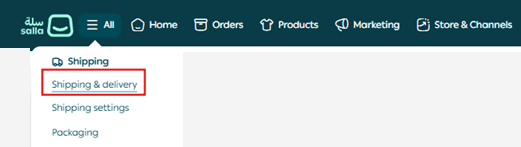
2. Open the Shipping & Delivery tab.

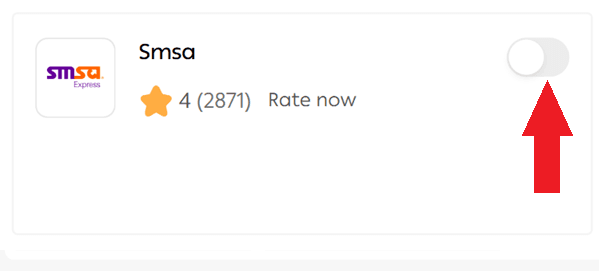
3. Under Standard Shipping, enable SMSA.
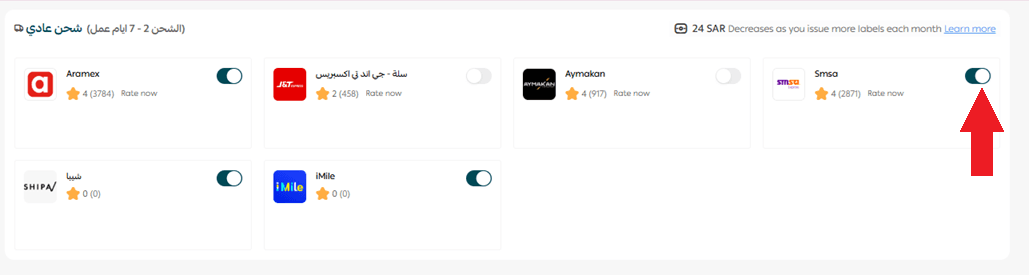
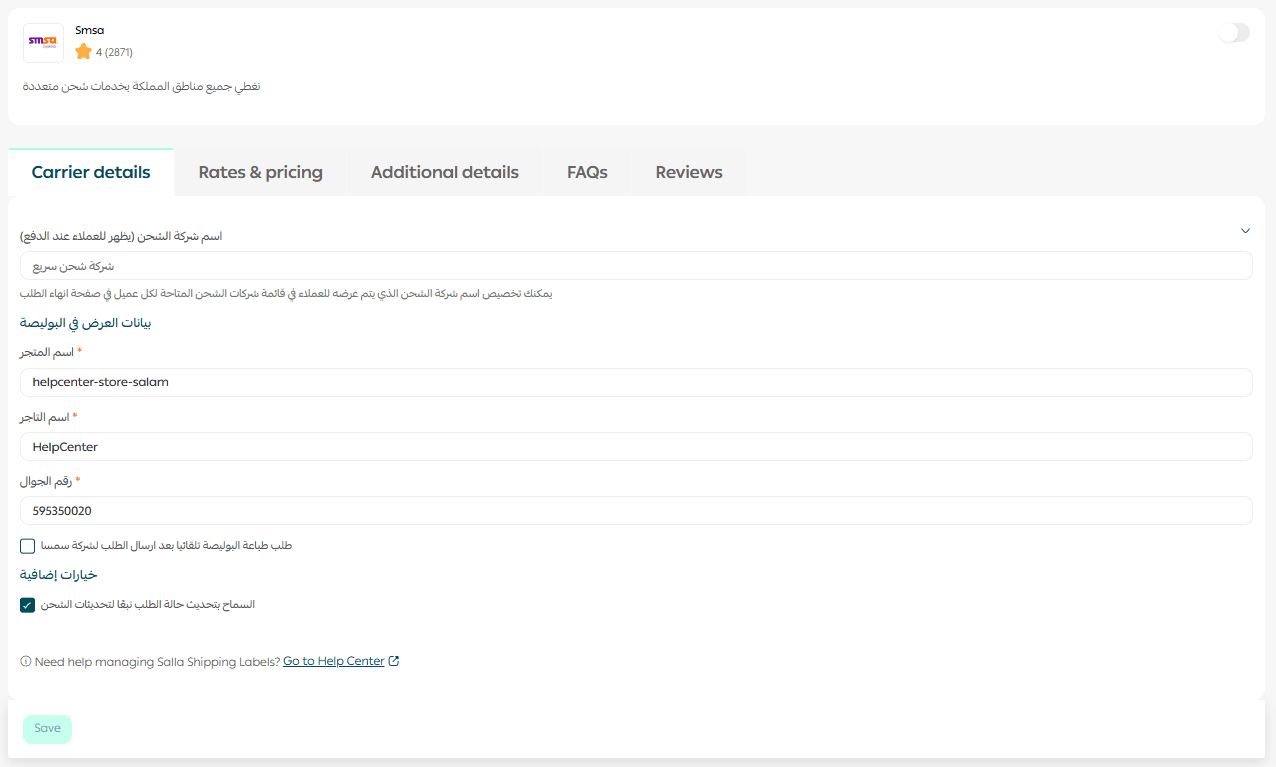
4. Go to the Overview tab and enter:
- Store name
- Merchant name
- Mobile number
These details will appear on the shipping label.
5. Click Save.
Managing SMSA shipping settings
Shipping rates
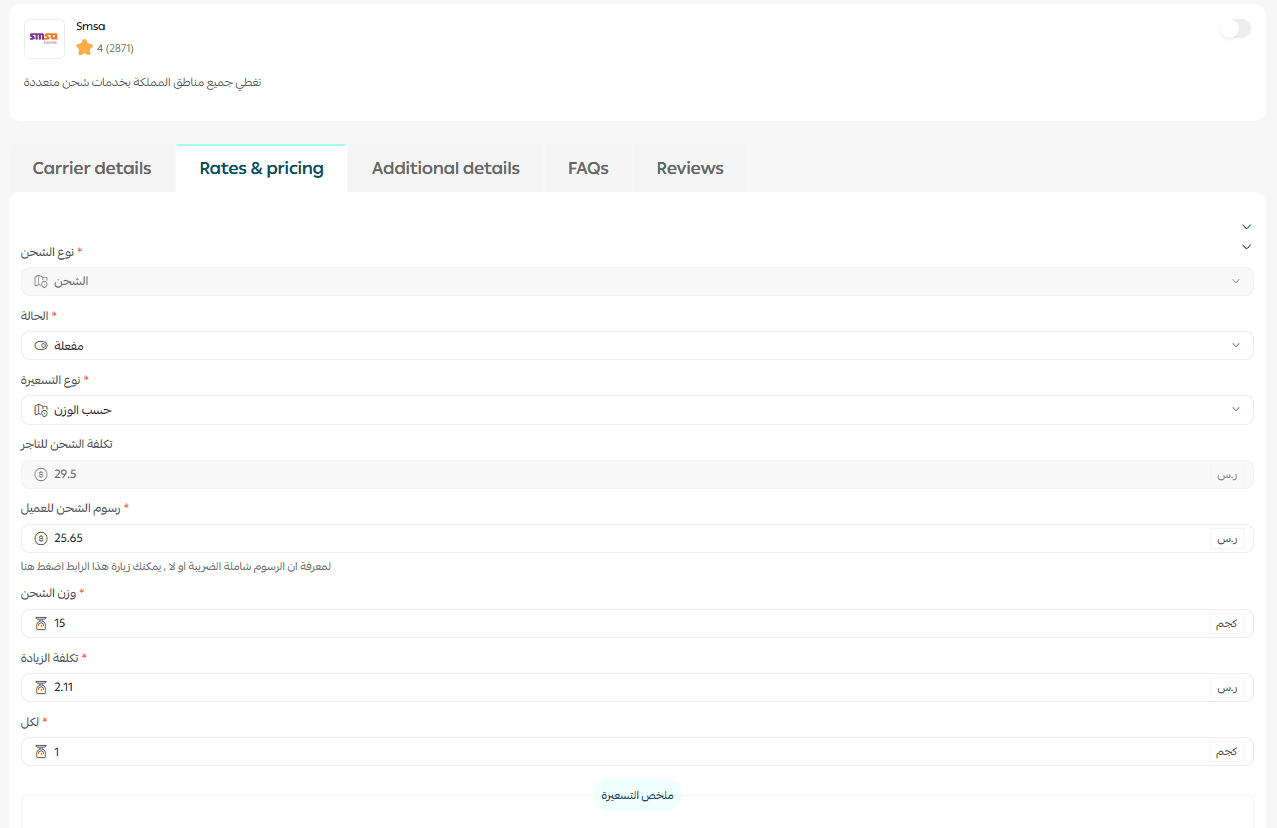
From the Shipping Rates tab:
- Select the pricing type
- Enter the shipping fee shown to customers
Cash on Delivery (COD)
To enable COD:
- Open the Shipping Rates tab
- Configure rates by city or region
- Enable Cash on Delivery

SMSA COD fees:
- SAR 8.00 + 2% of the transaction value (excluding VAT)
You may adjust COD fees for customers:
- Higher than SMSA fee → the difference is added to your wallet as profit
- Lower than SMSA fee → the difference is deducted from your balance
Temporarily disable SMSA
If you need to pause SMSA shipping:
- Go to Shipping & Delivery settings
- Enable or disable Hide shipping company at checkout
Frequently asked questions
Is SMSA included in the tiered pricing system?
No. As of 15 March 2025, SMSA is no longer part of the tiered pricing system. All SMSA services use fixed shipping rates, regardless of monthly shipment volume.
Current rates:
- Standard shipping: SAR 25.65 for the first 15 kg
- Economy shipping: SAR 17.21 for the first 15 kg
- International shipping:
- UAE, Bahrain, Kuwait: SAR 44.6 for the first 2 kg
- Oman, Qatar: SAR 89 for the first 2 kg
- SAR 2.11 per additional kg (standard & economy)
Does SMSA offer door-to-door delivery?
- Customer delivery: Always available
- Merchant pickup: Available only when shipments reach 30 orders or more
In this case, contact SMSA support to request pickup.
Is COD available for all order values?
No. If the cart value is below SAR 20, the COD option will not appear at checkout, even if enabled.
When are COD payments transferred to the merchant?
Transfers are made twice per week: Sunday and Wednesday
Funds usually reach the merchant on Monday and Thursday. Actual arrival time may vary depending on your bank.
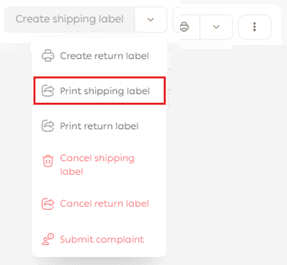
How do I print an SMSA shipping label?
- Go to Orders
- Open the required order
- Click Print shipping label
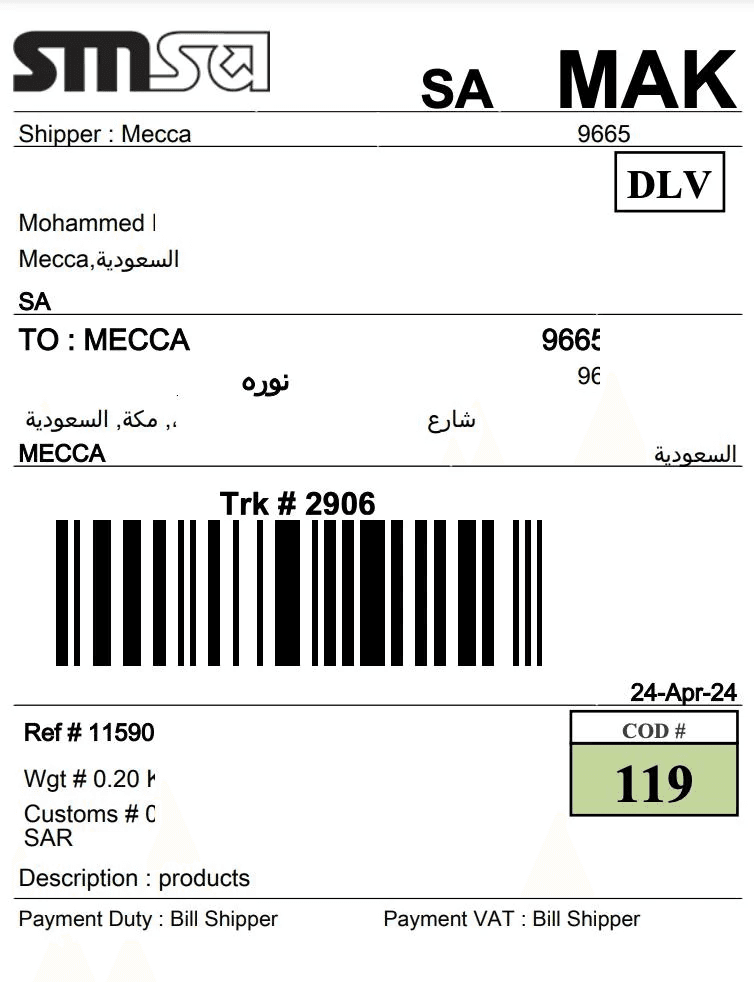
The label will appear as shown below
How can I submit a shipping complaint?
If you encounter an issue with an SMSA shipment:
- Go to the Quality gateway from Shipping & Delivery
- Submit a complaint for follow-up
Where can I learn more about SMSA?
Visit the official SMSA website: https://smsaexpress.com/ar