Is the bounce rate high on one of your store's pages?
By setting up Google Tag Manager triggers, you can find out that most bounces happen because people never scroll down the page — a clear sign that the content at the top is not pulling readers in. Salla's integration with Google Tag Manager (GTM) gives you a set of tools to track what users do on your store, so you can spot the weak points in your content and fix them. Improving your store's SEO with Google Tag Manager starts with knowing exactly how visitors behave. In this guide, you'll learn how to use canonicalization to control duplicate content, and how to build and test a GTM click trigger on your store.
Google Tag Manager helps your SEO by letting you track user behavior and manage duplicate content. Using canonical tags, you tell search engines which URL is the primary version of a page, so crawlers index the right page, your ranking signals stay consolidated, and Google is far less likely to pick the wrong URL as the original.
There are several techniques that help improve your store's SEO through Google Tag Manager. The most important are:
- Using canonicalization to improve your store's SEO by controlling duplicate content.
- Helping search engines understand your store's content with schema markup through Google Tag Manager.
- Helping Google Search send users to the most suitable version of your page by language or region, using hreflang.
📌 Article overview
- What canonicalization is and why duplicate content matters
- What the rel canonical tag is
- How to identify your store's canonical pages with GTM, step by step
- Frequently asked questions
Let's start with the first technique for getting the most out of GTM for your store's SEO:
🚀 Using canonicalization to control duplicate content
Every e-commerce website runs into this problem sooner or later: duplicate content.
Duplicate content generally means a domain contains large blocks of content that are completely identical — or very similar — to content elsewhere. In most cases, this is not deceptive by design. Common examples of harmless duplicate content include:
- Discussion forums that generate both regular pages and stripped-down pages targeting mobile devices.
- Store products shown or linked through several different URLs.
- Printer-only versions of web pages.
Google does the hard work of ranking websites, and there are billions of web pages. Ideally, every website would contain only unique pages with original content. In reality, duplicate pages appear at every turn — and that is before we even talk about content stolen from other sites.
It is wise to use canonicalization to point search engines to your preferred URL and tell them to index that specific page, strengthening your site's ranking.
What is the rel canonical tag?
The rel canonical tag tells Google and other search engine bots that two or more web pages are essentially identical in content, but that one of them is the primary page — the one named in the canonical tag — while the others are copies of it.
As an example, look at the following URLs:
http://example.com/article-on-makka/
https://example.com/article-on-makka/
https://www.example.com/article-on-makka/
http://example.com/article-on-makka/comments/
As you can see, these are different links to the same content — so which one is the primary page, and which are the duplicates?
👣 How to identify the canonical pages on your site or store
Stage one: connect your store to your Google Tag Manager (GTM) account
For more details on creating an account and connecting with Google Tag Manager.
Stage two: create a variable
Suppose we want to track button clicks, so we will choose the Clicks variable in Tag Manager. If you want to track a different event, select the variable accordingly.
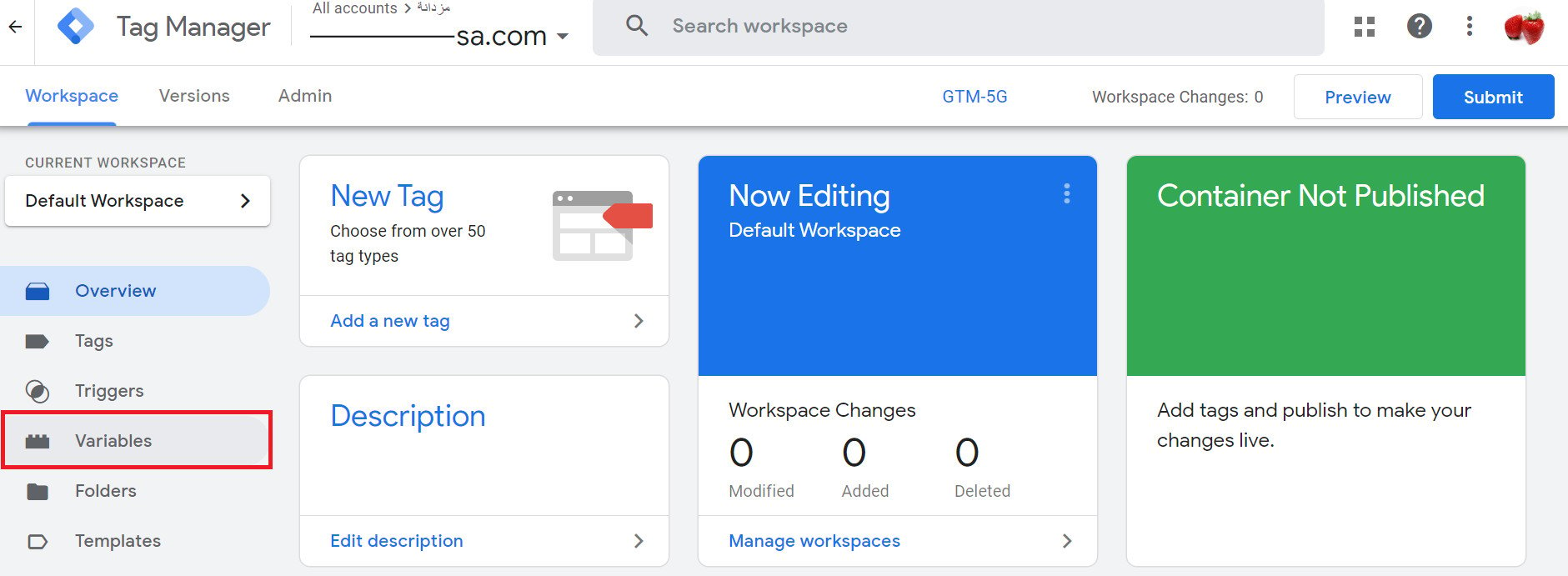
1. Click (Variables).
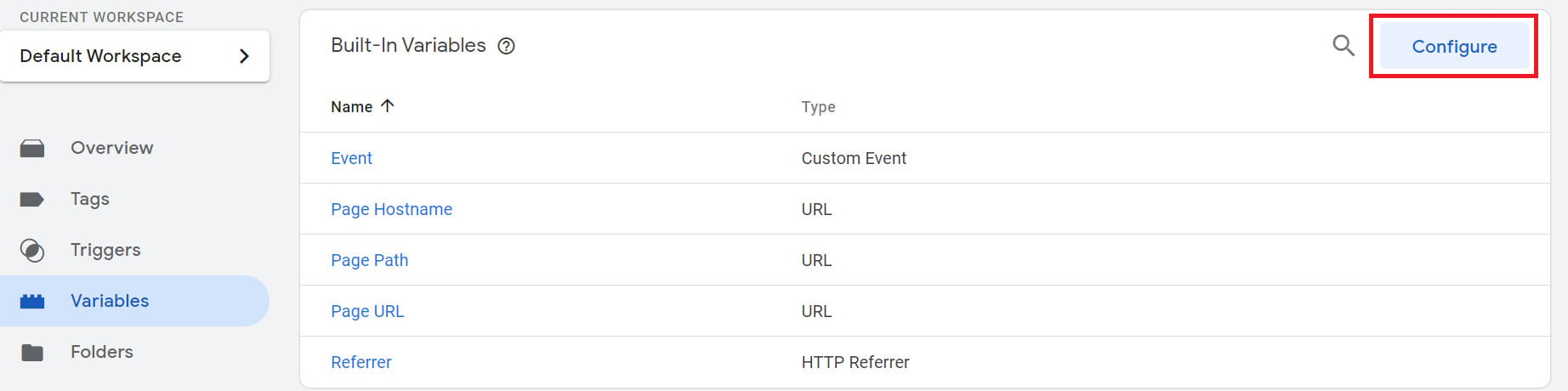
2. Click (Configure).
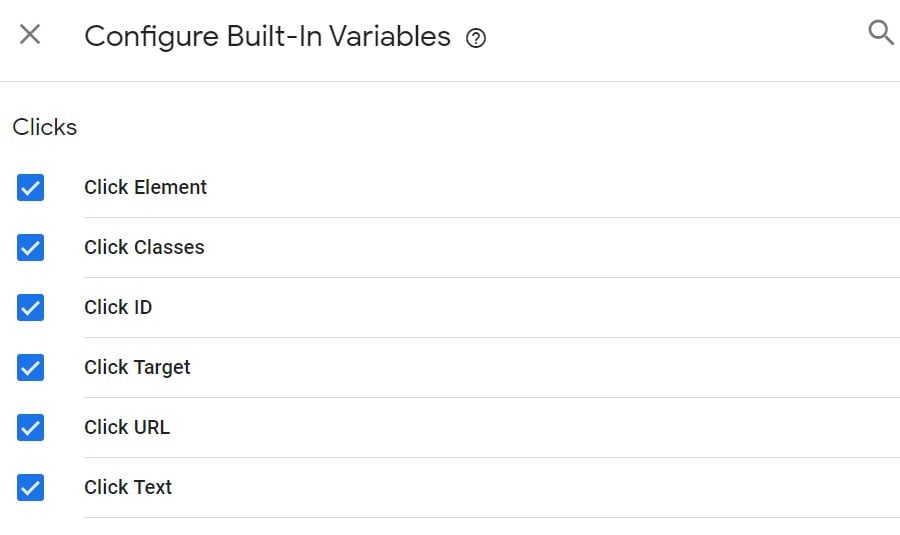
3. Google Tag Manager uses different classes and IDs to identify buttons. To capture all the classes related to clicks, select all the options as shown below.
📝 Important notes
Do not select any variable other than the Clicks variables when tracking button clicks.
4. Create a trigger.
Now suppose you want to track clicks on a specific button — for example, the contact-us button on your website.
Go to Triggers and click (Add New).
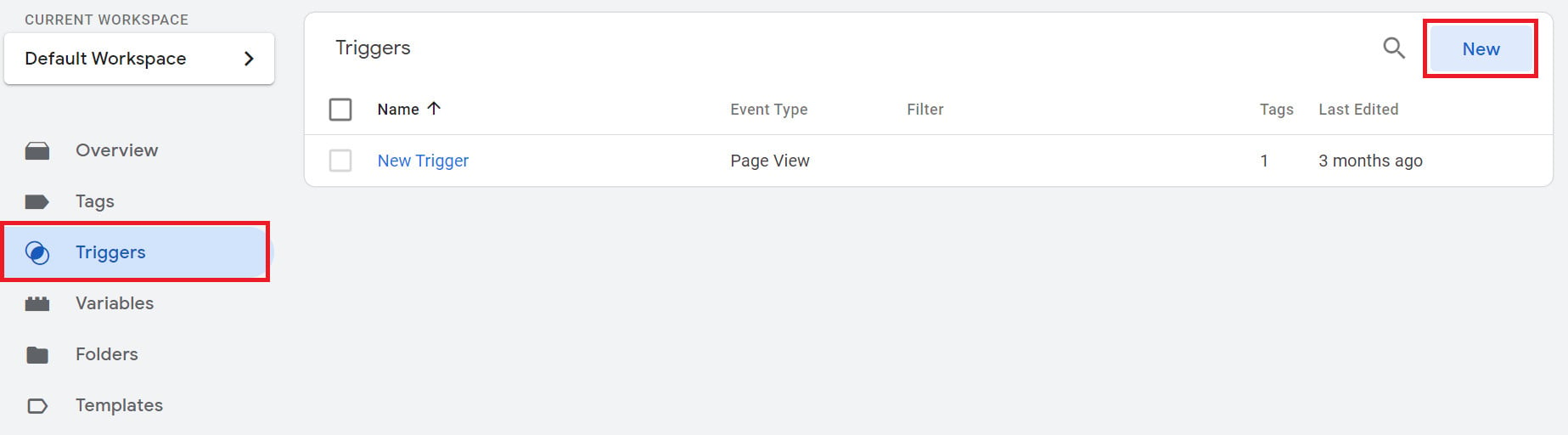
Then click (All Elements).
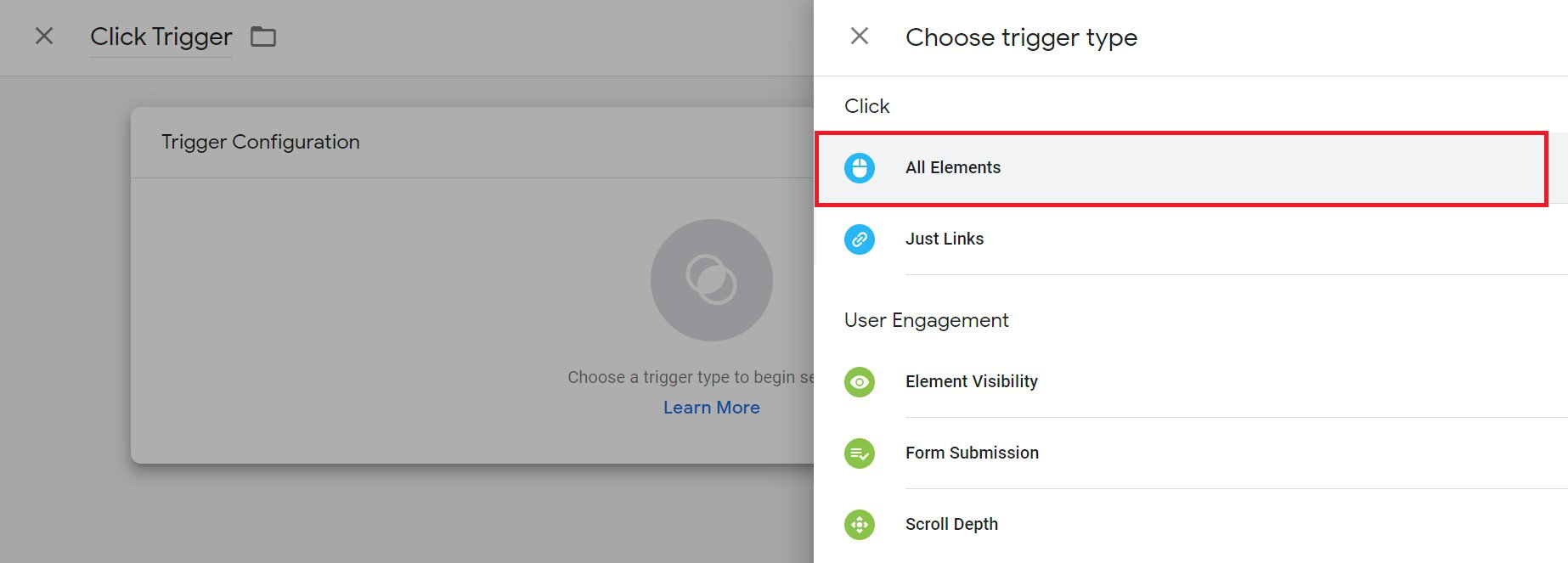
Under this option, select (All Clicks), then click (Save) to save the trigger.
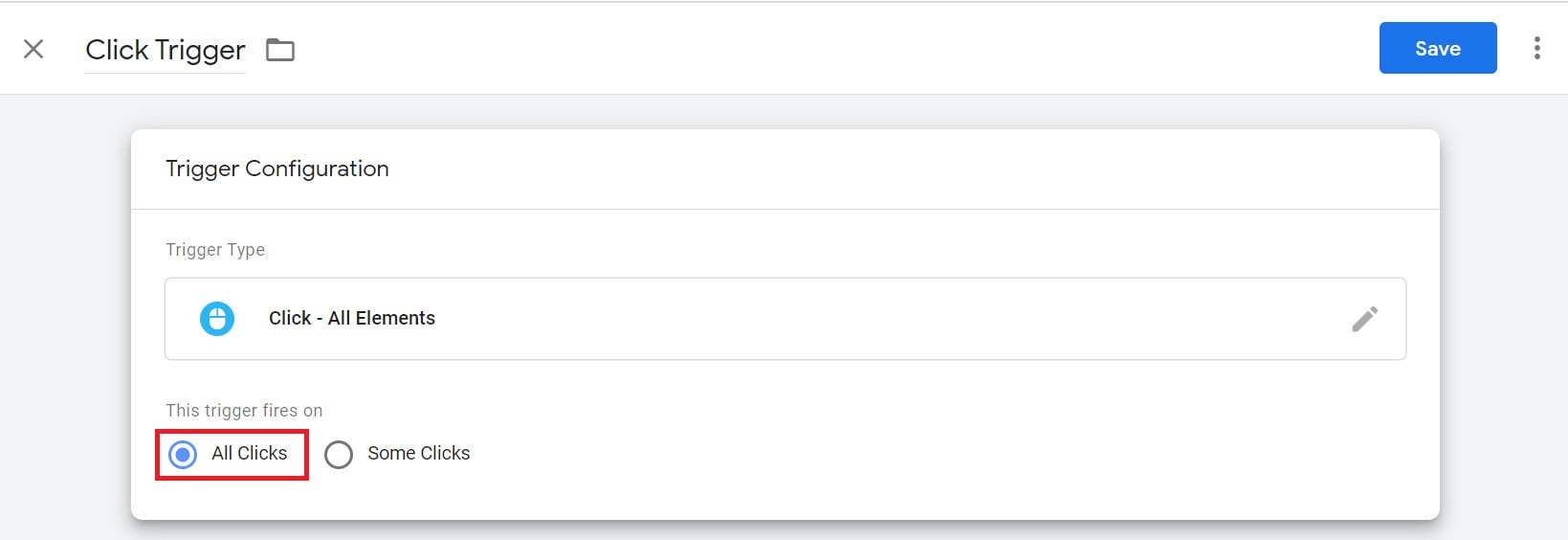
5. Identify classes.
In the previous step we chose All Elements so we could discover the specific class attached to the button we care about. Now we need to find that class.
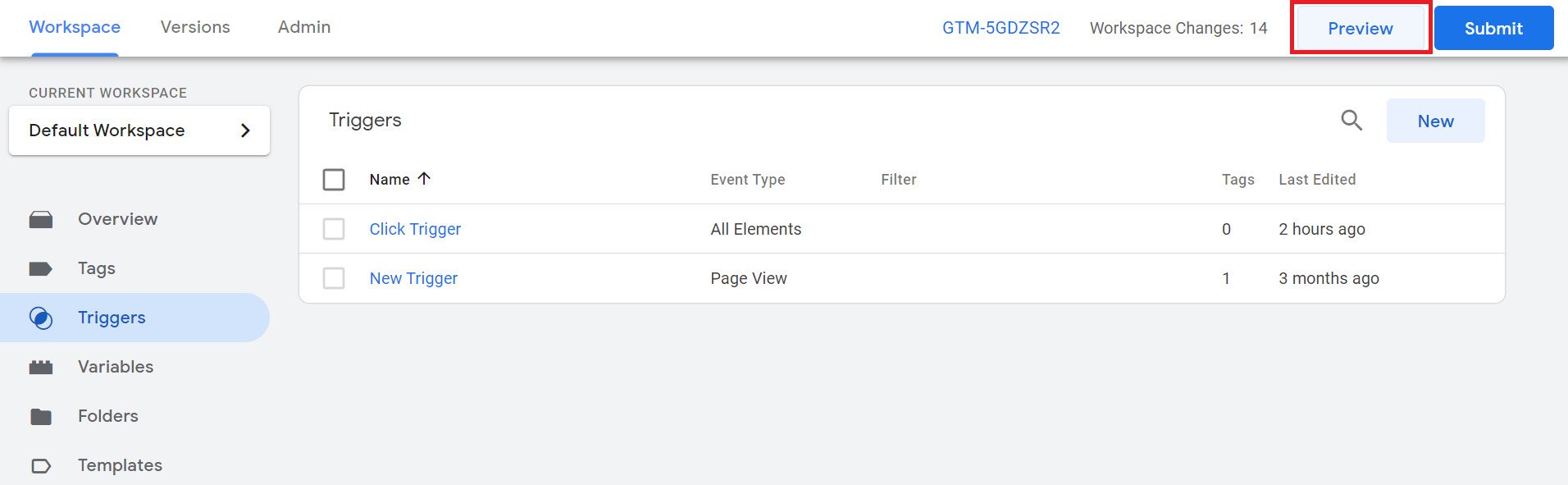
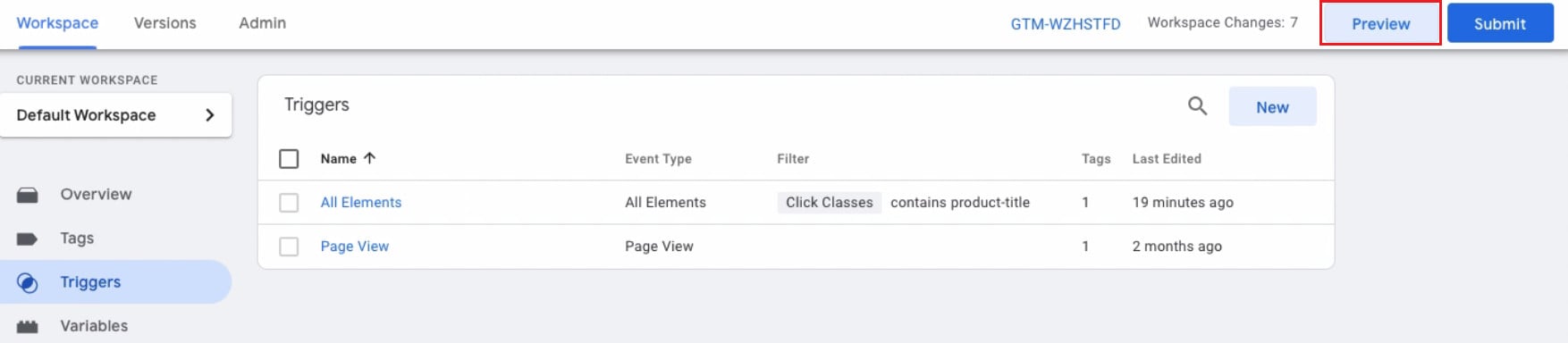
Click the (Preview) button in the top corner of the main screen.
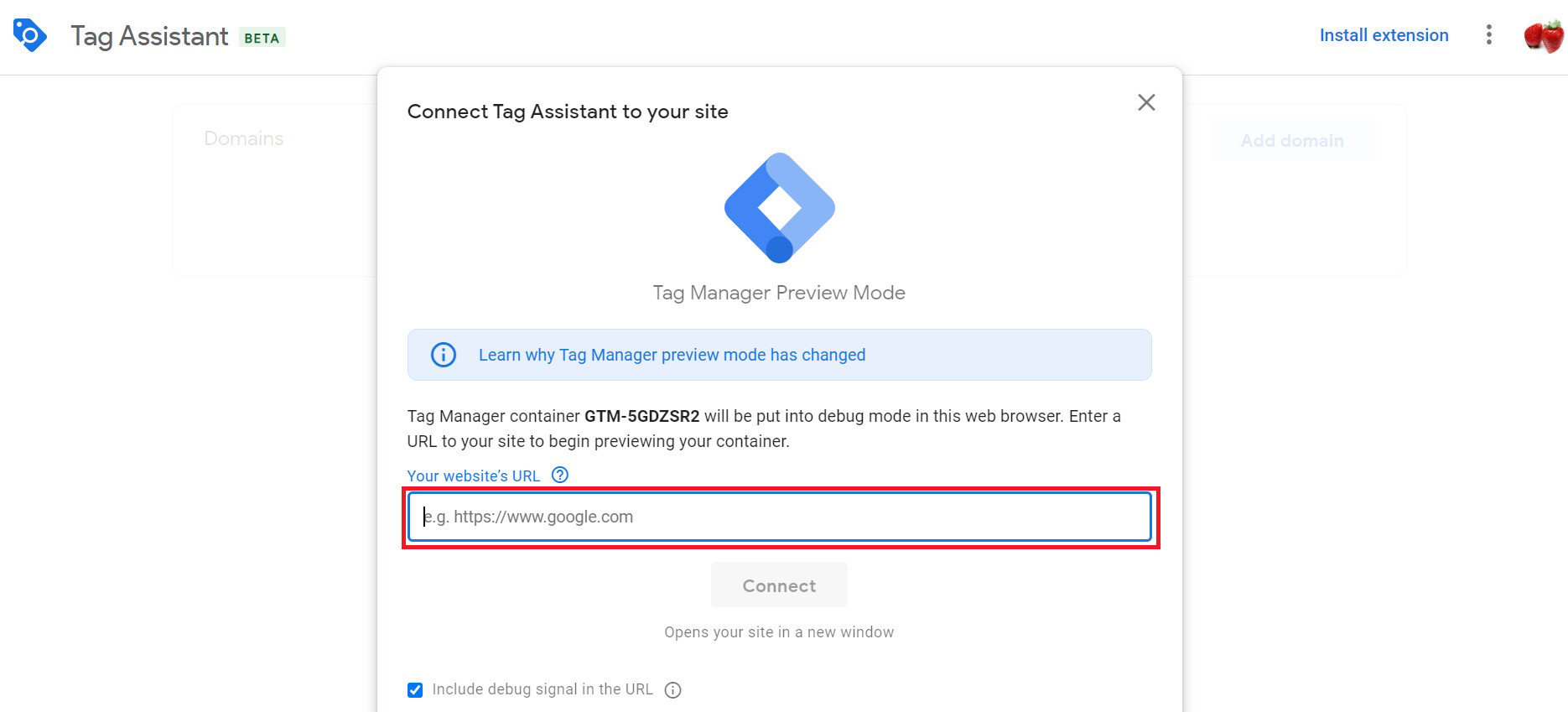
Enter your store's URL in the box provided, then click (Connect).
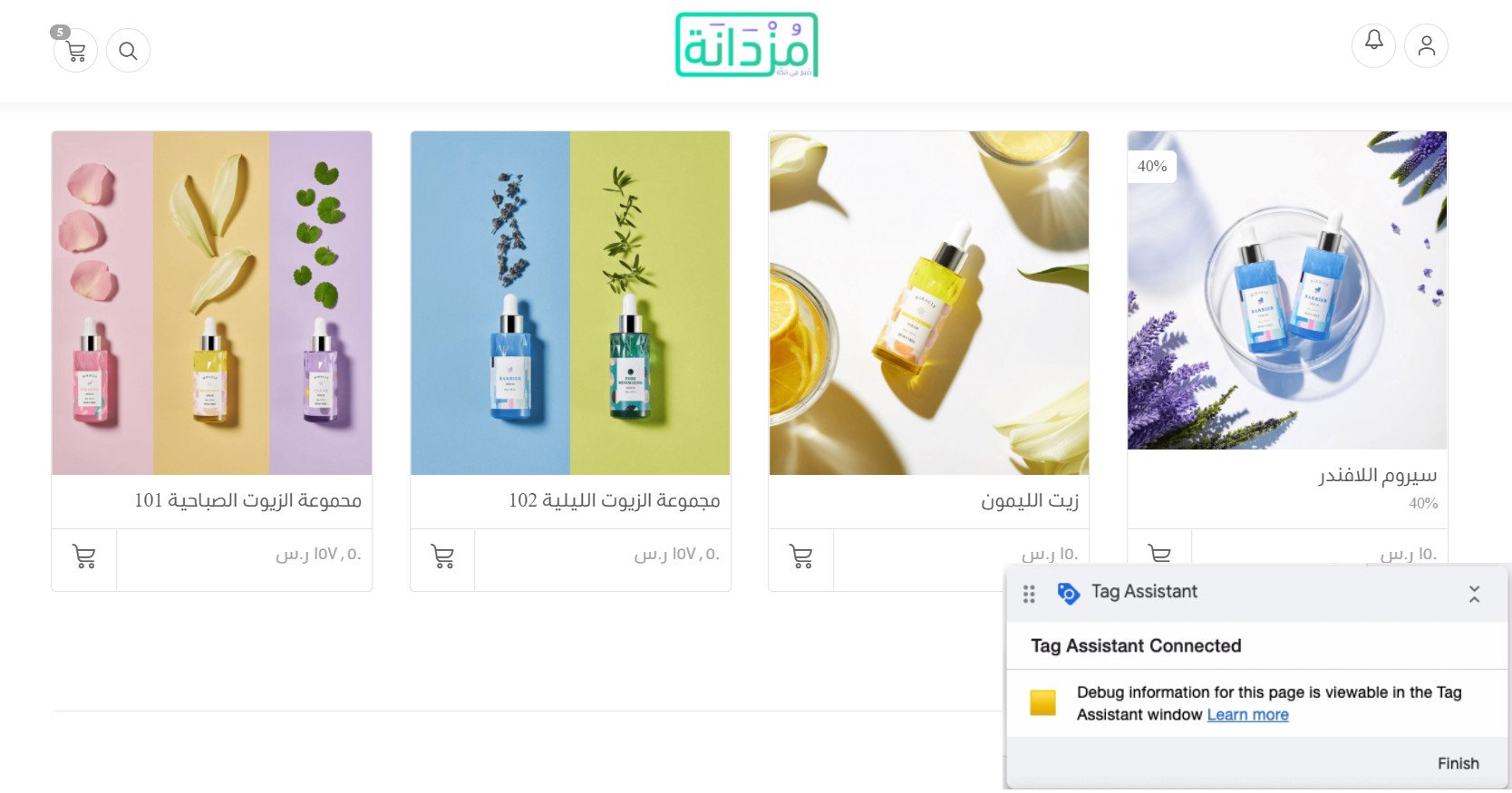
Your website opens with a Tag Assistant panel attached. Click the buttons you want to track — for example, the add-to-cart button on one of your products.
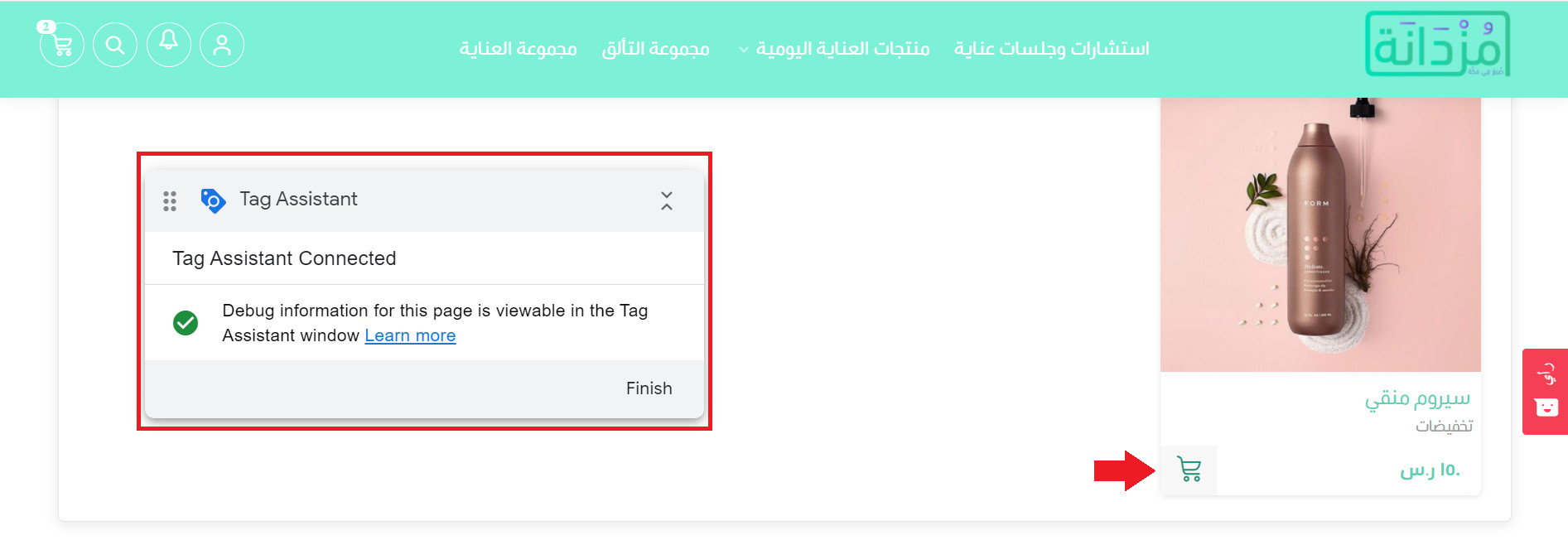
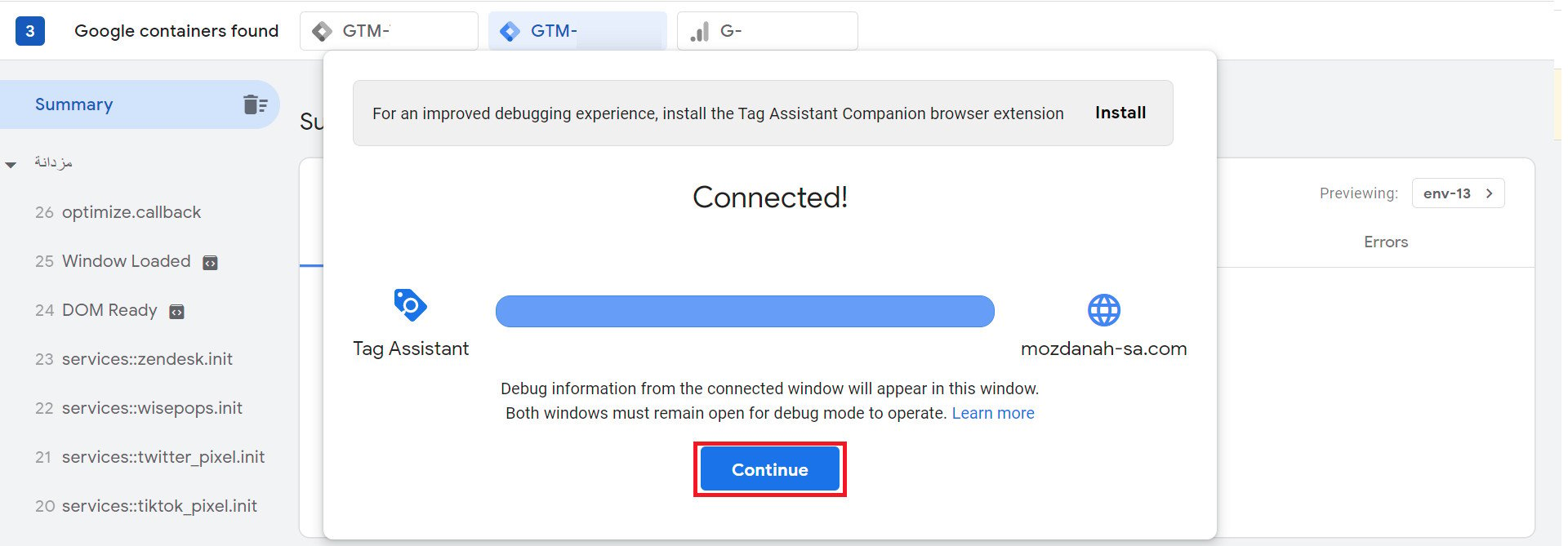
Return to the preview page and click (Continue).
The captured variables appear as follows:
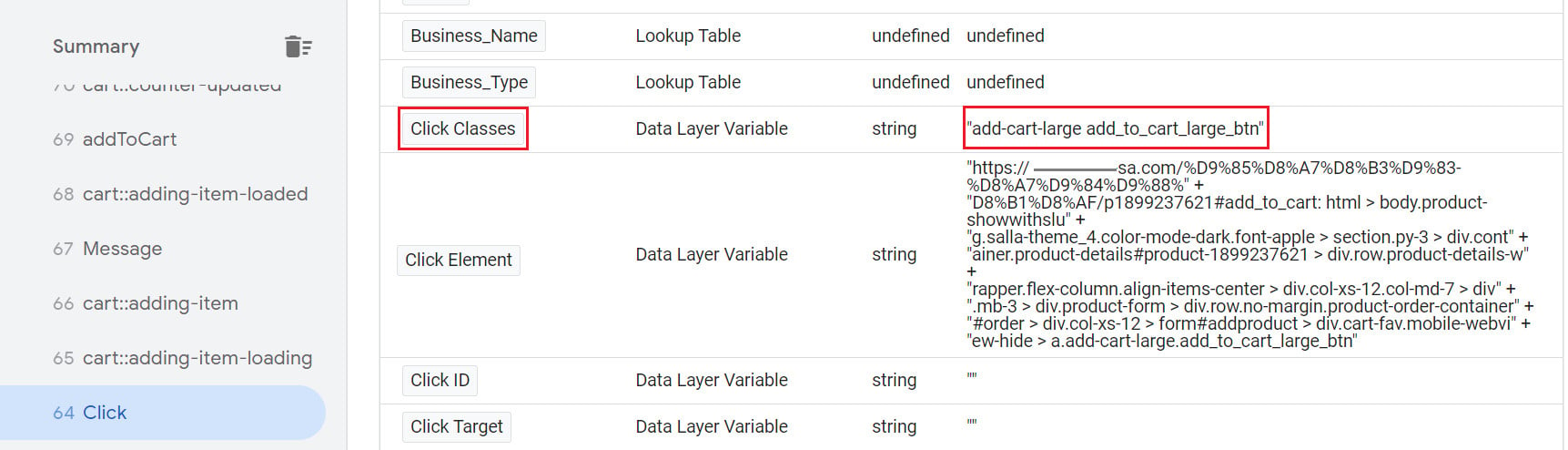
Locate the (Click Classes) variable and copy its value so you can set it in Tag Manager.
6. Set the class.
In Tag Manager, click (Triggers).
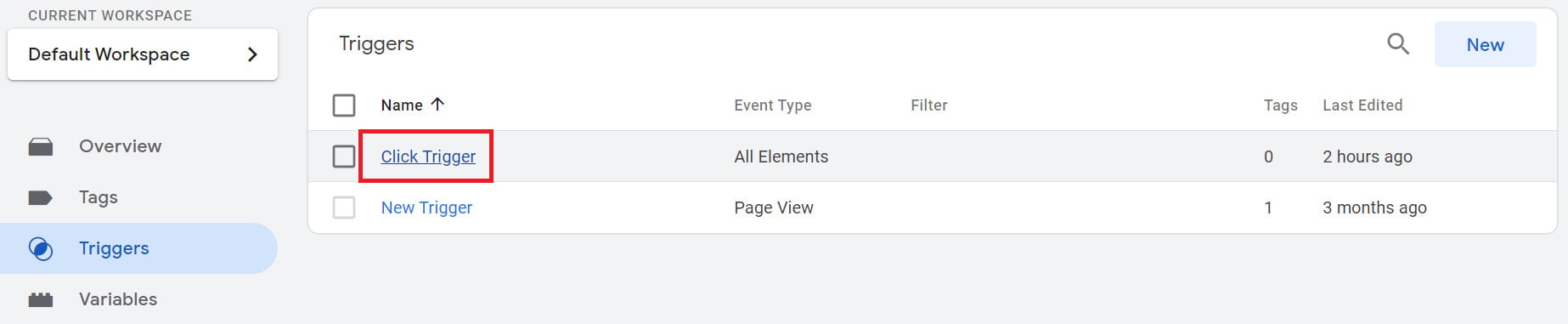
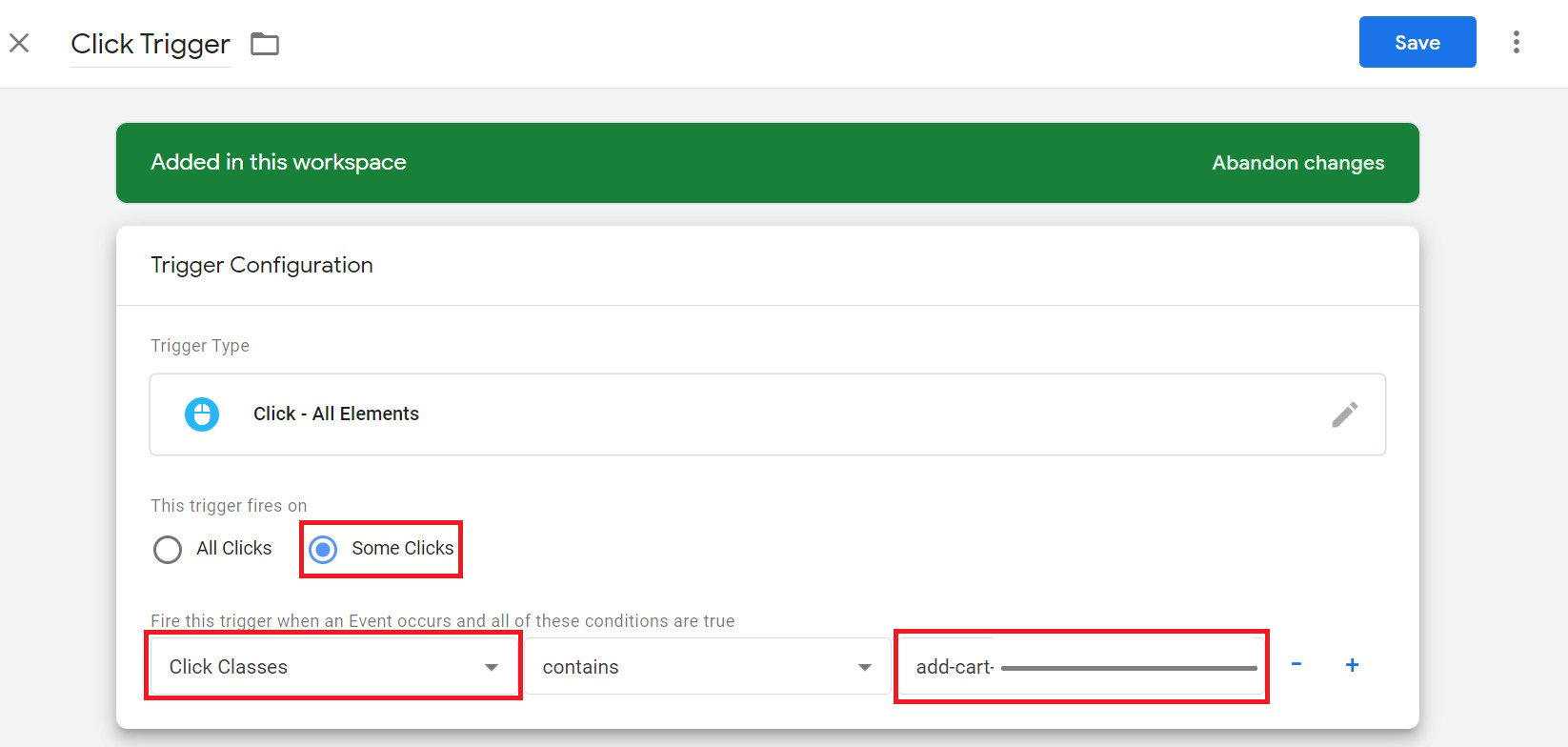
Earlier, we selected All Clicks in the All Elements list. Now change it to (Some Clicks).
Select (Click Classes) from the list, then paste the value you copied from your site in the previous step.
Click (Save) to save the changes.
7. Test the trigger.
Now that the trigger is defined, it is time to check whether it fires. To do that, we create a custom HTML tag and test it.
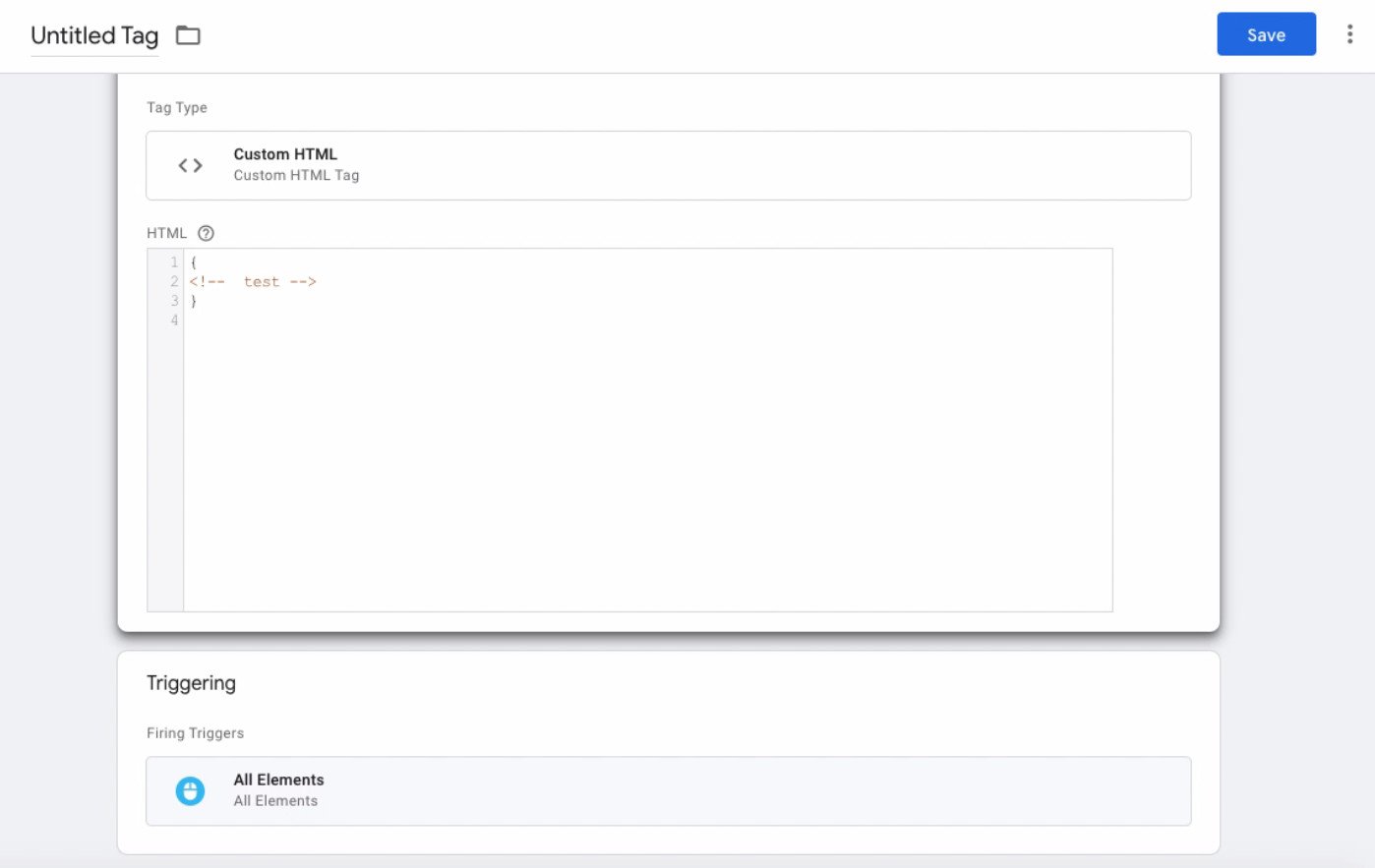
Go to (Tags) and click (New) to create a new tag. Click (Tag Configuration) and select (Custom HTML).
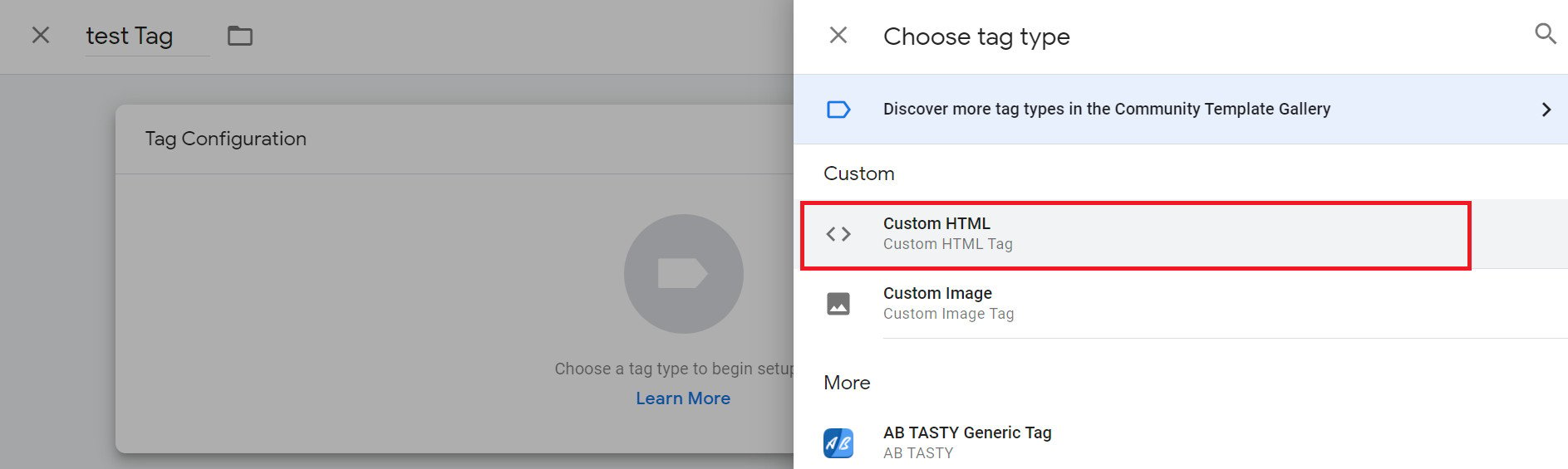
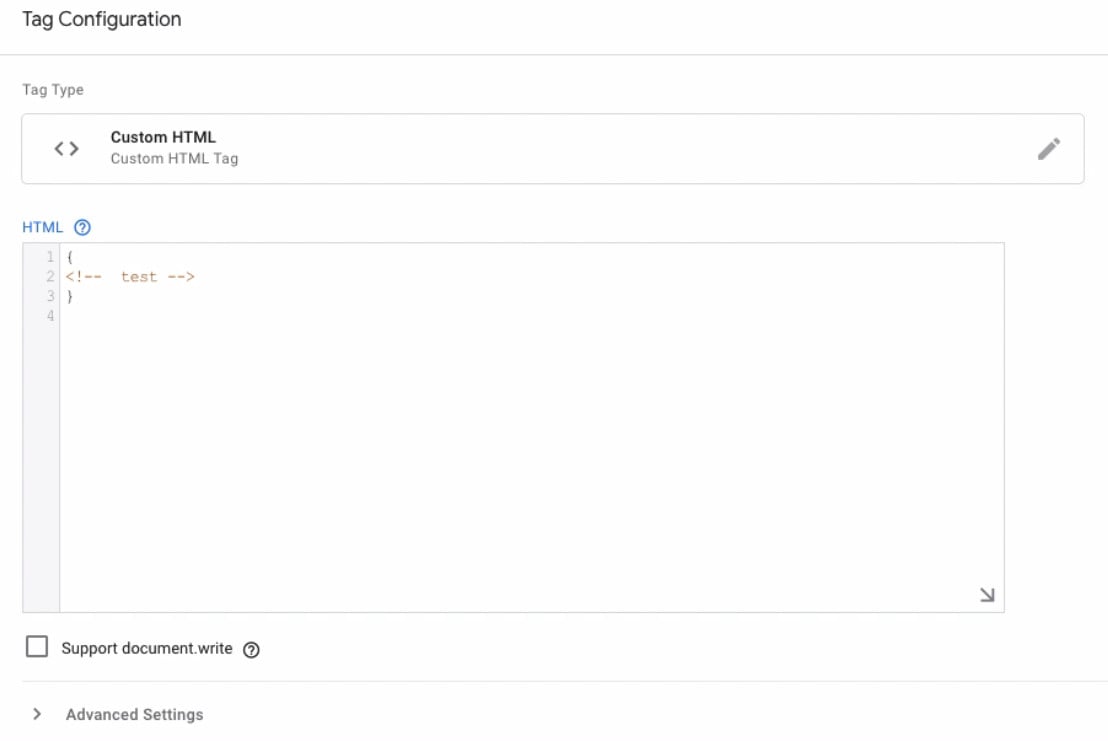
Add the following code in the box and save it.
{
}
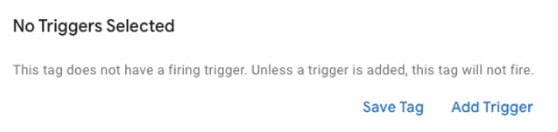
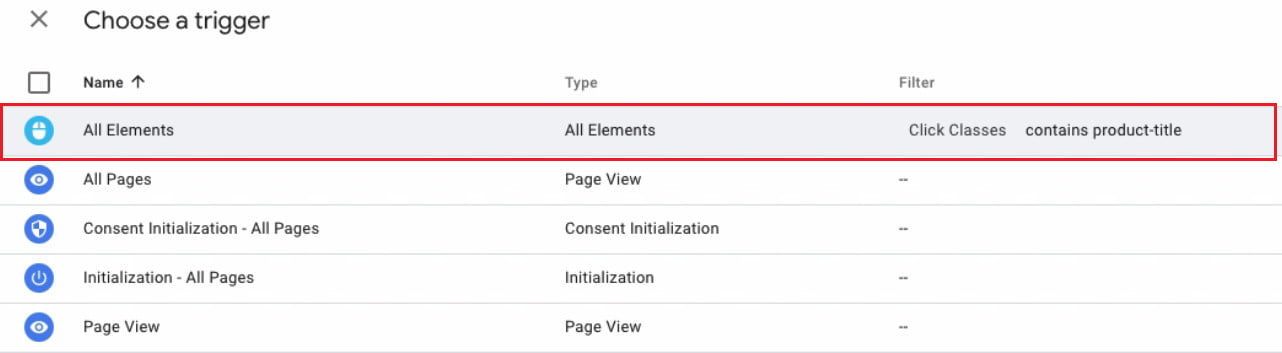
Click (Add Trigger) to attach it to the trigger.
Select the (All Elements) trigger created earlier.
The tag now looks like this:
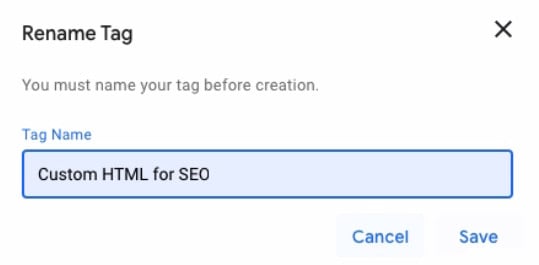
Enter a name for the tag, then click (Save).
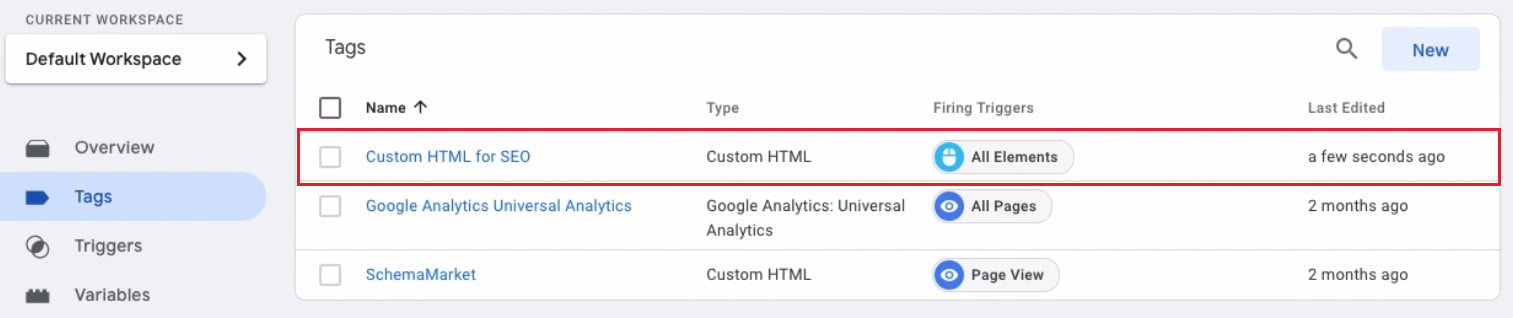
The tag appears in the Tags tab as shown:
Click (Preview) to test the trigger.
To test the trigger, click around your store — add to cart, product options, and so on.
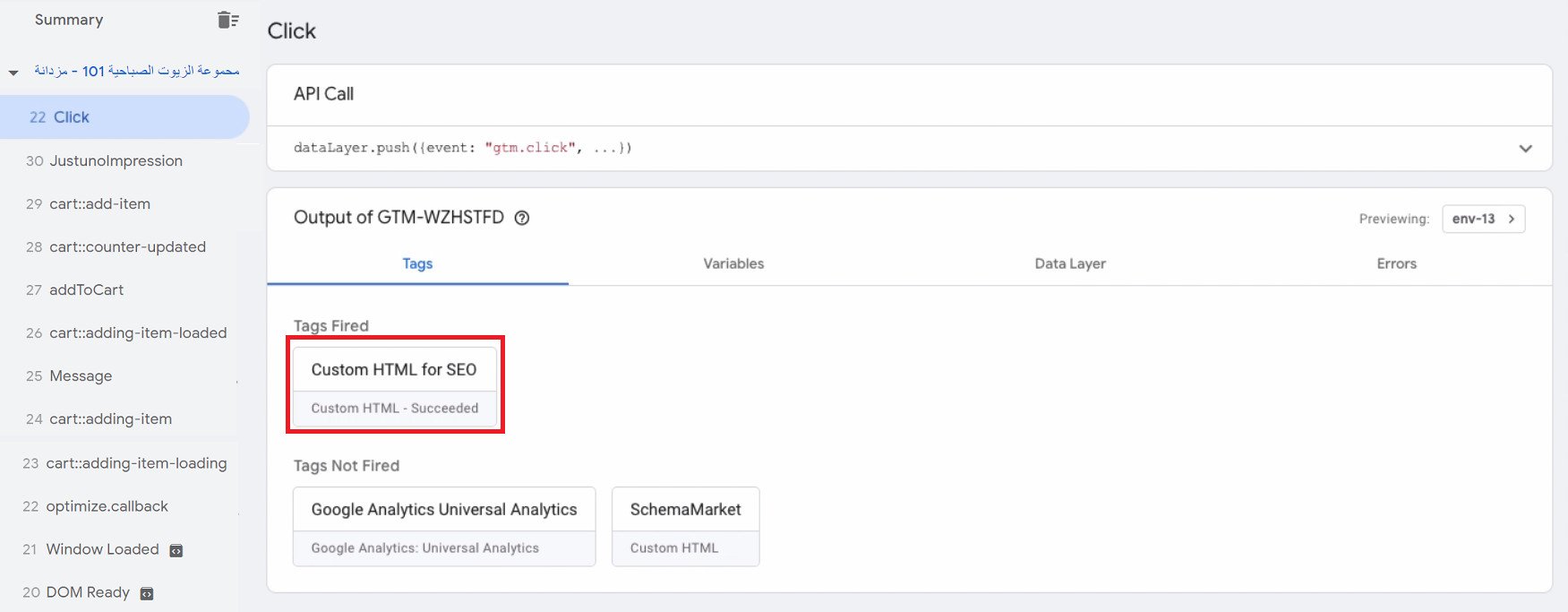
Back in the test results, you'll see that the trigger fired successfully.
Using canonical tags on your web pages is a great way to let search engines know where your content originated and establish its credibility.
Canonicalization helps site owners prove that their website is trustworthy and unique — and, in turn, improve their ranking online.
Frequently asked questions
We'll answer the following questions:
- What is web page crawling?
- Why does my website contain similar or duplicate pages?
- Which URL does Google consider canonical?
- How can I check how much duplicate content my site has?
- Why does canonicalization matter?
- How do canonical tags affect SEO?
- What can I do if my site is removed from search results?
Let's dive in.
❓ What is web page crawling?
The first step is discovering the pages published on the web. There is no central registry of all web pages, so Google must constantly look for new pages and add them to its list of known pages.
Once Google discovers a page's URL, it visits — or crawls — the page to learn what it contains. Google renders the page and analyzes its text, non-text content, and overall visual layout to decide where the page should appear in search results.
The better Google understands your website, the better it can match your site with people searching for the content you publish.
❓ Why does my website contain similar or duplicate pages?
There are legitimate reasons why your site might have different URLs pointing to the same page, or duplicate and near-duplicate pages at different URLs. The most common are:
- Supporting multiple device types.
- Blog content that has been copied for sharing on other sites.
There are plenty of causes of duplicate content, within a site and across domains, which is why Google encourages using the rel=canonical tag to point to the original version of the content. The key thing to remember for now is that your content should be unique in both wording and value.
❓ Which URL does Google consider canonical?
You can use the URL Inspection tool to see which page Google treats as canonical.
Keep in mind that even when you clearly designate a canonical page, Google may choose a different one for a variety of reasons, such as performance or content.
❓ How can I check how much duplicate content my site has?
Several tools can give you a picture of how much duplicate content your site carries. One of them:
Open Siteliner, enter your site's URL, then click (Go).
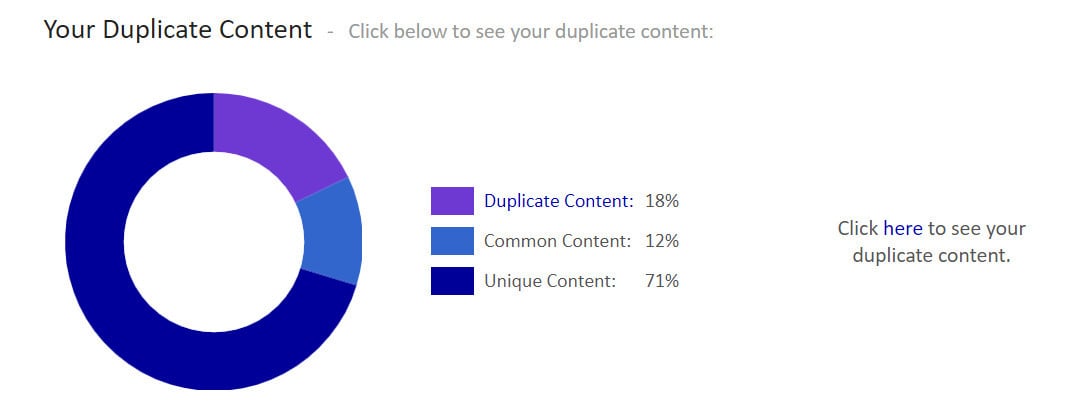
The chart makes the results easy to read at a glance.
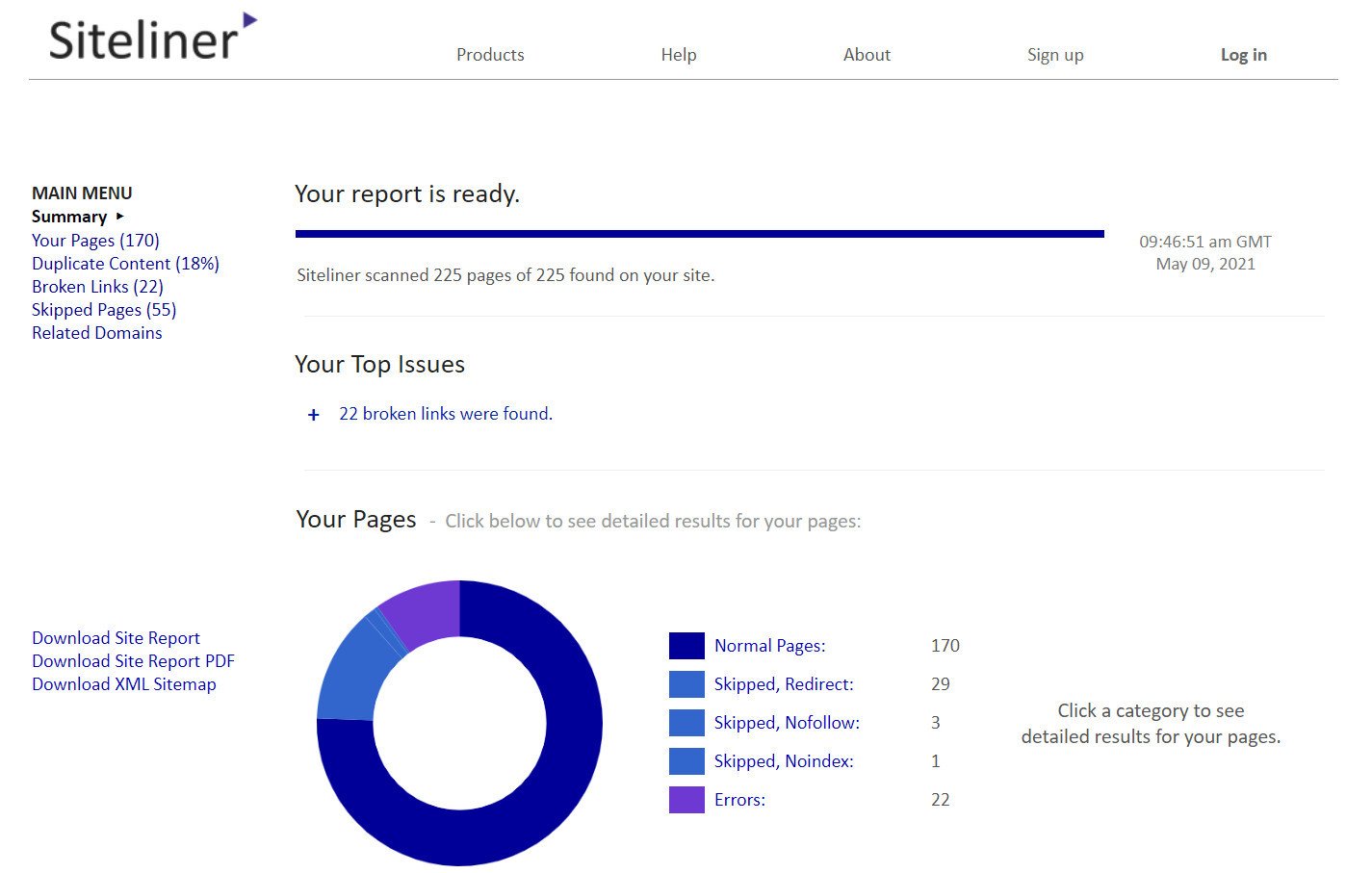
The results include plenty of information, such as:
- Duplicate content
- Common content
- Unique content
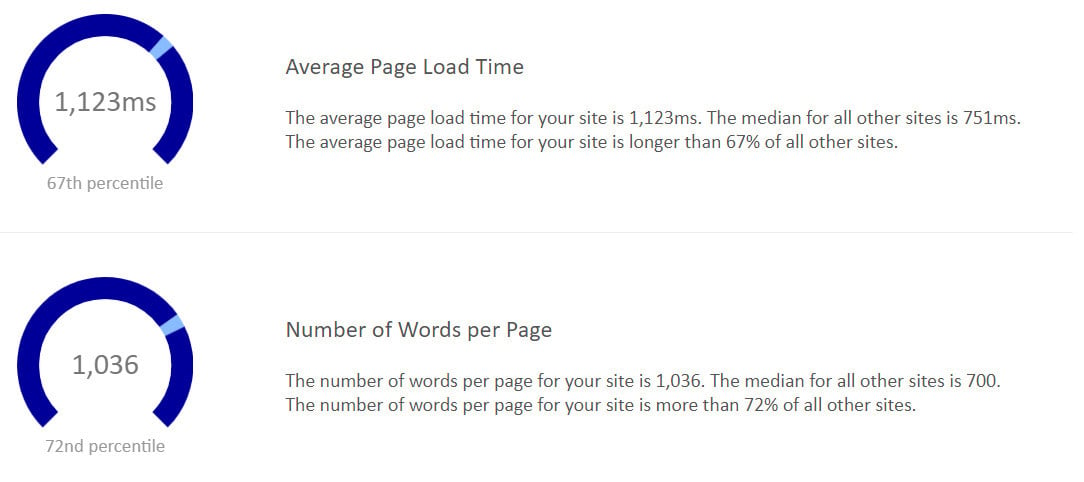
- How your site compares with other sites
- Average load time
- Words per page
❓ Why does canonicalization matter?
When search engines crawl many URLs with identical (or very similar) content, several SEO problems can follow:
First, if crawlers have to wade through too much duplicate content, they may miss some of your unique content.
Second, large-scale duplication can dilute your ability to rank.
Finally, even if your content does rank, search engines may pick the wrong URL as the "original." Canonicalization helps you take control of your duplicate content.
❓ How do canonical tags affect SEO?
They directly shape how search results are displayed, and they can also influence a website's overall rankings through factors such as structure, user experience, and how PageRank flows.
- They can directly affect how search results are displayed.
You are essentially telling Google, "instead of this page, show this one." So if page B ranks for certain keywords, you can tell Google to show page A instead.
- Correctly canonicalizing pages can lift rankings overall, thanks to several combined factors.
Canonical tags also let you focus search engines on a narrower set of pages while keeping every other page on your site available for a better user experience.
💡 Example:
You might have one pricing page with two sub-pages. They can cannibalize each other, all competing to rank for very similar keywords.
If you don't want to merge them into a single page, you can solve the fragmentation with the rel="canonical" tag. Users will then always land on the main pricing page from search engines, but can still browse the other pages freely once they are on your site.
❓ What can I do if my site is removed from search results?
There are a few scenarios in which a site is removed from search results. The main ones:
- If a review finds your site engaged in deceptive practices and it is removed from search results, examine your website carefully.
If your site has been removed, review the webmaster guidelines for more information. After making the necessary changes and confirming your site no longer violates the guidelines, submit a reconsideration request.
- In rare cases, Google's algorithms may select a URL from an external site that hosts your content without your permission. If you believe another website is copying your content in violation of copyright law, you can contact that site's host and ask them to remove it.
You can also ask Google to remove the infringing page from search results by filing a DMCA request.