Selling one hero product and want the whole store to revolve around it?
The Fareed theme is built to put a single product in the spotlight and show off everything that makes it worth buying, using components such as feature tabs and a horizontal feature list. It also handles a full product lineup on the homepage, so it works just as well for a multi-product store. In this guide, you'll learn how to install the Fareed theme, add its new components, and customize its design options.
To install the Fareed theme, open the Themes store from your dashboard, find Fareed, click (Buy now), and complete the payment. Then open Store design, create a new version of the theme, and click (Customize) to set up its components and design options before it goes live.
📌 Article overview
- How to install the Fareed theme on your store
- New components added to the Fareed theme
- Customize the design options
- Frequently asked questions
🚀 How to install the Fareed theme on your store
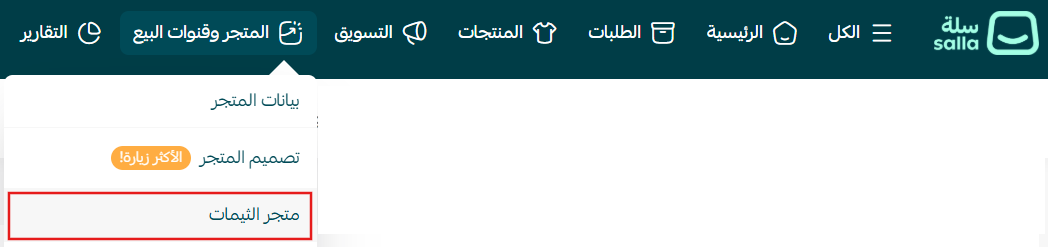
1. From the main menu, click (Store and sales channels), then click (Themes store).
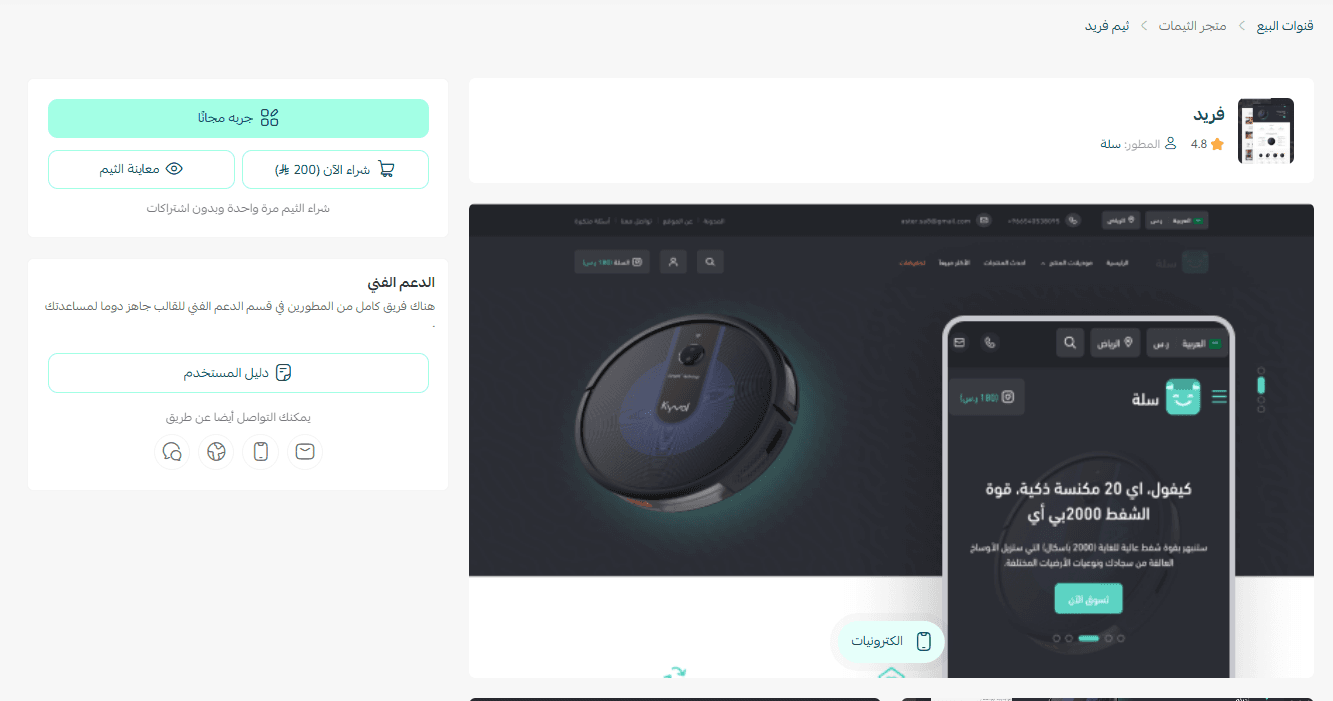
2. On the Themes store page, search for the Fareed theme, click (Buy now), then complete the payment.
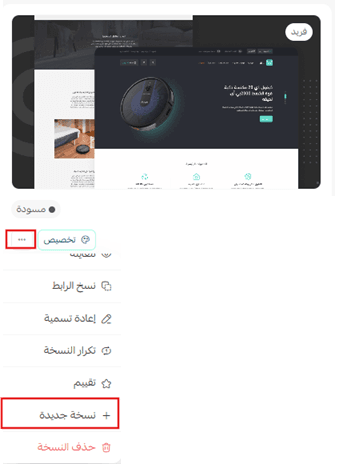
3. Once the theme is installed, go to the Store design page, click (...), then click (+ New version).
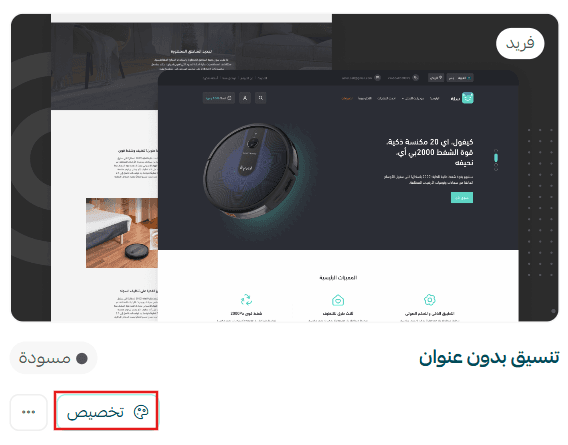
4. Click (Customize) to set the theme version up the way you want it.
The theme customization page also lets you preview how your store will look once the theme is applied:
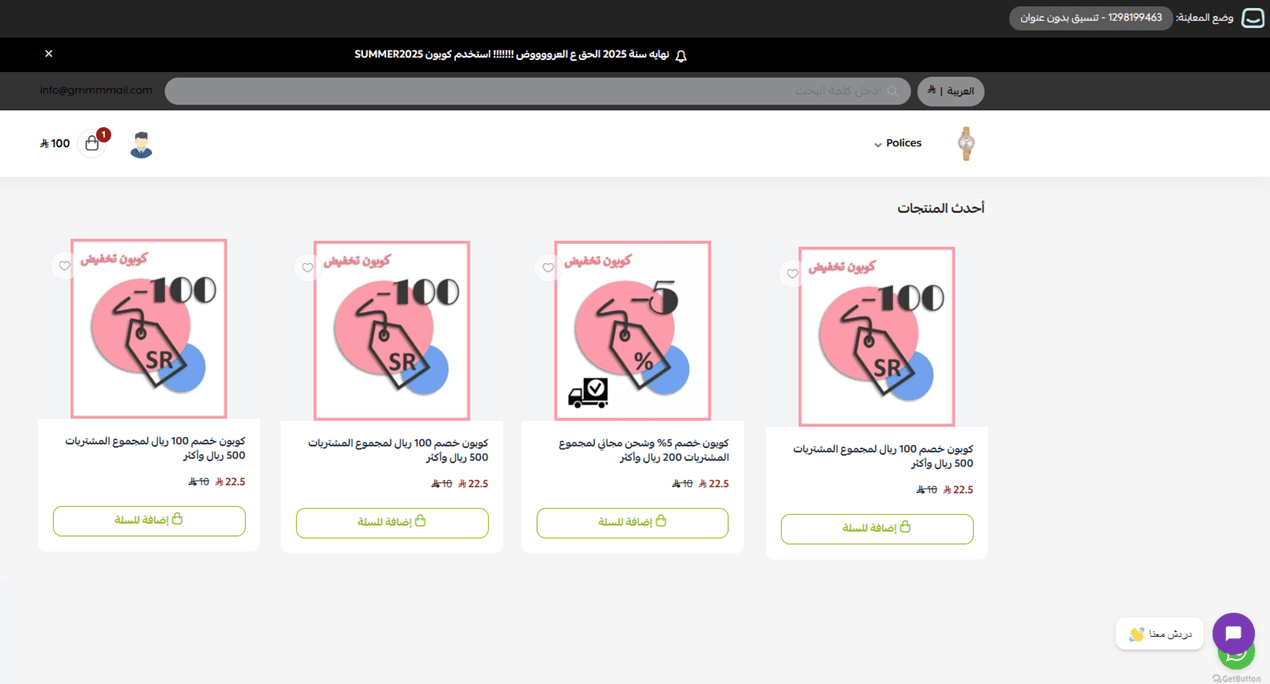
You can also preview a store using the Fareed theme.
🚀 Want a store that looks sharper and sells better? These guides go further:
- Manage theme versions and schedule when they go live
- Manage and customize your theme design.
New components added to the Fareed theme
The Fareed theme ships with a set of components built for fast performance.
To add them to your store, open the Fareed theme customization page and click (+ Add new component).
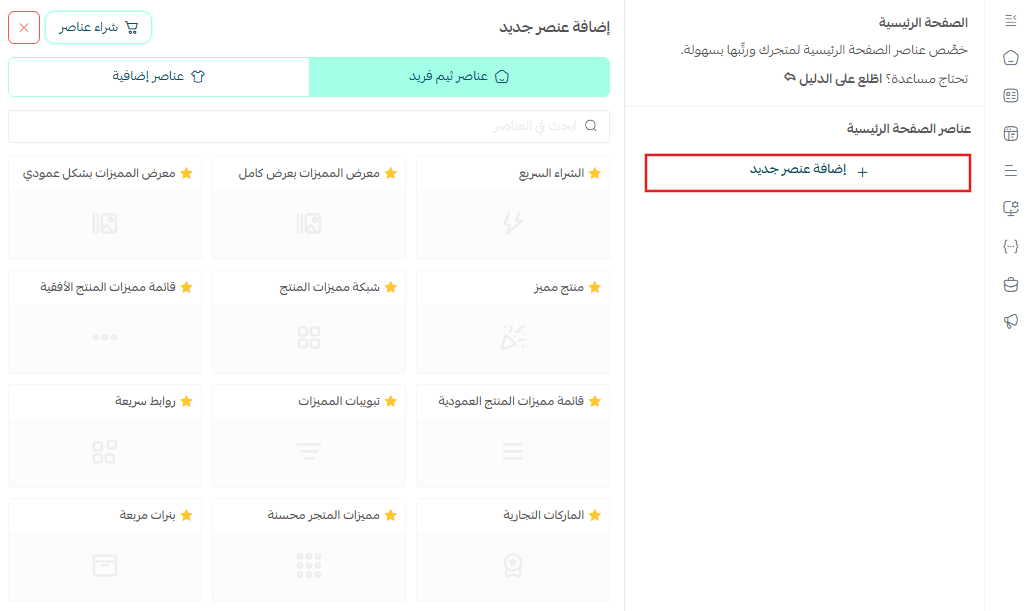
A list of the components you can add to your store appears.
🔔 Note: The components marked with a star are the ones that belong to this theme.
🚀 A sharper homepage means a smoother path to checkout. See how to customize each component.
🌟 Customize the design options
1. Product page
- A wider product image gallery, so the photography carries more weight.
- Control over how product images are laid out inside that gallery.
- The option to display the product's brand, which tells shoppers who made it and signals quality.
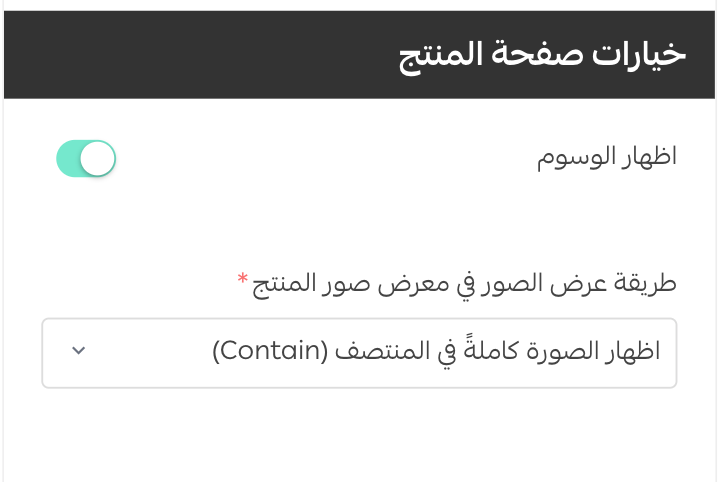
2. Product listing page
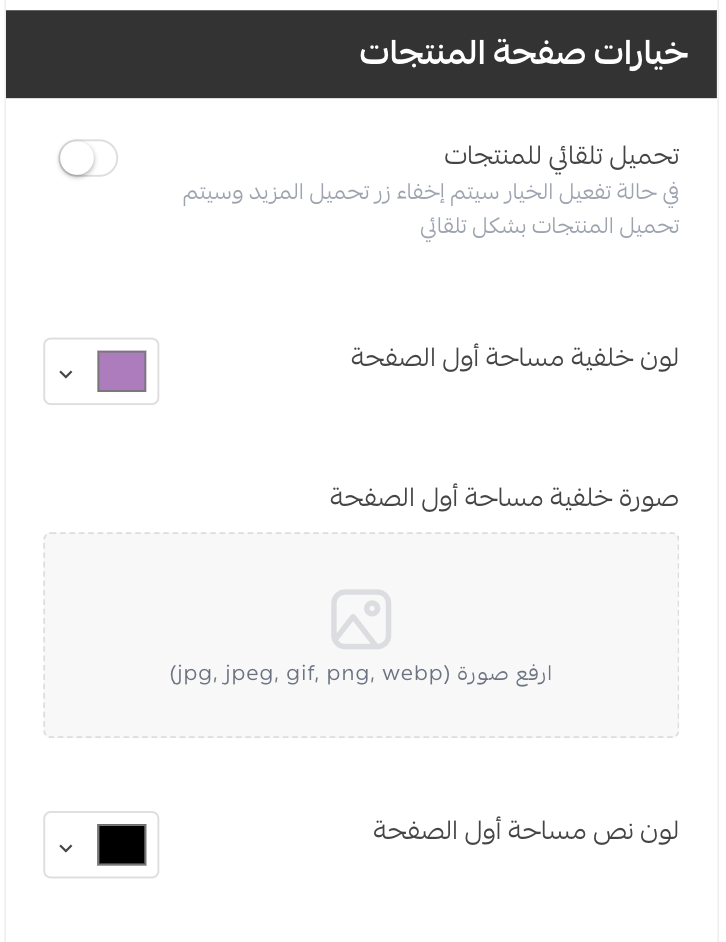
Set your own background image for the top of the page, along with a background color and a text color of your choosing.
Extra support resources
If you want a hand with your store design, take a look at Merchant services, where Salla-verified providers offer logo design, banner and divider design, and color coordination so the work behind your brand is handled professionally.
Other learning resources
Learn with trainer Mohammed Albadr how to improve the user experience and design an online store that pulls visitors in, moves them toward a buying decision quickly, and leaves an impression that lasts.
📝 Important notes
Customize a new version of the theme rather than editing a live one, so your storefront only changes when you decide it should.
Design options are saved per theme version, so a change you make in one version does not carry into another.
❓ Frequently asked questions
Is the Fareed theme only for single-product stores?
No. It is designed around one hero product, but it also displays a full lineup of products on the homepage, so it suits a multi-product catalog too.
What makes the Fareed theme different?
Components built to sell a product on its merits, such as feature tabs and a horizontal feature list, plus a wider product image gallery and the option to show the product's brand.
Is the Fareed theme free?
No. You buy it from the Themes store and complete the payment before it can be installed on your store.
How do I know which components belong to the Fareed theme?
Open (+ Add new component) on the theme customization page. The components marked with a star are the ones the theme adds.
Can I see the theme before I buy it?
Yes. Open the preview of a store running the Fareed theme, and after installing, use the preview on the theme customization page to check your own store.
Install the theme, then spend a few minutes in (Customize) building the product page around the one thing you most want customers to notice. That is where the Fareed theme earns its keep.