Your customers know your app exists and have installed it. What gets them to actually order through it?
Getting the install is the easy half. The store app only starts paying for itself once customers open it instead of the browser, and that takes a reason they can see: a discount they cannot get anywhere else, products the website does not show, and an experience that is quicker than the one they already have. In this guide, you'll learn four ways to move customers from installing your app to buying through it.
To drive purchases through your store app, create discount coupons that work in the app only, make some products app-exclusive, keep the app design simple and trustworthy, and refresh it around occasions your customers care about. Each one gives customers a reason to open the app rather than the website.
📌 Article overview
- Launch a coupon just for app users
- Offer products only in the app
- Keep the design attractive and smooth
- Share occasions with your customers
- Frequently asked questions
For more on the app builder.
🚀 1. Launch a coupon just for your store app
This one is the worst-kept secret in retail: plenty of large brands run discounts and offers that only work in the app, precisely to pull customers into downloading it.
You can announce your app-only discounts through social media, email newsletters, and text messages.
Here are a few ways to put an app coupon to work.
A coupon for a first purchase in your app
Give visitors a reason to finish the order by sending them a discount coupon.
Stage one: create a discount coupon for app users.
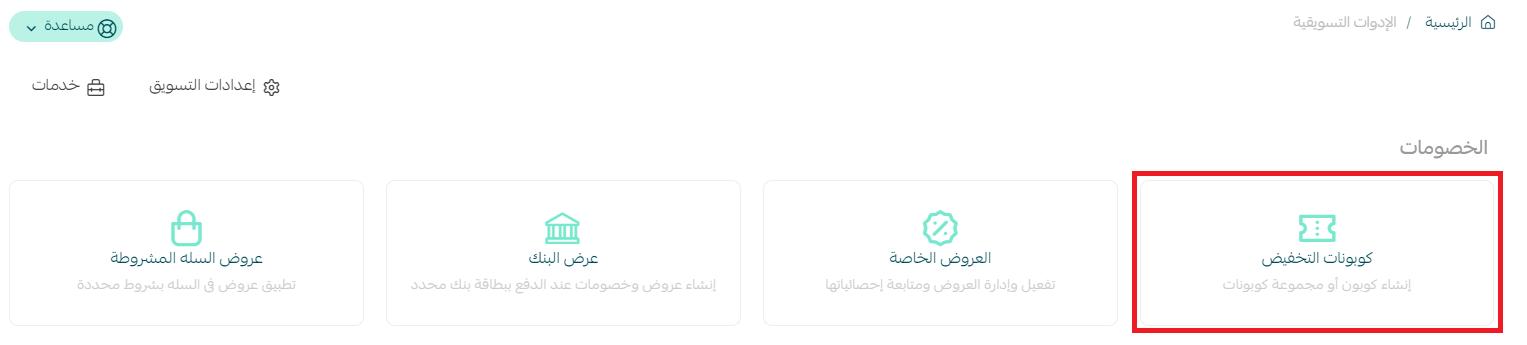
1. From the marketing tools page, click discount coupons and create a new coupon.
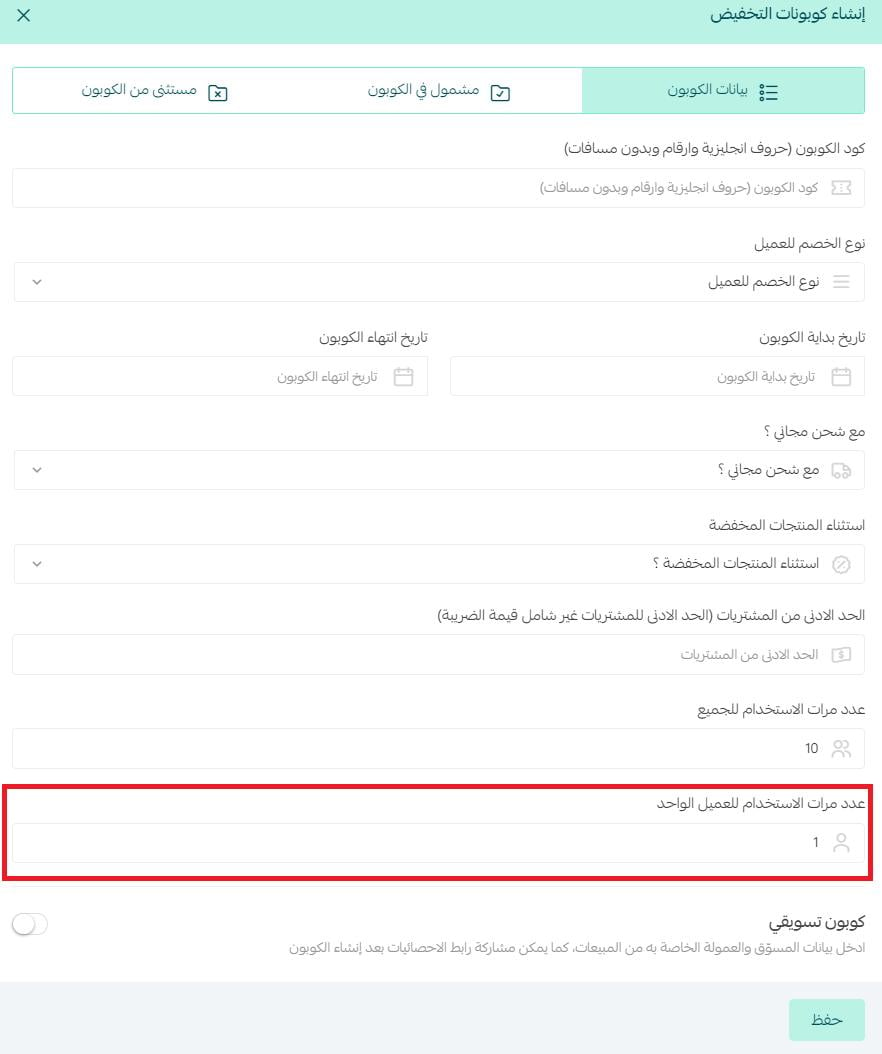
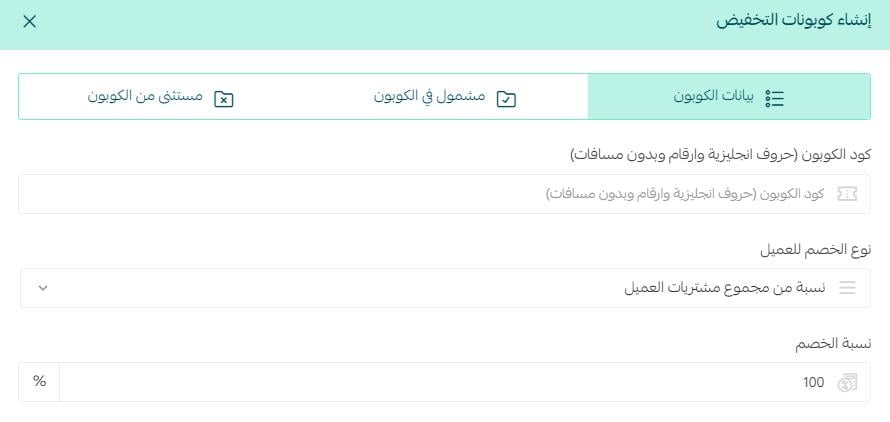
2. Set the number of times a customer can use the coupon to one.
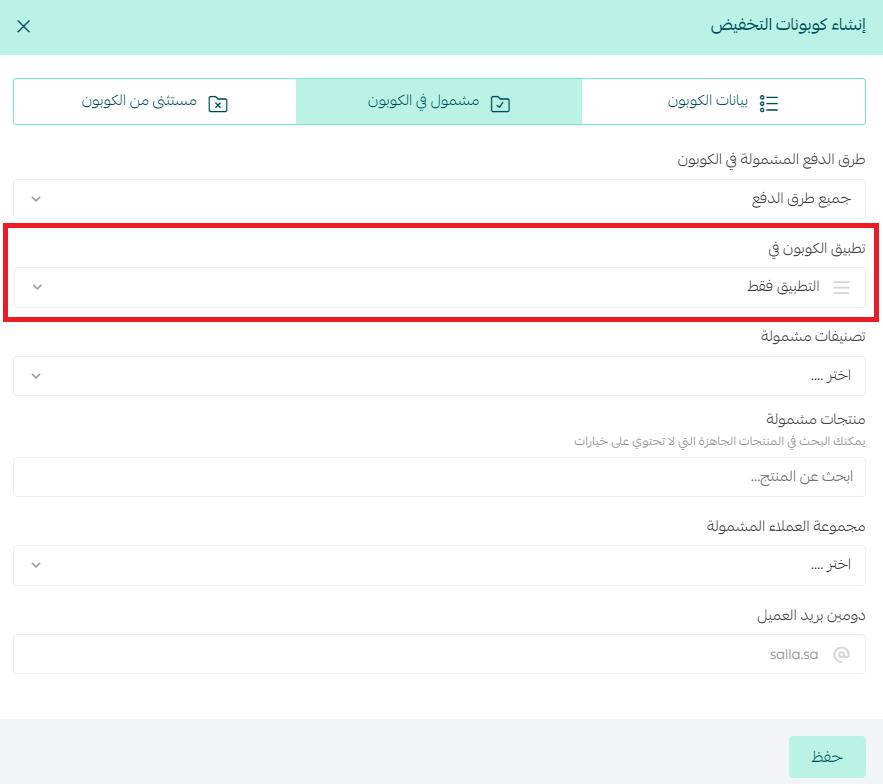
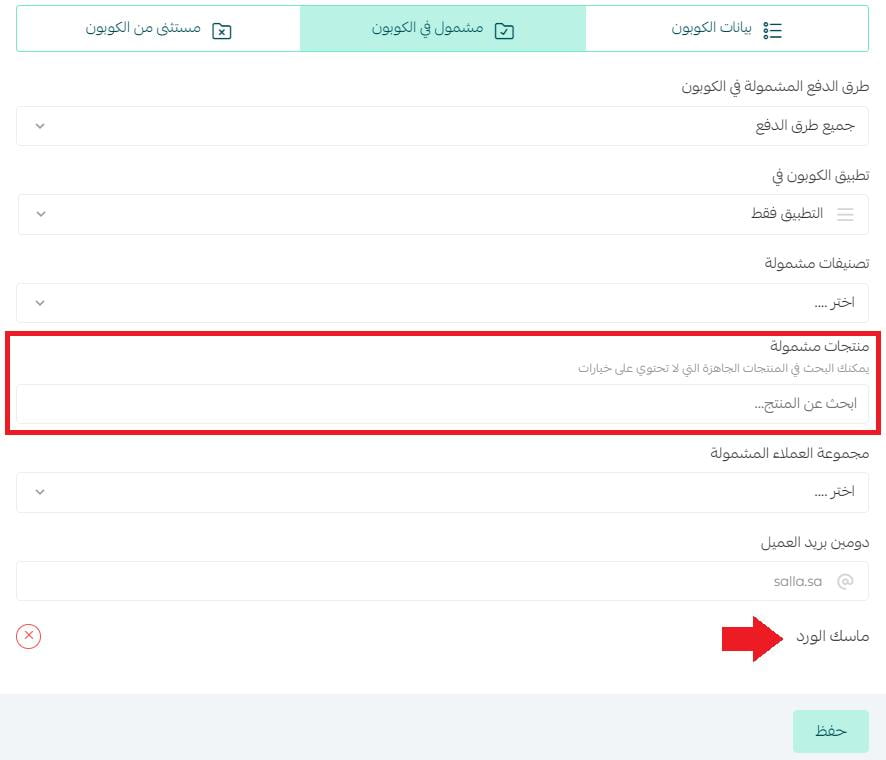
3. Open the (Included in the coupon) tab and set the coupon to apply to (The app only).
Stage two: share the coupon through social media, email newsletters, or text messages.
A free shipping coupon for app users
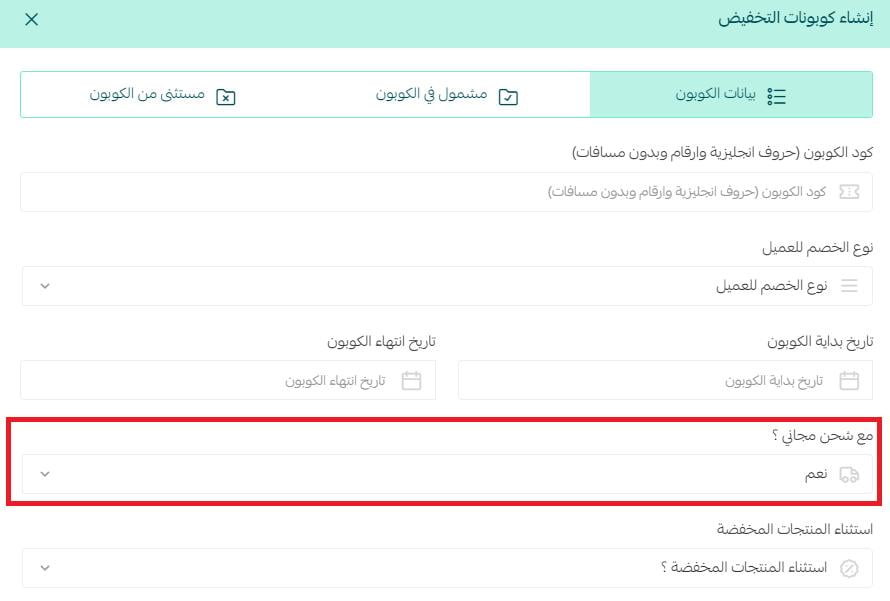
When you create a coupon for app users, you can hand them free shipping on the order by including free shipping with the discount coupon.
A free trial coupon through your app
Use this to let app users try one of your products for free.
As well as restricting the coupon to app users, open the (Included in the coupon) tab and choose the product you want.
Then give them a 100% discount on it.
For more on creating a new coupon.
✅ 2. Offer products only in the app
Plenty of merchants keep certain products exclusive to the store app, which gives regular customers a reason to come back and shop there. The app then shows them a wider range than the website does, conversion from web to app climbs, and the app becomes the main channel — which is exactly the result you want.
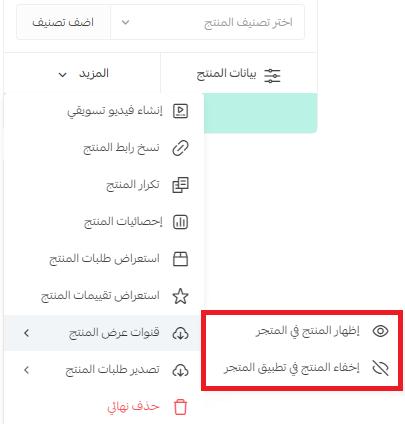
To set this up, go to the products page and click (More) on the product card.
Then hide the product in the store and show it in the app only.
For more on displaying products.
✅ 3. Keep the design attractive and smooth
User experience design shapes loyalty, because it decides whether interacting with your product feels easy or feels like work.
If a customer uses a mobile app that is simple, has an intuitive design, and runs smoothly, they are likely to keep using it and to stay loyal. If the app is awkward or frustrating, they will go looking for an alternative.
For more on app design.
The design also needs the elements that convince people to buy — ratings, customer reviews, and the like — because potential shoppers look for voices they can trust. Getting your best customers to recommend your store can carry as much weight inside their circles as a celebrity endorsement does. That effect is known as social proof.
Salla gives you several tools for putting social proof to work, so customers feel more confident that your store is the right choice:
1. Collect positive ratings for your store or your products.
2. Show how many times each product has been bought.
3. Share reviews from your current customers.
4. Publish your customer satisfaction rate.
For more on building trust in your online store with social proof.
✅ 4. Share occasions with your customers
Change parts of your app to match the culture of the audience you are selling to — switch the color scheme and redesign the app so it fits the moment your customers are in.
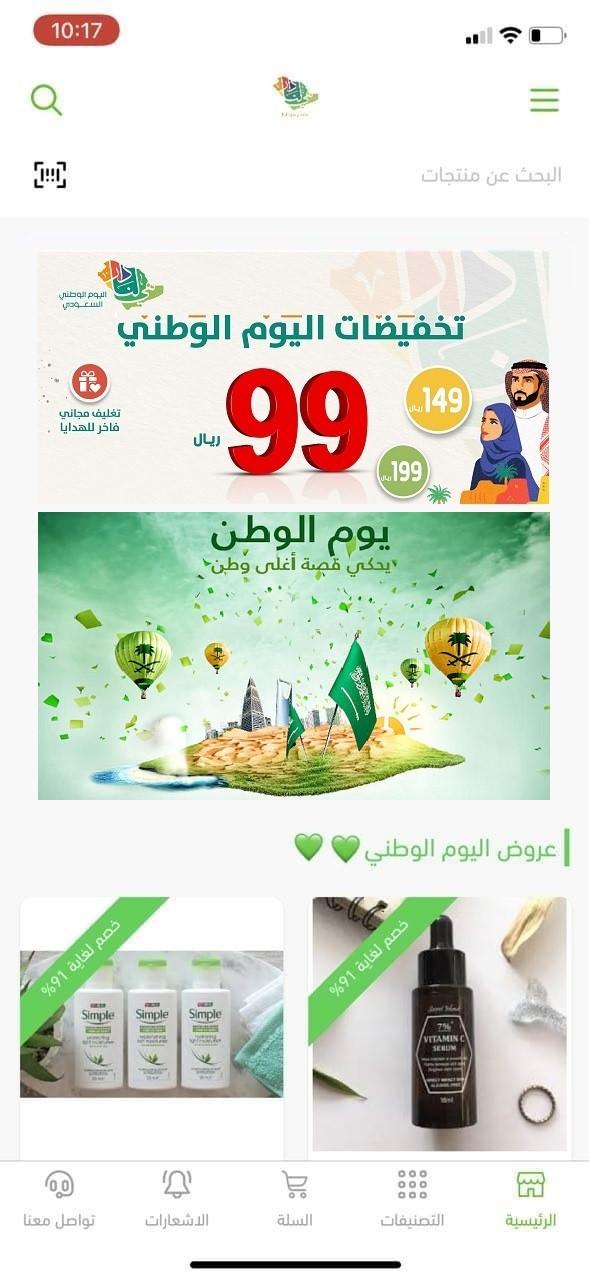
💡 Example: join your audience in celebrating National Day.
That can include:
- Designing your app to match the occasion.
- Putting your National Day offers front and center.
For more on National Day marketing ideas for your store app.
❓ Frequently asked questions
Can I create a coupon that only works in the app?
Yes. Create the coupon as usual, then open the (Included in the coupon) tab and set it to apply to (The app only).
Can an app coupon include free shipping?
Yes. Free shipping can be included with the discount coupon when you create it for app users.
How do I give app users a product for free?
Restrict the coupon to app users, choose the product from the (Included in the coupon) tab, then set the discount to 100%.
How do I make a product available only in the app?
From the products page, click (More) on the product card, then hide the product in the store and show it in the app only.
How many times should an app welcome coupon be usable?
Set the usage limit to one per customer, so the offer stays a first-purchase incentive rather than an ongoing discount.
📝 Important notes
An app-only coupon is only worth creating if you promote it somewhere customers will see it — social media, a newsletter, or a text message.
Hiding a product from the store and showing it in the app makes it invisible to web shoppers, so use it for products you genuinely want to keep exclusive.
We recommend reading the rest of the series on growing your store app:
- How to make customers aware your store has an app
- How to write a notification your app users will actually open
- Tools that help you understand how your store app is performing