Want to schedule your own pickups instead of waiting on a courier's timetable?
Sals Express is a mail and parcel transport company serving e-commerce businesses, startups, and retail stores across electronics, health, beauty, fashion, and more. The Sals Express shipping integration connects your Salla store to the company through the Salla App Store, so orders and waybills flow across automatically. In this guide, you'll learn how to install and connect the app, how to set your shipping rates, and how the company's coverage, waybills, and returns work.
To connect Sals Express, open (My installed apps) from your dashboard side menu, browse the Salla App Store, and install the Sals Express app. Review the permissions it requests and click (Grant permission). Installing the app creates a Sals Express account for you automatically, and the connection is complete.
📌 Article overview
- What Sals Express is
- Whether you need a Sals Express account before connecting
- How to connect Sals Express to your store
- Frequently asked questions
🎯 What Sals Express is
Sals Express is a mail transport company that serves a wide range of customers across business sectors — e-commerce, startups, and retail stores in electronics, health, beauty, fashion, and other categories.
Services are shaped around how your business runs, so you can schedule the pickup and delivery of your own orders. The team also advises on improving the customer experience, drawing on the best practices used locally and internationally.
🎯 Do you need a Sals Express account before connecting?
No. Installing the Sals Express app from the Salla App Store creates a new Sals Express account for you automatically. If you already have a Sals Express account, contact Sals Express technical support to activate it on your Salla store.
🚀 How to connect Sals Express to your store
1. From the side menu of your dashboard, click (My installed apps).

2. From the Salla App Store banner, click (Browse Salla App Store).

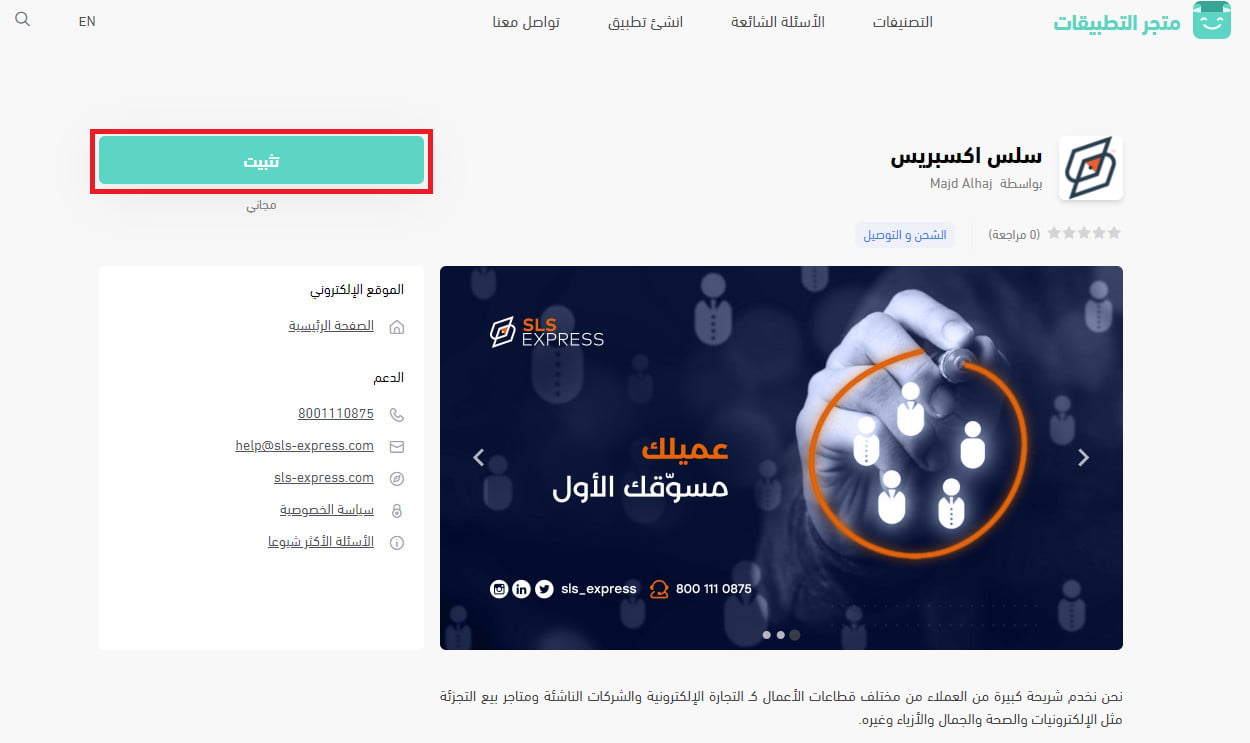
3. From the Sals Express app page, click (Install).
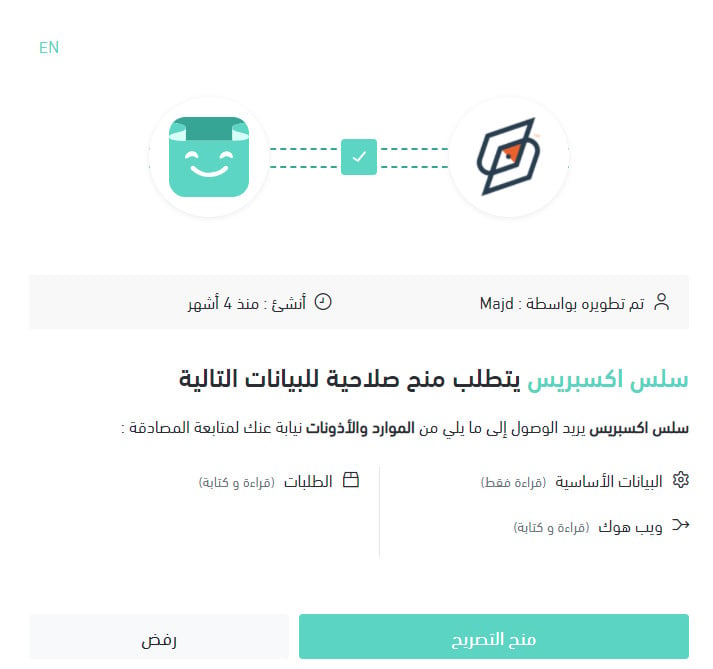
4. Review the permissions the app requests, then click (Grant permission).
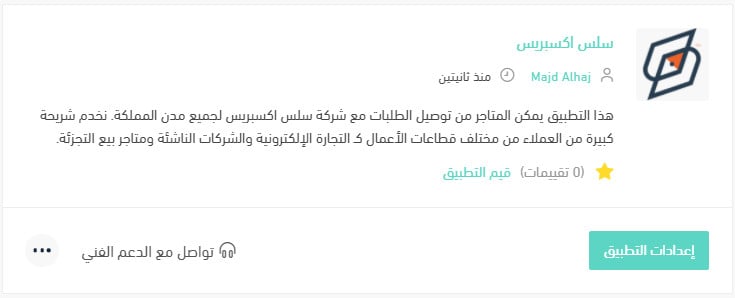
Your Salla store is now connected to your Sals Express account.
For more detail, see managing my store's apps.
❓ Frequently asked questions
How do I set up my shipping rates with Sals Express?
1. From the side menu of your dashboard, click (My installed apps).

2. From the all apps page, on the Sals Express app, click (App settings).
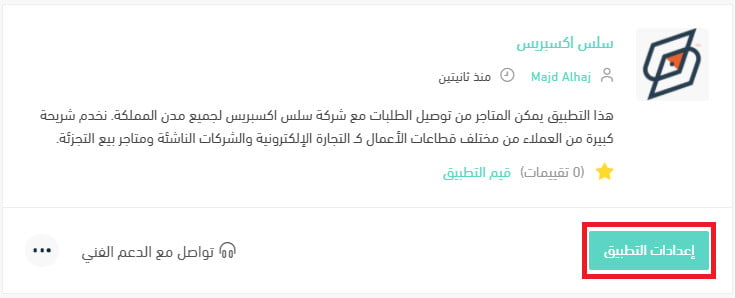
3. From the (Shipping rates) tab, enter the rates for the cities and regions you need.
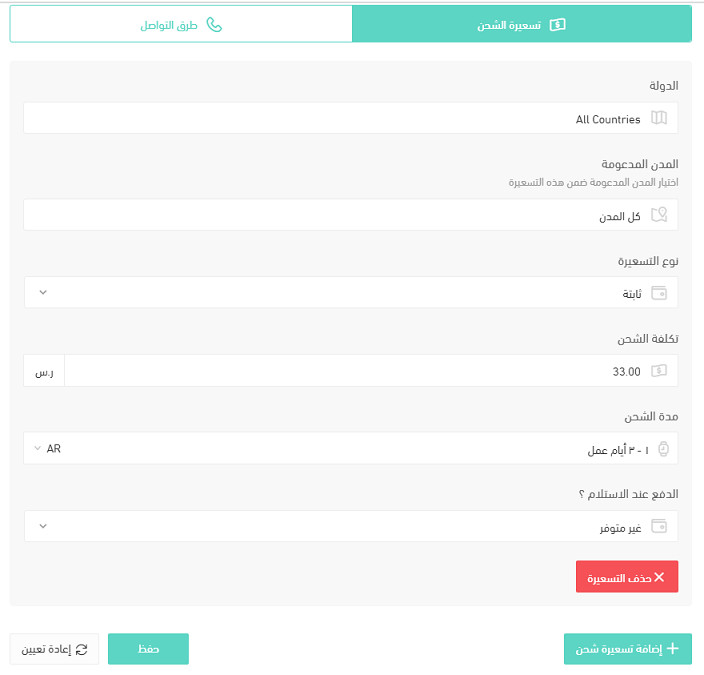
For more detail, see shipping and delivery options settings.
How do I temporarily disable the app in my store?
1. From the side menu of your dashboard, click (My installed apps).
2. From the all apps page, on the Sals Express app, click (App settings).
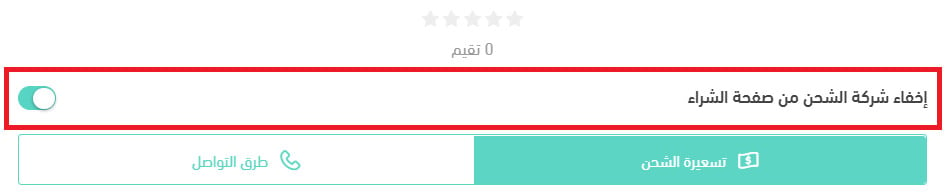
3. Turn the (Hide shipping company from the checkout page) option on or off.
How do I remove the Sals Express app from my store?
1. From the side menu of your dashboard, click (My installed apps).
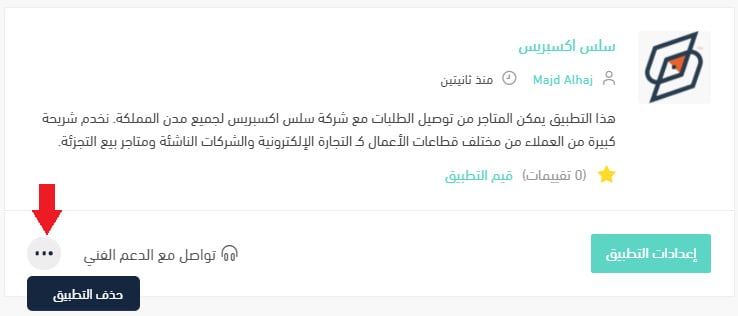
2. From the all apps page, on the Sals Express app, click the (...) icon, then click (Delete app), as shown below.
Which cities are supported for the merchant?
Riyadh, Jeddah, and Dammam.
Which cities are supported for customer shipping and delivery?
Every city in the Kingdom.
How do contracting and connecting work?
Register your details through the company's link and you'll receive a quote. Once you accept the quote, Sals Express sends a contract, then connects your store and issues your login code and password for the Sals system.
How are amounts settled?
An invoice is issued monthly for the amounts your store owes, based on the number of shipments.
When is the best time to reach Sals Express customer service?
From 8 am to 10 pm.
Does the merchant get a report on amounts and stock?
Yes. Through the company's link, you can see all shipment information, track shipments, and view the cost of each shipment along with its full shipping details.
How is an order sent to the company?
Your store connects to the Sals system, and you can also add orders manually from there.
Is there a shipment tracking system?
Yes.
How does the waybill work?
The waybill is issued automatically once your store is connected, or you can issue one manually through the Sals link.
If a shipment has more than one box, does each box get its own waybill, or do they ship together under one?
If a shipment has more than one box, a waybill is issued for each box.
How do I change a customer's address after the waybill is issued?
Edit the address yourself, or contact customer service through the Sals link.
Do you offer shipping within the same city, and between cities?
Yes — shipping is available inside the city and to every other city.
Is door-to-door pickup and delivery available?
Yes, every shipment is delivered door to door.
Does the company support international shipping, and which countries do you ship to?
Yes, shipping to the GCC countries is supported.
Who do I contact when there's a problem with a shipment?
Customer service, or your store's account manager.
Can I ship liquid products?
Yes.
What is the maximum number of boxes I can ship at once?
There is no limit on the number of boxes, as long as the weight stays under 30 kg.
Can I ship valuable items, are they insured, and what is the maximum cover?
No. [Verify: a later answer refers to insured shipments and compensation agreed at the time of insuring, which conflicts with this answer.]
Is two-hour delivery available?
No, but same-day delivery is available.
Does two-hour delivery cover restaurants or food?
No.
Is refrigerated shipping available, and at what temperature?
No.
Are storage, preparation, and packing available?
Yes.
What are the minimum and maximum shippable weights?
There is no minimum weight, and the maximum is 30 kg.
Is cash on delivery available, what does it cost, and is card payment supported?
Yes, at the cost set in your contract. Card payment is also supported.
How is the shipping or delivery charge calculated?
Each order is priced individually, based on its weight and the destination city.
If a courier collects from home, when do they arrive?
The time is arranged with the Sals driver to suit your store's hours.
Is a return service available, and what does it cost, if the customer doesn't take delivery?
Yes, a return service is available under the contract agreed with your store.
What happens if a shipment is delayed or damaged, and who covers the cost?
Under the agreed contract, USD 25 is covered per shipment when the shipment is not insured. If it is insured, you are compensated at the amount agreed when the shipment was insured.
How long does delivery take inside the merchant's city, and how long does shipping take?
Shipments are delivered the same day inside the merchant's city. [Verify: the source gives no shipping time for other cities.]
With Sals Express connected, waybills are issued the moment an order comes in, and you can schedule pickups around your own working hours instead of the other way round.