Need one place to control how products, orders, customers, and storefront features behave?
Salla store options give you a central set of controls for enabling features and showing or hiding store elements. In this guide, you'll learn where to find these settings and what you can configure in each section.
Salla store options let you enable or disable features and control what appears across your store. From Store settings, open Store options, then configure product, order, customer, question and review, or general settings. Save each section after choosing the behavior that fits your store.
📌 Article overview
- Access Salla store options
- Configure product options
- Configure order and customer options
- Configure questions, reviews, and general options
👣 How to access Salla store options
1. من القائمة الجانبية للوحة التحكم، اضغط على (إعدادات المتجر). 
2. Click (Store options).

From this page, you can configure the general options available for your Salla store.
Configure product options
Choose the product settings that fit your store, then click (Save).
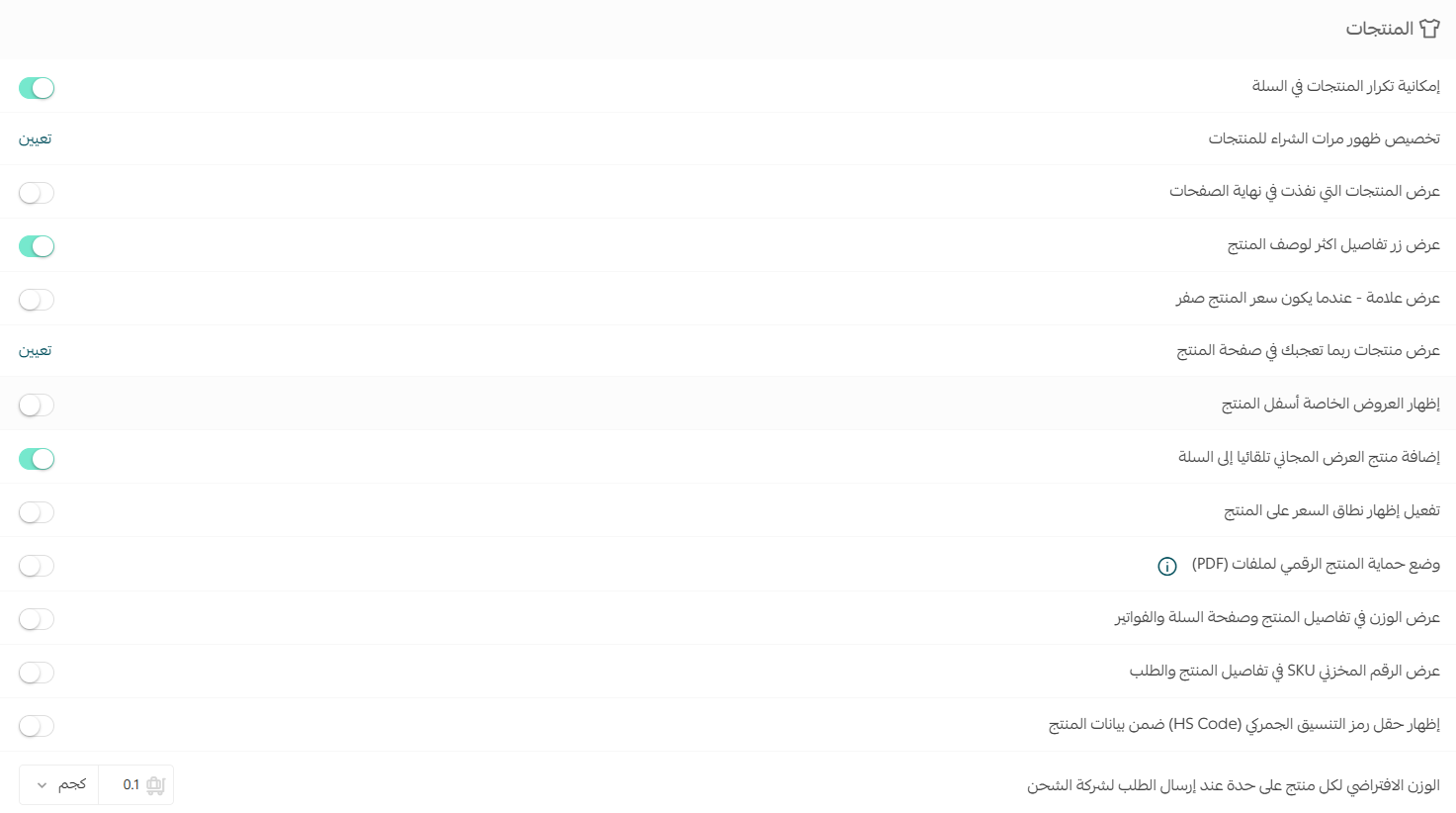
See the detailed guide to product option settings.
Show recommended products
You can show products a customer may like while they view another product.

Enable (Show products you may like on the product page), choose the display method that fits your business, then click (Save).
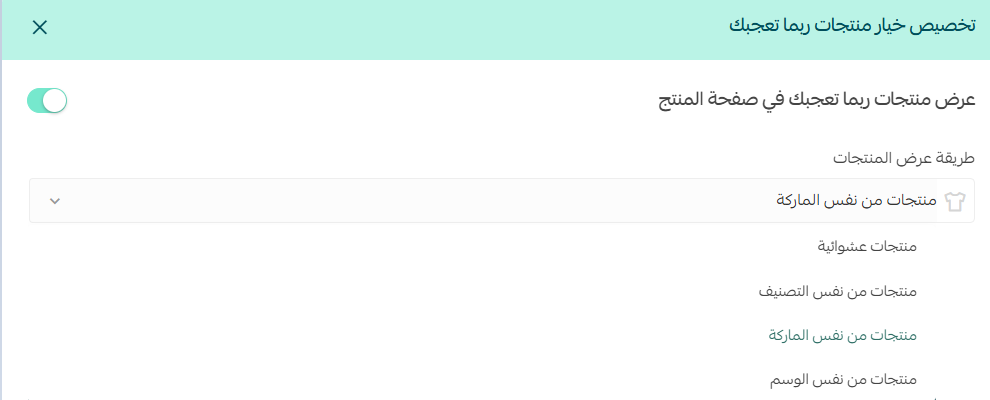
Learn more about products you may like.
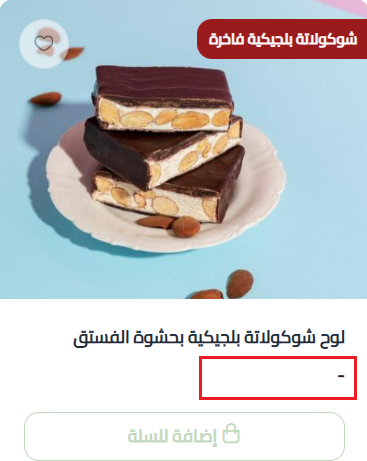
Replace a zero price with a dash
You can replace the price with a dash (-) when a product's price is zero.

The price then appears as shown below.
Show a price range
Enable the price range to show visitors that a product has multiple prices that start from a particular value, based on its available options.

The product price then appears as shown below.

Configure order options
Choose the order settings that fit your workflow, then click (Save).
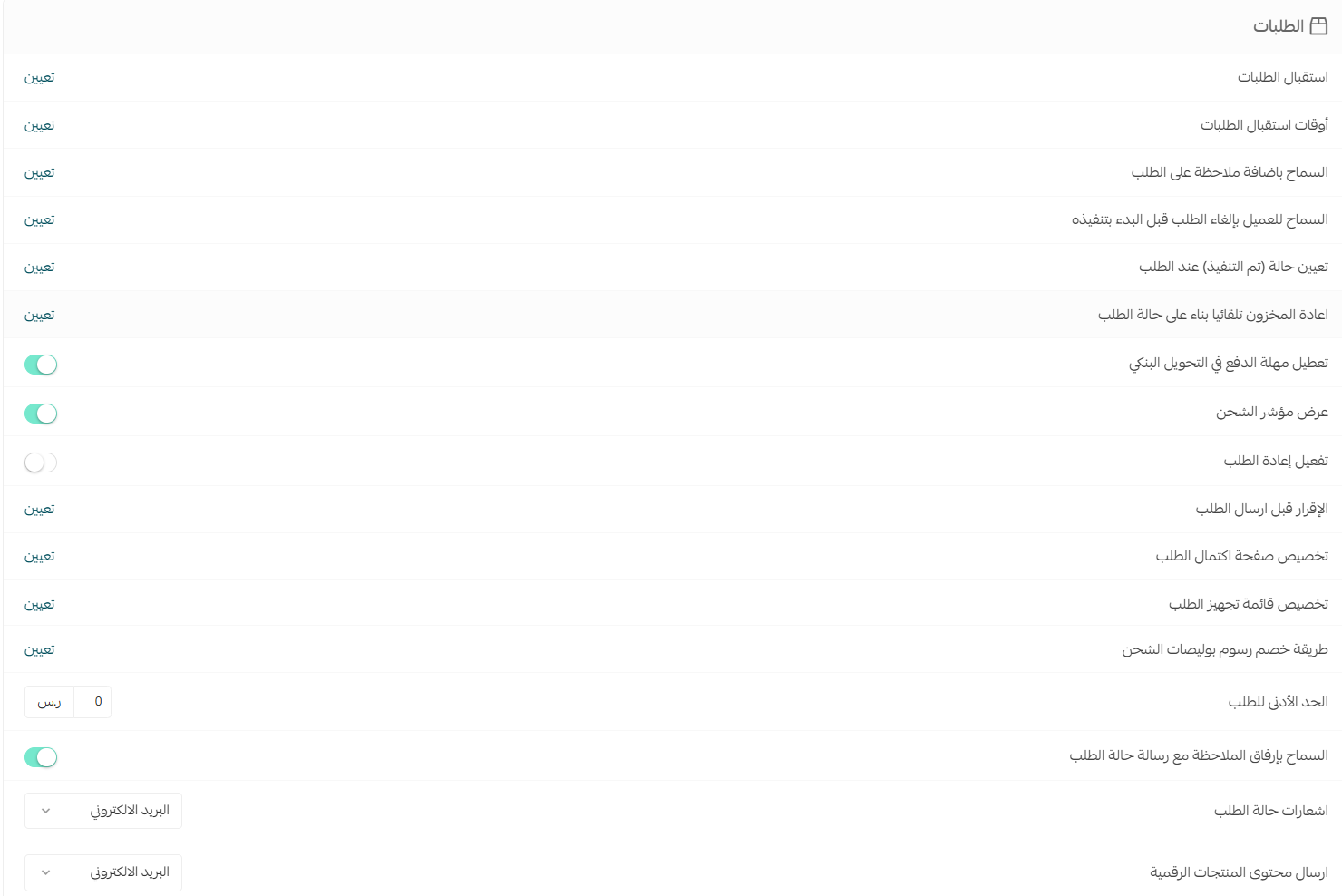
See the detailed guide to order option settings.
Configure customer options
Choose the customer settings that fit your store, then click (Save).

See the detailed guide to customer option settings.
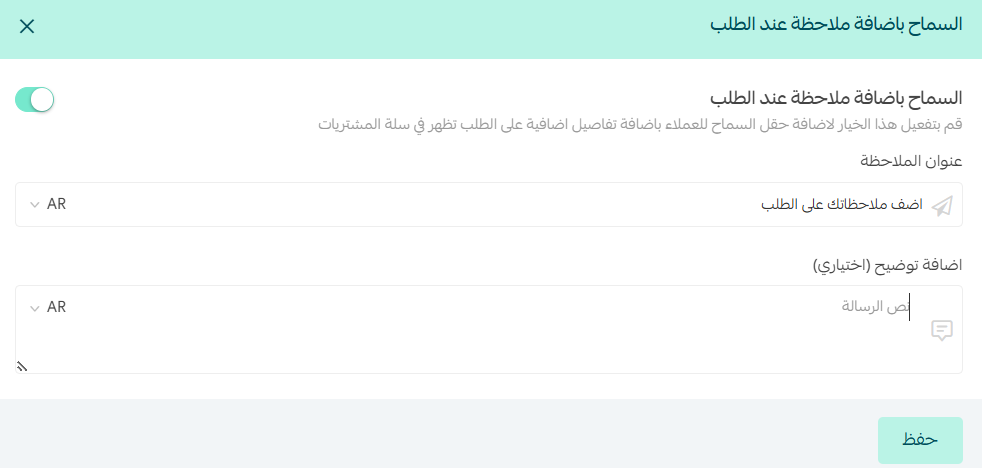
Add an order notes field
Enable the order notes option, then enter the field title and the supporting text customers will see. Click (Save).
 ثم اكتب عنوان عنوان الملاحظة، والنص التوضيحي الذي سيظهر للعميل في حقل الملاحظة، ثم اضغط (حفظ).
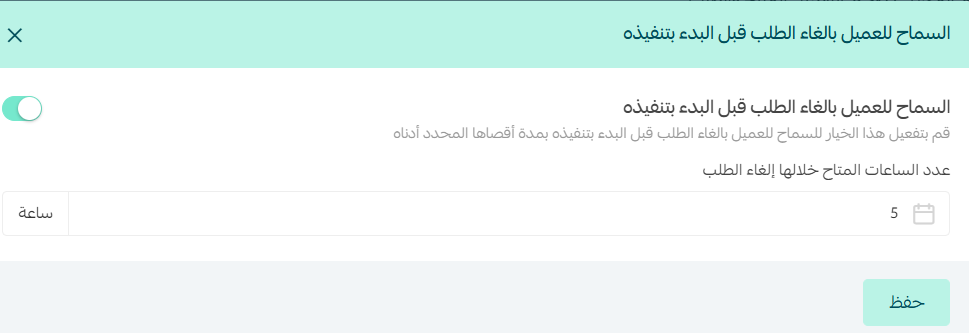
Let customers cancel before fulfillment begins
Enable customer cancellation before fulfillment, choose how many hours cancellation remains available, then click (Save).
 عيّن السماح للعميل بإلغاء الطلب قبل البدء بتنفيذه، ثم حدد عدد الساعات المتاح خلالها إلغاء الطلب، واضغط (حفظ).
Merge a guest cart after sign-in
Enable the option to move items already in the shopping cart into the customer's cart after sign-in.

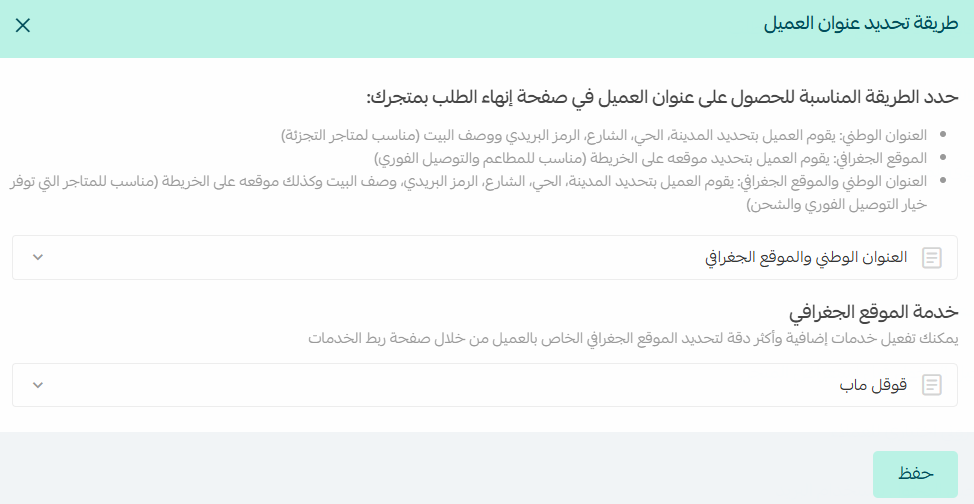
Choose how customers set their address

Customize the address-selection method for your store, then click (Save).
Configure questions and reviews
Choose the question and review settings that fit your store, then click (Save).
من صفحة خيارات المتجر، قم بإعداد خيارات الأسئلة والتقييمات حسب احتياجك، ثم اضغط (حفظ).
See the detailed guide to question and review option settings.
These settings let customers add a question or review from a product page.
يمكن للعميل إضافة سؤال أو تقييم في صفحة المنتجات من خلال: 
Configure general store options
Use the General options section to configure other store-wide preferences.

See the guide to general store options.
Frequently asked questions
❓ Where can I find Salla store options?
From the dashboard side menu, open Store settings, then select Store options.
❓ Can I show a price range for products with multiple prices?
Yes. Enable the price-range setting under product options, then save your changes.
❓ Can customers cancel an order before fulfillment starts?
Yes, when you enable that customer option and set the number of hours during which cancellation is available.
❓ Can I preserve a guest cart when the customer signs in?
Yes. Enable the setting that merges the customer's shopping cart after sign-in.
❓ Where do I manage product questions and reviews?
Use the Questions and reviews section on the Store options page, then save your selections.