Want more control over the information customers provide and what happens to their cart after sign-in?
Salla customer options let you adjust selected account, cart, and address behaviors. In this guide, you'll learn where to find these settings and how to configure the supported customer options.
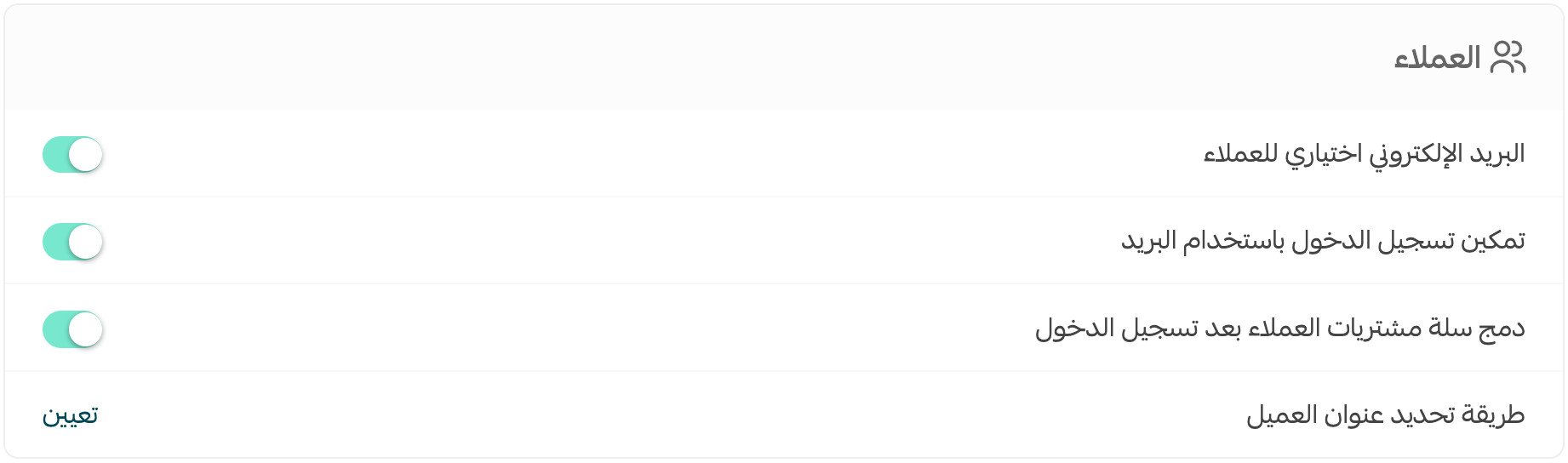
Salla customer options control selected account and checkout behaviors. Open Store settings, choose Store options, and configure the Customer options section. You can make email optional during account creation, merge a guest cart after sign-in, and choose how customers specify their address before saving.
📌 Article overview
- Access Salla customer options
- Make customer email optional
- Merge carts after sign-in
- Customize customer address selection
👣 How to configure Salla customer options
1. From the dashboard side menu, click (Store settings).

2. Click (Store options).

3. On the Store options page, configure the Customer options section to fit your needs, then click (Save).
Frequently asked questions
❓ Can I make the customer's email address optional?
Yes. Under Customer options, enable (Email is optional for customers) to remove the email requirement when a customer creates an account.
نعم، يمكنك إلغاء شرط إضافة البريد الإلكتروني للعميل عند إنشاء حساب، من صفحة خيارات المتجر، قسم خيارات العملاء، فعّل خيار (البريد الإلكتروني اختياري للعملاء).
❓ Can I merge items from a guest cart after sign-in?
Yes. Under Customer options, enable (Merge customers' shopping carts after sign-in).
نعم، من صفحة خيارات المتجر، قسم خيارات العملاء، فعّل خيار (دمج سلة مشتريات العملاء بعد تسجيل الدخول).
❓ Can I customize how customers specify their address?
Yes. Under Customer options, set (How customers specify their address), customize the method to fit your store, then click (Save).
نعم، من صفحة خيارات المتجر، قسم خيارات العملاء، قم بتعيين خيار (طريقة تحديد عنوان العميل).
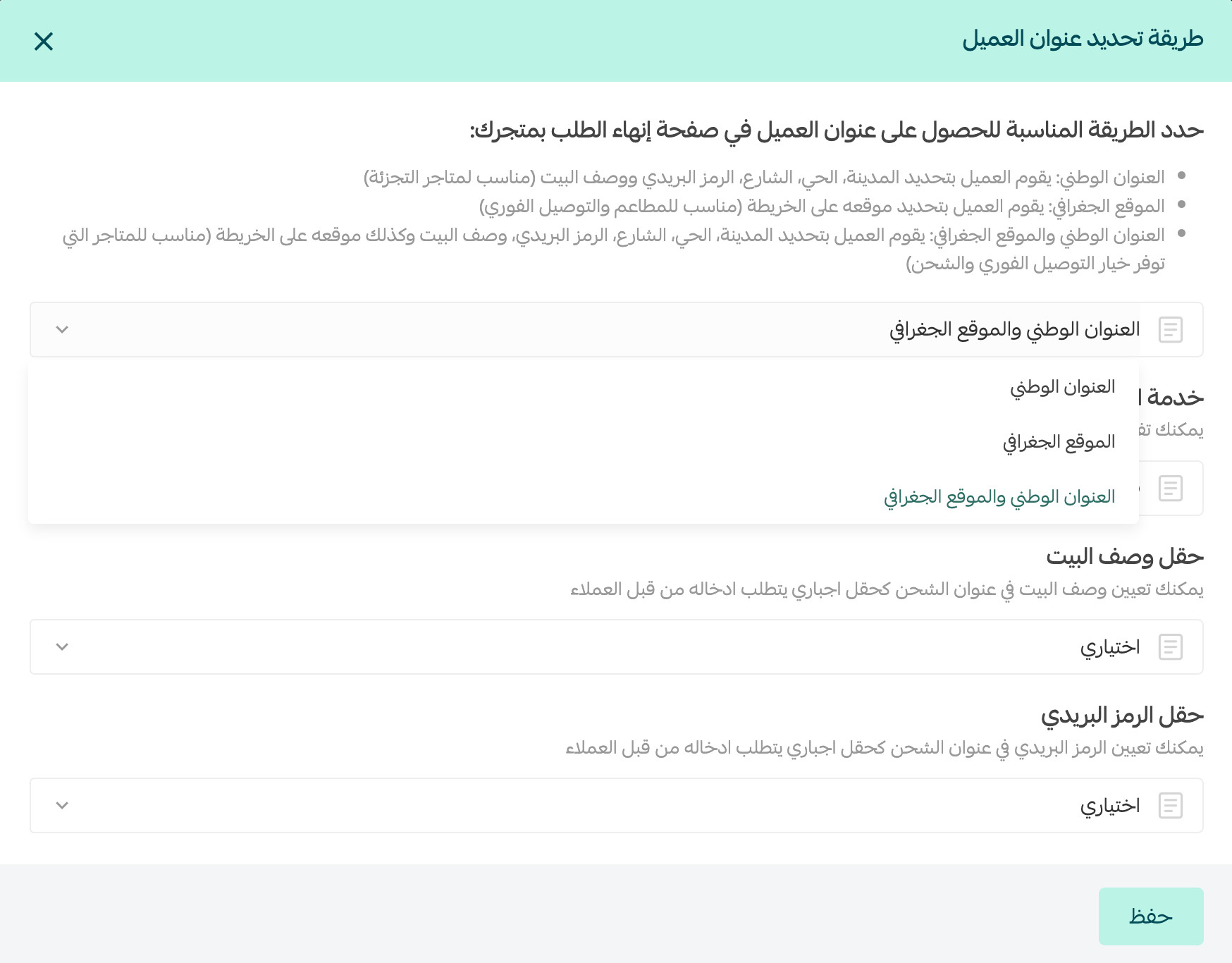
For more details, see locating the customer on the map.
❓ Where do I save changes to customer options?
After adjusting the Customer options section on the Store options page, click (Save).