Most customers who hesitate on a product page have one small question standing between them and the order. If answering it takes an email and a day's wait, you lose the sale. The direct contact WhatsApp button app puts a visible WhatsApp button on your store pages, opening a direct line on the messaging app your customers already use. Fast answers build trust and turn quick questions into completed orders. In this guide, you'll learn how to install the WhatsApp button app and configure where it appears.
To add a WhatsApp button to your Salla store, click All in the main menu, then open the App Store from the helper tools section. Search for the direct contact WhatsApp button app and click Install. Then customize the settings to set the button size, its position in your store, and your WhatsApp number in international format.
📌 Article overview
- How to install the WhatsApp button app
- Frequently asked questions
🚀 How to install the WhatsApp button app
1. From the main menu, click (All), then from the helper tools section click (App Store).

2. Search for the app using the search field.

3. From the direct contact WhatsApp button app page, click (Install).

The direct contact WhatsApp button app is now installed on your store.
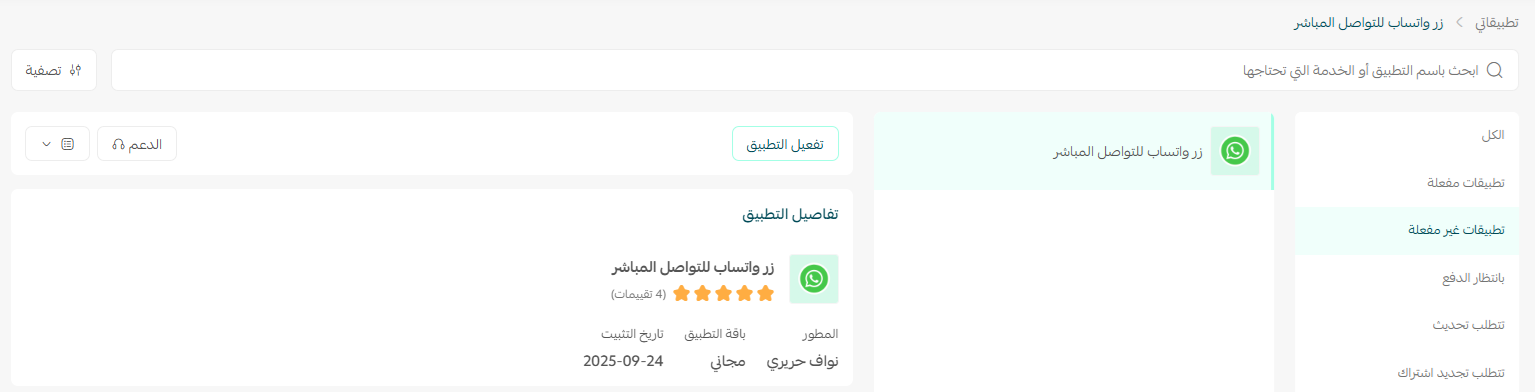
4. Customize the app settings to set the button size, where it appears in your store, and your WhatsApp number in international format.
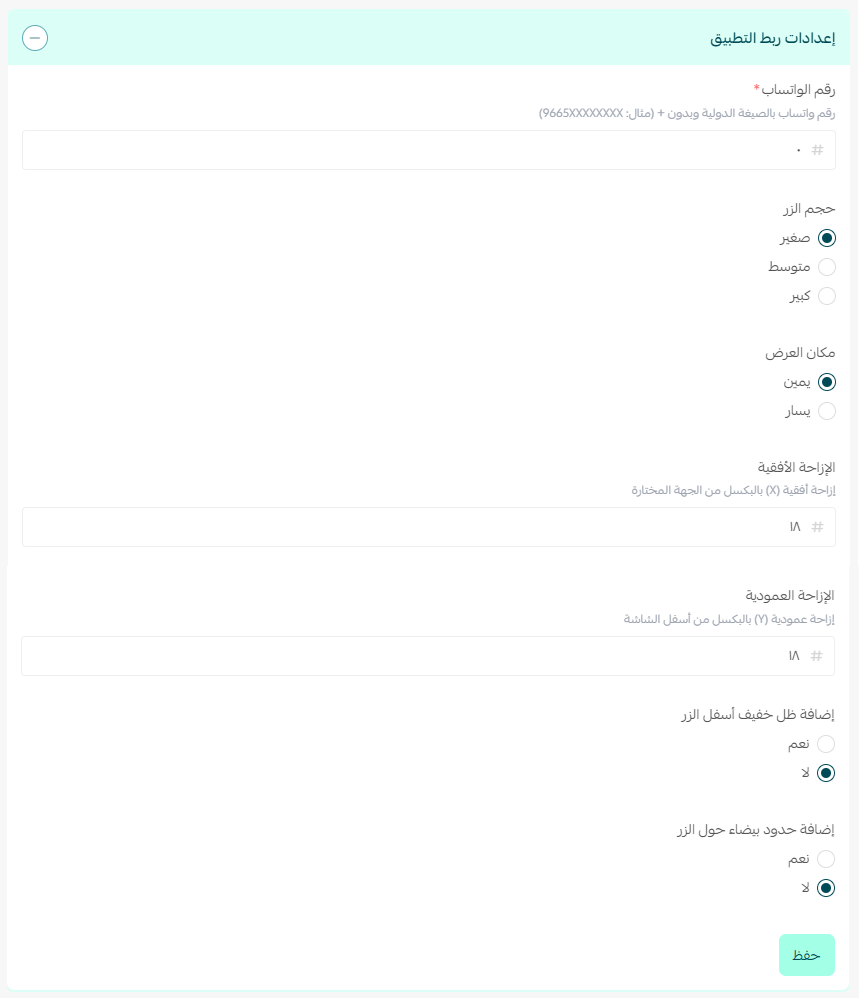
The button then appears in your store according to your settings, like this:

Frequently asked questions
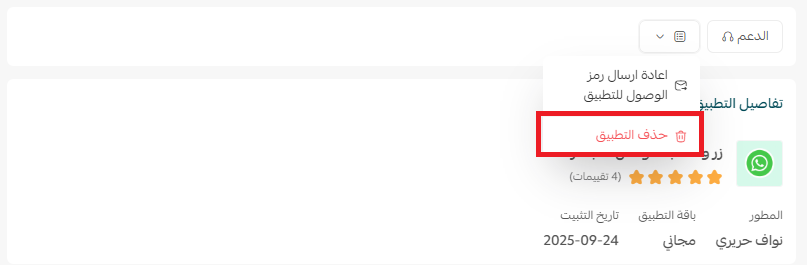
❓ How do I remove the WhatsApp button app from my store?
From the app page, click ( ) and then click (Unsubscribe).
❓ What format should my WhatsApp number be in?
Enter it in international format, including your country code.
❓ Can I control where the button appears?
Yes. The app settings let you set both the button size and its position in your store.
For more detail, see the direct contact WhatsApp button app page.
A visible, well-placed contact button is one of the cheapest conversion improvements available to you. Answer the small questions quickly and a good share of them turn into orders.