How many of your past customers would buy again if you simply reminded them?
Email is still the cheapest way to bring an existing customer back, but only if the message matches what that person actually cares about. Zaboon is an email marketing app for Salla stores that builds campaigns around each customer's behavior and interests, then shows you exactly how each campaign performed. In this guide, you'll learn what Zaboon offers, how to install it on your store, how to reach your Zaboon account, and how to remove the app.
Zaboon is an email marketing app for Salla stores. It builds personalized campaigns from each customer's behavior and interests, then reports on how they perform. Install it from the Salla App Store, choose a plan, complete payment, and sign in at zaboon.app to launch your first campaign.
📌 Article overview
- What Zaboon offers your store
- How to install Zaboon on your store
- How to manage and delete Zaboon
- Frequently asked questions
✅ What Zaboon offers your store
Smart campaigns: emails built from how each customer behaves in your store.
Measurable results: the app reports a sales lift of up to 20%.
Simple interface: a clear, uncomplicated design you can work in without training.
Detailed analytics: performance reports for every email campaign you send.
Strong return: up to 25x return on investment, based on market data cited by the app.
🚀 How to install Zaboon on your store
1. From the main menu, click (All), then under helper tools, click (App Store).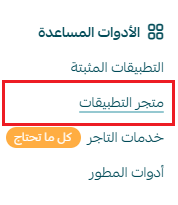
2. Search for the app using the search field.

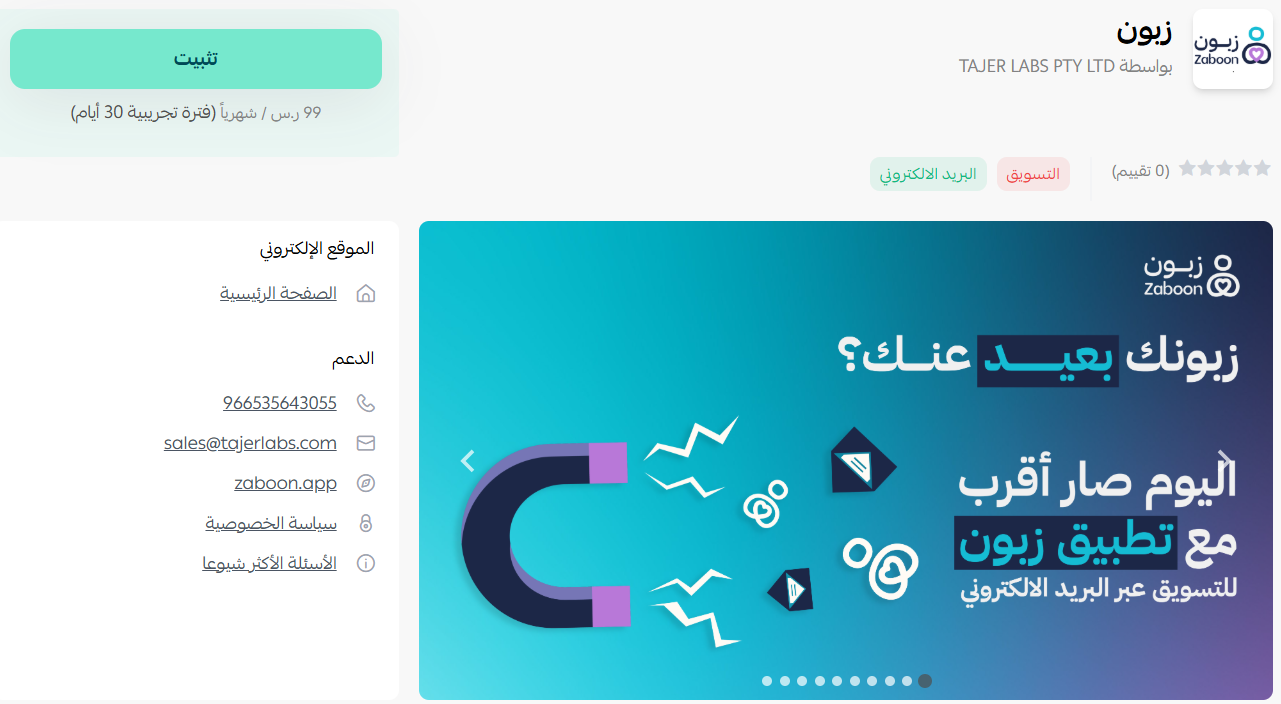
3. On the Zaboon app page, click (Install).
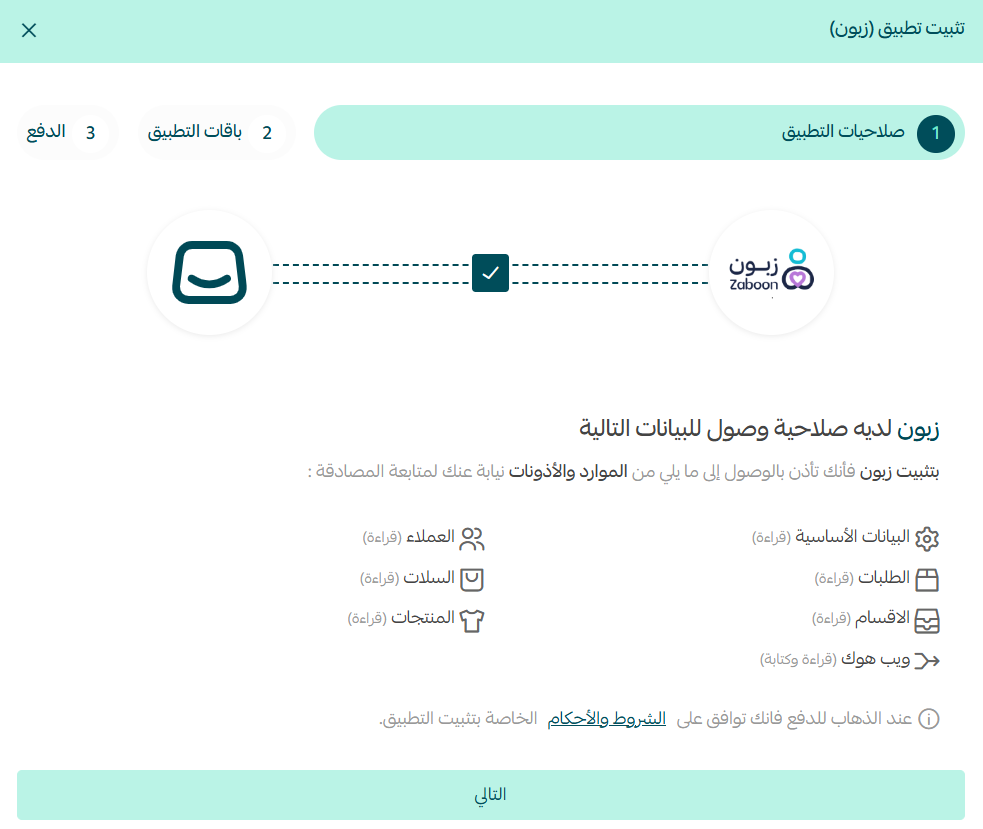
4. Review the permissions the app requests, then click (Next).
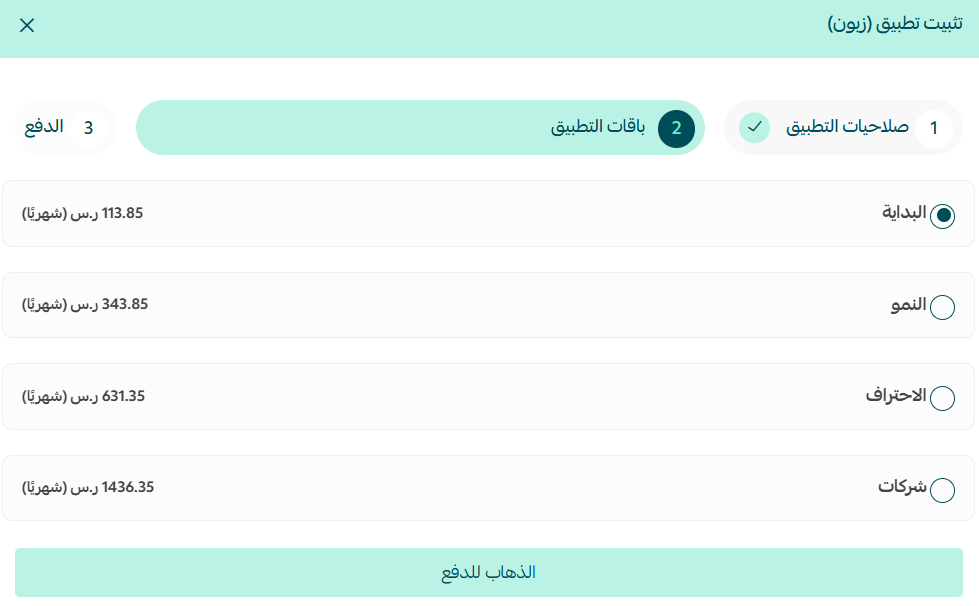
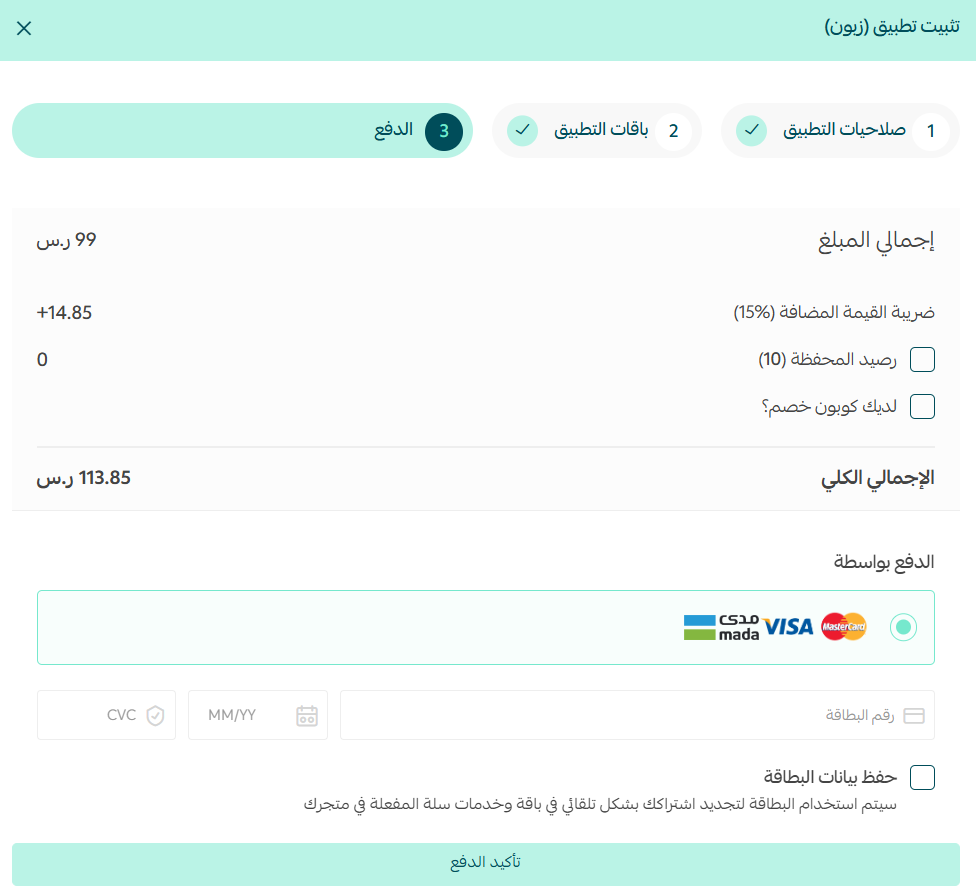
5. Choose the plan that fits your business, then click (Go to payment).
6. Complete the payment to unlock the app's features.
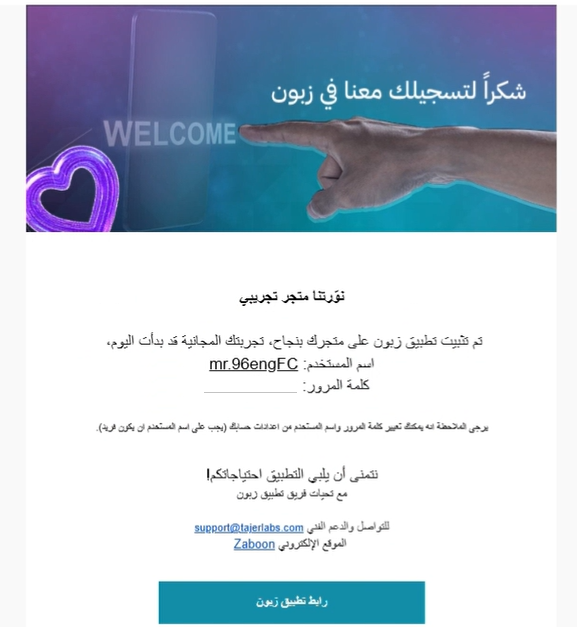
7. Check your inbox. Once payment goes through, Zaboon emails you the login details for your account on their site.
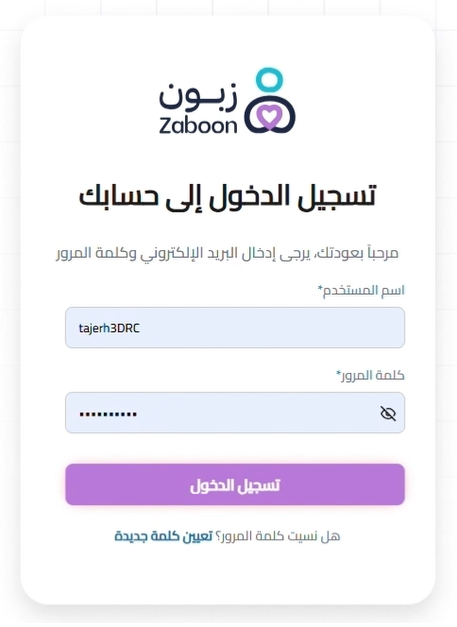
8. Sign in to your account on the Zaboon website.
9. Your Zaboon dashboard opens, with all the controls for your account.
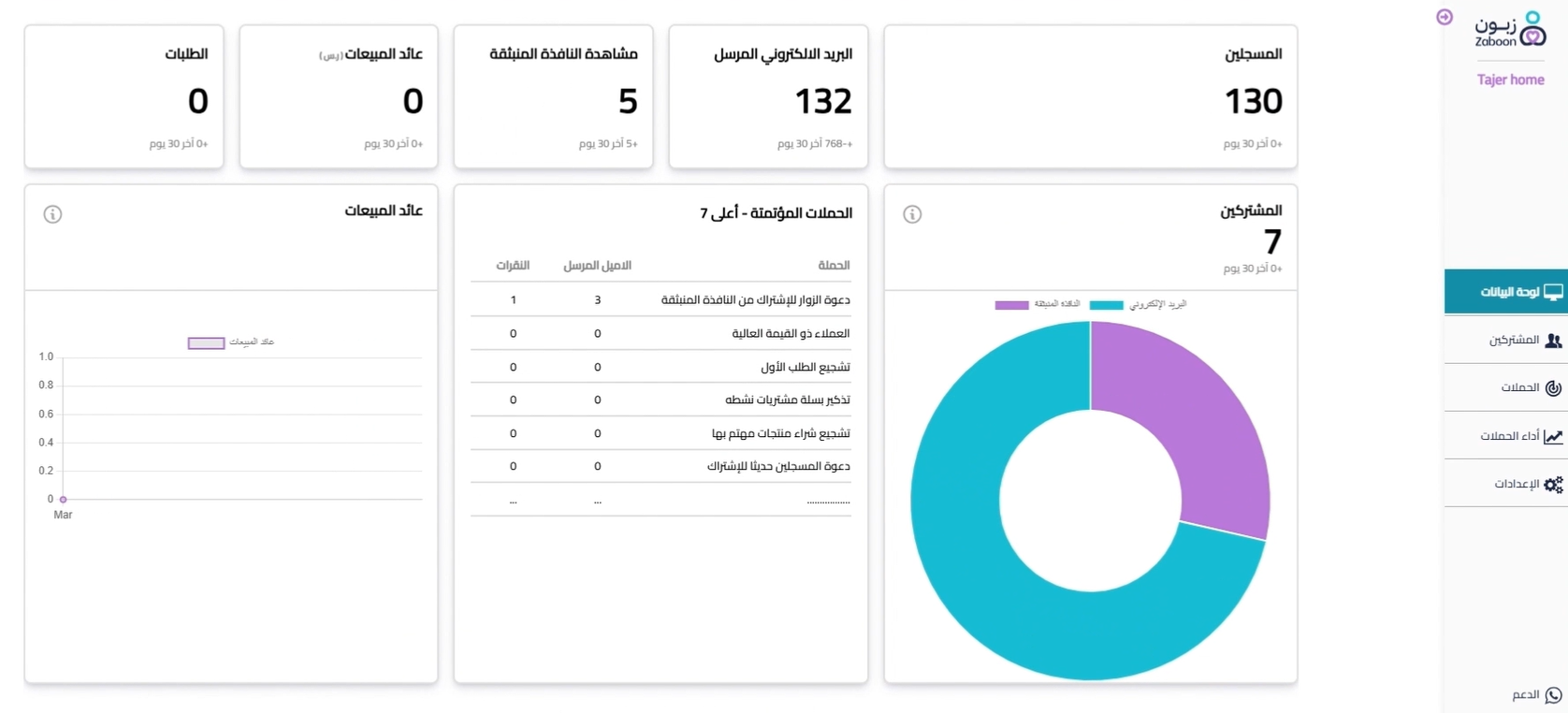
From there, adjust your settings and start your first email campaign.
📝 Important notes
Campaigns are built and sent from the Zaboon website, not from your Salla dashboard. Installing the app is what connects your store data to that account.
Keep the email address you used at checkout accessible, since your login details are sent there.
🚀 How to manage and delete Zaboon
Delete the app
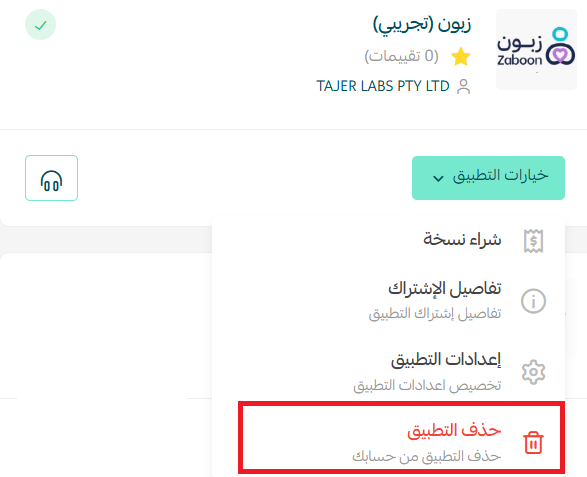
From the Zaboon app, click (App options), then click (Delete app).
❓ Frequently asked questions
What does Zaboon actually send to my customers?
Email campaigns. Zaboon personalizes them using each customer's behavior and interests rather than sending one identical message to your whole list.
Do I build campaigns inside my Salla dashboard?
No. You build and launch campaigns on the Zaboon website using the account created for you after payment.
Where do I get my Zaboon login details?
They arrive by email once your payment is complete.
Can I see how a campaign performed?
Yes. Zaboon provides detailed performance reports for each email campaign.
How do I remove Zaboon from my store?
Open the app, click (App options), then click (Delete app).
For more details, visit the Zaboon website.
Winning a first order is the hard part. A well-timed, relevant email is often all it takes to win the second one.