Want to suggest similar products to customers while they browse — and grow the size of every cart?
Cross-selling works best when it feels natural. The "You may also like" products feature on Salla shows customers products similar to the one they are viewing, right on the product page, encouraging them to add more to their cart. In this guide, you'll learn how to enable the feature, choose how similar products are displayed, and turn it off when you want.
To show "You may also like" products on Salla, open (Store settings) from the dashboard's side menu, click (Store options), and under product options find (Show "You may also like" products on the product page). Click (Set), enable the option, and choose how similar products are displayed.
📌 Article overview
- How to enable "You may also like" products on the product page
- Frequently asked questions
👣 How to enable "You may also like" products on the product page
1. From the side menu of your dashboard, click (Store settings).

2. Click (Store options).

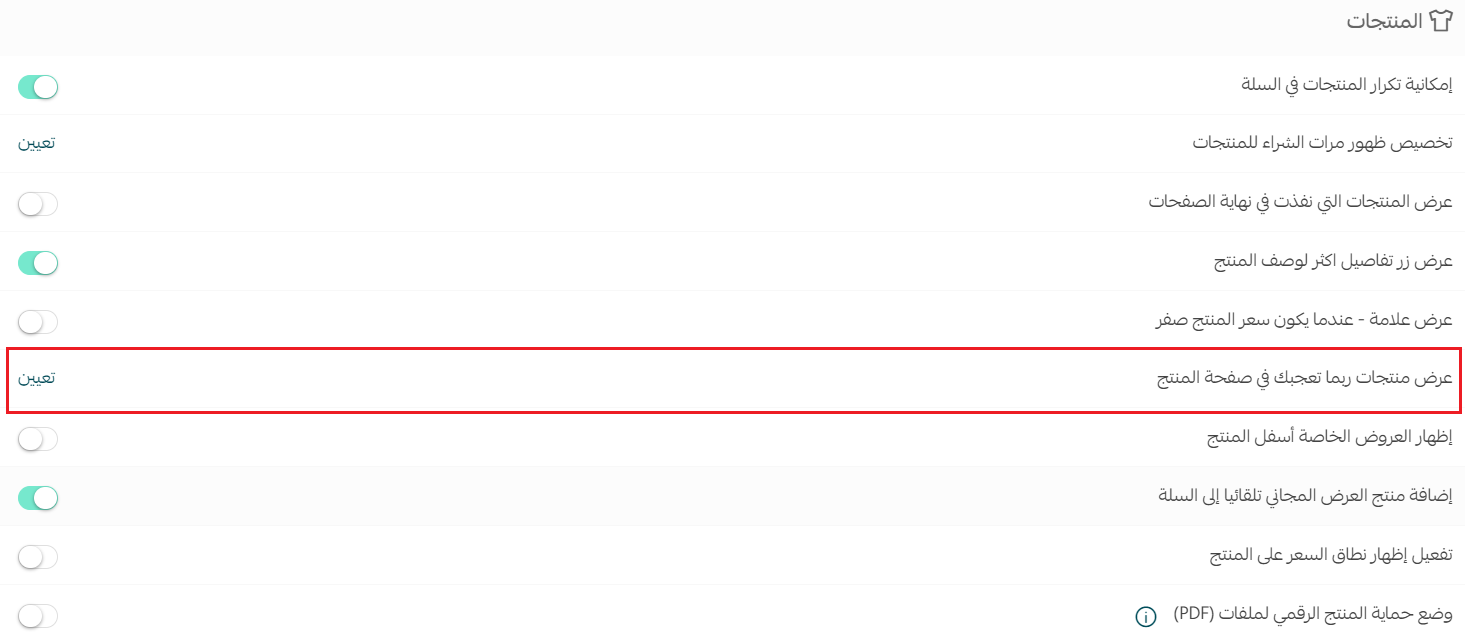
3. From the store options page, under the product options section, find (Show "You may also like" products on the product page) and click (Set).
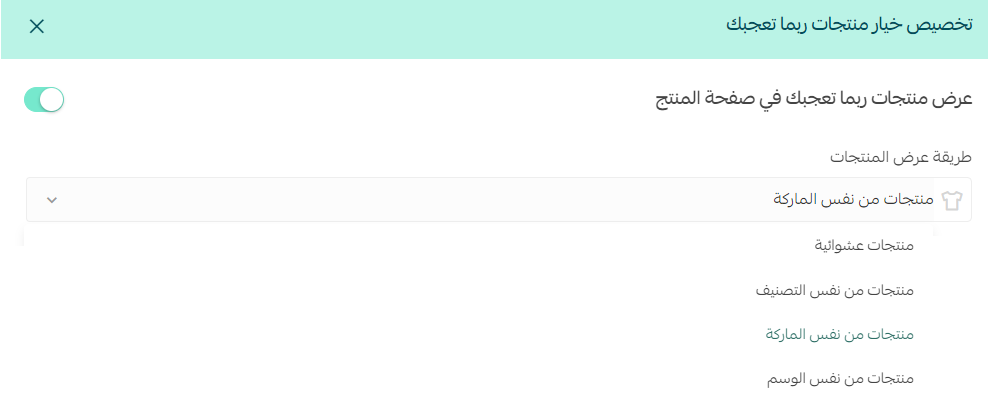
Enable the (Show "You may also like" products on the product page) option, then choose from the list how similar products are displayed.
Once the option is enabled, similar products appear on the product page like this:

For more details, see setting up product options.
❓ Frequently asked questions
How do I turn off "You may also like" products?
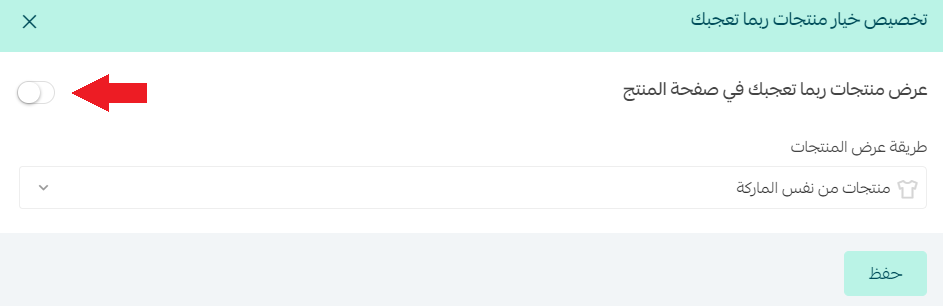
If you prefer customers to focus on the product they are currently viewing, disable the (Show "You may also like" products on the product page) option.
Where do "You may also like" products appear?
On the product page, below the product the customer is viewing, so suggestions show up at the moment they are deciding what to buy.
Can I control how the similar products are displayed?
Yes. When you enable the option, a list lets you choose the display method for similar products on the product page.
A well-placed suggestion at the right moment is one of the simplest ways to raise your average order value — turn it on and let your catalog do the selling.