Verifying your store is one of the final steps in getting your Salla store ready to operate in Kuwait and activate online payments for your customers.
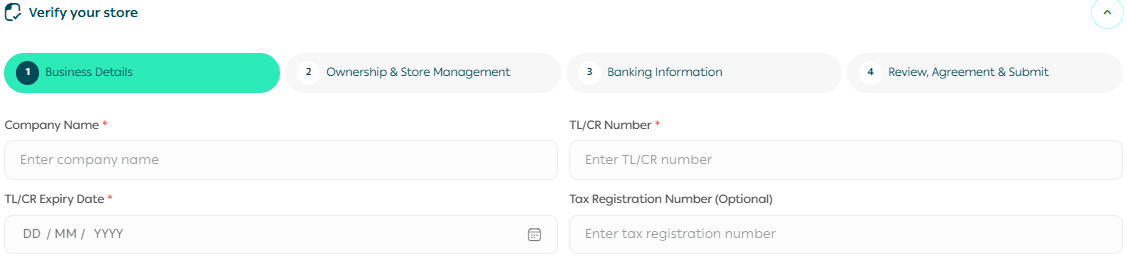
The process has four sections: business details, ownership and store management, banking information, and a final review before submission.
What to prepare before you start
Having the right documents ready before you begin makes verification much faster.
Simple rule: Enter every detail exactly as it appears on your official documents. If the wording differs, use the official document version.
How to open store verification
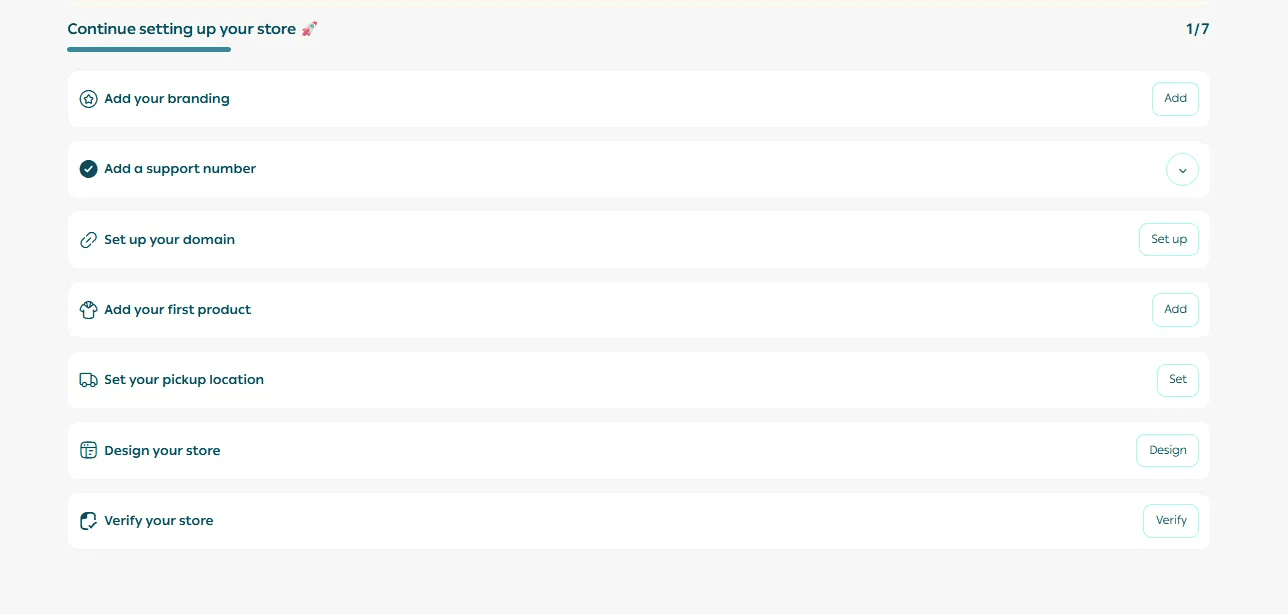
1. From your store home page, find the Continue setting up your store checklist.
2. Next to Verify your store, click Verify.
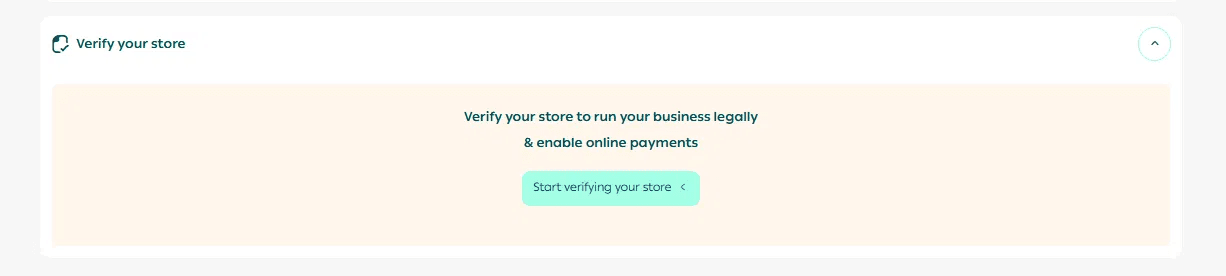
3. Click Start verifying your store.
The verification form opens with four sections. Complete them in order.

Step 1: Business details
Upload the required business documents
Trade Licence or Commercial Registration - required
Recent Commercial Register extract showing the required beneficial-owner information - required
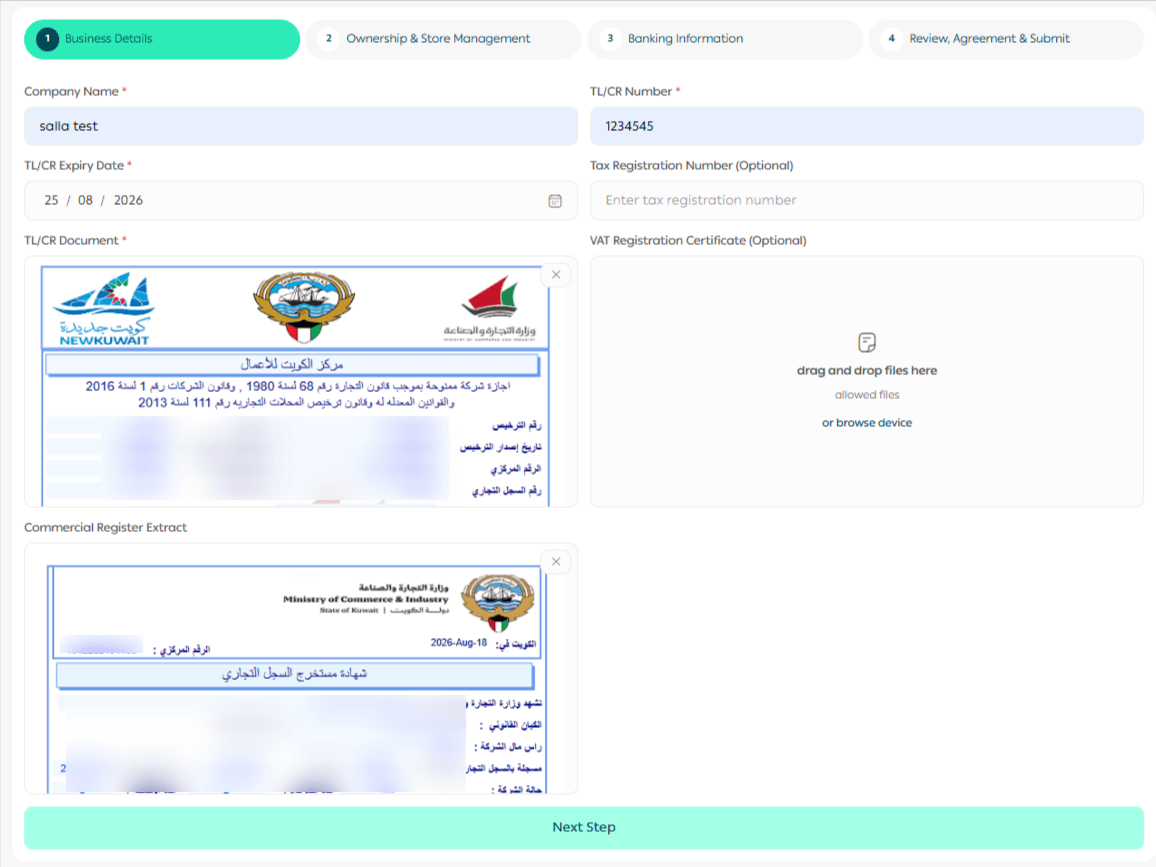
If a field shows an error: Correct the information before continuing. For example, remove unsupported symbols from the company name or check that the Trade Licence / CR number uses the required format.
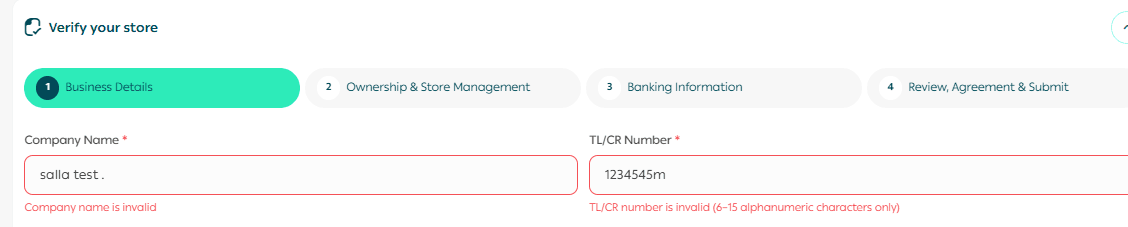
Step 2: Ownership and store management
Add the owners and the person who manages the store.
Add each owner
1. Select the number of owners from the list.

2. For each owner, enter the 12-digit Kuwait Civil Number.
3. Upload the Civil ID front and back.
4. Upload the owner's passport.
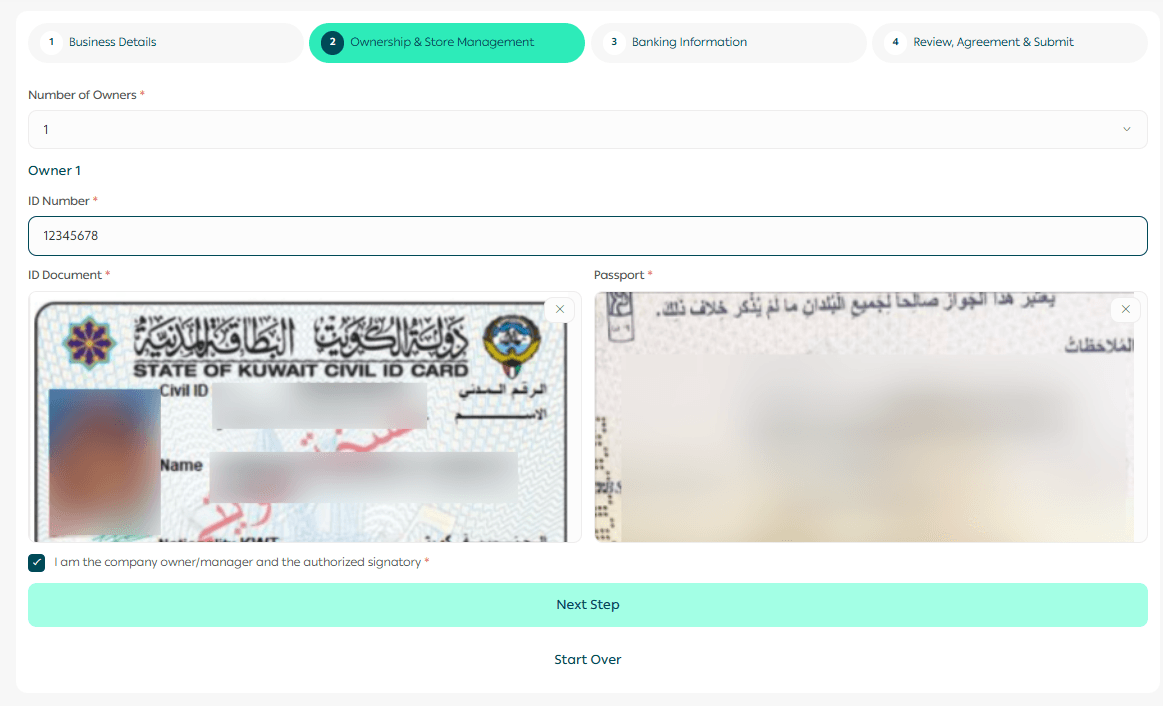
Ownership check: Include all owners required by the ownership documents used for verification. Make sure each person's Civil ID and passport are uploaded under the correct owner.
Add the store manager
If you are the owner, manager, and authorized signatory, select I am the company owner/manager and the authorized signatory.

If someone else manages the store, clear the option and provide:
Manager Civil Number
Manager Civil ID - front and back
Manager passport
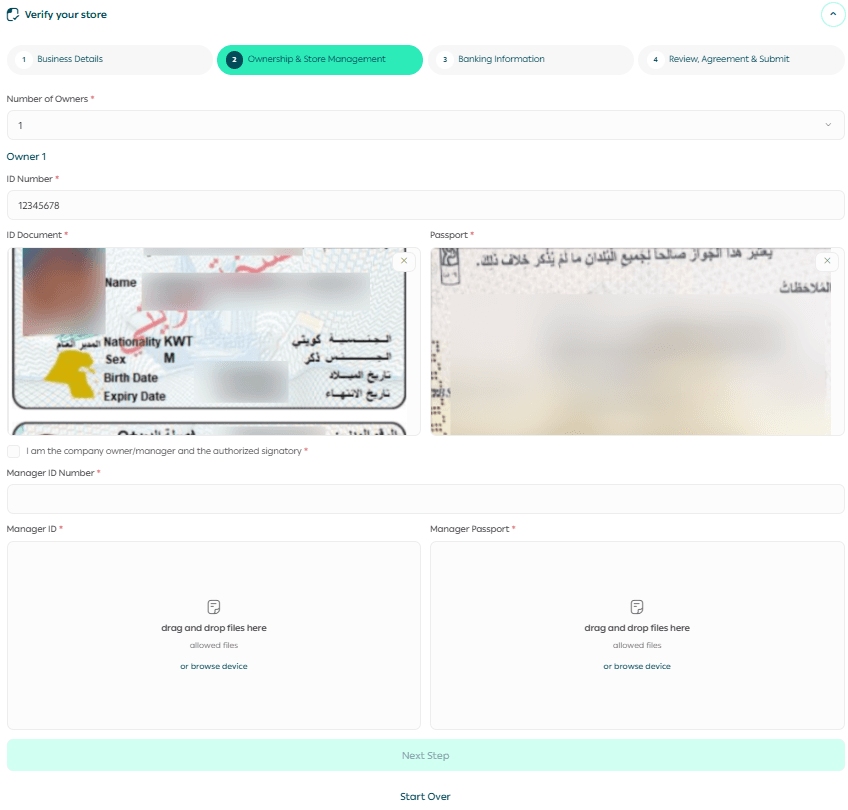
Start over: Use Start Over only if you want to return to the first step, clear the information you entered, and begin the verification form again.
Important notes:
Uploading only the front of the ID isn't enough.
The ID and passport must be valid.
The number of owners is determined by the Commercial Register Extract UBO, and all owners listed in the document must be added.
Step 3: Banking information
Add the Kuwaiti bank account where you will receive your payouts.
1. Select your bank from the list of supported Kuwaiti banks.
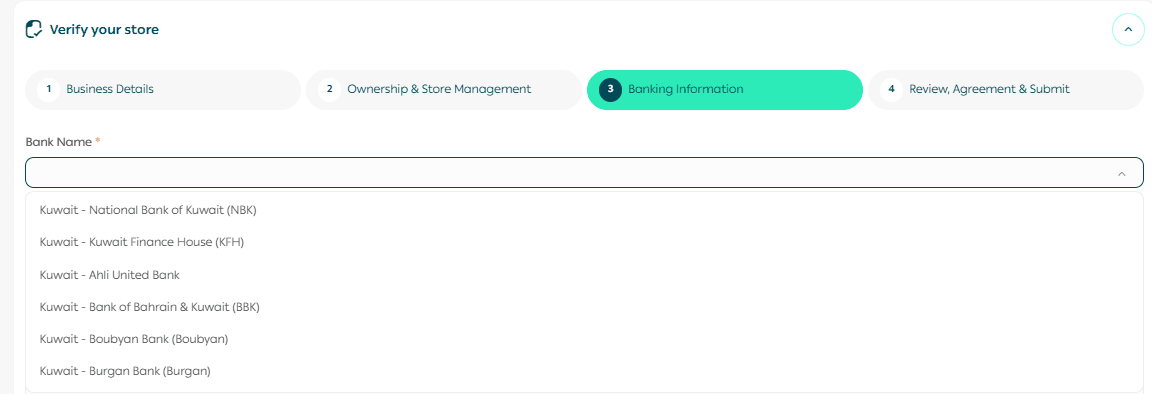
2. Enter the account holder name.
3. Enter the IBAN. Kuwait IBANs begin with KW.
4. Upload the IBAN certificate.
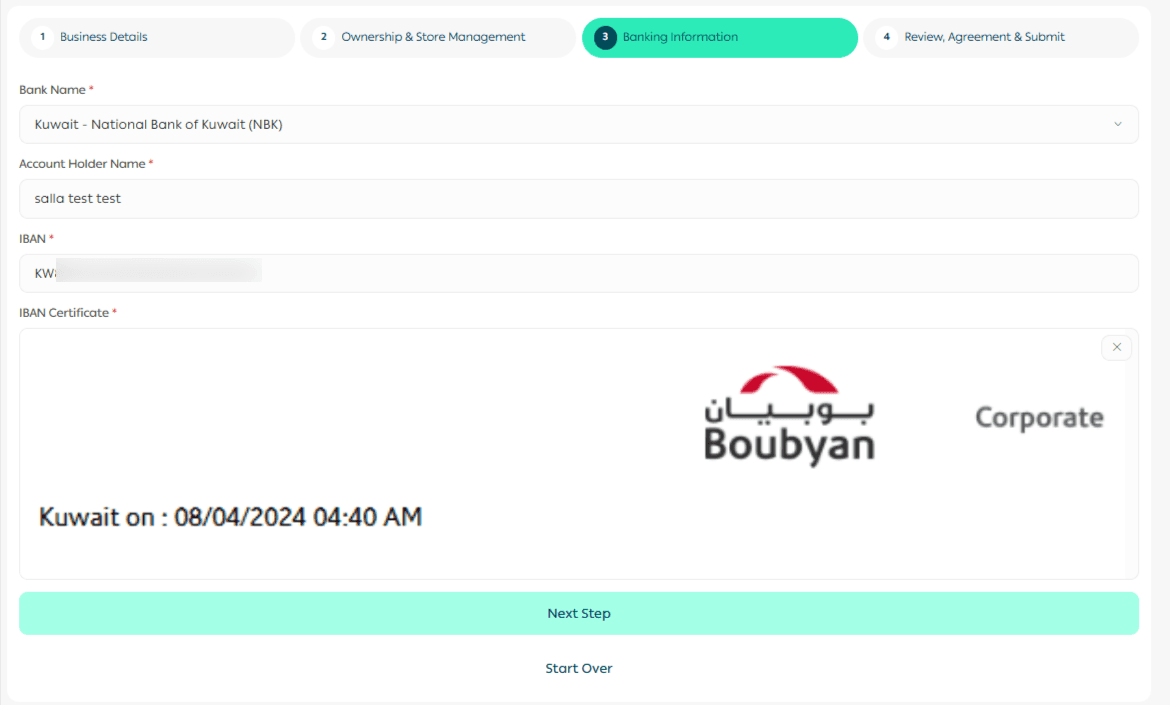
Before you continue, check that:
The account holder name matches the IBAN certificate exactly. This is the name shown on the official bank document and may be an individual or company name.
The IBAN entered matches the certificate.
The certificate is clear and fully readable, with the required banking details available in English.
The account is with a Kuwaiti bank and is in KWD.
Tip: Copy the IBAN directly from your bank document instead of typing it from memory
Step 4: Review and submit
The Review Information page shows the information and documents you added in the previous sections.
Review each section carefully.
If you spot a mistake, use the edit icon beside that section to correct it.
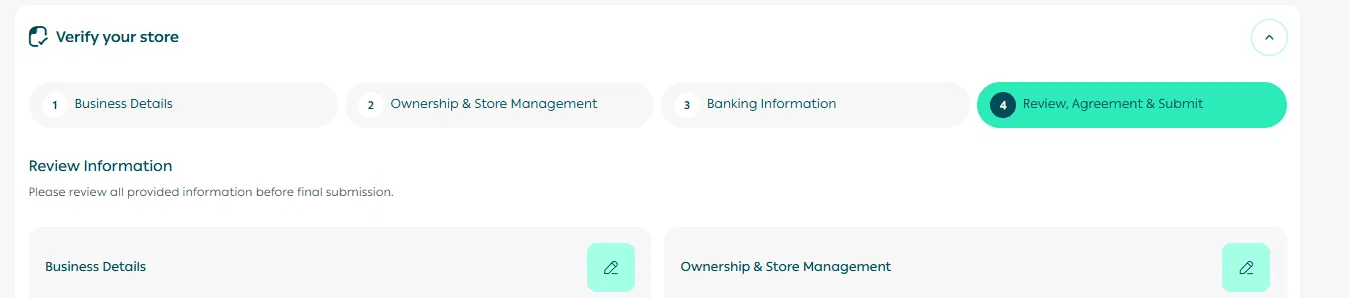
When everything is accurate, confirm the declaration and click Submit Application.

Your verification application has now been submitted.
What happens after you submit

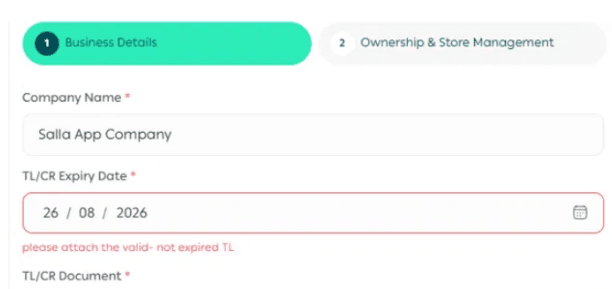


Common verification issues
Related articles
-How to Activate Salla payments in Kuwait | Salla
-Set up shipping companies for your Kuwaiti store | Salla
-Salla Payments Kuwait Payouts & Settlement | Salla
Frequently asked questions
What documents do I need to verify my store in Kuwait?
Prepare a valid Trade Licence or Commercial Registration, a recent Commercial Register extract showing the required beneficial-owner information, Civil IDs and passports for the required owners and managers, and the company IBAN certificate.
Can I start verification before finishing the rest of my store setup?
Yes. You can prepare and submit verification while you continue the other store setup steps.
Do I need to add all business owners?
Add every owner required by the verification form and supporting ownership documents.
What if the store manager is not the owner?
Clear the owner/manager option and provide the manager's Civil Number, Civil ID, and passport separately.
What kind of bank account do I need?
Use a Kuwaiti business bank account in KWD with an IBAN beginning with KW. Personal bank accounts are not accepted for store verification.
Can I correct information before submitting?
Yes. Use the edit icon on the review page to correct any section before you submit.
What happens if Salla asks me to revise my application?
Reopen verification, update the specific information requested, and resubmit.
How long does verification take?
Review time depends on how complete and accurate your submission is. Clear, valid, complete documents help avoid revisions.
What happens after approval?
Your store becomes verified and you can move on to activating the online payment methods available for your Kuwait store.