Still verifying your store on Maroof? That route has closed.
The Ministry of Commerce has asked e-commerce store owners, both individuals and establishments, to verify their stores on the Business Platform (منصة الأعمال) instead of Maroof (معروف). The Business Platform is run by the Saudi Business Center, and it is now the only approved platform for verifying online stores in the Kingdom. In this guide, you'll learn the requirements, the full verification steps, and how to display your certificate in your store.
The Business Platform, run by the Saudi Business Center, is now the only approved way to verify an online store in Saudi Arabia. Sign in with Nafath, apply for e-commerce verification, prove domain ownership with a TXT record, then submit the request. Approval notifications arrive by SMS.
📌 Article overview
- What the Business Platform is and how it differs from Salla store verification
- Requirements for getting verified
- How to register and apply on the Business Platform
- How to add the certificate to your store
- Frequently asked questions
🎯 Verifying your store on the government Business Platform
The Business Platform belongs to the Saudi Business Center. The move away from Maroof comes in integration with the E-Commerce Council, as part of developing the verification procedures. It also introduces a new condition: the store must have a commercial bank account, so that its financial dealings are more trustworthy and harder to use for fraud.
⚠️ Important: verifying your commercial activity on the government Business Platform is not the same thing as verifying your store inside Salla. If you want to verify your store in Salla, to show your commercial activity details or to complete your store requirements, see verifying your new store in Saudi Arabia. This article covers verification on the Business Platform only.
Type of verification | What it covers |
Salla store verification | Verifying your store details inside Salla and completing your store requirements. |
Business Platform verification | Verifying your commercial activity on the government Business Platform. |
Requirements for getting verified
1. A valid commercial registration (سجل تجاري) or a valid freelance certificate (وثيقة عمل حر).
2. A commercial bank account.
3. An active Absher account.
4. Age of at least 18 years.
5. Saudi nationality.
6. The store must be launched, not in maintenance mode.
7. The store domain must be verified.
For more on the second requirement, see how to open a commercial bank account.
👣 How to register on the Business Platform
1. Open the Business Platform and click the e-store verification screen.
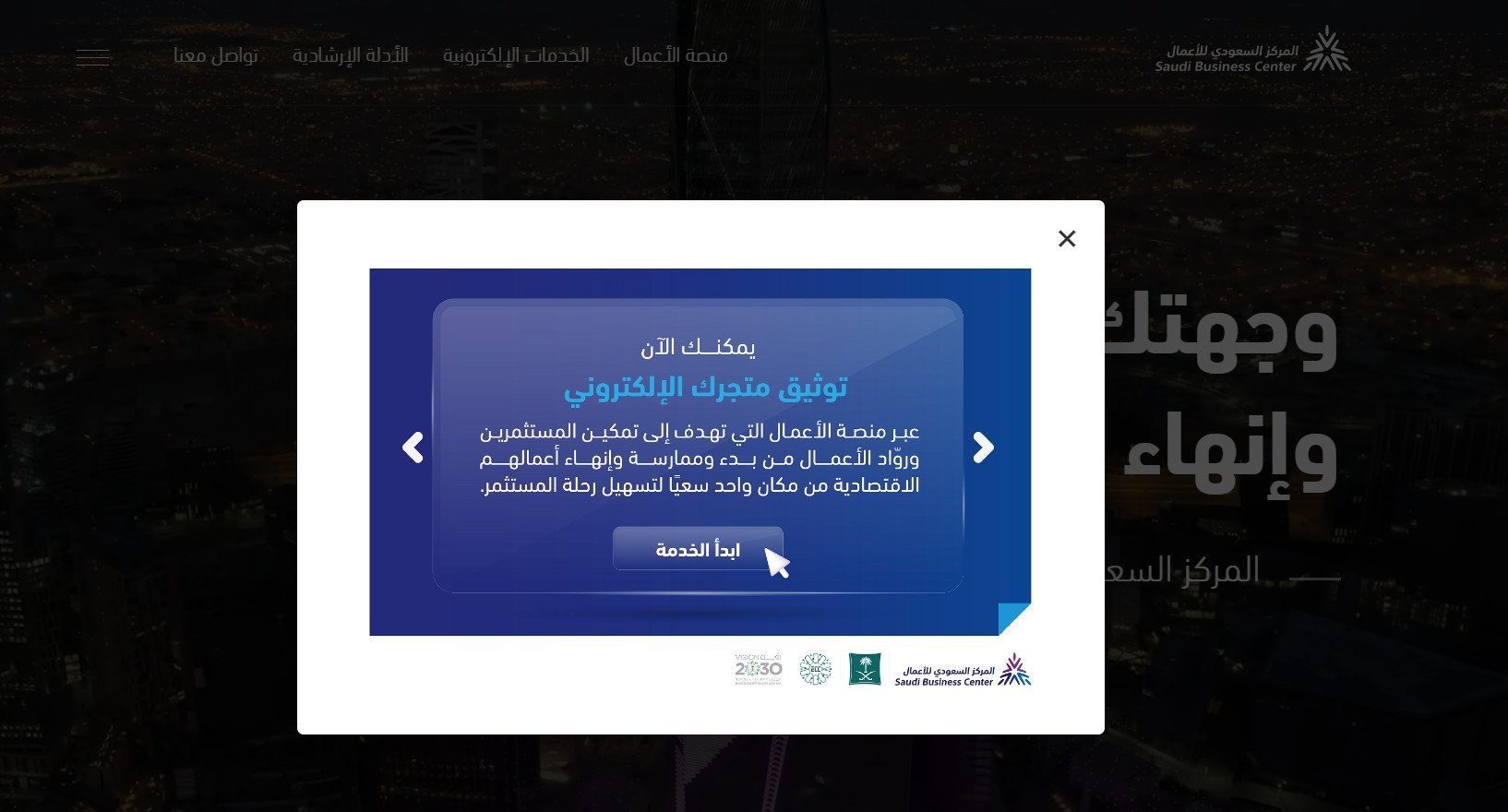
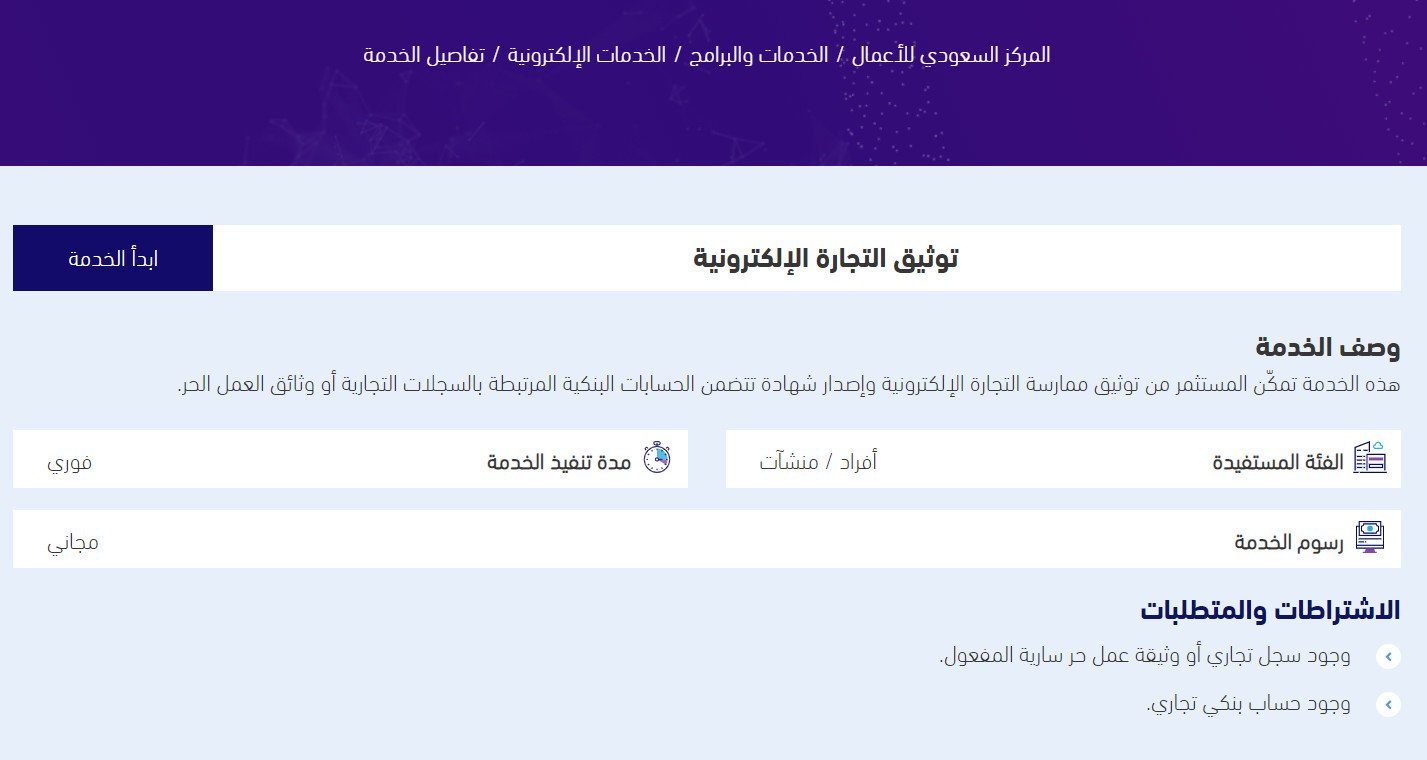
You land on the verification service page. Click (Start the service).
2. You are redirected to Nafath, the national single sign-on. Use your Absher civil registry number and your Absher password.
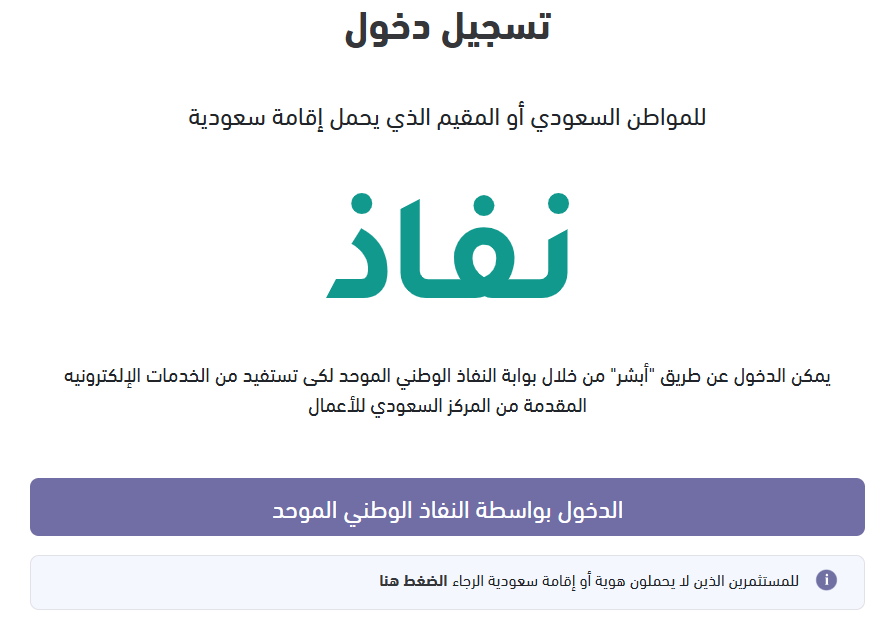
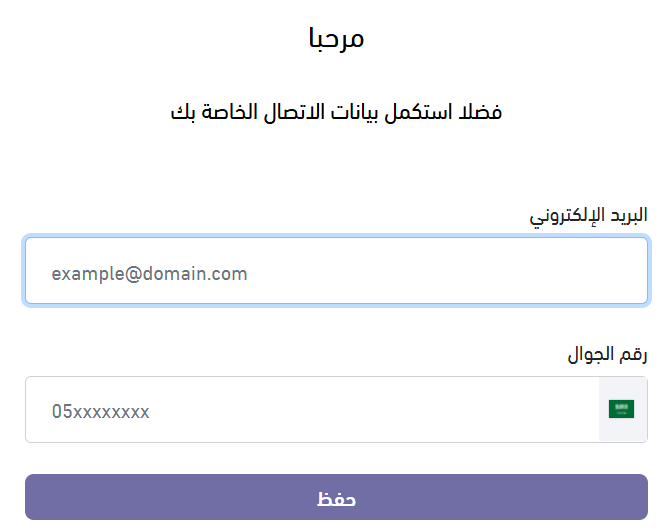
3. Sign in through Nafath, then finish the registration inside the Business Platform.
4. From the side menu, search for verification (توثيق), then choose (Issue e-commerce verification).
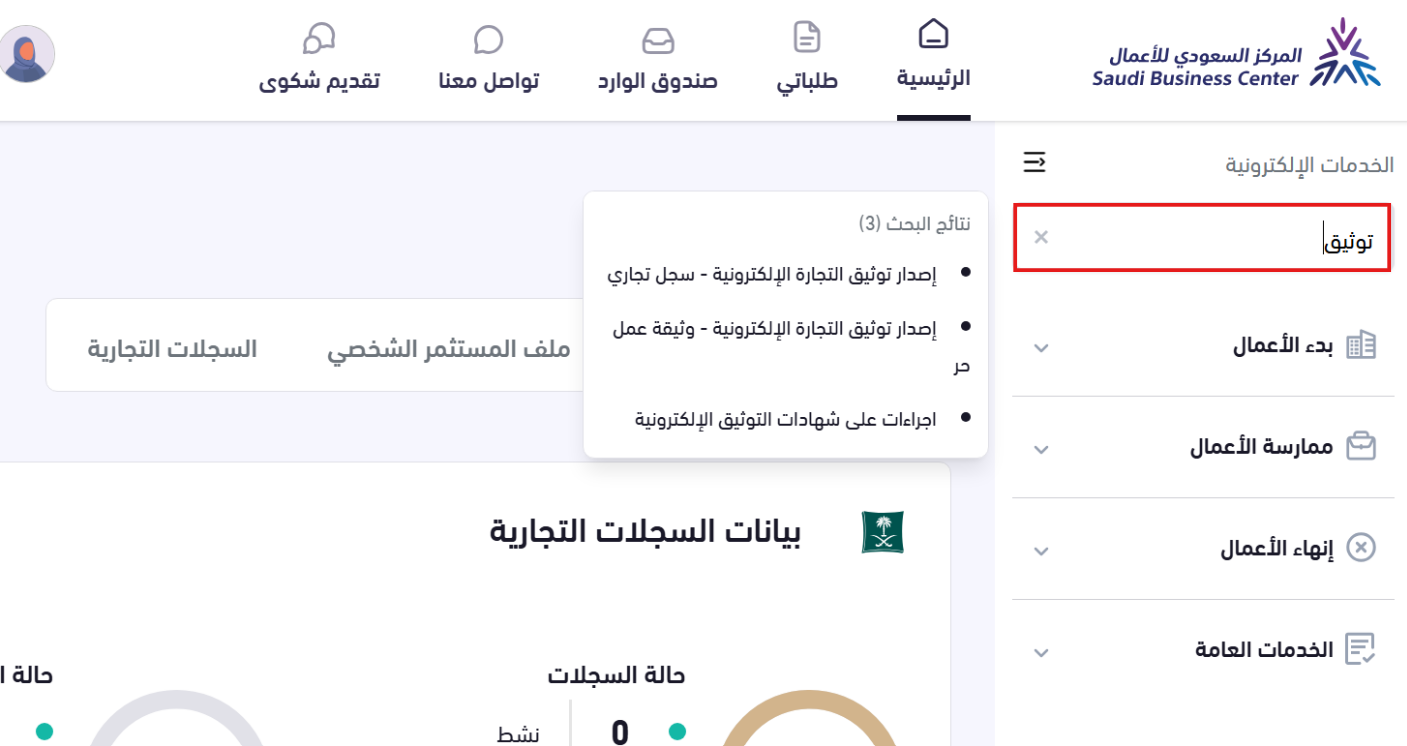
5. Select your document number, then click (Submit request).
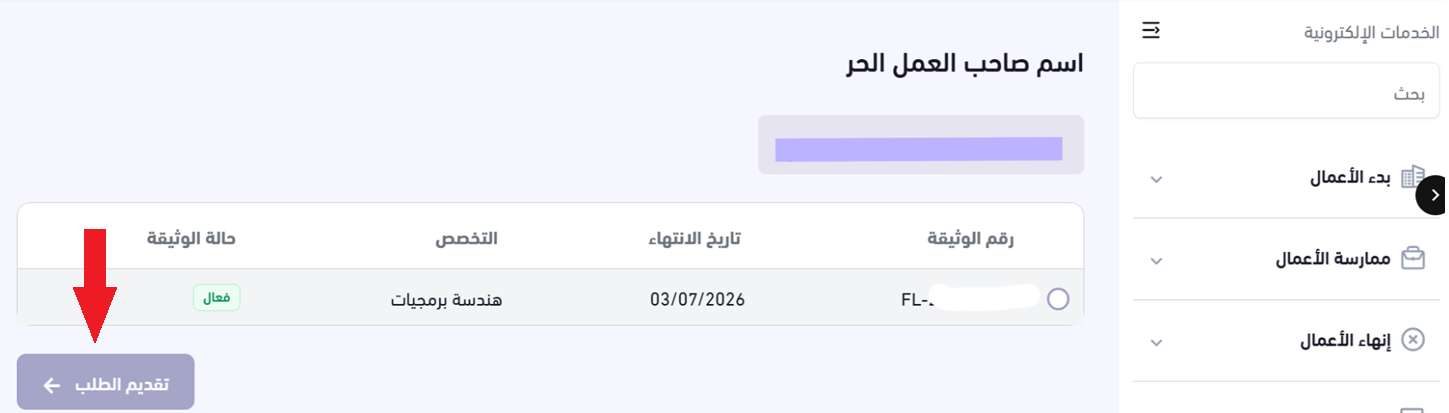
6. Accept the terms, then click (Apply for the service).
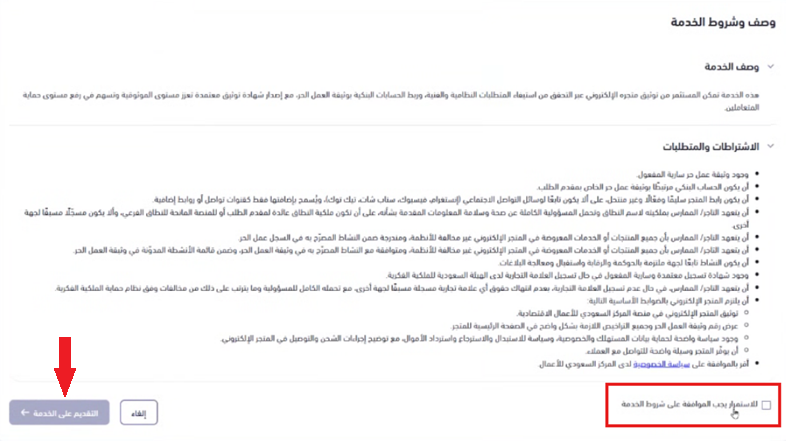
7. Add your store details in full, then click (Continue).
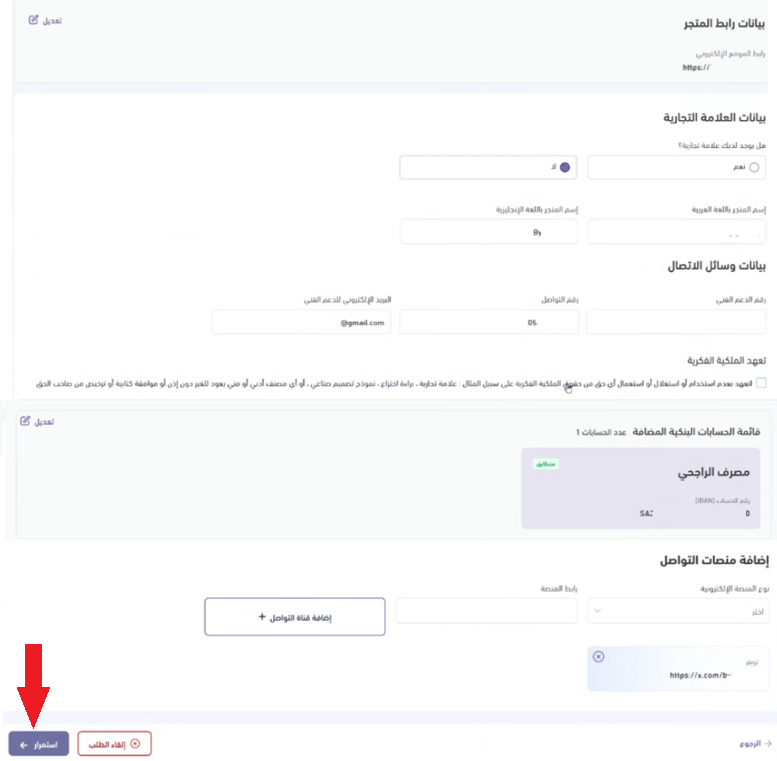
8. Choose (DNS) as the ownership proof method.

9. Copy the verification code so you can add it at your domain provider, whether that is Salla or an external provider.
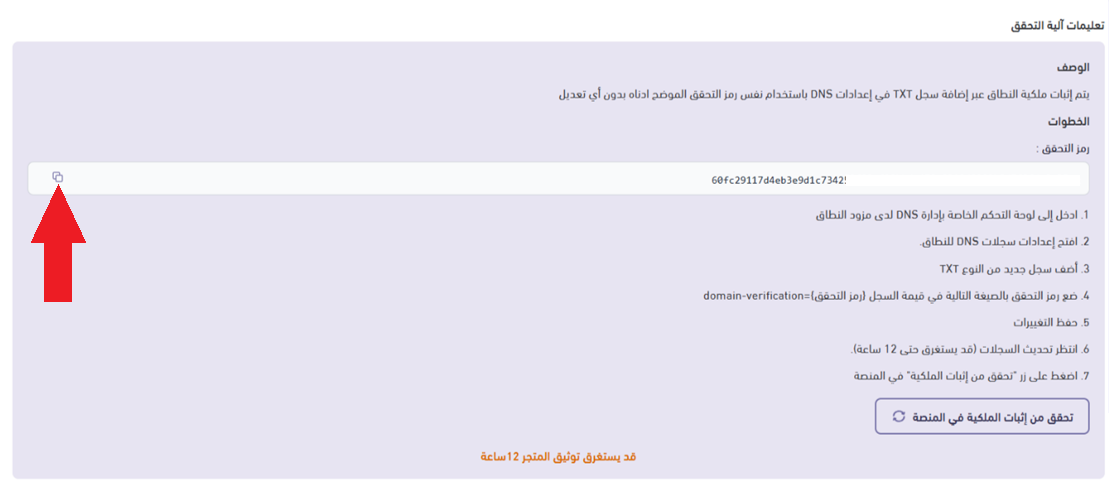
10. If your domain is registered through Salla, go to your store dashboard to add the verification code.
- From the (Store and sales channels) tab in the main menu, choose (Store domain).
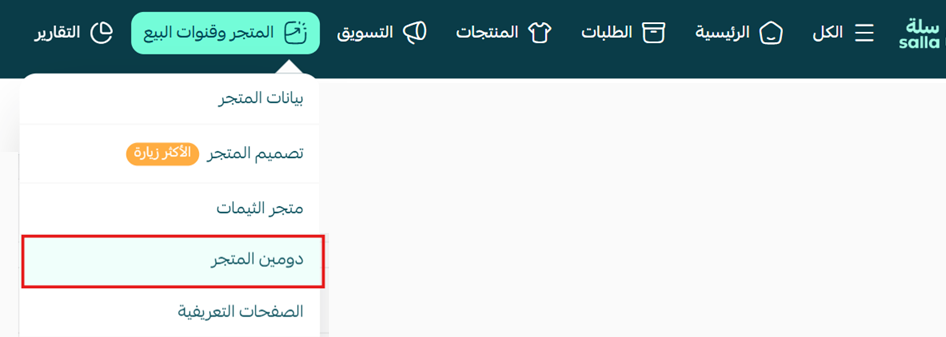
- On the store domain page, under (DNS management), click (+ Add new record).

Then enter the following details:
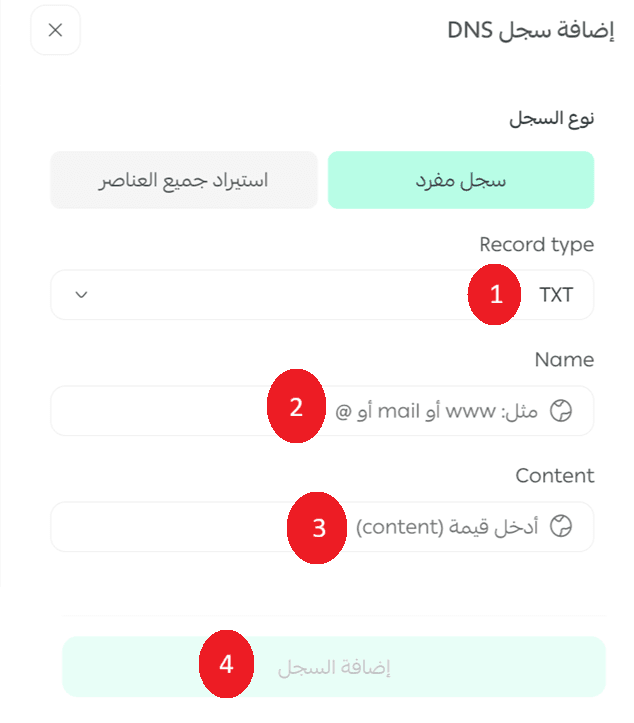
1. Set the type to TXT.
2. Enter @ as the name.
3. Paste the verification code you copied from the Business Platform, in this format:

💡 Example:
domain-verification= sdfghjuytrwr456789okjhgfde4567e56787
4. Click (Add record) to save it.
11. Go back to the Business Platform and click (Verify ownership proof on the platform).
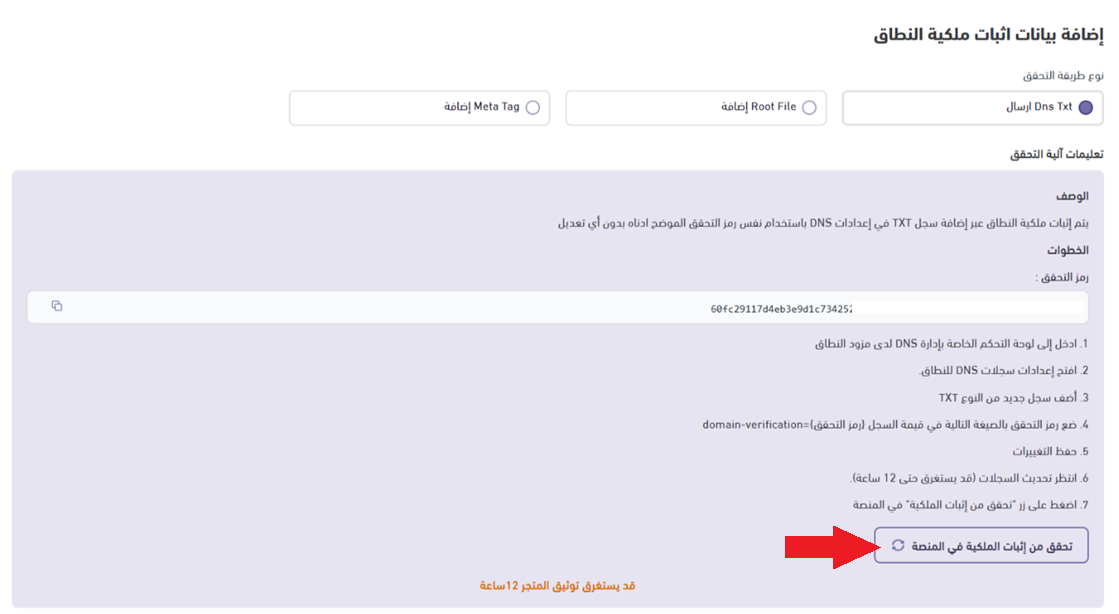
12. Click (Continue) to submit the request.
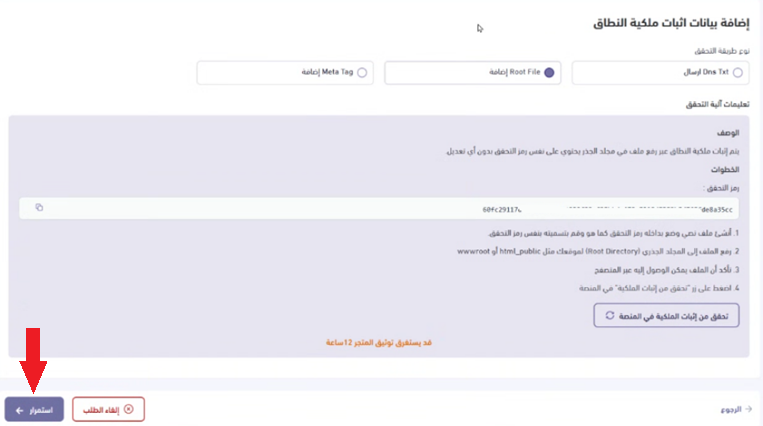
🔔 Note: domain ownership verification can take up to 12 hours.
13. Once the request is accepted, a message confirms that verification succeeded.
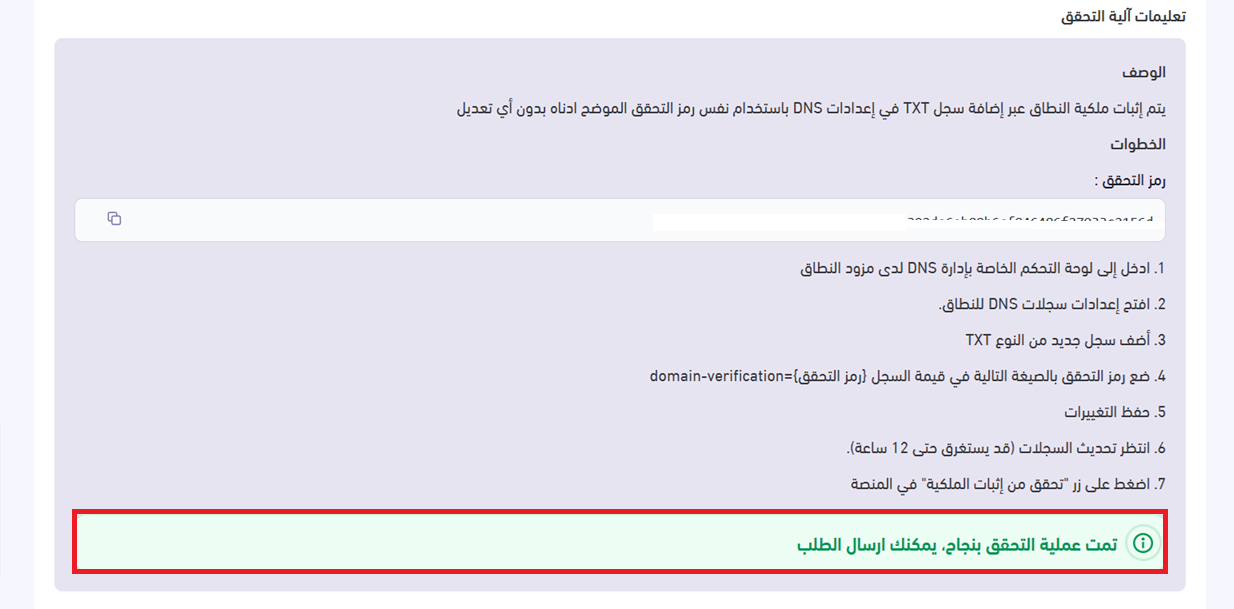
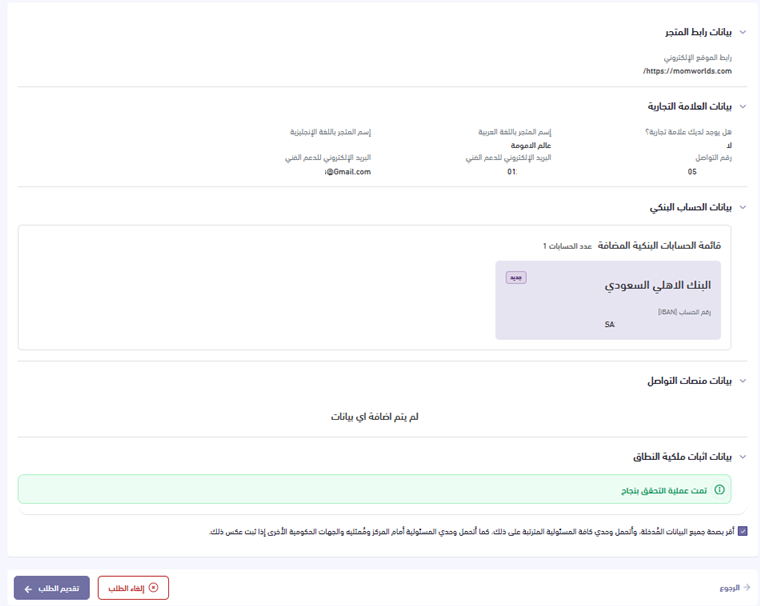
14. Your store details are now complete, and the request can be submitted successfully.
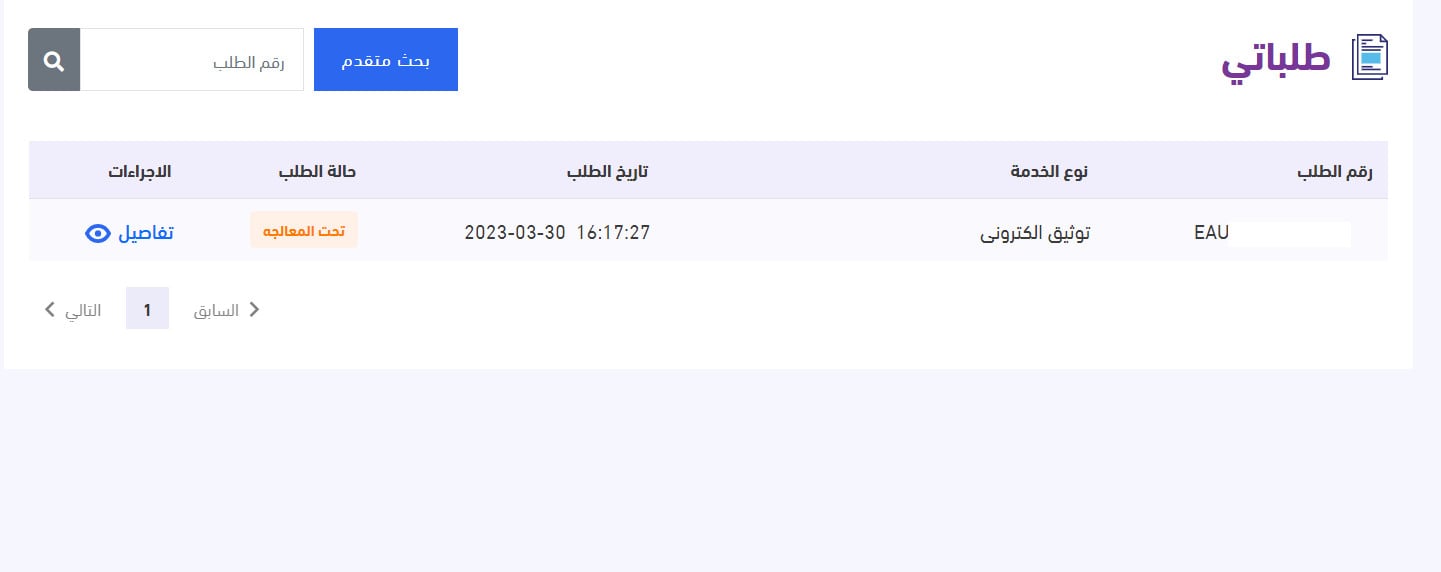
15. Track the status of your request from the My requests page.
The certificate looks like this:
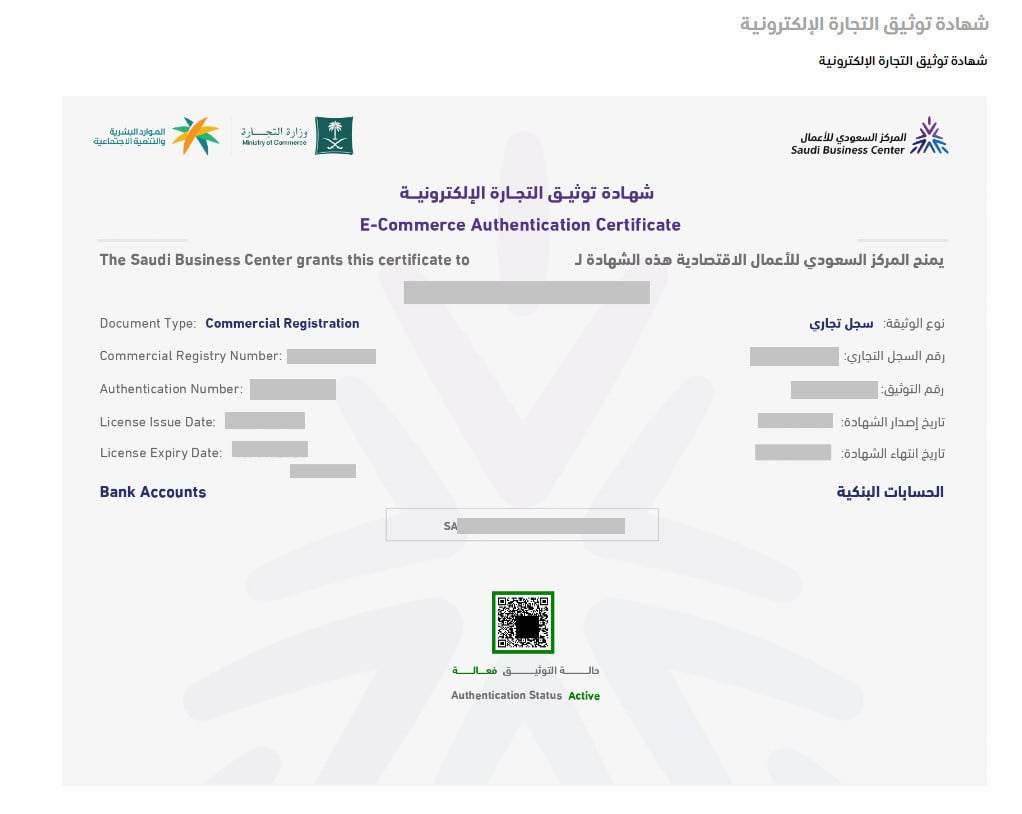
You also receive updates on your request status by SMS.
For more details:
- Getting a commercial registration
- Issuing a freelance certificate
- Getting an IBAN certificate
- The E-commerce Law
✅ Add the Business Platform certificate to your store
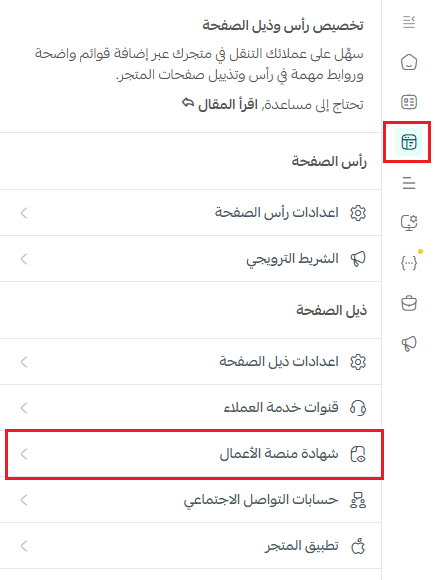
1. From your store design, open the header and footer tab, go to the footer settings, and click (Business Platform certificate).
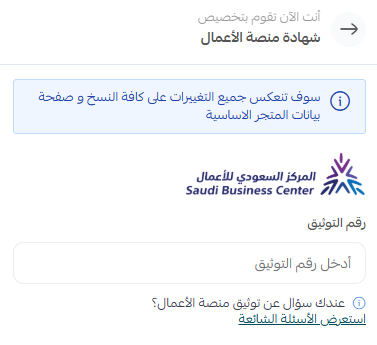
2. Enter your verification number, then click (Save).
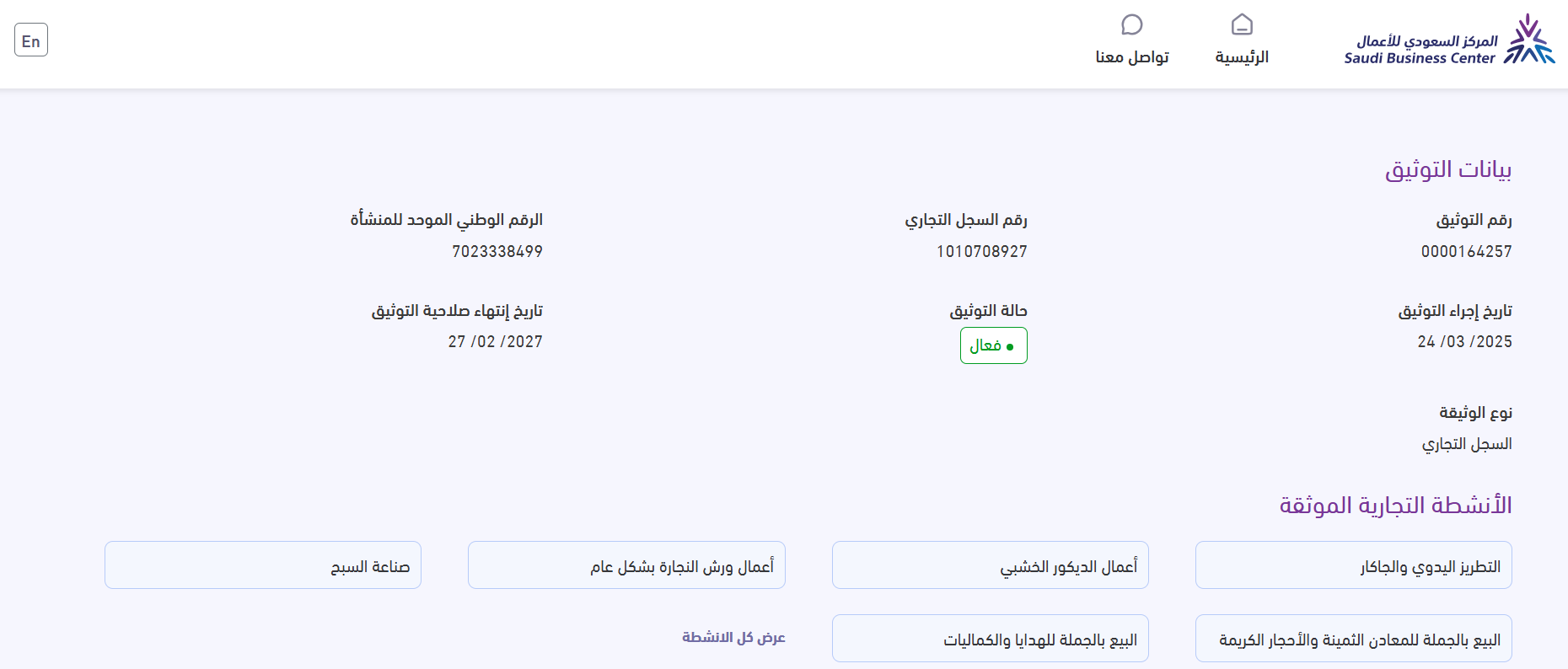
The verification badge then appears at the bottom of your store:

When a customer clicks it, they are taken to the Saudi Business Center website, where they can look up and view the details of your certificate.
❓ Frequently asked questions
Can I still verify my store on Maroof?
No. The Business Platform is now the only approved platform for verifying online stores in the Kingdom.
Is Business Platform verification the same as verifying my store in Salla?
No. Business Platform verification covers your commercial activity with the government. Salla store verification covers your store details inside Salla and your store requirements. You may need both.
Do I need a commercial registration to apply?
You need either a valid commercial registration or a valid freelance certificate, plus a commercial bank account, an active Absher account, and Saudi nationality. You must also be at least 18 years old.
How long does domain verification take?
Verifying domain ownership can take up to 12 hours after you add the TXT record.
Where do I add the TXT record if my domain is not with Salla?
Add it at whichever provider hosts your domain. The record type is TXT, the name is @, and the value is the verification code copied from the Business Platform.
📝 Important notes
- Your store must be launched and out of maintenance mode before you apply.
- Do not delete the TXT record after approval. It is what proves you own the domain.
Verification is what tells a shopper your store is a registered business rather than an anonymous storefront. Get it done once, display the badge in your footer, and it works for you on every visit.