Want to build your app's category navigation without starting from a blank layout?
Salla App Maker category templates provide ready-made structures for organizing categories in your store app. Choose the navigation style and category-item design you prefer, apply the template, then continue customizing the generated menus and elements from the category design page.
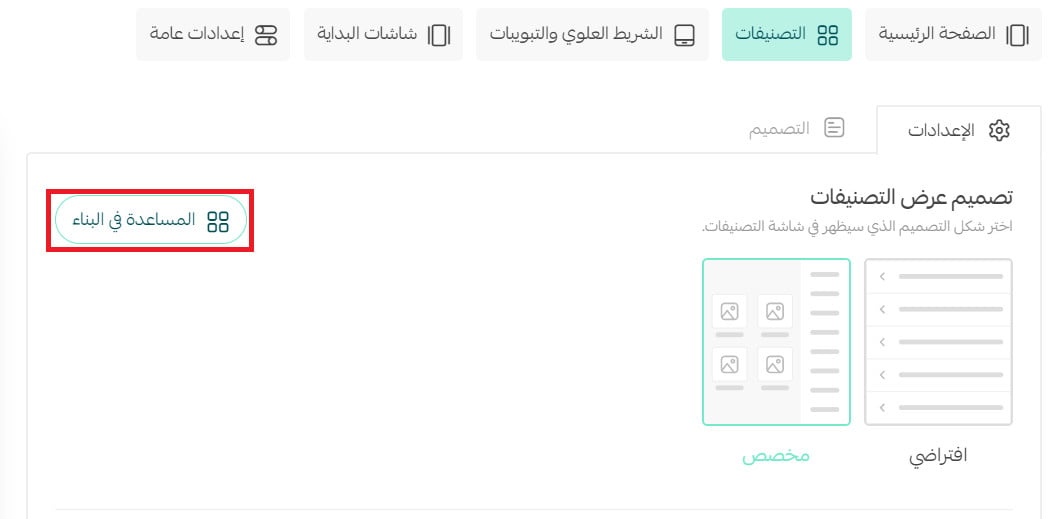
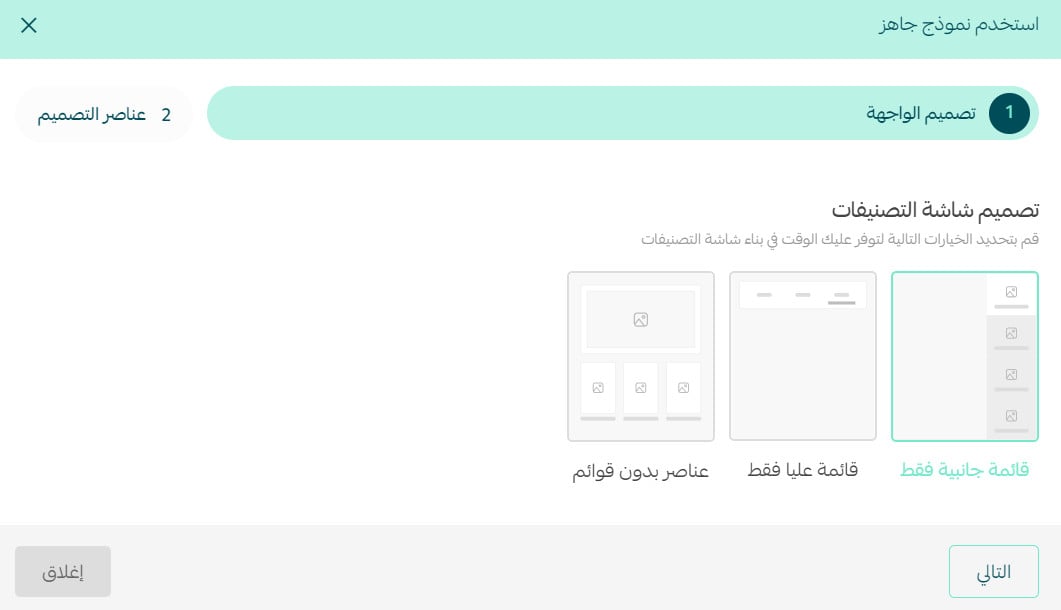
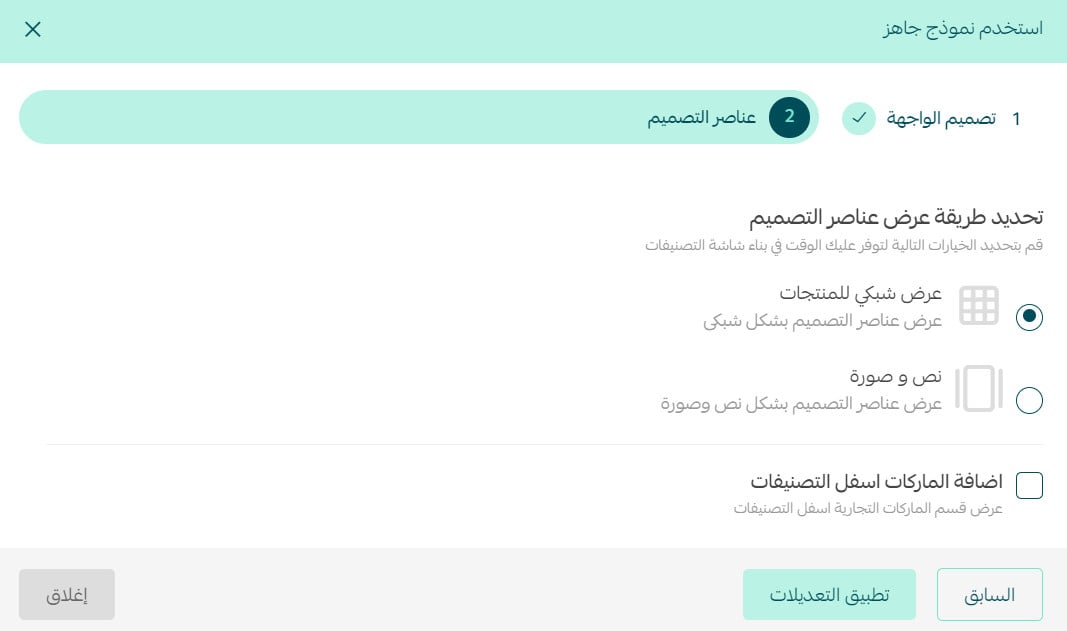
To use a category template, open Salla App Maker and go to the Categories tab in the design stage. Click (Help me build), choose a sidebar, top menu, or no-menu layout, then select a grid or text-and-image item design. Apply the changes and customize the result.
📌 Article overview
- What category templates are
- How to choose a category navigation layout
- How to choose a category item design
- Frequently asked questions
💡 What are Salla App Maker category templates?
Category templates are ready-made layouts that help you build a custom category list for your store app. They provide a starting structure that you can apply and customize.
🚀 How to use Salla App Maker category templates
1. From the dashboard side menu, click (Salla App Maker).

2. In the first app-launch stage, (Design), open the (Categories) tab, then click (Help me build).
3. Choose the category navigation design: sidebar only, top menu only, or elements without menus. Then click (Next).
4. Choose the design for your store app's category elements, then click (Apply changes). You can display the elements as a grid or as text with an image.
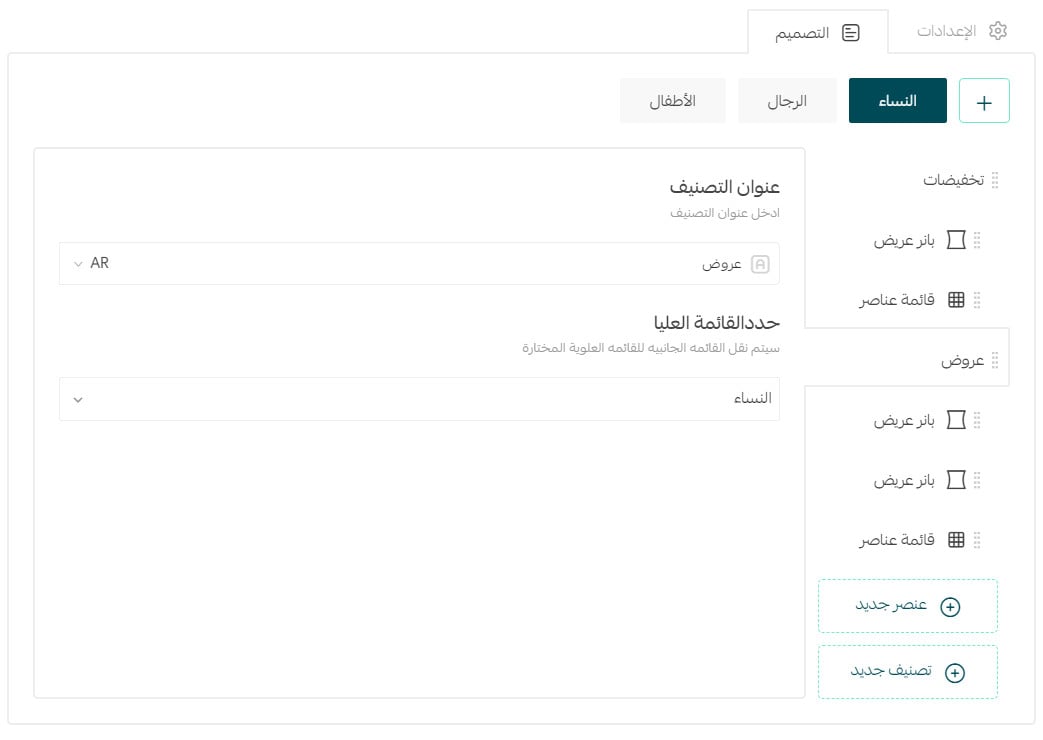
The menus and elements now appear on the category design page, where you can continue customizing them.
❓ Frequently asked questions about Salla App Maker category templates
Which category navigation layouts can I choose?
You can use a sidebar only, a top menu only, or category elements without menus.
Which category item designs are available?
The source provides two options: a grid or text with an image.
Can I customize the result after applying a template?
Yes. The generated menus and elements appear on the category design page so you can continue customizing them.
📝 Important notes
Preview the menu structure and category elements together so customers can move through your app without duplicate or confusing navigation.
Start with the layout closest to your intended structure, apply it, then refine the generated categories on the design page.