Tanbihaty — smart WhatsApp alerts
Customers check WhatsApp far more often than they check email, which makes it the fastest way to tell someone their order shipped or their cart is still waiting. Tanbihaty gives merchants a flexible way to manage that communication, with advanced tools for notifications, marketing, and analytics that make the whole experience feel more professional. In this guide, you'll learn how to connect the Tanbihaty app and how to manage it afterward.
To connect Tanbihaty on Salla, click All in the main menu, open the App Store from the helper tools section, and search for the app. Click Install on the Tanbihaty app page, complete the payment, then click Activate app and follow the connection instructions to finish setup.
📌 Article overview
- How to connect the Tanbihaty app
- How to manage the Tanbihaty app
- Frequently asked questions
🚀 How to connect the Tanbihaty app on Salla
1. From the main menu, click (All), then from the helper tools section click (App Store).

2. Search for the app using the search field.

3. From the Tanbihaty — smart WhatsApp alerts app page, click (Install).
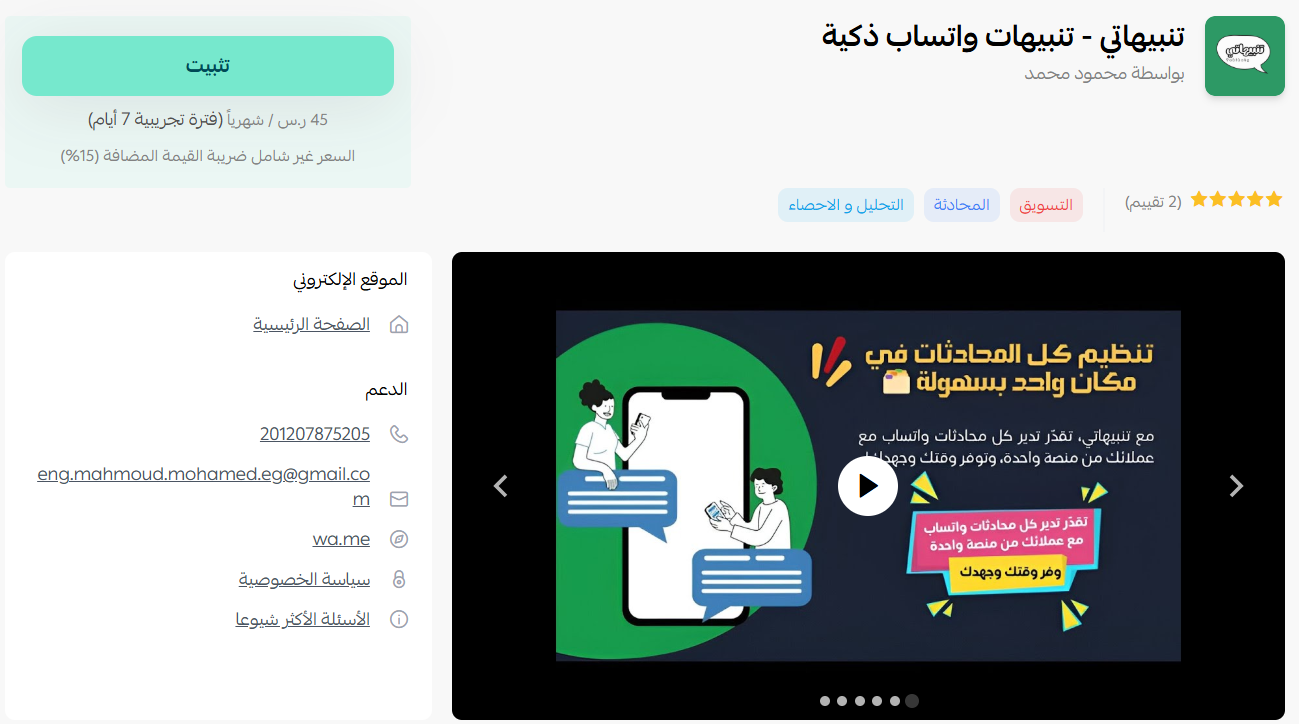
4. Complete the payment to activate the app's features.
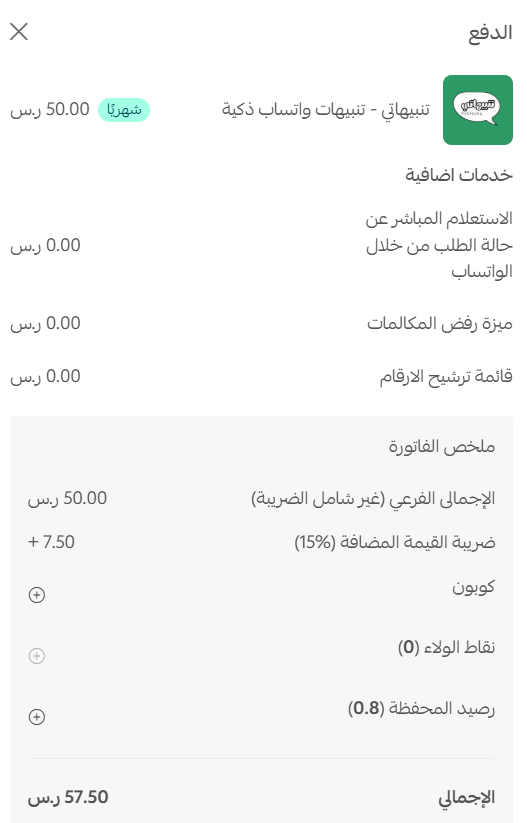
5. Once the payment goes through, the Tanbihaty app is installed on your store.
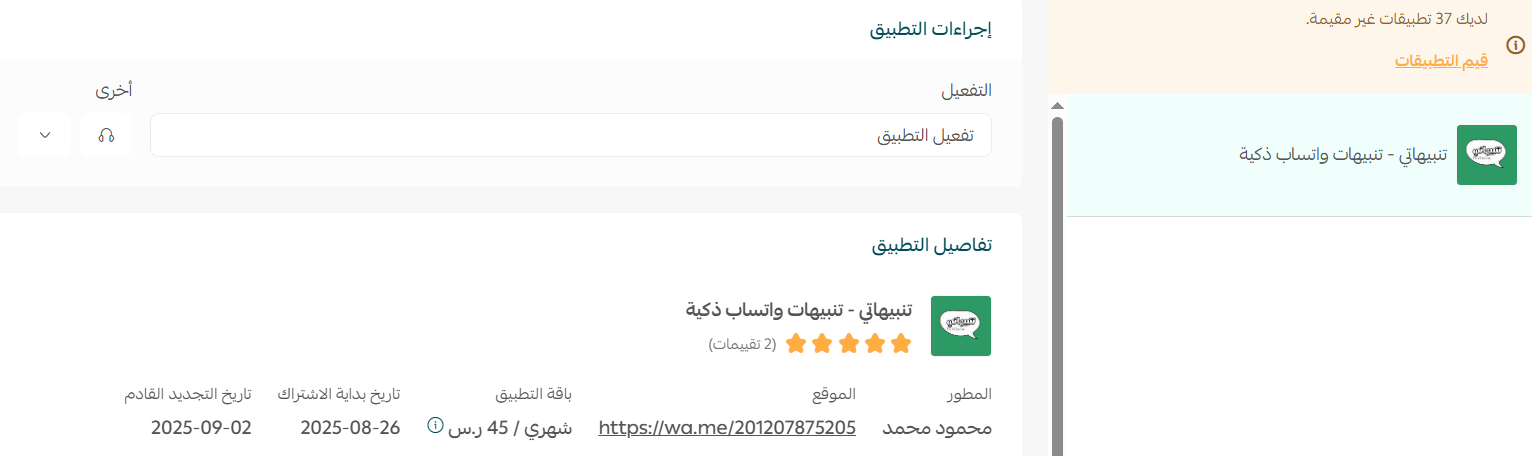
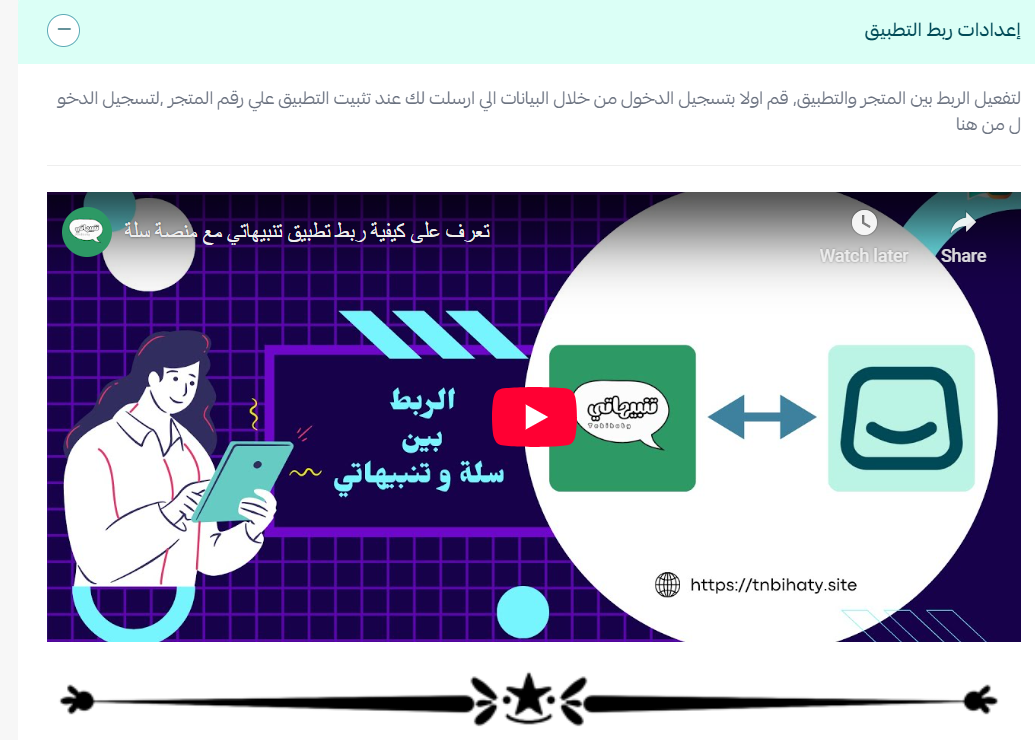
After installation, click (Activate app), then follow the instructions in the setup video from the app connection settings section to finish connecting the app.
🚀 How to manage the Tanbihaty app
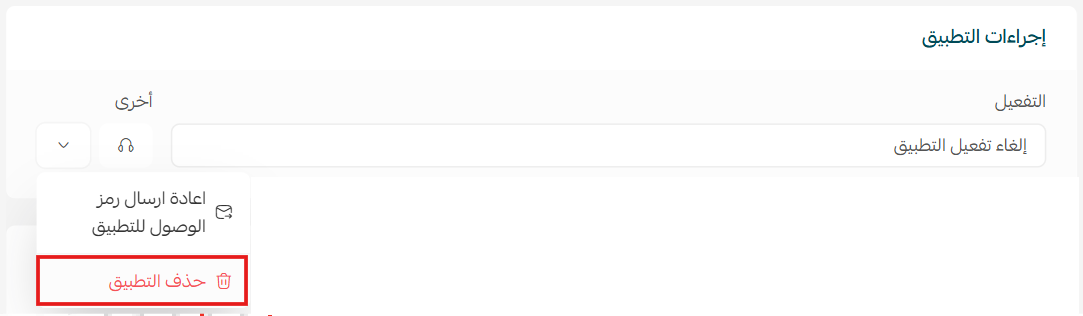
Removing the app
From the Tanbihaty app, click ( ) then click (Delete app).
Frequently asked questions
❓ What does the Tanbihaty app do?
It gives merchants advanced tools for WhatsApp notifications, marketing, and analytics, so customer communication is easier to manage and feels more professional.
❓ Is the app ready to use straight after payment?
Not quite. After the payment completes you still need to click Activate app and follow the connection instructions in the app connection settings section.
❓ How do I remove the app?
Open the app, click the options icon, then click Delete app.
For more detail, see the Tanbihaty site.
Notifications only help if they arrive when the customer still cares. Set the triggers up once with that timing in mind, and the app quietly does the follow-up you would otherwise never get around to.