How much time does your team spend re-entering store sales into your accounting system?
Every order, refund, and invoice eventually has to land in your books. The SMACC accounting app connects your Salla store directly to SMACC, a Saudi accounting and business management system built by Bahr Al Arab and in the market since 1986. More than 99,000 businesses rely on it, with over 715,000 licenses in use. In this guide, you'll learn what SMACC does, what you need before you connect it, and how to install the app on your store.
SMACC is a Saudi accounting and business management system that connects to your Salla store. Once linked, invoices, journal entries, and reports are created automatically from your store's sales and returns. You need an active license for the SMACC cloud financial accounting module, and the SMACC team completes the connection with you.
📌 Article overview
- What SMACC gives you
- What you need before connecting
- How to install the SMACC app on your store
- Frequently asked questions
✅ What SMACC gives you
- Direct integration with online stores such as Salla, with invoices, journal entries, and reports created automatically.
- A straightforward interface that works for small, medium, and large businesses alike.
- Full financial management covering invoices, expenses, journal entries, reports, and day-to-day operations.
- Sales and returns handling that keeps your accounting data accurate and cuts down on manual errors.
- Strong data security built on an advanced technical architecture to protect sensitive company information.
- A long track record with thousands of businesses over more than three decades.
- Flexible subscription plans that scale with the size and needs of your business.
- Regular updates that add features and improve performance over time.
- One place to manage your store data, inventory, and financial operations.
- Higher productivity and lower running costs by automating complex accounting tasks.
📝 What you need before connecting
To link SMACC with your Salla store, you must hold an active license for the SMACC cloud financial accounting module.
🚀 How to install the SMACC app on your store
1. From the main menu, click (All), then under the helper tools section, click (App Store).

2. From the App Store tab, click (Browse all apps).
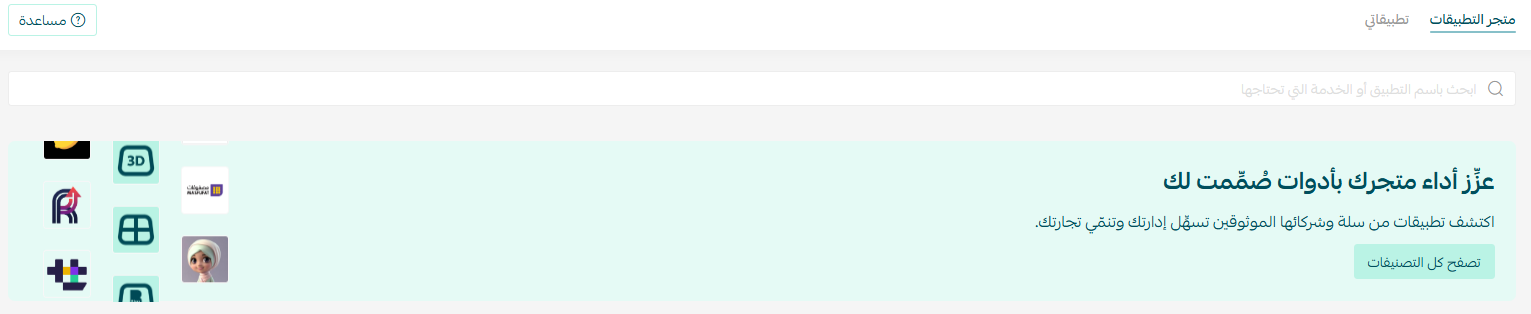
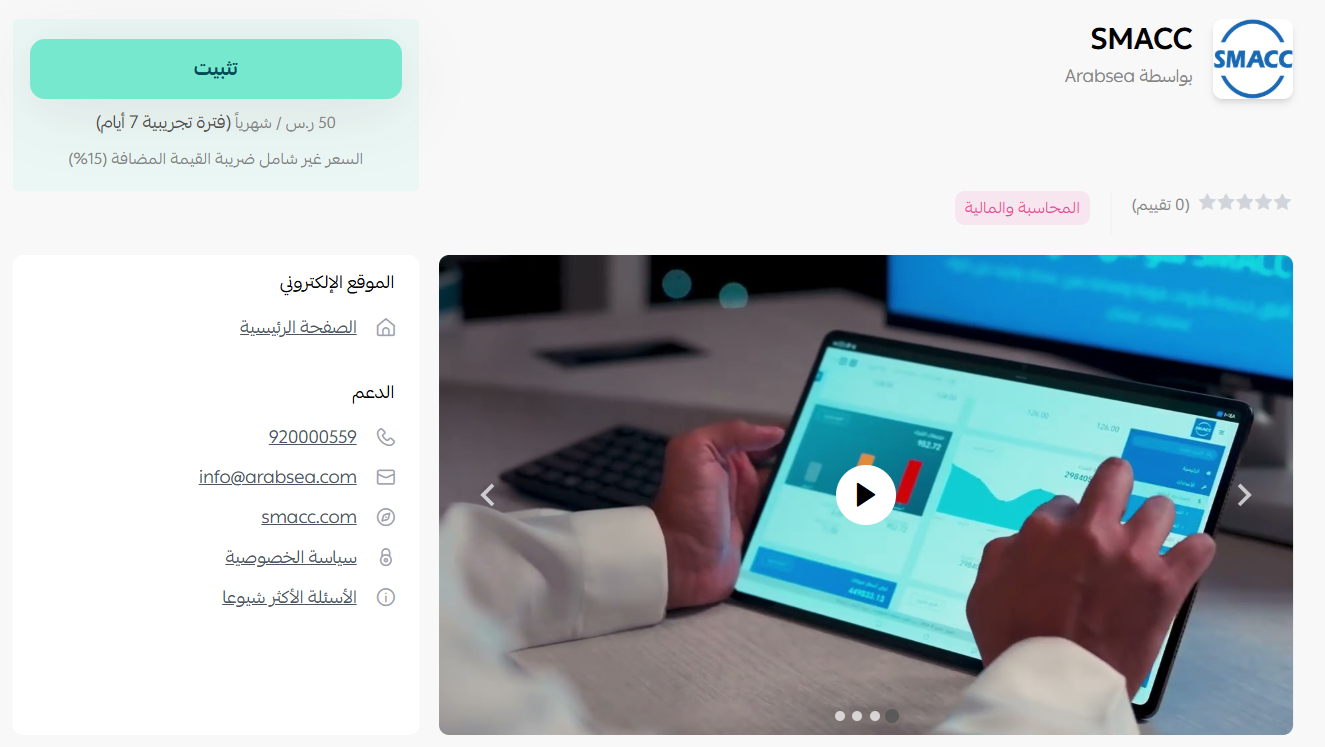
3. On the SMACC app page, click (Install).
4. Enter your Salla integration details. What you see next depends on whether you already use SMACC.
Case one: you are an existing SMACC customer
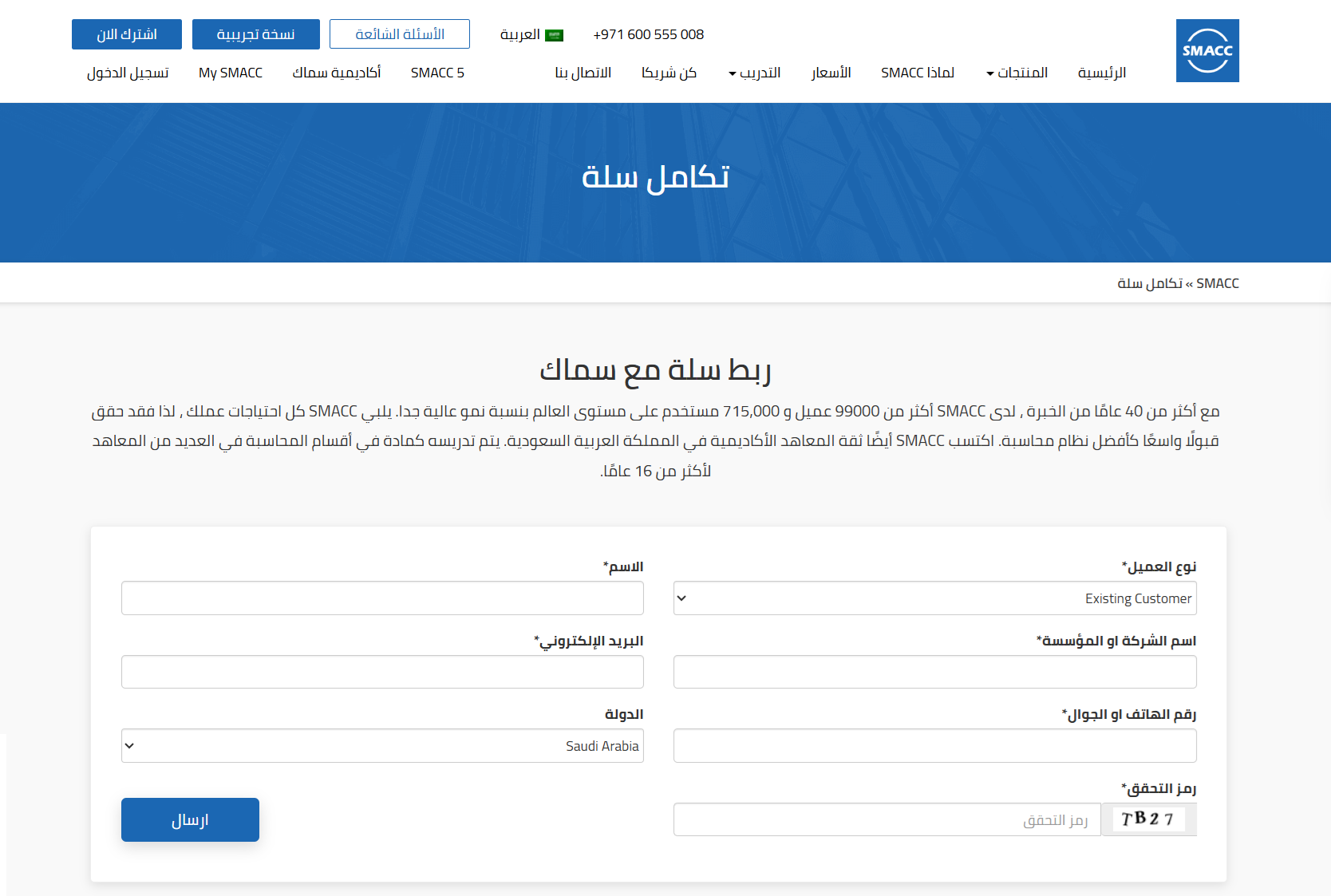
You do not pay the SMACC subscription fee again. You only pay the integration fee.
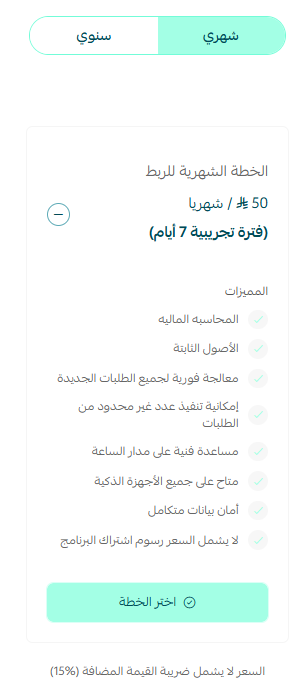
Case two: you are new to SMACC
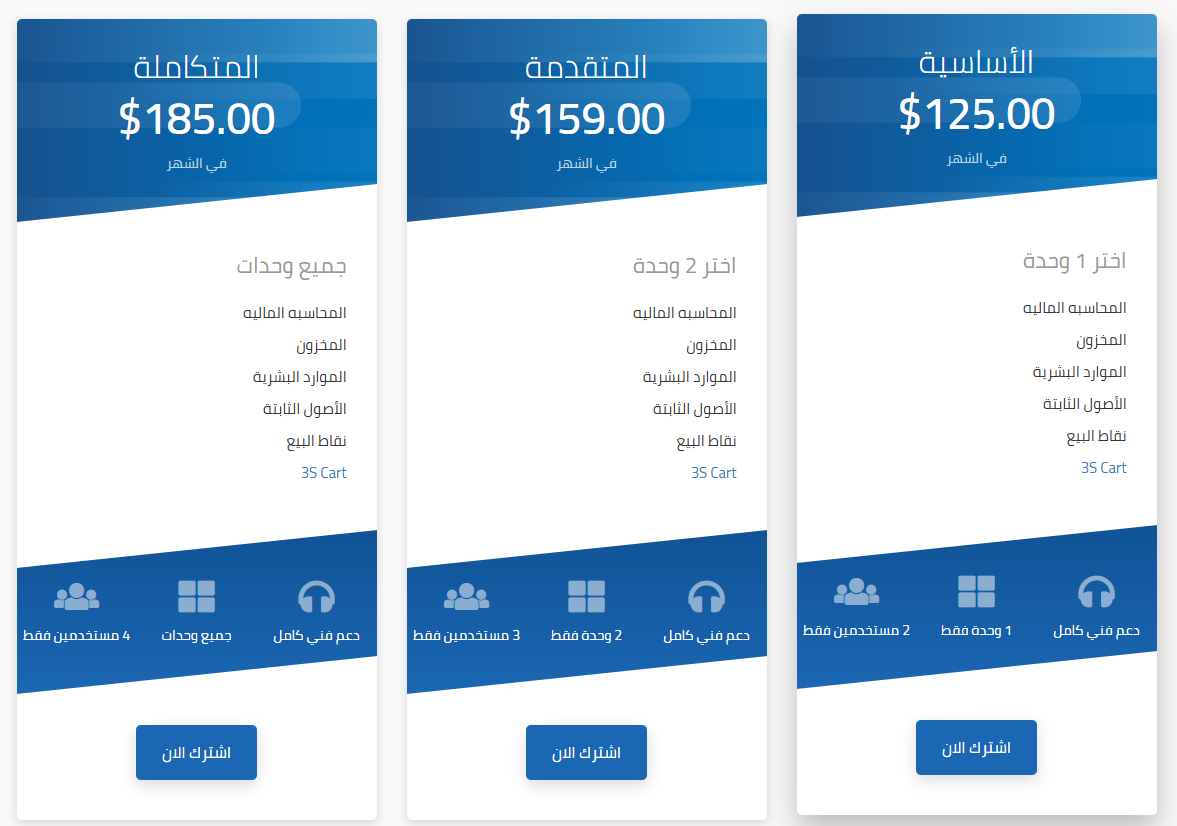
The SMACC team walks you through choosing one of the system's plans.
📝 Important notes
- In both cases, the SMACC team contacts you to finish the remaining installation and connection steps.
The SMACC app is now installed on your store.

❓ Frequently asked questions
📘 For answers on connecting point of sale, setting fiscal periods, and report setup, see the SMACC FAQ page.
What do I need before I can connect SMACC to my store?
An active license for the SMACC cloud financial accounting module.
I already subscribe to SMACC. Do I pay again?
No. Existing SMACC customers pay the integration fee only, not a second subscription.
I'm new to SMACC. What happens after I install the app?
The SMACC team guides you through choosing a plan, then contacts you to complete the setup and the connection.
What is created automatically once my store is linked?
Invoices, journal entries, and reports are generated automatically from your store's activity, including sales and returns.
How do I remove the SMACC app?
From the SMACC app, click ( ), then click (Cancel subscription).

From the same menu, click (Delete app).

Connecting your store to your accounting system pays off in the details: fewer manual entries, cleaner books at the end of the month, and a single place to see what your store actually earned.