Are the prices in your store showing VAT the way the law requires?
If your business is registered for VAT (value-added tax), your Salla store needs to reflect that: your tax number, how the 15% tax appears in product prices, and how it applies to shipping fees. Salla puts all of these controls on one settings page. In this guide, you'll learn how to set up VAT on your store, add your establishment's tax number, control how prices display, and add tax rates for other countries.
To set up VAT on your Salla store, open (Store settings) from the main menu, then click (VAT). From there you can add your establishment's tax number, choose how VAT applies to shipping fees, display product prices inclusive of the 15% tax, and add tax rates for other countries.
📌 Article overview
- How to set up VAT
- Add your establishment's tax number
- VAT on shipping service fees
- Display product prices inclusive of VAT
- Add a new tax
- Frequently asked questions
🚀 How to set up VAT
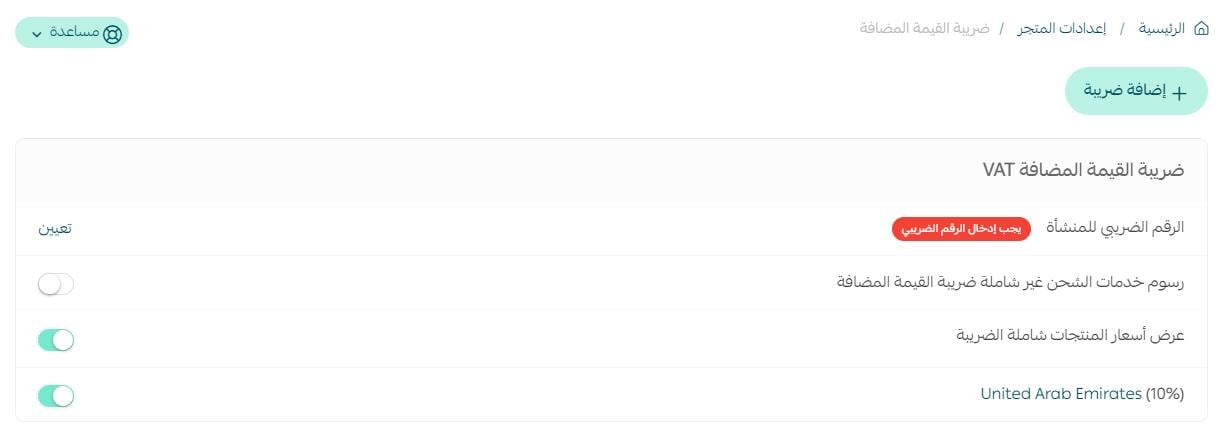
1. From the main menu of your store dashboard, click (Store settings).

2. From the Store settings page, click (VAT).

3. Set the VAT options described below.
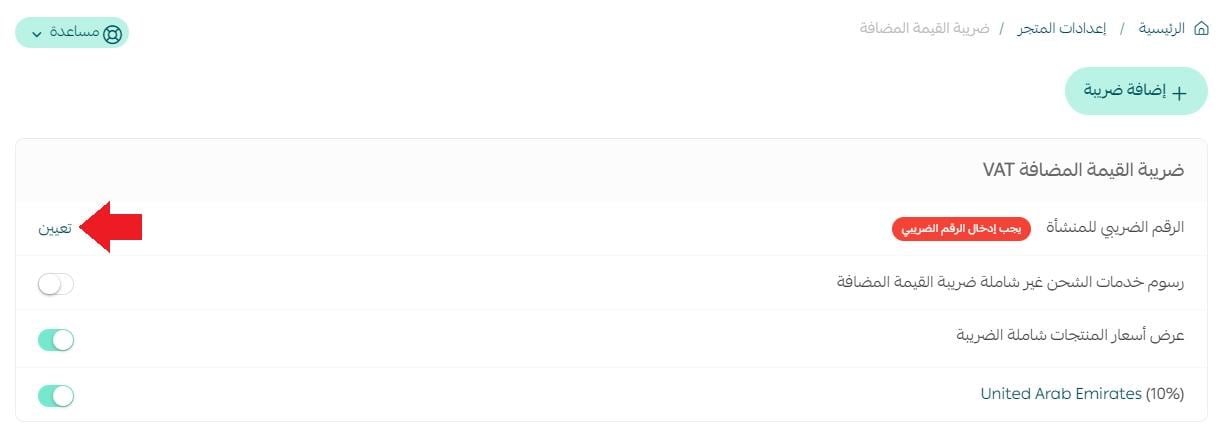
Add your establishment's tax number
To enter your establishment's tax number, click (Set).
Enter the establishment's tax number, then click (Save).
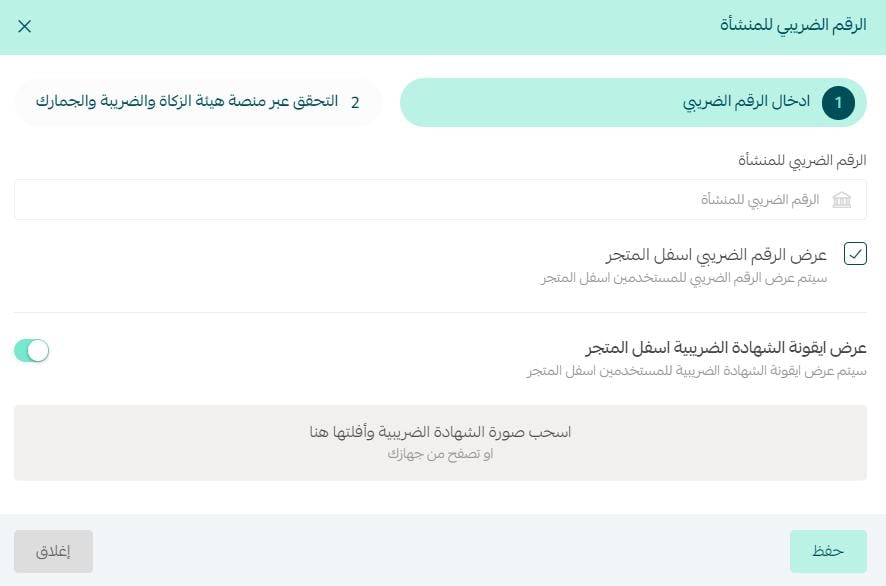
For more details, see displaying the tax number in the store footer.
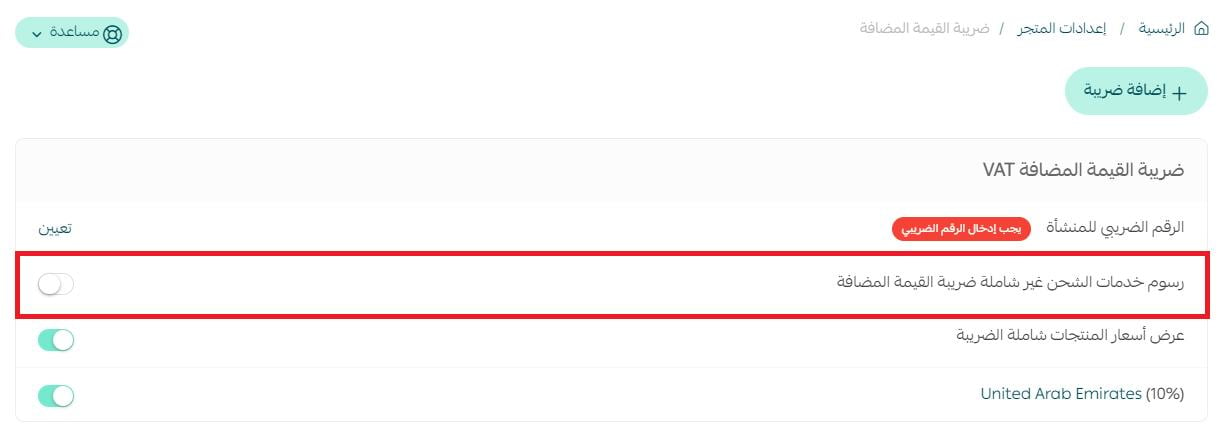
VAT on shipping service fees
When you enable VAT calculation on shipping services, VAT on shipping is calculated within the shipping service amount. When you disable this option, VAT on shipping services is calculated within the shipping waybill amount.
Display product prices inclusive of VAT
When you enable displaying prices inclusive of VAT (15%), the product card appears to the customer like this:

When the option is disabled, the product card appears like this:

Add a new tax
To add a new tax, click (+Add tax).
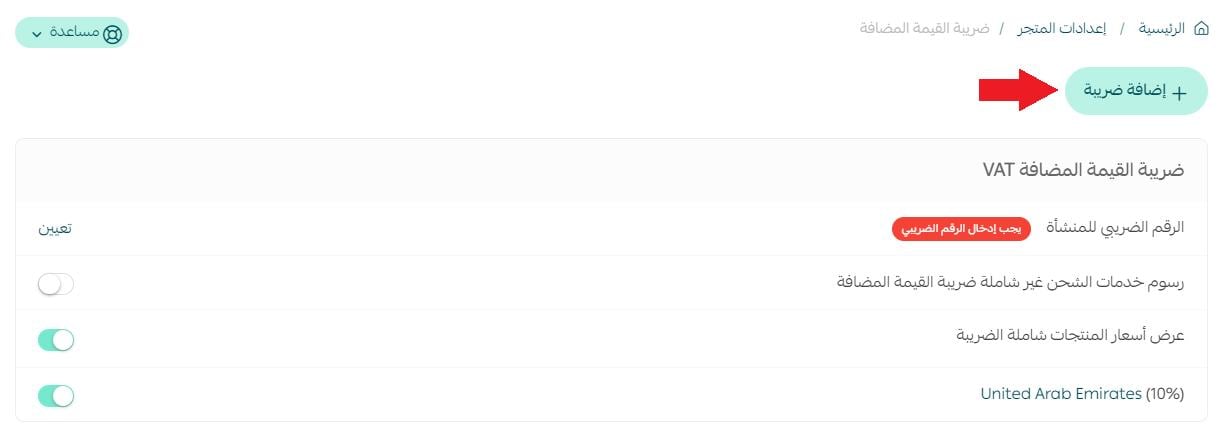
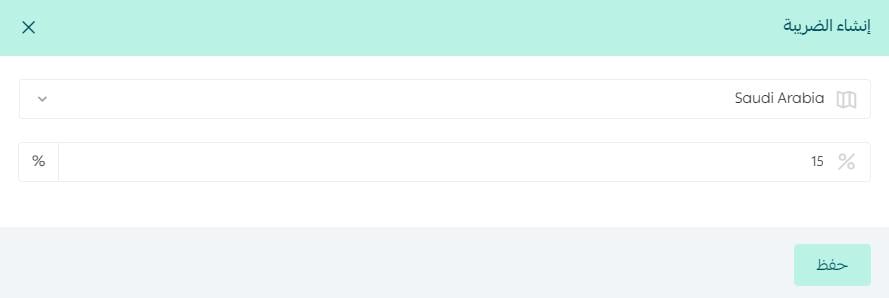
Choose the country the tax will apply to, enter the tax percentage, then click (Save).
❓ Frequently asked questions
Is the displayed price inclusive of VAT?
The Ministry of Commerce has confirmed that displayed product prices are inclusive of VAT, and that the displayed prices of goods are final prices.
Which goods and services are exempt from VAT?
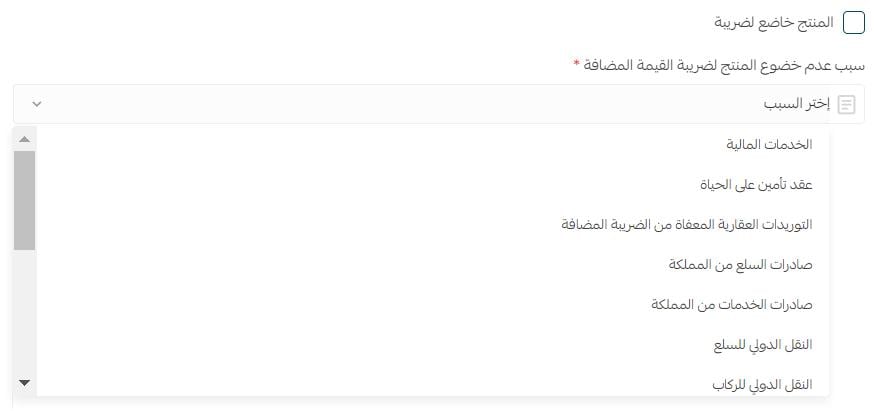
- Financial services [VATEX-SA-29]
- Life insurance contracts [VATEX-SA-29-7]
- Real estate supplies exempt from VAT [VATEX-SA-30]
- Exports of goods from the Kingdom [VATEX-SA-32]
- Exports of services from the Kingdom [VATEX-SA-33]
- International transport of goods [VATEX-SA-34-1]
- International transport of passengers [VATEX-SA-34-2]
- Services directly or incidentally connected with the supply of international passenger transport [VATEX-SA-34-3]
- Supply of qualifying means of transport [VATEX-SA-34-4]
- Services related to the transport of goods or passengers, as defined in Article 25 of the VAT Implementing Regulations [VATEX-SA-34-5]
- Medicines and medical equipment [VATEX-SA-35]
- Qualifying metals [VATEX-SA-36]
- Private education services for citizens [VATEX-SA-EDU]
- Private healthcare services for citizens [VATEX-SA-HEA]
- Supply of qualifying military goods [VATEX-SA-MLTRY]
What is VAT imposed on?
VAT is imposed on all goods and services bought and sold by establishments.
What is the difference between goods and services?
Goods are physical items you can buy, such as consumer products like phones. Services are provided by specialists and can be received anywhere; they are intangible and non-perishable — for example, booking a consultation session or attending digital courses.
What is the definition of a good?
In economics, a good is something that meets an individual's needs and provides a benefit to the consumer who buys it.
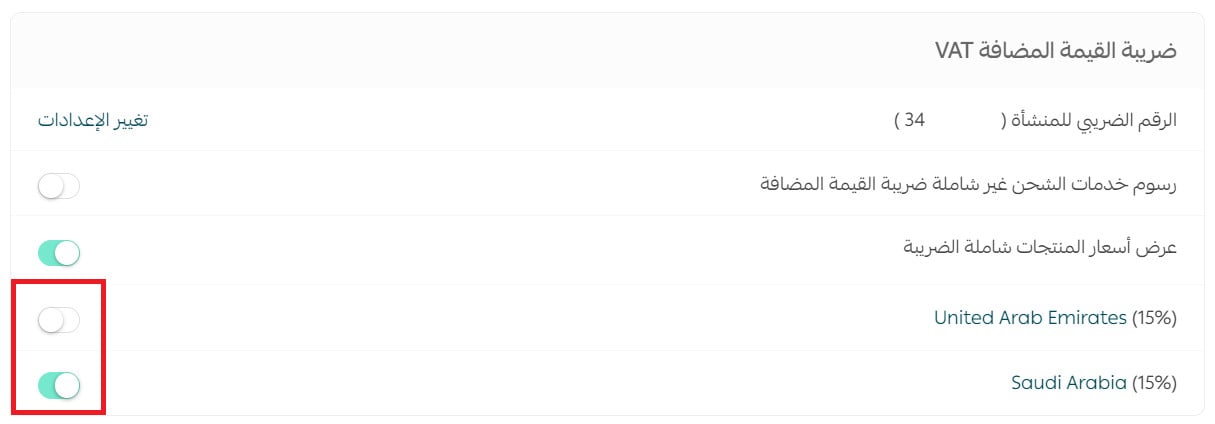
Can I deactivate a specific tax?
Yes. From the VAT page, check or uncheck the tax you want, as shown:
How do I remove VAT from a zero-rated or exempt product?
From the product card, click (Product details), then disable the (Product is subject to tax) option and select the reason the product is not subject to VAT from the list.
Which plans include VAT activation?
VAT activation is available on the Salla Pro and Salla Special plans only.