Seen
Handling customer conversations one message at a time stops working once your volume grows. Seen connects your store to the WhatsApp Business API, giving mid-size and large businesses a single place to run marketing campaigns, send bulk messages, and automate replies through a smart chatbot. In this guide, you'll learn how to install the Seen app on Salla and how to cancel your subscription if you need to.
To connect Seen on Salla, click All in the main menu, then open the App Store from the helper tools section. Search for Seen, click Install, choose the plan that fits your business, review the requested permissions, and complete the payment to activate the app.
📌 Article overview
- What Seen does
- How to connect the Seen app
- How to cancel your subscription
- Frequently asked questions
What Seen does
Seen gives you a flexible interface and a straightforward dashboard for running targeted marketing campaigns, sending bulk messages, and automating replies with a smart chatbot — all of which lift customer engagement and sales.
It also helps you segment your contacts, analyze performance, and deliver a consistent customer experience across a unified omnichannel setup, which makes it a strong fit for online stores and brands that need effective communication at scale.
🚀 How to connect the Seen app
1. From the main menu, click (All), then from the helper tools section click (App Store).

2. Search for the app using the search field.

3. From the Seen app page, click (Install).
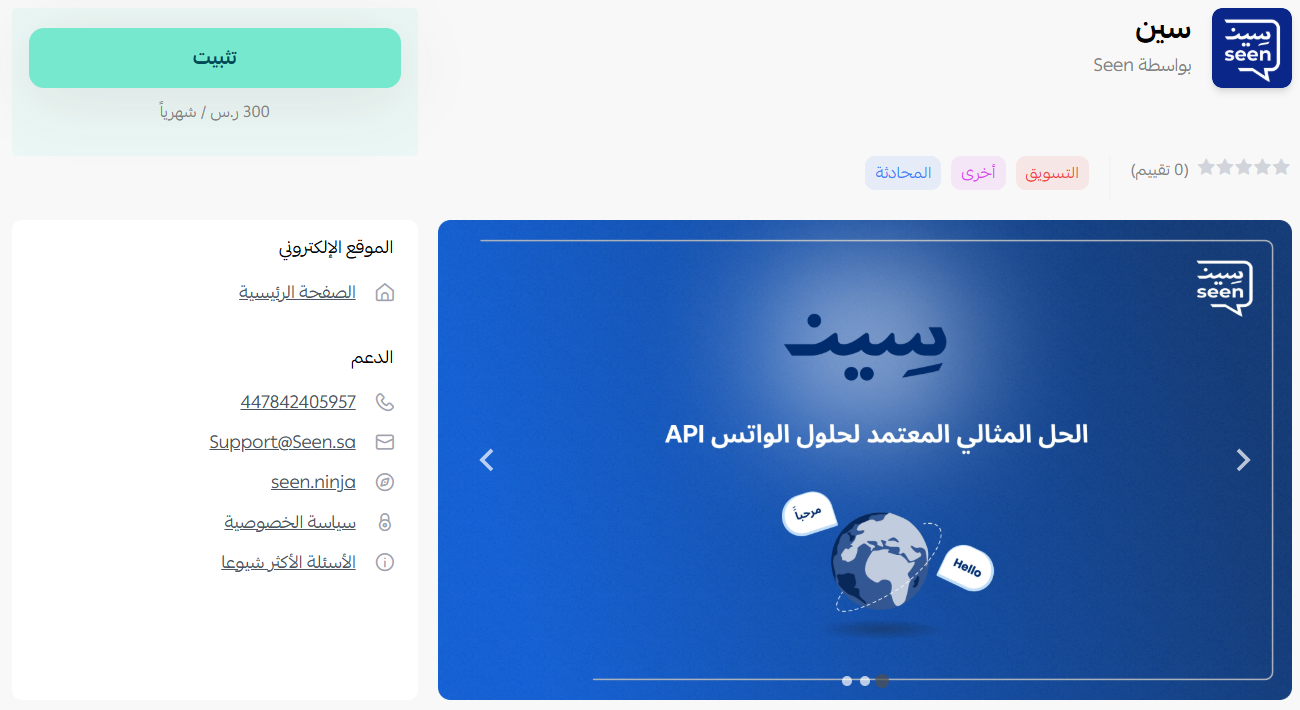
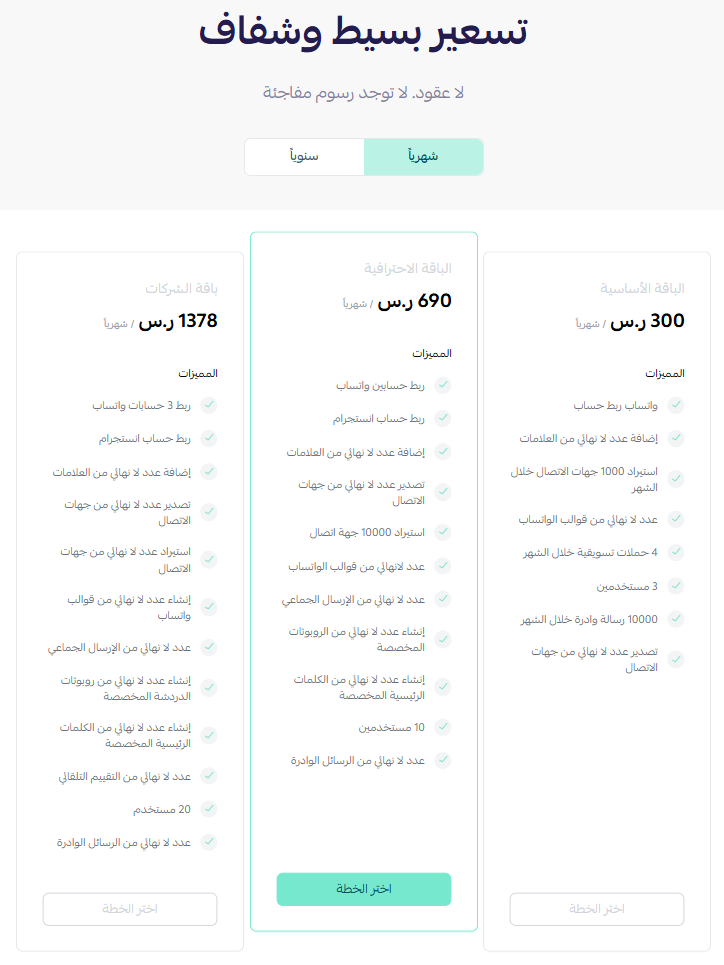
4. Choose the plan that fits your business to continue with the installation.
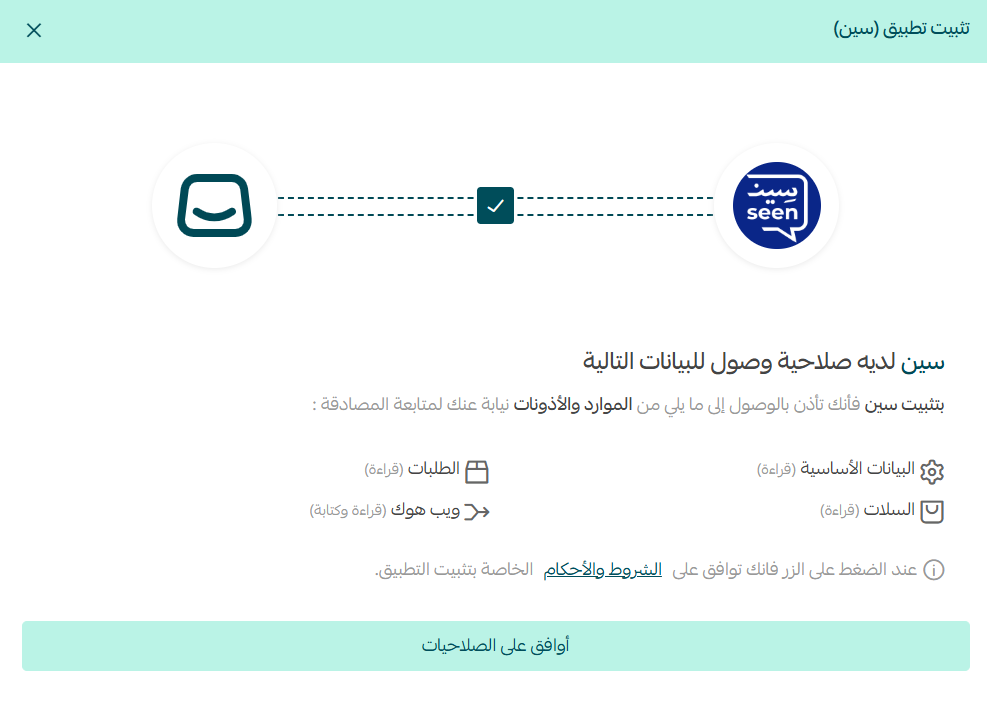
5. Review the requested permissions, then click (Go to payment).
Complete the payment to activate the app's features.
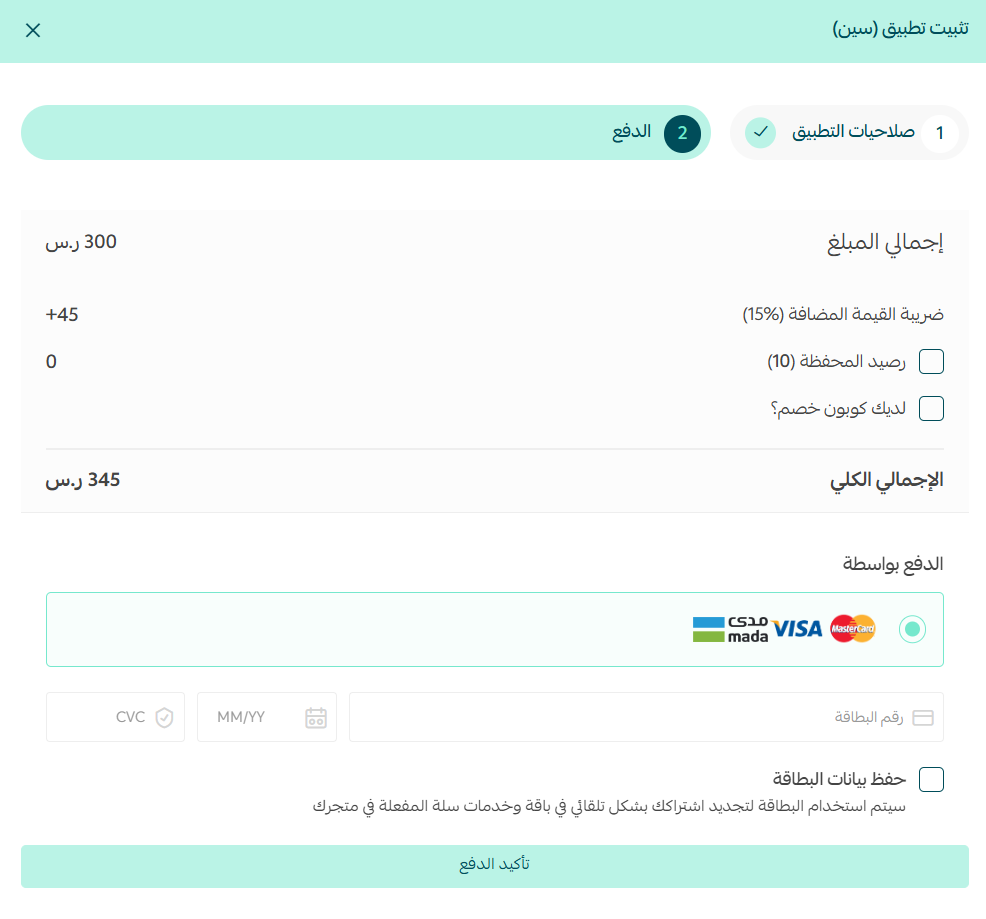
The Seen app is now installed on your store.
How to cancel your subscription
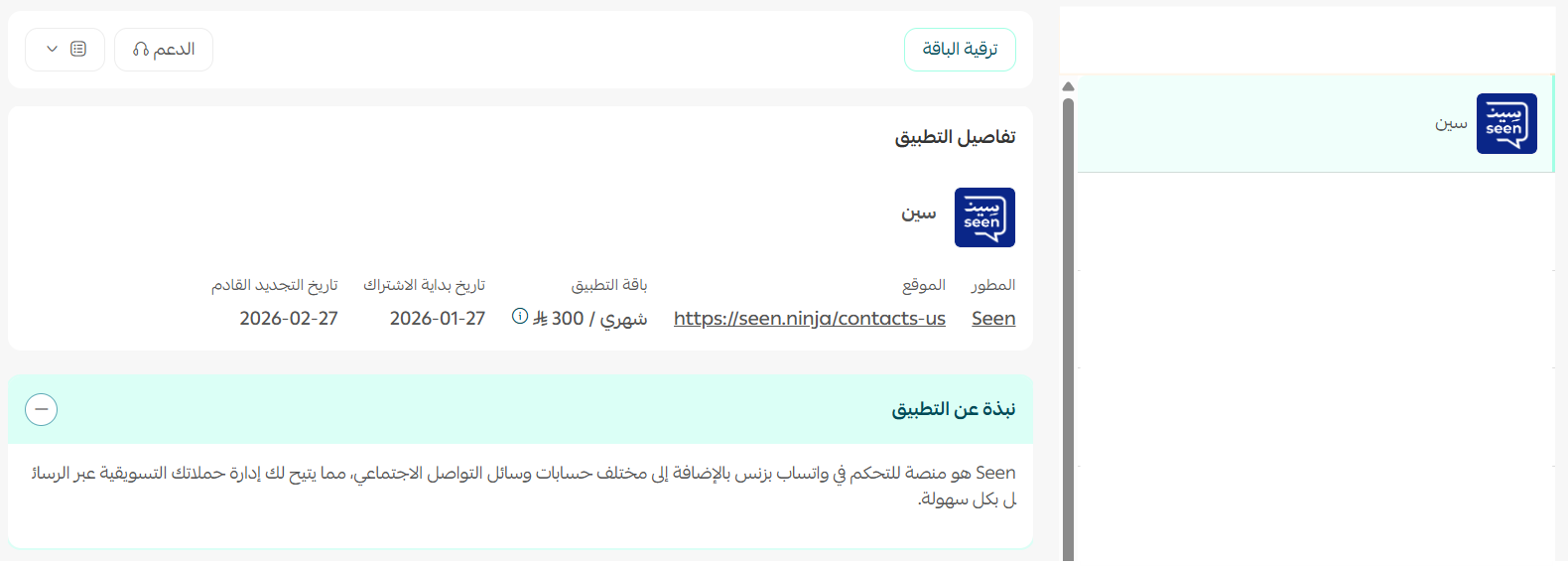
To cancel your subscription, open the Seen app, click (App options), then click (Unsubscribe).

Frequently asked questions
❓ Who is the Seen app built for?
Seen targets mid-size and large businesses that need marketing and customer communication through the WhatsApp Business API at scale.
❓ Is Seen a paid app?
Yes. You choose a plan during installation and complete the payment before the app's features become available.
❓ Can I automate replies to customers?
Yes. Seen includes a smart chatbot for automated replies, alongside campaign and bulk messaging tools.
For more detail, see the Seen app page.
Once your message volume outgrows manual replies, the question stops being whether to automate and becomes which conversations still deserve a human. Tools like this are worth adding when that line is already clear to you.