SAP Business One by Reachware
Keying the same orders into your store and your ERP twice is slow, and every re-entry is a chance to get it wrong. SAP Business One by Reachware is an integration platform that connects your Salla store directly to SAP Business One (SAP B1) with full synchronization. It automates core operations — orders and sales, products, inventory, and customers — so information flows cleanly between both systems. Merchants get more efficient operations, fewer manual errors, and less time spent managing the store alongside their accounting systems. In this guide, you'll learn how to connect the SAP Business One app and how to remove it.
To connect SAP Business One on Salla, click All in the main menu, then open the App Store from the helper tools section. Search for the app, open the SAP Business One app page, click Install, choose your plan, review the permissions, click Go to payment, and complete the payment.
📌 Article overview
- How to connect the SAP Business One app
- Managing and activating the app
- Frequently asked questions
🚀 How to connect the SAP Business One app on Salla
1. From the main menu, click (All), then from the helper tools section click (App Store).

2. Search for the app using the search field.

3. From the SAP Business One app page, click (Install).
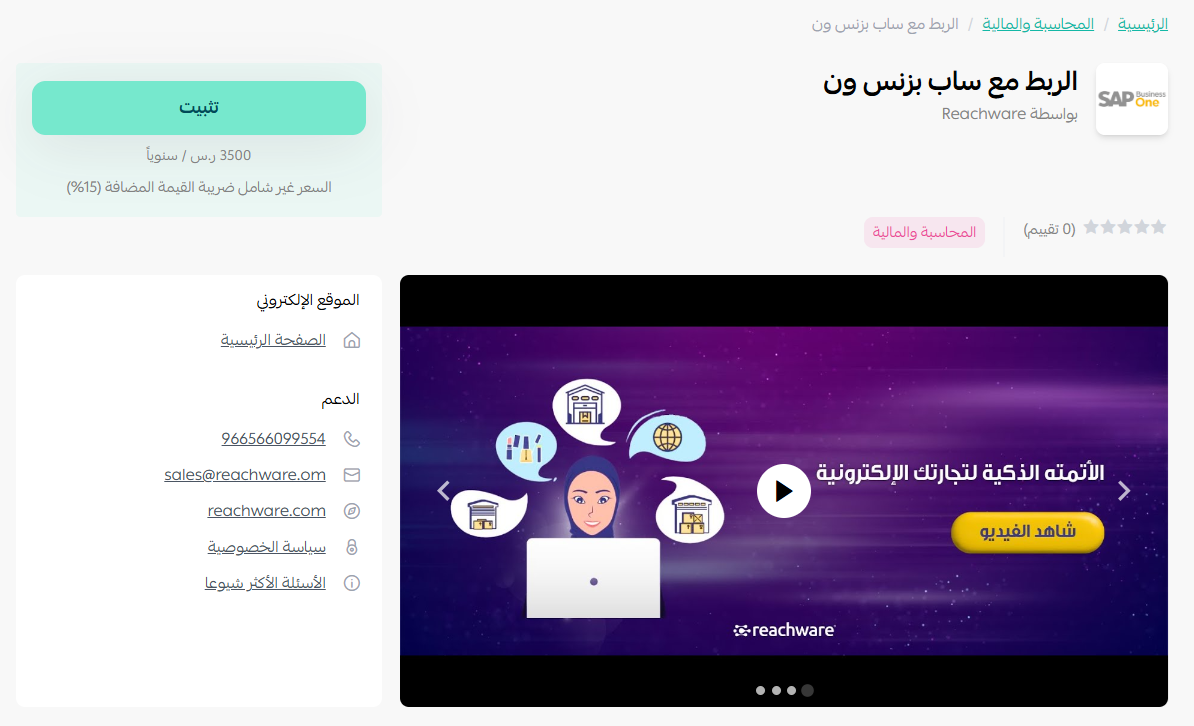
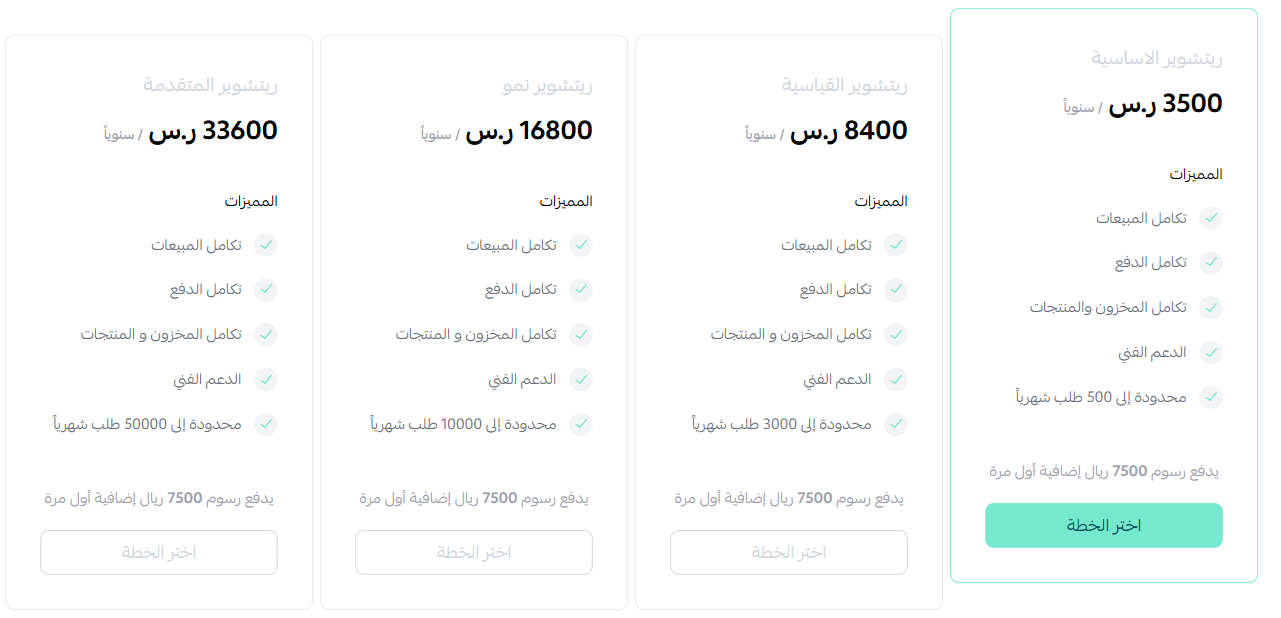
4. Choose the plan that fits your business to continue with the installation.
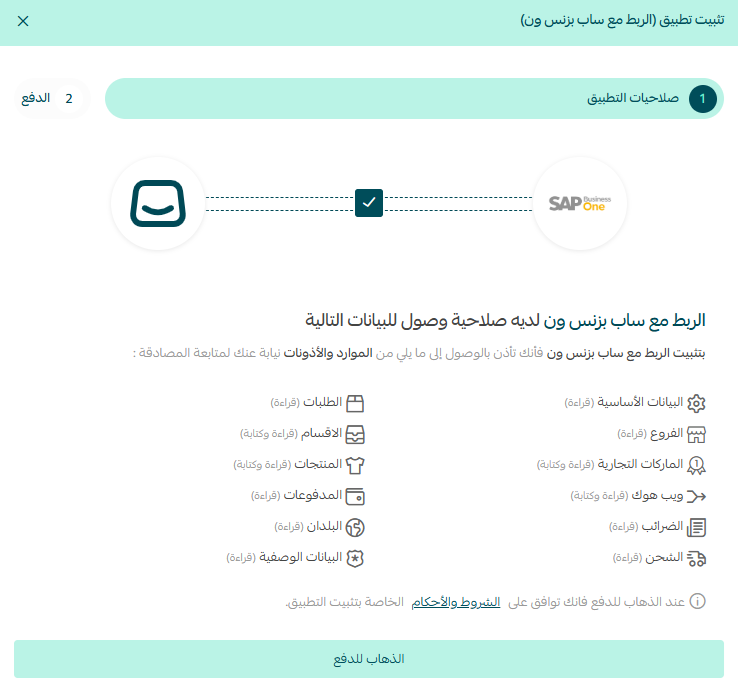
5. Review the requested permissions, then click (Go to payment).
6. Complete the payment to activate the app's features.
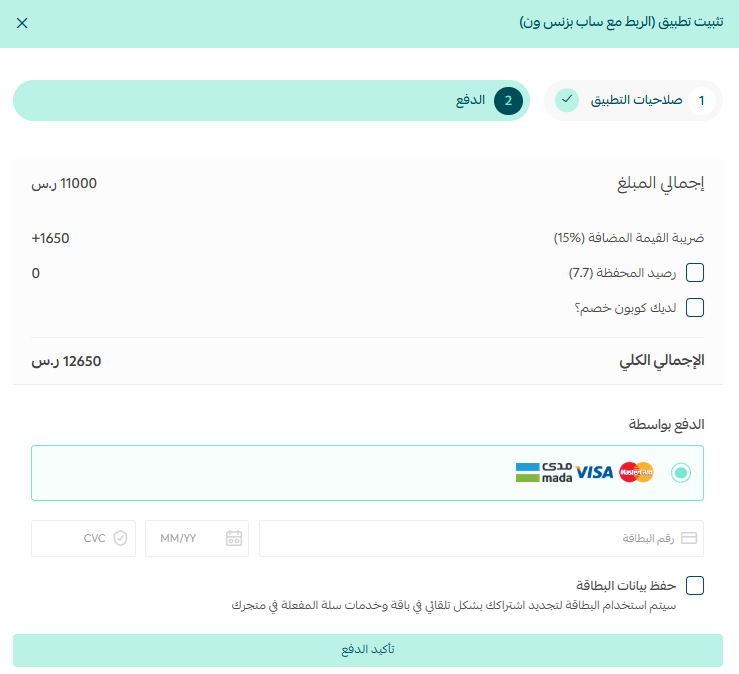
That's it — the SAP Business One app is installed.
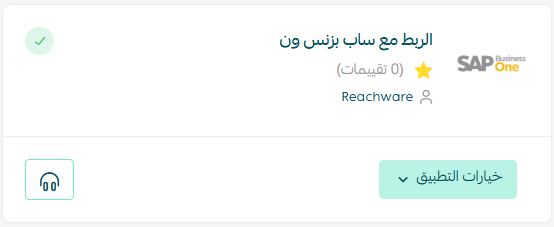
📝 Important notes
The SAP Business One team will contact you to complete the registration process.
🚀 Managing and activating the SAP Business One app
Removing the app
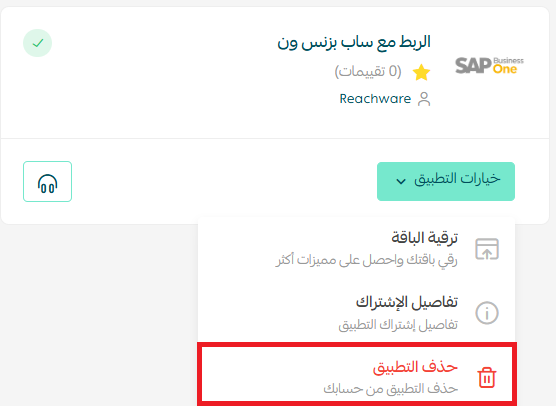
Click (App options), then click (Delete app).
Frequently asked questions
❓ What does the integration synchronize?
Orders and sales, products, inventory, and customers — kept in sync between your Salla store and SAP Business One.
❓ Is the app ready to use once I've paid?
Not immediately. The SAP Business One team contacts you afterward to complete the registration process.
❓ How do I remove the app?
Click App options, then click Delete app.
For more detail, see the SAP Business One app page.
Double entry between a store and an ERP is a cost you stop noticing because it is spread across every order. Removing it usually shows up first as fewer stock discrepancies at month-end.