Do your customers know which of your branches has the product they want in stock?
When you sell through branches, the buying journey changes. A shopper in a Salla retail store does not just add a product to the cart — they pick the branch they are buying from, decide whether to collect the order in person, and follow each shipment separately when the order leaves more than one branch. Knowing what your customers see makes it much easier to answer their questions. In this guide, you'll learn what the retail store customer experience looks like from the shopper's side.
In a Salla retail store, the customer picks a country, city, or branch when they arrive, chooses branch pickup at checkout, and can check whether a product is in stock at a specific branch. Their order details page then lists every shipment with its branch, products, and tracking.
📌 Article overview
- Choosing a country, city, or branch
- Choosing pickup from a specific branch
- Seeing multiple shipments in the order details
- Checking whether a product is available
- Frequently asked questions
🛒 How customers buy from a retail store
Customers have several ways to shop a retail store. These are the main ones.
1. Choosing a country, city, or branch
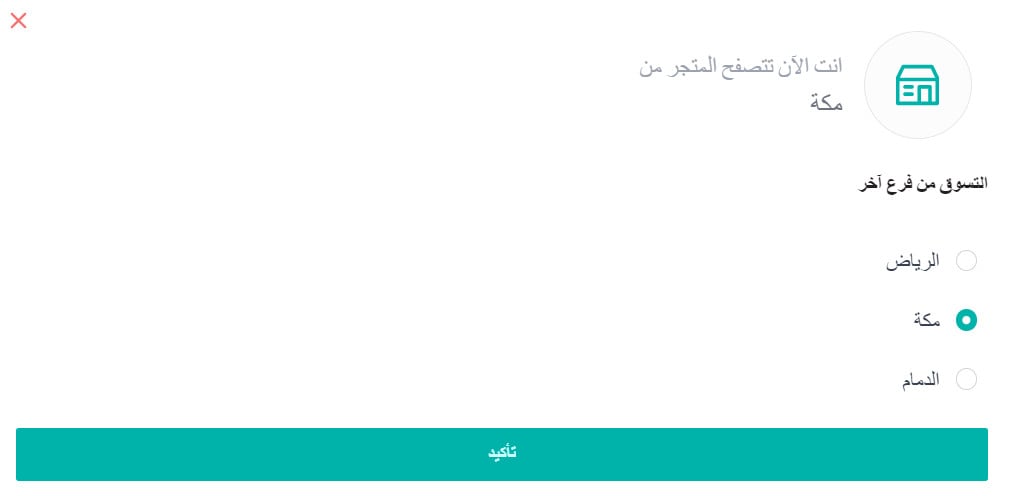
When a customer opens your store, they can choose the country, city, or branch they want to buy from. Which of the three they are asked for depends on how you set your store up to display products.

They then pick the branch they want to shop from and click (Confirm).
2. Choosing pickup from a specific branch
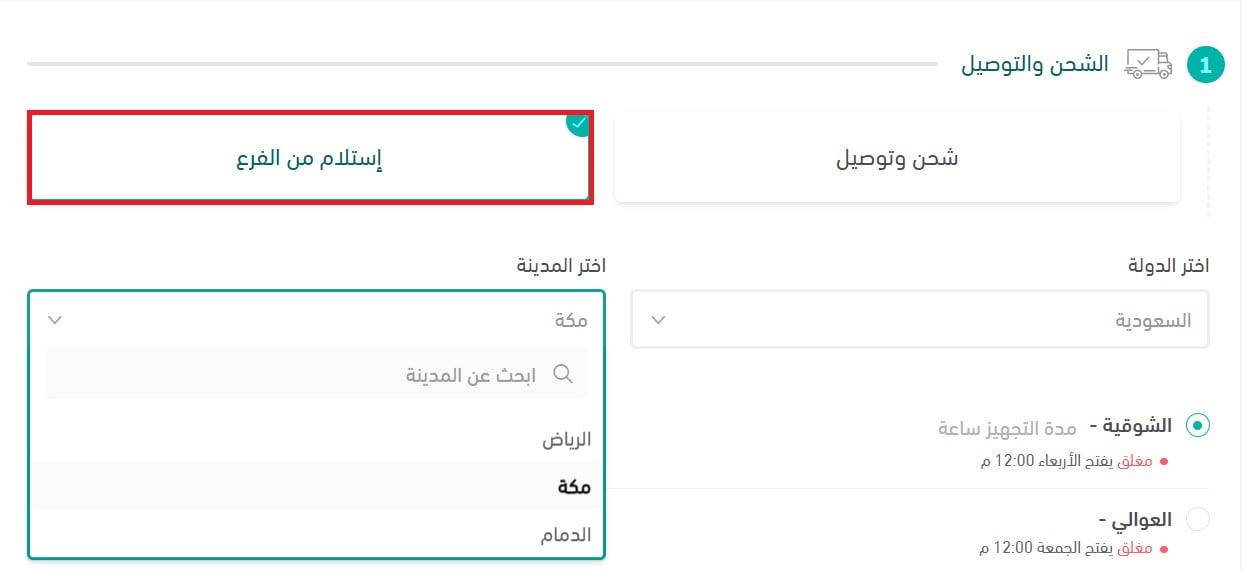
On the checkout page, the customer can select pickup from a branch and then choose which branch to collect from — usually whichever one is closest to them and has the products in stock.
3. Seeing multiple shipments in the order details
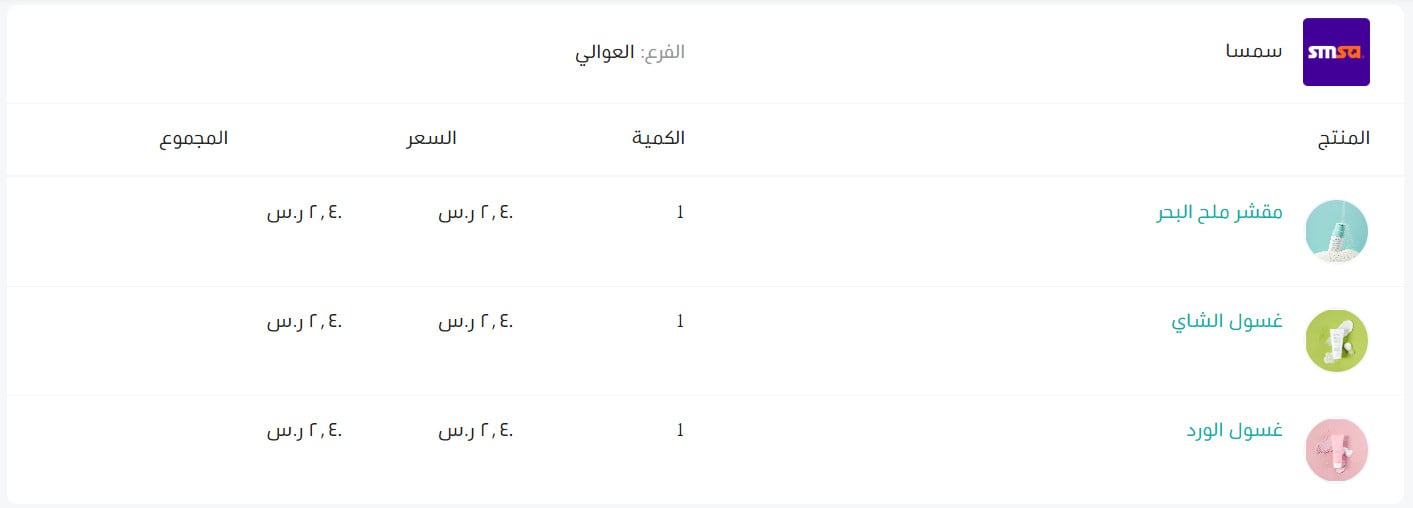
When an order ships from more than one branch, the customer's order details page lists every shipment you have issued. Each one shows:
- The shipping company
- The branch
- The products
- The quantities
- The price
- The total
Alongside those details, the customer also sees:
- The waybill number
- The shipping status and shipment tracking
4. Checking whether a product is available
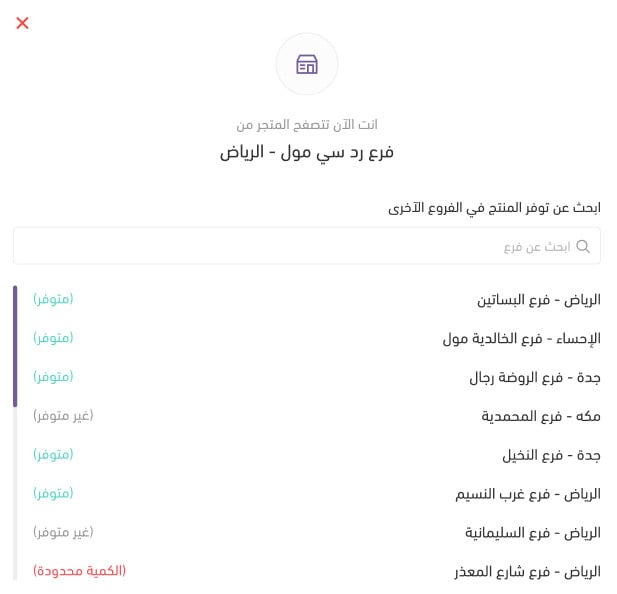
If you have turned on the product availability check, the product details page gives the customer an option to check whether that product is in stock in a particular branch, city, or country.
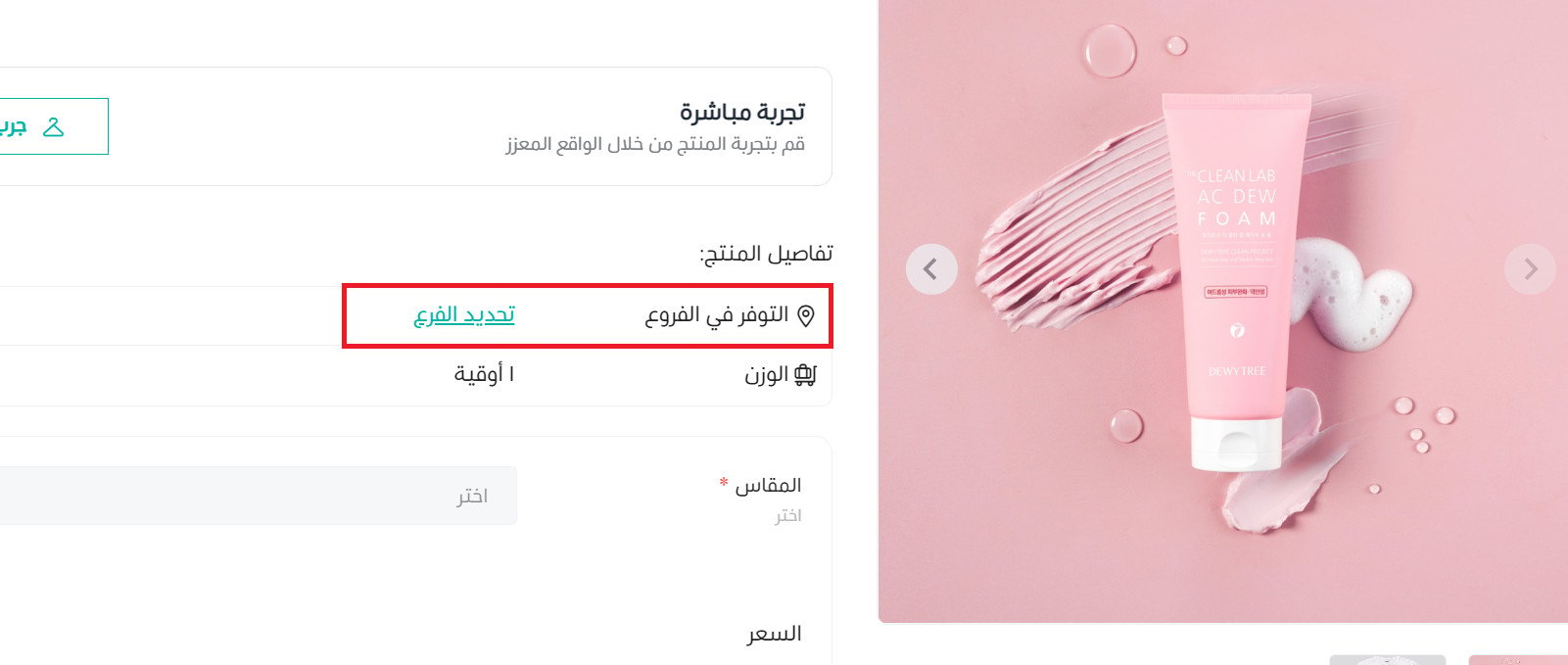
The customer then picks the branch where the product is available.
📝 Important notes
What the customer is asked to choose — country, city, or branch — follows how you set your store up to display products, so the first screen is not the same in every retail store.
The availability check only appears on the product page when the setting is turned on in your store.
❓ Frequently asked questions
What decides whether a customer picks a country, a city, or a branch?
It follows the way you set your store up to display products. The store asks the customer for the level you configured, and they confirm their choice before shopping.
Can a customer collect an order from a branch instead of having it shipped?
Yes. On the checkout page they can select pickup from a branch, then choose the branch they want to collect from.
What does the customer see when an order ships from several branches?
Their order details page lists each shipment separately with its shipping company, branch, products, quantities, price, and total, plus the waybill number, shipping status, and tracking.
How does a customer find out if a product is in stock at a nearby branch?
If the product availability check is enabled, the product details page offers an option to check availability by branch, city, or country, and the customer picks the branch that has it.
The clearer this journey is, the fewer "which branch has it?" messages your team has to answer — and the more confident customers feel about buying or collecting from a branch near them.