Rasil WhatsApp is an app that allows you to send instant notifications, recover abandoned carts, run promotional campaigns, and set up automated replies on WhatsApp with ease.
It provides tools to communicate with customers, track order status, and manage marketing campaigns efficiently.
📌 Article overview
- Steps to install and connect the Rasil app
- Managing the Rasil app
Steps to install and connect the Rasil App
- From the main menu, click All, then under Tools, select App Store.
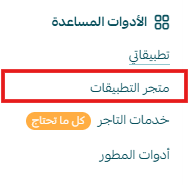
- Search for the app using the search bar.

- From the Rasil app page, click install.
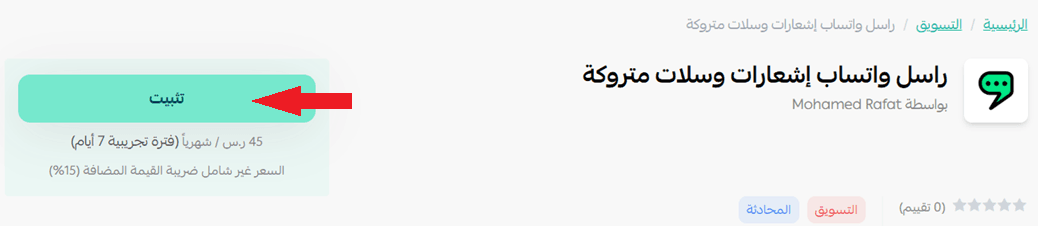
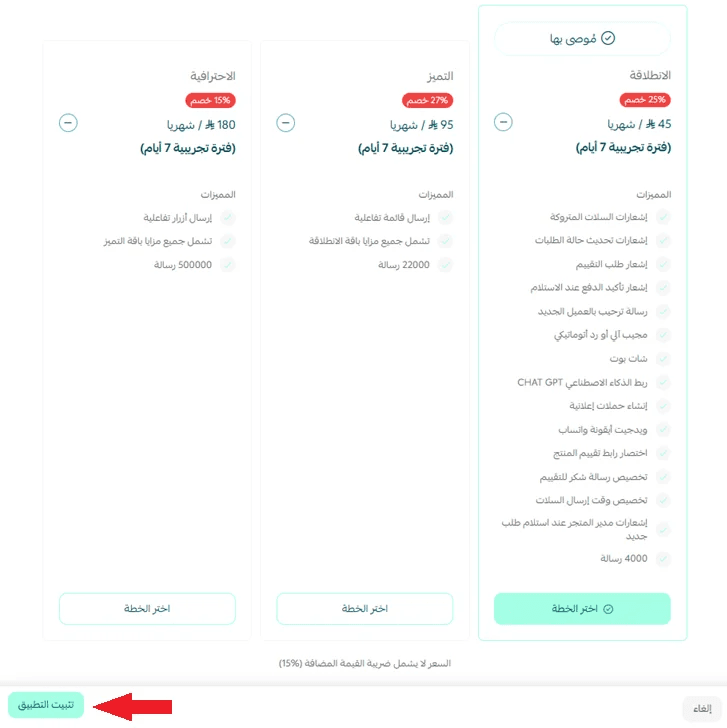
- Choose the plan that suits you, then click install app.
- Click the link to go to the Rasil website and create your WhatsApp account.
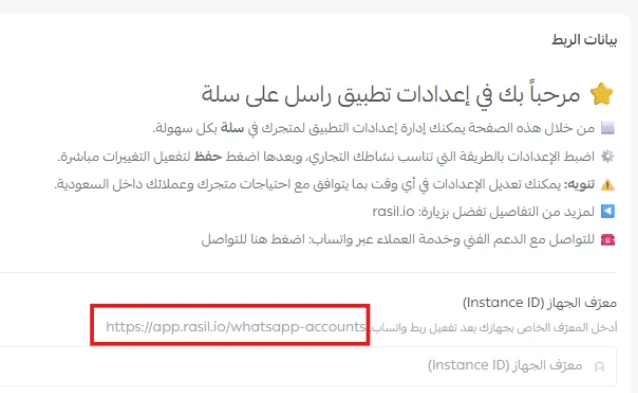
- Click + Add WhatsApp account to activate WhatsApp on your device by scanning the QR code.

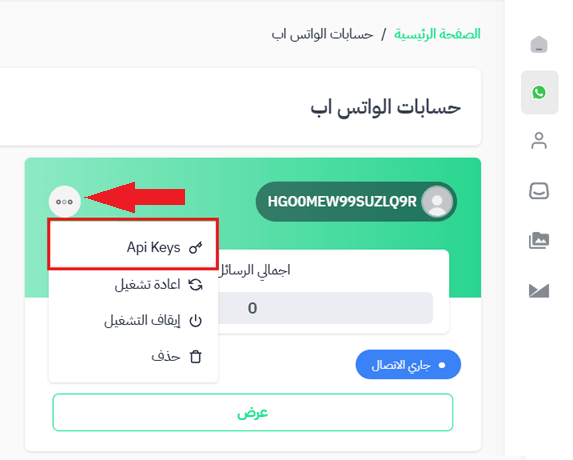
- From the WhatsApp Accounts tab on the Rasil website, open the options menu for your account and select API Keys.
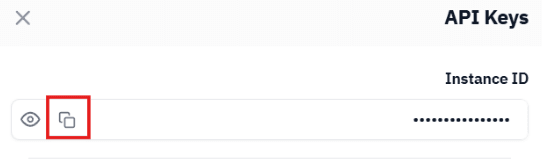
- Copy the device ID to add it to your store.
- From the app details page in your store, enter the device ID.

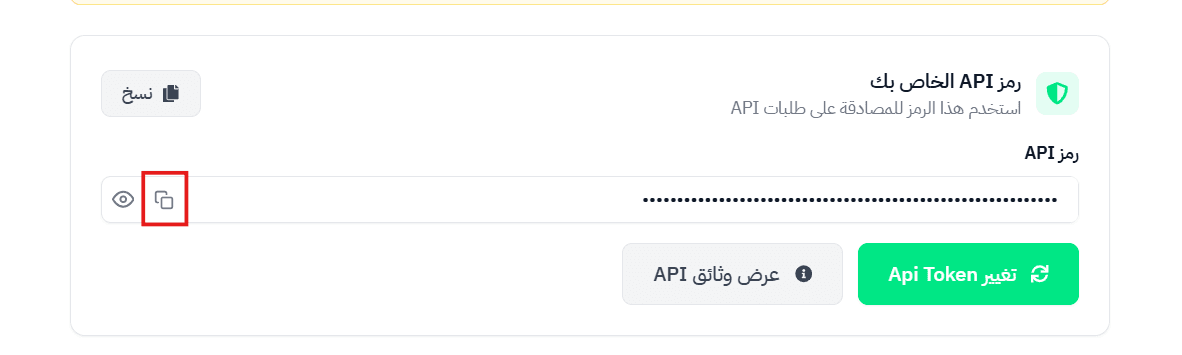
- Click the link to get your access token.

- Click Generate access token, then copy the token.
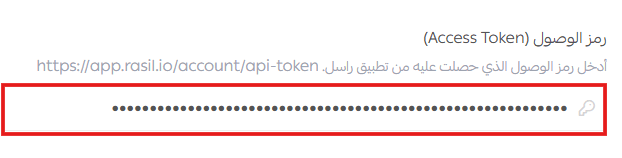
- In the app details page in your store, paste the access token.
- Complete the app customization fields, then click save.
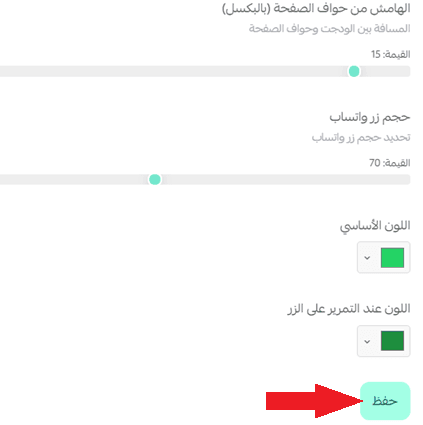
🔔 You can complete the connection details later from the app page in your store by selecting activate later.
🎉 The WhatsApp icon will appear in your store.
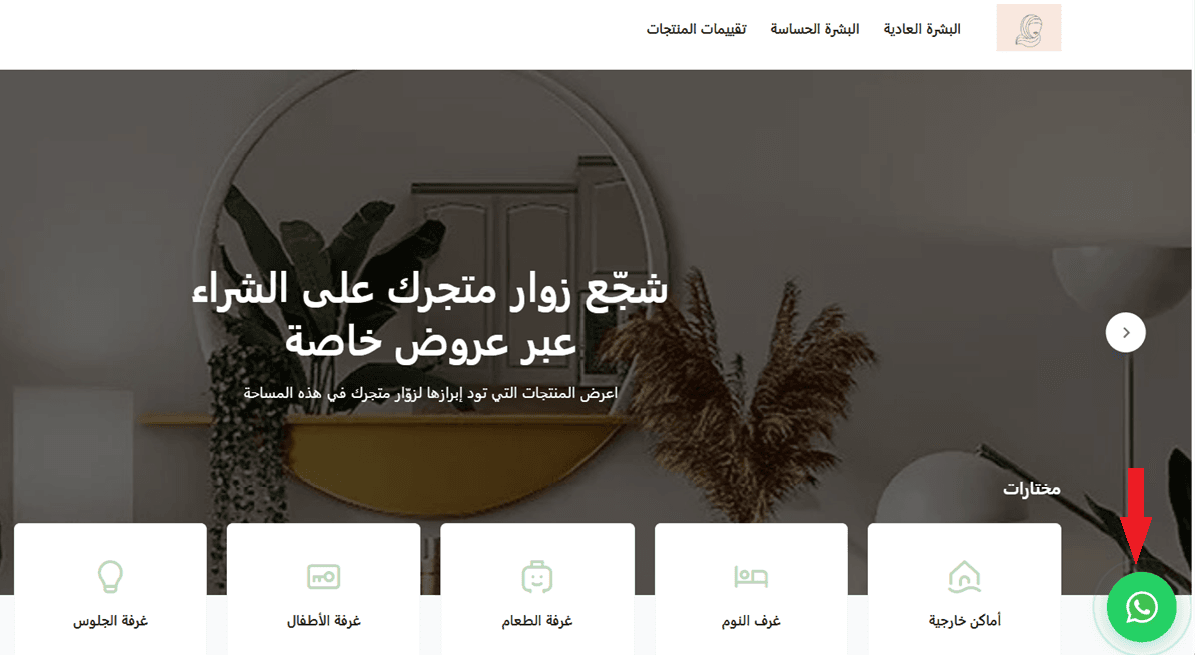
⚠️ Make sure the WhatsApp icon is enabled from the app details page in your store.
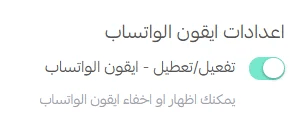
Managing the Rasil app
Upgrade plan
- From the app details page in your store, click upgrade plan.
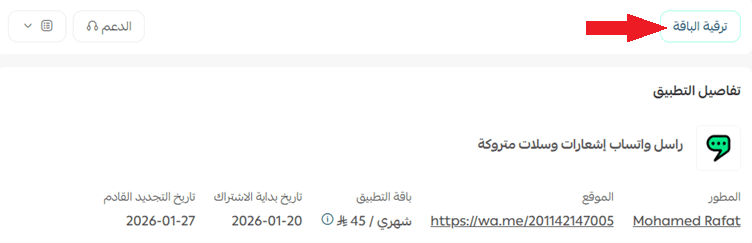
- Choose the plan that suits you, then click proceed to payment.
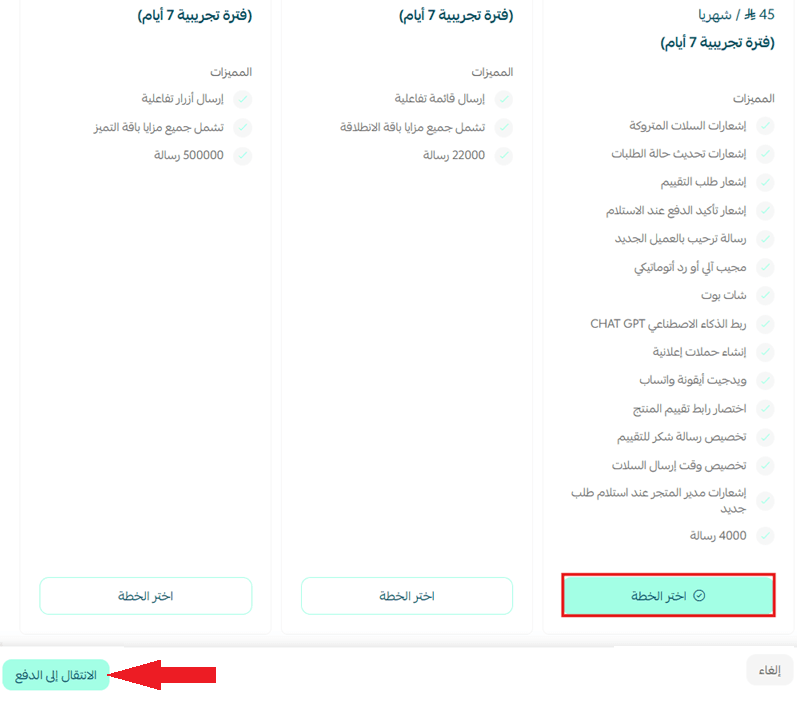
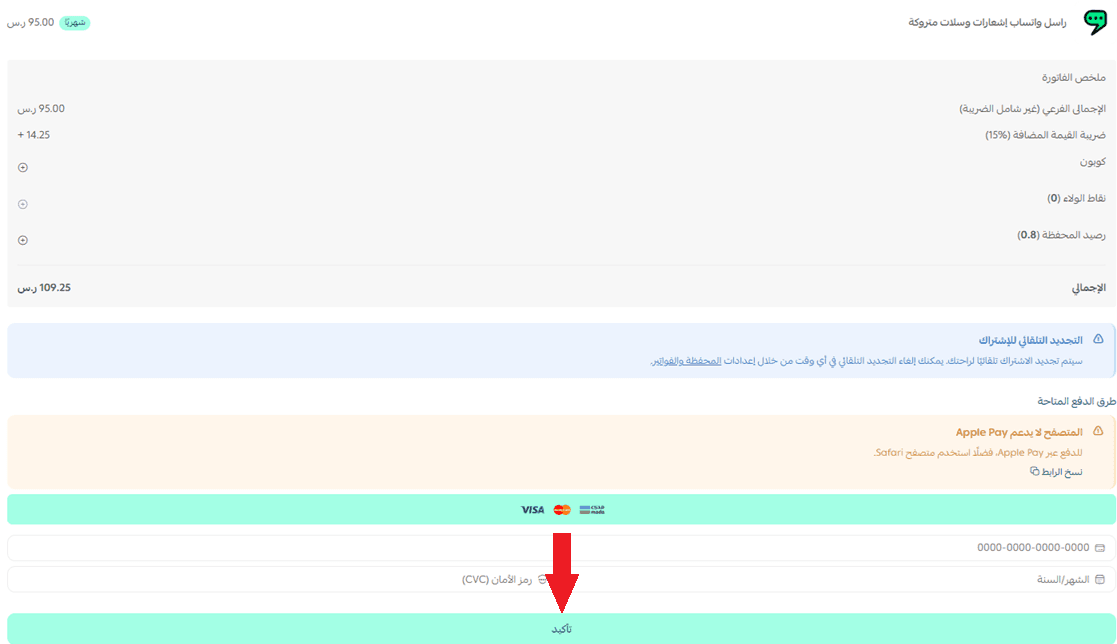
- Complete the payment details, then click confirm to upgrade your plan.
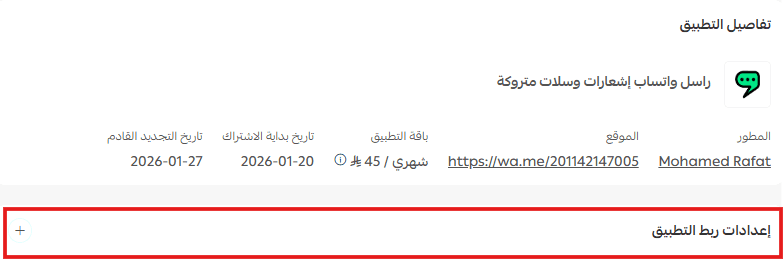
Customize the app
From the app details page, click app connection settings to customize the app.
Delete the app
- From the app options menu, click unsubscribe, then select a reason.
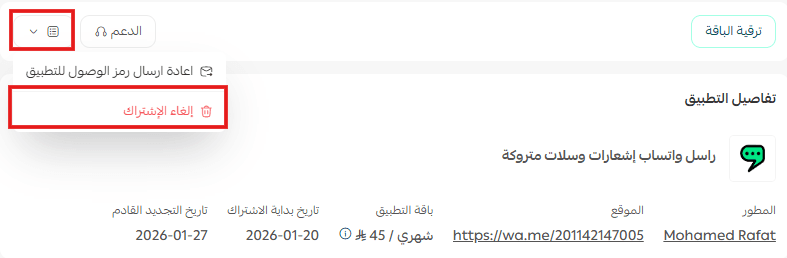
- From the app options menu, click delete app, then select a reason.
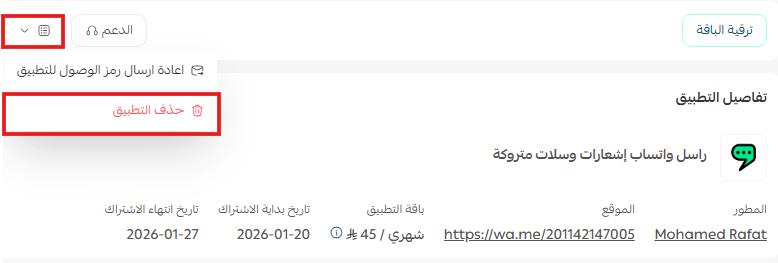
- From the deleted apps page, go to the app options and click delete app permanently to remove it completely from your store.
