Connecting a courier directly to your store removes the manual step where most shipping mistakes start. In this guide, you'll learn how to connect the Pingo Logistics app to your Salla store, set your shipping rates, and manage the app afterward.
To connect Pingo Logistics on Salla, open Installed apps from your dashboard, browse the Salla App Store, and install the Pingo Logistics app. You can then enter your account details and shipping rates from the app settings.
📌 Article overview
- How to connect the Pingo Logistics app
- How to set up shipping rates
- Frequently asked questions
Pingo Logistics is a Saudi company specializing in shipping and delivery, providing complete logistics solutions that help online stores and businesses run efficiently, with an experience that connects merchant and customer.
How to install the Pingo Logistics app
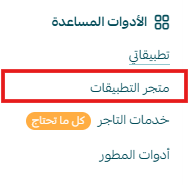
1. From the main menu, click (All), then from the helper tools section click (App Store).
2. Search for the app using the search field.

3. From the Pingo Logistics page, click (Install).
4. The app then appears in the (My apps) section.
How to connect the Pingo Logistics app
From the app page, you can add a new shipping rate.
To enter shipping rates, go to the (Shipping rate) section and click (Add new rate).
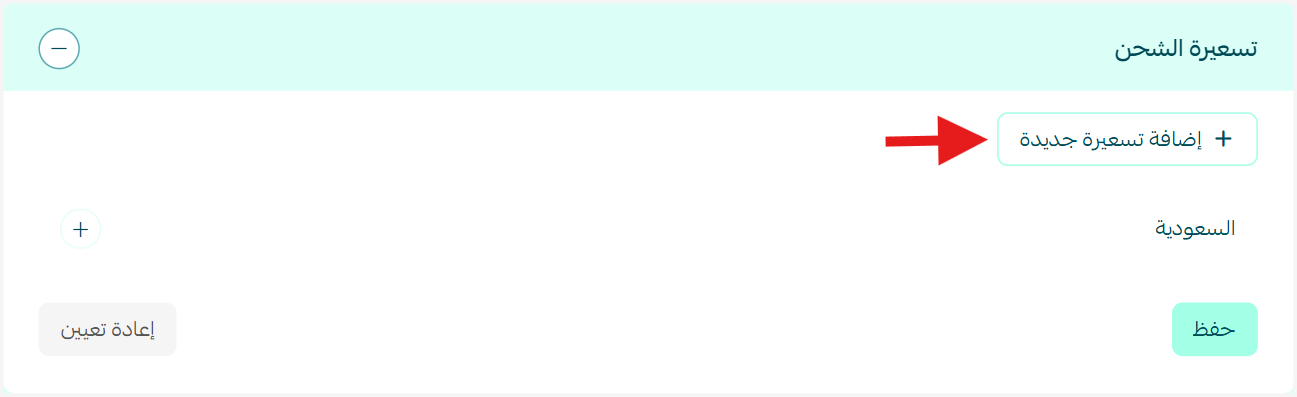
Enter the shipping rates for the cities and regions you need.
Then enter your own shipping cost as the merchant, which helps you calculate and see your store's profit on the shipping side.
For more detail, see our guide to setting shipping costs with a direct connection.
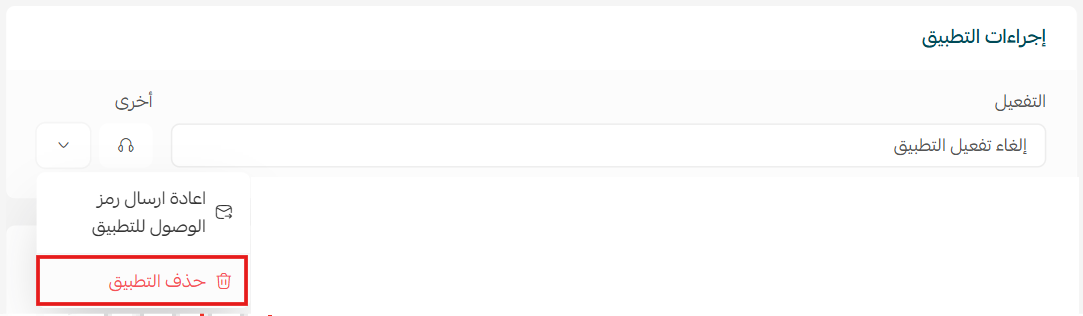
To remove the app, click (Delete app).
From the (App actions) section, click (Other).
For more detail on service types, prices, and delivery coverage, see the Pingo Logistics app.
Frequently asked questions
❓ Where do I find the Pingo Logistics app after installing it?
It appears in the installed apps section of your dashboard.
❓ Where do I set my shipping rates?
From the app settings, on the shipping rate tab, enter the rates for the cities and regions you need.
❓ How do I remove the app?
From the installed apps page, open the app options for Pingo Logistics and click Delete app.
Connect the courier whose coverage and speed match what you have promised your customers, and set your rates carefully so the economics stay visible on every shipment.