Need a designer, a photographer, or a marketer for your store — without hiring anyone full time?
The Passioners partnership connects your Salla store to a freelance marketplace, so you can bring in remote professionals for the work your store needs and pay by the hour, the project, or the month. Salla merchants also get a permanent discount code. In this guide, you'll learn what Passioners is, what the partnership gives you, how to connect your store, and the answers to the questions merchants ask most.
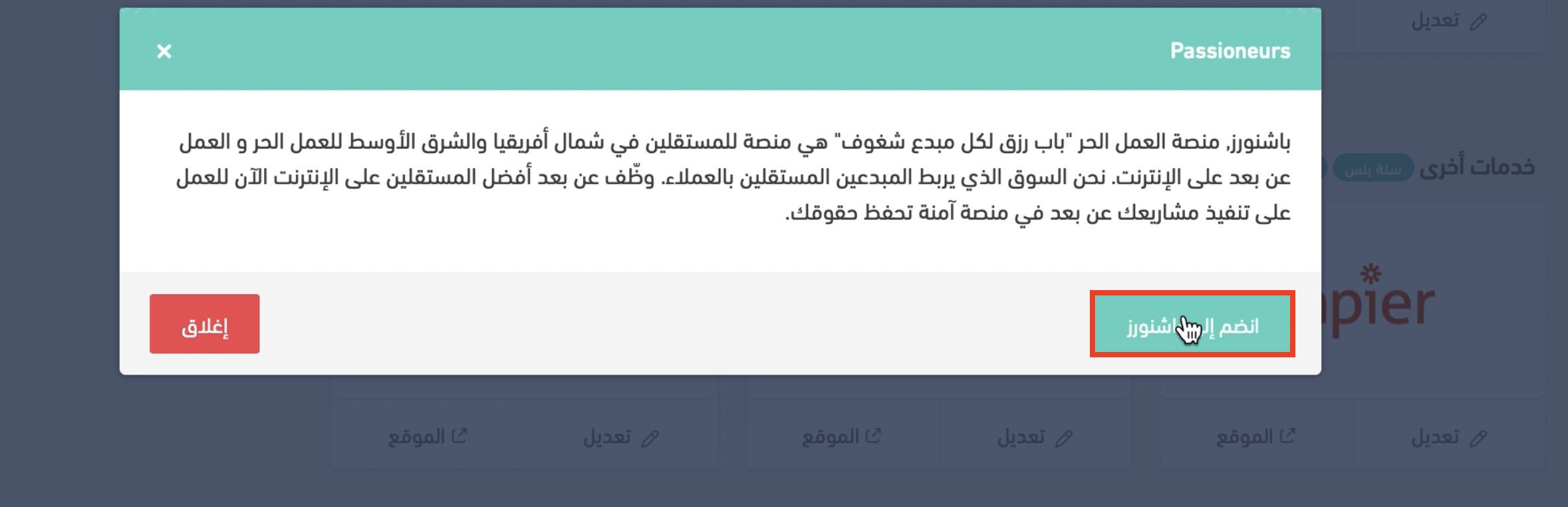
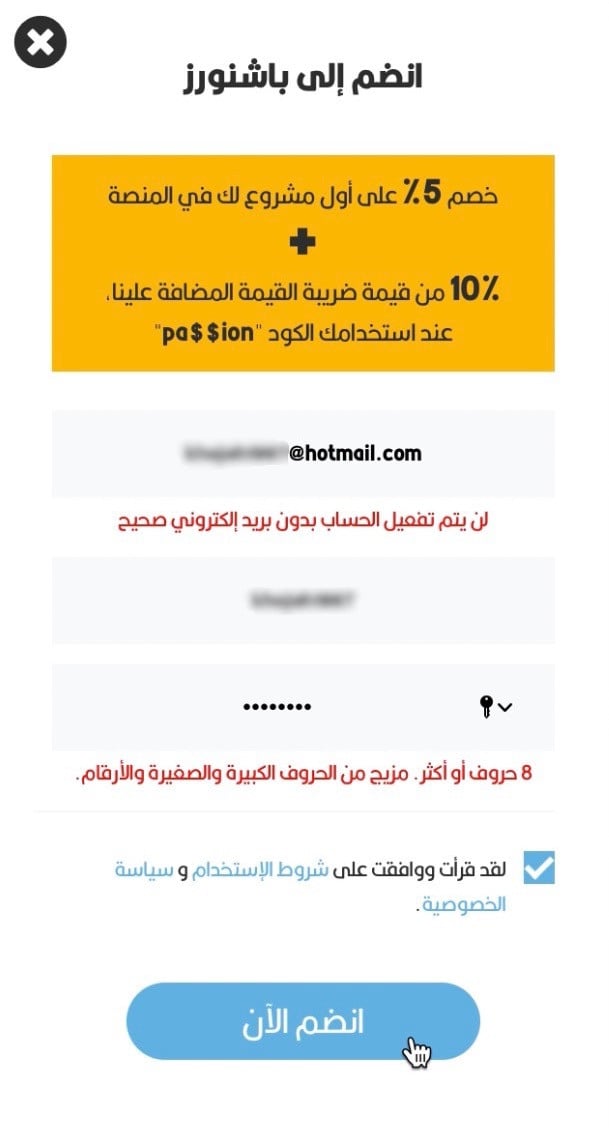
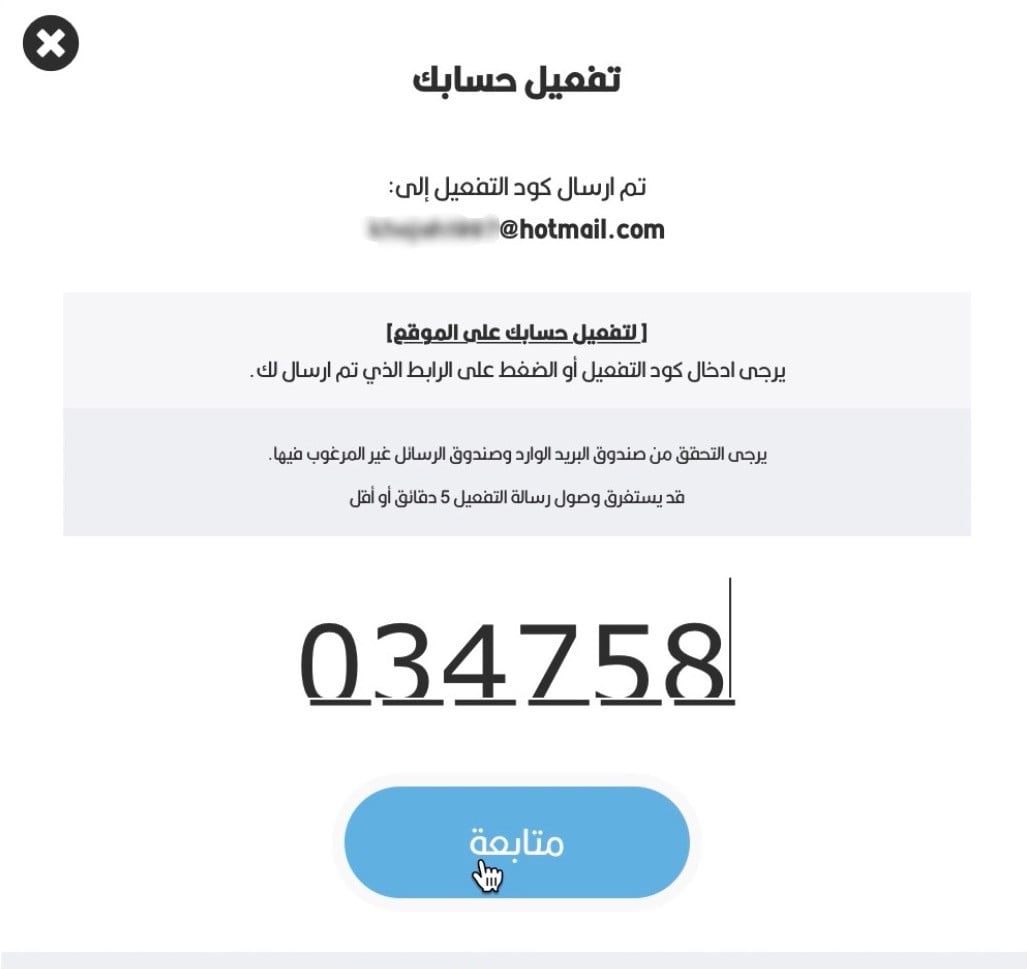
To connect your store to Passioners, click (Installed apps) in your dashboard's side menu, open (App settings) on the Passioners app, then click (Join Passioners). Set a password for your Passioners account, check the email registered with Salla for the activation code, enter it, and click (Continue).
📌 Article overview
- What is Passioners?
- The goal of the Passioners and Salla partnership
- What Passioners gives you
- Steps to connect your Salla store with Passioners
- Frequently asked questions
🎯 What is Passioners?
Passioners — the freelance platform whose motto is "a livelihood for every passionate creative" — is a marketplace for freelancers across North Africa and the Middle East doing freelance and remote work online. It connects independent creatives with clients, so you can hire the best freelancers remotely to deliver your projects on a secure platform that protects your rights.
🤝 The goal of the Passioners and Salla partnership
The partnership exists first and foremost to serve Salla merchants and to support freelance work, by making it easy to hire remote freelancers for e-commerce projects.
✅ What Passioners gives you
- Hire a remote freelancer for any of the work involved in setting up your store.
- Lower operating costs and more flexibility — hire by the hour, by the project, or by the month.
- Passioners follows local law and protects you from online fraud.
💡 A permanent 5% discount code for Salla merchants: SALLA
📝 Important notes
The discount code works only for memberships created through Salla stores.
👣 Steps to connect your Salla store with Passioners
1. From the side menu of your dashboard, click (Installed apps).

2. From the Passioners app, click (App settings).
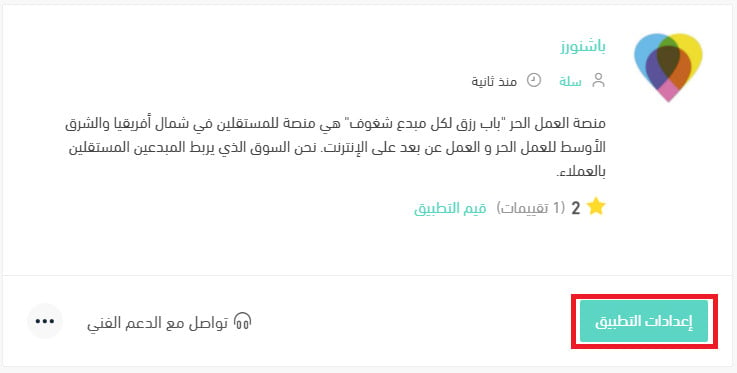
If the app isn't installed on your store yet, install it first. For more details, see installing an app from the Salla App Store.
3. Click (Join Passioners).
4. Set your own password for the Passioners platform.
5. Check the email registered with Salla for the activation code, enter it, then click (Continue).
❓ Frequently asked questions
What does Passioners offer my projects?
Passioners gives you flexible hiring options across more than 100 fields — marketing, store management, photography, content, design, and much more. You can hire by the month, by the project, or by the hour, depending on your budget, with a support team available 24 hours a day.
What are the golden benefits for Salla merchants on Passioners?
Salla merchants get a dedicated link for hiring professionals at competitive rates, along with their own discount codes. It also opens the door to standout e-commerce experts — in marketing, development, design, content, photography, accounting, and more — within the budget and timeframe that suit you.
Do I sign in to Passioners with the store owner's details or an employee's?
You sign in with the store owner's details. The merchant then adds a password and completes the account setup.
How do I choose between the freelancers applying to my project?
Review their portfolio page and message them to evaluate and negotiate the offer. You can also read each freelancer's ratings.
Can I make a project private so it isn't visible to everyone?
Yes. There's an NDA feature, and you can hire a professional for a private project that isn't shown publicly.
How many projects can I post per day?
There's no limit.
Can I hire more than one freelancer for the same project?
No, that isn't possible.
Can I edit a project after posting it?
Yes, of course.
Can I cancel a project after creating it?
Yes — on the project page, click cancel project.
Can I change the budget of a project that's already underway?
Yes, by contacting support.
How do I contact the freelancer?
Through messages on the platform.
I picked a freelancer's offer but couldn't hire them. Why?
Send the issue ID shown on your screen to the Passioners technical team.
Who owns the intellectual property for my projects?
You own it once you receive the project, and you can sign an ownership agreement with the freelancer.
How do I reach Passioners customer service and technical support?
Through the WhatsApp number shown at the bottom of the screen on the Passioners website.
When does a project close automatically?
It doesn't close automatically — you have to click the deliver and finish button to approve closing it.
Can I contact the freelancer after receiving the project?
Yes, through messages.
How do I pay for an offer on my project?
Through the secure electronic payment options the platform provides: mada, Visa, and Mastercard.
What fees does the project owner pay?
The project fees only.
Is the Passioners commission deducted from the client or the freelancer?
From the freelancer.
Is there a minimum and maximum budget for the project I want to post?
The project's minimum and maximum are set by the employer.
Is there a minimum for topping up your balance on Passioners?
Between $50 and $100,000.
Can I delete my account or change my username on Passioners?
Yes, you can.