Upgrade your Salla store’s delivery performance with smarter, more cost-effective shipping through OTO, one of the leading logistics platforms across the Middle East, North Africa, and Turkey.
By connecting your store to OTO, you can manage all orders and shipping partners from a single dashboard, leverage a wide network of delivery providers, and benefit from competitive pricing and reliable delivery speed, every shipment, every time.
📌 Article overview
- How to install the OTO logistics app
- How to connect and configure OTO Logistics
How to install the OTO logistics app
- From the main menu, click All, then under Tools, select App Store.
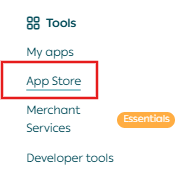
2. Search for OTO Logistics using the search field.

3. From the OTO Logistics app page, click Install.

4. Once installed, the app will appear under My Apps.
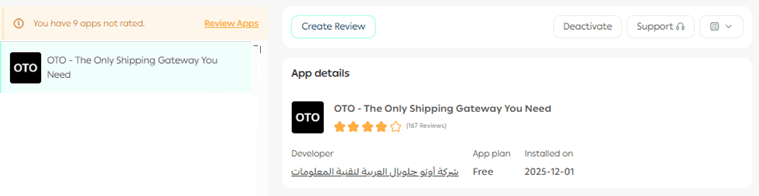
How to connect and configure OTO logistics
From the app page, you can start configuring your shipping setup by adding custom shipping rates.
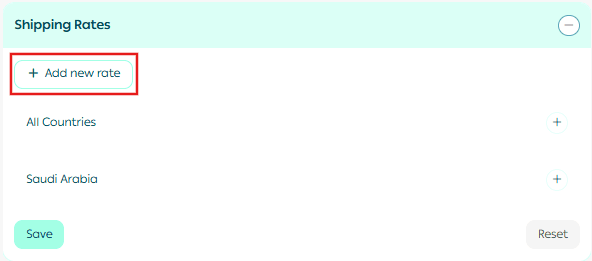
- Go to the Shipping Rates section and click Add New Rate.
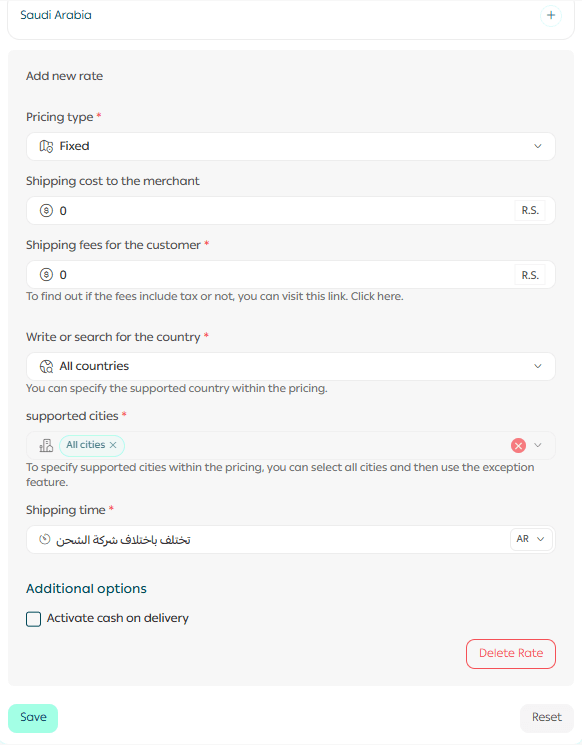
2. Enter shipping prices for the required cities and regions.
3. Enter the merchant shipping cost to help you calculate and display your store’s profit margin from shipping.
For more details, see the guide on setting shipping costs for direct integrations.
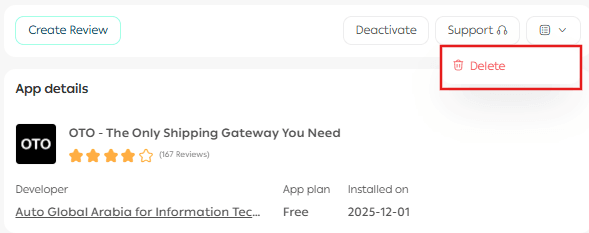
How to remove the OTO logistics app
- From the App Actions section, click More.
- Select Delete.
Additional information
For more details about:
- Available services
- Pricing models
- Delivery coverage
Please refer to the OTO Logistics app service details.