Are your order notifications actually reaching your customers?
A text message is still the fastest way to tell a customer that their order is confirmed, shipped, or ready. Orbit SMS is a Salla app from the Orbit Technology team that sends those messages for you through your own SMS account. The same gateway serves stores, schools, clinics, and companies that need to reach people directly on their phone. In this guide, you'll learn how to install Orbit SMS on your store, how to activate it with your provider account, and how to set it as the default app for your store's notifications.
Orbit SMS is a Salla app that delivers your store's text notifications through the Orbit Technology gateway. Install it from the App Store, activate it with your Orbit SMS account details, then open Settings and choose Customize to set it as the default app for local SMS.
📌 Article overview
- How to install the Orbit SMS app
- How to activate Orbit SMS on your store
- Frequently asked questions
🚀 How to install the Orbit SMS app
1. From the main menu, click (All), then under helpful tools, click (App Store).

2. Search for the app using the search field.

3. On the Orbit SMS app page, click (Install).
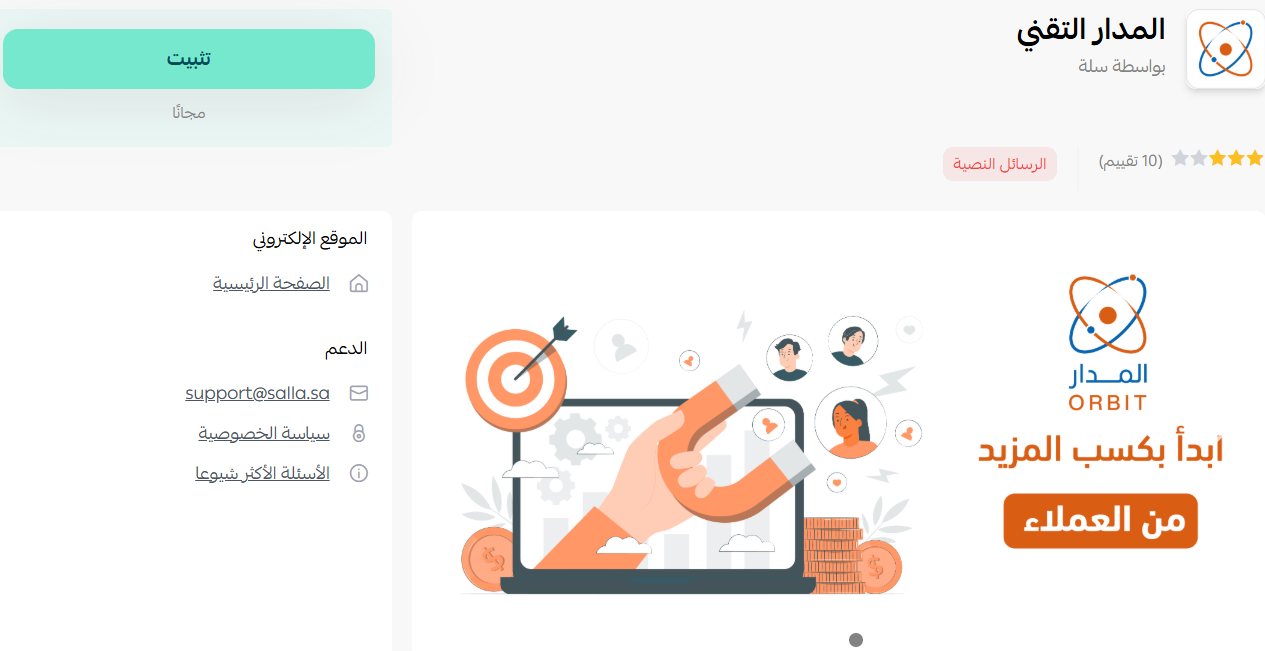
Orbit SMS is now installed on your store.
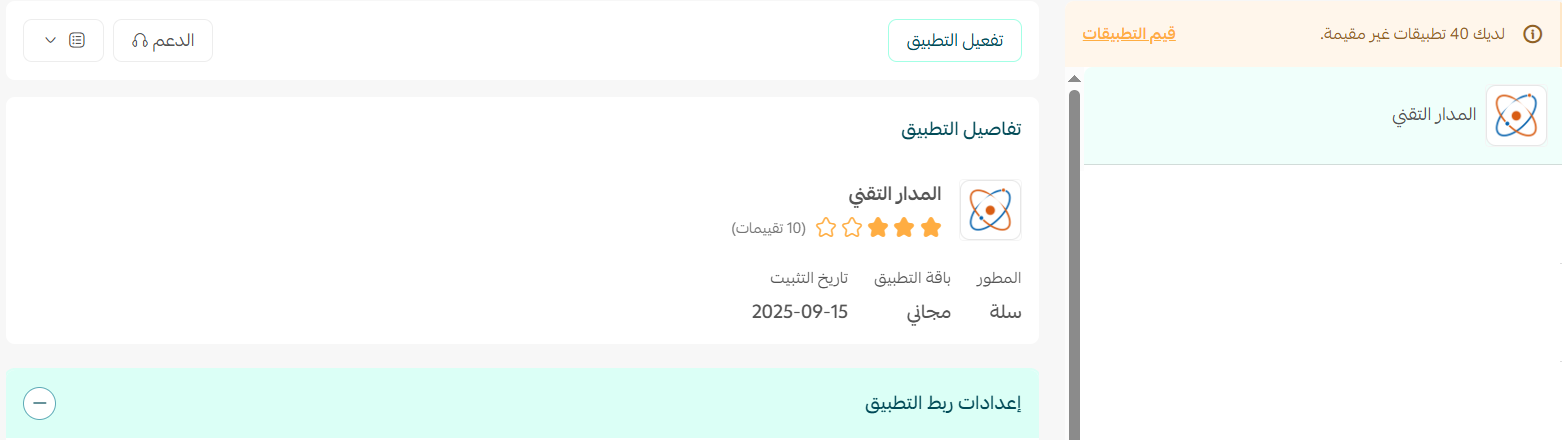
🚀 How to activate Orbit SMS on your store
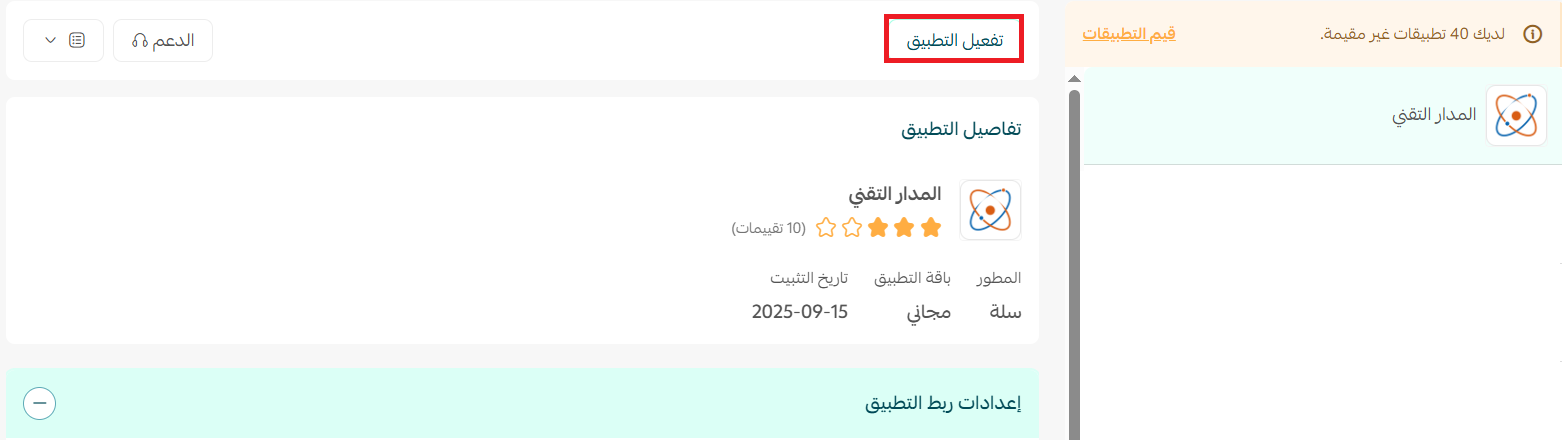
1. From the app page, click (Activate app).
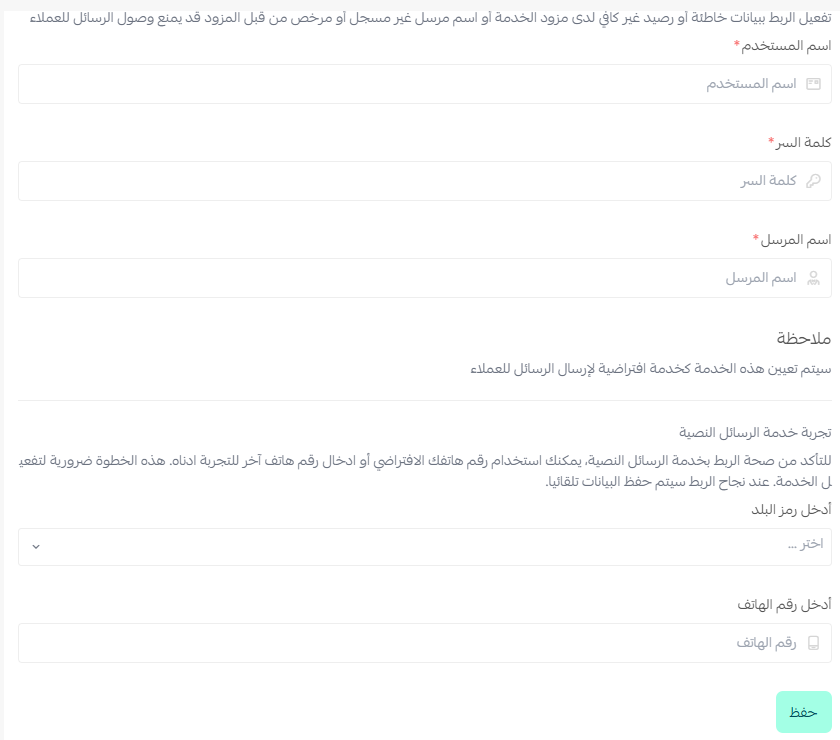
2. Enter the details of your Orbit SMS account, then click (Save).
3. Once your account details are saved, go to (Settings) and click (Customize).
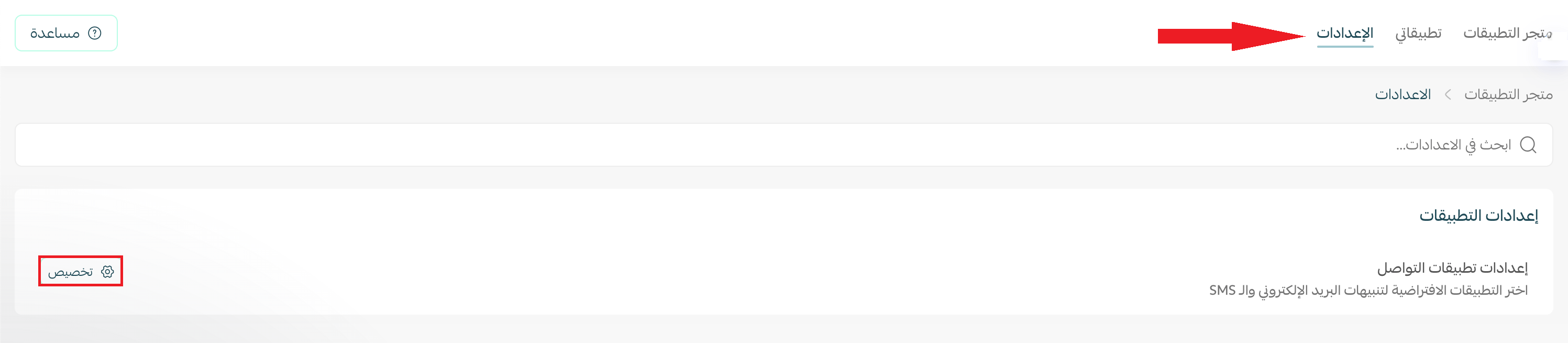
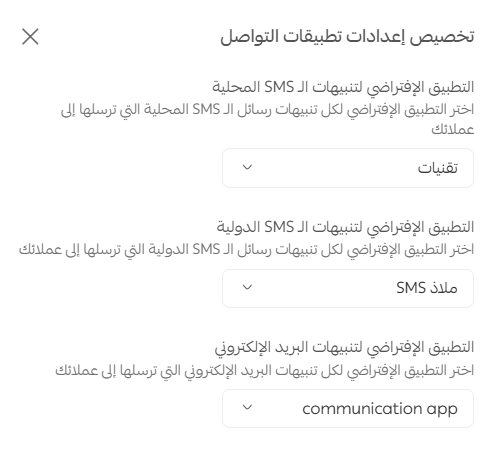
4. The communication app settings open. Choose your default app for local text messages, international alerts, and email alerts.
📝 Important note
The default app option for email alerts only appears if you already have an email notification app activated on your store.
Frequently asked questions
❓ How do I create an Orbit SMS account?
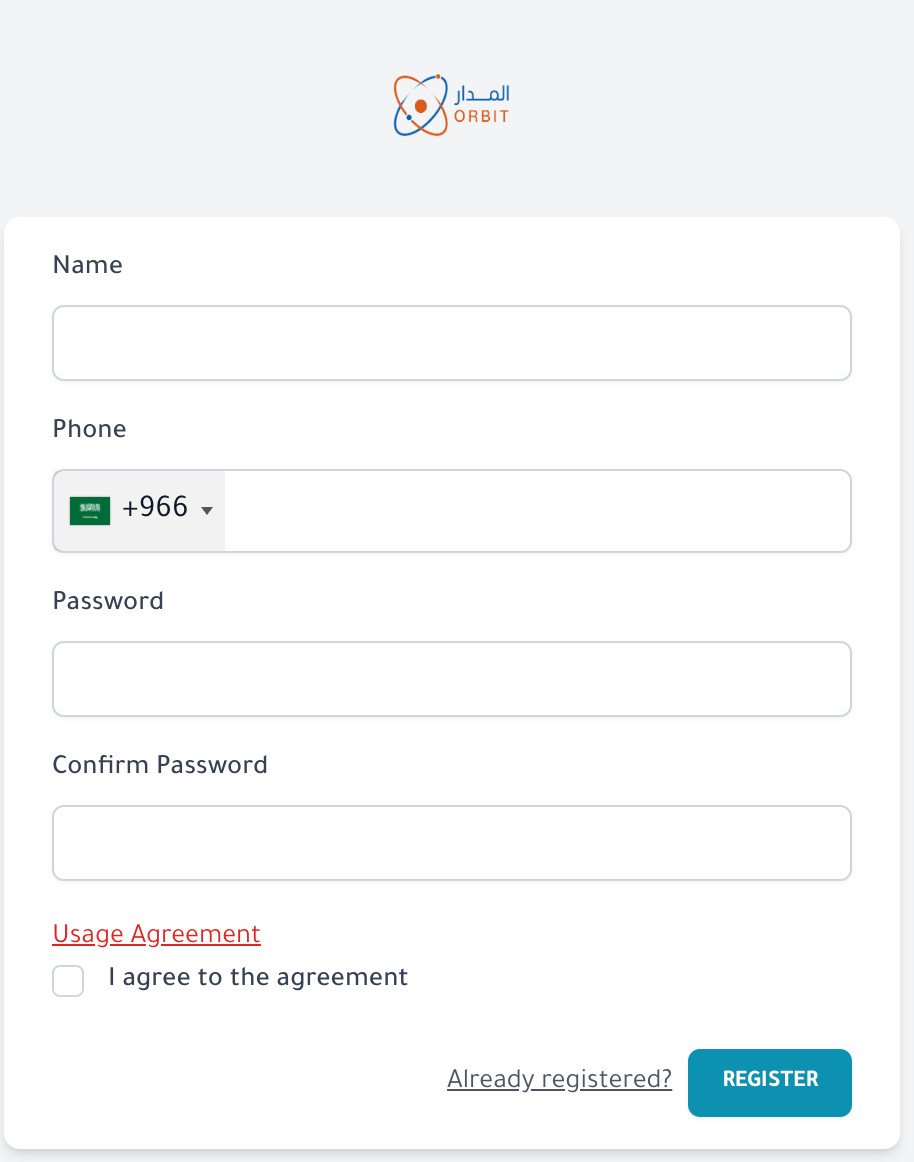
1. On the Orbit SMS sign-up page, fill in the required details, accept the terms, and click (register).
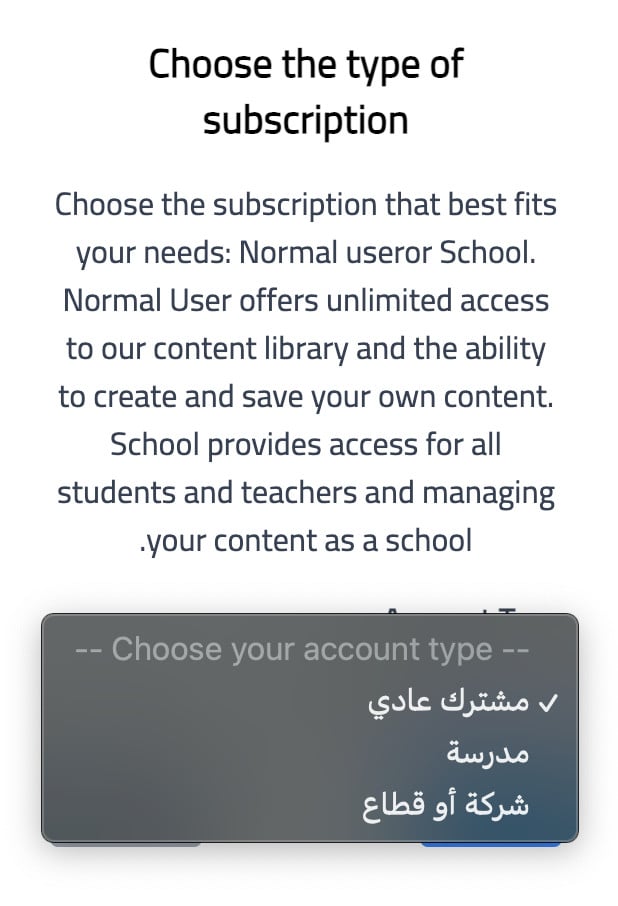
2. Choose your subscription type, then click (next).
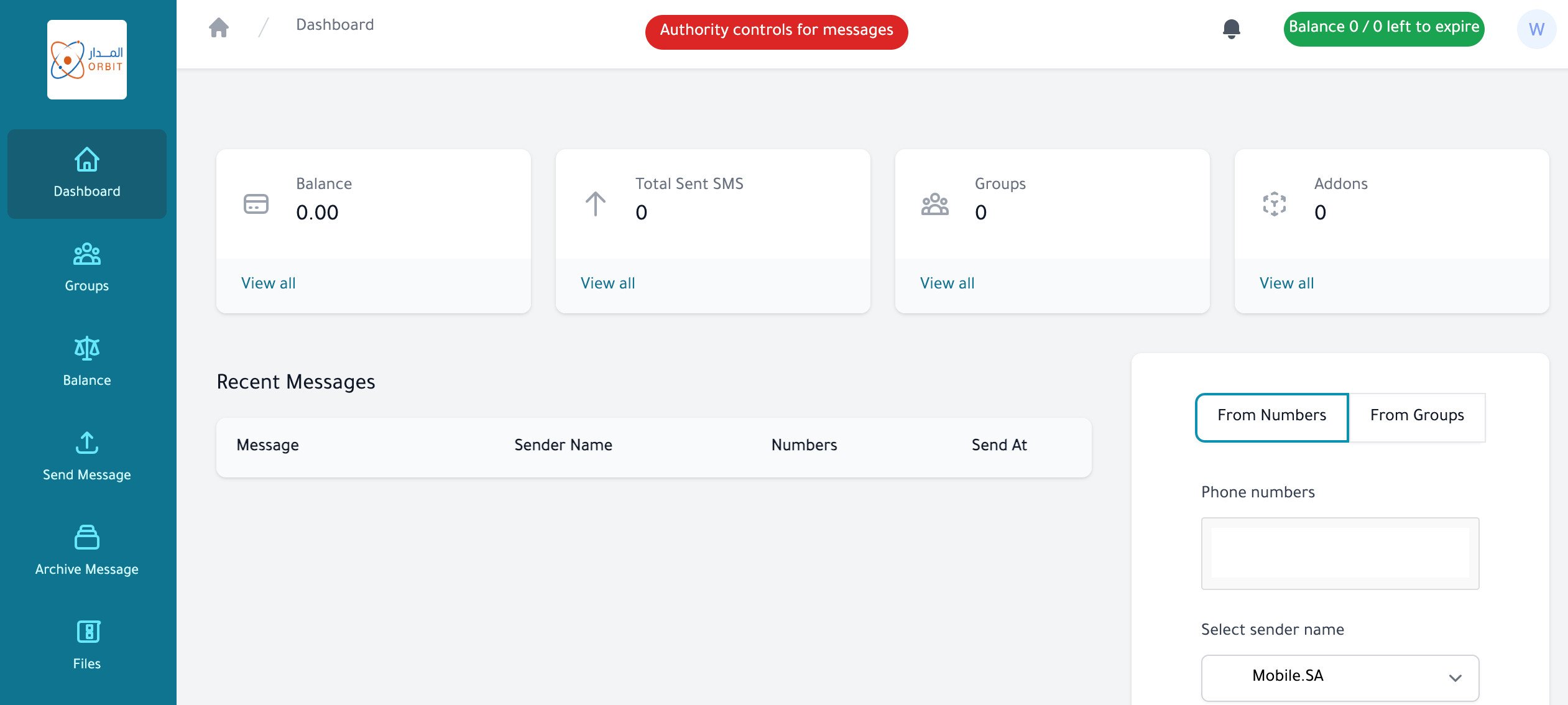
3. Your account is ready, and the Orbit Technology dashboard opens.
❓ What services does Orbit Technology offer?
- Text messaging. Open your own account, send messages to your customers, and connect it to your site.
- Sending app. A mobile app that lets you manage your messages and send them straight to your groups.
- Developer templates. An SMS Gateway API for developers and programmers.
❓ What are the service terms?
- First. Do not send unsolicited promotional messages, whatever the volume.
- Second. Failed messages are compensated by recharging the same number of messages. Orbit Technology's liability is limited to replacing the failed messages or refunding the amount already paid for them.
- Third. Do not send messages under the name of a government body or a private company without prior permission from that body.
- Fourth. The sender name must reflect the sender's identity or role. Symbols, numbers, letters, or words that mean nothing or hide the source are not accepted. When you request a sender name, it must be close to the name on your official stamp, commercial registration, registration certificate, or royal decree, depending on the entity.
- Fifth. If a complaint is filed over a spam message, full legal responsibility falls on the sender.
- Sixth. Orbit Technology Mobile SMS accepts no legal liability for any direct or indirect damage a subscriber may suffer, whether from not reading or misunderstanding this agreement, from faults or slow connections on its side or on the side of the subscriber's internet provider or hosting company, or from delivery errors caused by data the subscriber entered incorrectly, by a contracted sending partner, or by any technical fault.
- Seventh. Everything above forms an integral part of this agreement. Orbit Technology Mobile SMS reserves the right to add, remove, or amend any clause or section without prior notice, and will notify subscribers when it does.
- Eighth. Credit is valid for three years. Expired credit can be renewed by placing a recharge order of any size, and the new amount is added along with the renewed balance.
❓ How do I remove the Orbit SMS app from my store?
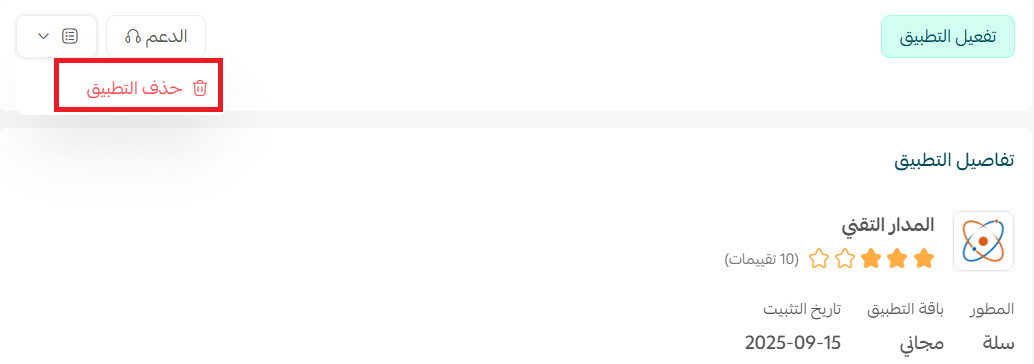
Open the Orbit SMS app, click ( ), then click (Delete app).
Connecting an SMS gateway once means every order update after that goes out on its own, in your store's name, without you touching a thing.
For more details, see Orbit SMS.