How much of your week disappears into spreadsheets that reconcile sales, purchases, and stock?
As a store grows, the finance side stops being a side task. ONEZ is an ERP system built for growing stores that records your financial transactions automatically and brings sales, purchases, inventory, and products together on one platform, so your operational and financial data stop living in separate places. In this guide, you'll learn how to install the ONEZ ERP app on your Salla store, what happens after payment, and how to remove the app.
ONEZ is an ERP app for growing Salla stores. It records financial transactions automatically and manages sales, purchases, inventory, and products from one unified platform. Install it from the Salla App Store, choose a plan, and complete payment. The ONEZ team then contacts you to finish setting up your account.
📌 Article overview
- How to install ONEZ on your store
- How to access your ONEZ account
- How to delete the ONEZ app
- Frequently asked questions
🚀 How to install ONEZ on your store
1. From the main menu, click (All), then under helper tools, click (App Store).

2. Search for the app using the search field.

3. On the ONEZ app page, click (Install).
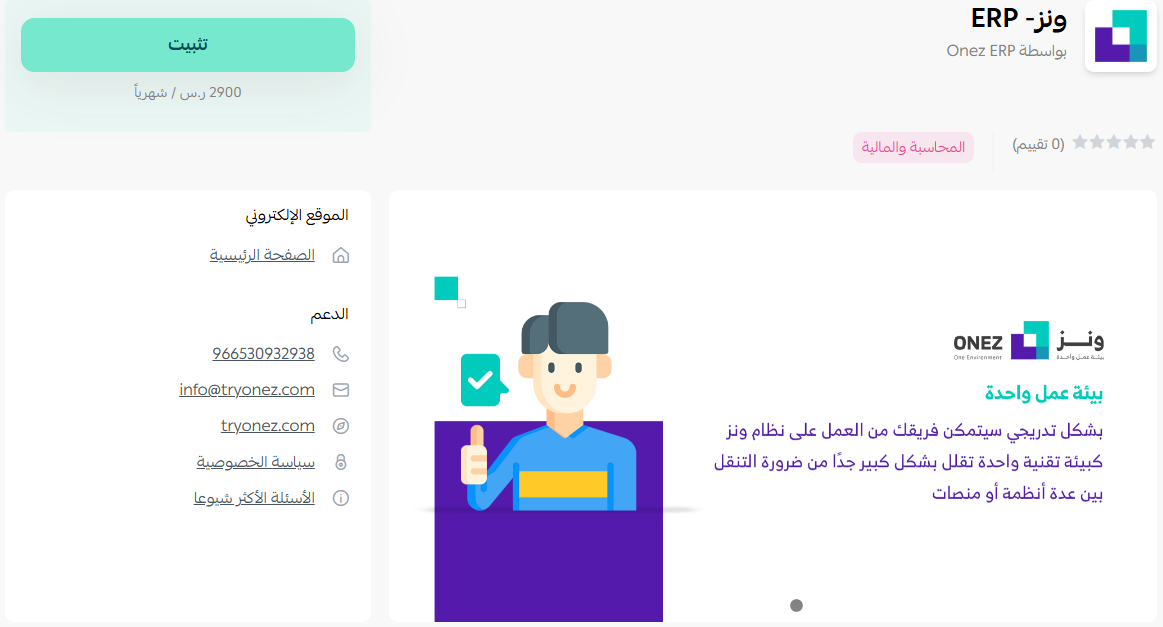
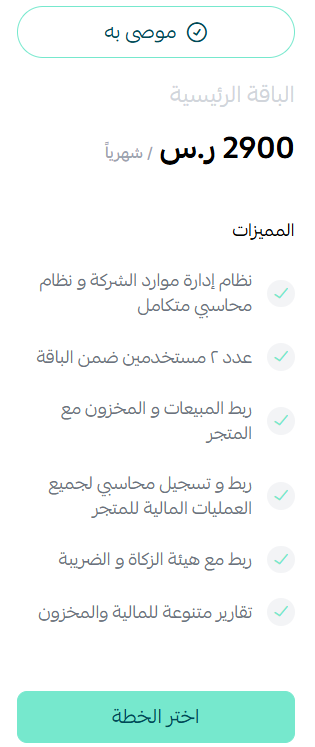
4. Choose the plan that suits your business.
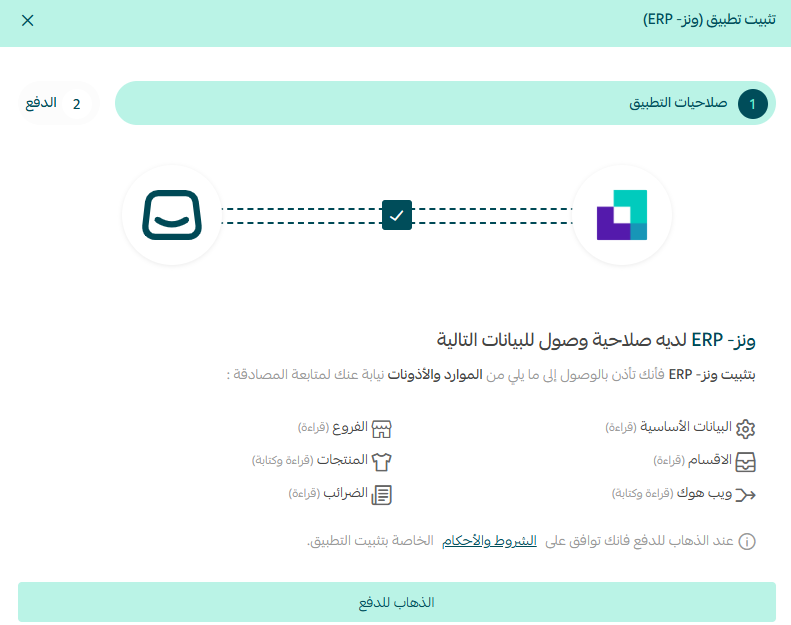
5. Review the permissions the app requests, then click (Go to payment).
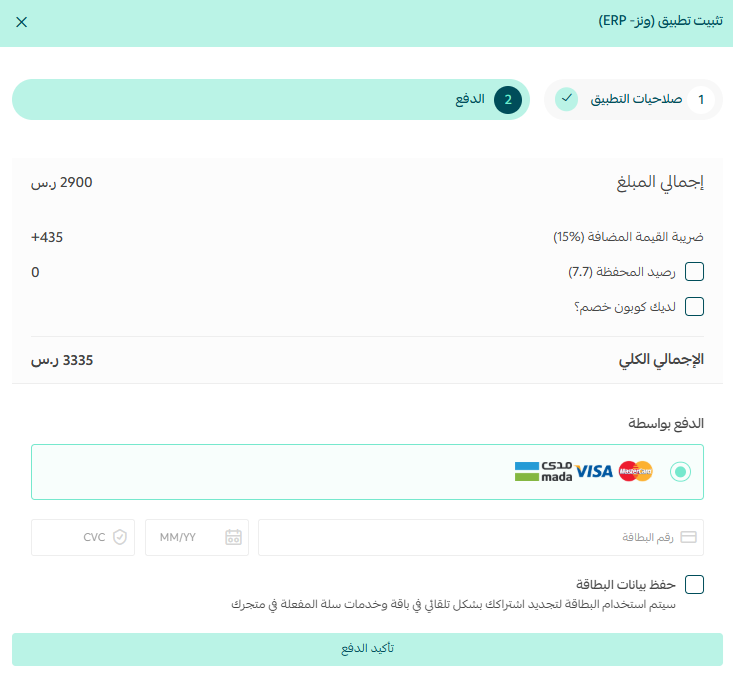
6. Enter your payment details, then click (Confirm payment).
The app is now installed on your store.
🚀 How to access your ONEZ account
ONEZ does not create your account automatically. Once the app is installed, the ONEZ team gets in touch with you to complete your registration and set up your login.
📝 Important notes
Installing the app and paying for a plan is only the first step. Wait for the ONEZ team to contact you before you expect to sign in.
Once your account is active, you manage sales, purchases, inventory, and financial records from the ONEZ platform rather than from your Salla dashboard.
🚀 How to manage the app
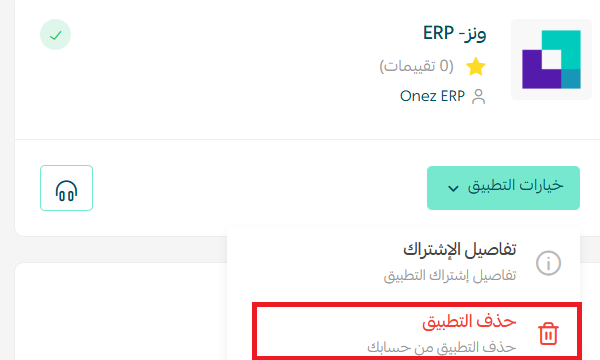
Delete the app
Click (App options), then click (Delete app).
❓ Frequently asked questions
What does the ONEZ ERP system manage?
Sales, purchases, inventory, and products, along with automatic recording of your financial transactions, all on one platform.
Who is ONEZ built for?
Growing stores that have outgrown manual bookkeeping and need their operational and financial data in a single system.
Can I sign in right after I pay?
No. The ONEZ team contacts you after installation to complete your registration and account access.
Do I choose a plan before or after installing?
During installation. You select your plan, review the permissions, and complete payment as part of the same flow.
How do I remove ONEZ from my store?
Click (App options), then click (Delete app).
For more details, visit the ONEZ website.
Operations and finance are the same story told twice. Keeping them in one system is what makes the numbers usable while they still matter.