Your customers already live on WhatsApp. Is your store selling there?
Most stores treat WhatsApp as a support line — a place to answer questions, not to close sales. Numoo - increase cart value changes that. It turns WhatsApp into a working sales channel for your Salla store, taking orders, chasing abandoned carts, and pushing offers to shoppers automatically so more of the carts you already have turn into paid orders. In this guide, you'll learn how to install the app, upgrade your plan, get your offers configured, and remove the app if you decide to stop.
Numoo - increase cart value is a Salla app that turns WhatsApp into a full sales channel for your store. It takes orders, recovers abandoned carts, and sends offers automatically. Install it from the Salla App Store, choose a plan, and the Numoo team helps you configure your offers.
📌 Article overview
- How to install Numoo - increase cart value
- How to manage Numoo - increase cart value
- Frequently asked questions
🚀 How to install Numoo - increase cart value
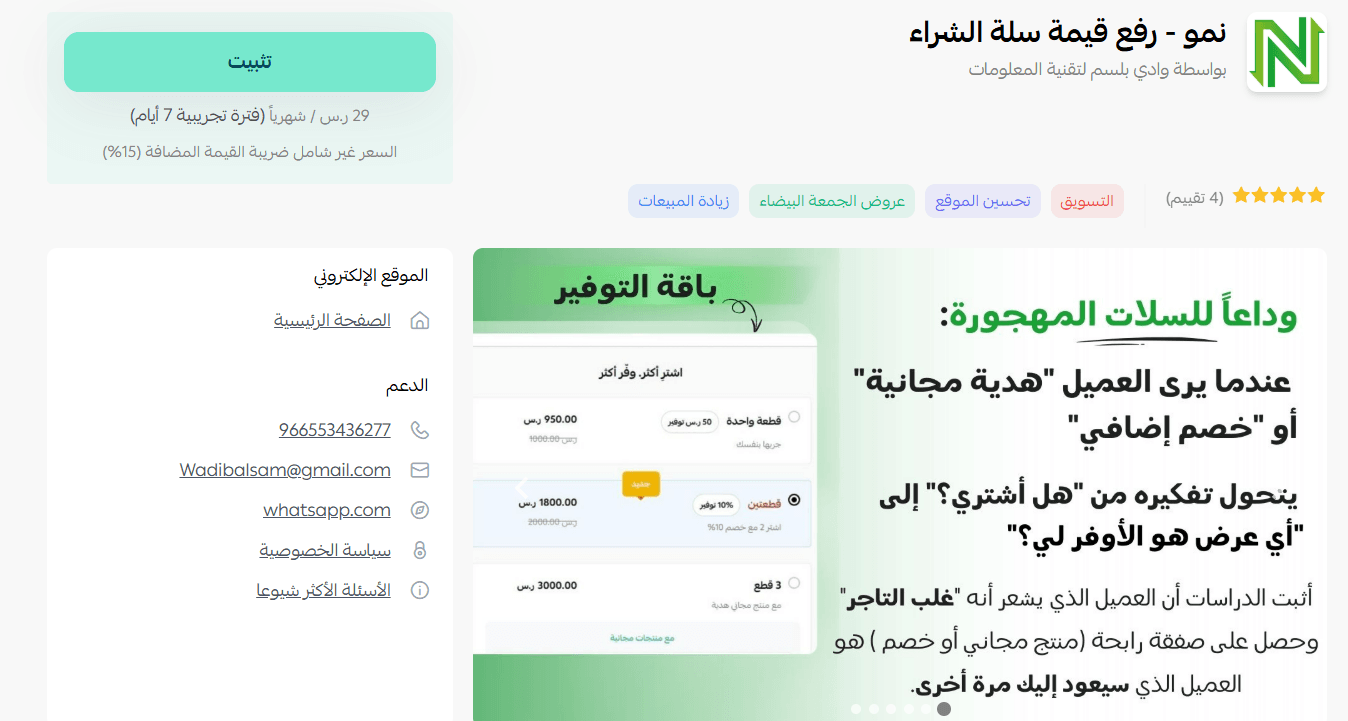
1. From the main menu, click (All), then under helper tools, click (App Store).

2. On the Numoo - increase cart value app page, click (Install).
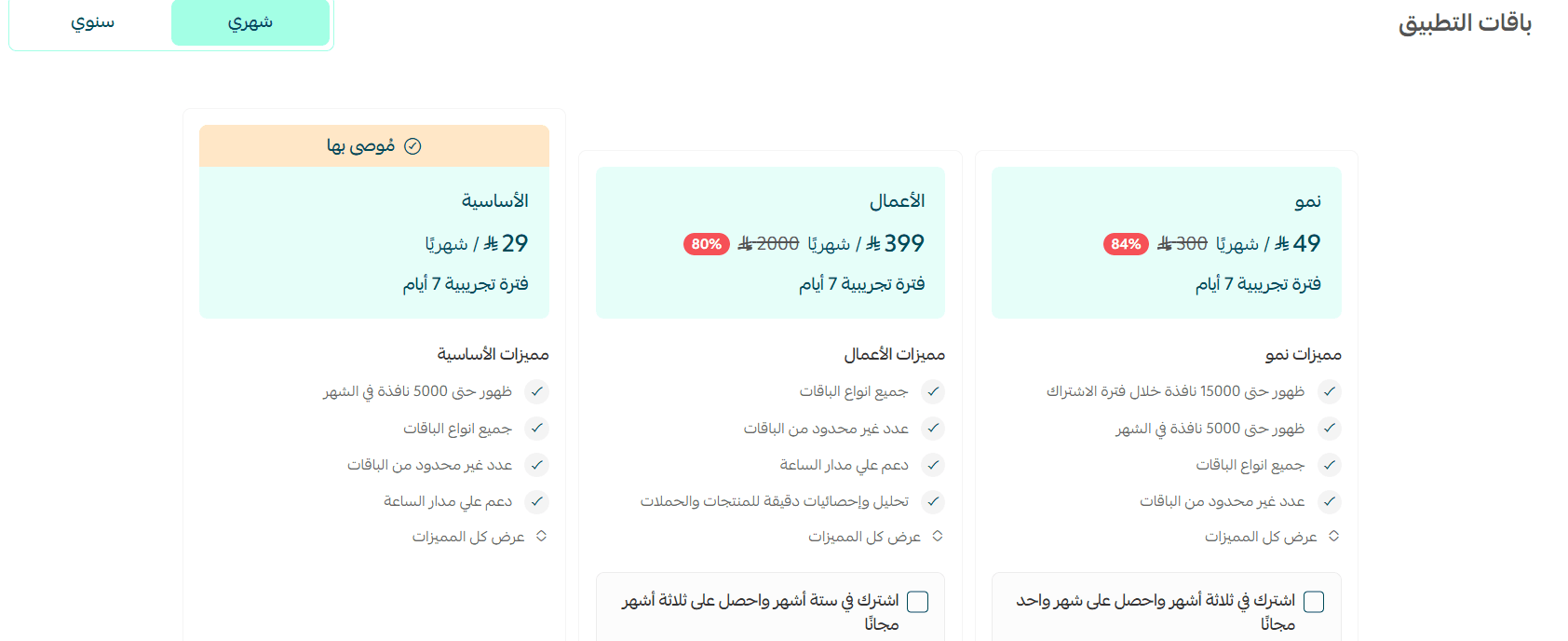
3. Choose the plan that fits your business to continue with the installation.
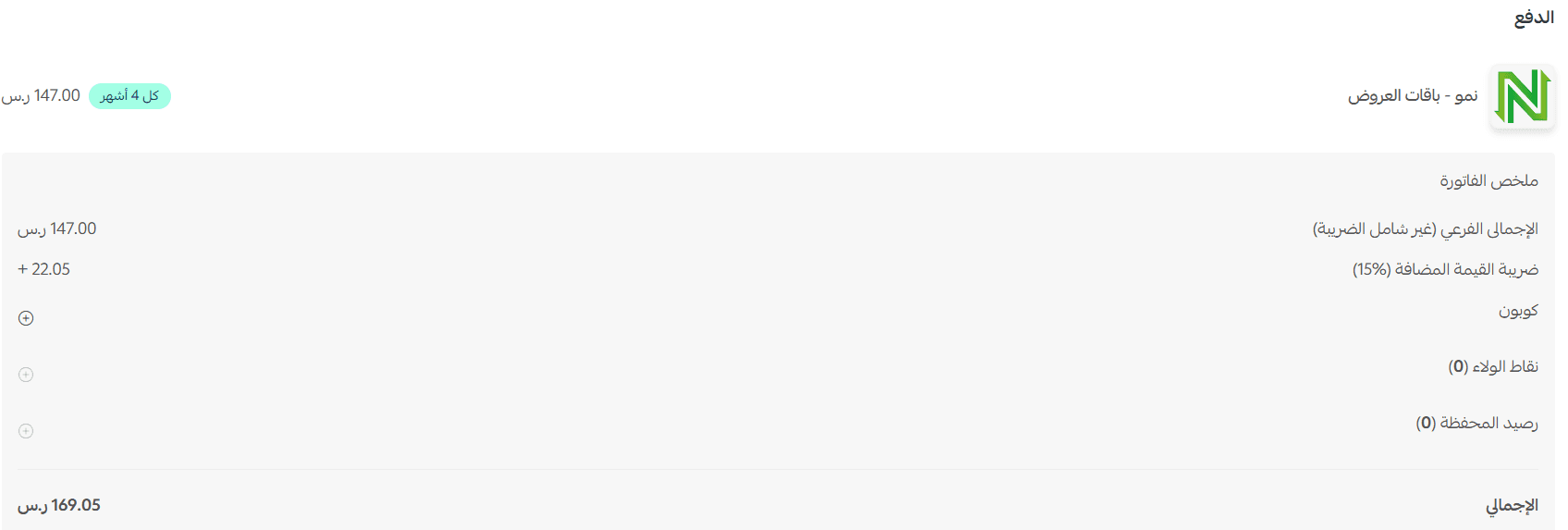
4. Complete the payment, then click (Confirm).
🎉 That's it. The app is now installed on your store.
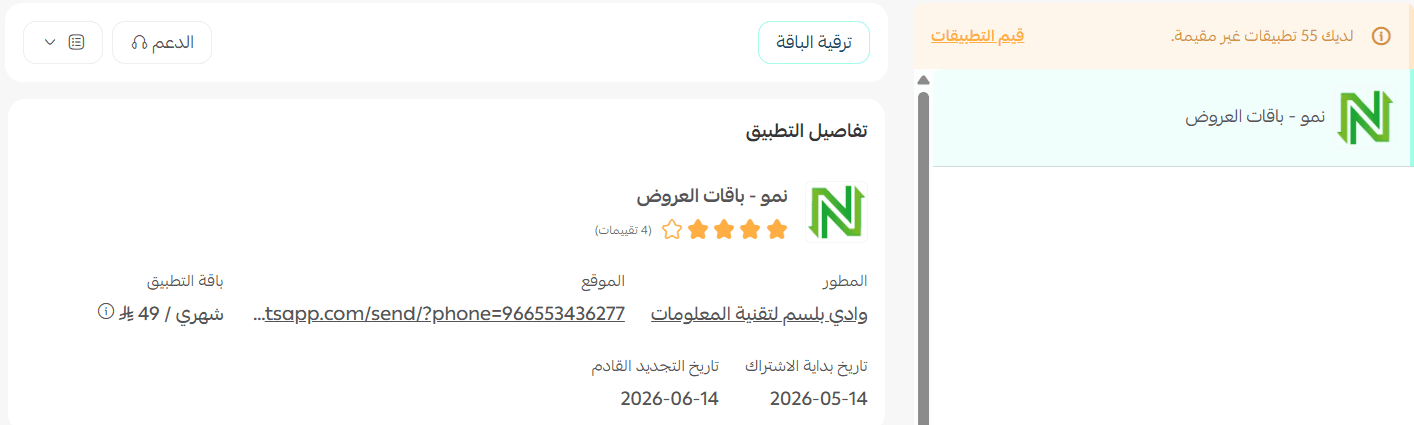
How to manage Numoo - increase cart value
Upgrade your plan
1. From the app details page in your store, click (Upgrade plan).

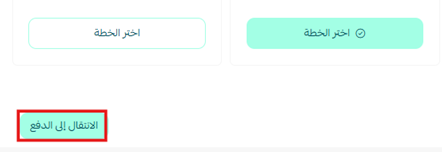
2. Select the plan you want, then click (Go to payment).
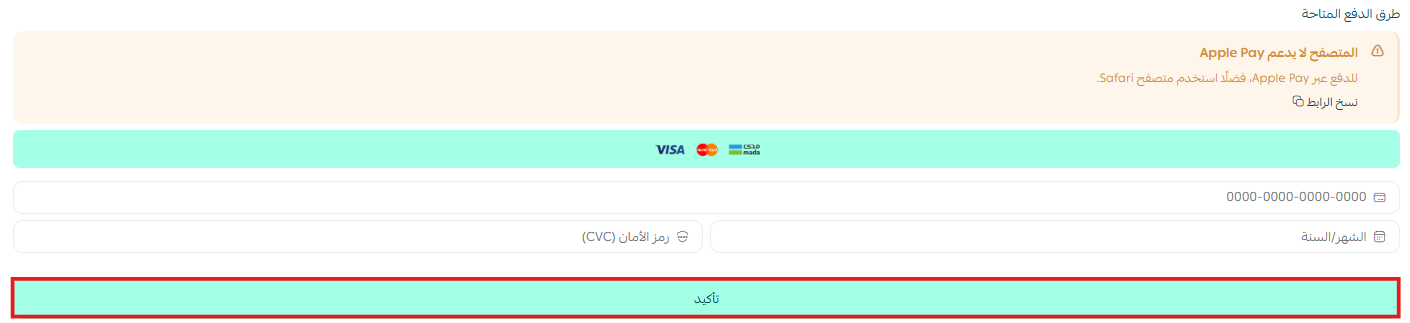
3. Enter your payment details, then click (Confirm) to finish the upgrade.
Set up your offers
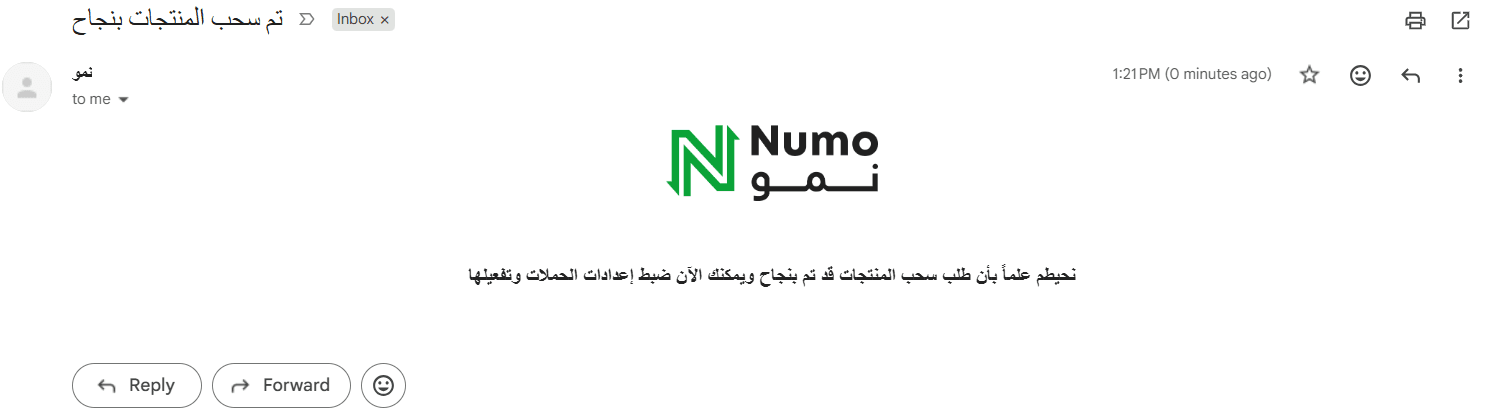
Once the app is installed, you'll receive a welcome email from Numoo.
To configure your offer settings, contact the Numoo team and they will set them up with you.
Remove the app
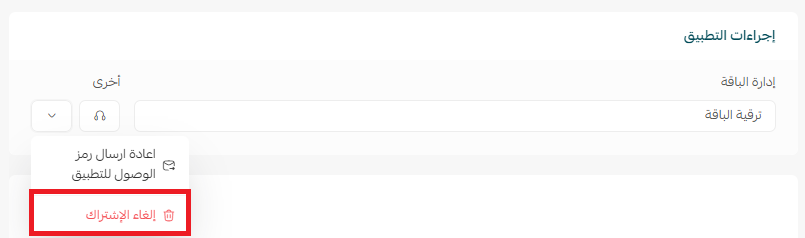
1. From the app options menu, click (Cancel subscription) and choose a reason for cancelling.
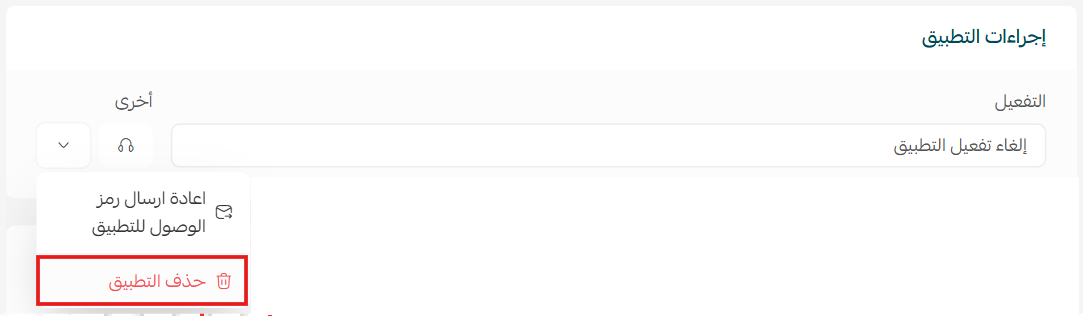
2. From the app options menu, click (Delete app) and choose a reason for deleting.
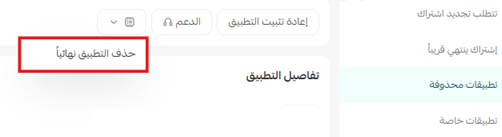
3. From the deleted apps page, open the app options menu and click (Delete app permanently) to remove it from your store for good.
📝 Important notes
- Offer settings are not self-service — the Numoo team configures them with you over WhatsApp after installation.
- Cancelling the subscription and deleting the app are separate steps, and the app is only fully removed once you click (Delete app permanently) on the deleted apps page.
❓ Frequently asked questions
What does Numoo - increase cart value actually do?
It turns WhatsApp into a sales channel for your store: taking orders, following up on abandoned carts, and sending offers to customers automatically.
Do I configure the offers myself in the dashboard?
No. After installation you receive a welcome email, and the Numoo team sets up your offer settings with you over WhatsApp.
Can I switch to a different plan after installing?
Yes. Open the app details page in your store, click (Upgrade plan), select the plan you want, and confirm the payment.
Does cancelling my subscription delete the app?
No. Cancelling stops the subscription, but the app stays on your store until you delete it and then delete it permanently from the deleted apps page.
For more about the app, visit Numoo - increase cart value.
An abandoned cart is a customer who already decided they wanted something. Reaching them on the channel they check every hour is the shortest path back to the sale.