The Notifications Network helps you manage and enhance the visitor experience inside your online store through side notifications, pop-ups, and an interactive reward wheel. It also allows you to customize promotional offers and track campaign performance with detailed reports, giving you deeper insights into customer behavior and helping you optimize results.
This article explains how to connect and manage the Notifications Network app in your Salla store.
📌Article overview
- Steps to connect the Notifications Network
- Managing the Notifications Network app
Steps to connect the Notifications Network app
Follow these steps to install and connect the Notifications Network to your store:
- From the main menu in your Salla dashboard, click All, then under Support Tools, select App Store.
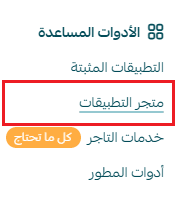
2. Use the search field to find Notifications Network.

3. From the Notifications Network app page, click Install.
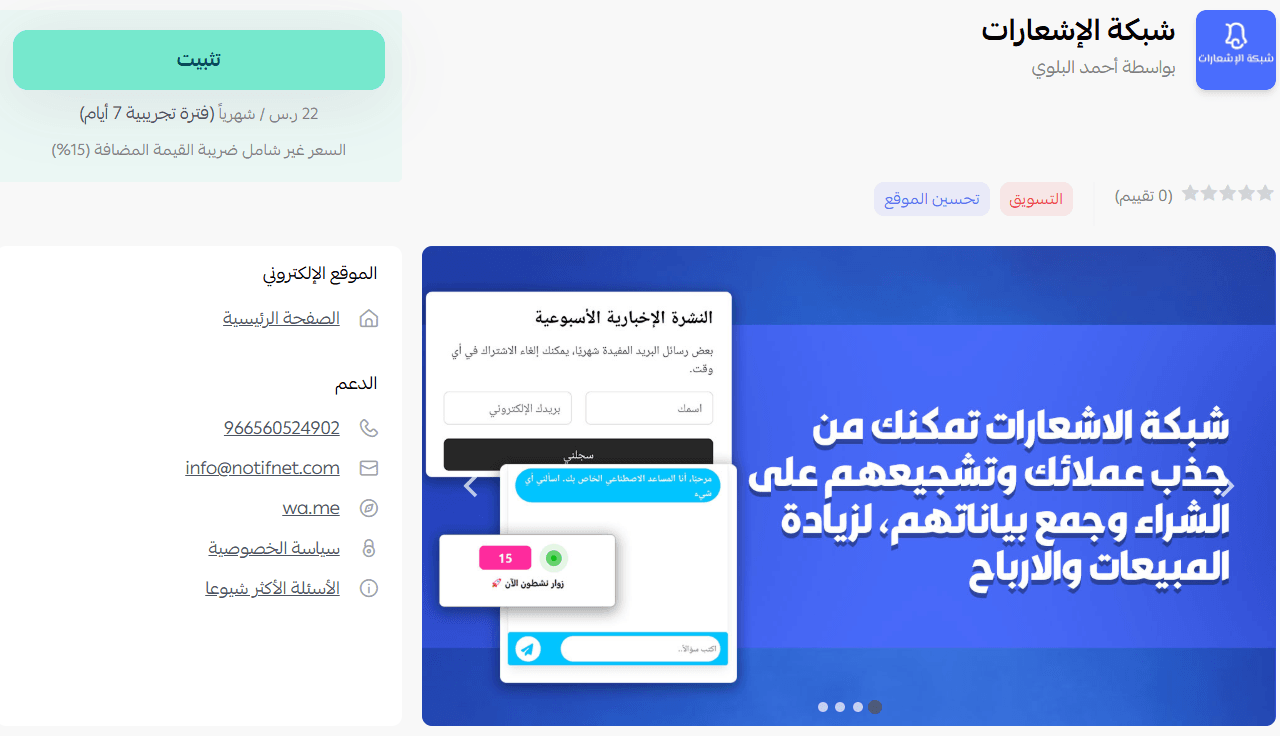
4. Choose the subscription plan that best suits your business needs to proceed with the installation.
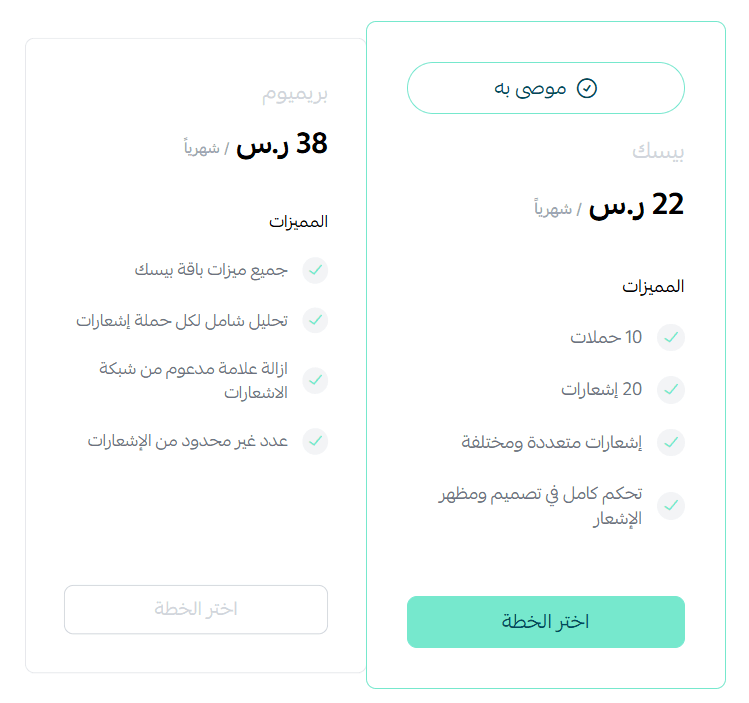
5. Complete the payment process.
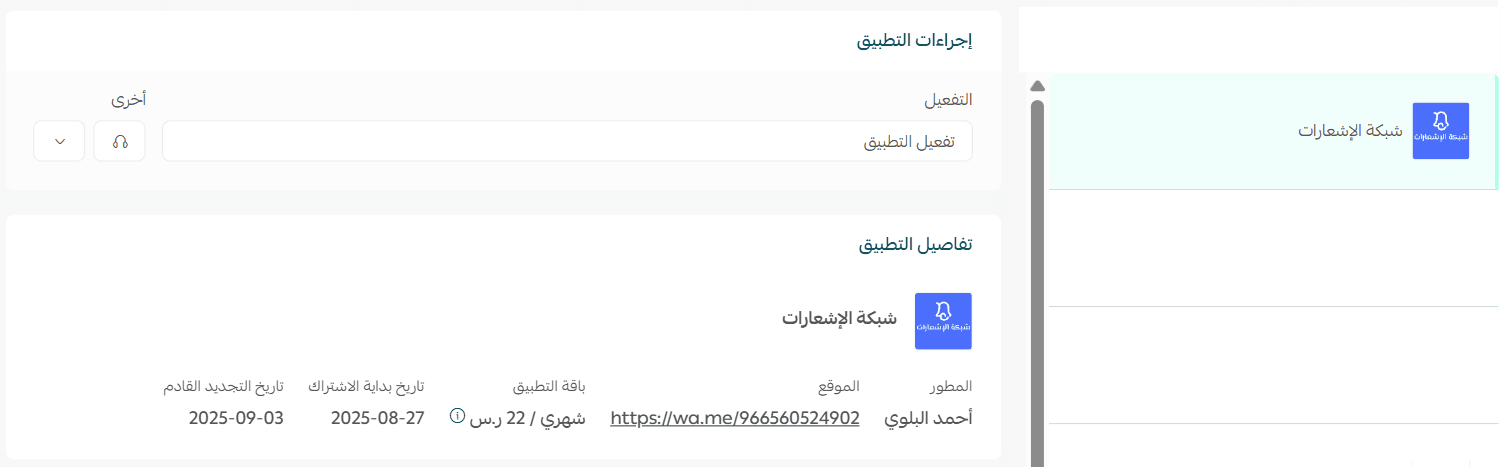
Once payment is completed, the Notifications Network app will be successfully installed in your store.
Accessing the Notifications Network dashboard
After installation:
- You will receive an email containing your login credentials for the Notifications Network platform.
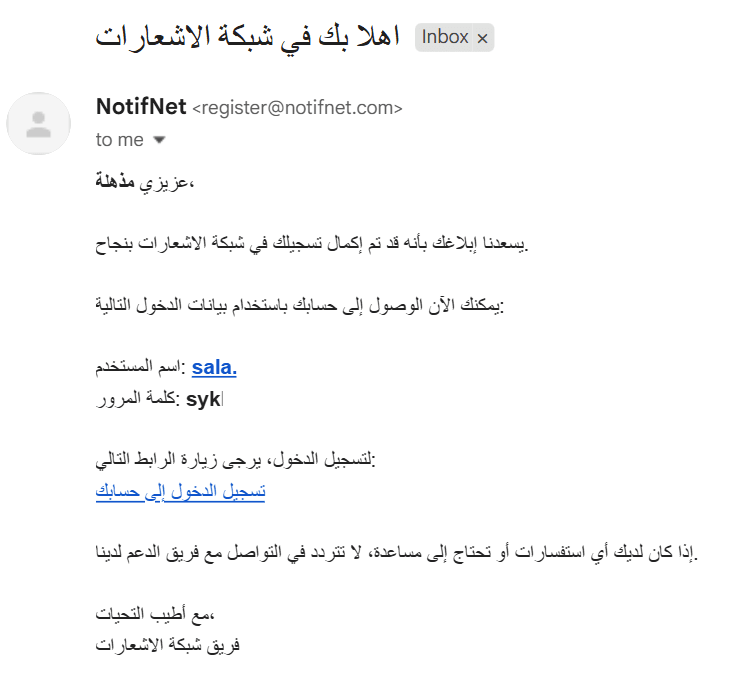
- Log in using the credentials provided in the email.
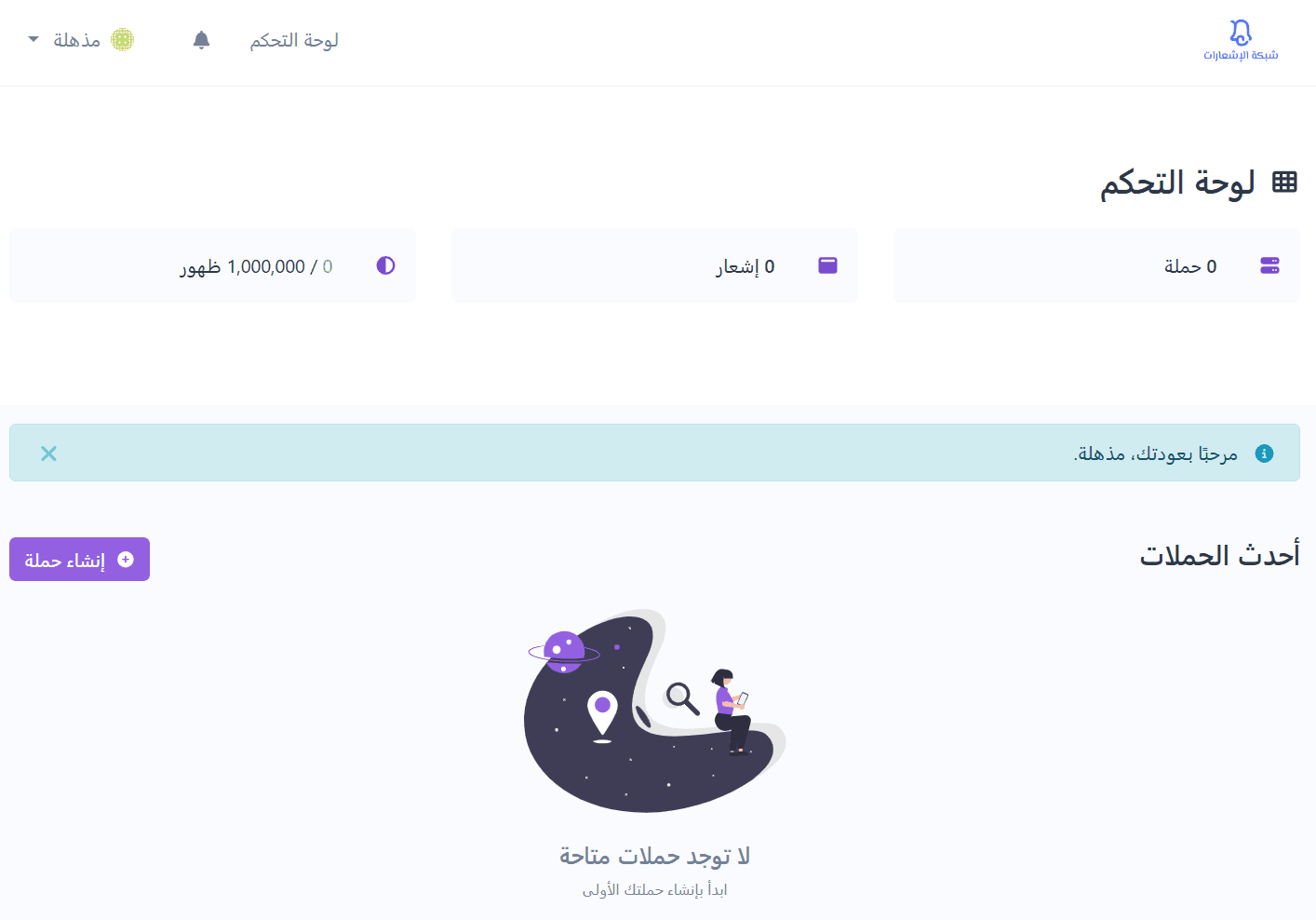
- You’ll be redirected to the main dashboard of the Notifications Network.
Managing the Notifications Network app
Activating the app
After installing the app:
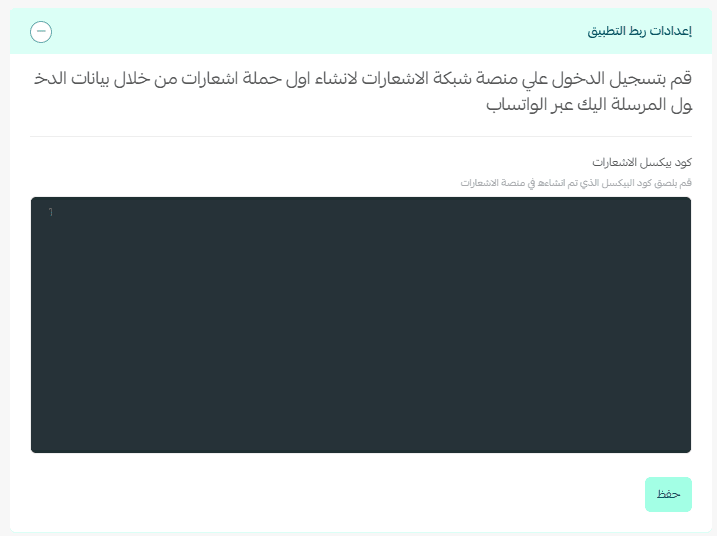
- Click Activate App.
- In the App Integration Settings section, enter the Notifications Pixel Code sent to you via WhatsApp.
- Save the settings to complete the activation.
Note: The Notifications Pixel Code is sent to you directly via WhatsApp after installation.
Removing the app
If you need to remove the Notifications Network app from your store:
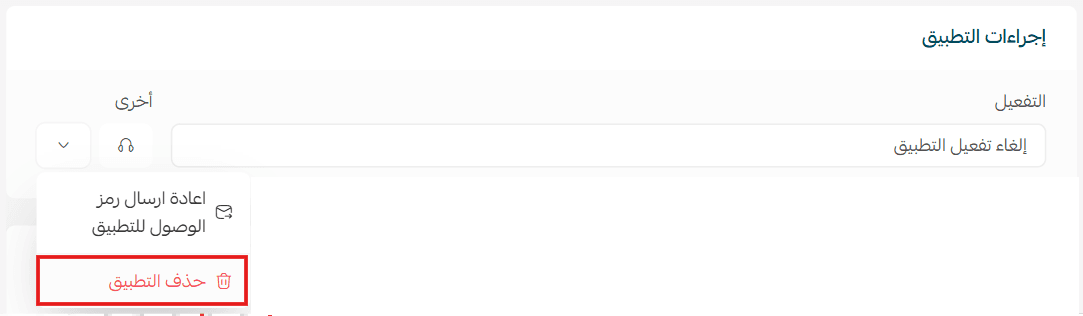
- Open the Notifications Network app.
- Click tap
- Select Delete App.

The app will be removed from your store after completing these steps.
By using the Notifications Network, you can create engaging on-site experiences, promote offers more effectively, and gain valuable insights into how visitors interact with your store, helping you drive better performance and higher conversions.