Increasing sales isn’t just about attracting more visitors; it’s about making the most of every customer visit. Million Plus is a powerful app designed to help eCommerce stores grow revenue through smart cross-selling and upselling strategies.
The app works by displaying recommended products at key moments in the customer journey, helping increase average order value while delivering a smoother, more personalized shopping experience.
📌Article overview
- Million Plus app features
- How Million Plus works
- Steps to install and activate Million Plus
- Managing the Million Plus app
Million Plus app features
Million Plus offers a comprehensive set of tools to boost conversions and sales, including:
- Customer targeting based on key events, such as:
- Adding or removing a product from the cart
- Browsing a product page
- Opening the cart page
- Viewing the cart’s total value
- Social proof features that build trust and urgency, including:
- Countdown timers for limited-time offers
- Live shopper counters
- Customer reviews
- Low-stock alerts
- Recent purchase notifications
- Detailed analytics and reports showing:
- Number of views
- Clicks
- Conversions
- Total sales generated from recommended products
Key benefits
- Increase revenue through intelligent upselling and cross-selling
- Improve customer experience by showing relevant products at the right moment
- Gain clear insights into how recommendations impact sales and conversions
How does Million Plus work?
Million Plus displays product recommendations at critical moments in the customer journey, such as:
- When a product is added to the cart
- When a product is removed from the cart
- While browsing or exiting a product page
- When opening the cart or viewing the cart total
To further encourage purchasing decisions, the app supports social proof elements, including:
- Countdown alerts to create urgency
- Live shopper counts to boost credibility
- Customer reviews to show buyer satisfaction
- Low-stock alerts to prompt faster decisions
- “Someone purchased this product moments ago” notifications to increase popularity
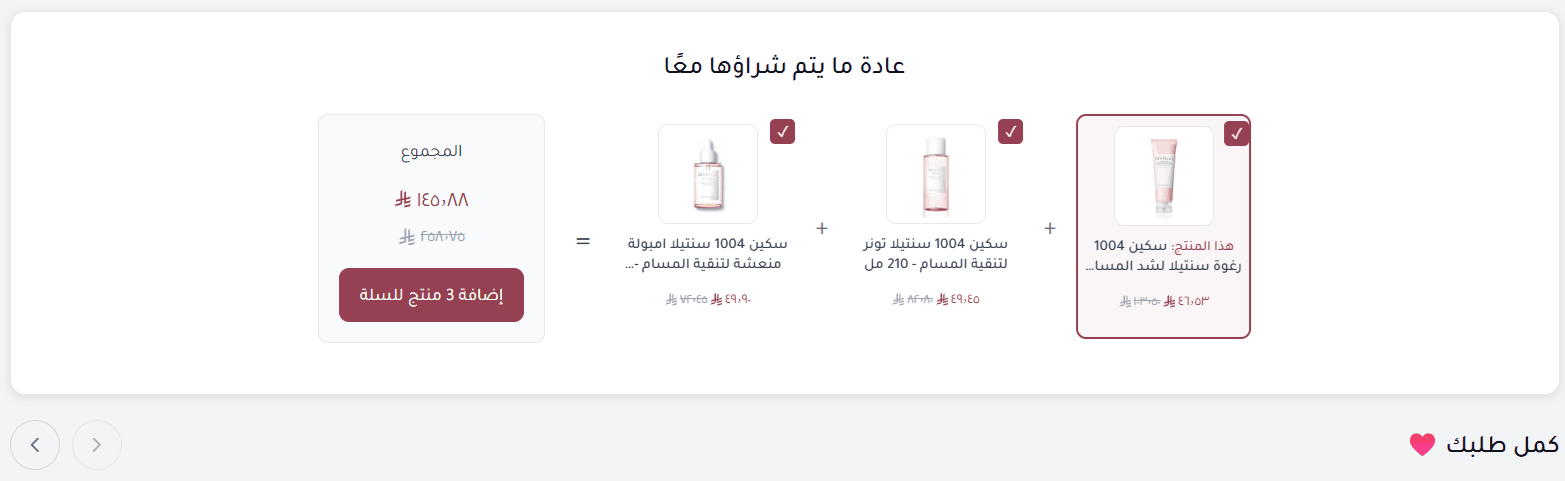
These elements work together to influence purchase behavior and increase order value naturally.
Steps to install and activate Million Plus
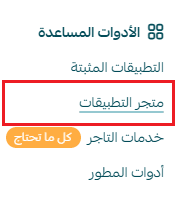
- From the main menu in your Salla dashboard, click All, then under Support Tools, select App Store.
2. Use the search bar to find Million Plus.

3. From the Million Plus app page, click Install.
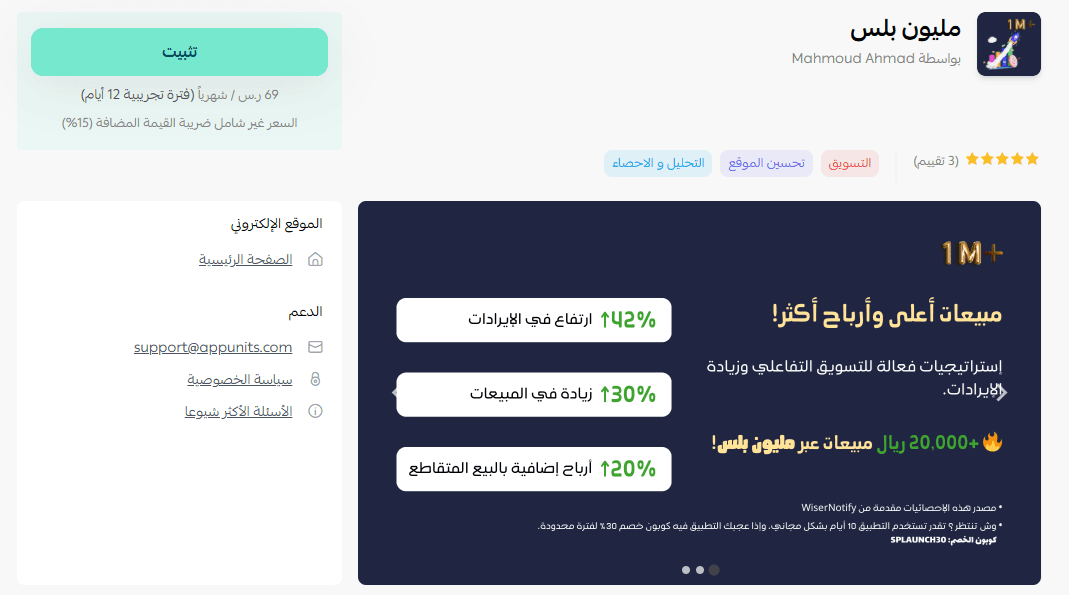
Once installed, Million Plus is successfully added to your store.

Accessing the Million Plus dashboard
After installation:
- You will receive an email containing your login credentials for the Million Plus platform.
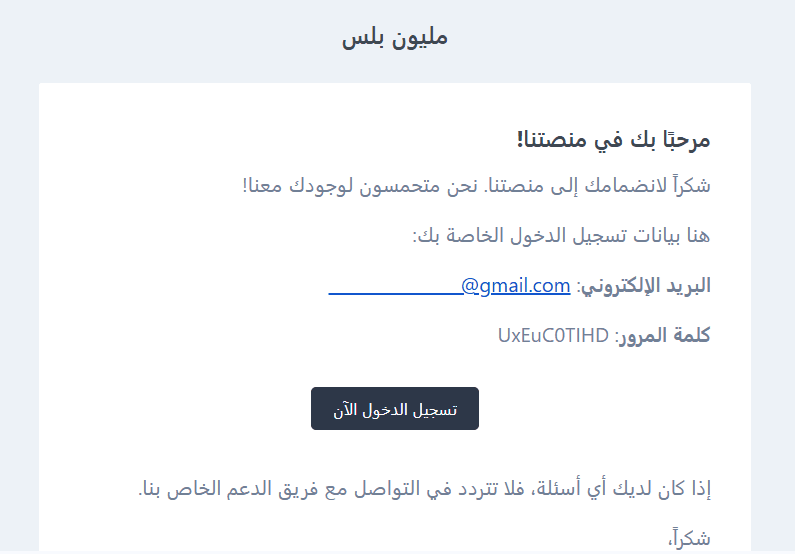
- Log in using the credentials provided.
- You’ll be redirected to the Million Plus dashboard.
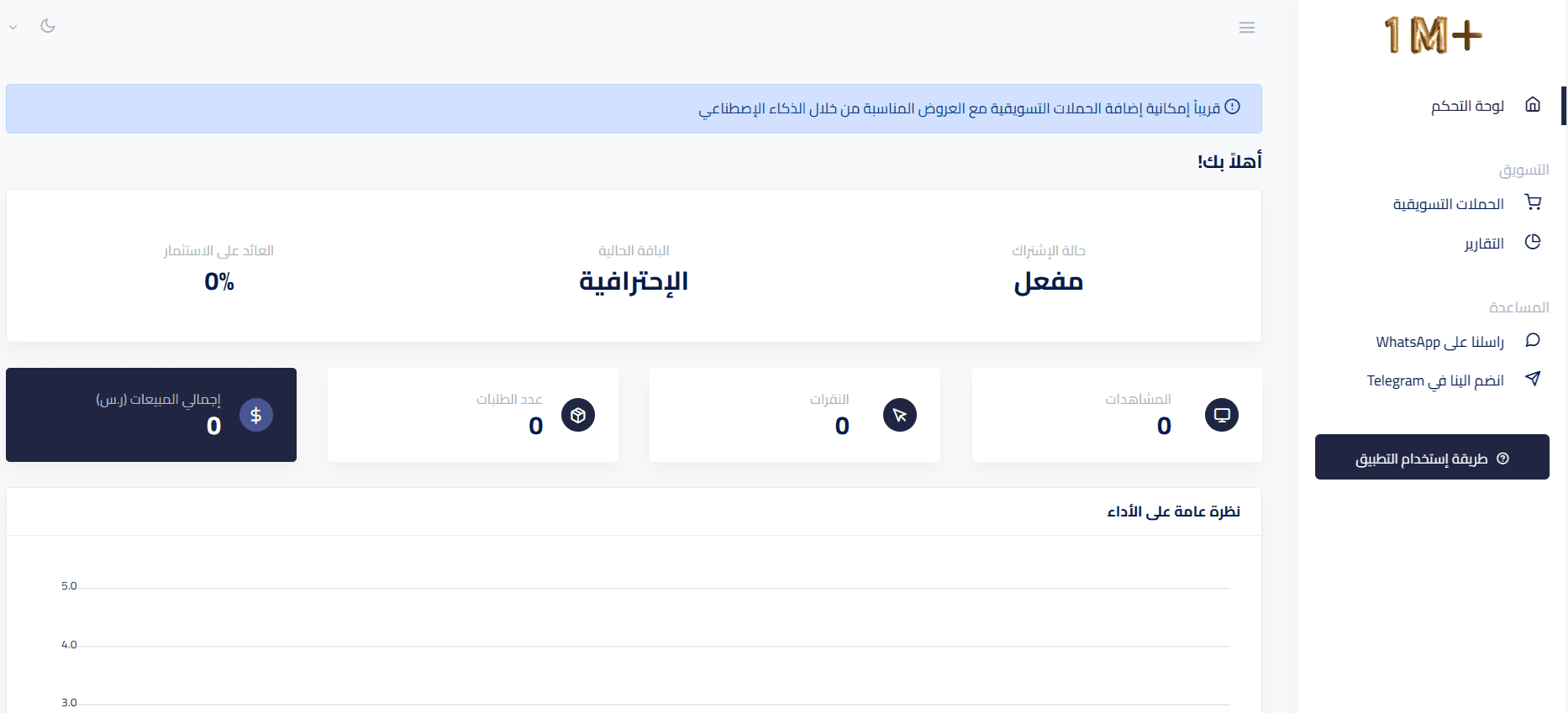
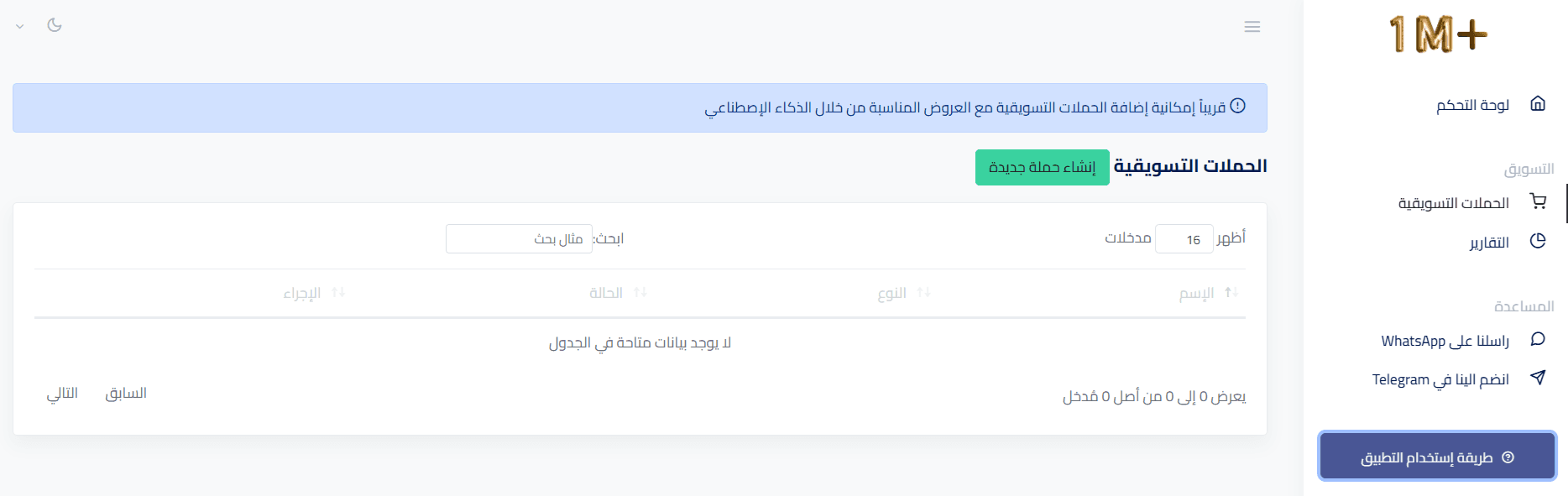
From there, go to the Marketing Campaigns section to:
- Create marketing campaigns
- Configure product recommendations
- Monitor campaign performance continuously
Managing the Million Plus app
Upgrading the app plan
- From App Actions, click Upgrade Plan.
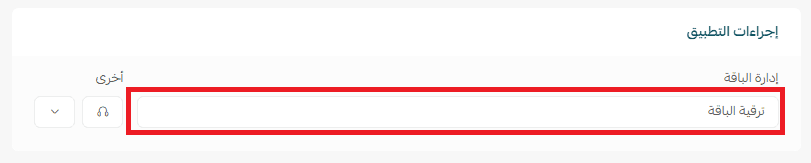
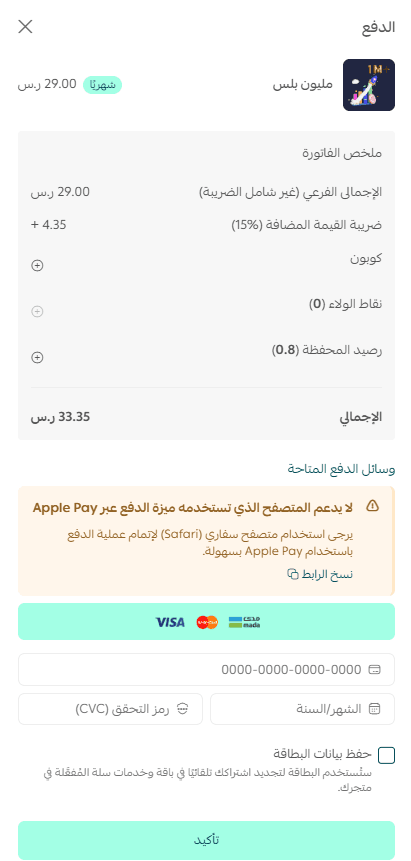
2. Select the plan that best suits your business needs.
3. Click Proceed to Payment and complete the payment process.
Removing the app
To remove Million Plus from your store:
- From the Notifications Network app, select
- Click Cancel Subscription.

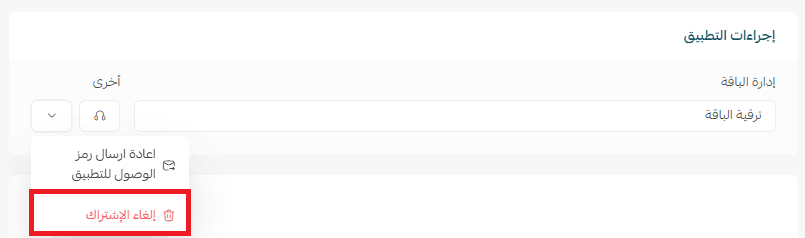
3. From the same menu, click Delete App.
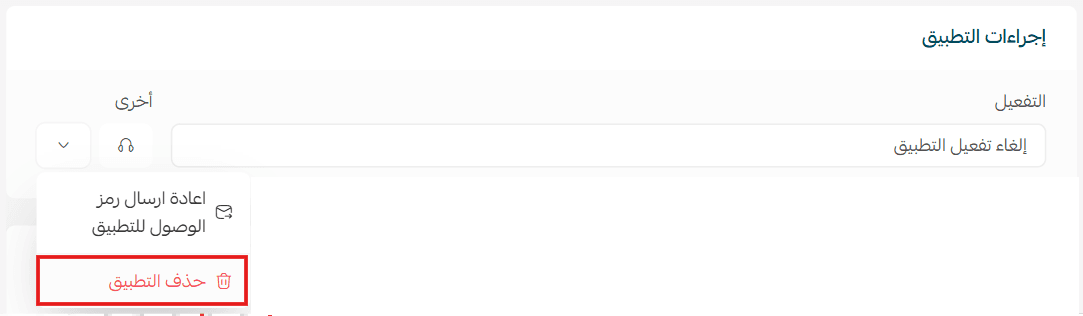
The app will be removed from your store after completing these steps.
For more information and advanced usage tips, refer to the Million Plus app documentation.
By using Million Plus, you can turn every customer interaction into a sales opportunity: boosting revenue, improving conversions, and delivering a smarter shopping experience for your customers.