How late do you usually find out that a best seller has run out?
Most merchants find out when a customer complains. Salla's low stock alert - the "notify me before stock runs out" feature - flips that around: you set a minimum quantity for each product, and Salla warns you as soon as stock drops to it, while there is still time to reorder. In this guide, you'll learn how to set the threshold, where the warnings appear, and how to list everything that is about to sell out.
A low stock alert is a minimum quantity you set on a product or on one of its options. When the remaining stock reaches that number, Salla flags the product in red on its card, shows a banner at the top of the Products page, sends you a store notification and an email, and lets you filter for every product that is about to run out.
📝 Not the same as "notify me when available"
- Notify me before stock runs out alerts you, the merchant, while stock is still on the shelf, so you can restock in time. That is the feature this guide covers.
- Notify me when available alerts your customers after a product has already sold out, so they hear about it the moment you restock.
📌 Article overview
- Why the low stock alert matters
- How to set up the low stock alert
- Setting a threshold for each product option
- Three ways to see which products are running low
- Frequently asked questions
🎯 Why the low stock alert matters
The feature lets you set a minimum stock level for a product in your store. As the remaining quantity approaches that level, Salla warns you that the product is close to selling out so you can act while you still have time - reorder, pause promotion of the product, or move stock between branches.
👣 How to set up the low stock alert
1. From your dashboard, click (Products).

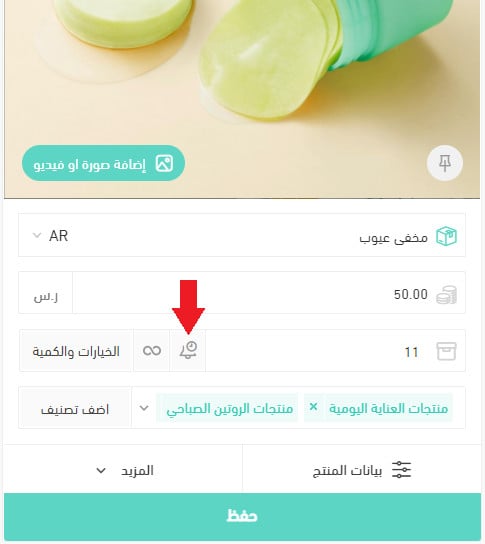
2. On the product page, click the bell icon.
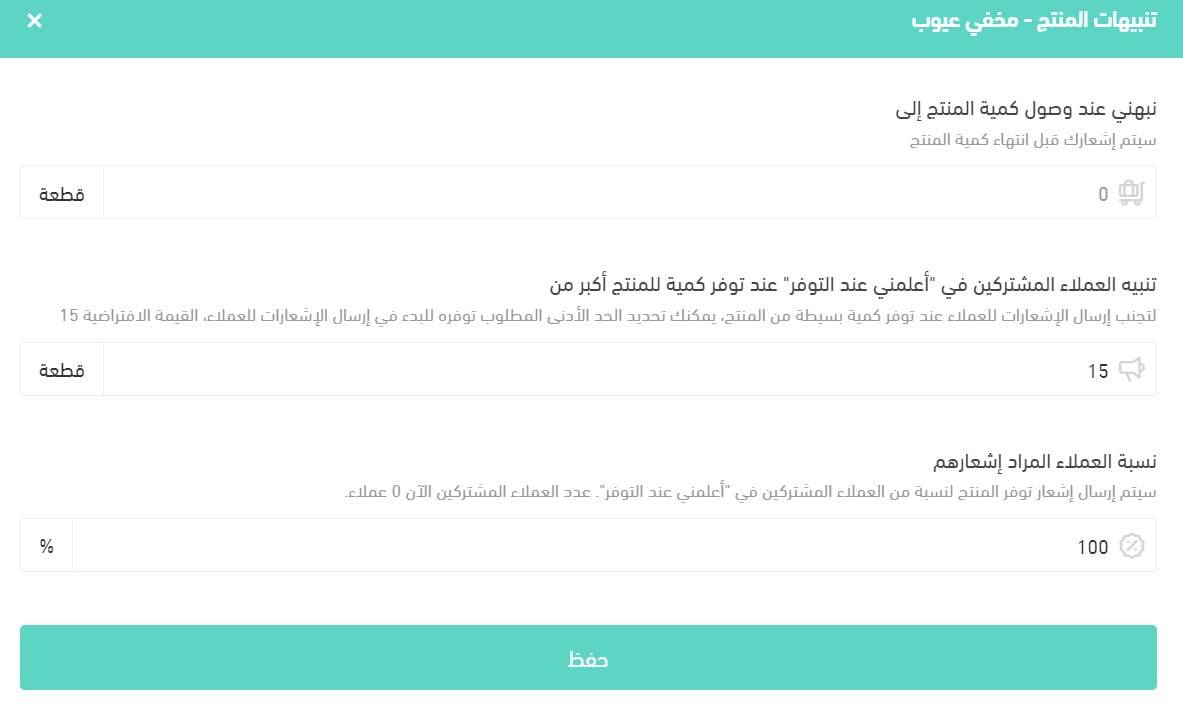
3. Set the alert options, then click (Save).
📝 Important note
The Arabic source describes step 3 as the alert settings for customers subscribed to "notify me when available", which belongs to the customer-facing feature rather than to the merchant threshold described in the rest of this article. [Verify: whether the bell panel on the product row sets the merchant low stock threshold, the customer restock alert, or both.] The threshold itself is set per option as described in the next section.
🛠️ Setting a threshold for each product option
You can set a minimum quantity for each option of a product, not just for the product as a whole.
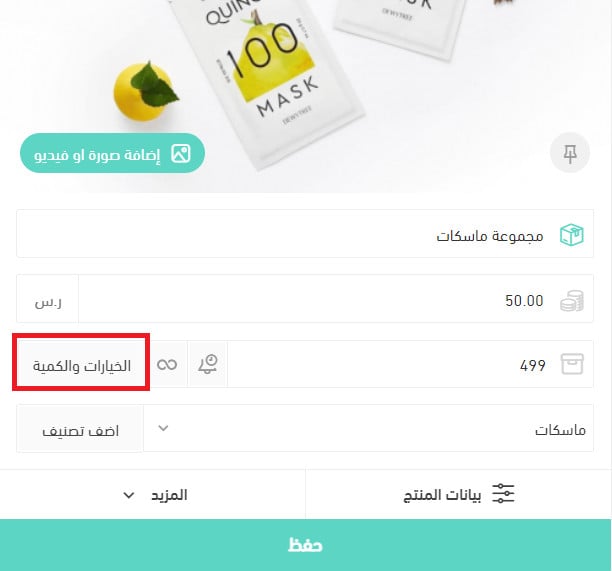
1. On the product card, click (Options and quantities).
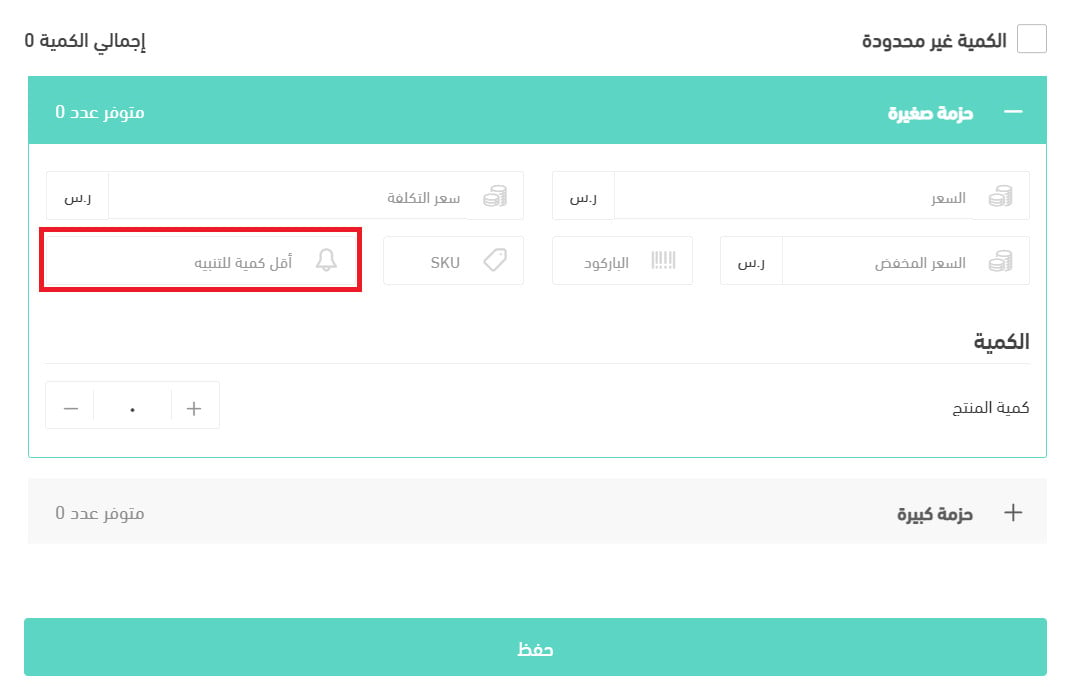
2. Enter the minimum quantity in the (Minimum quantity for alert) field for each option.
🔍 Three ways to see which products are running low
Which one you use depends on how many products your store carries.
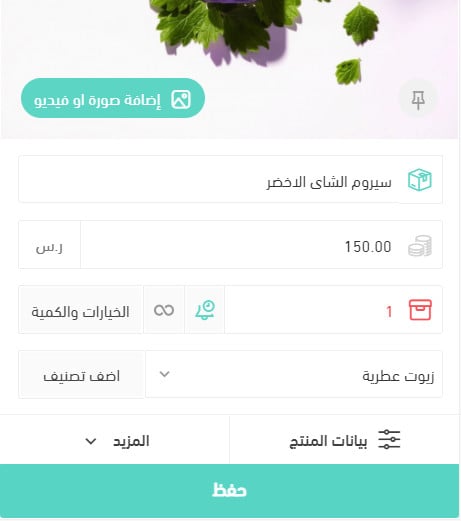
1. The warning on the product card
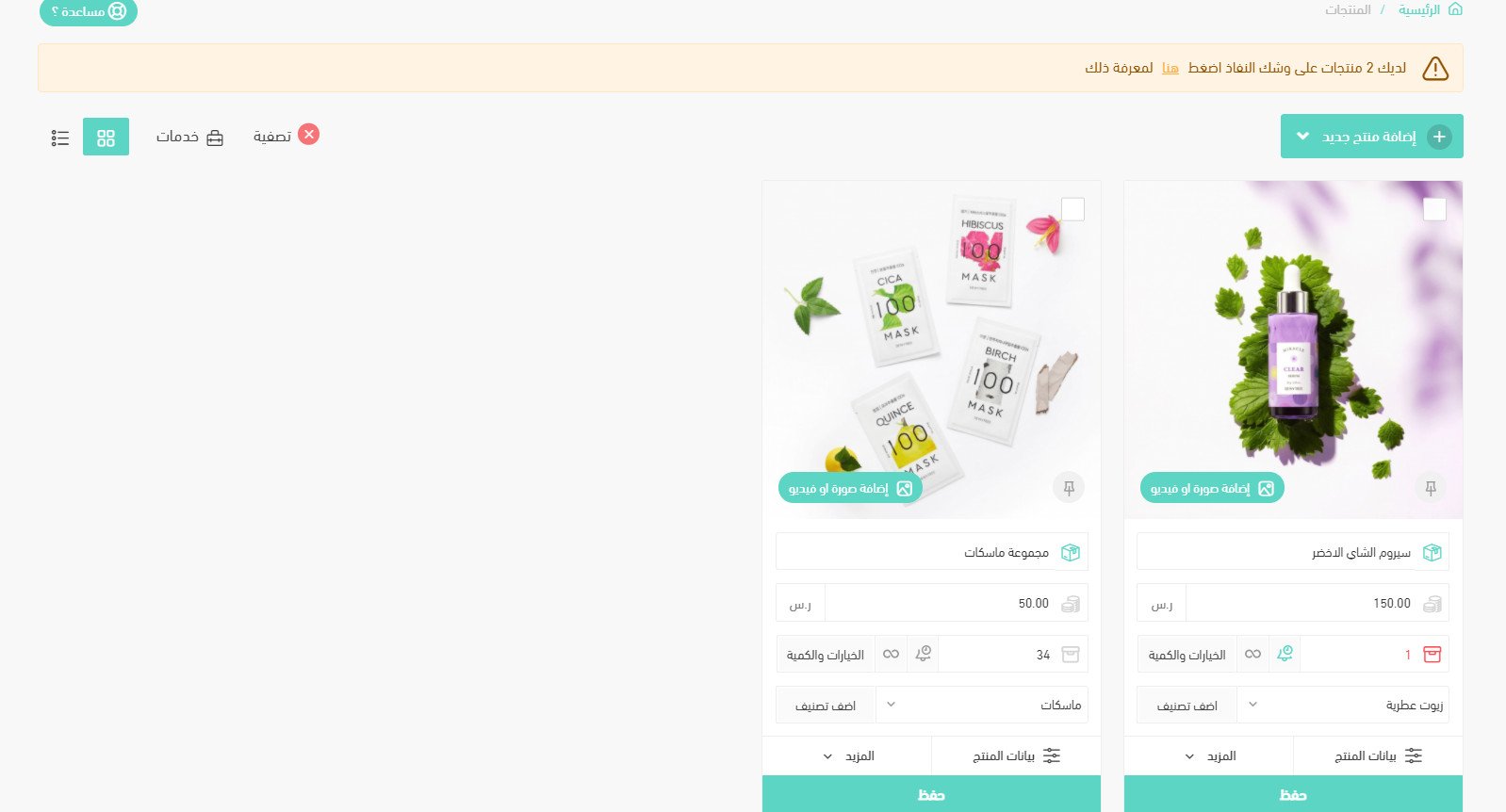
The quantity of any product that has reached its minimum is highlighted in red on the card:
2. The banner at the top of the Products page
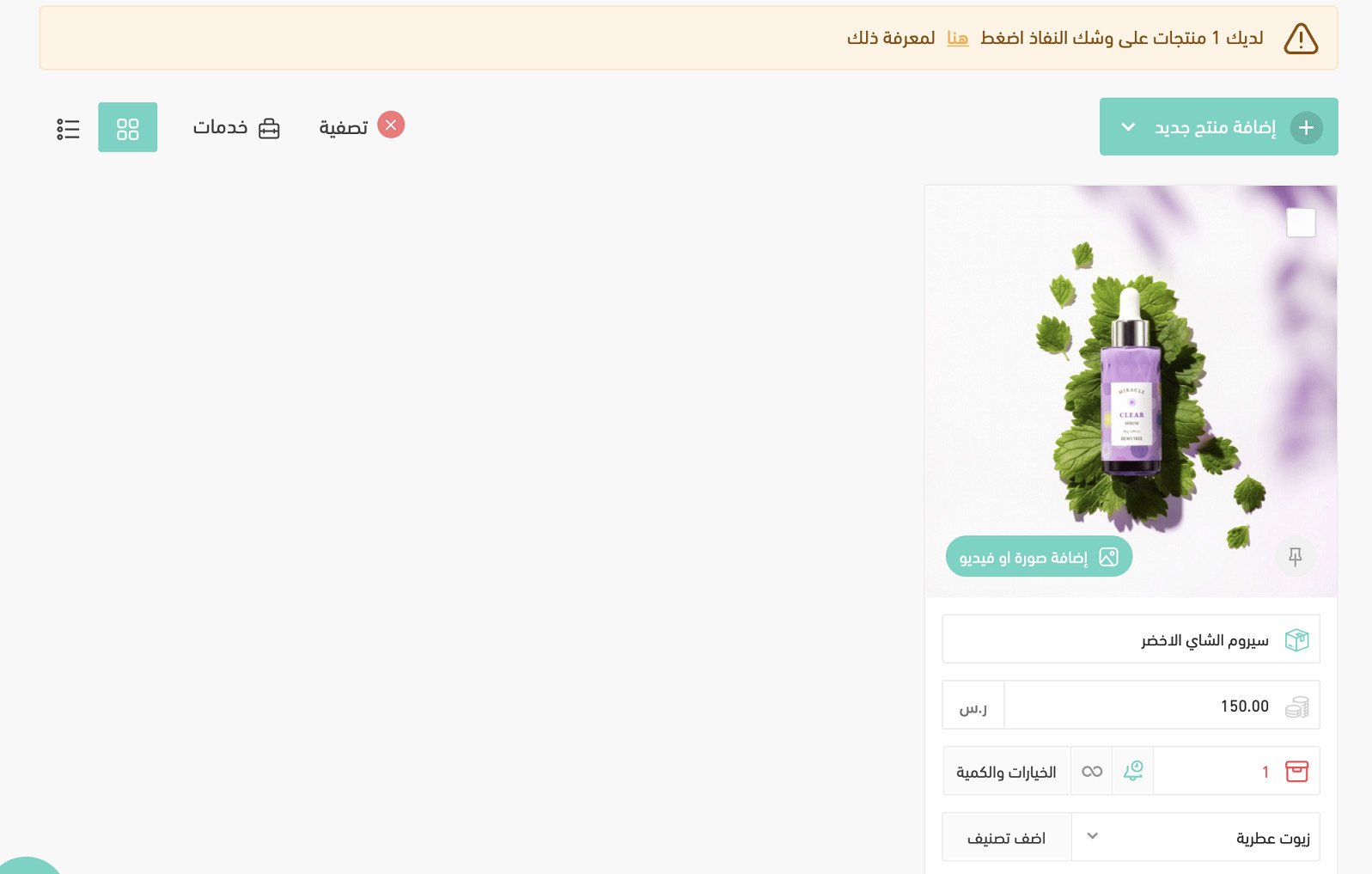
When any product in your store reaches its minimum, a warning banner appears at the top of the Products page:

Click (here) in the banner to list the products that have reached their minimum quantity.
3. Filtering for products that are about to run out
1. From the side menu of your dashboard, click (Products).

2. On the Products page, click (Filter).

3. Choose (Products about to run out) from the filter list.
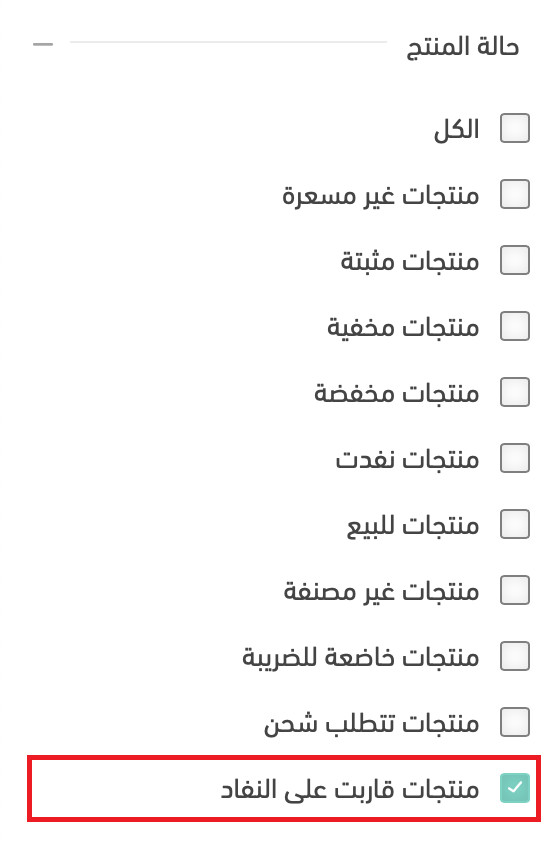
4. Click (Show results) to list every product that matches.
For more on filtering products.
❓ Frequently asked questions
Can I set a minimum quantity for individual product options?
Yes. Open (Options and quantities) on the product card and enter a value in (Minimum quantity for alert) for each option separately.
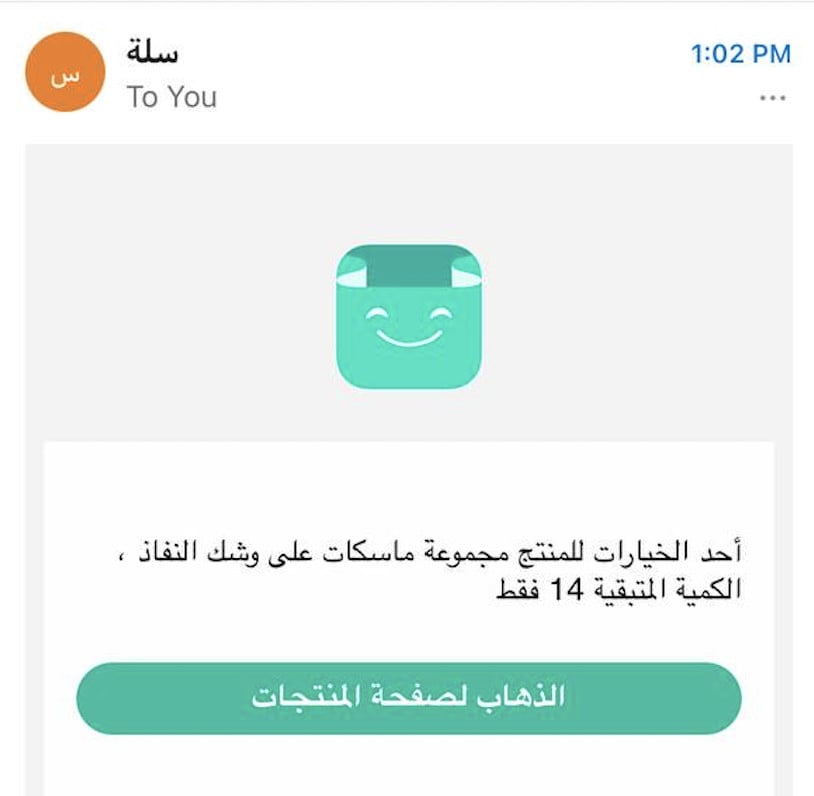
Will I be notified about products that are about to run out?
Yes. Salla sends a notification inside your store and an email listing the products that are close to selling out:
Does a product appear in the filter if only one of its options is running low?
Yes. A product shows up under (Products about to run out) as soon as any one of its options reaches its minimum, even if the product's total quantity is still healthy.
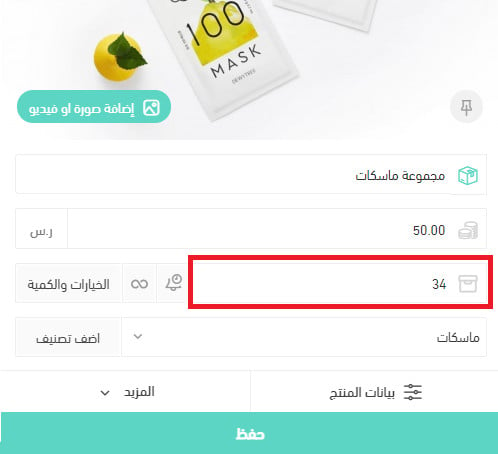
💡 Example: the product (Mask set) has a total quantity that has not reached its minimum:
But one of its options has, so the product still appears when you list products that are about to run out:
Is this the same as "notify me when available"?
No. "Notify me before stock runs out" warns you, the merchant, while stock is still available. "Notify me when available" is the customer-facing alert that tells shoppers when a sold-out product is back.