Do you sell products your customers reorder every single month?
Coffee, supplements, skincare, baby essentials — some products get bought again on a predictable rhythm, and every repeat purchase is a checkout your customer has to remember to complete. Lemoscribe is a subscription management app for Salla that turns those repeat purchases into recurring subscriptions, so orders are created automatically and payment links go out before each renewal. In this guide, you'll learn how to install the Lemoscribe subscription app, sync your products, build subscription plans, and manage subscribers day to day.
Lemoscribe is a Salla app that turns one-time products into recurring subscriptions. Install it from the App Store, sign in to the Lemoscribe platform with the credentials emailed to you, sync your products, and enable a subscription plan on any product with its own renewal cycle and subscriber discount.
What Lemoscribe gives you:
✅ Subscribe straight from the store: customers subscribe from the product page itself.
✅ Automatic order creation: orders are generated for you and payment links are sent before renewal.
✅ Customer control: subscribers can edit or cancel their own subscription at any time.
✅ One dashboard: manage subscriptions, plans, and subscribers from a single place.
✅ Arabic support: fully suited to the local market.
✅ Direct Salla integration: no code and no manual setup.
✅ Subscriber-only discounts: set an automatic discount for customers who stay subscribed.
👍 A good fit for stores selling:
Coffee and tea, supplements and vitamins, beauty tools, health products, personal care, baby essentials, and pet care.
📌 Article overview
- How to install the Lemoscribe app
- How to manage the Lemoscribe app
- Frequently asked questions
🚀 How to install the Lemoscribe app
1. From the main menu, click (All), then under helper tools click (App Store).

2. Search for the app using the search field.

3. On the Lemoscribe app page, click (Install).

4. Choose the package that fits your business to continue with the installation.
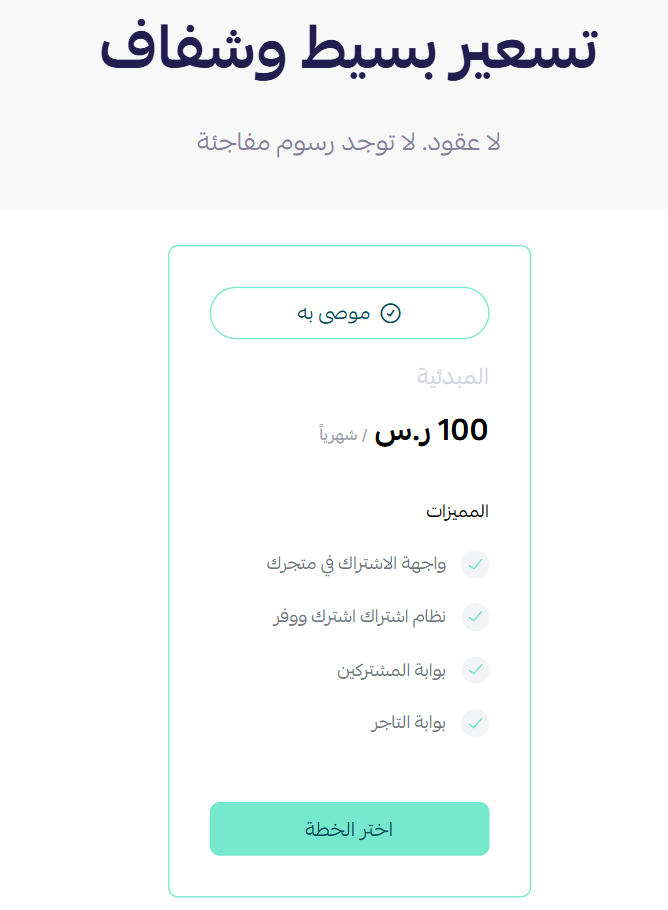
That completes the installation of Lemoscribe on your store.
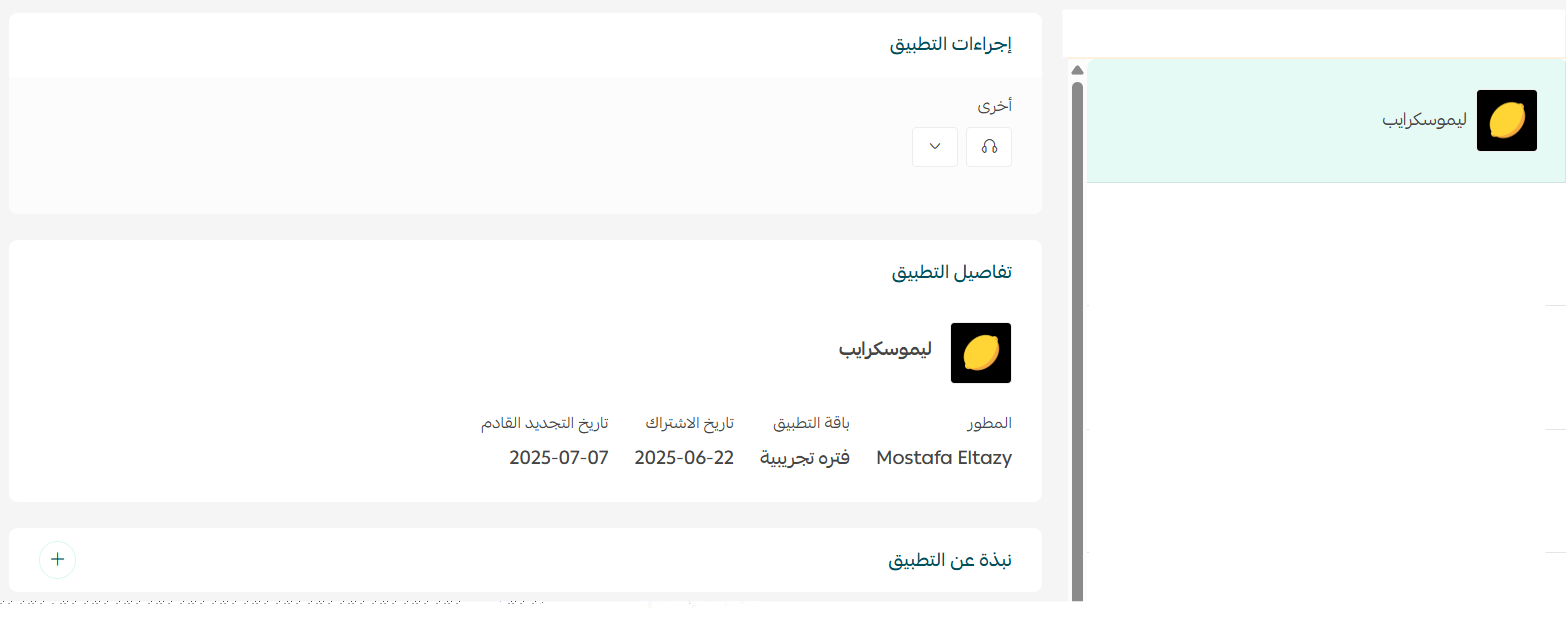
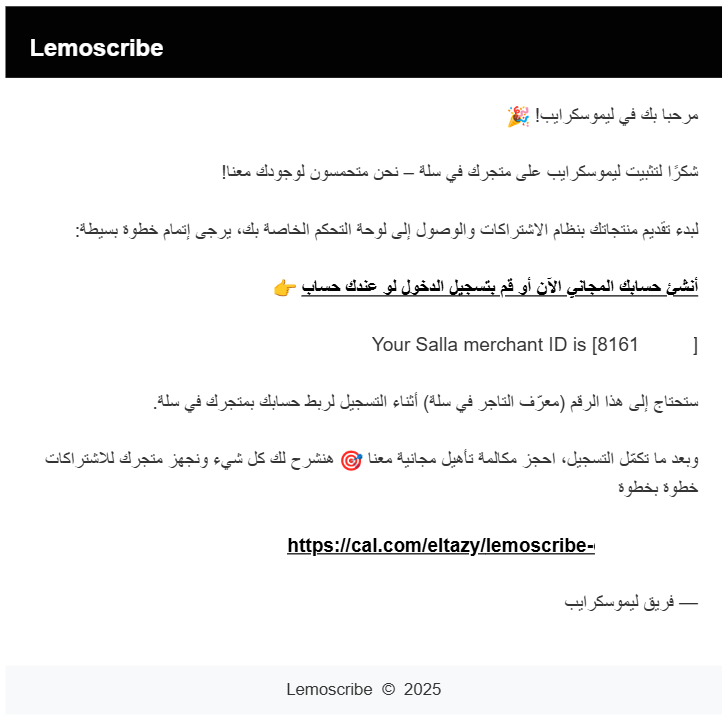
Once the app is installed, you'll receive an email with your login details. Click (Create your free account).
🚀 How to manage the Lemoscribe app
Activate your Lemoscribe account
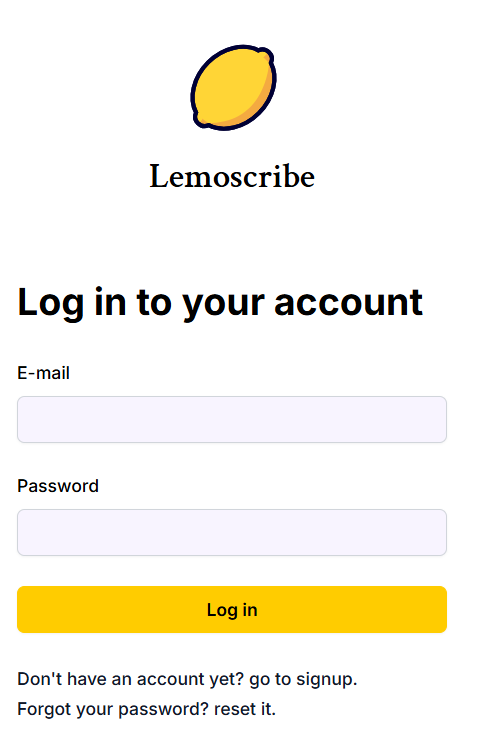
1. Sign in to the Lemoscribe platform using the login details sent to your email.
2. You'll land on the Lemoscribe home page. From the top bar, book a slot for an introductory call about the app.

3. From the side menu, click (Products), then click (Update products).
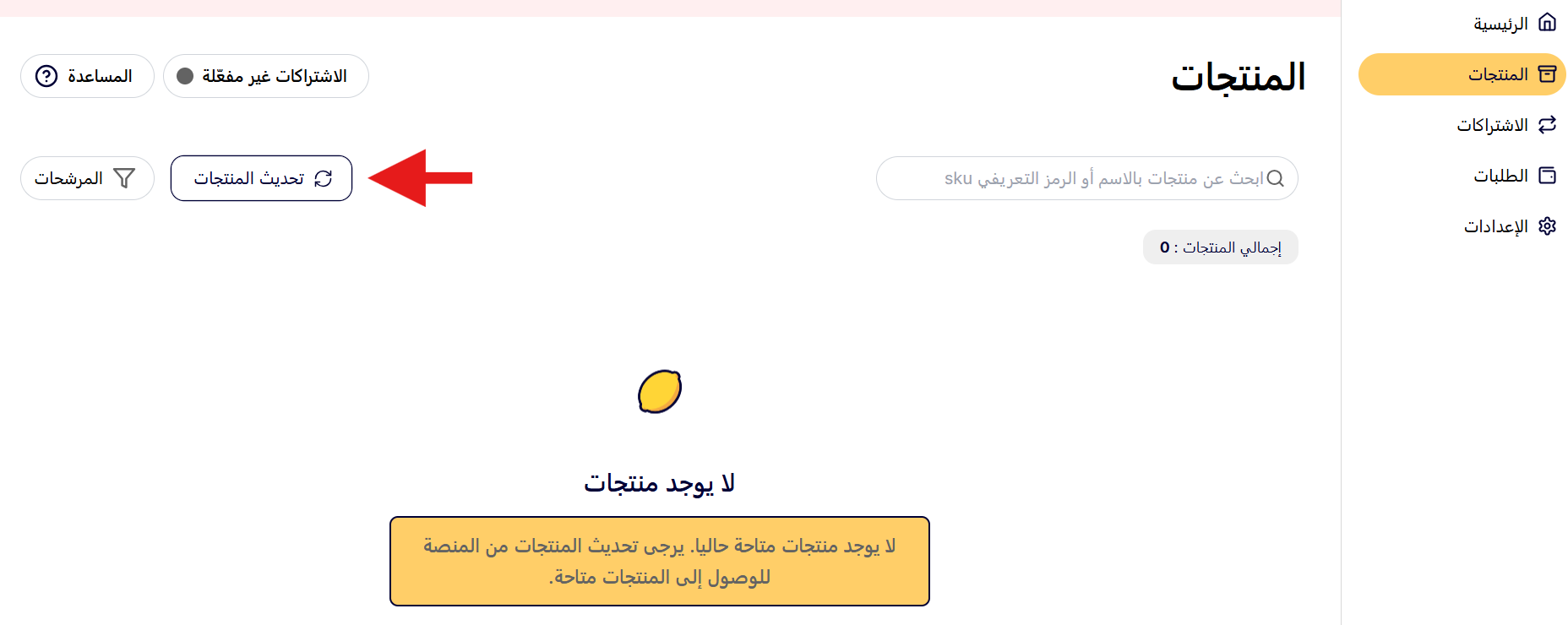
Your store products then appear automatically inside Lemoscribe.
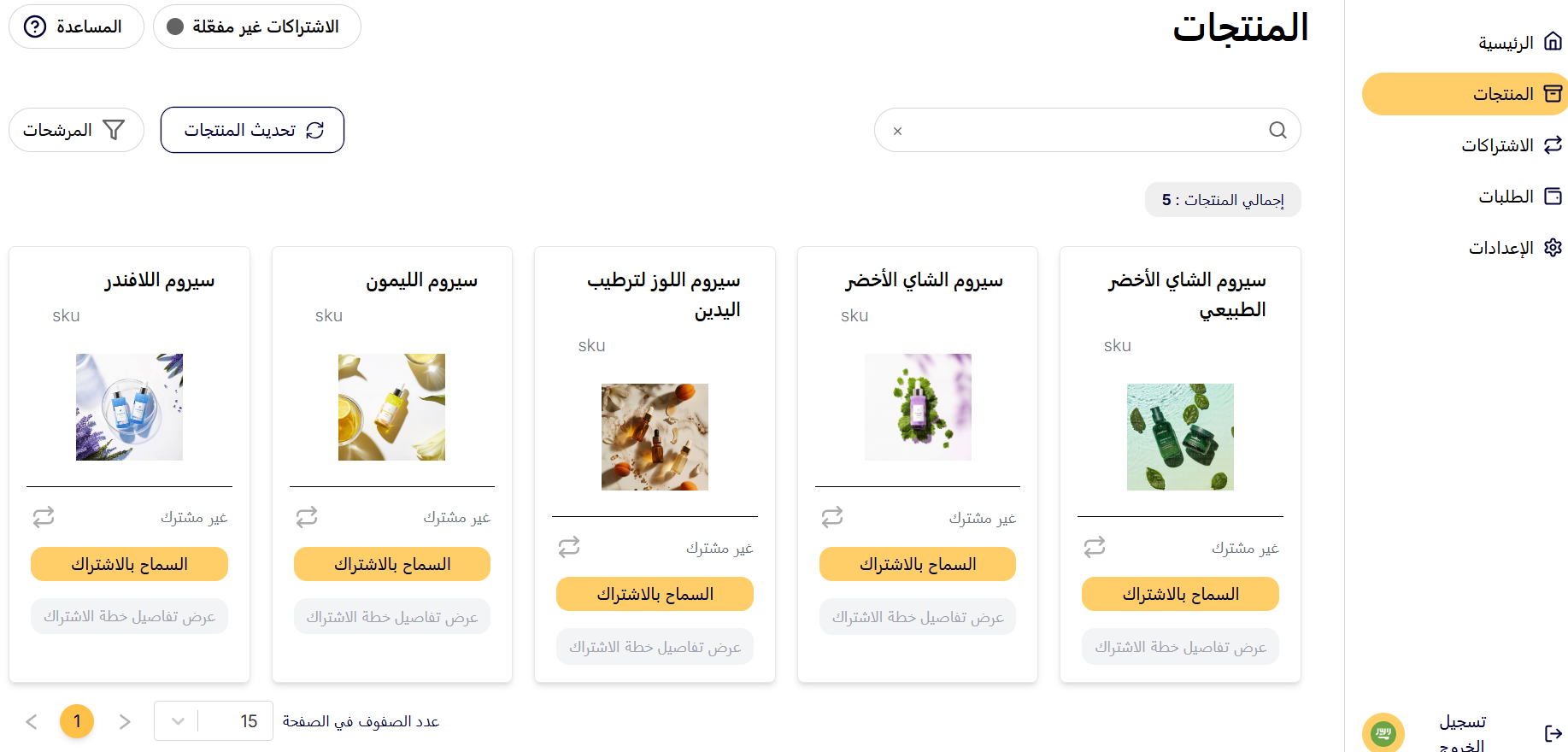
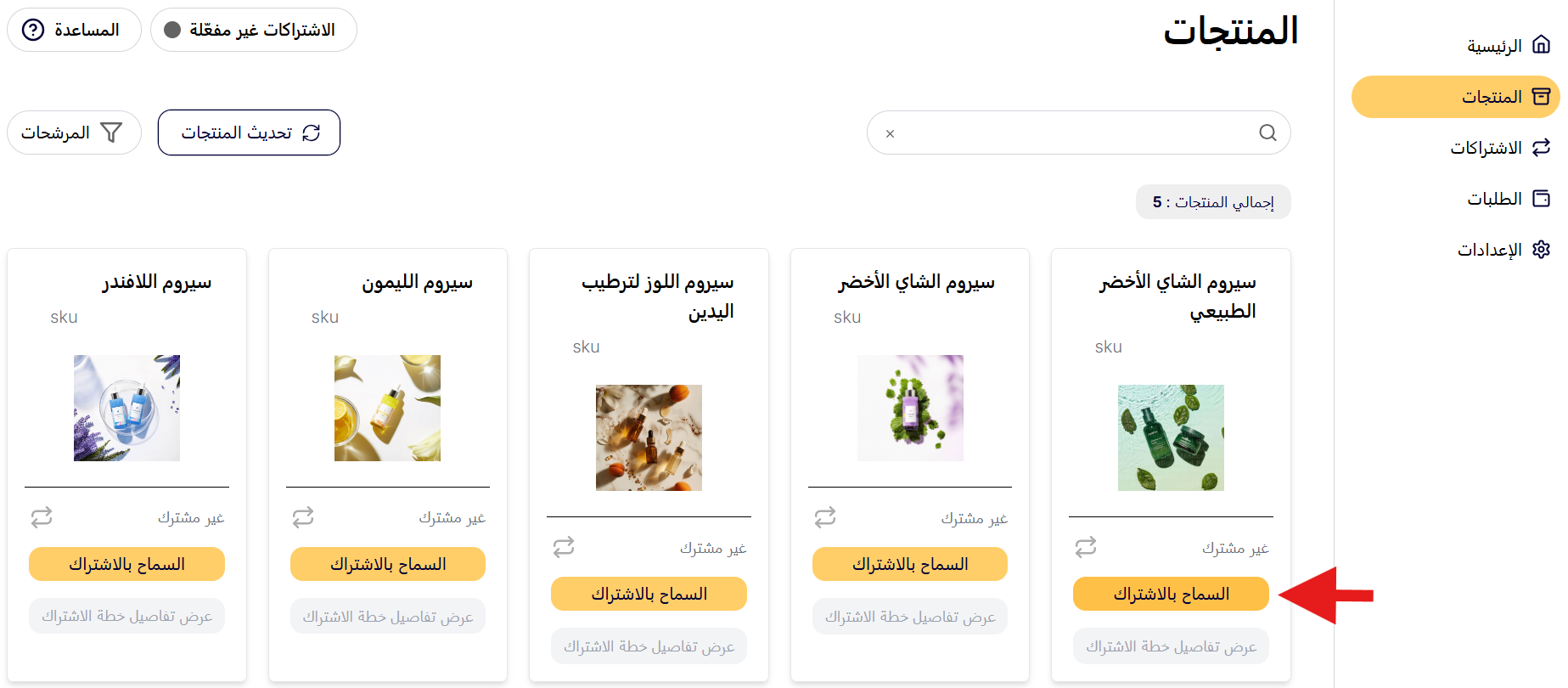
Turn a product into a subscription
1. In the Products section of Lemoscribe, click (Allow subscription) on the product you want to open for subscribers.
2. Set up the subscription plan the way you want it, then click (Create subscription).
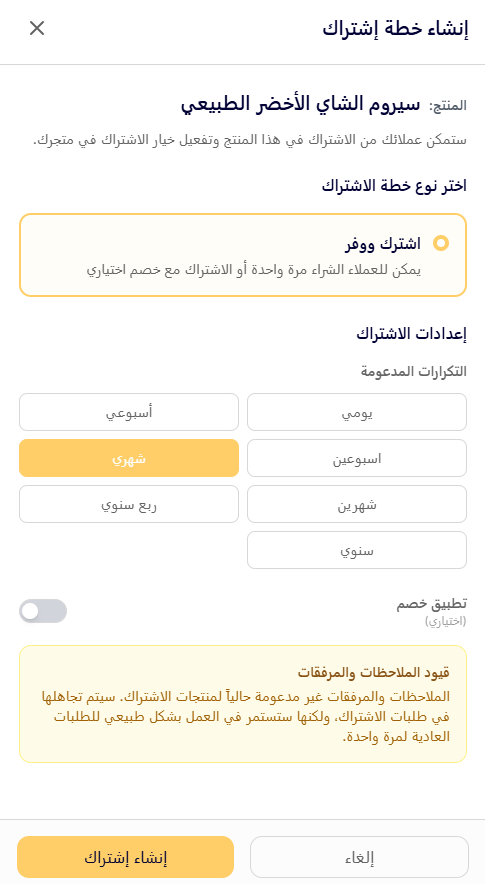
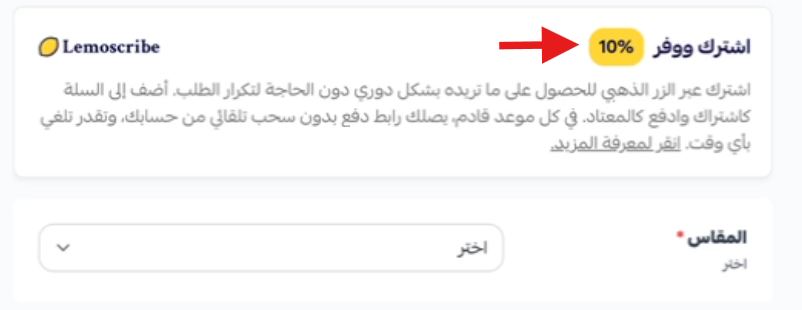
You can also switch on a subscriber discount and set the discount percentage.
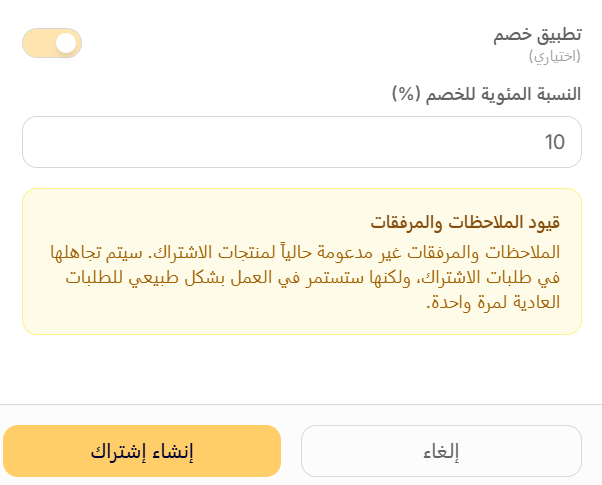
The subscription plan is now live.
Here is how the discount appears on the product page in your store:
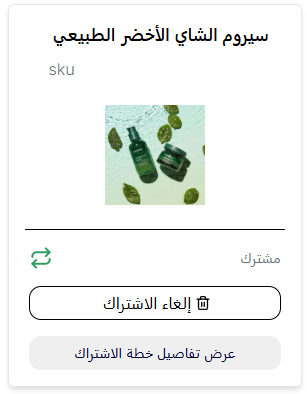
From the same place you can cancel the subscription or view the plan details.
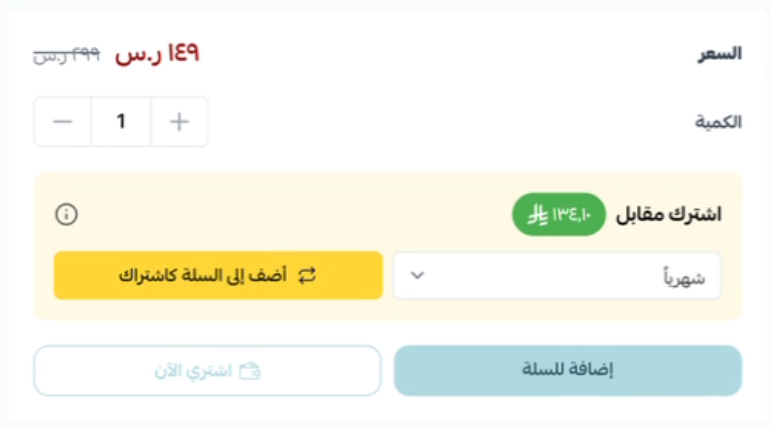
And this is how the subscription details look in your store:
Enable payment methods
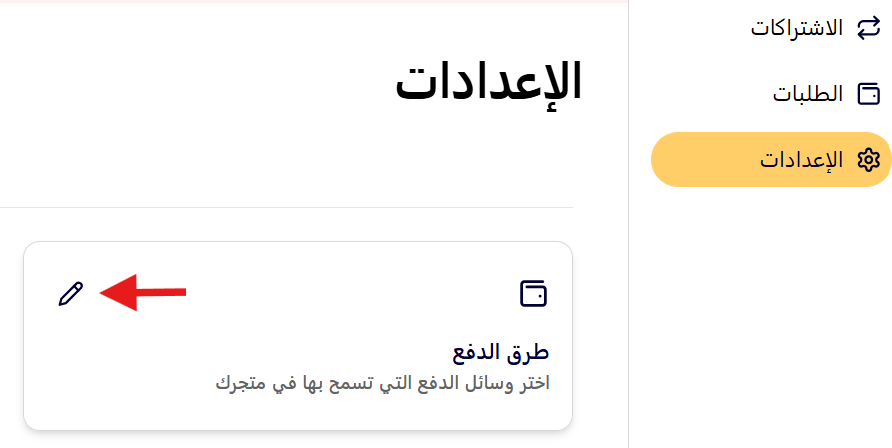
1. From the Lemoscribe side menu, click (Settings), then click ( ).
).
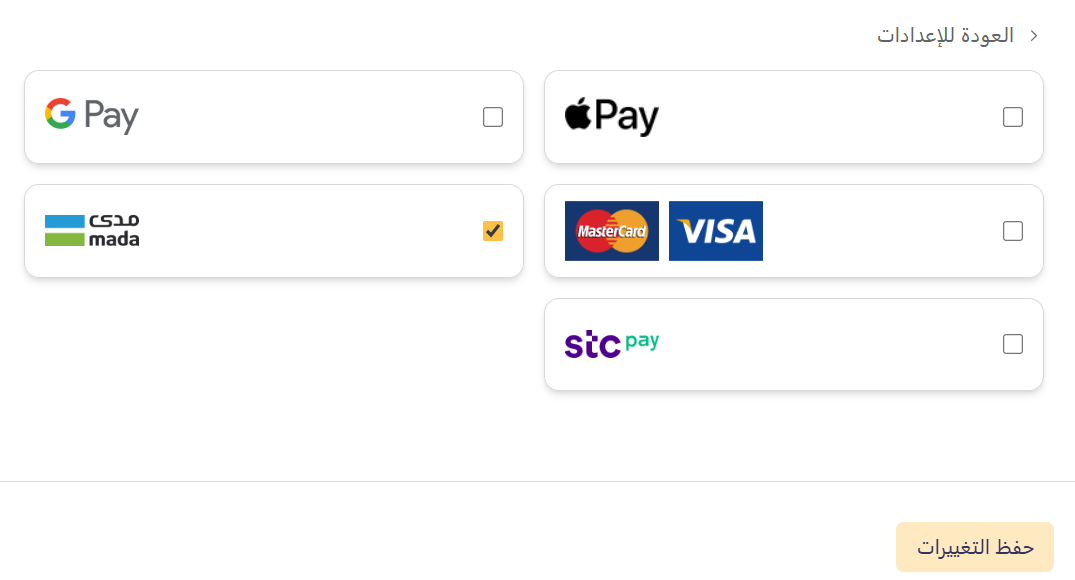
2. Switch on the payment methods so they match the ones already active in your store, then click (Save changes).
Track your subscriptions
1. From the side menu, click (Subscriptions). You'll see a list of the subscribed products with quantity, renewal frequency, subscription status, and more.
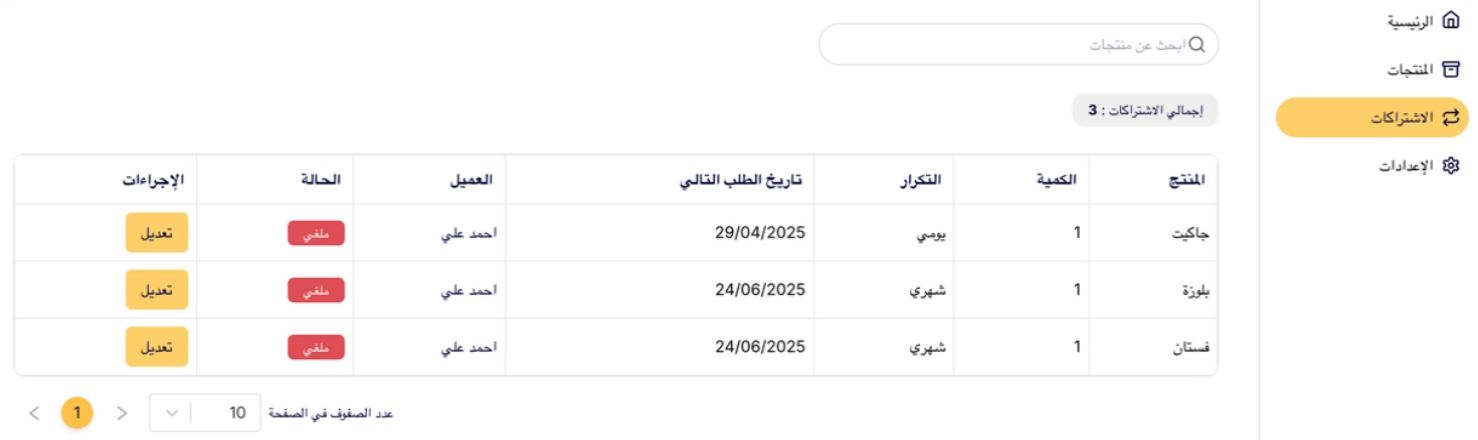
2. To change a subscription on a customer's request, click (Edit).
Customers can also update their own subscription details through the subscriber portal on the Lemoscribe platform.

3. Edit the details, then click (Save changes).

Remove the app
From the Lemoscribe app page in your store dashboard, click ( ), then click (Delete app).

📝 Important notes
- Payment methods are configured separately inside Lemoscribe. If they don't match what's active in your store, renewals can fail.
- Products only appear in Lemoscribe after you run (Update products), so re-sync whenever you add new items.
❓ Frequently asked questions
Do I need any technical skills to use Lemoscribe?
No. The app connects to your store directly, with no code and no manual setup.
Can customers change or cancel a subscription themselves?
Yes. Subscribers manage their own plans from the subscriber portal, and you can also edit any subscription from the Subscriptions page in Lemoscribe.
How do customers pay for a renewal?
Lemoscribe creates the order automatically and sends the customer a payment link before each renewal date.
Can I reward customers for staying subscribed?
Yes. When you build a plan, switch on the subscriber discount and set the percentage you want to offer.
Which products work best as subscriptions?
Anything customers reorder on a rhythm — coffee and tea, supplements and vitamins, beauty tools, health and personal care, baby essentials, and pet care.
For more details, visit the Lemoscribe app website.