Do you want to track your store's performance, understand your customers' behavior more accurately, and identify traffic sources and the most interactive pages?
Now you can integrate your store with Google Analytics and benefit from detailed reports and statistics that help you make data-driven decisions and continuously improve your store's performance.
📌 Article overview
- About Google Analytics
- Steps to integrate Google Analytics with your store
- Managing the integration with Google Analytics
- Frequently asked questions
About Google Analytics
Google Analytics is an analytics tool provided by Google that helps e-commerce store owners track their website performance and analyze visitor behavior by collecting data and displaying it in detailed reports that help understand store performance and improve customer experience.
The tool gives you a clearer view of traffic sources and customer interactions with store pages, helping you develop marketing strategies and increase conversion rates.
What does Google Analytics offer?
✨ Know the number of store visitors.
📊 Track the number of new and returning customers.
📈 Identify the most visited pages within the store.
⏱️ Measure the average time a visitor spends on the site.
🔍 Analyze traffic sources and keywords.
📣 Identify visits coming from search engines or advertising campaigns.
🎯 Continuously monitor performance indicators and conversions.
Steps to integrate Google Analytics with your store
The integration goes through two main phases:
1- Create an account and data source on Google Analytics.
2- Install the Google Analytics app and link it to your store.
🔔 You can watch a video on how to link Google Analytics to your online store
Phase one: Create an account on Google Analytics
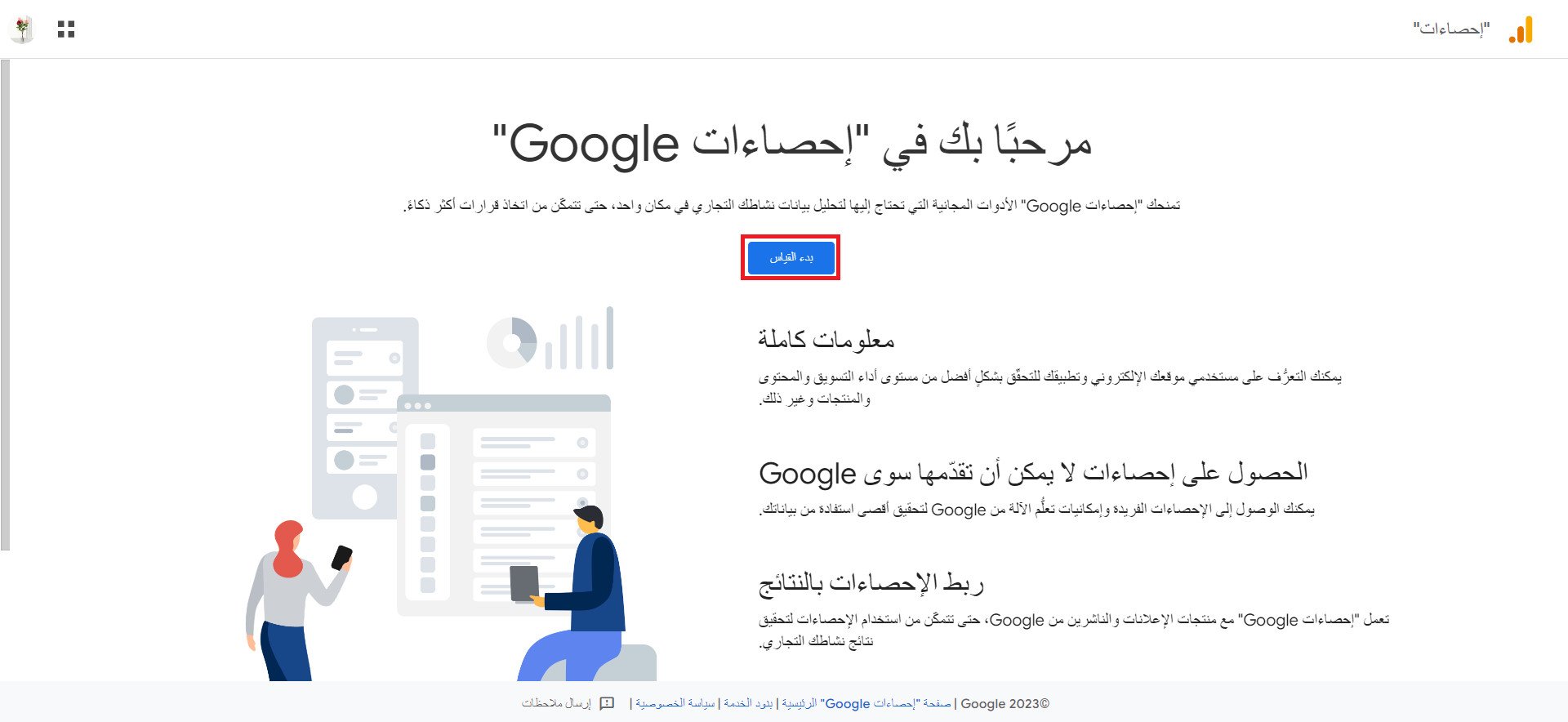
1. Log in to Google Analytics using your Google account, then click (Start Measuring) and create a new account.
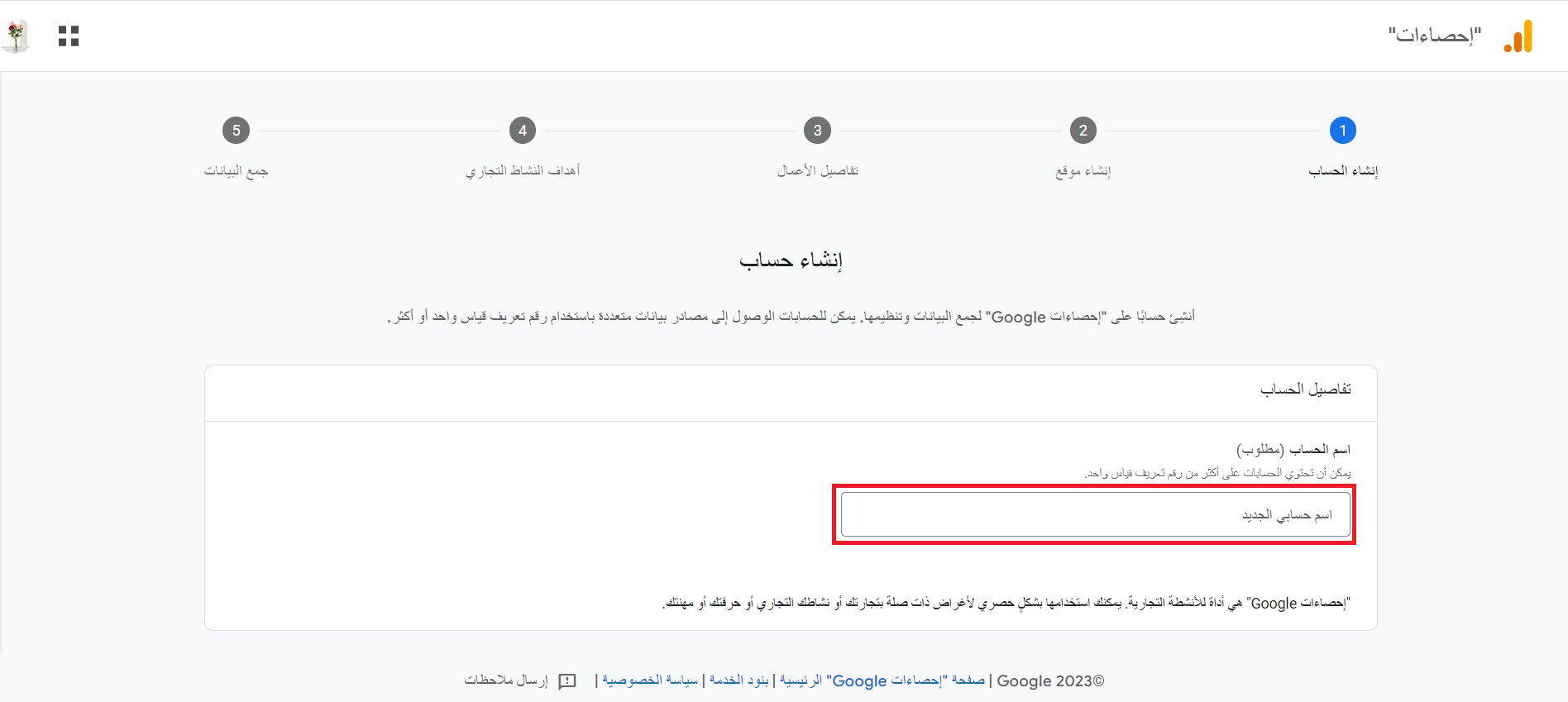
2. Enter the account name, and accounts can have more than one tracking ID, then click (Next).
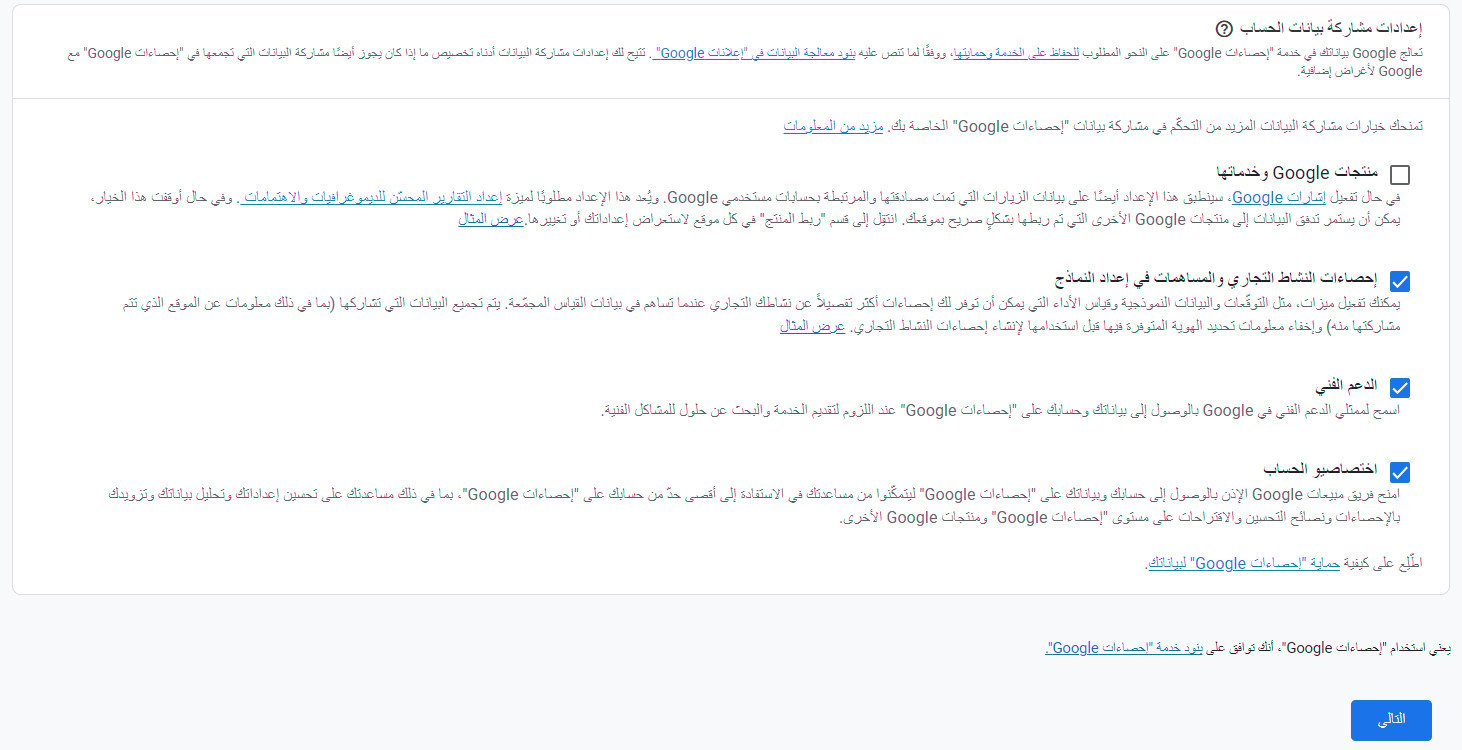
3. Choose data sharing settings (Google products and services, benchmarking, technical support, account specialists), then click (Next).
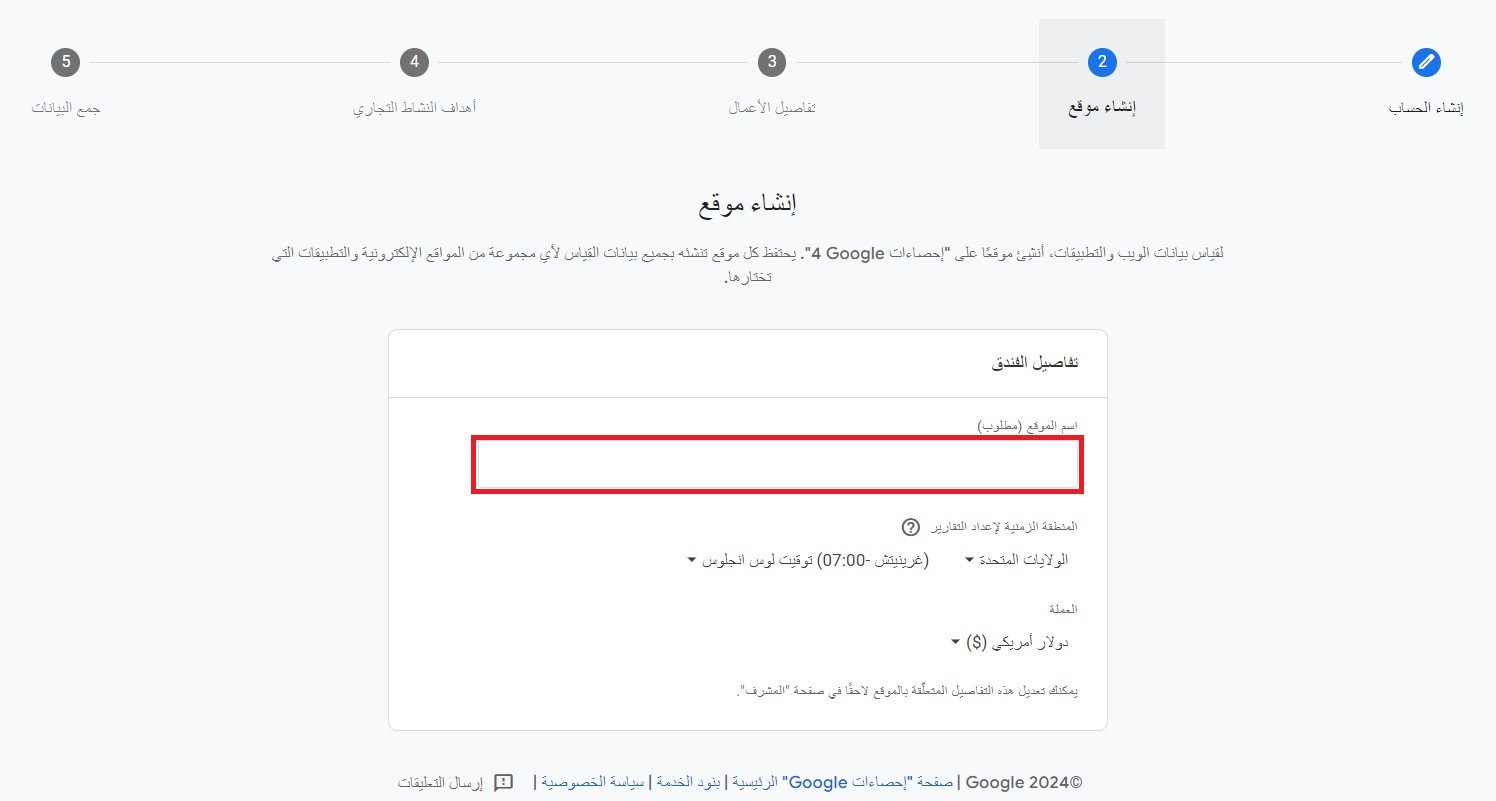
4. Enter the website name, select the currency, and time zone, then click (Next).
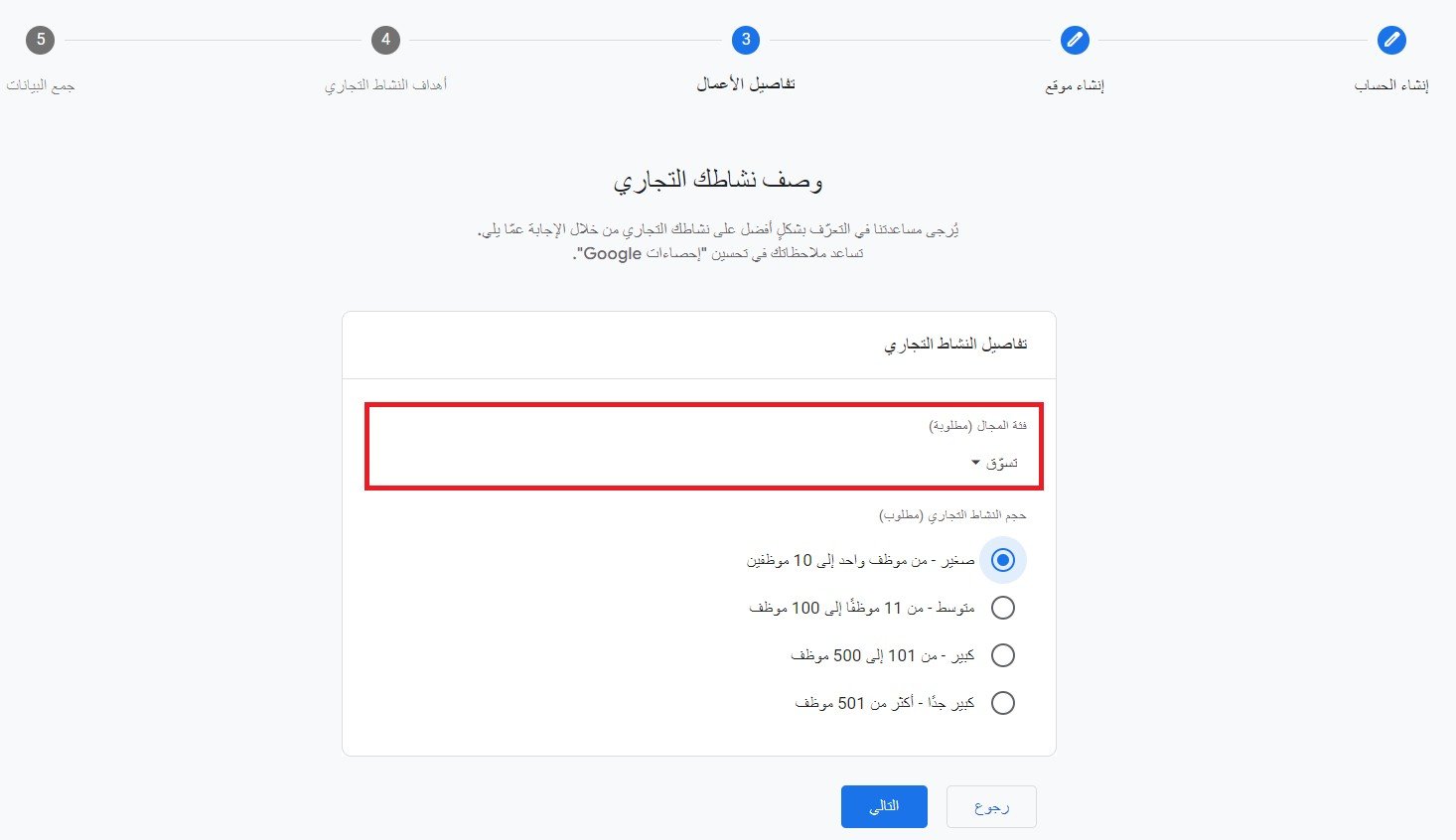
5. Enter your business information, then select your business category and size, then click (Next).
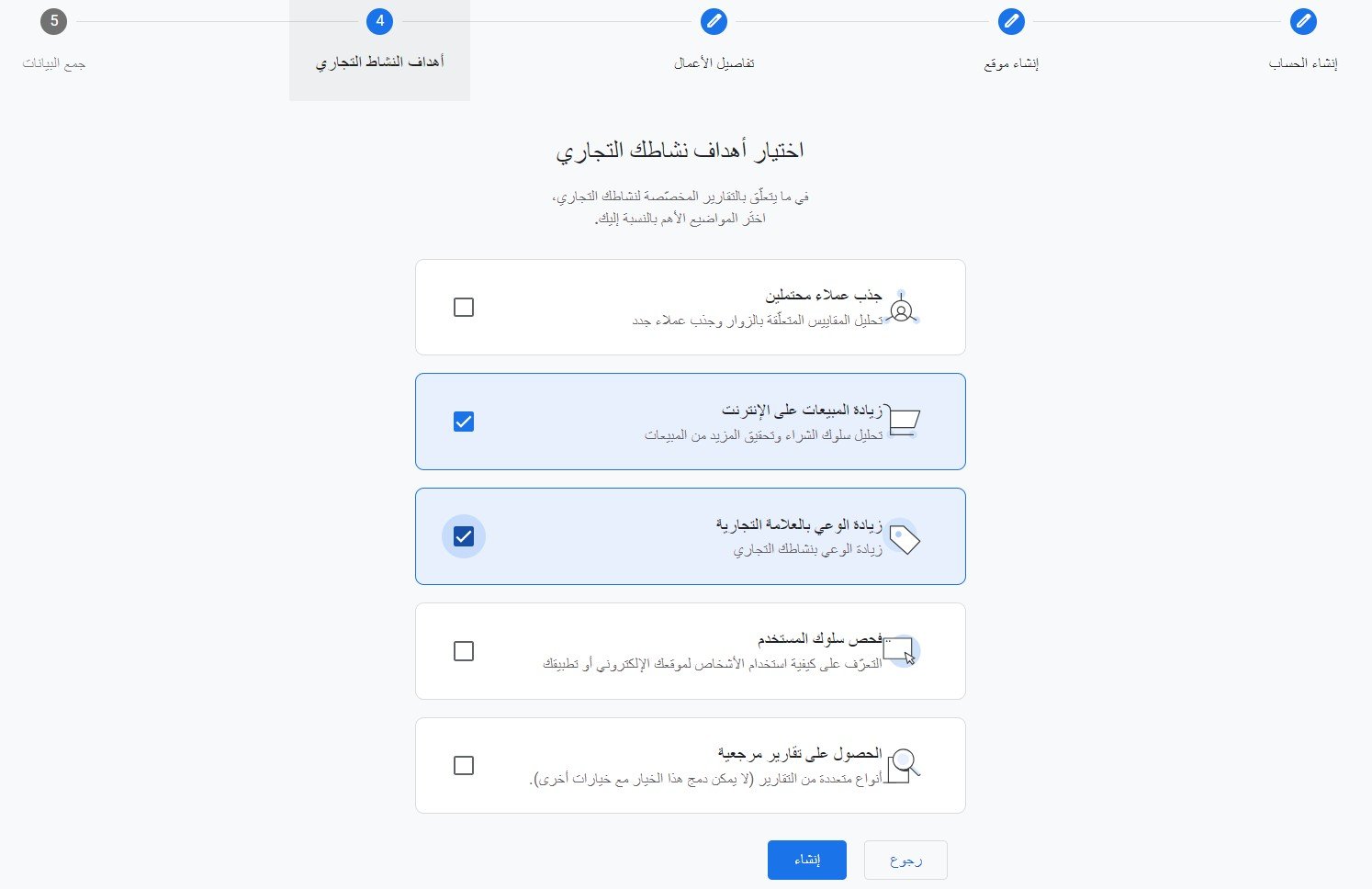
6. Select your business objectives, then click (Create).
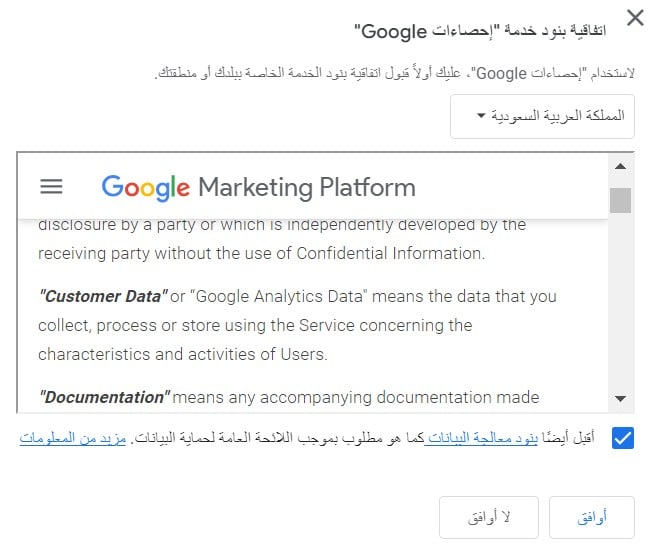
7. Agree to Google's terms and conditions.
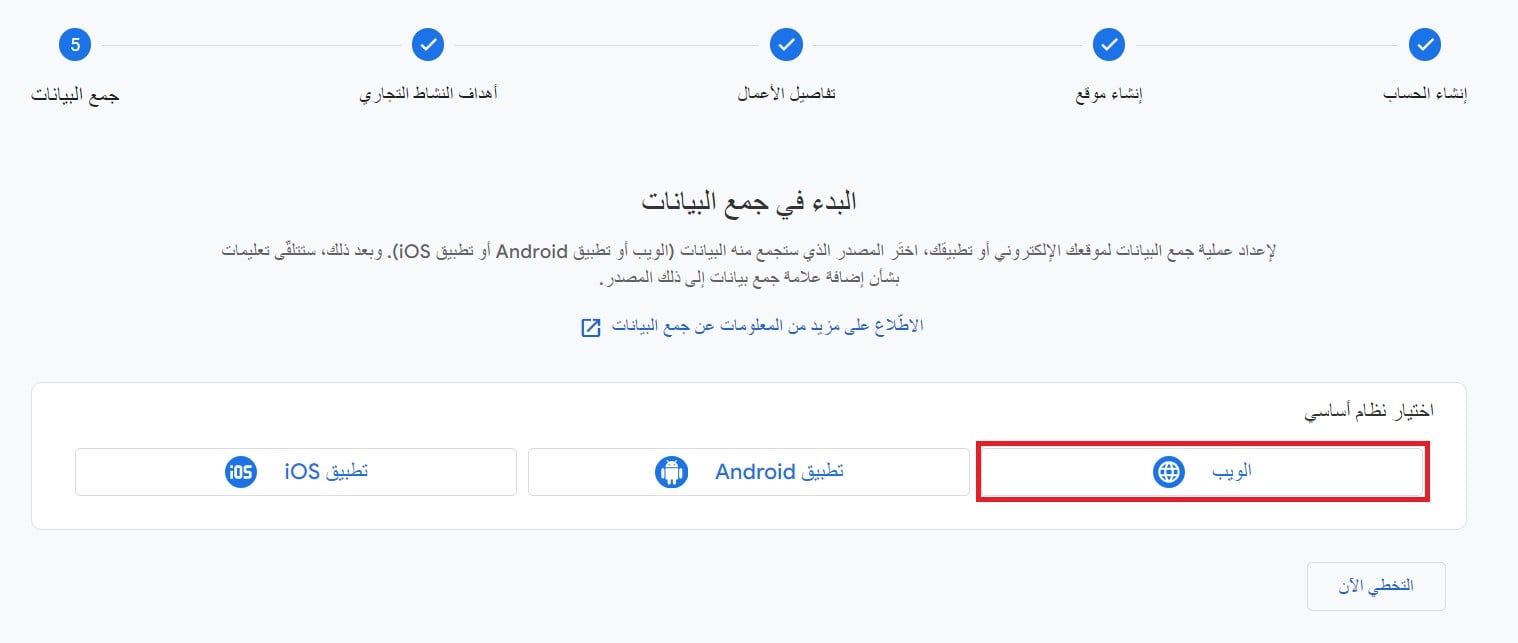
8. Create a new data source by selecting (Web).
9. Enter your store's domain without (https://), and the store name, then click (Create Data Source).
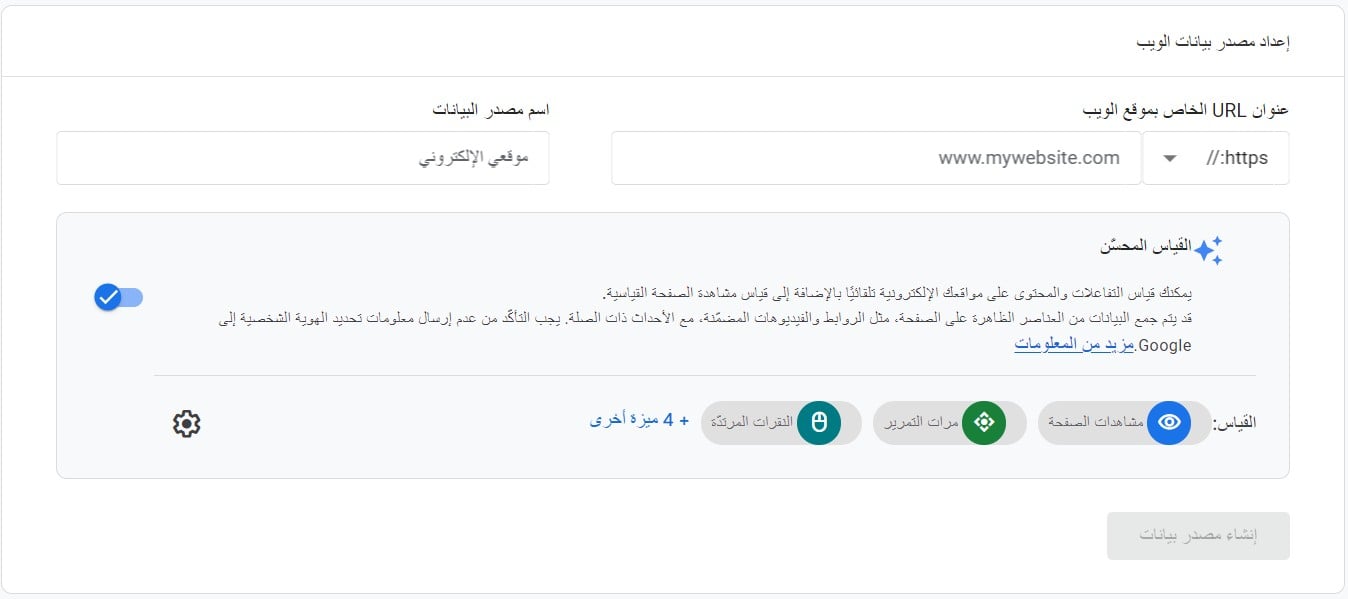
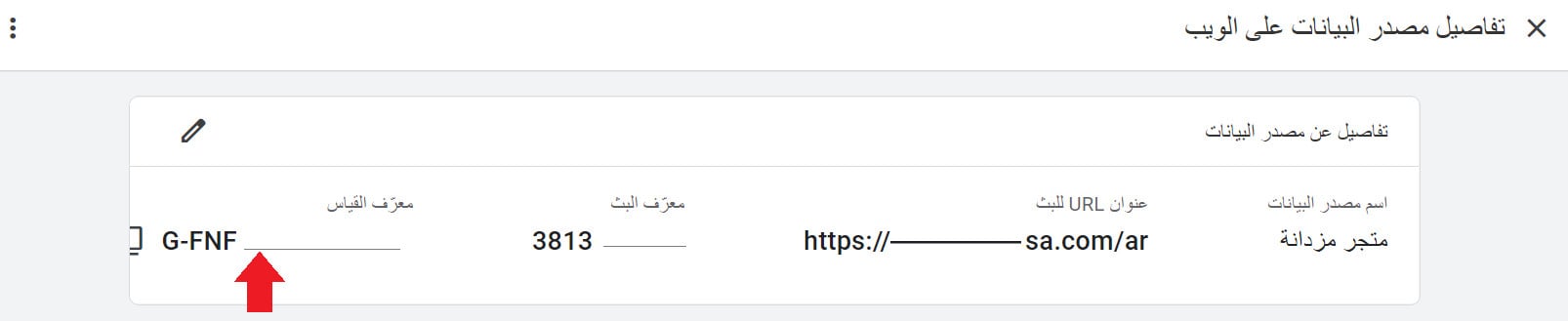
🎉 A new data source for your store has been successfully created. Save the Measurement ID for use during the integration process.
Note:
When using the GA4 version, the Measurement ID usually starts with the format (G-XXXXXXX).
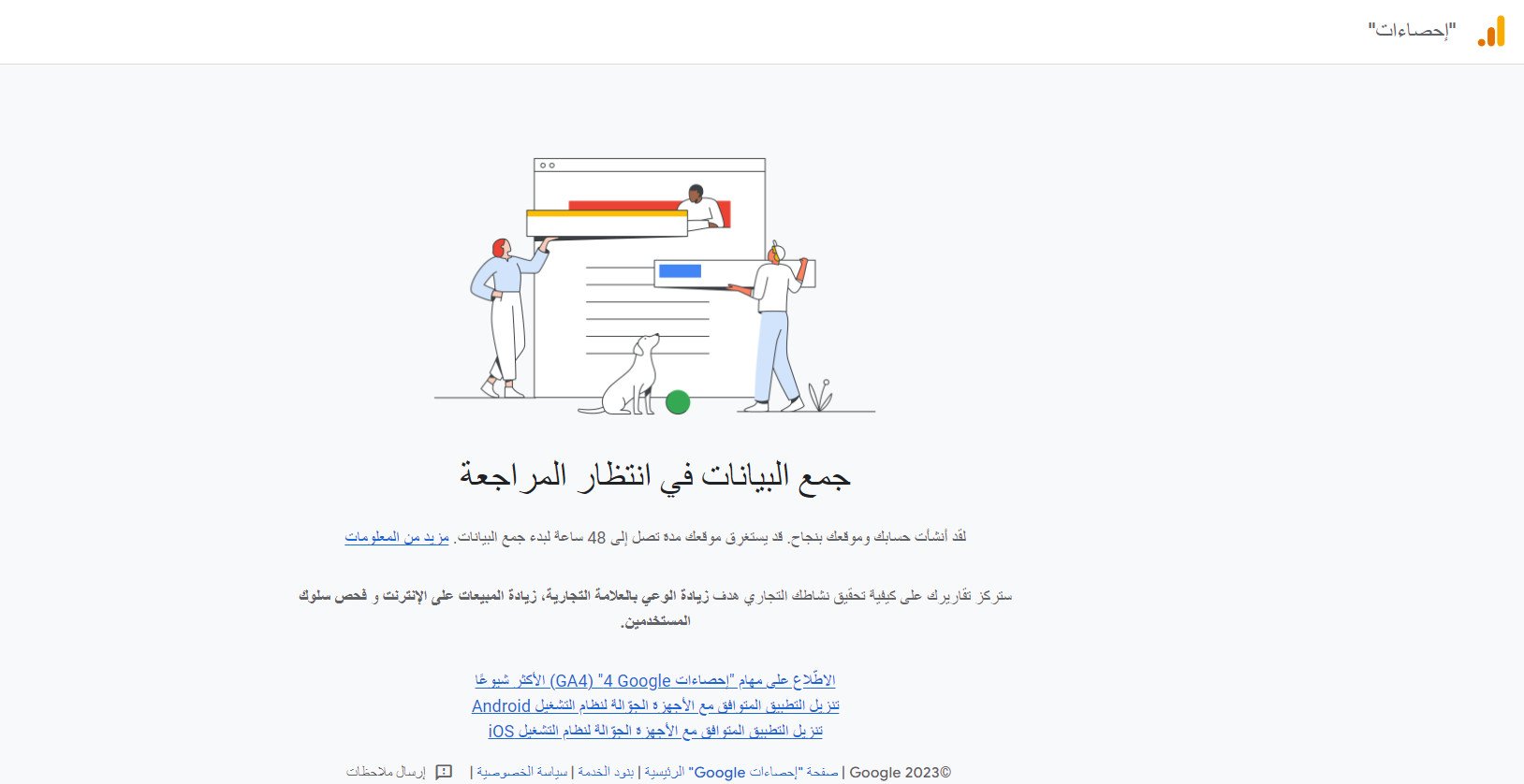
🔔 It may take up to 48 hours for data to start appearing in Google Analytics.
Phase two: Install the Google Analytics app
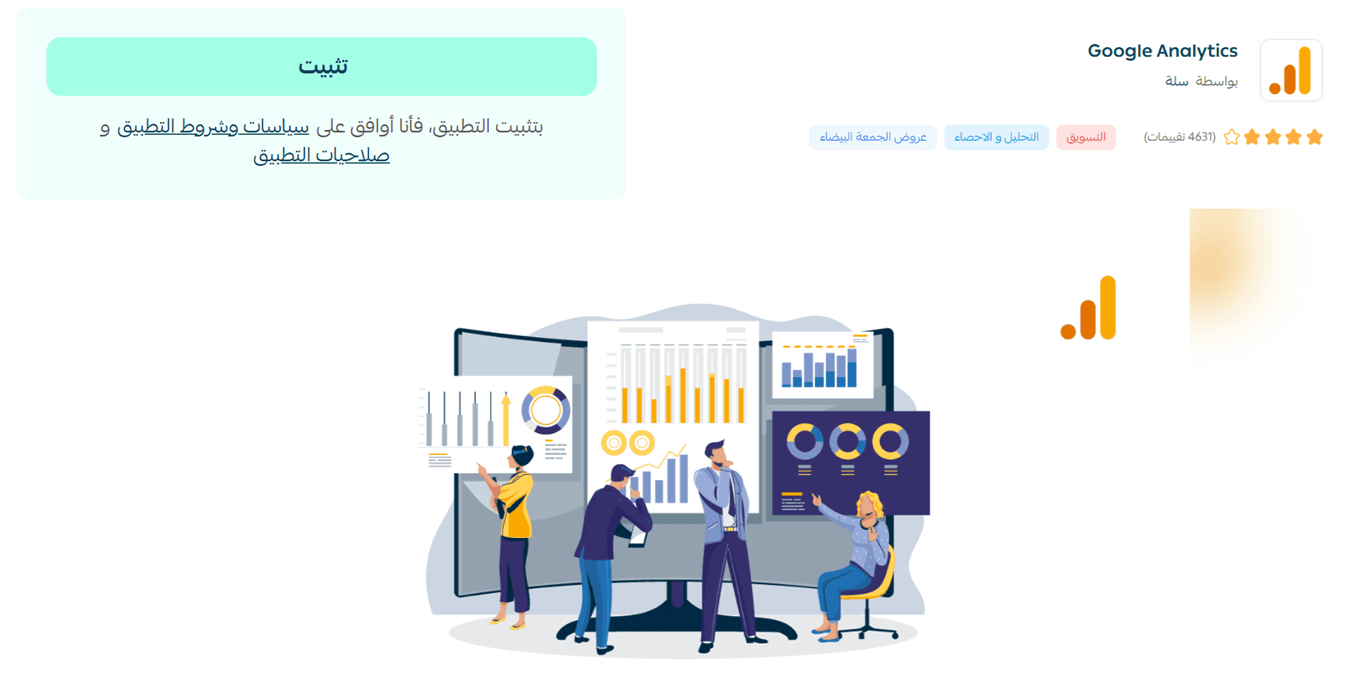
1. From the (All) tab in the main menu, click (App Store).
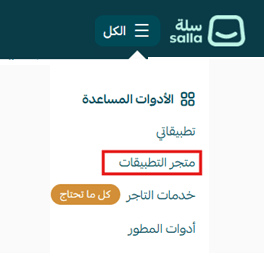
2. Search for the (Google Analytics) app, then click (Install).
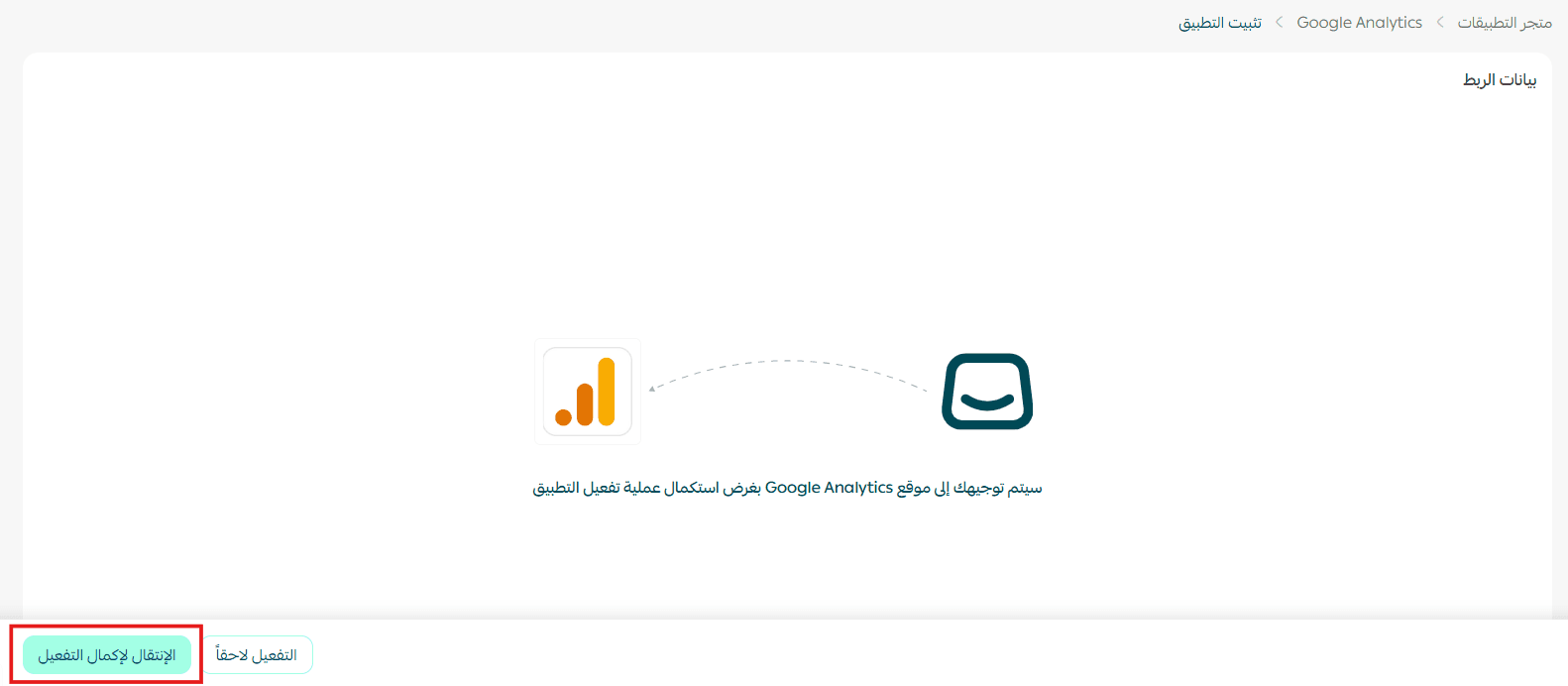
3. Click (Proceed to Complete Activation).
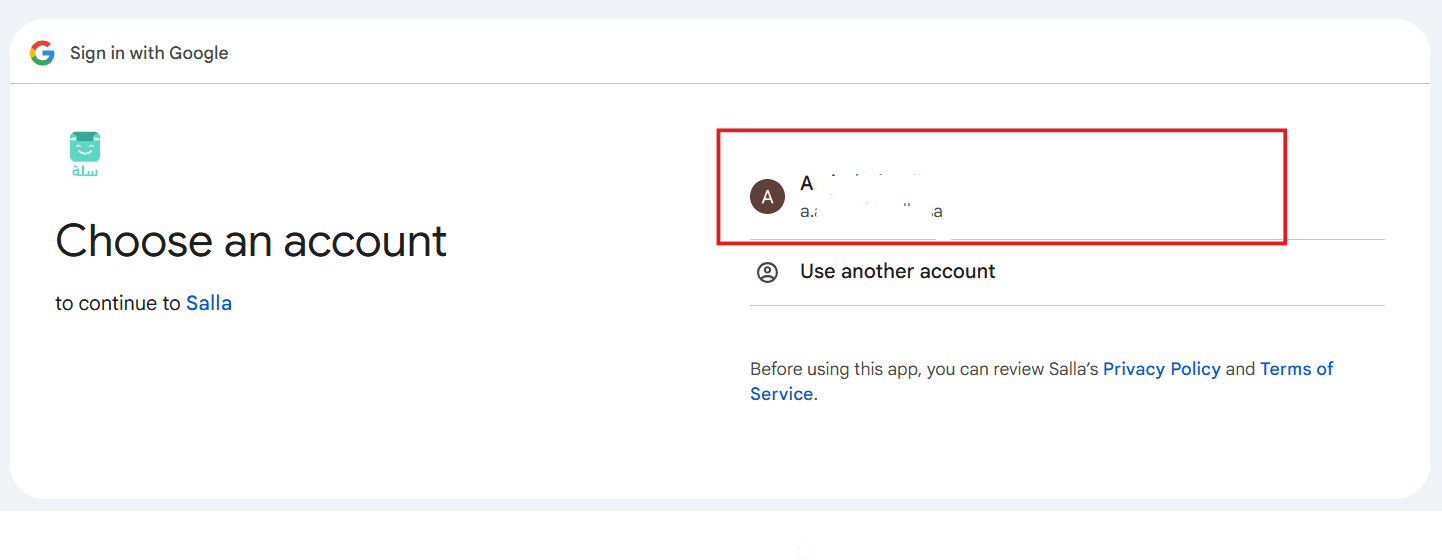
4. Choose your Google account registered with Google Analytics.
5. Click (Continue) to proceed.
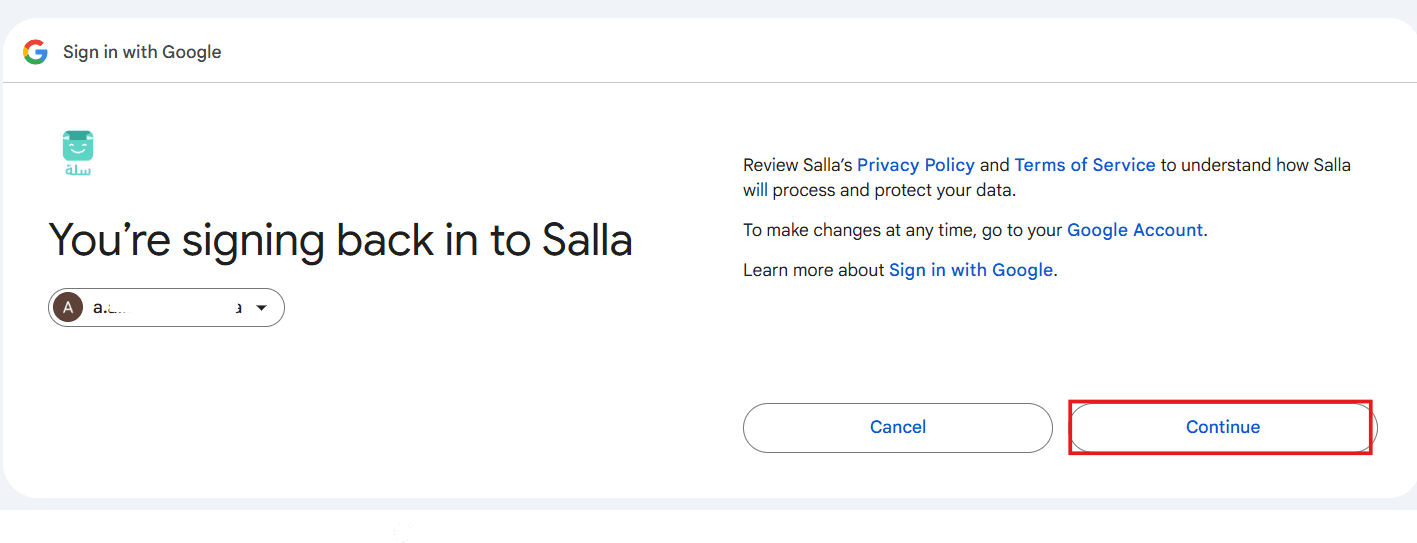
6. Click (Allow) to complete the integration.
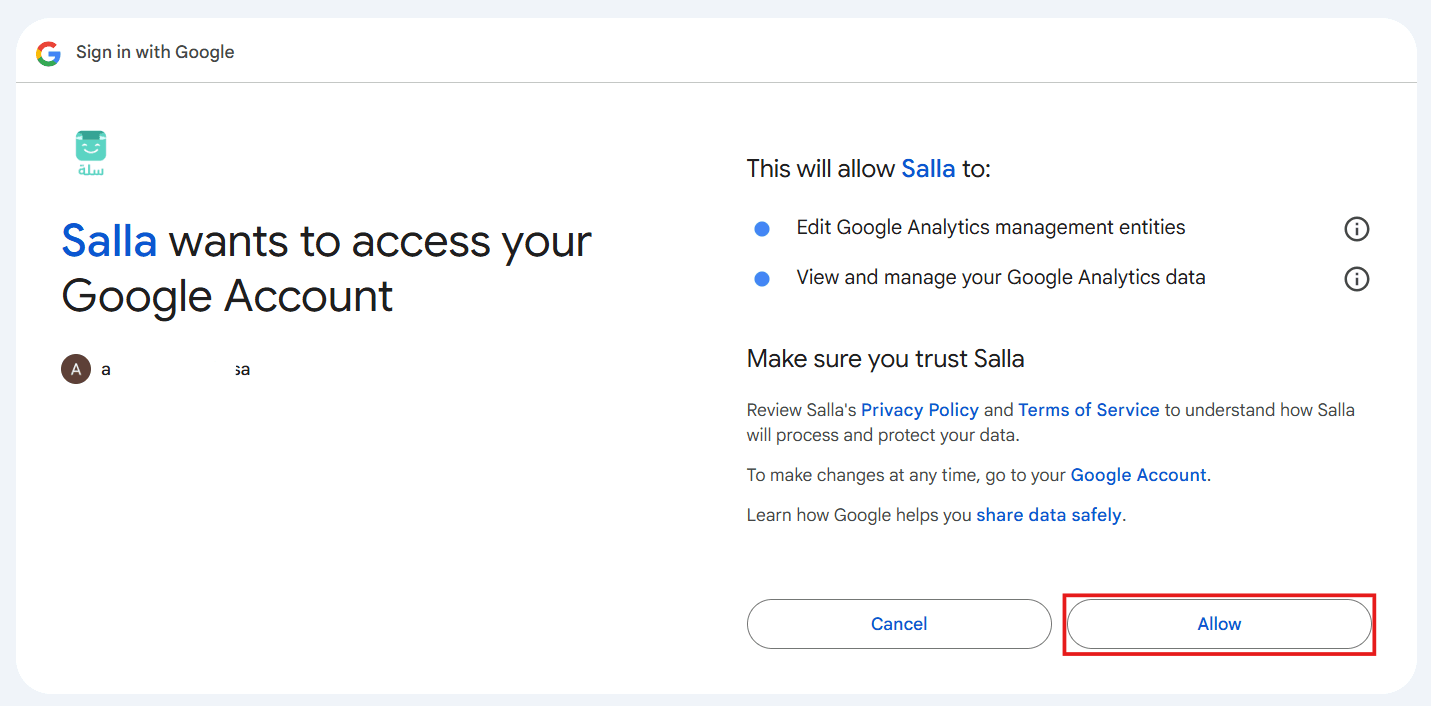
7. Choose your store's data source from the available list to match the Measurement ID in phase one.
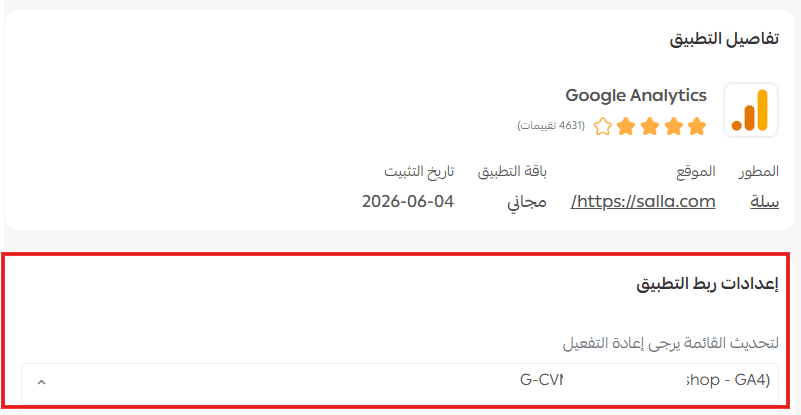
🎉 Your store has been successfully integrated with Google Analytics, and data will start appearing in your account once traffic begins to be collected.
Frequently asked questions
❓ What does the homepage in Google Analytics display?
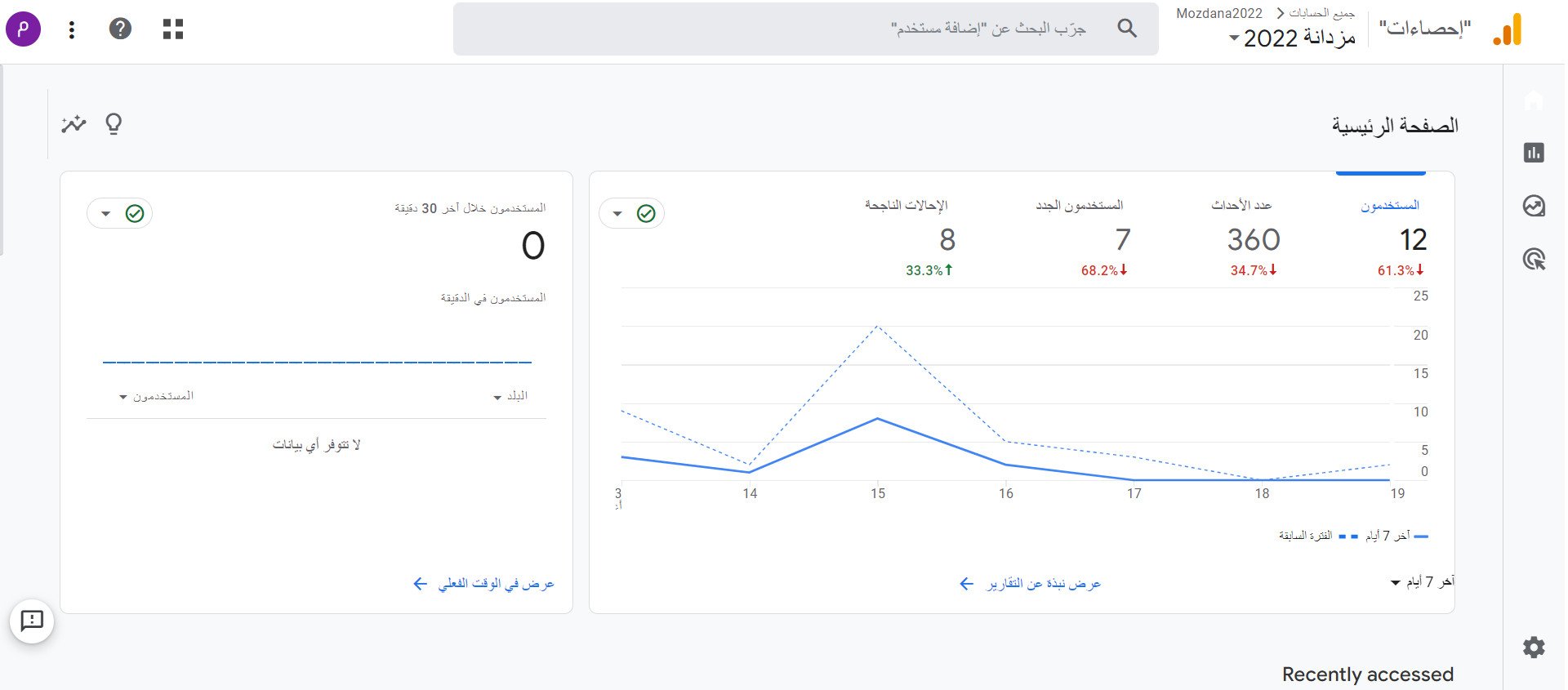
The homepage displays a set of important indicators such as:
- Number of visitors.
- Number of sessions.
- Traffic sources.
- Conversion rate.
- Revenue.
- Most active pages.
- Number of users currently in the store.
❓ When will data start appearing in Google Analytics?
It may take up to 48 hours for data to be collected and displayed in the reports after completing the integration process.
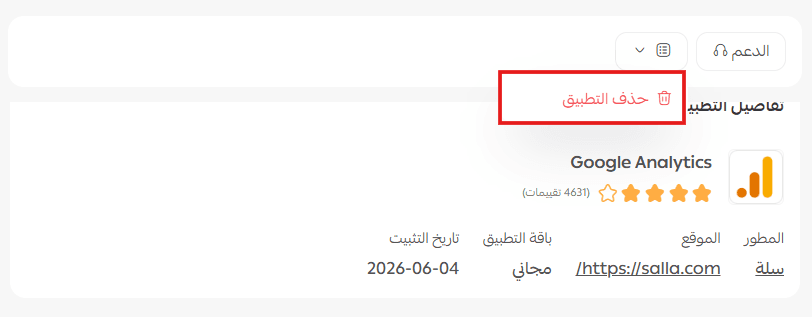
❓ Can I unlink the store from Google Analytics?
Yes, you can unlink at any time by deleting the Google Analytics app in your store.
💪 Start analyzing your store's performance and make more accurate data-driven decisions!
Integrate your store with Google Analytics and benefit from detailed reports that help you understand your customers, improve the shopping experience, and increase growth and success opportunities. 🚀