The Imtiaz Theme fully supports multiple languages and introduces new elements that enhance your store’s professionalism, such as animated image galleries, daily deals, a blog, FAQs, and statistics plus many other additional tools and features.
📌 Article overview
- Steps to install the Imtiaz Theme on your store
- New elements added to the Imtiaz Theme
- Header and footer features in the Imtiaz Theme
- Design customization options
- Key features of the Imtiaz Theme
Steps to install the Imtiaz Theme on your store
- From the main menu, click (Store & Channels), then select (Theme Store)
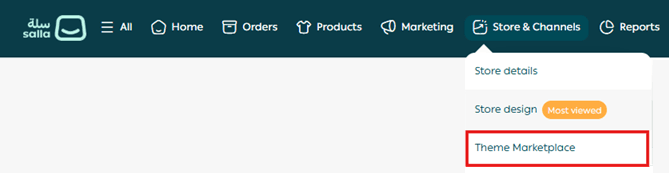
2. From the Store Design page, search for Imtiaz Theme, then click on it from the results

3. On the theme details page, click (Purchase) and complete the payment process
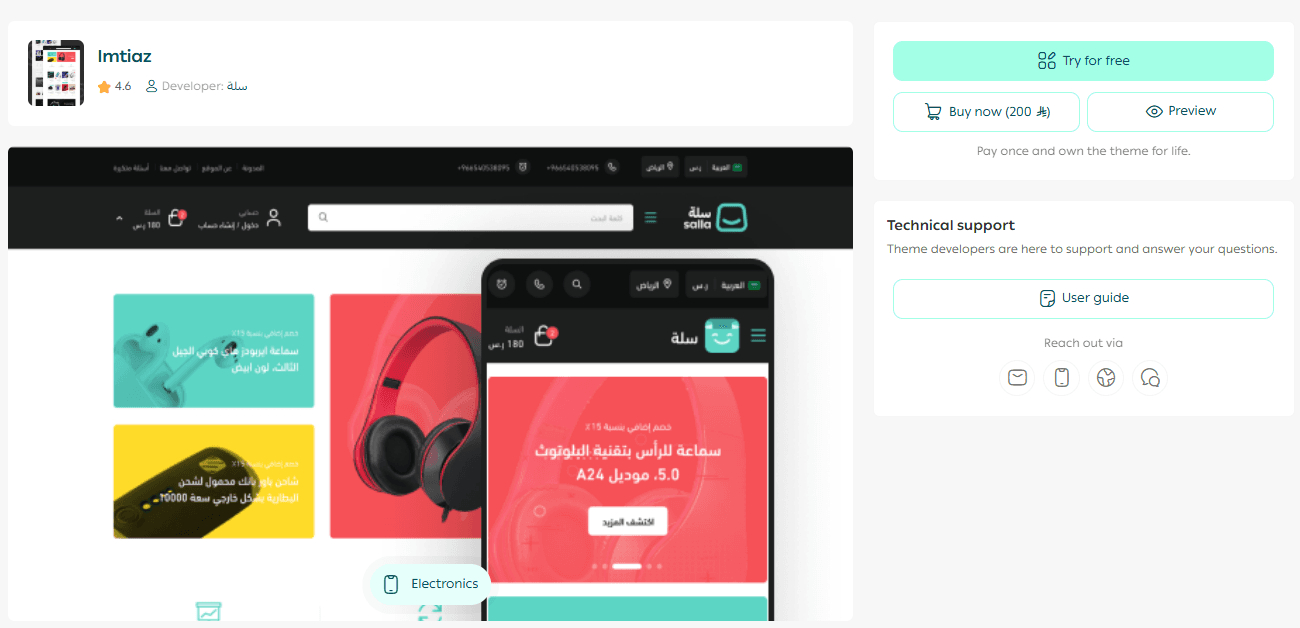
4. After installing the theme, go to the Store Design page, click on Imtiaz Theme, then select (+ New Version)
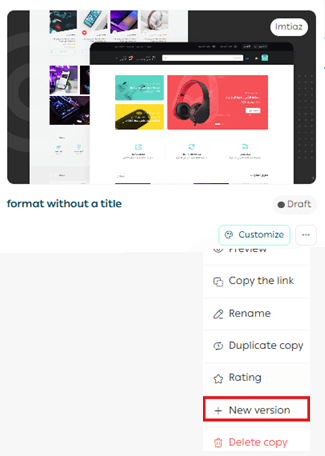
You can then customize the theme copy according to your preferences.
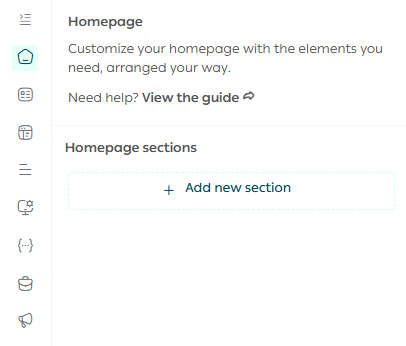
You can also preview how your store will look after applying the theme from the customization page.
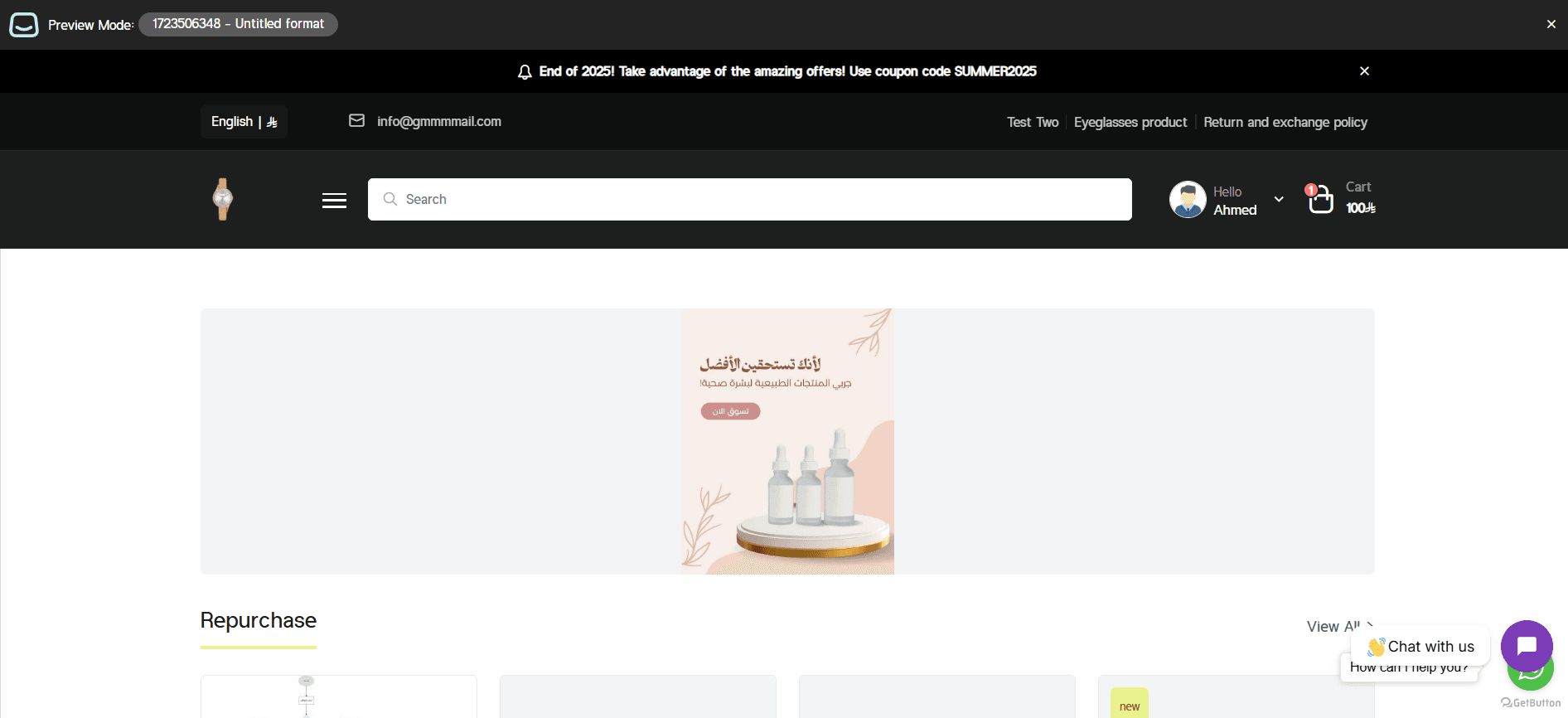
Preview a store using the Imtiaz Theme
Make your store more attractive and professional, and provide a seamless shopping experience that increases customer loyalty and sales. Learn how to:
- Manage theme versions and schedule activation
- Customize and manage theme design
New elements added to the Imtiaz Theme
The theme includes a set of new elements designed to enhance performance and speed.
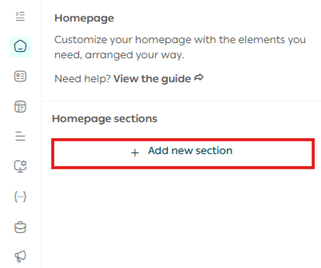
To add these elements to your store, go to the Imtiaz Theme customization page and click (Page Elements).
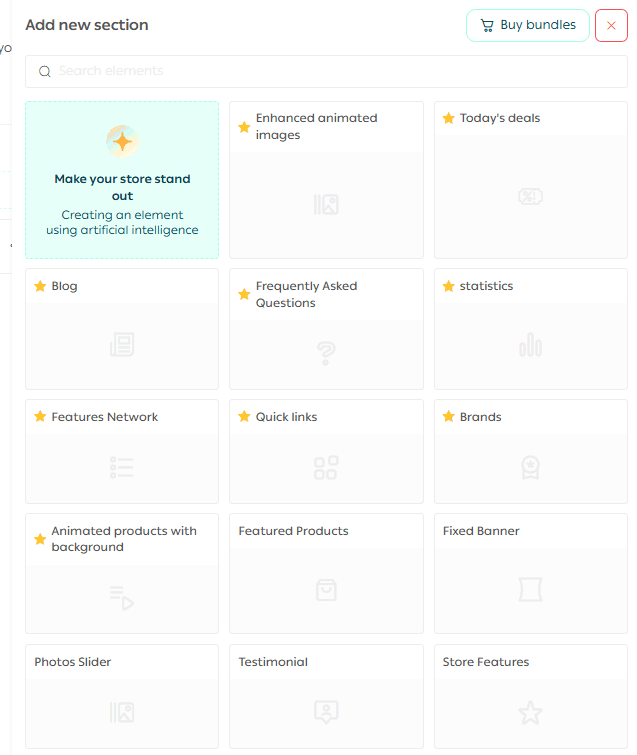
A list of available elements will appear for you to add to your store.
Note: New theme-specific elements are marked with a ⭐ symbol.
Make your store’s homepage more engaging and professional, and deliver a smoother shopping experience that increases successful order completion. Discover how to customize each element easily.
Header and footer features in the Imtiaz Theme
- The main navigation supports a mega menu (displaying sub-links and specific products in a dropdown)
- Ability to display a newsletter subscription section in the footer
- Ability to display a map in the footer
Design customization options
Theme design settings
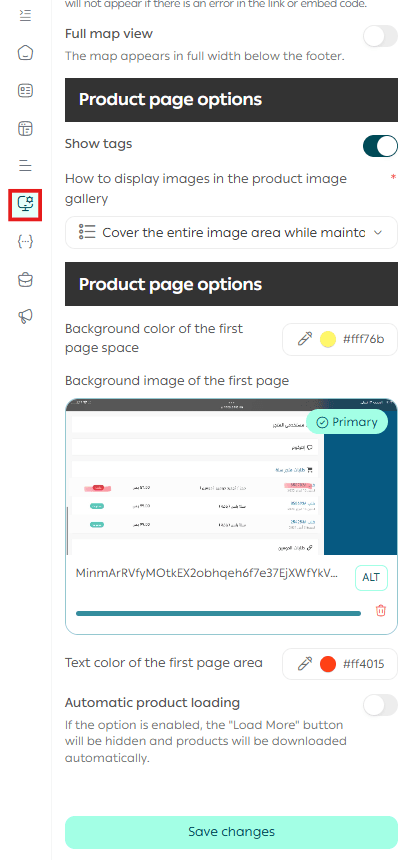
From the (Design Options) menu, you can customize the product listing page (such as categories, tags, discounts, etc.) by:
- Adding a distinctive background to the top section of the page
- Choosing custom background colors
- Setting custom text colors
All through the available theme design settings.
Key features of the Imtiaz Theme
In addition to its professional and flexible design, your store will benefit from:
- A wider product image gallery to better showcase product images
- Full control over how product images are displayed in the gallery
- A fixed bar at the bottom of the product page showing key details (product image, category, name, price, quantity, and add-to-cart button)
- The ability to show or hide product tags
✨ Try the Imtiaz Theme today and give your store a modern interface inspired by Instagram—combining simplicity, flexibility, and high performance, so your store looks professional from the first impression and attracts customers easily.