An Apple ID is a core part of the Apple ecosystem. It’s the personal account that connects you to all Apple services, apps, and devices. In this guide, you’ll learn how to create an Apple ID step by step, understand its importance, and manage your account securely.
What Is an Apple ID?
An Apple ID is a unique account made up of an email address and a password. It allows you to access Apple services safely and seamlessly across devices.
With one Apple ID, you can use:
- App Store
- iCloud
- iMessage
- FaceTime
- Apple Music
- Apple TV
- Online purchases on apple.com
- and more.
How to create an Apple ID
Follow these steps to create your Apple ID:
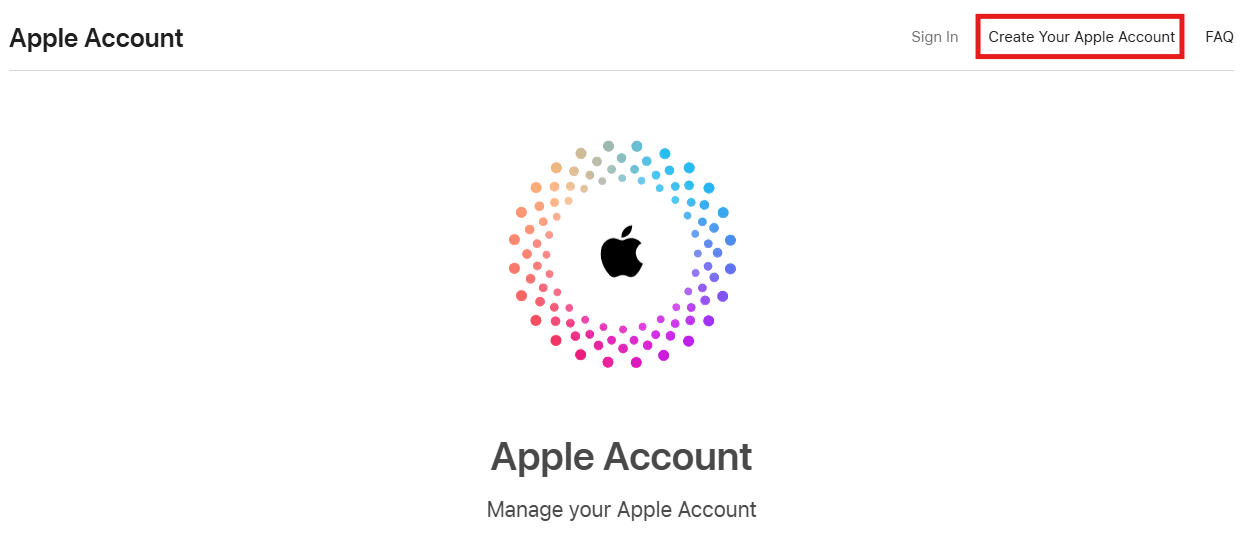
- Visit the Apple ID website
Go to AppleID.com.
2. Sign in or create a new account
If you already have an Apple ID, sign in.
If you don’t have one, click Create your Apple ID.
3. Fill in the registration form
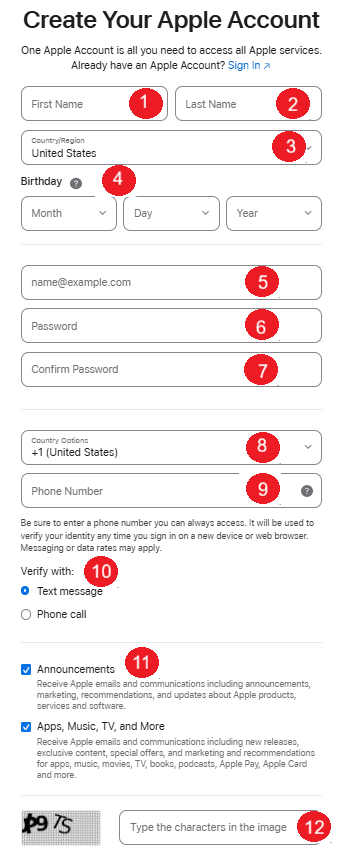
Enter the required information carefully.
4. Verify your identity
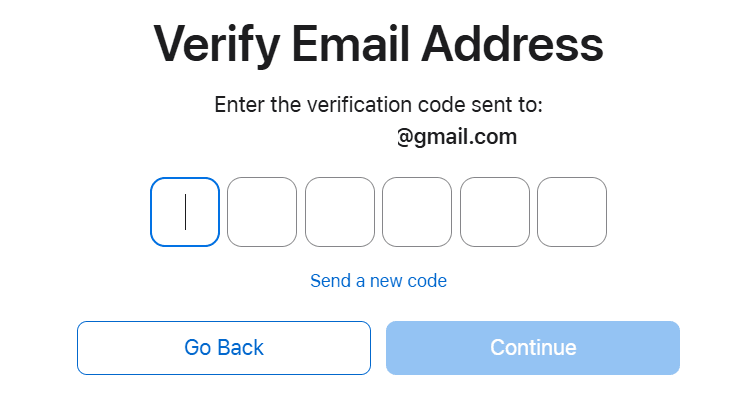
Apple will send verification codes to:
- Your email address
- Your phone number
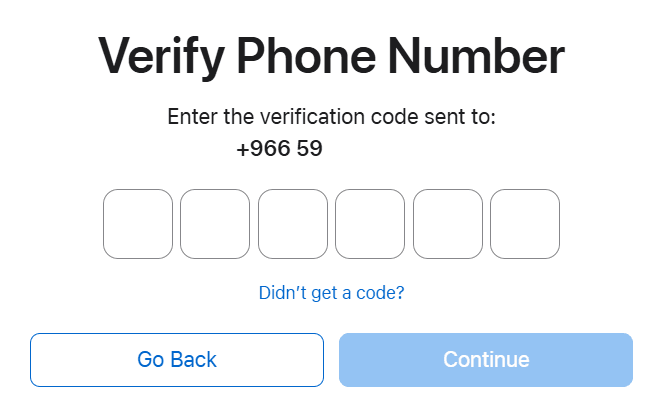
Enter the codes to confirm your identity.
Once verified, your Apple ID will be active and ready to use.
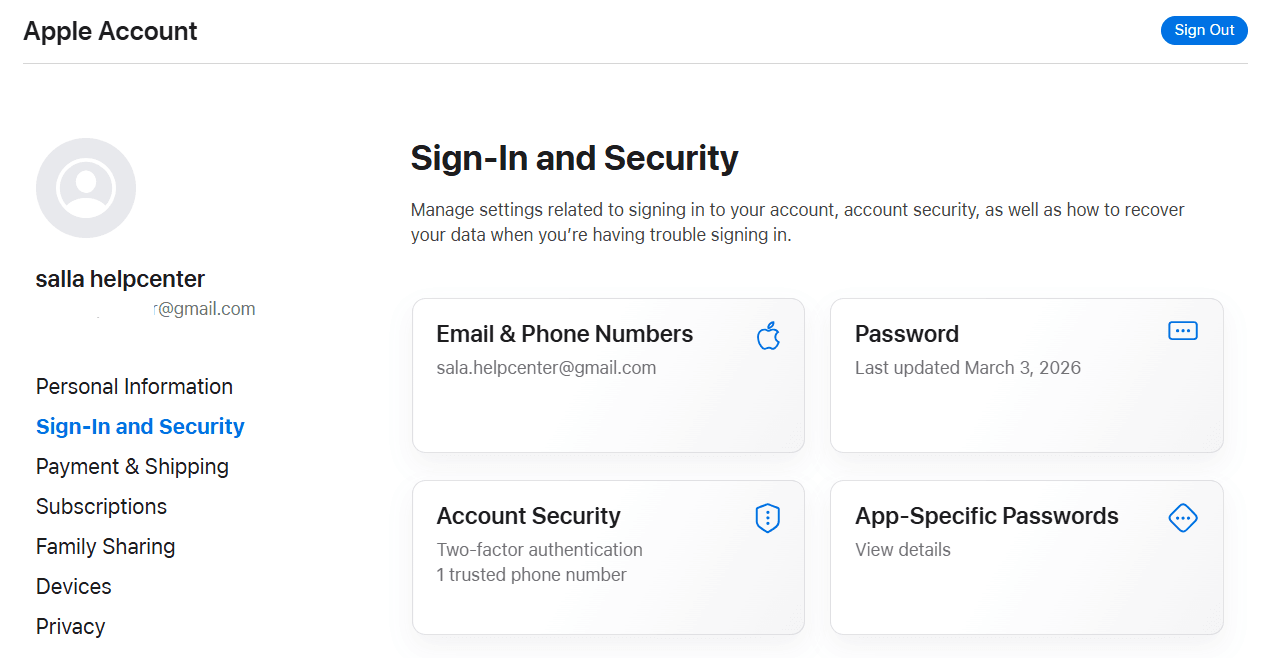
5. Manage your account anytime
You can update your account information at any time, including adding an additional phone number to ensure continuous access.
Frequently asked questions
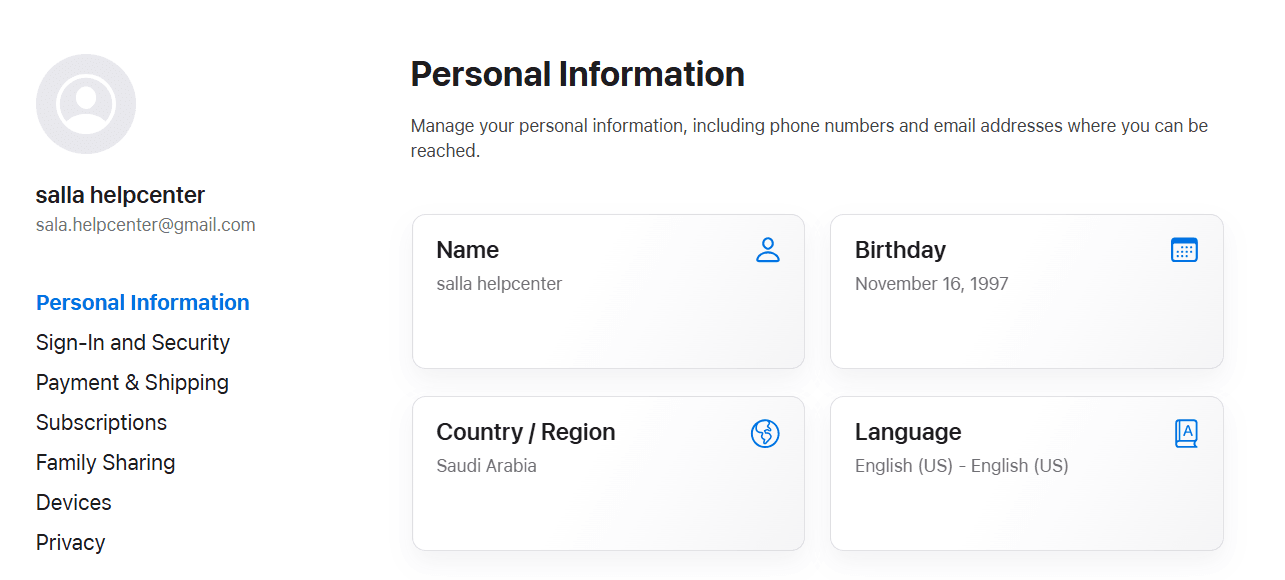
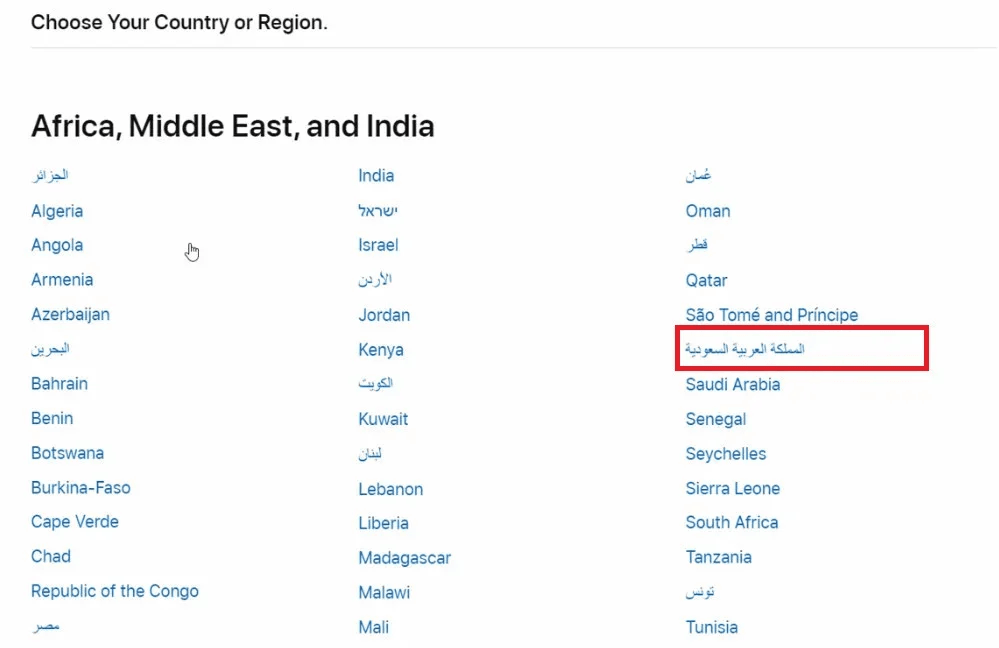
Can I change the language or country during Apple ID creation?
Yes. You can change both the language and country/region during signup.
Click the country flag icon at the bottom of the registration page and select the appropriate country.
Why is two-factor authentication important?
Two-factor authentication (2FA) adds an extra layer of security to your Apple ID. Even if your password is compromised, your account remains protected.
🔐 Best practice: Always link your Apple ID to two different phone numbers. This ensures access in case one number becomes unavailable.
How can I add an additional phone number?
- Go to Sign-In & Security
- Select Account Security
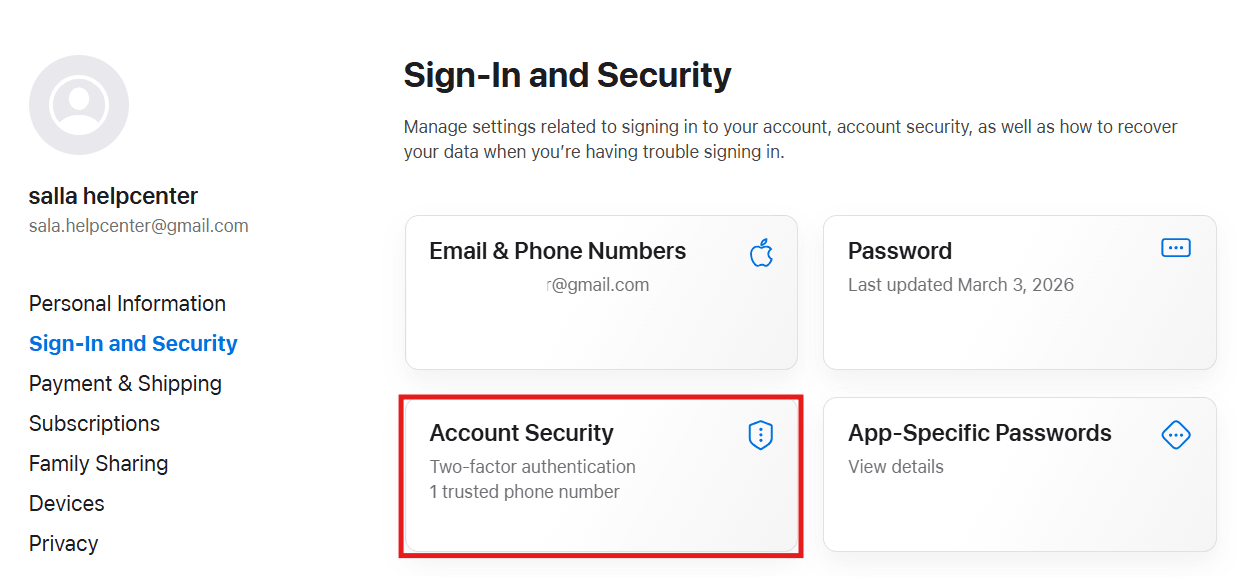
3. Click the ( + ) icon
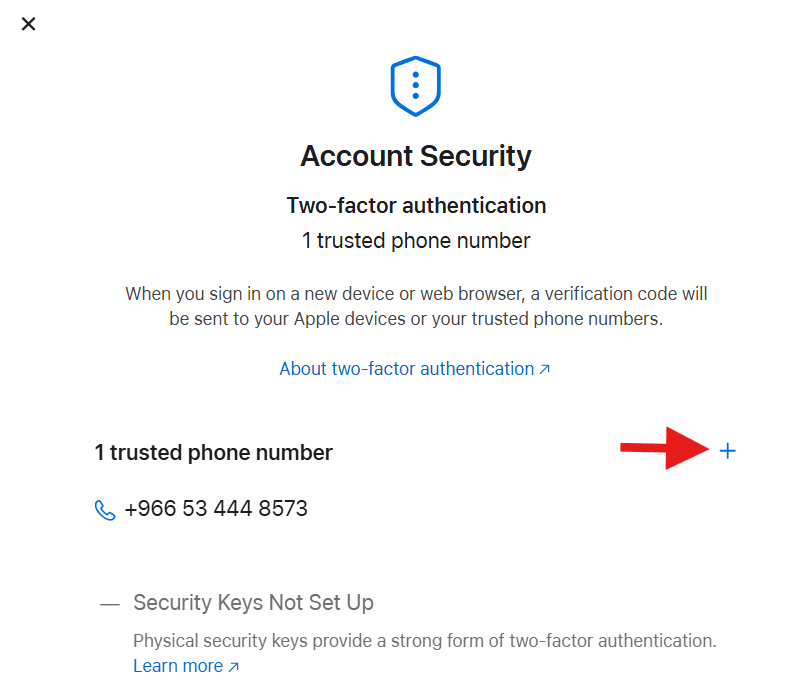
4. Choose your country code, enter the number, and select a verification method
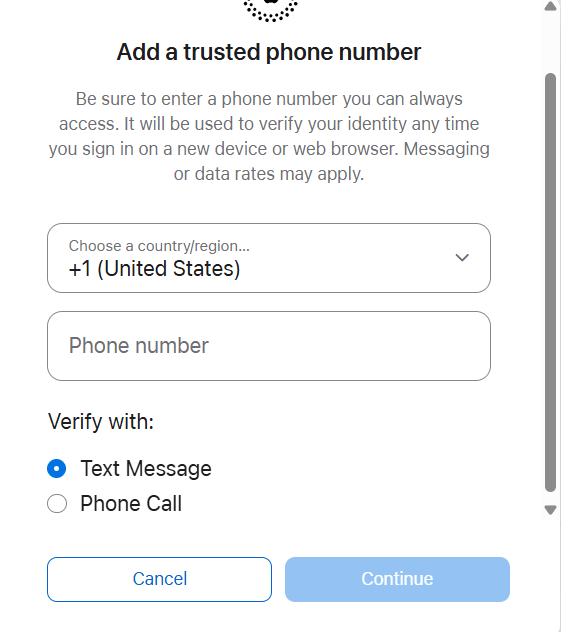
5. Enter the verification code sent to your phone
What if I’m asked for credit card information?
You can:
- Add a credit card during signup, or
- Select None and add payment details later
💡 You won’t be charged unless you make a purchase.
Which services require an Apple ID?
An Apple ID is required for:
- App Store
- iCloud
- iMessage
- FaceTime
- Apple Music
- Apple TV
- Apple subscriptions and online purchases
Which devices support Apple ID setup?
You can create and use an Apple ID on:
- iPhone, iPad, or iPod touch
- Mac or Windows computer
- Apple TV
- Android devices
- Smart TVs and streaming devices
What does “Apple ID inactive” mean?
Your account may be inactive, suspended, or deleted due to inactivity.
You can check its status by trying to sign in on AppleID.com.
What does “Apple ID disabled” mean?
Apple may disable an Apple ID due to:
- Security concerns
- Prolonged inactivity
- A request from the account owner
What does “Unable to create an account at this time” mean?
This usually indicates a temporary server issue.
Try again later — the issue often resolves on its own.