How many customer messages go unanswered while your store is closed?
Hala AI is an AI assistant that answers those messages for you. It automates customer service, keeps buyers updated on their orders, and works on recovering sales you would otherwise lose: it sends smart automatic replies on WhatsApp, pushes order notifications based on order status, and follows up on abandoned carts with a link to finish the purchase. In this guide, you'll learn how to install the Hala AI assistant on your store, connect it, choose its personality and service settings, and delete it if you no longer need it.
Hala AI is a Salla App Store app that automates customer service, order updates, and sales follow-up. It replies to customers automatically on WhatsApp, sends order status notifications, and recovers abandoned carts with a checkout link. You install it from the App Store, choose a package, then configure it from its own dashboard.
📌 Article overview
- How to install the Hala AI assistant
- How to set up the Hala AI assistant
- How to delete the Hala AI assistant
- Frequently asked questions
🚀 How to install the Hala AI assistant
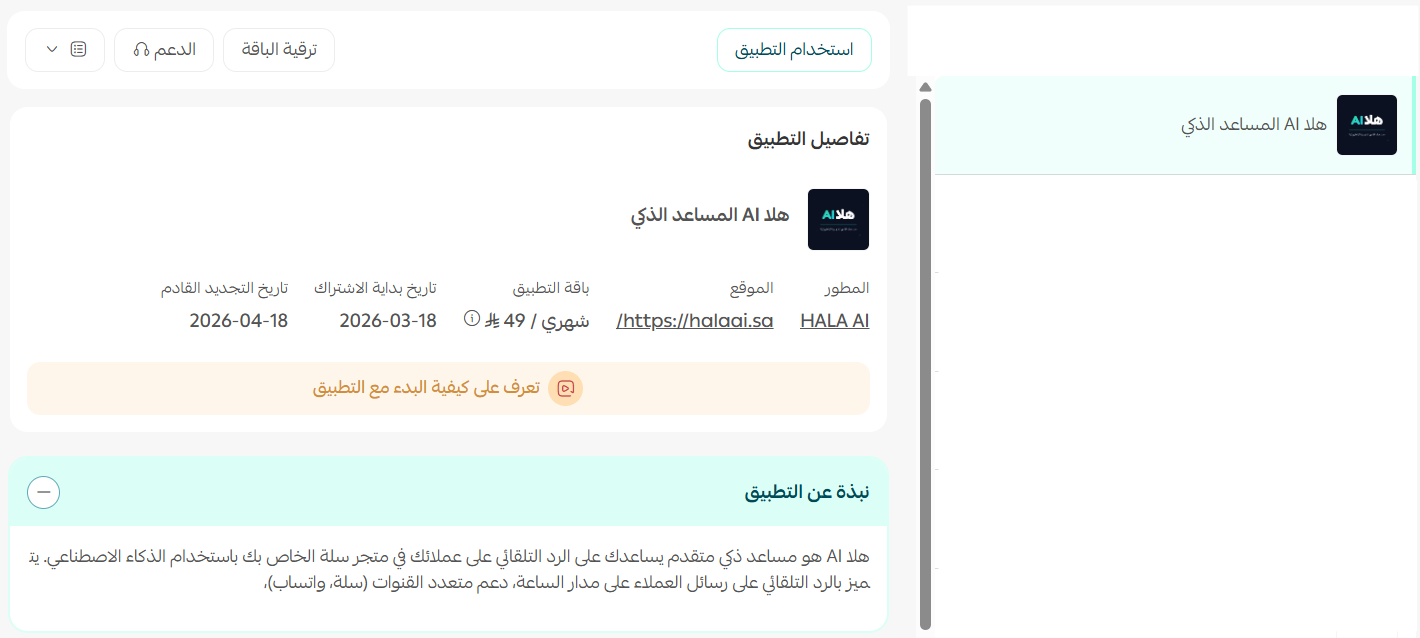
1. From the main menu, click (All), then under helper tools, click (App Store).
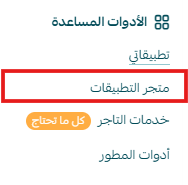
2. Search for the app using the search field.

3. On the Hala AI app page, click (Install).
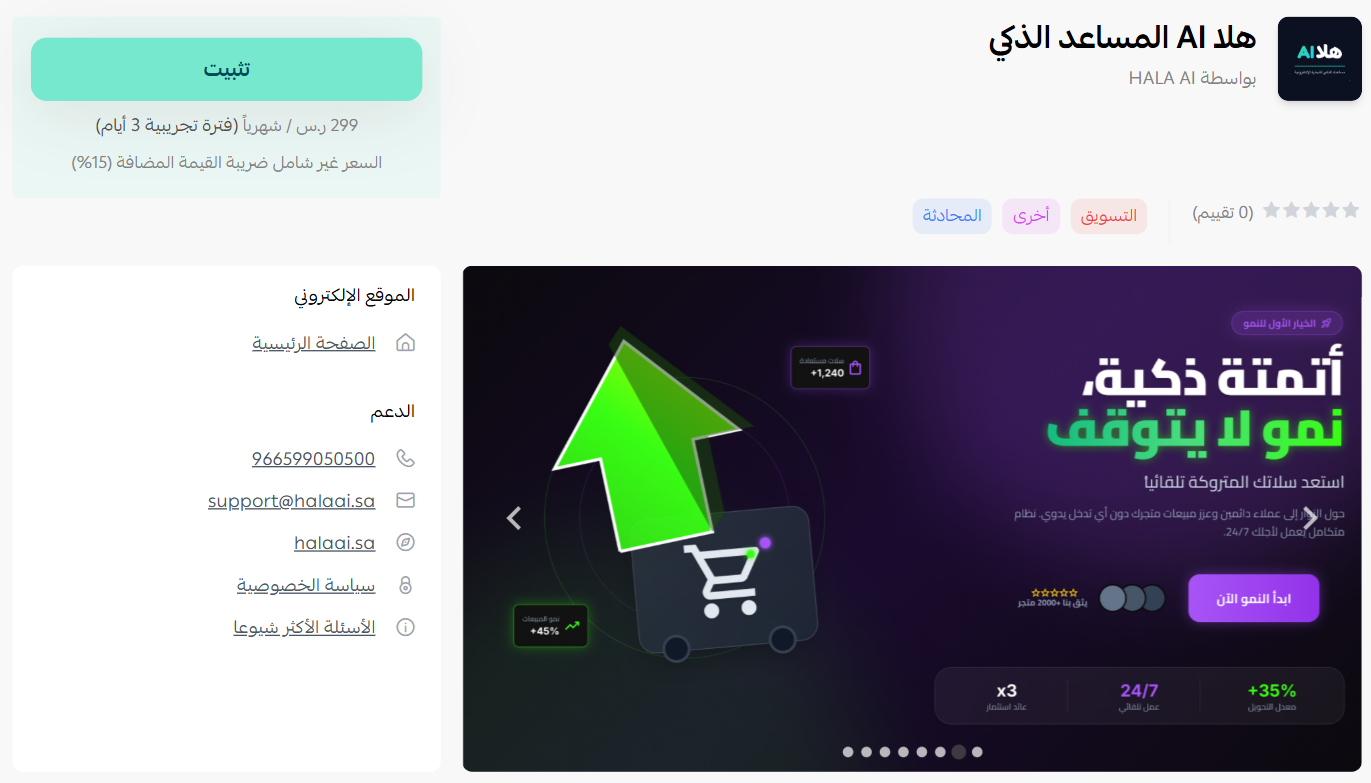
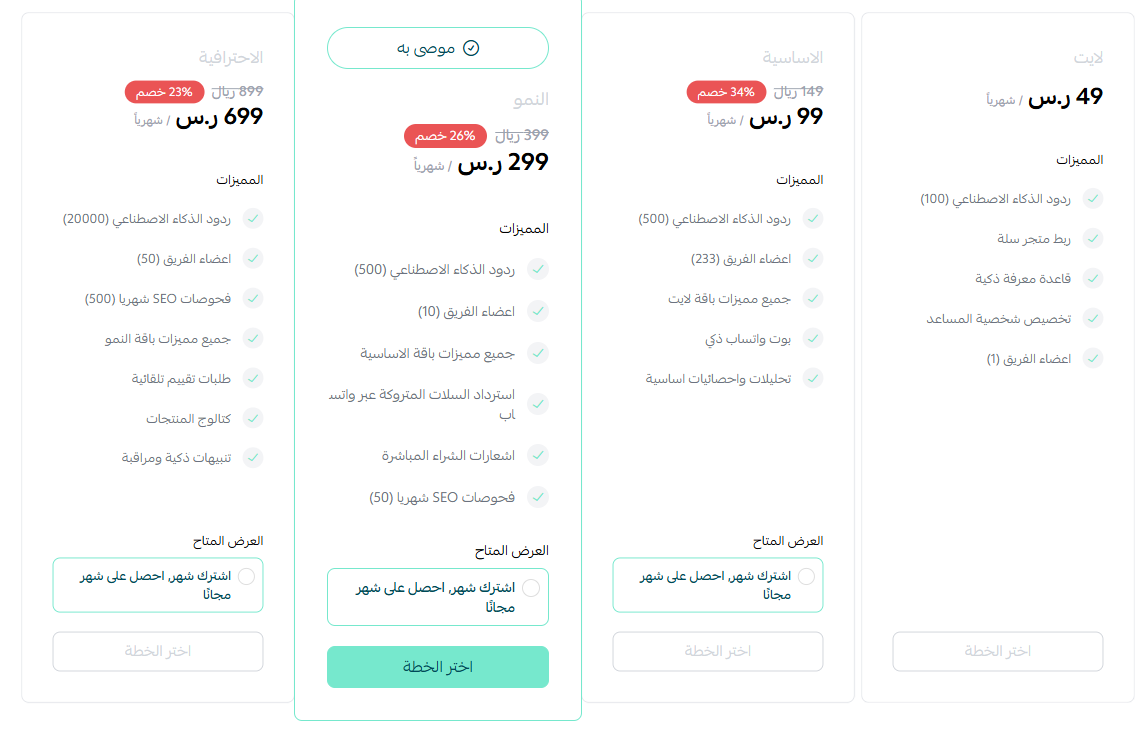
4. Choose the package that fits your business to continue with the installation.
5. Complete the payment to unlock the app's features.
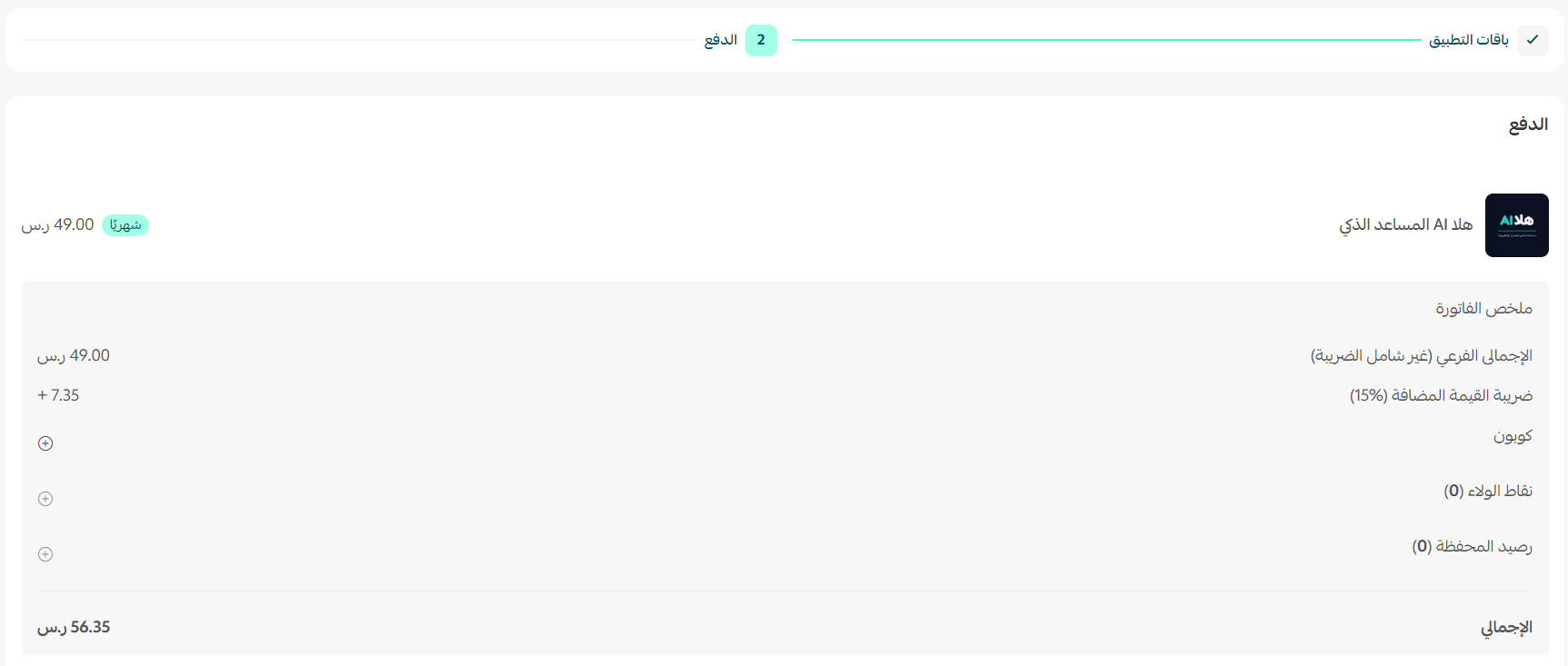
The app then appears under (My apps).
⚙️ How to set up the Hala AI assistant
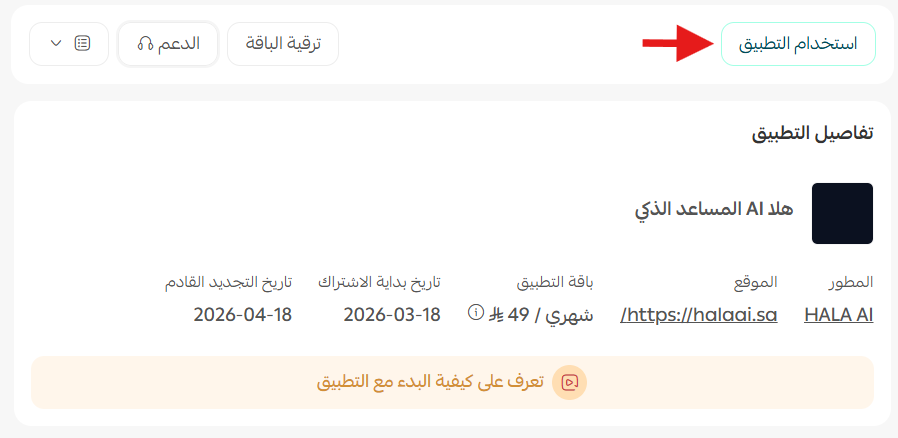
1. After installing the app, click (Use app).
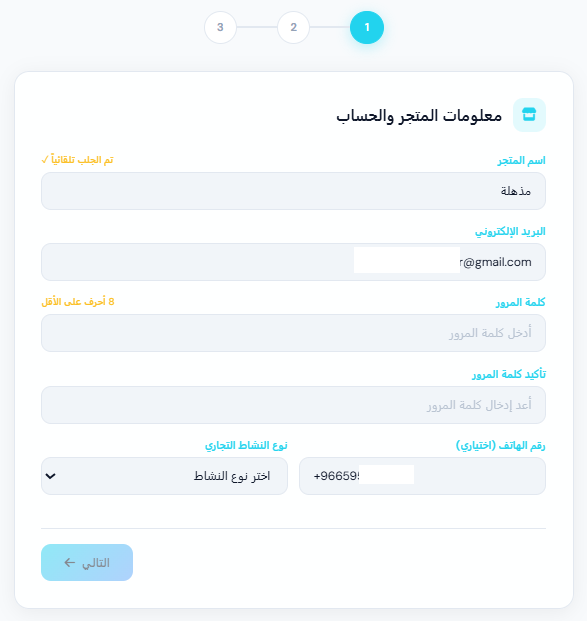
2. Enter the required details, then click (Next).
3. Choose the personality you want the assistant to use with your customers, then click (Next).
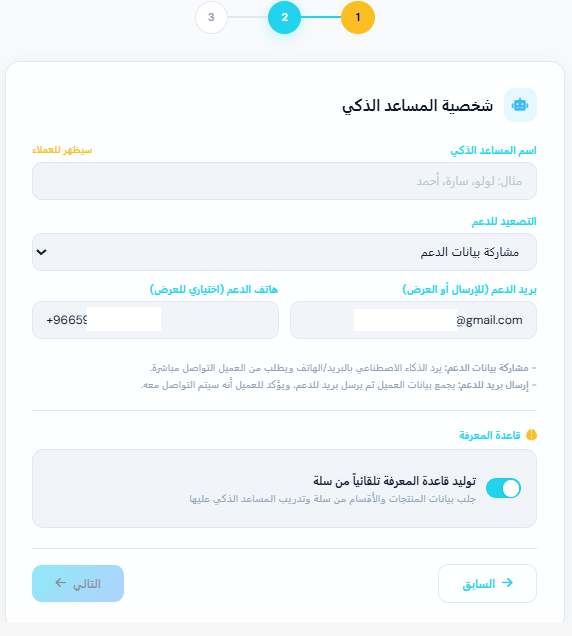
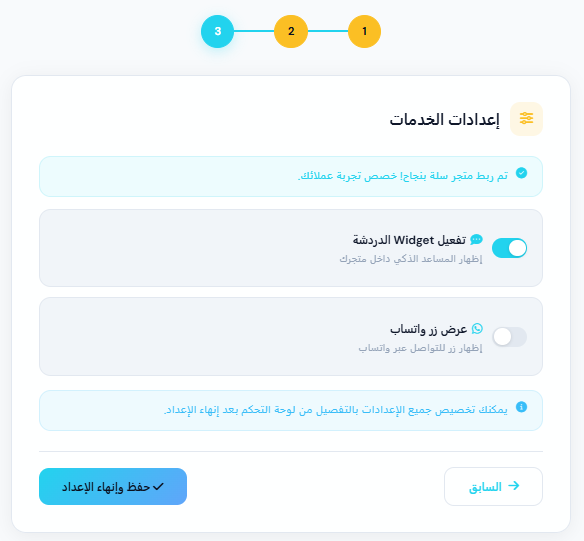
4. Customize the service settings, then click (Save).
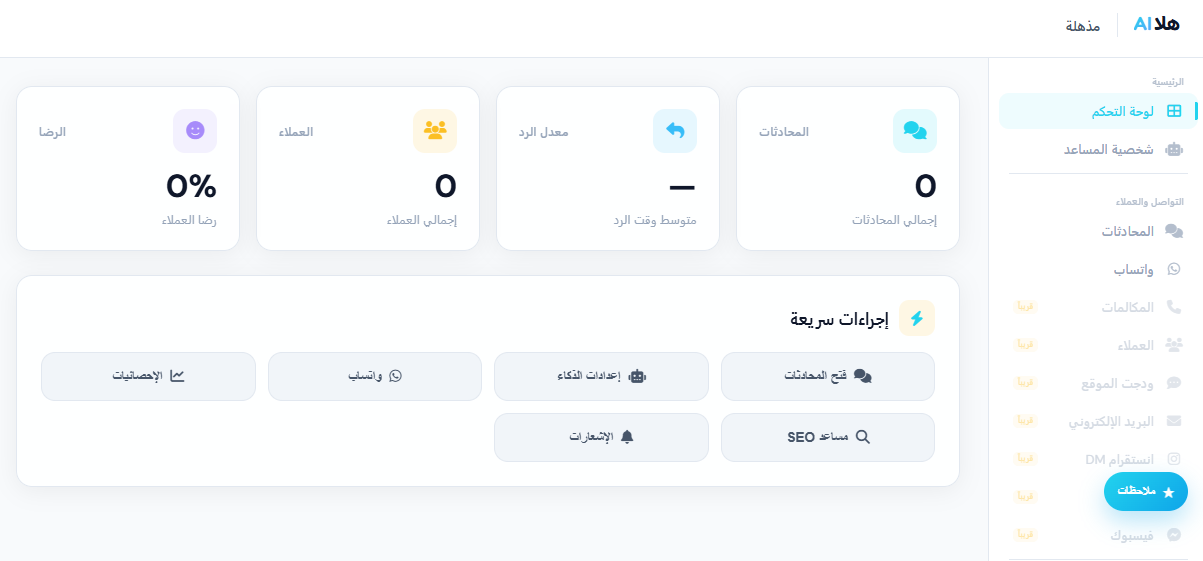
You are taken to the Hala AI dashboard, where you can start using the assistant.
🗑️ How to delete the Hala AI assistant
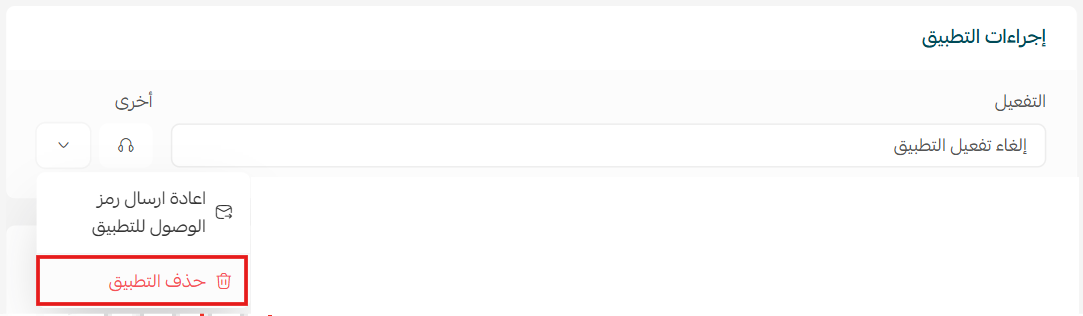
1. From the (App actions) section, click (Other).
2. Click (Delete app).
📝 Important notes
- The assistant replies to customers on WhatsApp, so the number you connect during setup is the one your customers will be talking to.
- Order notifications are sent based on order status, so keep your order statuses up to date for the messages to make sense to the customer.
❓ Frequently asked questions
What can the Hala AI assistant do?
It sends smart automatic replies on WhatsApp, notifies customers as their order status changes, and follows up on abandoned carts with a link to complete the order.
Can I control how the assistant sounds?
Yes. During setup you choose the assistant's personality, then customize the service settings before saving.
Where do I manage the assistant after setup?
In the Hala AI dashboard, which opens once you finish the setup steps from your store.
Does it recover abandoned carts on its own?
Yes. Cart recovery messages are sent automatically and include a link the customer can use to finish the purchase.
How do I remove the app?
Open (App actions), click (Other), then click (Delete app).
Automating the repetitive part of customer service frees you to work on the part that actually needs you. For more details about Hala AI, see the app's FAQ.