Would your customers spend a little more to get their order shipped for free?
Most of them would. Free shipping is one of the few offers that reliably lifts basket size, and on Salla you control exactly when it applies. You set a minimum order value, then narrow the offer down to the country, city, courier, products, and customer groups you want it to cover. In this guide, you'll learn how to set up free shipping conditions on Salla, how to target them, and what happens when a cart mixes eligible and ineligible products.
Free shipping is set from Store settings. Open Shipping and delivery options, scroll to the shipping company settings, and click Free shipping. Click Add condition, then set the minimum order value, the country and city it covers, the couriers it applies to, and which products qualify.
📌 Article overview
- How to set up free shipping conditions
- Targeting free shipping by country, city, courier, product, and customer group
- How mixed carts are handled
- Frequently asked questions
👣 How to set up free shipping conditions
You choose the city or country that free shipping covers, and it applies once the order passes the minimum value you set. Here's how.
1. From the side menu in your dashboard, click (Store settings).

2. On the Store settings page, click (Shipping and delivery options).

3. At the bottom of the shipping and delivery page, under the shipping company settings, click (Free shipping).
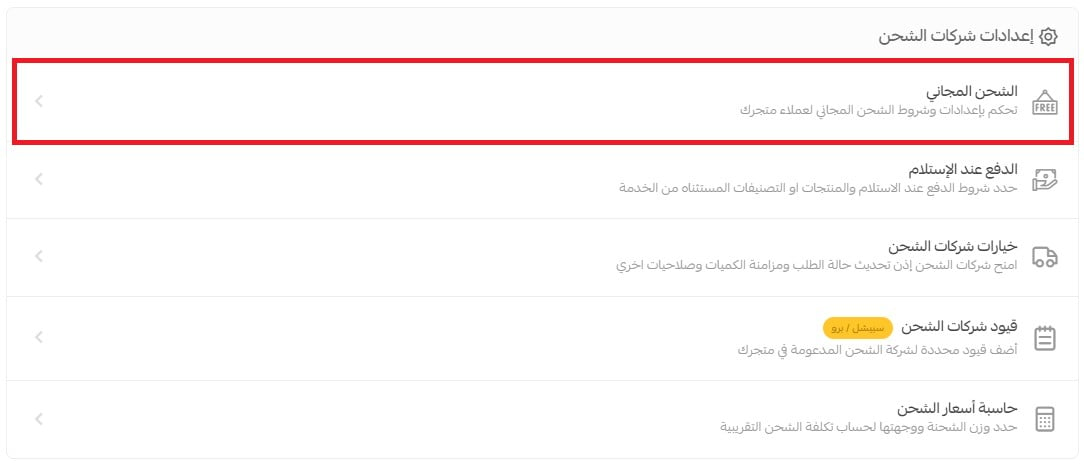
4. To control how free shipping works, click (Add condition).

5. Enter the free shipping conditions that suit how your business runs.

❓ Frequently asked questions
Can I offer free shipping to specific countries or cities?
Yes. Choose the country the free shipping offer covers, and choose the city it covers as well.
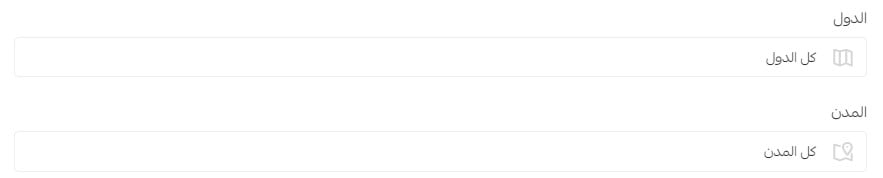
📝 Important note: you can pick one city per condition, or leave the list on its default option (all cities).
Can I limit free shipping to specific shipping companies?
Yes. Choose the shipping company or companies the free shipping offer runs through, or leave the list on its default option (all shipping companies).

How do I apply free shipping to certain categories or products?
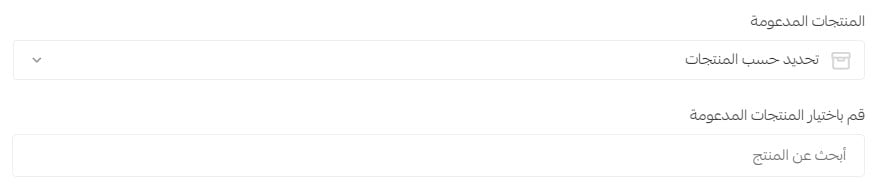
Choose the supported products the offer includes — specific products or specific categories — or leave it on the default option (all products).
Can I limit free shipping to certain customers?
Yes. Choose the customer groups you want the free shipping offer to apply to.

For more details on customer groups.
What happens to a cart that mixes eligible and ineligible products?
You decide, and there are two outcomes:

Option on: free shipping applies to every product in the cart, even when the customer adds products the offer does not cover alongside products it does.
Option off: free shipping is cancelled for the whole order, because it contains products the offer does not cover.
Free shipping works best when the minimum value sits just above your usual basket size. Set the threshold with that number in mind, scope the offer to the cities and couriers that make it affordable, and let it do the upselling for you.