Want customers to see their discount before they reach checkout?
Cart coupons let shoppers apply a discount while reviewing their cart, so they can see updated product prices and the discounted cart total before completing the order.
To enable cart coupons on Salla, open Marketing tools, choose Marketing settings, configure the discount-coupon options, and save. Customers can then enter a coupon from the cart before checkout, see discounted product prices and the updated cart total, or remove an applied coupon by clicking the X beside it.
📌 Article overview
- Enable cart coupons
- Understand the customer experience
- Remove an applied coupon
- Hide coupon entry from the store
- Frequently asked questions
How to enable cart coupons on Salla
1. From the dashboard side menu, click Marketing tools.

2. From Marketing tools, click Marketing settings.
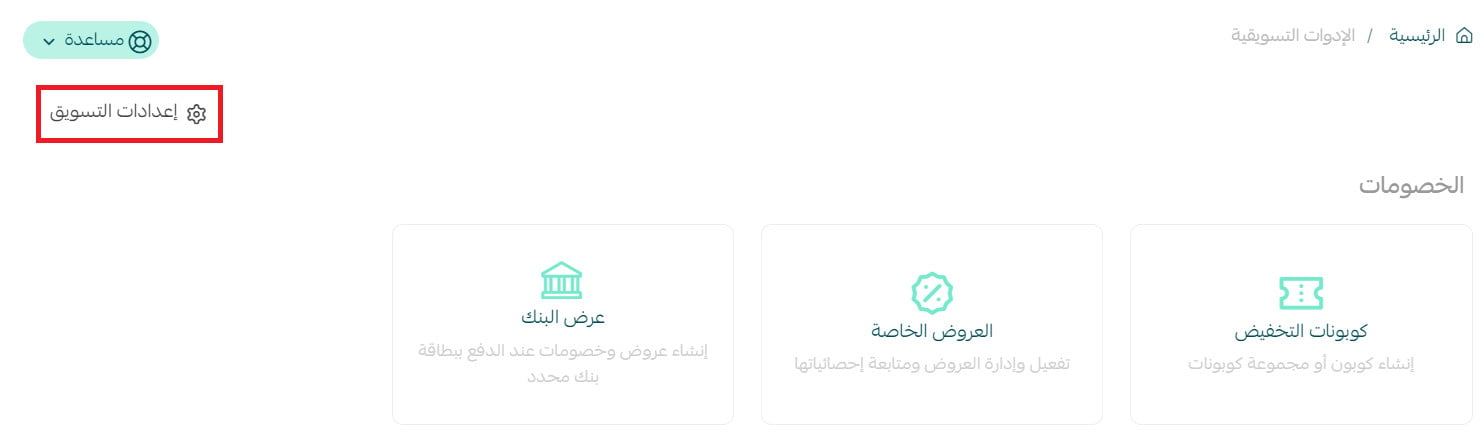
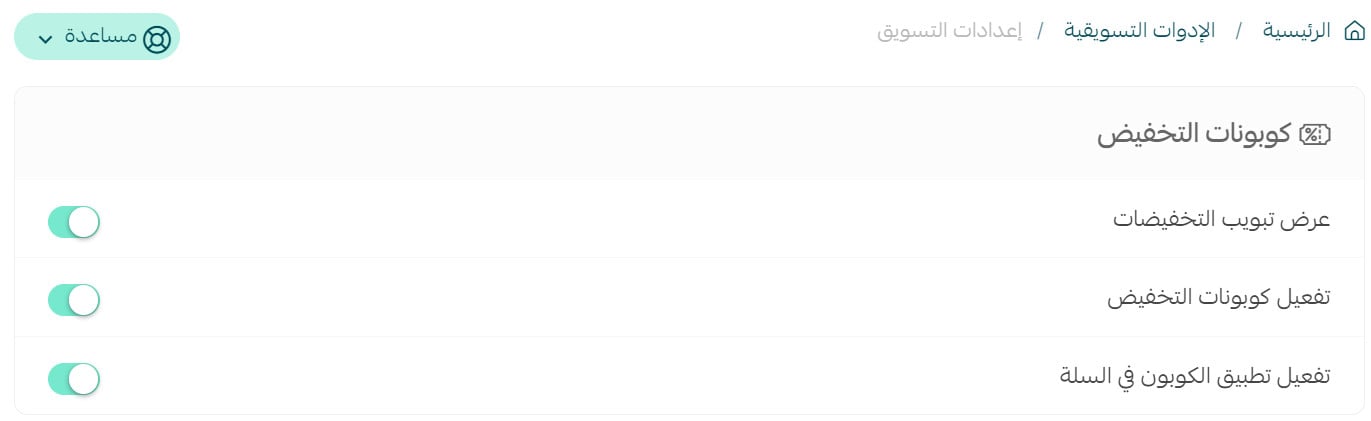
3. Configure the discount-coupon options for your store, then click Save.
How customers apply a coupon in the cart
After adding products, the customer opens the cart and enters a discount coupon before completing checkout. The cart then shows the discounted product prices and updated total.

The following comparison shows the cart before and after a coupon is applied.

Remove or hide cart coupons
To remove an applied coupon from the cart, click the X beside the coupon.

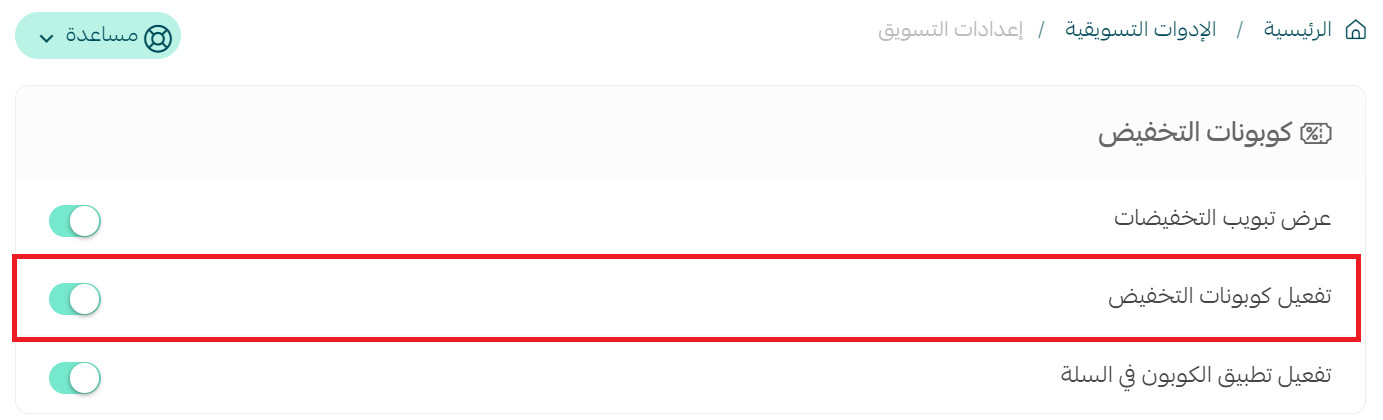
To hide coupon entry in your store, return to Marketing settings and disable the discount-coupon option.
Frequently asked questions
Are cart coupons enabled automatically for every store?
No. The Arabic source states that the feature is disabled by default.
Can a customer apply a coupon before checkout and payment?
Yes. The customer can apply it from the cart and review the discounted product prices and cart total before checkout.
Can a customer remove a coupon after applying it?
Yes. Click the X beside the coupon in the cart.
Can I hide discount coupons from my store?
Yes. Disable the discount-coupon option from Marketing settings.
Enable coupon entry when it supports your promotion strategy, then verify the cart experience so customers can review the discount before completing their order.