Want your store reports to reflect only the order statuses that matter to your reporting workflow?
Report calculation statuses let you control which order statuses Salla uses when calculating dashboard and report figures. In this guide, you'll learn how to select the statuses and understand where the change appears.
Report calculation statuses determine which order statuses Salla includes in your store’s reporting. From Store settings, open Store options, assign the statuses you want included, and save. Your selection affects the dashboard and reports for orders, sales, coupons, products, and brands.
📌 Article overview
- How to customize report calculation statuses
- Where the selected statuses affect reporting
- Examples of how the selection changes report totals
- Frequently asked questions
👣 How to customize report calculation statuses
1. From the dashboard sidebar, click Store settings.

2. Click Store options.

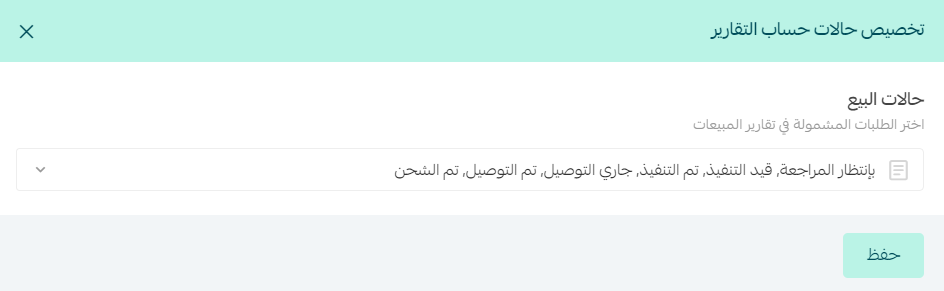
3. Under your store's general options, find Customize report calculation statuses, then click Assign.

4. Select the order statuses to include in report calculations, then click Save.
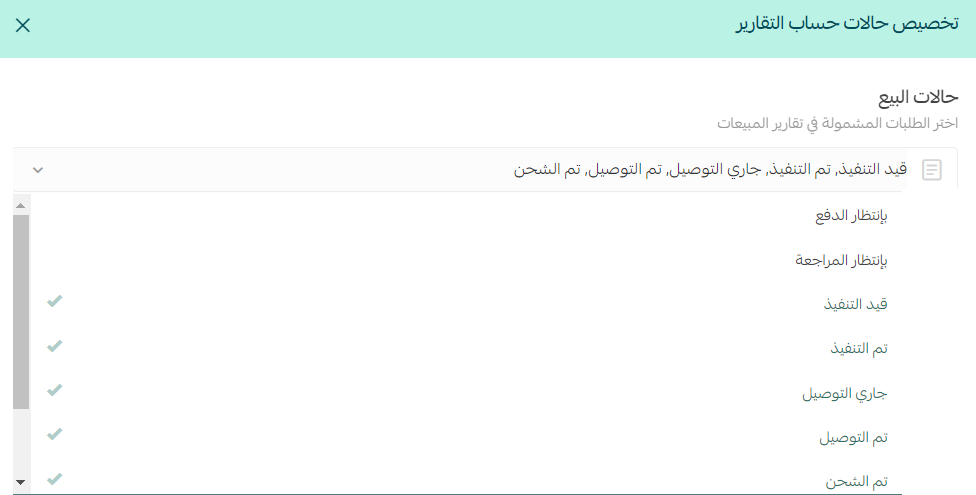
🎯 Where report calculation statuses take effect
Your selection affects reporting throughout Salla, including:
- The dashboard home page.
- Order reports.
- Coupons.
- Products.
- Sales.
- Brands.
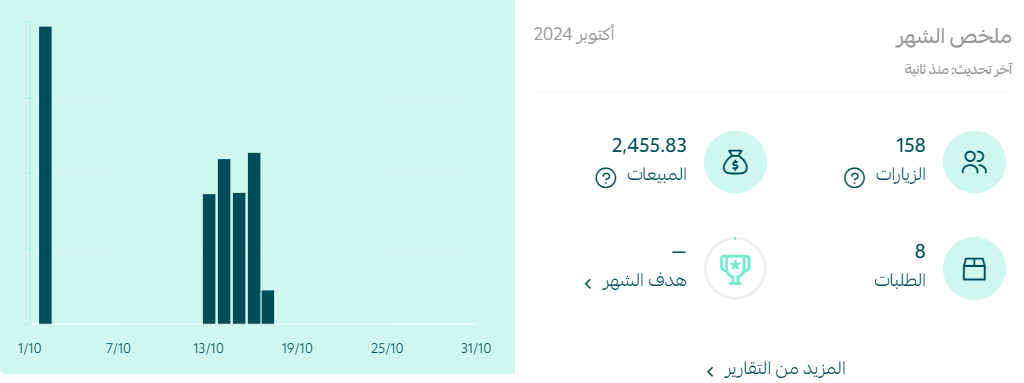
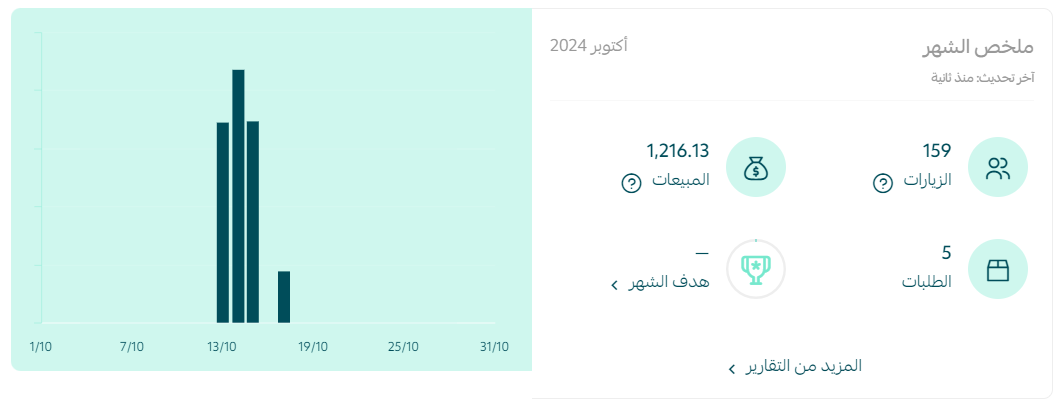
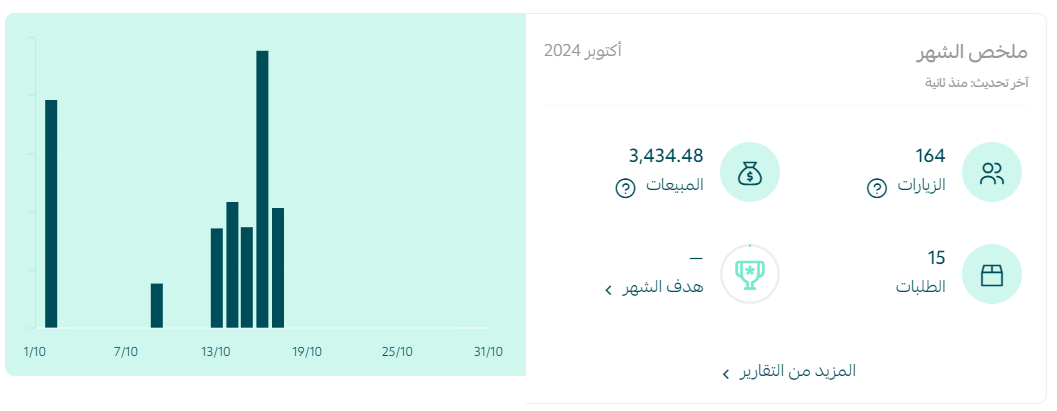
💡 Dashboard example: The sales and order figures in the monthly summary are calculated from the selected order statuses, so the summary reflects the statuses included in your reporting setup.
💡 Reports example: The Net sales area shows net sales for orders in the selected statuses. The order area likewise counts only orders in those statuses.
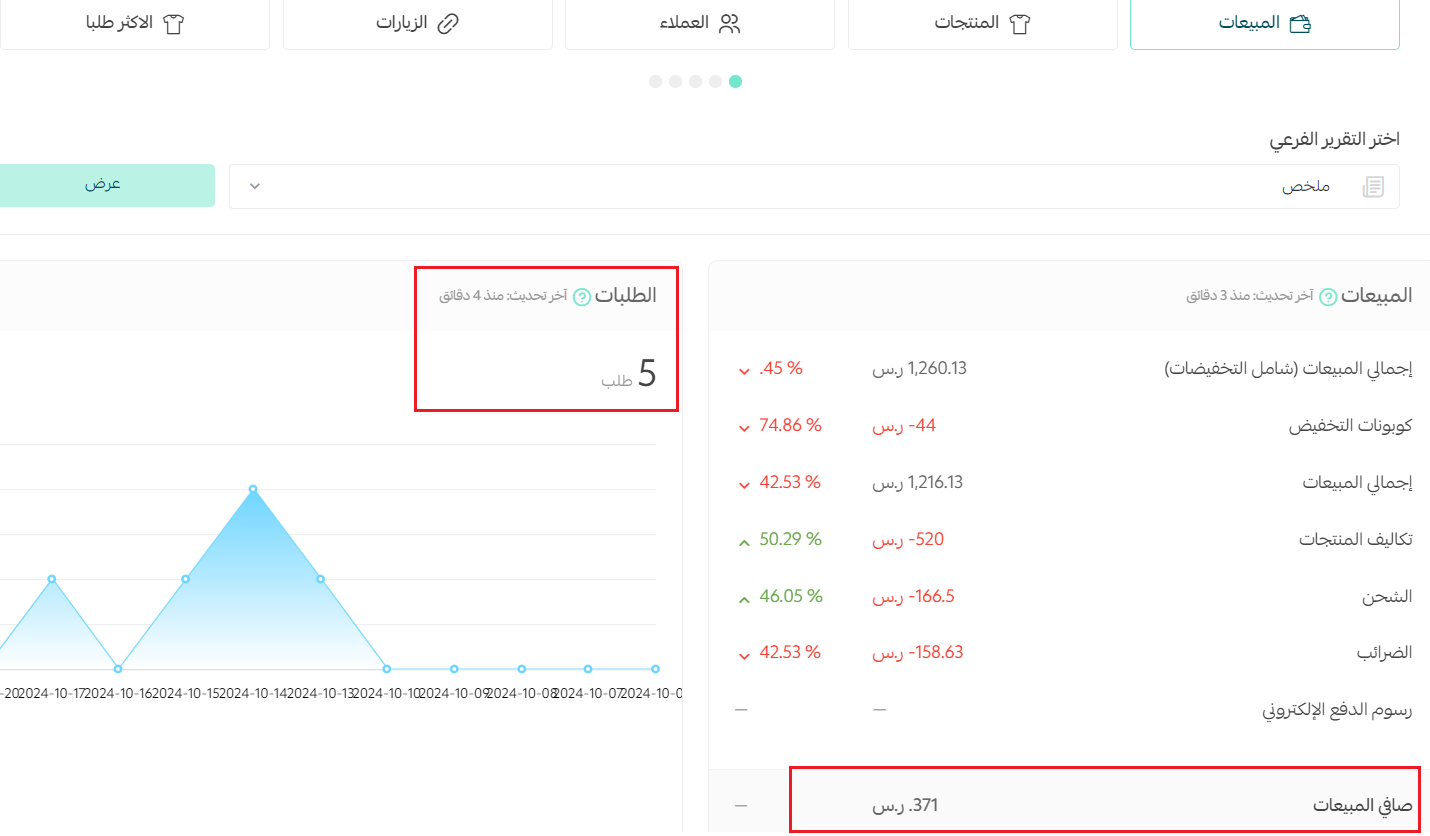
🔍 How the status selection changes totals
In the source example, selecting only Pending review as the report calculation status results in five orders on the dashboard.
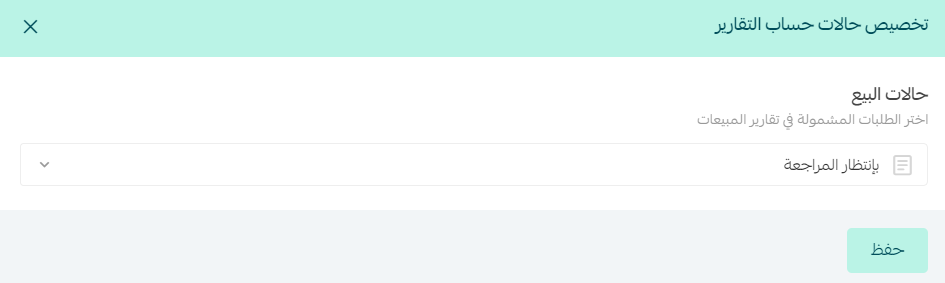
The dashboard then displays five orders:
When Pending review and additional statuses are selected in the example, the included total changes.
The dashboard then displays 15 orders:
📝 Important notes
The figures above illustrate the source screenshots. Your totals depend on the statuses you select and the orders recorded in your store.
Frequently asked questions
❓ Which reports use the selected order statuses?
The selection affects the dashboard home page and reports for orders, coupons, products, sales, and brands.
❓ Can I include more than one status in report calculations?
Yes. The source example shows Pending review selected on its own and then selected with additional statuses.
❓ Why do my dashboard totals change after I update the setting?
Salla recalculates the displayed figures using orders in the statuses you selected, so including more or fewer statuses changes the totals shown.
Use report calculation statuses to keep your store reporting aligned with the order stages your team uses to measure performance.