Want affiliate marketers to promote your store while their followers get a discount?
The marketing coupon is a coupon you create for a specific marketer to share with your customers. The customer gets a discount when they buy with the coupon, and the marketer earns a commission for promoting your store — a win for everyone. In this guide, you'll learn what the marketing coupon is, how to create one from your Salla dashboard, and how to share it with your marketers.
To create a marketing coupon on Salla, open Marketing tools from the dashboard, go to Discount coupons, and add a new coupon. Enable the marketing coupon option, enter the marketer's name and commission type, then share the ready-made message or coupon link with the marketer.
📌 Article overview
- What is the marketing coupon?
- How to create a marketing coupon
- Frequently asked questions
🚀 How to create a marketing coupon
1. From the side menu of your dashboard, click (Marketing tools).

2. From the Marketing tools page, click (Discount coupons).

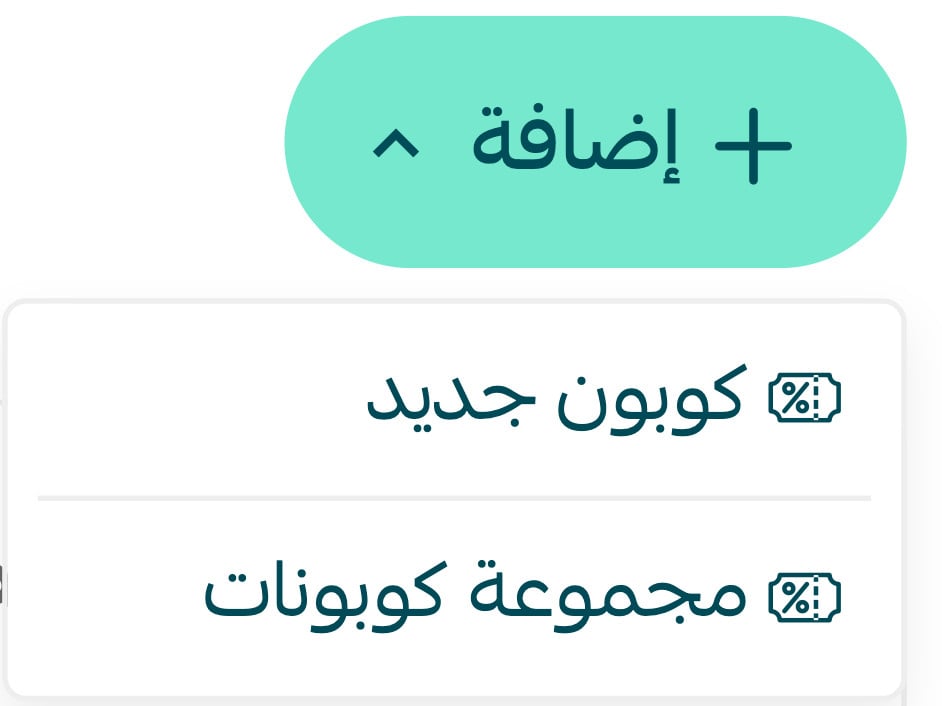
3. From the Marketing tools page, click (Add), then (New coupon).
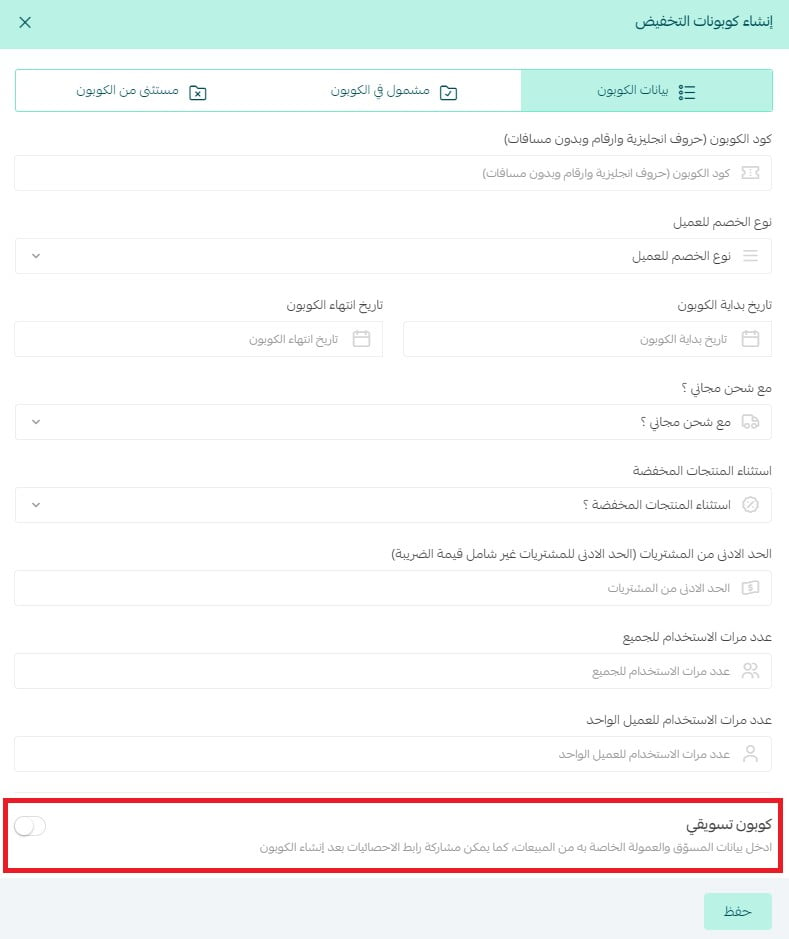
4. Enter the required details in the (Coupon details) tab, and enable the (Marketing coupon) option.
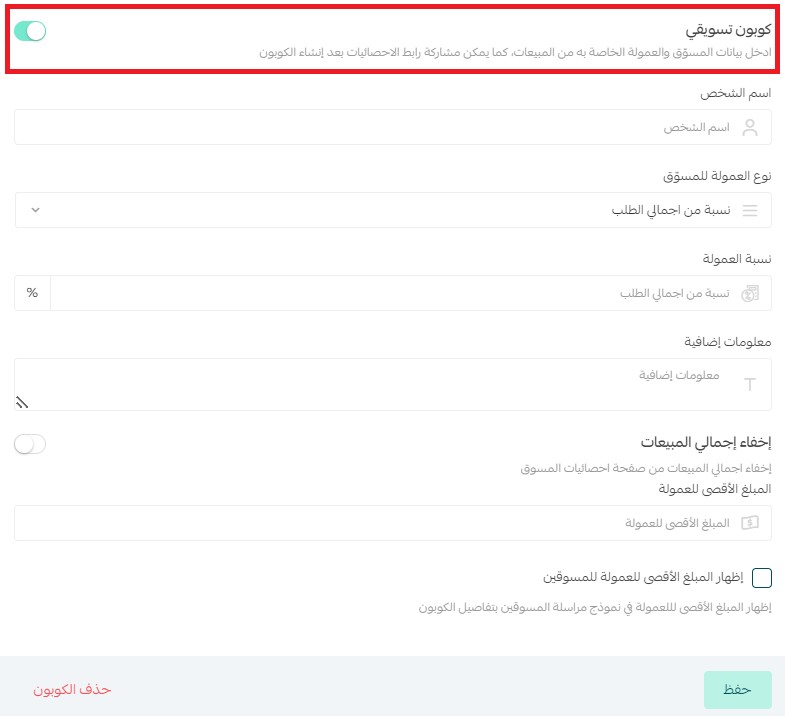
5. After enabling the marketing coupon option, enter the marketer's name, choose the commission type (a fixed amount per order, or a percentage of the order total), and set the commission rate along with any additional information. You can also hide total sales from the marketer's statistics page, and show or hide the maximum commission amount in the message template you send marketers with the coupon details.
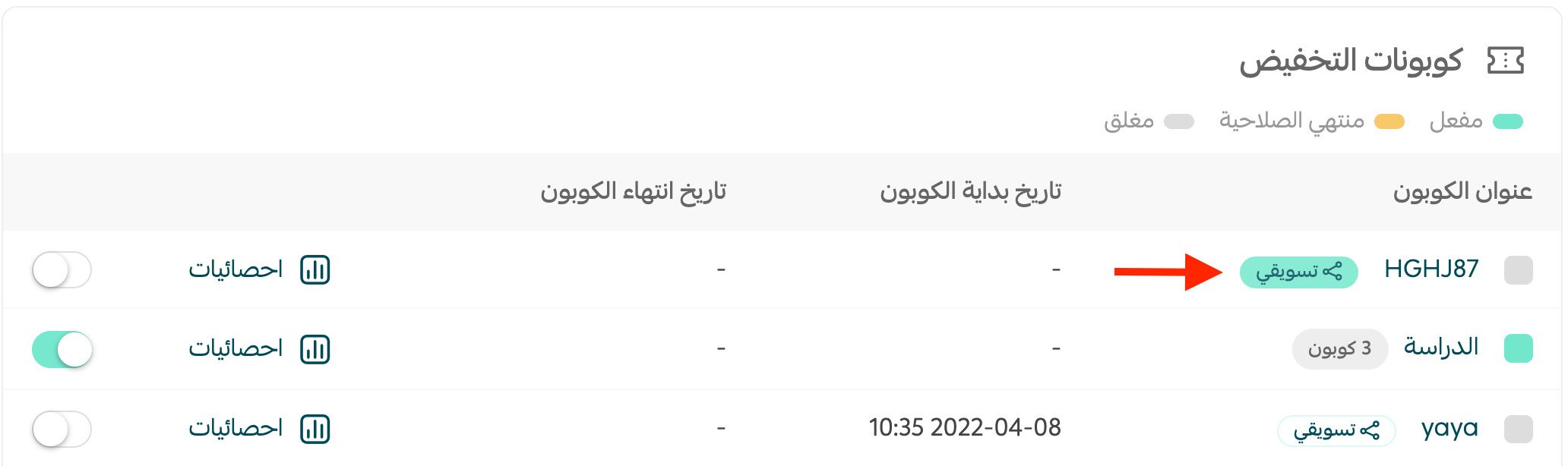
6. Click the (Marketing) icon next to the coupon you created.
7. From the marketing coupon window, click (Copy message) to share it with the marketer.
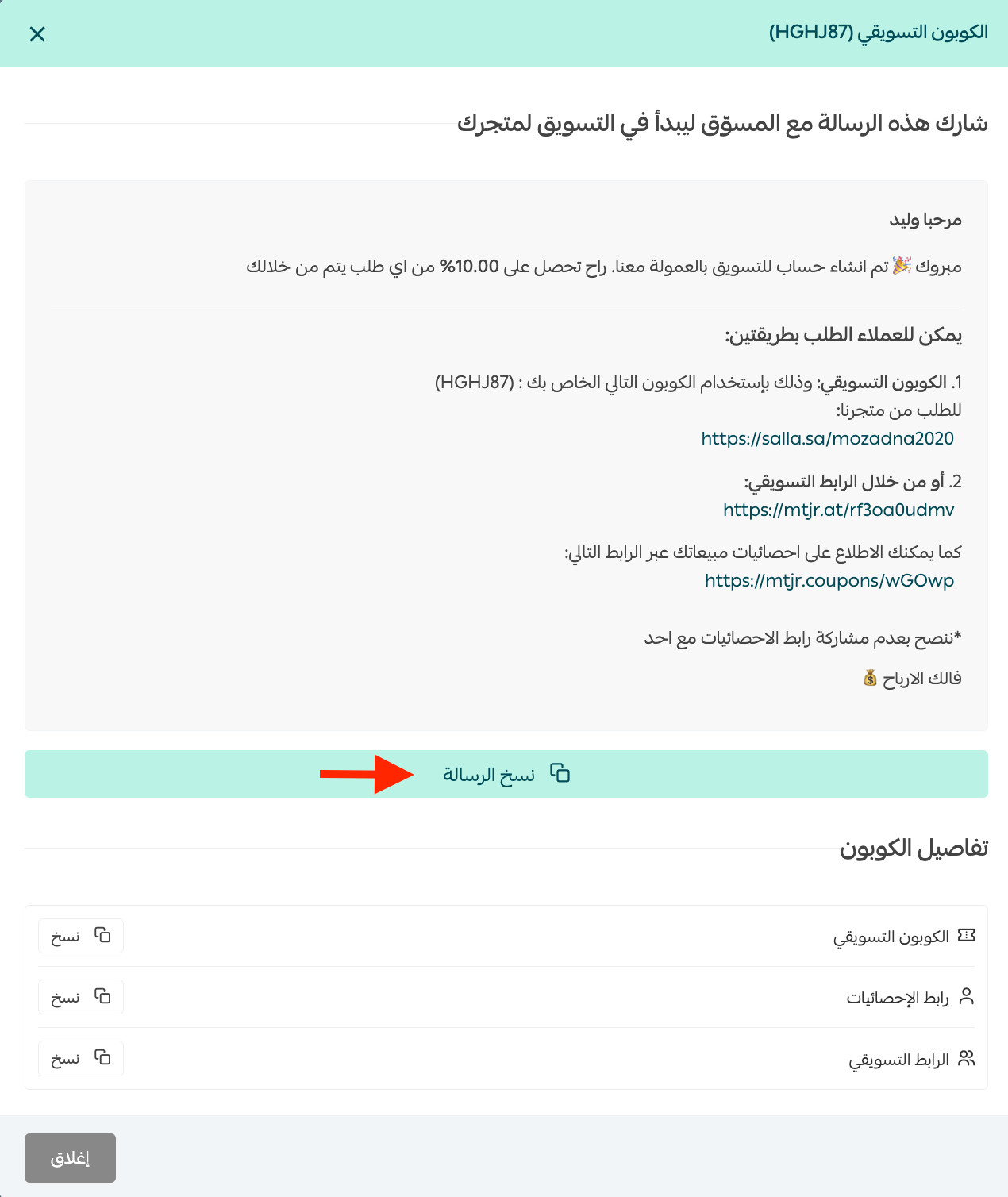
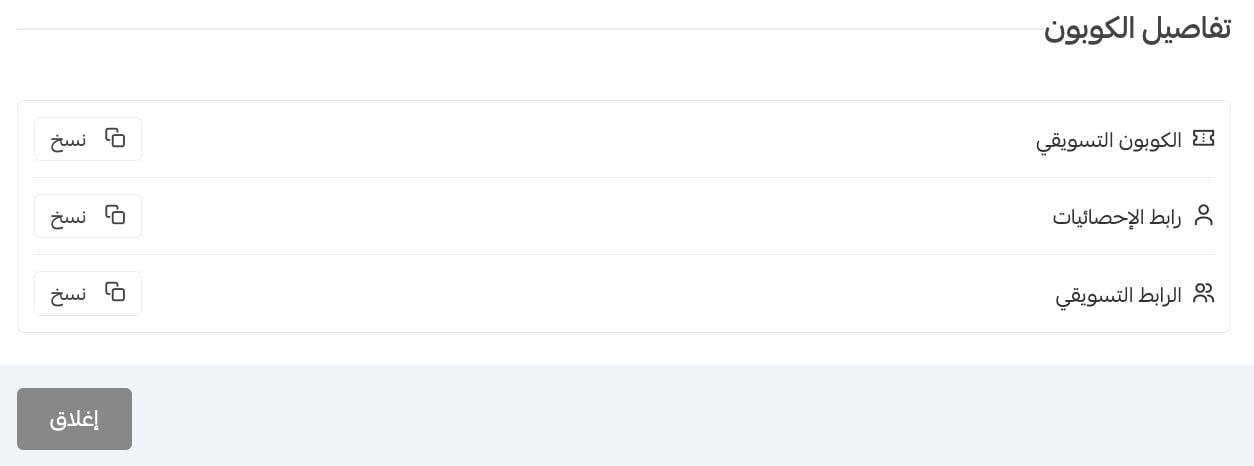
8. You can also click the (Copy) button to copy just the coupon link and share it with the marketer, or copy the affiliate link to monitor the marketing coupon's performance.
❓ Frequently asked questions
How do I benefit from the marketing coupon as a merchant?
The marketing coupon helps you attract professional affiliate marketers to your store:
Step one: create a store page for affiliate marketing that explains how your store supports affiliates, your terms, and how to join your affiliate program — with a contact email or a link to an application form for joining your store's affiliate team.
Step two: filter the applications, create discount coupons for the marketers you choose, and share the affiliate link message with them.
Is the discount applied automatically when a customer enters the store through the affiliate link?
Yes.
What is the difference between the affiliate link and the marketing coupon?
Marketing coupon: a coupon created for a specific marketer to give to customers. The customer gets a discount at purchase, and the marketer earns a commission once the customer completes the purchase.
Affiliate link: a link you give the marketer to share with customers. Customers get no discount through the link, but the marketer earns a percentage or fixed amount of the customers' cart value once the purchase is completed.
For more details, see affiliate marketing and the affiliate link.
Which Salla plans include this feature?
The marketing coupon is available on the Pro plan.
Pair the right marketers with their own coupons, track each coupon's performance, and let commission-based marketing bring new customers to your store.