Do your customers hear about their order from you, or from the delivery driver?
An SMS provider is a company that specializes in delivering text messages, and Salla lets you plug one into your store so order and account notifications reach customers on their phone. You choose the provider, open an account with them, and connect it through an app in the Salla App Store. In this guide, you'll learn how to install and activate an SMS provider app, how to make it your store's default sender, and what to expect around accounts, sender names, and message fees.
To connect an SMS provider, open the App Store from your Salla dashboard, install the messaging app for the provider you want, click Activate app, and enter your account details with that provider. Then go to Settings, click Customize, and choose the app as your default for local text messages.
📌 Article overview
- How to install and activate an SMS provider app
- Frequently asked questions
🚀 How to install and activate an SMS provider app
1. From the main menu, click (All), then under helpful tools, click (App Store).

2. Search for the app using the search field.

3. Install the messaging app you want to use, then click (Activate app).

4. Enter the details of your account with the provider, then click (Save).
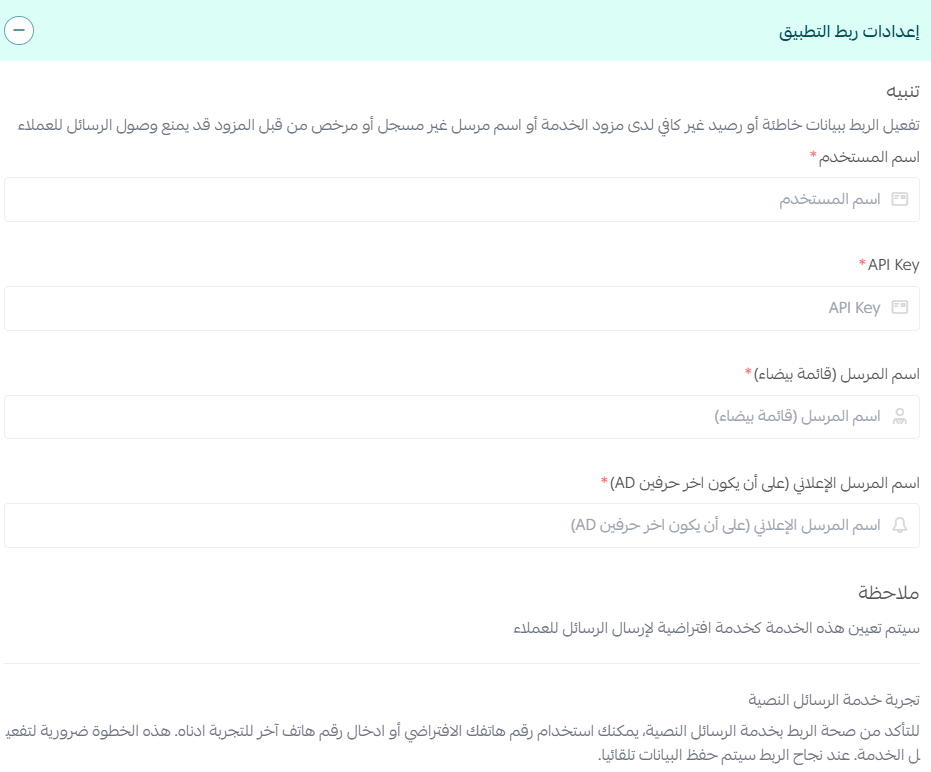
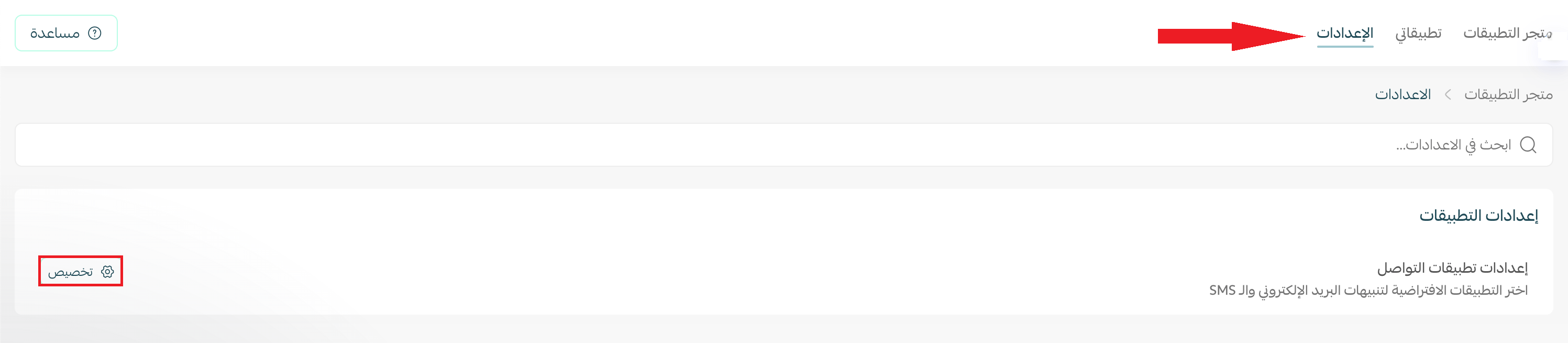
5. Once your account details are saved, go to (Settings) and click (Customize).
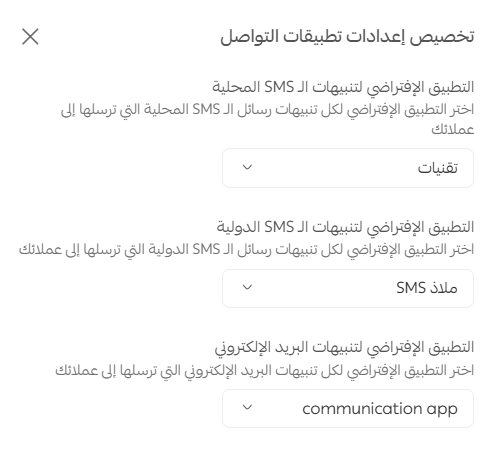
6. The communication app settings open. Choose your default app for local text messages, international alerts, and email alerts.
📝 Important note
The default app option for email alerts only appears if you already have an email notification app activated on your store.
Frequently asked questions
❓ What if I don't have an account with any of these providers?
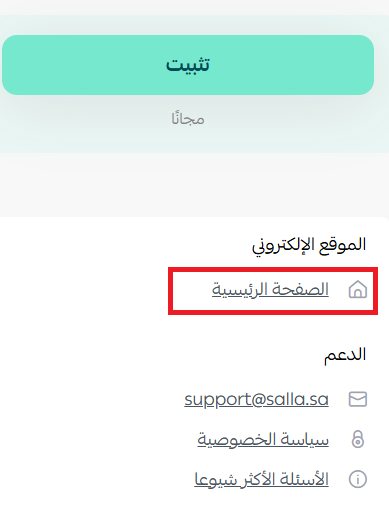
On the app installation page, click (Homepage). That takes you to the provider's website, where you can create your own account. How long it takes depends on each provider's own procedures and requirements.
❓ Do I need to activate a sender name?
Yes, but you do it through your account with the provider, not from your Salla dashboard.
❓ Can I activate more than one service?
Yes. You can activate several messaging apps, but one of them has to be set as the default service for sending.
❓ Are the messages my store sends charged, and how?
Yes. Every message your store sends is billed by the provider you subscribed to, under their own pricing.
❓ Which plans include this feature?
The Plus and Pro plans.
Pick the provider whose pricing and approval process suit you, connect it once, and every order notification after that leaves your store automatically.