Still reconciling your store's orders against your books by hand every month?
SahelBooks is a simplified accounting app built for small and early-stage business owners. The SahelBooks accounting integration pulls your Salla orders straight into your books, so income, expenses, inventory, and simplified invoices stay current without an accountant on the payroll. In this guide, you'll learn how to install and connect the app, how to set up automatic order syncing, and what SahelBooks covers.
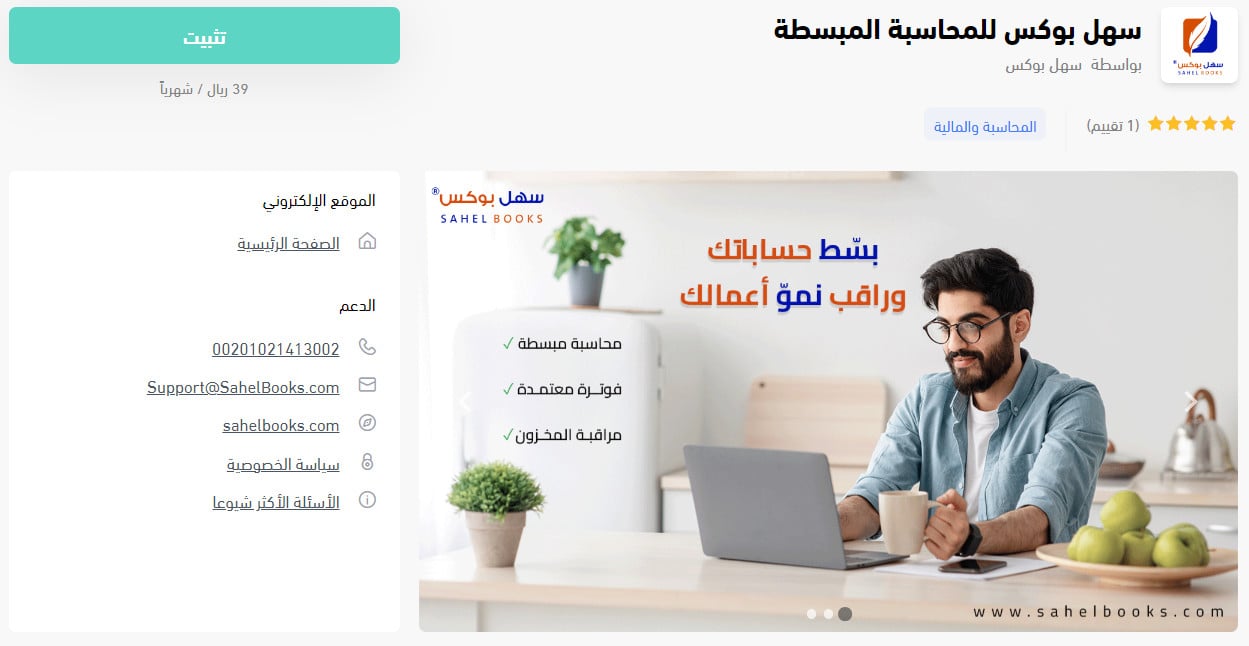
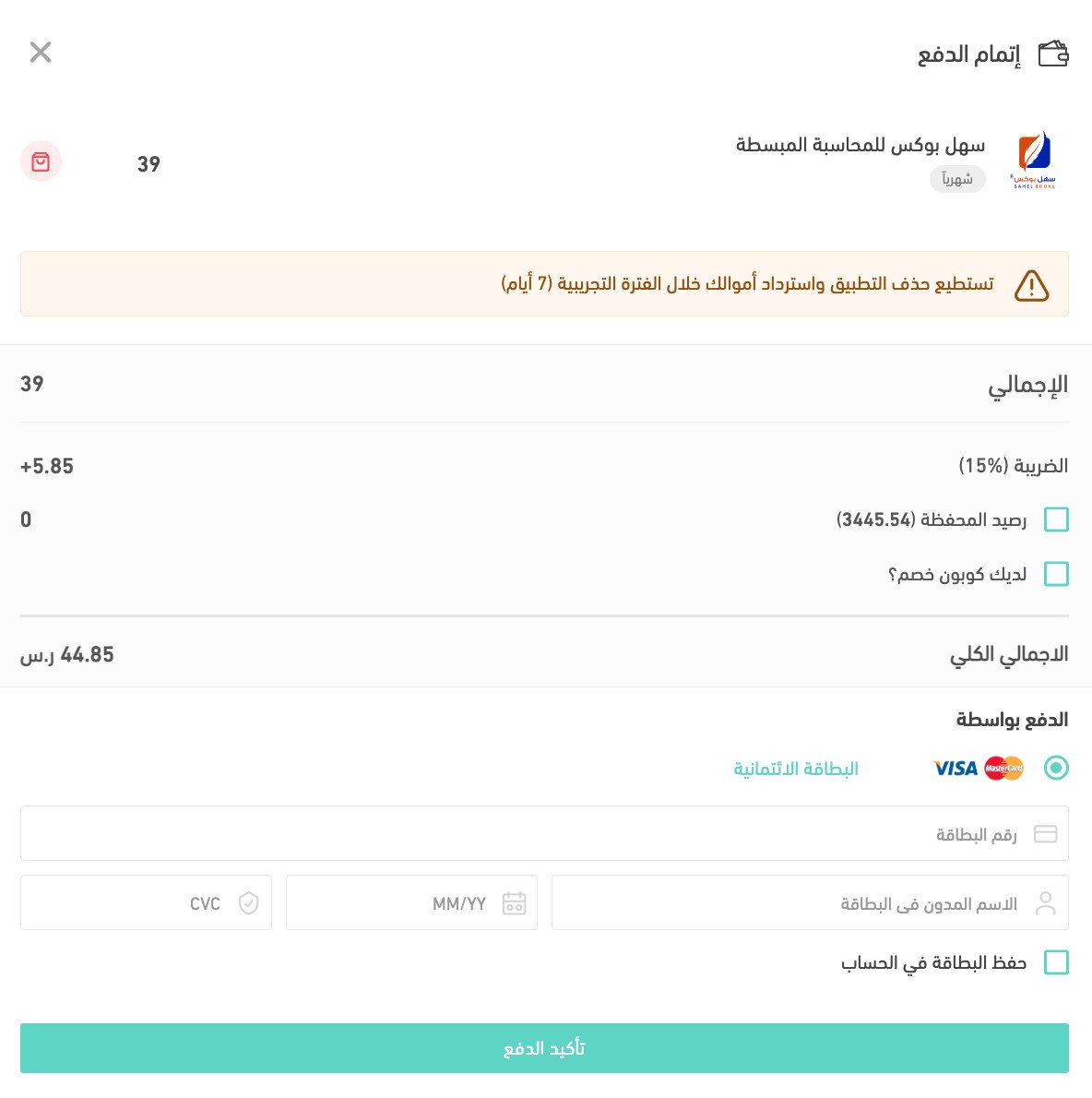
To connect SahelBooks, open (My installed apps) from your dashboard side menu, browse the Salla App Store, and install the SahelBooks app. Complete your payment details, confirm the payment, review the permissions, and click (Grant permission). Then set up automatic syncing from the app settings.
📌 Article overview
- What SahelBooks is
- Whether you need a SahelBooks account
- How to get help
- How to connect SahelBooks to your store
- Frequently asked questions
🎯 What SahelBooks is
SahelBooks is a simplified accounting app designed for small business owners and startup founders. It helps you manage your finances and inventory, create simplified invoices, and track expenses — saving you both time and money. You don't need accounting experience or a team of accountants to run your business with it. The app is easy to use and easy to set up, and it is approved by the Zakat, Tax and Customs Authority.

🎯 Do you need a SahelBooks account?
Yes. Having your own SahelBooks account unlocks the features that matter most — managing income and expenses, watching inventory, storing and organizing your invoices, and pulling financial reports on your business. You can start today and sign up free for a 14-day trial, and you register by installing the app from inside the Salla App Store.
🎯 How to get help
If you hit a technical problem or need a hand using the program, message the support team through the live chat on the SahelBooks page. You can also visit the SahelBooks blog.
🚀 How to connect SahelBooks to your store
1. From the side menu of your dashboard, click (My installed apps).

2. From the Salla App Store banner, click (Browse Salla App Store).

3. From the SahelBooks app page, click (Install).
4. Complete your payment details, then click (Confirm payment).
5. Review the permissions the app requests, then click (Grant permission).
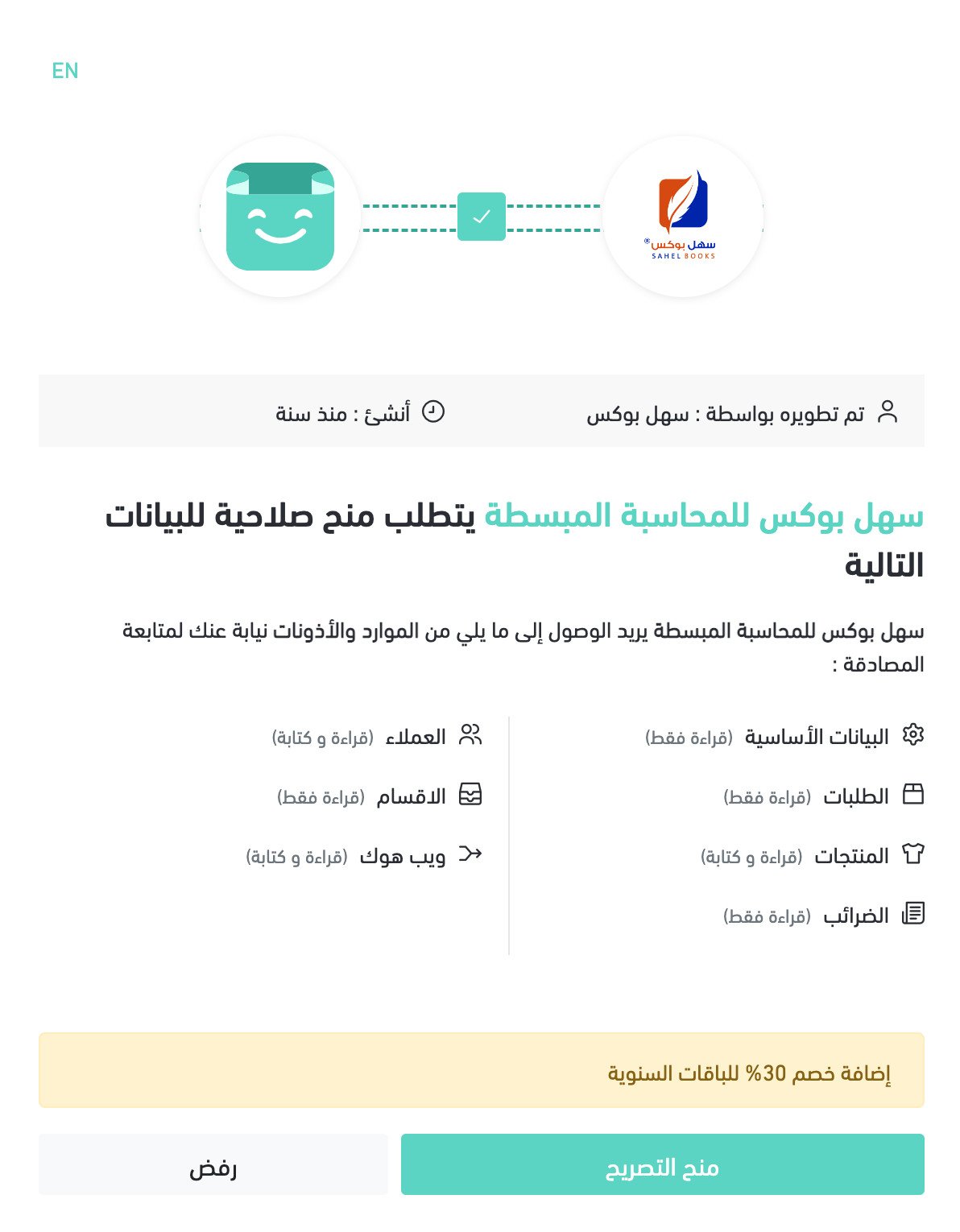
Your Salla account is now connected to SahelBooks, and you can import orders and follow your activity easily.
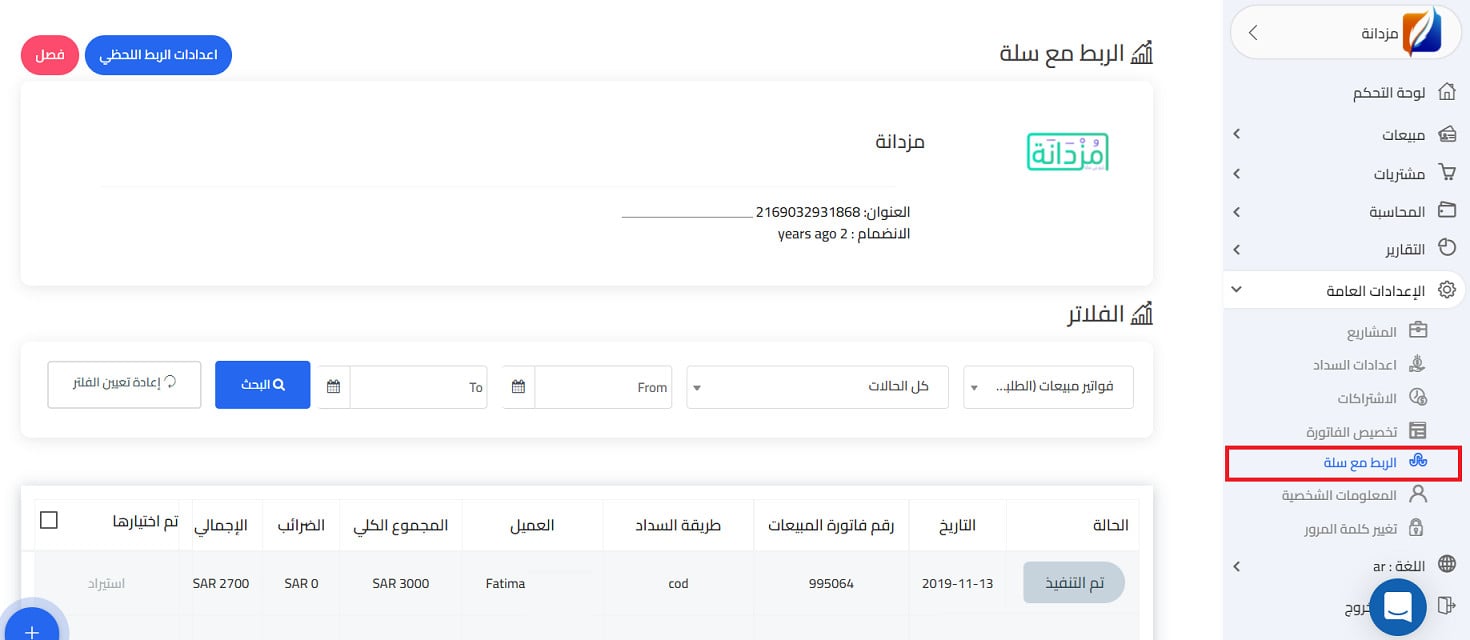
6. Set up automatic syncing. You can turn on automatic syncing for your store's orders in one of two ways.
Method one: from your Salla dashboard
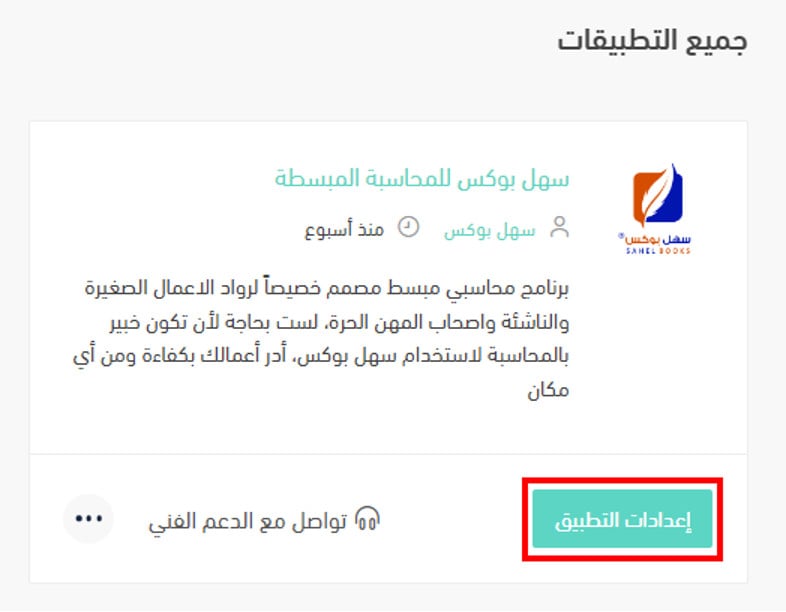
Open your installed apps from here, then click "App settings", as shown below.
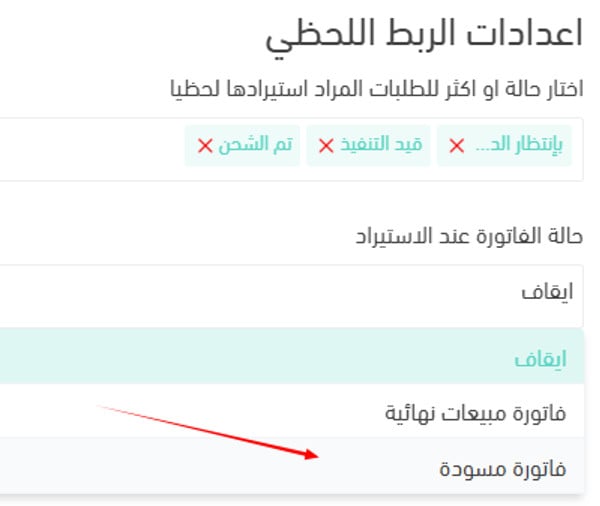
Choose the order status that should trigger the automatic import, then choose what the order becomes on import — a draft invoice or a final invoice.
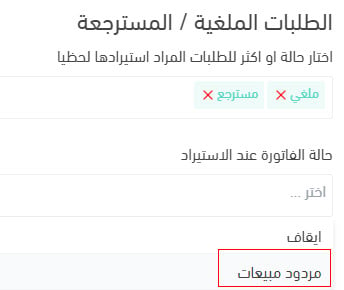
You can also set canceled and returned orders to convert into sales returns automatically, as shown below.
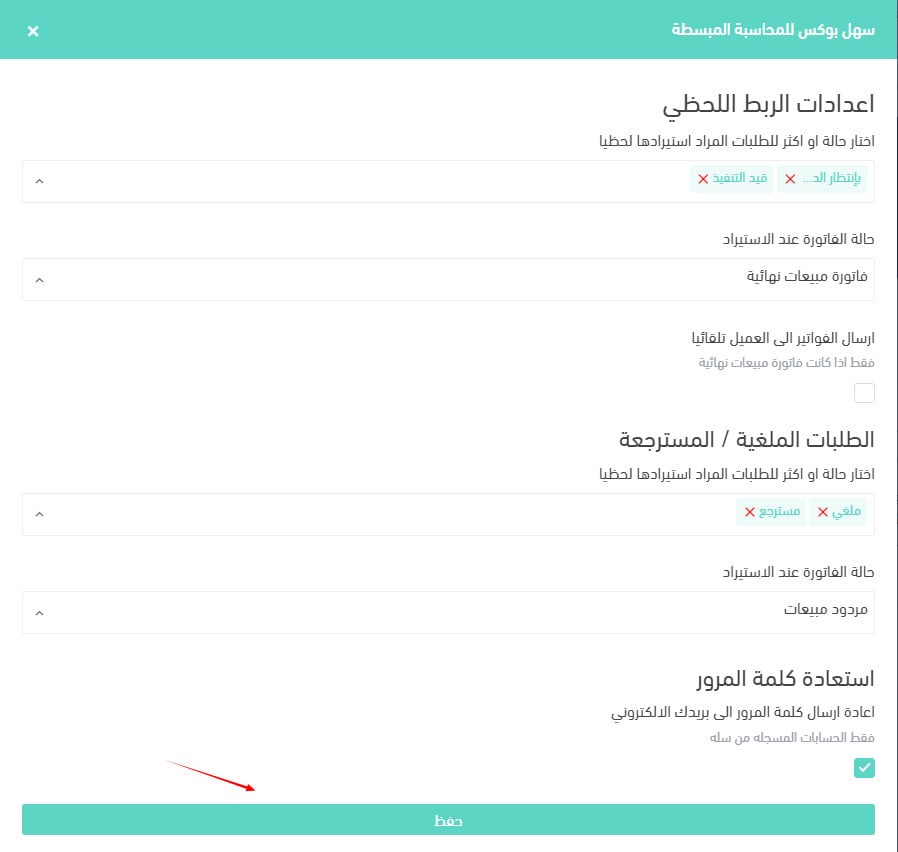
Then click (Save) to store the settings.
Method two: from your SahelBooks account
In SahelBooks, open apps, then the Salla connection, then the automatic connection settings. Choose the order statuses that suit how you work, and they convert into draft or final sales invoices entirely automatically.
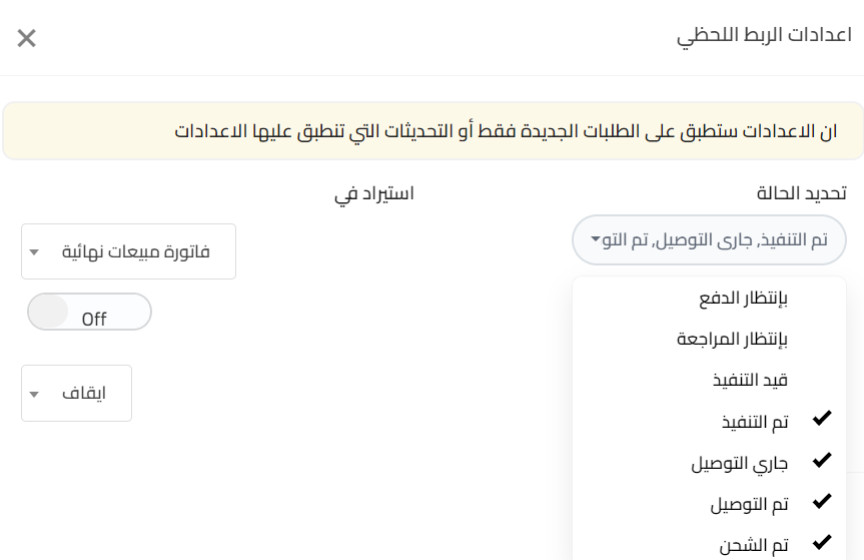
That's it — your Salla account is connected to SahelBooks, and you can import orders and follow your finances easily.
For more detail, see managing my store's apps.
❓ Frequently asked questions
How does the program work?
A few clicks gets you onto the right plan. Sign in with your email, choose your country, and you can use every SahelBooks service. You can also switch the interface to the language you prefer.
What are the benefits of SahelBooks?
- Simplified accounting.
- Inventory monitoring.
- Expense and income tracking.
- Fast invoicing.
- An easy program to use.
- Instant reports.
- Monthly invoices stored and organized, with no long hunt to find them.
What does SahelBooks offer?
1. Security at a low cost. SahelBooks keeps your personal data secure and lets you run your business credibly, all at a very modest cost.
2. Work without errors. SahelBooks keeps your books in good shape so mistakes don't pile up at the end of each month and year.
3. Ease of use. You need no accounting experience to start. Beginner or expert, anyone can use SahelBooks because it is straightforward.
4. Available anywhere. Manage your accounts from anywhere in the world, on mobile or desktop. Sign in and every detail of your business is in one place.
5. Faster communication. If you're out and need to send an important invoice to a customer, SahelBooks lets you do it without delay.
6. A design that fits your workflow. The design helps you work alongside external platforms such as Google.
7. Copy an invoice link. Copy an invoice link into a customer chat in seconds.
8. No more auditing your own accounts. Organize all your invoices inside the app easily, in a matter of minutes.
9. Access at any time. Because the app is indexed by Google, you can find it through search easily.
10. Your personal data protected. SahelBooks does not keep any customer's personal data. The data you enter in your profile is used for the app's own operations — providing its services and completing sign-in. [Verify: a later answer states that SahelBooks saves your personal and registration information, which conflicts with this.]
11. Time and cost savings. Import your sales orders into SahelBooks automatically and watch your growth through custom reports.
Can I use SahelBooks on a mobile or tablet?
Yes. Open your browser, search for the program by name, and it loads in full so you can use every service in it.
Is SahelBooks easy to use?
Yes. A clear, appealing interface and well-organized sections make the program easy to work with. If something isn't obvious, read the frequently asked questions or contact customer service and you'll get an answer.
Can I change the language to suit me?
Yes. You can choose between Arabic and English from the language section on the home page. Click it and pick the language you want.

Is SahelBooks free, or does it need a subscription?
You can try it free, then upgrade through a monthly subscription to get the program's many upgrades and updates.
Is SahelBooks safe to use?
SahelBooks is safe in every respect, and it guarantees the rights you hold within it. It also saves your personal information and the registration details you enter, in order to protect those rights.
I don't sell products, I offer services — is SahelBooks right for me?
SahelBooks helps every kind of business owner manage money and track expenses. Whatever your services, products, or line of work, it's built to help.
How do I remove the SahelBooks app from my store?
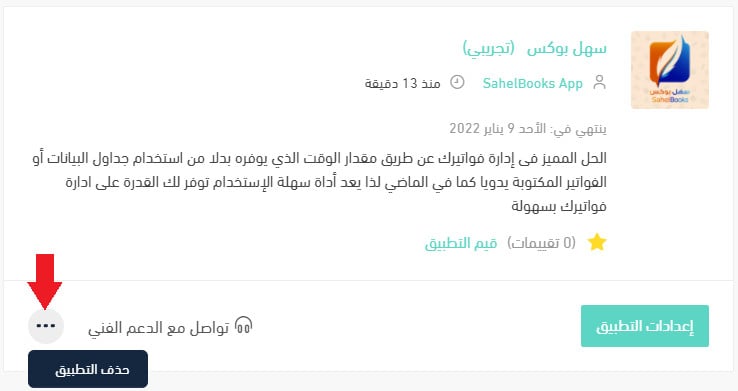
1. From the side menu of your dashboard, click (My installed apps).

2. From the all apps page, on the SahelBooks app, click the (...) icon, then click (Delete app), as shown below.
Once automatic syncing is on, every order that reaches the status you chose lands in your books as an invoice — and your monthly close stops being a data-entry exercise.