How much of your month goes to bookkeeping and filing VAT instead of selling?
Keeping accurate books and filing VAT on time is one of the least enjoyable parts of running a store. McLedger is a fintech platform that combines AI, registered tax agents, and expert accountants to manage your books and file your VAT for you. In this guide, you'll learn what McLedger is, whether you need an account first, and how to install the app on your Salla store.
To connect McLedger with Salla, open (Installed apps) from your dashboard's side menu, click (Browse Salla App Store), open the McLedger app page, click (Install), then review the permissions and click (Grant permission). A McLedger account is created for you automatically.
📌 Article overview
- What is McLedger?
- Do you need a McLedger account before connecting?
- How to install the McLedger app on your Salla store
- Frequently asked questions
What is McLedger?
McLedger is a financial technology platform that combines artificial intelligence, tax agents registered with the tax authority, and a group of expert accountants who manage your books and file your VAT. You do not just get software: a full team works on maintaining and auditing your accounts.
Do you need a McLedger account before connecting?
No. When you install the McLedger app from the Salla App Store, a new McLedger account is created for you automatically. If you already have a McLedger account, contact McLedger technical support to activate that account on your Salla store.
🚀 How to install the McLedger app on your Salla store
1. From the side menu of your dashboard, click (Installed apps).

2. From the Salla App Store banner, click (Browse Salla App Store).

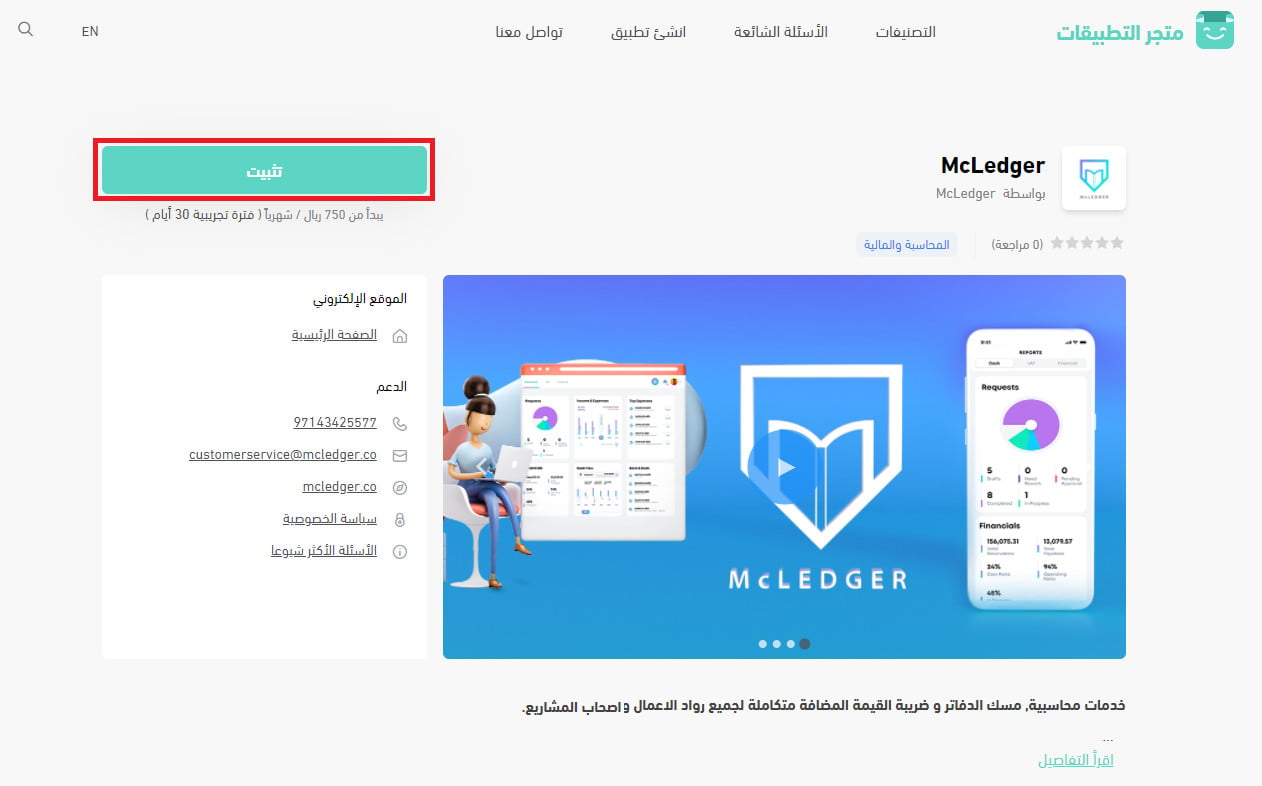
3. On the McLedger app page, click (Install).
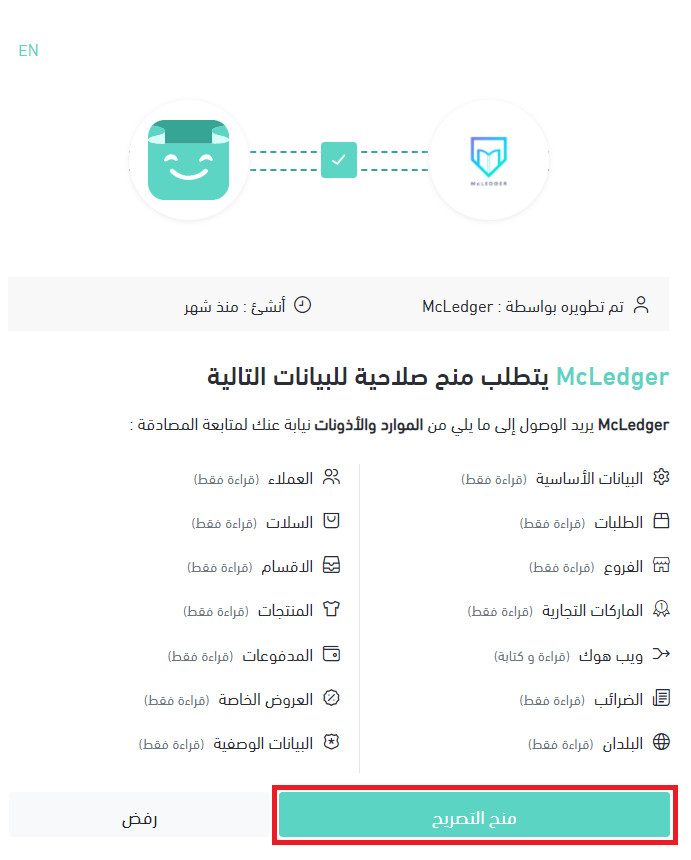
4. Read the permissions McLedger needs to access your store's resources, then click (Grant permission).
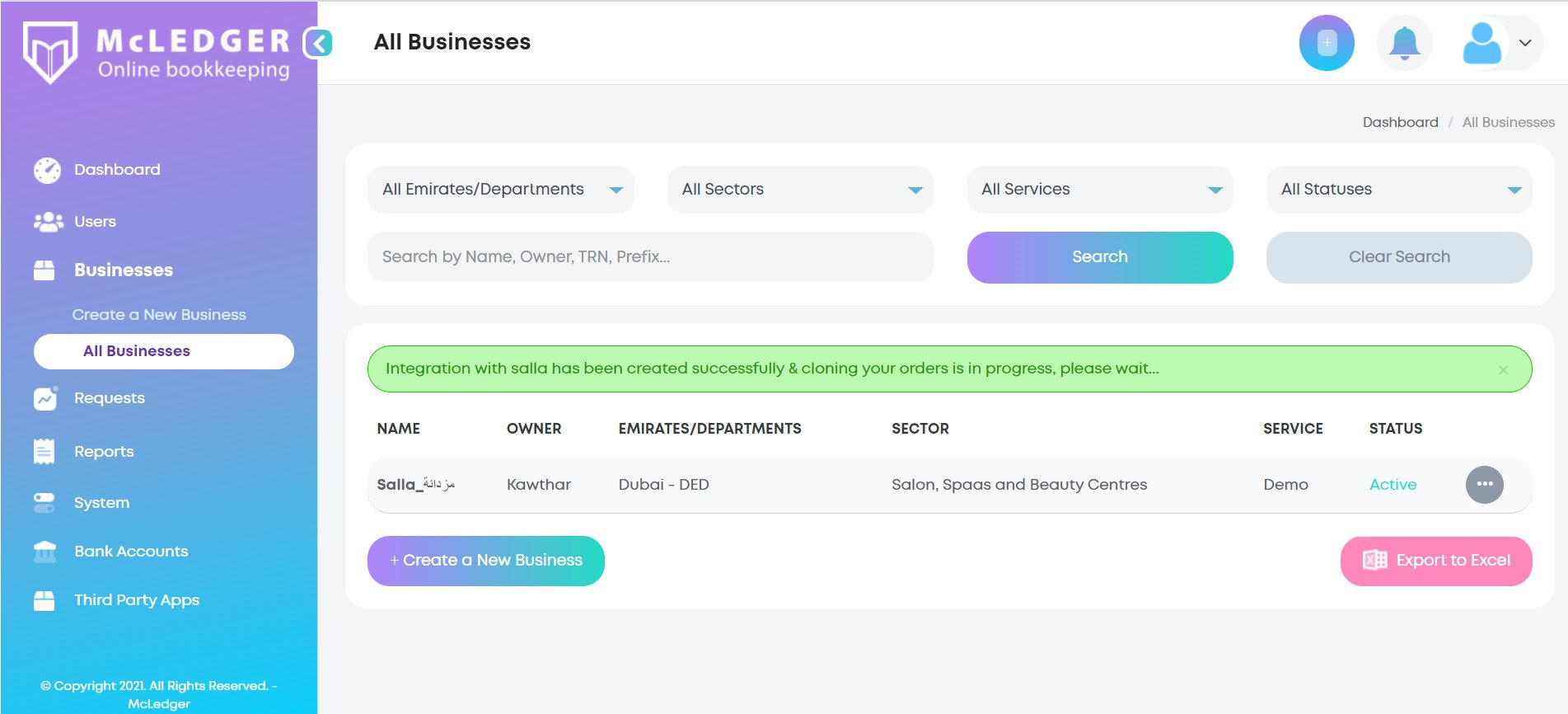
Your Salla store is now connected to your new McLedger account.
For more details, see managing your store's apps.
❓ Frequently asked questions
This section answers the following questions:
- What problems does McLedger solve?
- What features does McLedger offer?
- Does the app support Arabic?
- Does McLedger offer any training to its customers?
- What are the steps to create a new account on the McLedger platform?
- How do I remove the McLedger app from my store?
What problems does McLedger solve?
- The high cost of bookkeeping and VAT filing. Joining McLedger can cut your business accounting costs by up to 85%.
- Automatic electronic reconciliation between your online store's inventory, the orders you receive, and refund requests.
- Quick, easy access through both mobile and web apps, so you can manage financial activity anytime, anywhere.
- No prior accounting knowledge needed, since the McLedger team provides full training to every customer.
- No hassle of relying on unqualified or unlicensed outside accounting help.
- Direct contact with your account manager at any time, plus fast access to all your financial information and reports.
What features does McLedger offer?
1. Comprehensive financial reports, including profit and loss, balance sheet, cash flow, accounts payable, and accounts receivable.
2. Electronic reconciliation with bank accounts.
3. Full integration with online stores: Amazon, Shopify, Magento, Stripe, Fodex, and Salla. [Verify: one platform in the Arabic list is transliterated as Fodex and has no confirmed English spelling.]
4. Bank account linking.
5. Payment tracking.
6. Invoice downloads in several formats.
7. Accounting software that is easy to use.
8. Optical character recognition that pulls data from invoices and enters it into the system automatically.
9. Customer support available 24 hours a day, 7 days a week.
Does the app support Arabic?
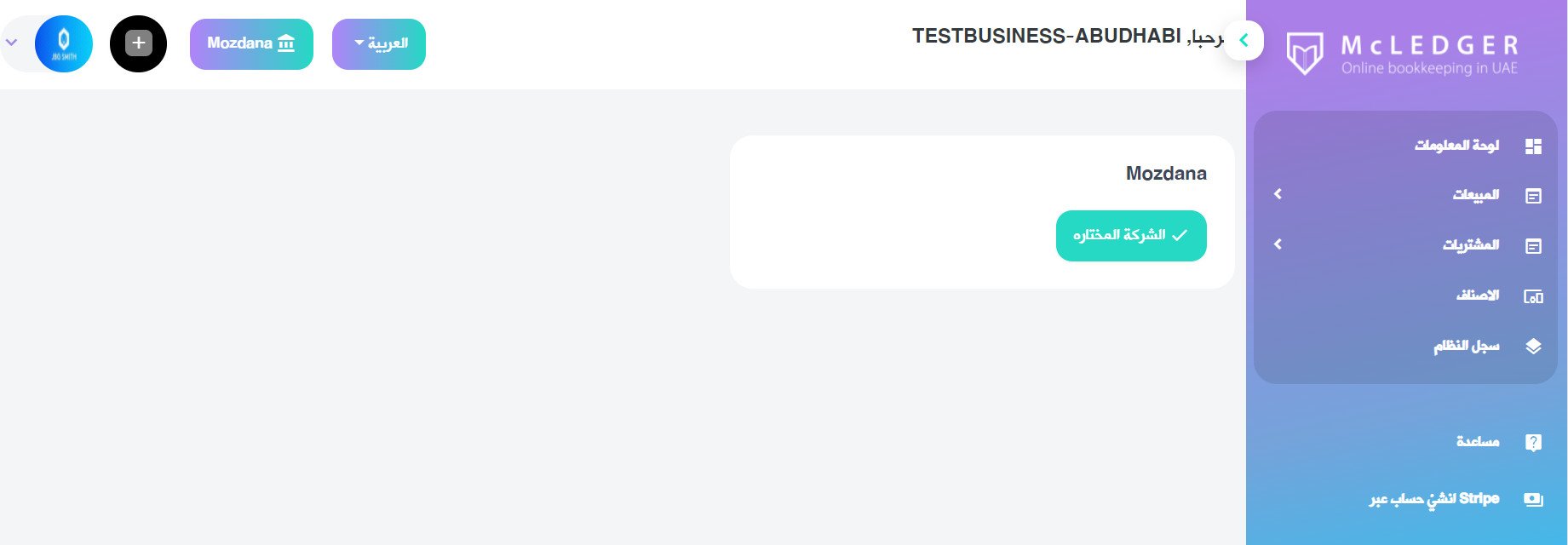
Yes. You can set the app interface to Arabic or English, whichever you prefer.
To switch to Arabic, start from the McLedger home page.
Then choose the language you want from the language list (Arabic / English).
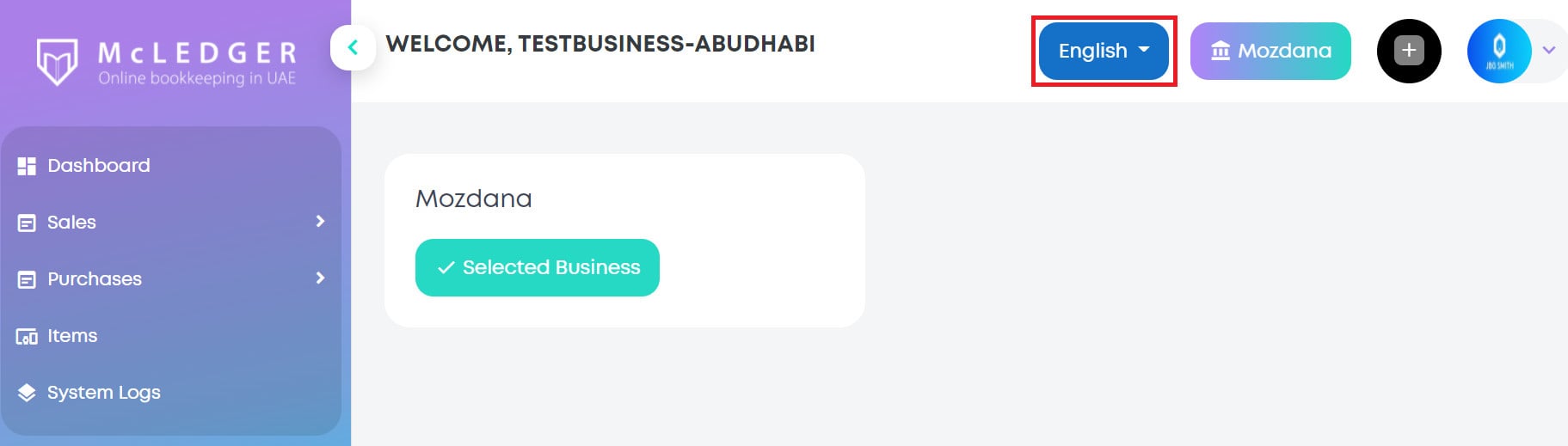
You can now use the platform in your preferred language.
Does McLedger offer any training to its customers?
Yes. McLedger provides free training on using the platform, covering things like running the system end to end to prepare a tax return and calculate profit and loss, adding users to the account, and other essentials.
What are the steps to create a new account on the McLedger platform?
[Verify: this question appears in the source's own FAQ list but the Arabic article never answers it. Installing the app from the Salla App Store creates a McLedger account automatically, as described above.]
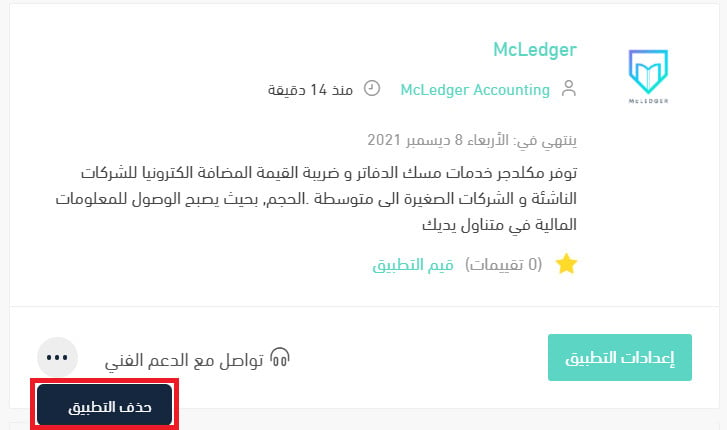
How do I remove the McLedger app from my store?
1. From the side menu of your dashboard, click (Installed apps).

2. On the all apps page, under the McLedger app, click (...), then click (Delete app).
With McLedger connected, your store's books, reconciliations, and VAT filing run in the background while you focus on selling.