How many sales slip away while a customer waits for an answer?
Connecting Live Chat with Salla lets you talk to shoppers directly, right when they have a question. Live Chat is a paid instant messaging service that also gives you distinctive messaging and strong reports to run your business more efficiently. In this guide, you'll learn how to create a Live Chat account, copy your tracking code, and activate the connection in your Salla store.
To connect Live Chat with Salla, create a Live Chat account and copy the tracking code it gives you. Then open (Installed apps) in your Salla dashboard, click (App settings) on the Live Chat app, paste the tracking code, and click (Activate connection).
📌 Article overview
- What is Live Chat?
- How to connect your Salla store with Live Chat
- Frequently asked questions
🎯 What is Live Chat?
Live Chat is a paid instant messaging service that lets you communicate directly with your customers. It also offers distinctive messaging and powerful reports that help you run your business efficiently.
🚀 How to connect your Salla store with Live Chat
The connection happens in two stages:
1. Sign up for Live Chat.
2. Paste the Live Chat tracking code into your Salla store.
Stage one: sign up for Live Chat
1. Go to the Live Chat website and click (Log in) to get started.

2. If you already have a Google account, sign in with it, then click (Sign in).
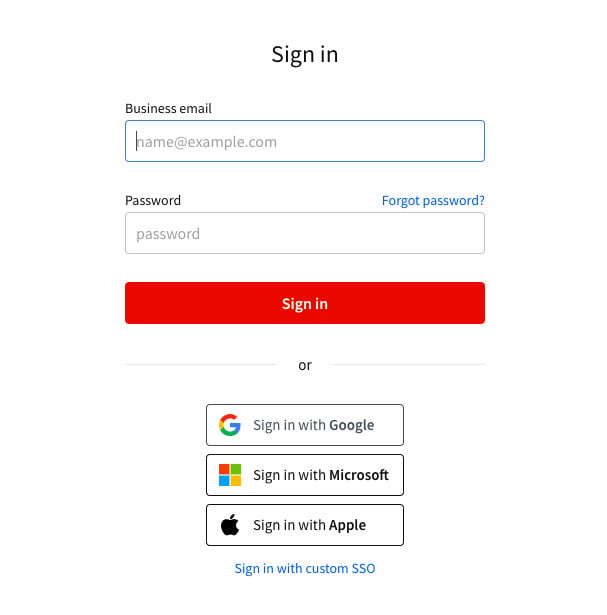
Or create a new account: enter your basic details, then click (Create account).
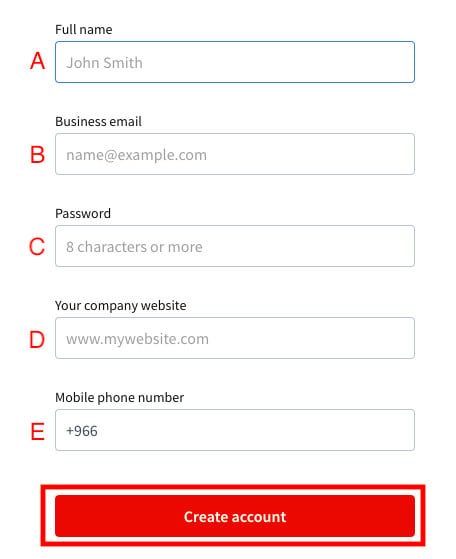
A. Your full name.
B. Your email address.
C. A new password (at least 8 characters, mixing numbers, English letters, and symbols).
D. Your store link.
E. Your mobile number.
3. Choose how you'll get to your tracking code.
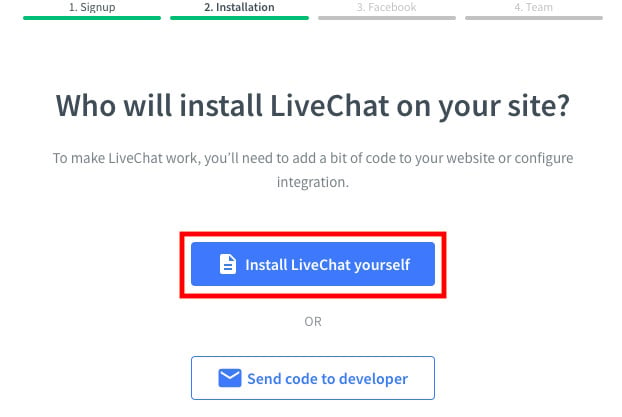
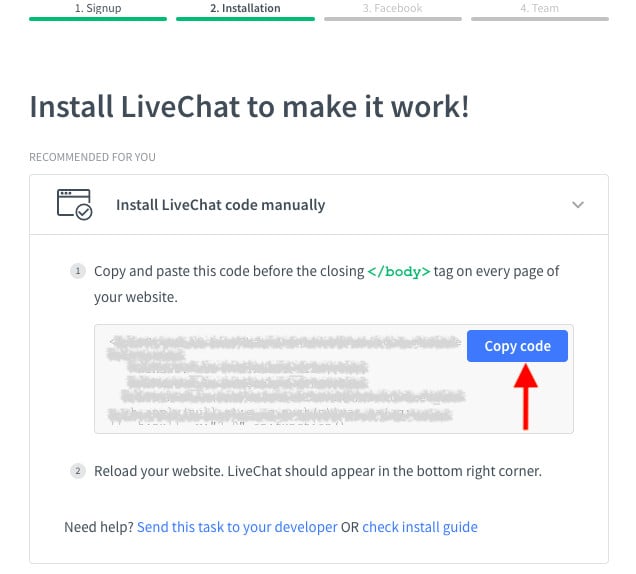
4. Copy the tracking code so you can paste it into your store, then click (Continue) — the Live Chat home page opens.
Stage two: paste the Live Chat tracking code into your Salla store
1. From the side menu of your dashboard, click (Installed apps).

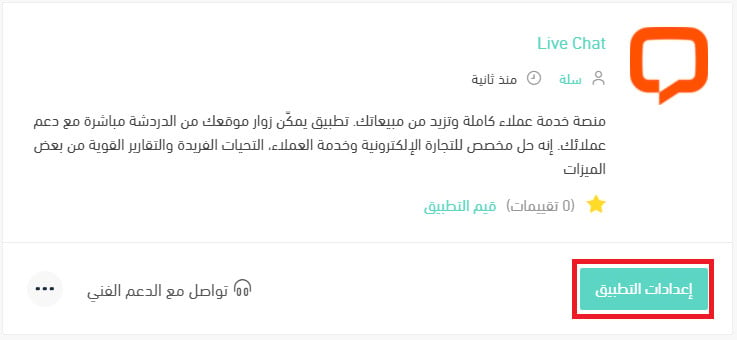
2. On the Live Chat app, click (App settings).
If the app isn't installed in your store yet, install it first. For more details, see installing an app from the Salla App Store.
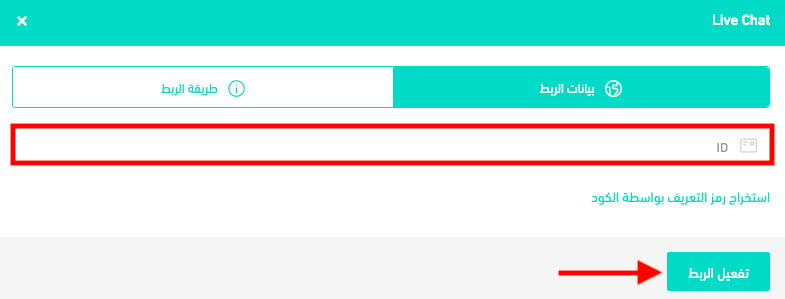
3. Paste the tracking code you copied from Live Chat in stage one, then click (Activate connection).
❓ Frequently asked questions
Why should I use Live Chat?
1. You can manage all your customer service activity in one place — chat, email, social media, and several other tools.
2. The statistics section lets you measure the conversion from chat invitations to chat sessions, and on to sales.
Is Live Chat free?
No. Live Chat is a paid instant messaging service.
Can I disconnect my store from my Live Chat account?
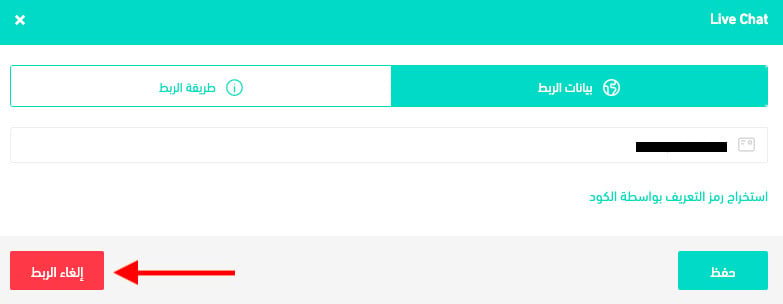
Yes. On the Live Chat connection page, click (Disconnect).