Would you rather hand storage, packing, and delivery to one partner and get back to selling?
Kaseb Express is a Saudi logistics company that provides storage, packing, delivery, and logistics support to online stores. The Kaseb Express integration connects your Salla store to the company straight from the Salla App Store, and it creates your Kaseb Express account for you along the way. In this guide, you'll learn how to install the app, set your shipping rates, review the services and prices on offer, and disable or remove the app when you need to.
To connect Kaseb Express, open (My installed apps) from your dashboard side menu, click (Browse Salla App Store), open the Kaseb Express app page, and click (Install). Review the permissions the app requests, then click (Grant permission). Your store is now connected to your Kaseb Express account.
📌 Article overview
- What is Kaseb Express?
- Do you need an account before connecting?
- How to connect Kaseb Express to your store
- Frequently asked questions
🎯 What is Kaseb Express?
Kaseb Express is a leading Saudi logistics provider. It offers storage, packing, delivery, and logistics support to every online store in Saudi Arabia.
Do you need a Kaseb Express account before connecting?
No. When you install the Kaseb Express app from the Salla App Store, a new Kaseb Express account is created for you automatically. If you already have a Kaseb Express account, contact Kaseb Express support to activate that account on your Salla store.
🚀 How to connect Kaseb Express to your store
1. From the side menu of your dashboard, click (My installed apps).

2. From the Salla App Store banner, click (Browse Salla App Store).

3. From the Kaseb Express app page, click (Install).
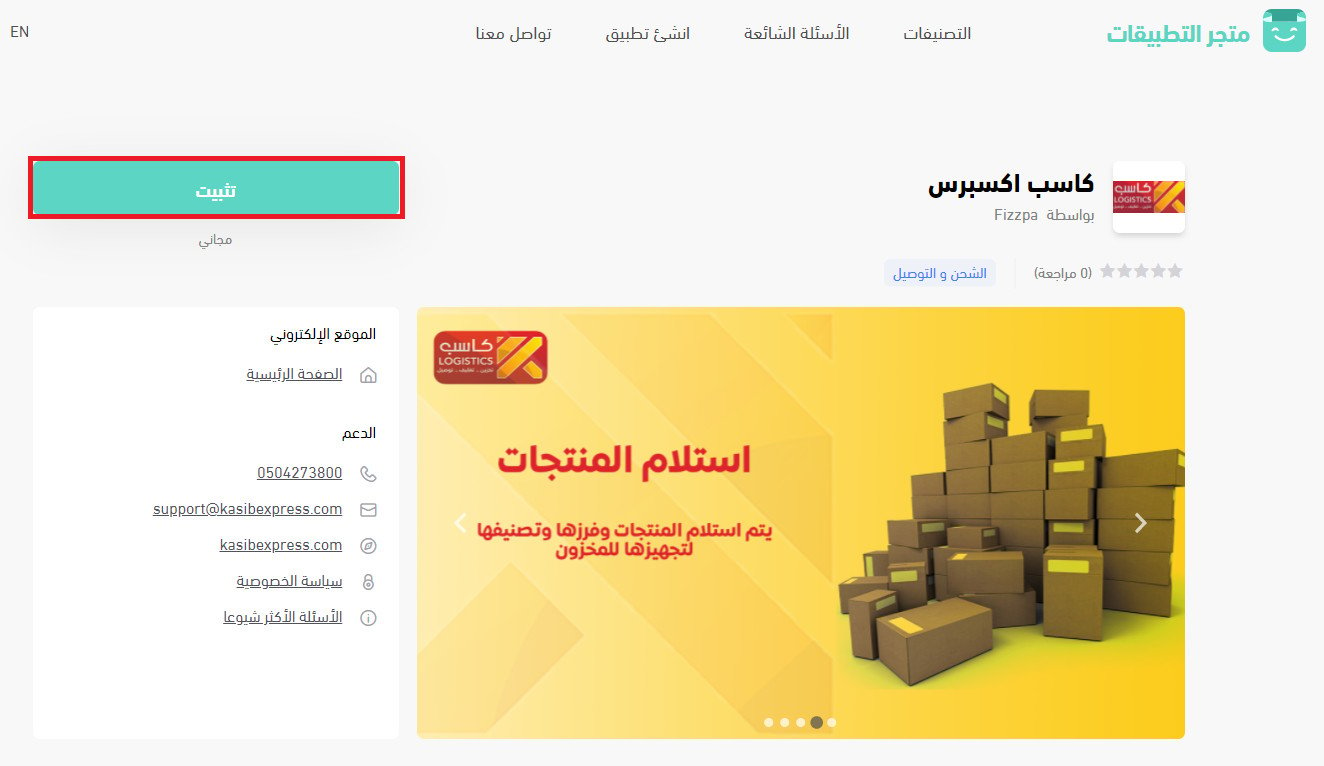
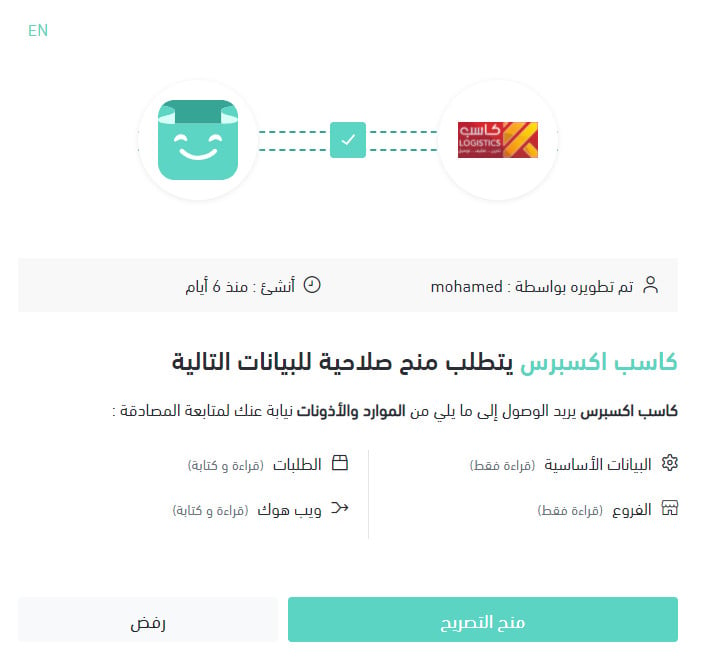
4. Review the permissions the app requests, then click (Grant permission).
Your Salla store is now connected to your Kaseb Express account.

For more details, see managing your store apps.
❓ Frequently asked questions
Here are the answers to the questions merchants ask most:
1. How do I set up shipping rates for Kaseb Express?
2. What services does the company offer?
3. How do I temporarily disable the app in my store?
4. How do I remove the Kaseb Express app from my store?
How do I set up shipping rates for Kaseb Express?
1. From the side menu of your dashboard, click (My installed apps).

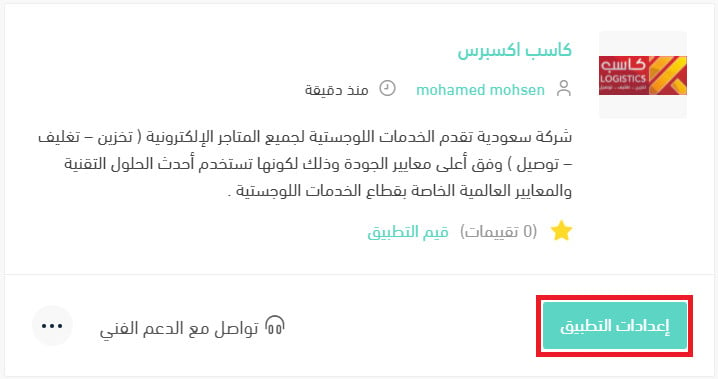
2. On the all apps page, find the Kaseb Express app and click (App settings).
3. From the (Shipping rates) tab, enter the shipping rates for the cities and regions you need.
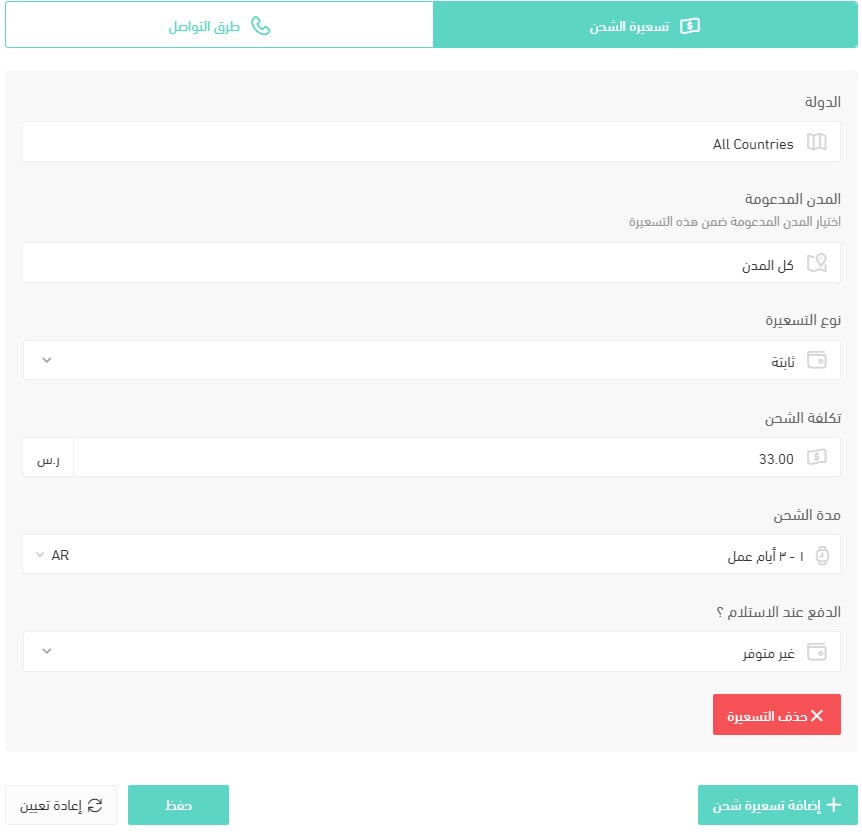
For more details, see shipping and delivery options settings.
What services does the company offer?
Storage: Kaseb Express stores your products in storage units (bins) sized 50 × 60 × 33 cm, at SAR 0.33 per bin per day.
Fulfilment: you keep your stock with Kaseb Express, and the team prepares and packs each order before handing it to their delivery department. Pricing starts at SAR 5 per order, covering the first three items, plus SAR 0.50 for every additional item. Special rates apply for high order volumes within a month.
Shipping: Kaseb Express delivers prepared shipments inside Riyadh with its own team in under 24 hours from the moment the order is prepared. Orders to the rest of the Kingdom are handed to one of the company's approved partners.
- Delivery inside Riyadh costs SAR 20 for the first 12 kg, plus SAR 2 for each additional kilogram.
- Delivery outside Riyadh varies by agreement and by the number of shipments.
📝 Important notes
All prices are exclusive of VAT.
The prices above do not cover special shipping requirements.
How do I temporarily disable the app in my store?
1. From the side menu of your dashboard, click (My installed apps).
2. On the all apps page, find the Kaseb Express app and click (App settings).
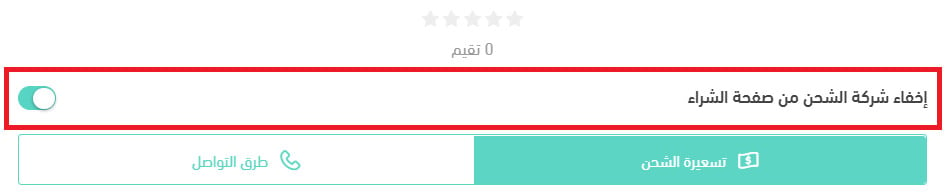
3. Turn the (Hide the shipping company from the checkout page) option on or off.
How do I remove the Kaseb Express app from my store?
1. From the side menu of your dashboard, click (My installed apps).
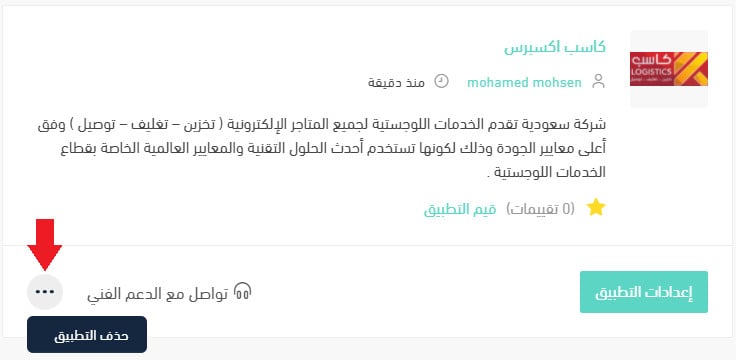
2. On the all apps page, find the Kaseb Express app, click the (...) icon, then click (Delete app), as shown below.
With storage, order preparation, and delivery running through one partner, your fulfilment costs become predictable — and predictable costs are far easier to price into your products.