Need a shipping partner that can store, pack, and deliver your orders across the Kingdom?
IEL Express is a Saudi logistics company serving businesses, showrooms, and online stores with shipping, storage, packing, and delivery built on modern technology. The IEL Express integration connects your Salla store to the company from the Salla App Store, and it creates your IEL Express account for you as part of the install. In this guide, you'll learn how to connect the app, set your shipping rates, disable or remove it, and what services IEL Express offers.
To connect IEL Express, open (My installed apps) from your dashboard side menu, click (Browse Salla App Store), open the IEL Express app page, and click (Install). Review the permissions the app requests, then click (Grant permission). Your store is now connected to your IEL Express account.
📌 Article overview
- What is IEL Express?
- Do you need an account before connecting?
- How to connect IEL Express to your store
- Frequently asked questions
🎯 What is IEL Express?
IEL is a Saudi company specializing in logistics services for businesses, showrooms, and online stores: shipping, storage, packing, and delivery, all run to high quality standards using current technology.
Do you need an IEL Express account before connecting?
No. When you install the IEL Express app from the Salla App Store, a new IEL Express account is created for you automatically. If you already have an IEL Express account, contact IEL Express support to activate that account on your Salla store.
🚀 How to connect IEL Express to your store
1. From the side menu of your dashboard, click (My installed apps).

2. From the Salla App Store banner, click (Browse Salla App Store).

3. From the IEL Express app page, click (Install).
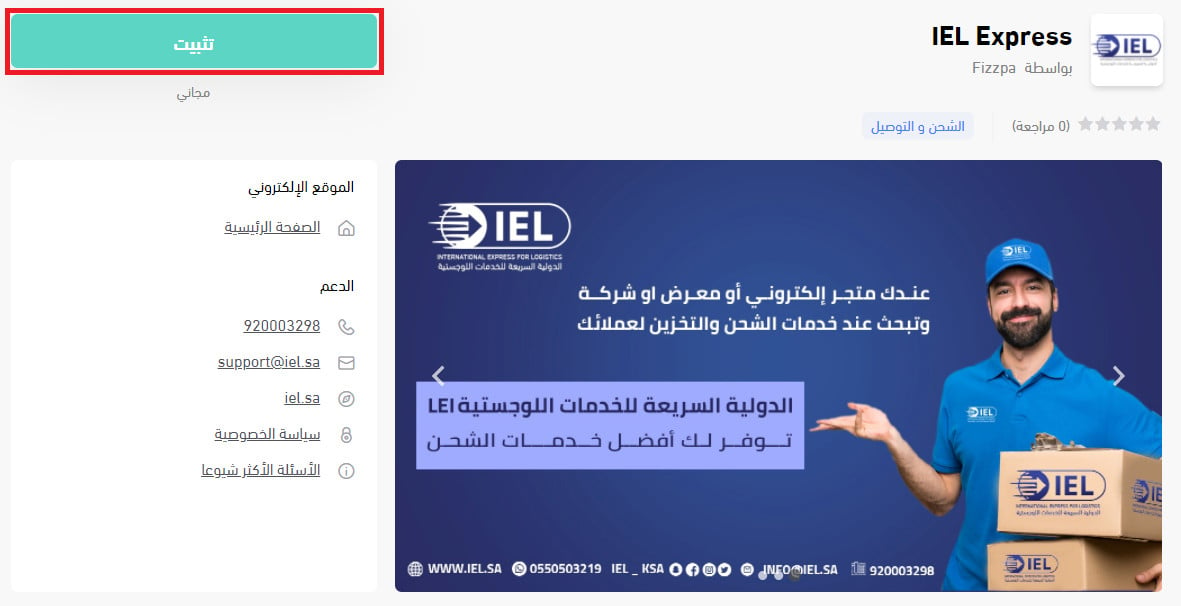
4. Review the permissions the app requests, then click (Grant permission).
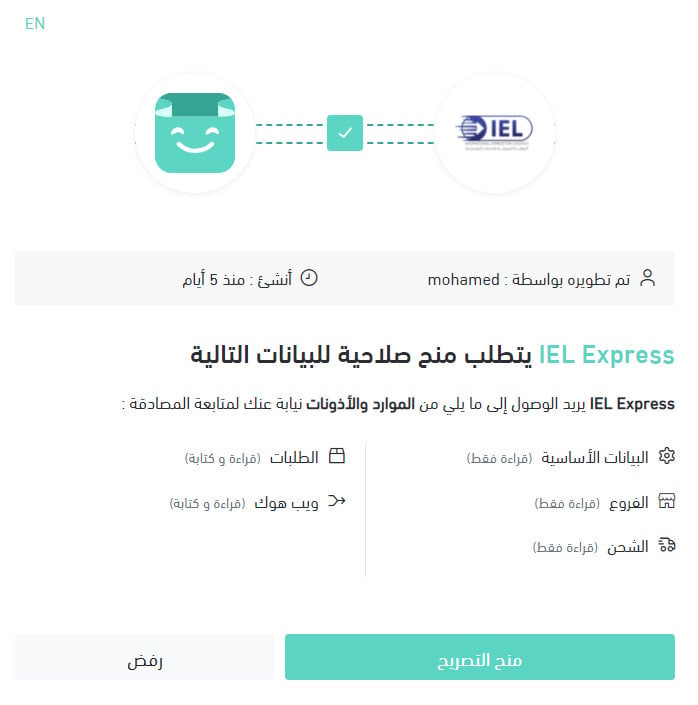
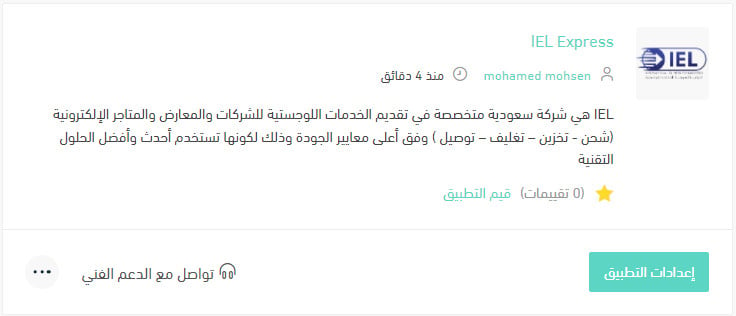
Your Salla store is now connected to your IEL Express account.
For more details, see managing your store apps.
❓ Frequently asked questions
Here are the answers to the questions merchants ask most:
1. How do I set up shipping rates for IEL Express?
2. How do I temporarily disable the app in my store?
3. How do I remove the IEL Express app from my store?
4. What services does IEL Express offer?
How do I set up shipping rates for IEL Express?
1. From the side menu of your dashboard, click (My installed apps).

2. On the all apps page, find the IEL Express app and click (App settings).
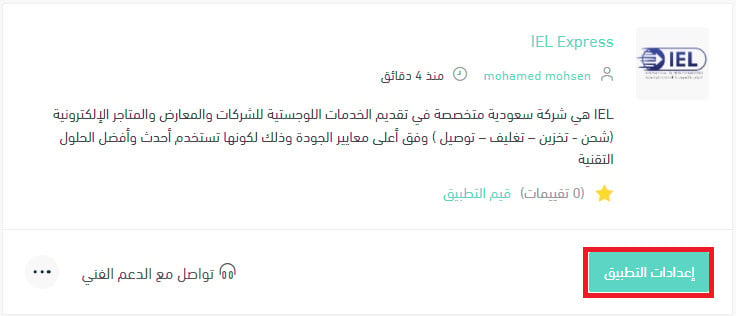
3. From the (Shipping rates) tab, enter the shipping rates for the cities and regions you need.
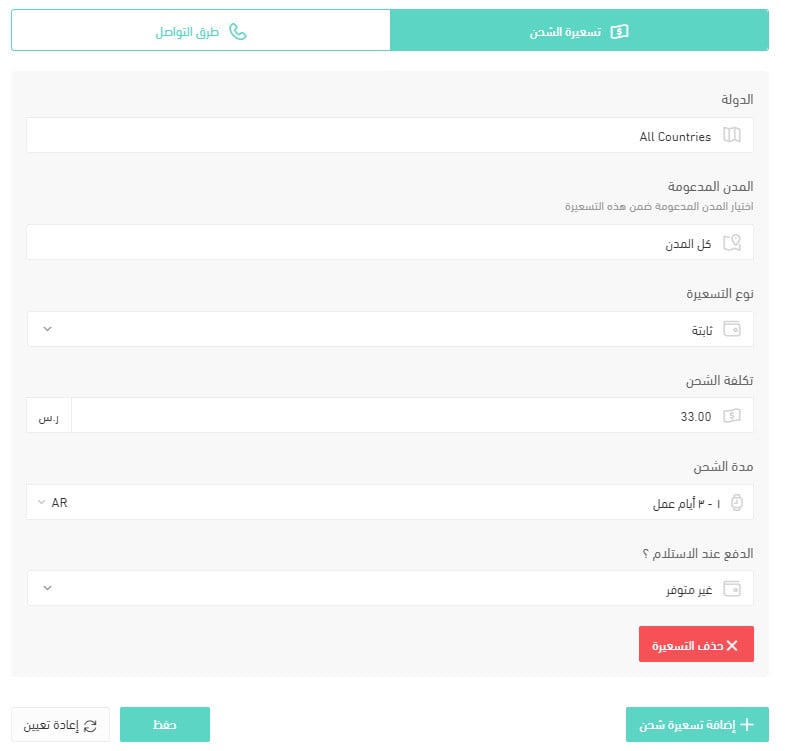
For more details, see shipping and delivery options settings.
How do I temporarily disable the app in my store?
1. From the side menu of your dashboard, click (My installed apps).
2. On the all apps page, find the IEL Express app and click (App settings).
3. Turn the (Hide the shipping company from the checkout page) option on or off.
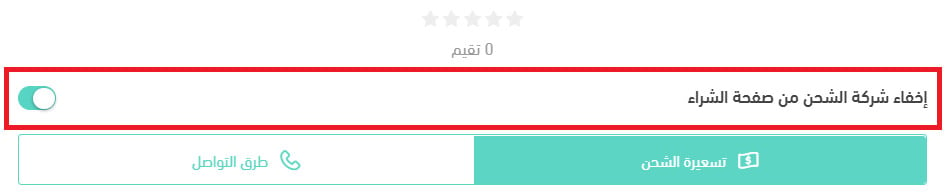
How do I remove the IEL Express app from my store?
1. From the side menu of your dashboard, click (My installed apps).
2. On the all apps page, find the IEL Express app, click the (...) icon, then click (Delete app), as shown below.
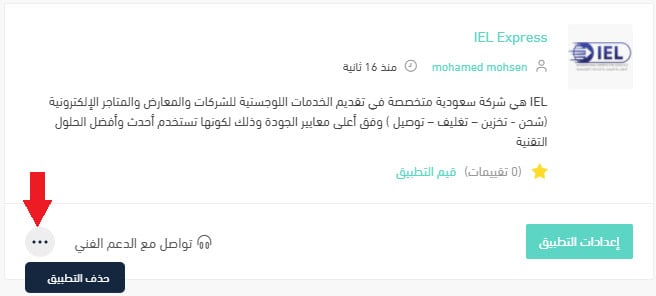
What services does IEL Express offer?
IEL offers its customers a range of services:
1. Door to door shipping and delivery (D2D).
2. Branch to branch drop-off and collection (B2B).
3. Shipping and delivery within the Kingdom. Delivery currently covers the IEL service area, and will soon reach every region, within 1 to 5 working days.
4. Cash on delivery.
5. Shipment tracking.
6. Customer service and advanced technical support.
7. E-commerce services: IEL acts as the link between every region in the Kingdom through its logistics and transport services, helping e-commerce businesses manage their supply chain and giving them technical support and much more.
8. Storage: if you are a merchant with goods to store and nowhere suitable to keep them, IEL provides storage that fits your needs.
9. Packing services.
10. Dedicated vehicle requests: if you have goods that need a truck of their own, IEL lets you request one to take your shipment wherever you need it, inside your city or beyond it.
11. Shipment return or redirection: if you sent a shipment through IEL and decide to change its destination or return it, submit your request through the link on the IEL website, or contact the branch through one of the channels listed there.
With the app installed, your rates, your labels, and your tracking all live in the same dashboard you already use to run the store.