Need structured internal order details or clearer product specifications?
Custom fields on Salla let you create number, date, link, file, and text fields for internal order records or product-data sections that can optionally appear to storefront customers.
To configure custom fields on Salla, open Store settings and choose Custom fields. Create an Orders or Products section, give it a title, add and configure the supported fields, choose its product scope and customer visibility when applicable, then save. Order sections allow five fields; product sections allow ten.
📌 Article overview
- Understand custom-field uses
- Create an order section
- Create a product section
- Edit or delete a section
- Review limits and plan support
- Frequently asked questions
How custom fields work on Salla
The source supports number, date, link, file, and text fields. Order fields are visible to the merchant rather than customers. Product fields can be placed in a separate specification section and optionally shown on the storefront.
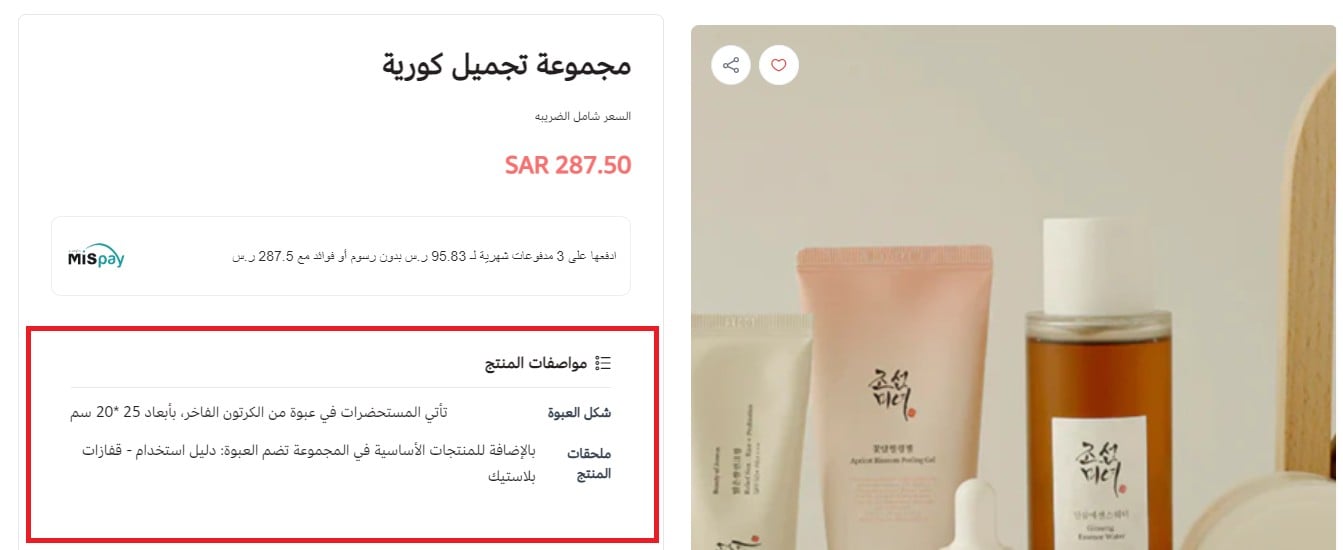
For example, a product section can highlight package type, dimensions, or packaging details outside the main description.

An order section can hold internal service details such as installation timing, another contact number, or the installer contact name.

Configure custom fields for orders
1. From the dashboard menu, click Store settings.

2. Choose Custom fields.

3. Open the Orders tab and click Add new section.

4. Enter the section settings, then click Add.

Give the section a title and add up to five fields.

Configure each field according to the information the merchant needs to record.
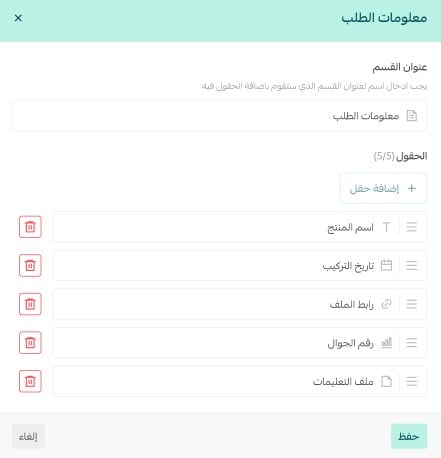
Save the section and its fields.
تم إضافة القسم مع حقوله بنجاح.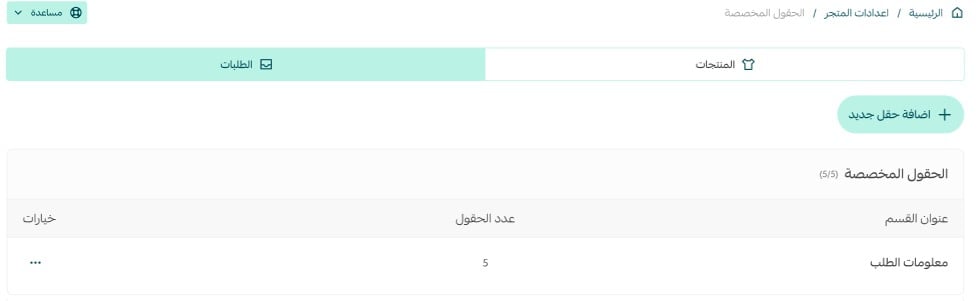
The custom fields appear at the bottom of the order-edit page.

Complete the fields and click Save changes. The values then appear in the order details.

Configure custom fields for products
1. From the dashboard menu, click Store settings.
2. Choose Custom fields.
3. Open the Products tab and click Add new section.
3.من صفحة الحقول المخصصة ومن تبويب (المنتجات) اضغط (إضافة قسم جديد).
4. Enter the new product-section settings, then click Add.

Apply the section to every product.
أو اختر (تصنيفات مختارة) إن كنت تود تطبيقها على تصنيفات مختارة، ثم حدد التصنيفات أو استخدم خاصية البحث (يمكنك تحديد أكثر من تصنيف).
Or apply it to selected categories by choosing or searching for one or more categories.
Add up to 10 fields to the product section.
Choose whether customers can see the section on the storefront product page, then click Add.

Salla confirms that the section was added.

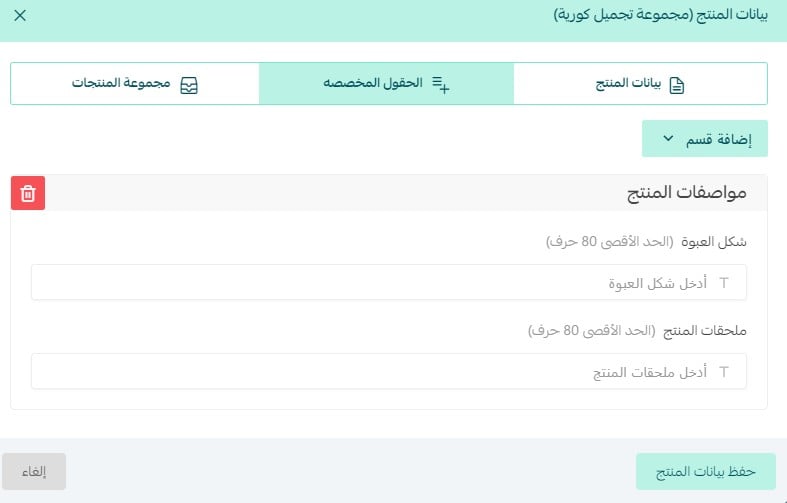
In Product data, open the custom-fields tab, choose the required section from Add section, and complete its values.
When storefront visibility is enabled, customers see the field on the product card as documented by the source.
Edit a custom-field section
From Custom fields, open the section's More menu and click Edit.
نعم، من خلال صفحة الحقول المخصصة توجه إلى القسم الذي ترغب بتعديله واضغط على علامة المزيد (...) ثم اضغط (تعديل).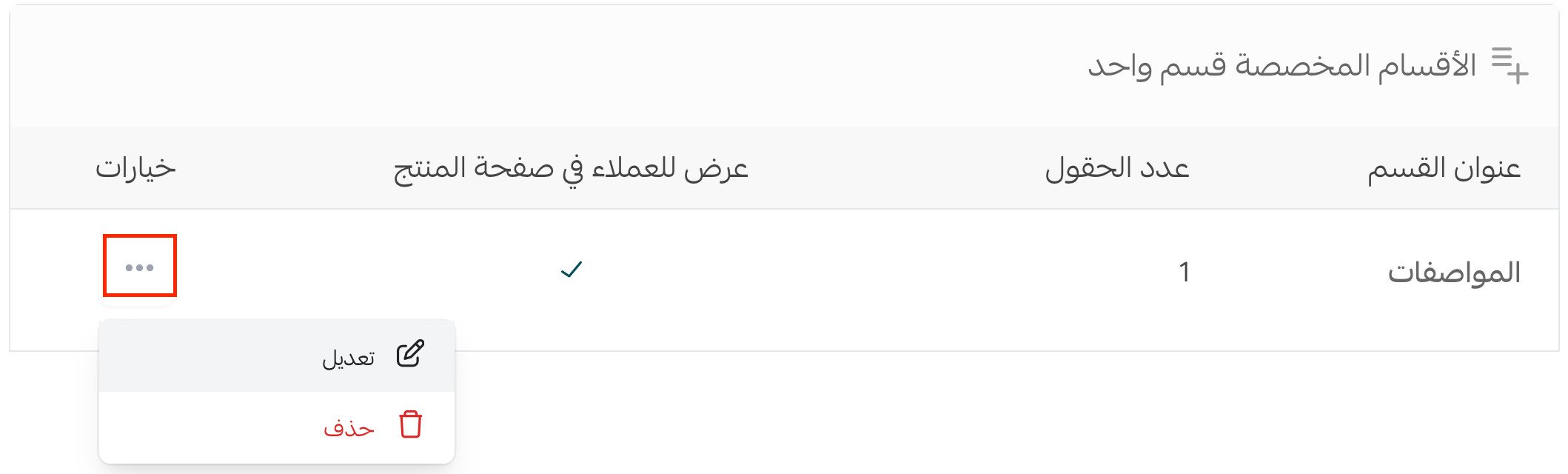
Update the section, then click Save.
سيتم توجيهك إلى صفحة القسم المطلوب، عدل بما يناسبك واضغط (حفظ).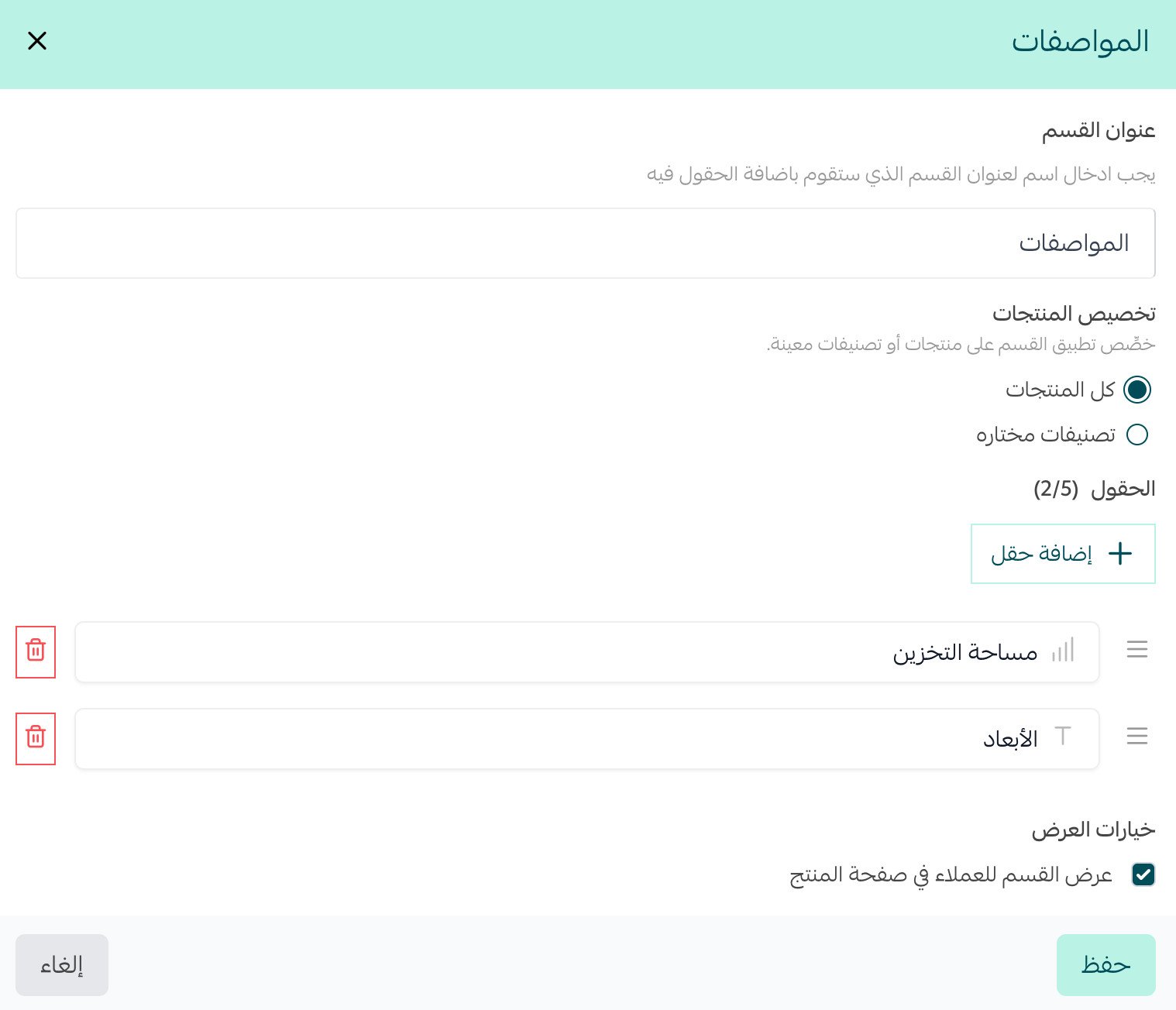
Delete a custom-field section
From the section's More menu, click Delete.
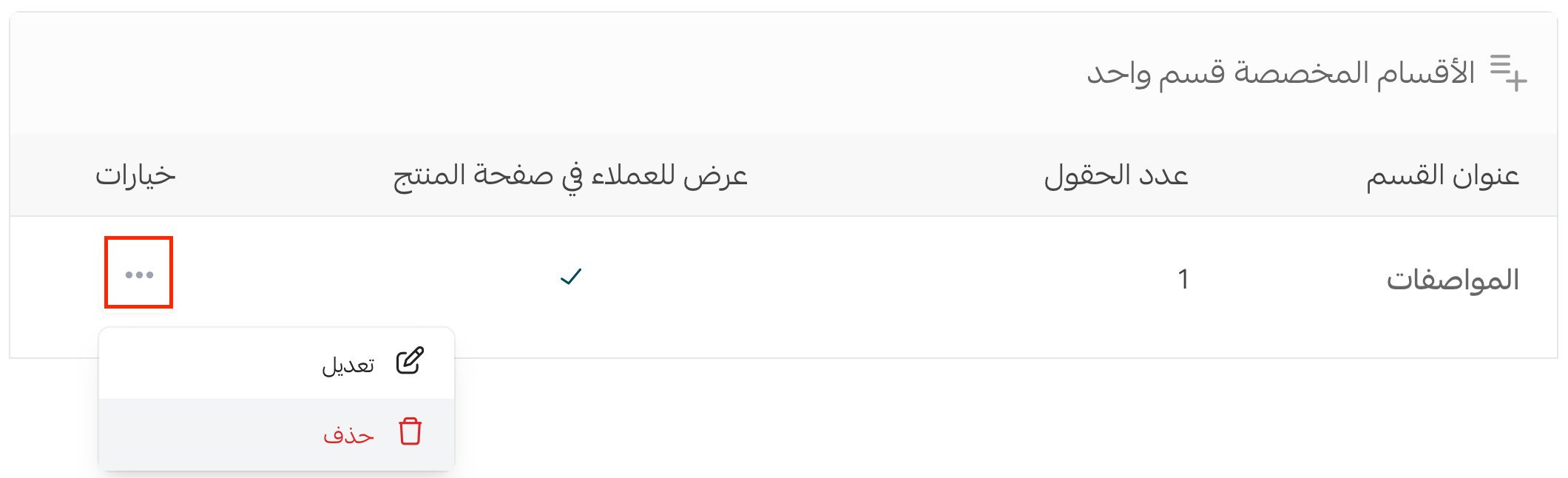
Confirm by clicking Yes, delete.

Field and plan limits
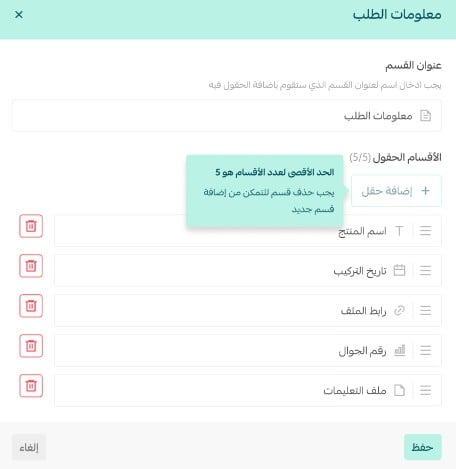
An order section supports up to five fields. A product section supports up to 10. To add a field after reaching the limit, delete an existing field first.
The source says custom fields are available on Pro and Special. It also says customer-facing product fields currently work in the storefront and that App Maker support is coming soon; this undated statement requires confirmation.
Frequently asked questions
Which custom-field types are supported?
The source lists number, date, link, file, and text fields.
Can customers see order custom fields?
No. The source says order fields are visible only to the merchant.
How many fields can each section contain?
Up to five for an order section and 10 for a product section.
Can I limit a product section to specific categories?
Yes. Apply it to all products or to one or more selected categories.
Which plans support custom fields?
The source lists Pro and Special. Its App Maker roadmap claim still needs confirmation.