Need to update several catalog items without opening each product separately?
You can bulk edit products on Salla to update product details, prices, and quantities across a selected group, or remove selected products from the catalog.
To bulk edit products on Salla, select one or more products on the Products page, open the selected-products menu, and choose the required action. You can edit product fields, prices, or quantities in bulk, or delete selected products. Spreadsheet-style changes save automatically where supported.
📌 Article overview
- Select products for a bulk action
- Edit product details and prices
- Update product quantities
- Delete selected products
- Frequently asked questions
How to bulk edit products on Salla
1. From the Products page, select the products you want to manage.
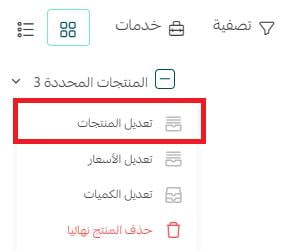
2. Open the selected-products menu. The menu shows how many products are selected.
3. Choose the action you want to apply to the selected products.
To select every product shown in the current catalog view, select one product first, then use the selected-products checkbox to select all displayed products.
Bulk edit product details and prices
Choose Edit products from the selected-products menu to open the bulk-edit grid.
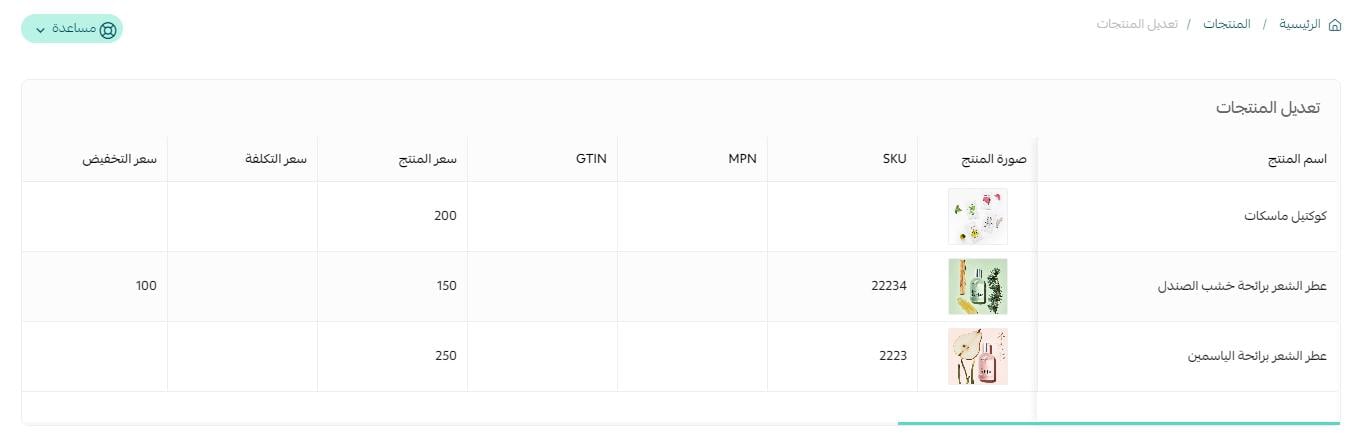
The grid works like a spreadsheet: you can select several supported cells and update them together. Fields such as dates must be changed one value at a time. Changes save automatically, and a confirmation message appears after a successful save.
Product thumbnails appear in the grid so you can distinguish products with similar names.
For price changes, open Services from the Products page, choose Edit prices, then select the required pricing operation on the price-editing page.
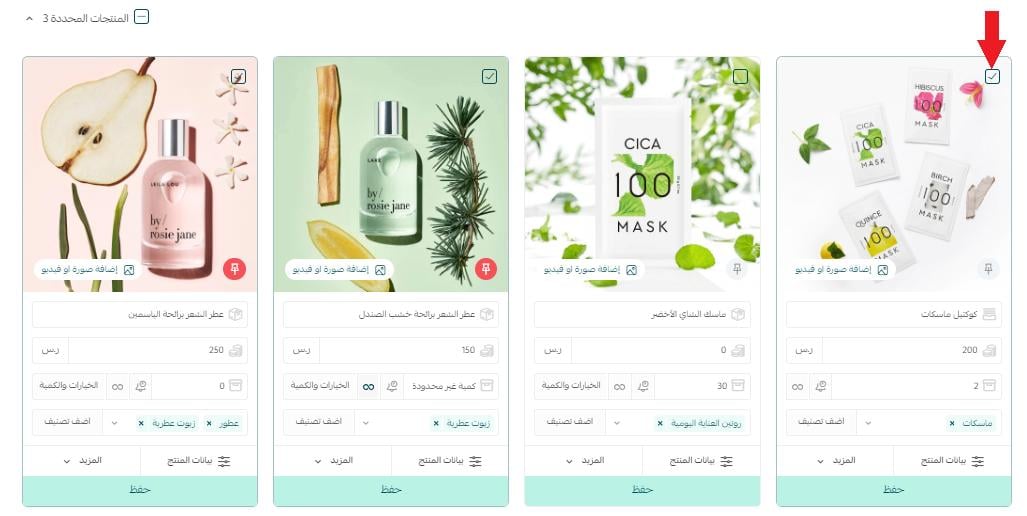
فتظهر قائمة بعدد المنتجات المحددة، كما في الشكل:
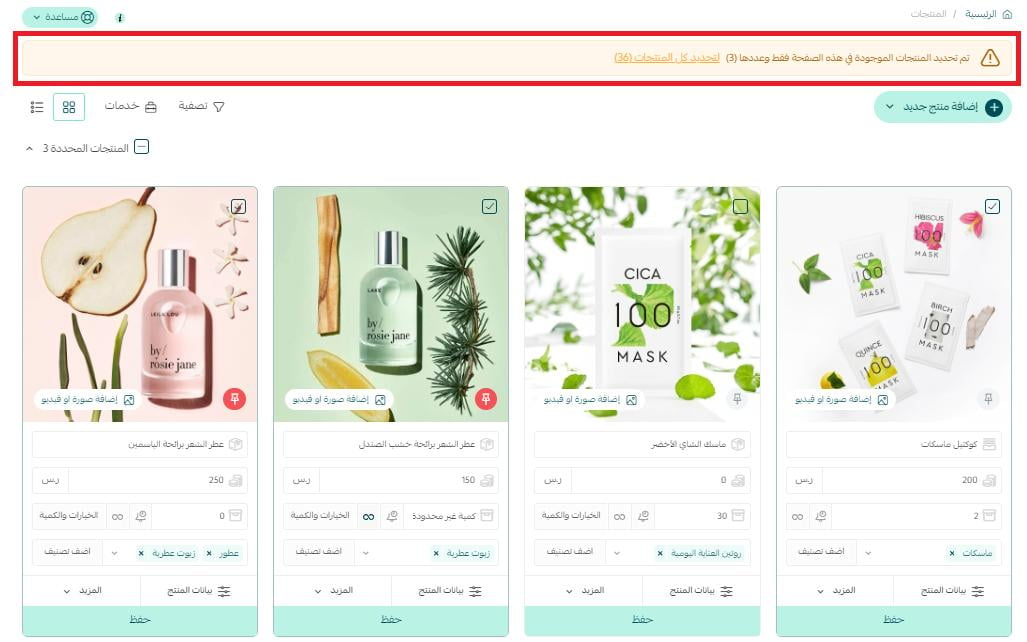
2. من قائمة عدد المنتجات المحددة، اضغط على الأمر الذي تريد تطبيقه على المنتجات التي تم تحديدها.
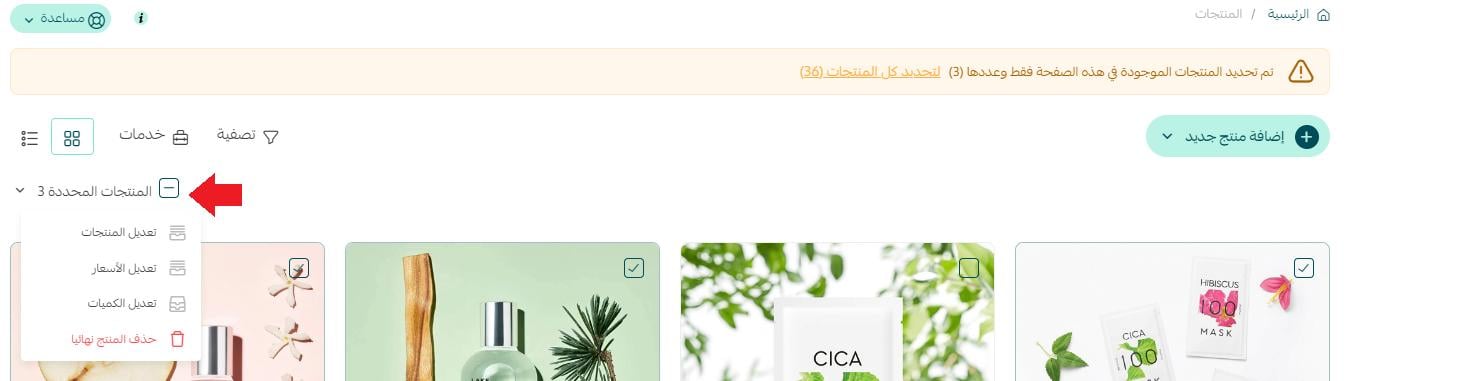
وبإمكانك تحديد جميع المنتجات من خلال:
1- حدد منتج واحد فقط.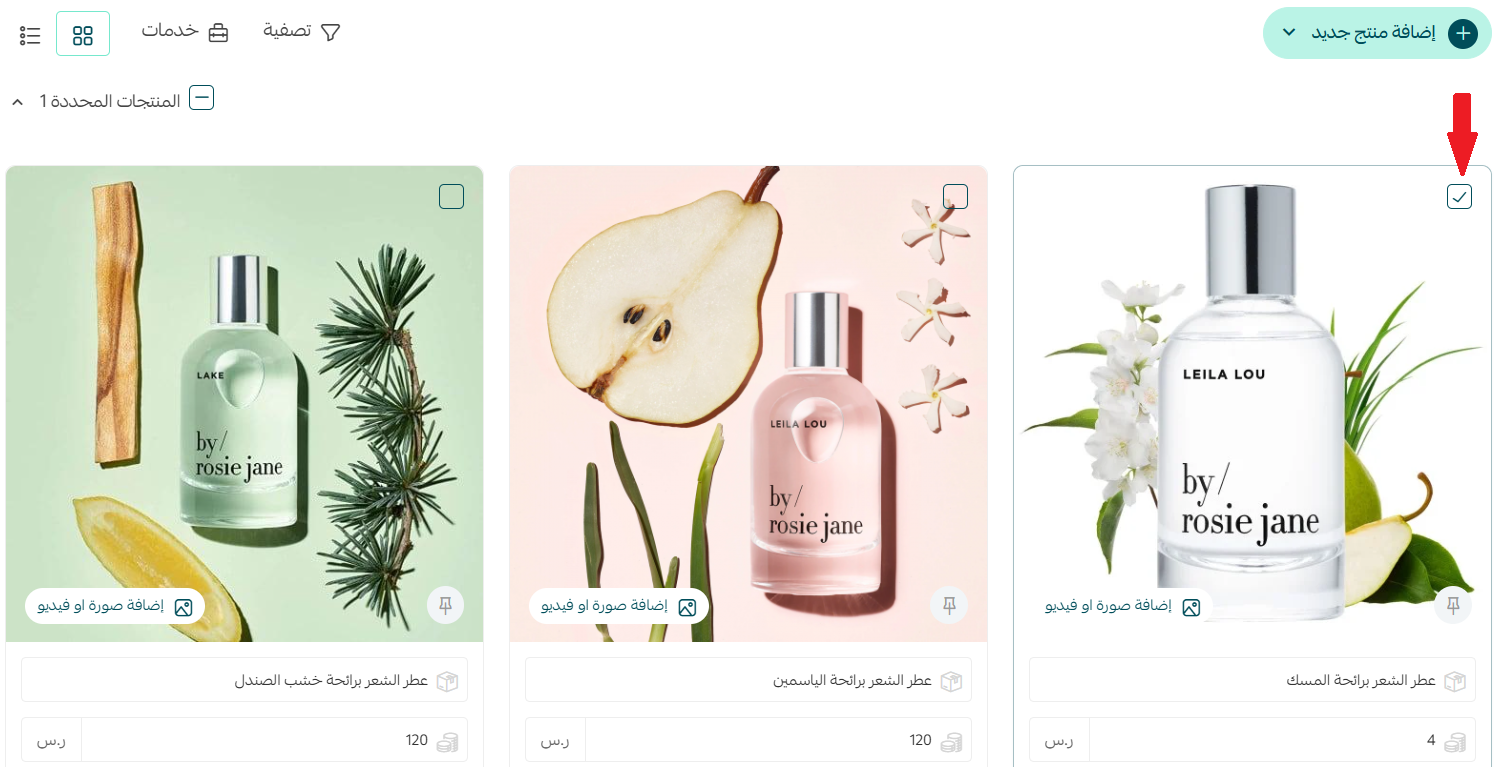
ثم اضغط على مربع المنتجات المحددة، ليتم تحديد جميع المنتجات الظاهرة في المتجر.
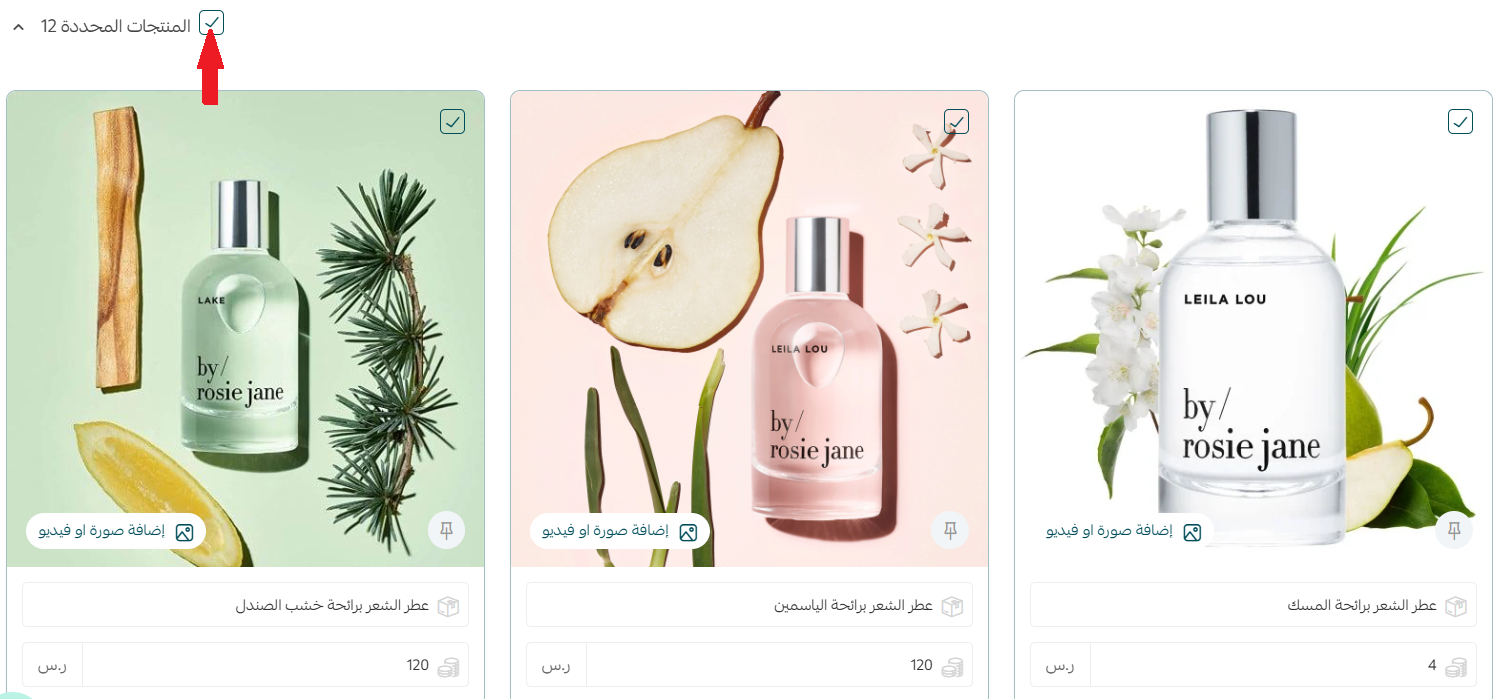
المرحلة الثانية. التعديل على المنتجات المحددة
تعديل المنتجات المحددة:
بعد تحديد المنتجات المراد تعديلها، اضغط على قائمة المنتجات المحددة، ثم اضغط (تعديل المنتجات).
تظهر نافذة جديدة بالمنتجات المحددة، يمكنك العمل على تعديل جدول المنتجات حسب حاجتك.
ملاحظات:
- يمكنك تحديد عدة خلايا والتعديل عليها دفعة واحدة (كأنك تعمل على صفحة إكسل).
- لا تنطبق هذه الميزة على بعض أنواع الحقول كالتاريخ مثلاً، حيث عليك تعديلها قيمة تلو الأخرة.
- يتم حفظ التعديلات بشكل تلقائي، وتظهر لك رسالة للتأكد من إتمام الحفظ بنجاح.
- تظهر صورة المنتج ضمن الجدول بهدف التأكد فعلاً أنه المنتج المطلوب في حال كانت أسماء منتجاتك متشابهة.
التعديل على أسعار عدة منتجات معاً:
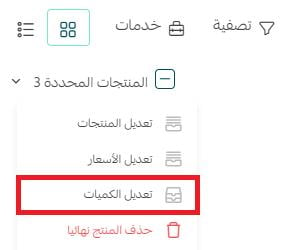
بعد تحديد المنتجات المراد تعديل كمياتها، اضغط على قائمة المنتجات المحددة، ثم اضغط (تعديل الكميات).
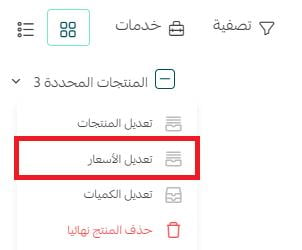
أو من صفحة المنتجات، اضغط (خدمات)، ثم اضغط (تعديل الأسعار).
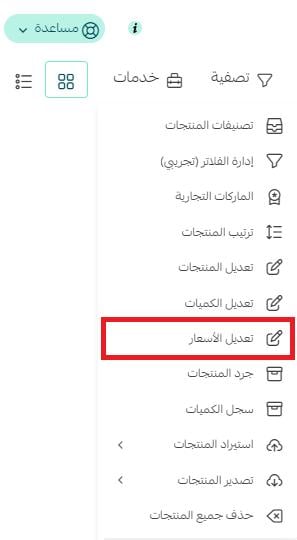
يمكنك من صفحة تعديل الأسعار تحديد خيارات تعديل الأسعار.

لمزيد من التفاصيل حول التعديل الشامل على أسعار المنتجات
Bulk update product quantities
1. Select the products whose quantities you want to change.
2. Open the selected-products menu and choose Edit quantities.
3. Update the required cells in the quantity grid.
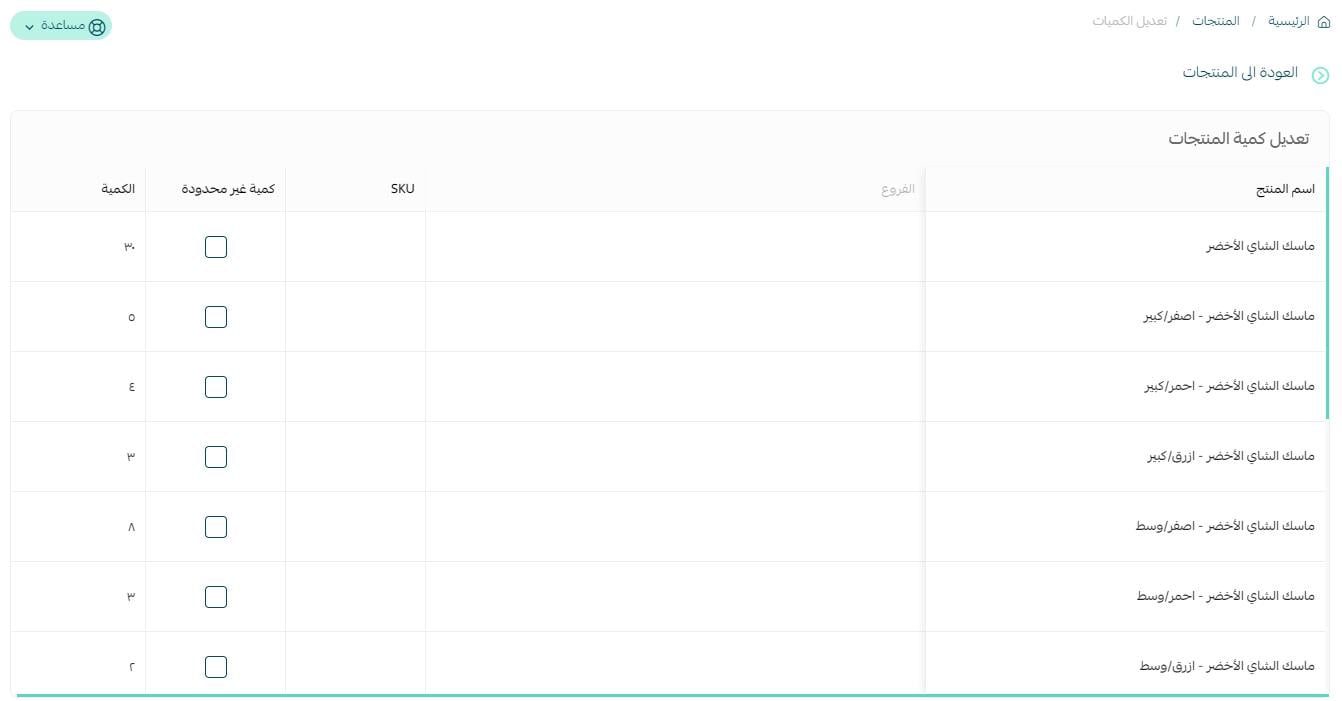
You can change several supported cells together, and Salla saves the updates automatically. A confirmation message indicates that the save completed successfully.
Delete selected products
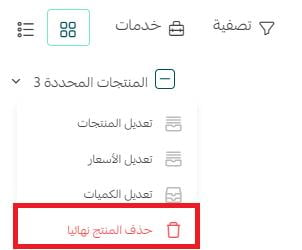
Select the products you want to remove, open the selected-products menu, and choose Delete product permanently.
For the related recovery guidance, see (restore deleted orders and products).
Merchant Services can also help with (adding products).

📝 Important notes
Bulk cell editing is not available for every field type. The source specifically identifies date fields as values that must be edited individually.
Review the selected products and chosen action carefully before using the permanent-delete command.
Frequently asked questions
What can I update with bulk product editing?
You can update supported product details, prices, and quantities across selected products. The selected-products menu also includes a permanent-delete action.
Does Salla save bulk edits automatically?
Yes. The source says supported changes save automatically and a confirmation message appears when the save succeeds.
Can I edit several date cells at once?
No. The source identifies dates as a field type that must be updated one value at a time.
How can I distinguish products with similar names?
The bulk-edit grid displays each product's image to help you confirm that you are editing the intended item.
How do I select all displayed products?
Select one product first, then use the selected-products checkbox to select every product shown in the current catalog view.
Bulk editing helps keep a large catalog accurate while reducing repetitive product-by-product work.