How long does it take you to reprice every gold item in your store when the market moves?
Ayar is a Salla app built for gold and jewelry retailers. It connects your store to live global gold and silver prices and updates your product prices for you, so what a customer sees always matches the market. On top of the pricing, it keeps your online and branch inventory in one place, works out your profit for you, and lets you watch the market as it moves. In this guide, you'll learn what Ayar does, how to install it on your store, how to sync your products, and how to remove the app.
Ayar is a Salla app for gold and jewelry stores. It links your store to live global gold and silver prices and updates your product prices automatically. Install it from the App Store, choose a plan, complete the payment, then sign in with the account details emailed to you.
📌 Article overview
- What the Ayar app does
- How to install Ayar on your store
- Managing the Ayar app
- Frequently asked questions
🎯 What the Ayar app does
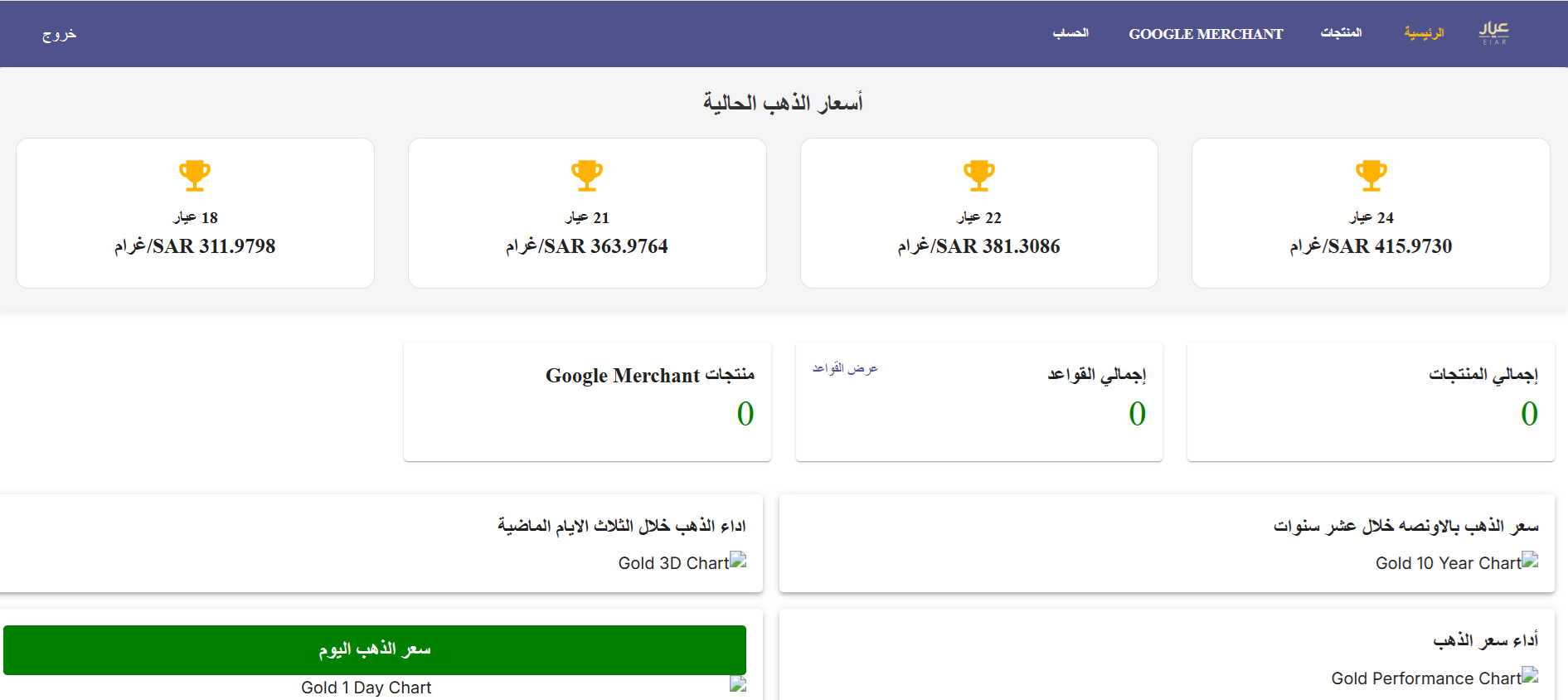
Price updates: a direct link to global market rates keeps gold and silver prices in your store up to date automatically.
Inventory management: one system for stock across your online store and your branches.
Profit calculation: a built-in calculator works out your profit once you set the margin or percentage you want.
Market analysis: follow global gold prices live, without leaving the platform.
🚀 How to install Ayar on your store
1. From the main menu, click (All), then under helpful tools, click (App Store).

2. Search for the app using the search field.

3. On the Ayar app page, click (Install).
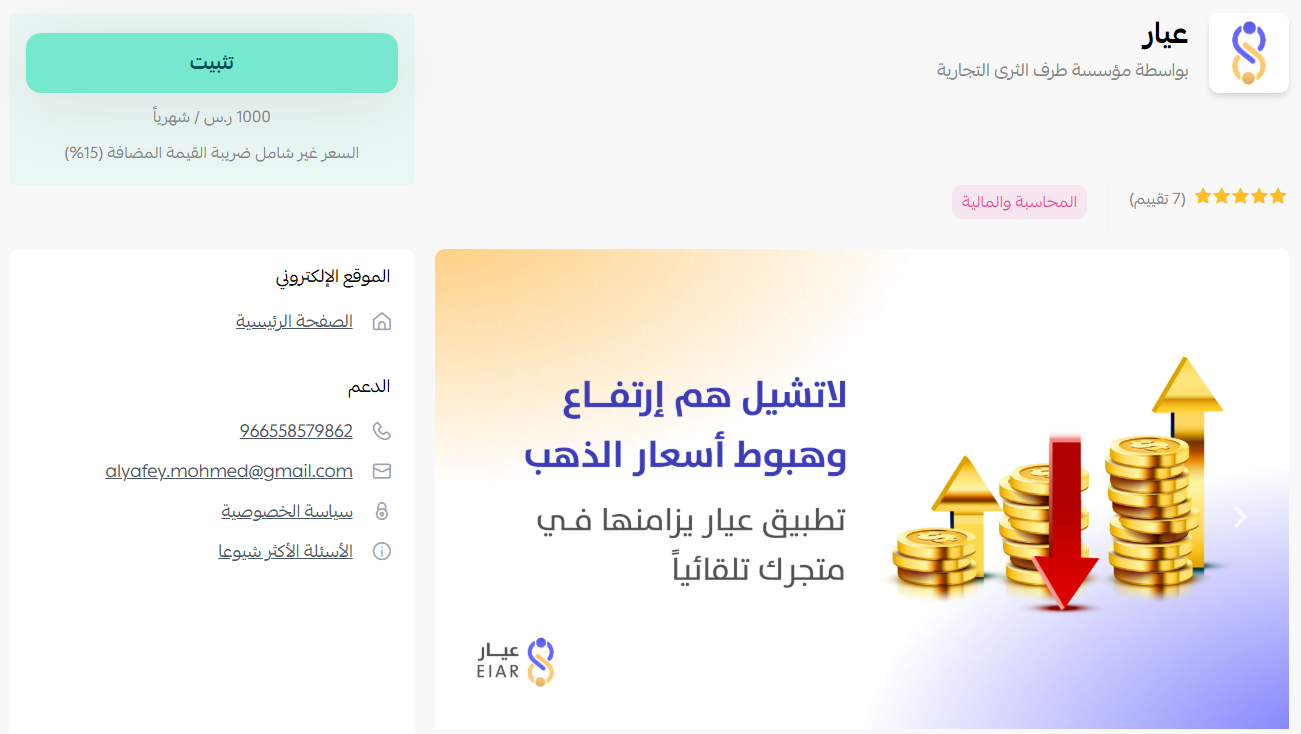
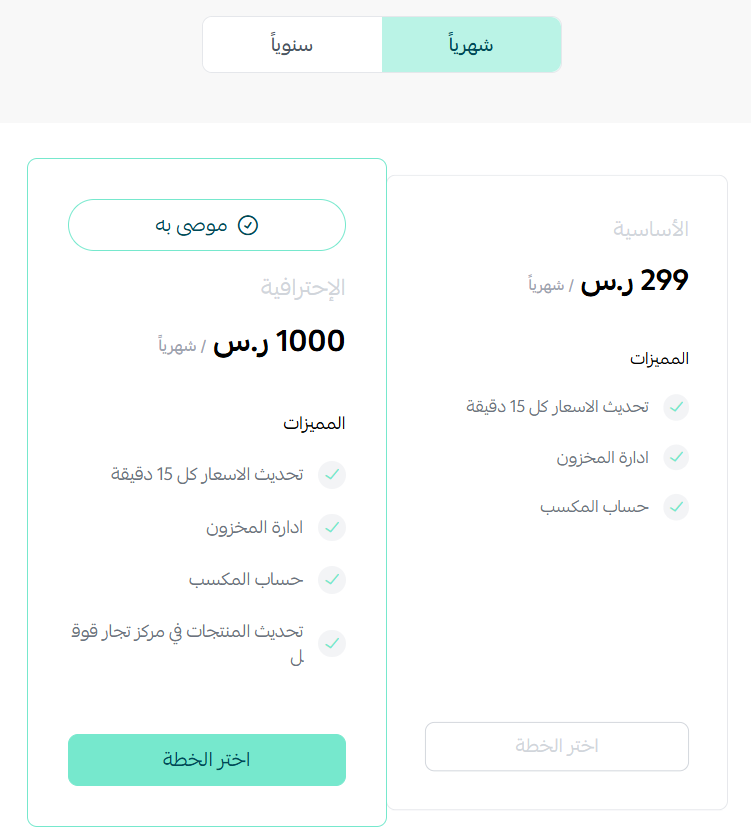
4. Choose the plan that suits your business to continue with the installation.
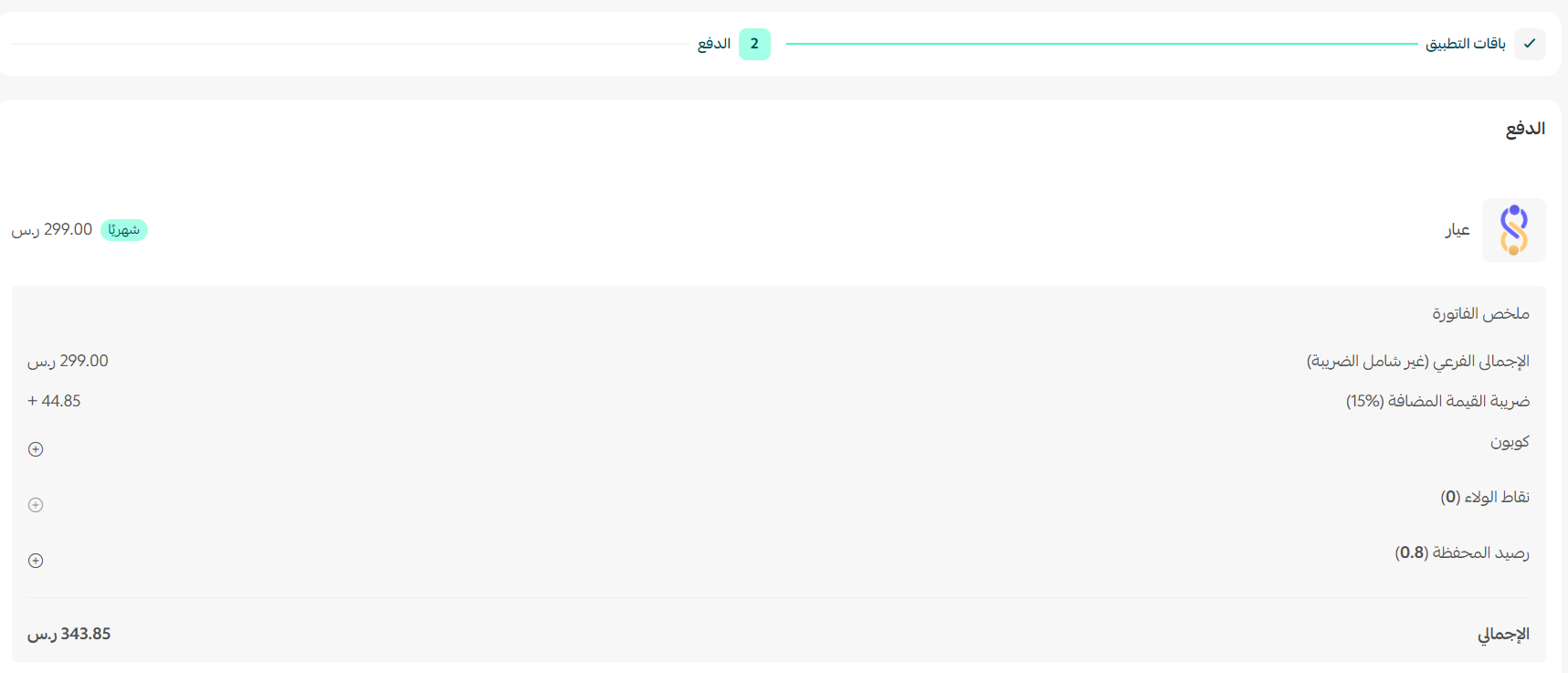
5. Complete the payment.
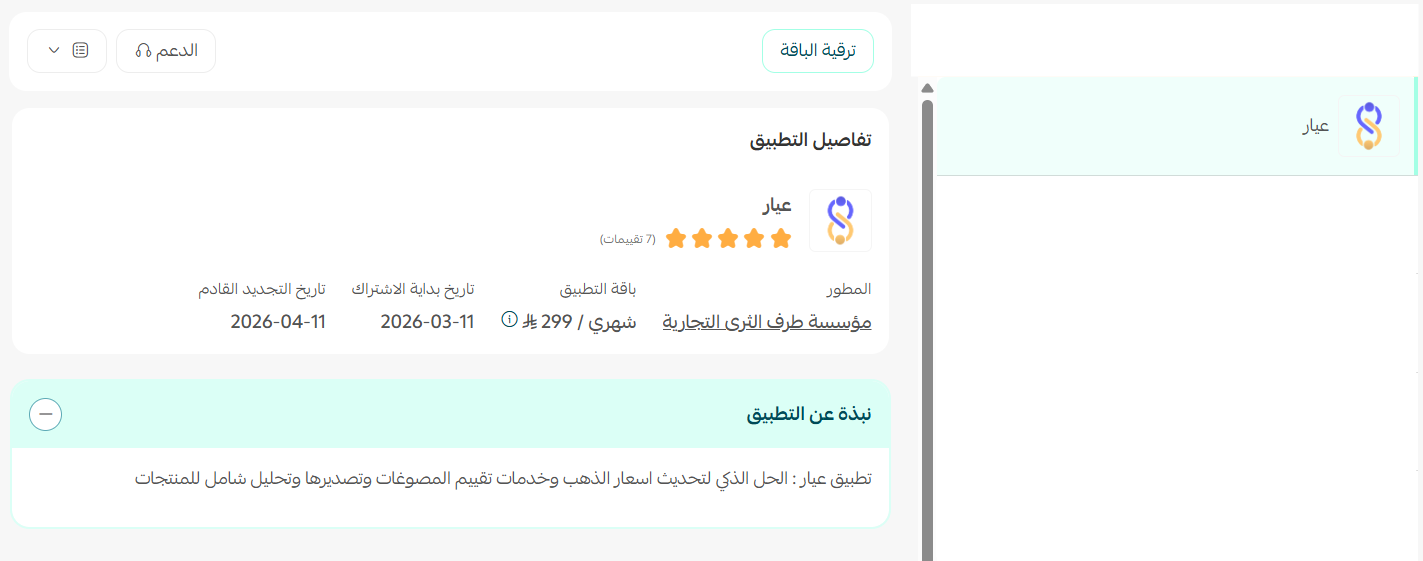
Ayar is now installed on your store.
6. Check your inbox for an email with your Ayar account details.
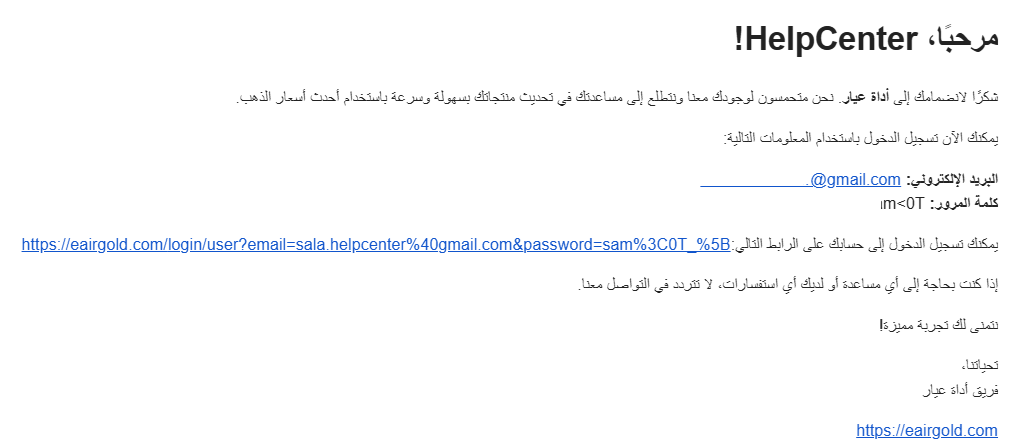
Use those details to sign in to the Ayar home page.
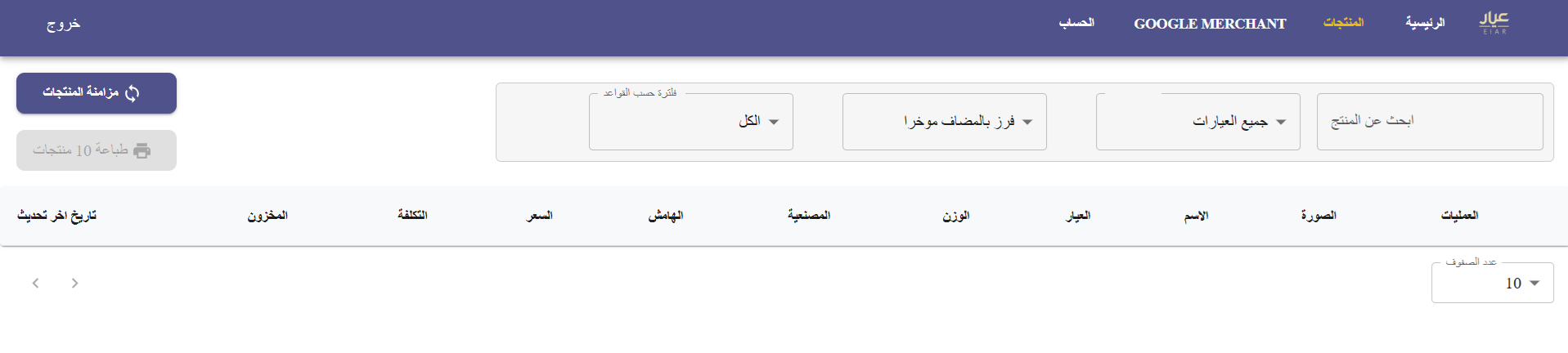
From the Products tab, sync your store's products with Ayar.
📝 Important notes
Sync your products before you rely on automatic pricing — only the items Ayar can see are the items it can reprice.
Managing the Ayar app
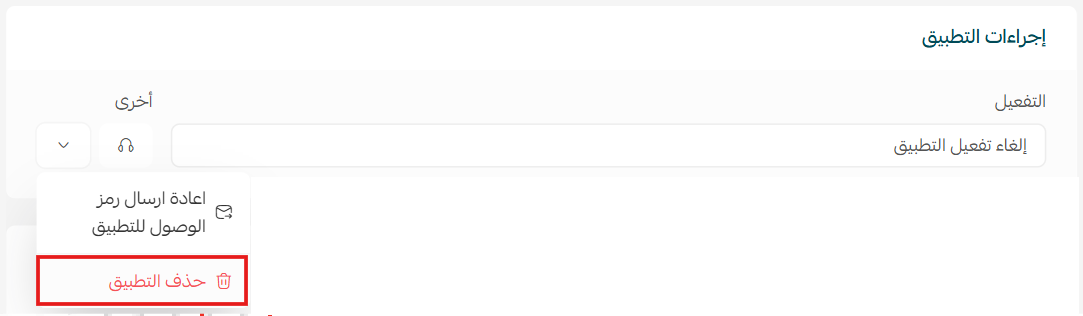
- Delete the app
1. Open the Ayar app, click ( ), then click (Cancel subscription).
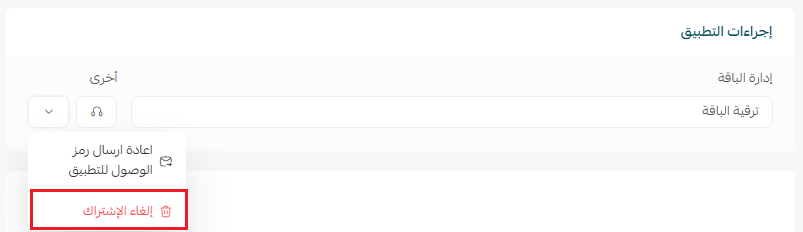
2. From the same menu, click (Delete app).
Frequently asked questions
❓ Which stores is Ayar for?
Gold and jewelry stores, where the selling price has to follow the metal price rather than sit fixed on the product page.
❓ Do I have to update prices myself?
No. Ayar is linked to global market rates, so gold and silver prices in your store update on their own as the market moves.
❓ Can I control my profit margin?
Yes. Set the margin or percentage you want and the built-in calculator applies it for you.
❓ Where do I get my Ayar login details?
They arrive by email once the app is installed. Use them to sign in to the Ayar platform.
❓ How do I remove the app?
Cancel the subscription from the app options menu first, then click (Delete app) in the same menu.
Gold prices don't wait for you to catch up. Letting Ayar handle the repricing keeps your store accurate all day and frees you to work on the parts of the business that actually need you.
For more details, see the Ayar app page.