Planning to publish an app on the App Store under your own name?
Everything starts with an Apple Developer account. The Apple Developer Program is the official gateway for building apps and publishing them on the App Store, Apple's official store, for $99 a year. In this guide, you'll learn the types of developer memberships, the requirements for an individual account, and the step-by-step process to create an Apple Developer account as an individual.
To create an individual Apple Developer account, sign in at developer.apple.com with an active Apple ID, agree to the Apple Developer Agreement, click (Join Today), enter your personal details exactly as they appear on your ID, choose (Individual / Sole Proprietor) as the account type, then complete the $99 annual payment.
📝 Important notes
Salla's App Maker service requires an Apple Developer account of the organization type. Individual accounts are not accepted for the App Maker service.
📌 Article overview
- What the Apple Developer Program is
- Types of developer memberships
- Requirements for an individual account
- Steps to create an Apple Developer account
- Frequently asked questions
What is the Apple Developer Program?
The Apple Developer Program is the essential gateway for developing apps and publishing them on the App Store, Apple's official store. Membership lets developers publish their apps on the App Store for $99 per year.
Types of developer memberships
1. Apple Developer Program for individuals
Lets individuals publish apps on the App Store, where the apps appear under the account owner's name. Individuals have no officially recognized legal business entity (no DUNS number from Dun and Bradstreet). This account type allows only one primary sign-in for the iOS developer account.
2. Apple Developer Program for organizations
Organizations can manage multiple users and assign them different permission levels. Apps appear under the company name on the App Store, which builds more trust with users. Companies legally recognized with a Dun and Bradstreet number can choose this option, which allows creating and managing many user sign-ins with different permissions.
3. Memberships for educational institutions and nonprofits
Available at the same cost or even free. In these cases, the entity's name appears on the App Store instead of the account owner's name.
Requirements for an individual Apple Developer account
1. An active Apple ID. See how to (create an Apple ID).
2. A Visa or Mastercard bank card.
3. $99, paid annually.
👣 Steps to create an Apple Developer account
You can complete these steps from a computer or from Apple's dedicated app. For more details, see (Creating an Apple developer account through the mobile app).
Step 1: Go to the official (Apple Developer Program) site, then click (Account).

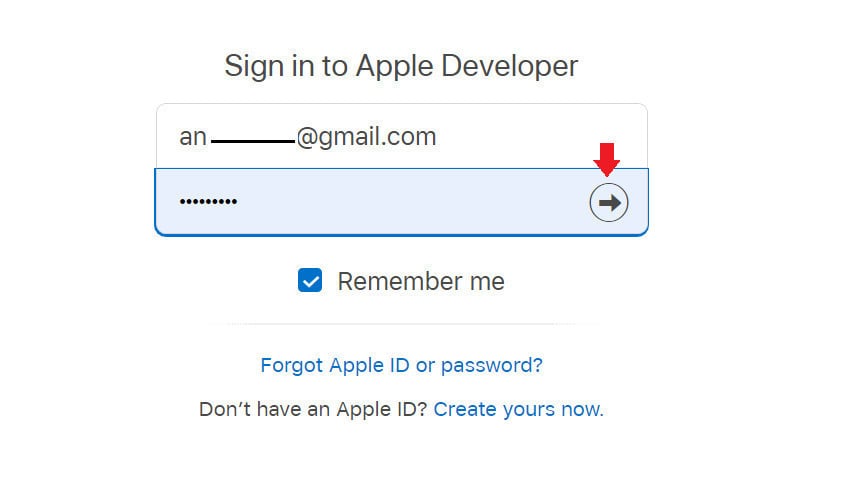
Sign in with an active Apple ID.
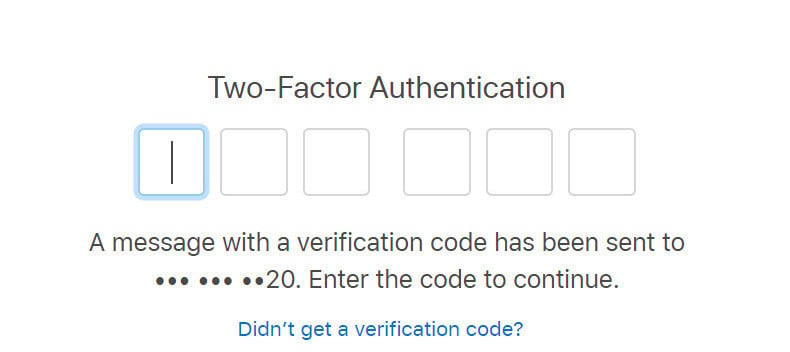
Enter the verification code sent to the phone linked to your Apple ID.
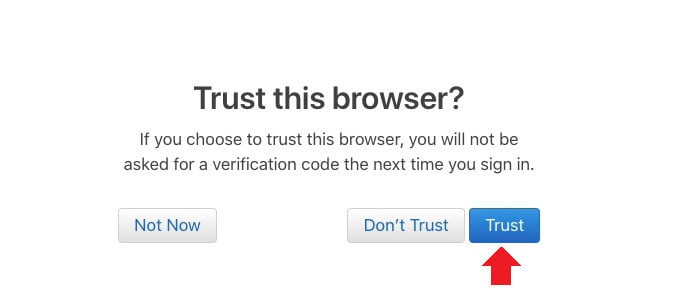
Then choose (Trust) to keep the browser trusted and continue.
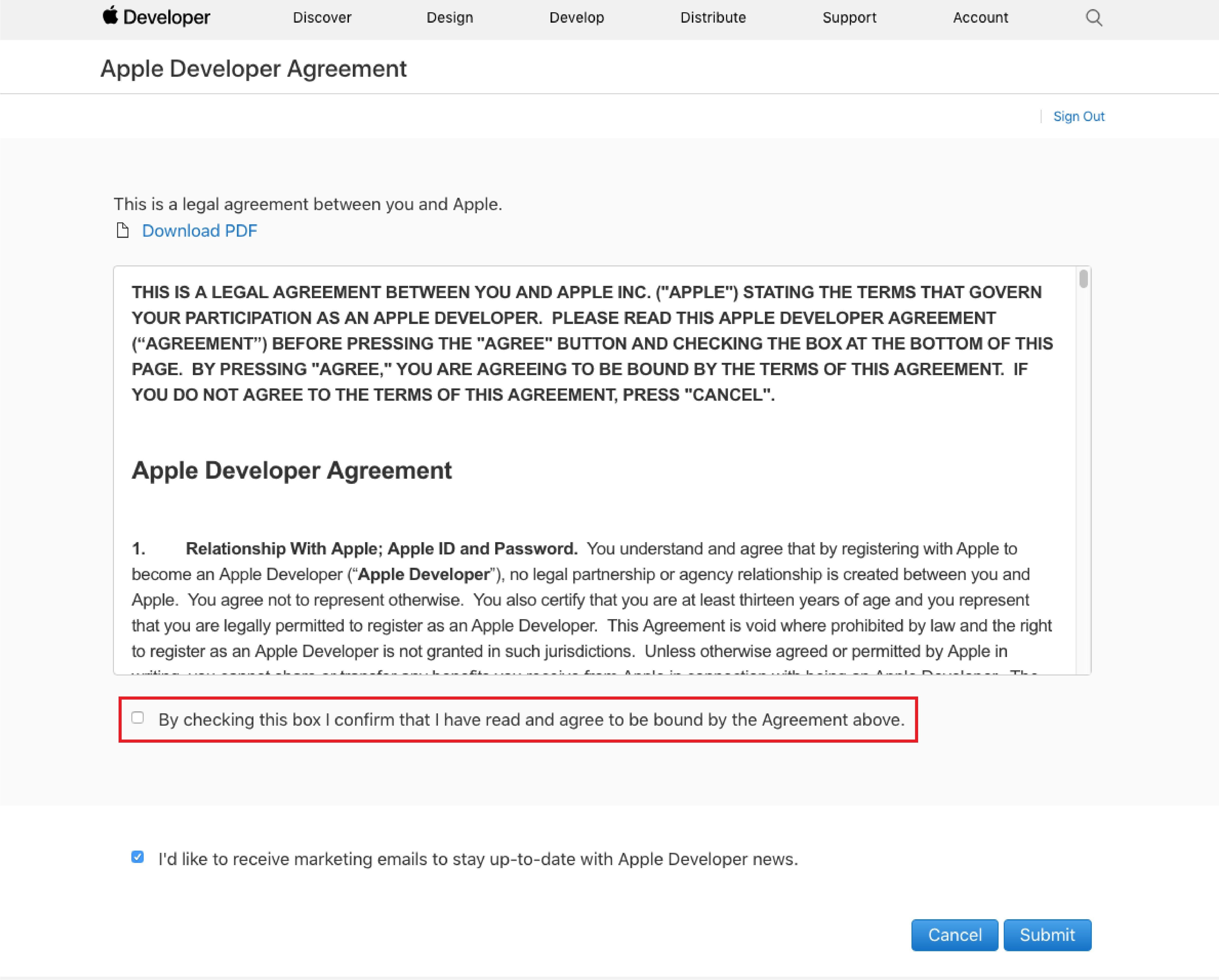
Step 2: Review the Apple Developer Agreement, check the box confirming you have read it, then click (Submit).
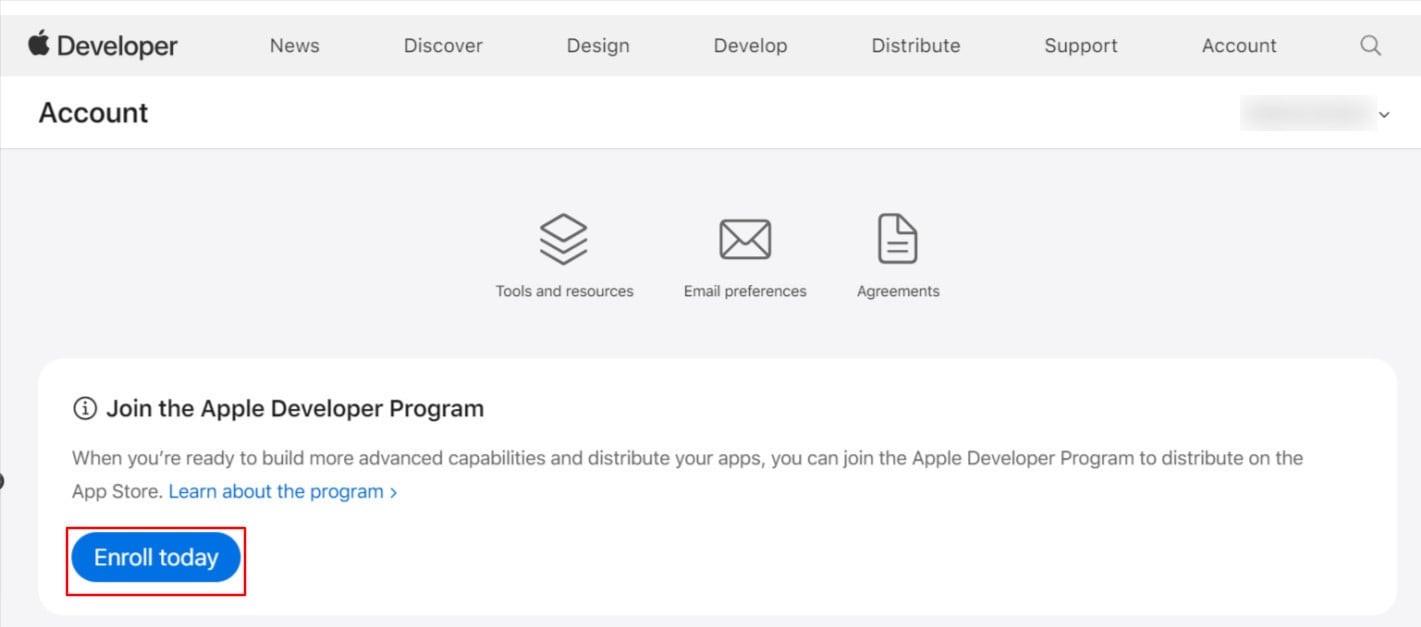
Step 3: Your developer account page appears, with resources for developers and a (Join Apple Developer Program) banner. Click Join Today to continue.
Step 4: Enter your details accurately, then click (Continue).
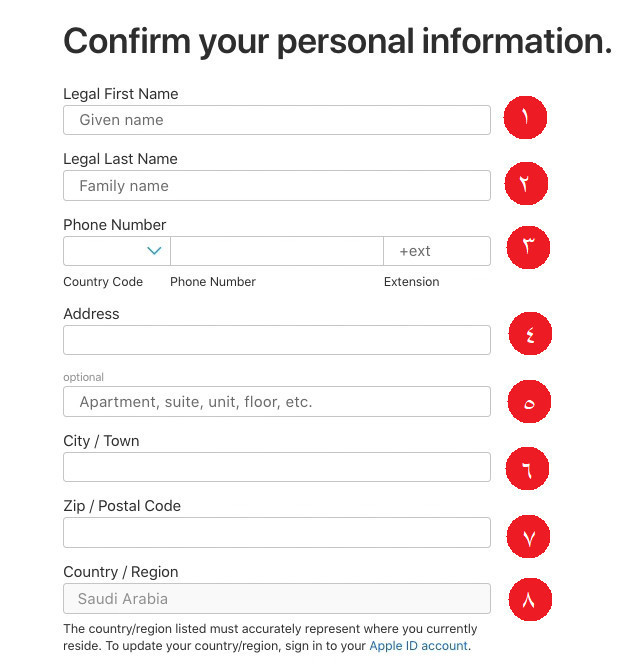
1. Enter your first name exactly as it appears on your ID.
2. Enter your last name, also matching your ID.
3. Choose your country code, then enter your phone number.
4. Enter your personal address (apartment, unit, floor number, and so on).
5. Enter the city where you live.
6. Enter your postal code.
7. Enter your country of residence — usually pre-filled based on your Apple ID settings.
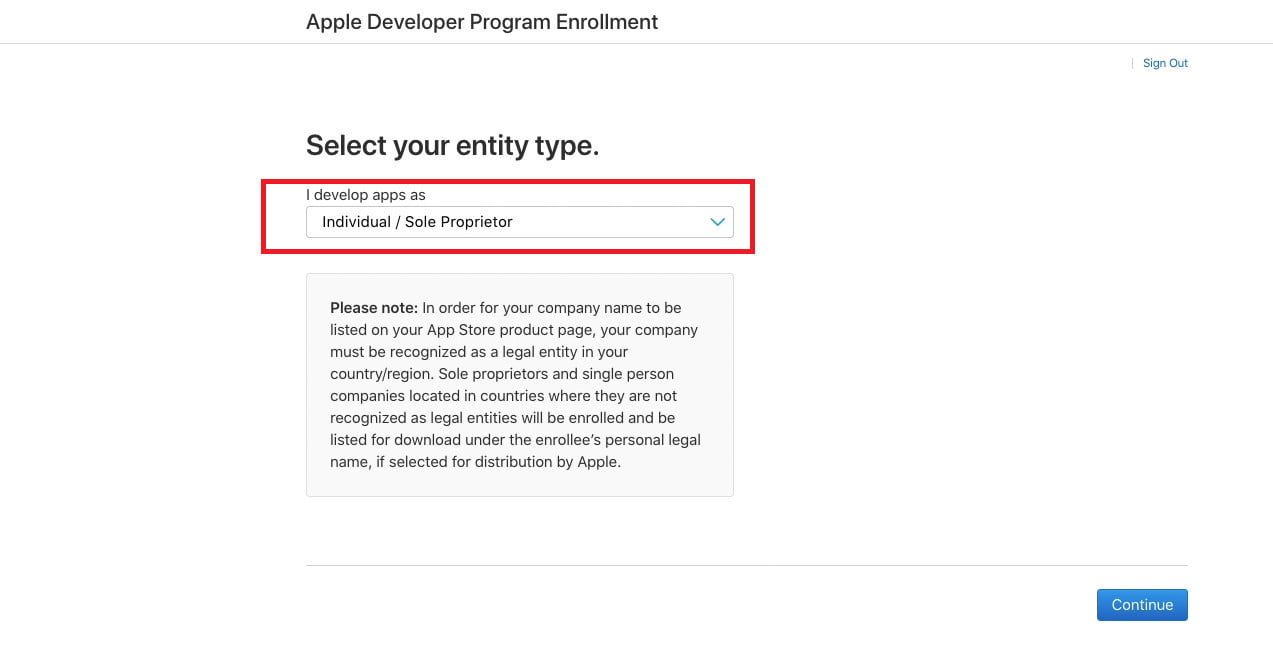
Step 5: Choose the developer account type. This guide continues with an individual account (Individual / Sole Proprietor). Click (Continue).
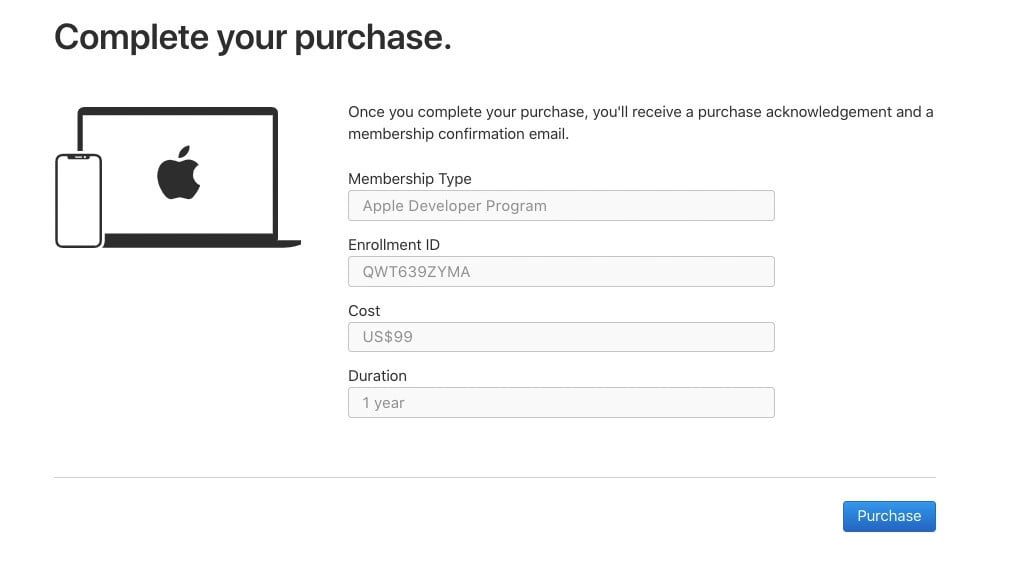
Step 6: The payment page appears. Click Purchase to continue. For more, see (Creating an Apple Developer account — completing the payment).
Frequently asked questions
❓ How long does it take to activate an individual developer account?
Often immediately, within the same session — though it can take up to a week depending on the payment status or Apple's requirements. If the payment succeeds, the account is activated right away. For more, see (Creating an Apple Developer account — completing the payment).
If the account is not activated, contact Apple support by email to find out why. Apple may email you activation requirements, such as providing an ID that matches the account owner. For how to reach Apple support, see:
(Getting help from Apple support by email)
(Getting help from Apple support by phone)
❓ Could Apple call or email me while I wait?
Yes. Apple may call to verify some details, so be ready for simple questions and answer them accurately — if language is a barrier, have someone available to translate. Also keep an eye on your email for any requirements, such as proof of identity.
❓ How much does an individual developer account cost?
The cost is $99 — roughly SAR 400 — charged annually by Apple.
❓ What happens when my membership expires?
You lose access to all Apple Developer Program benefits, and your apps are temporarily removed from the stores until you renew.
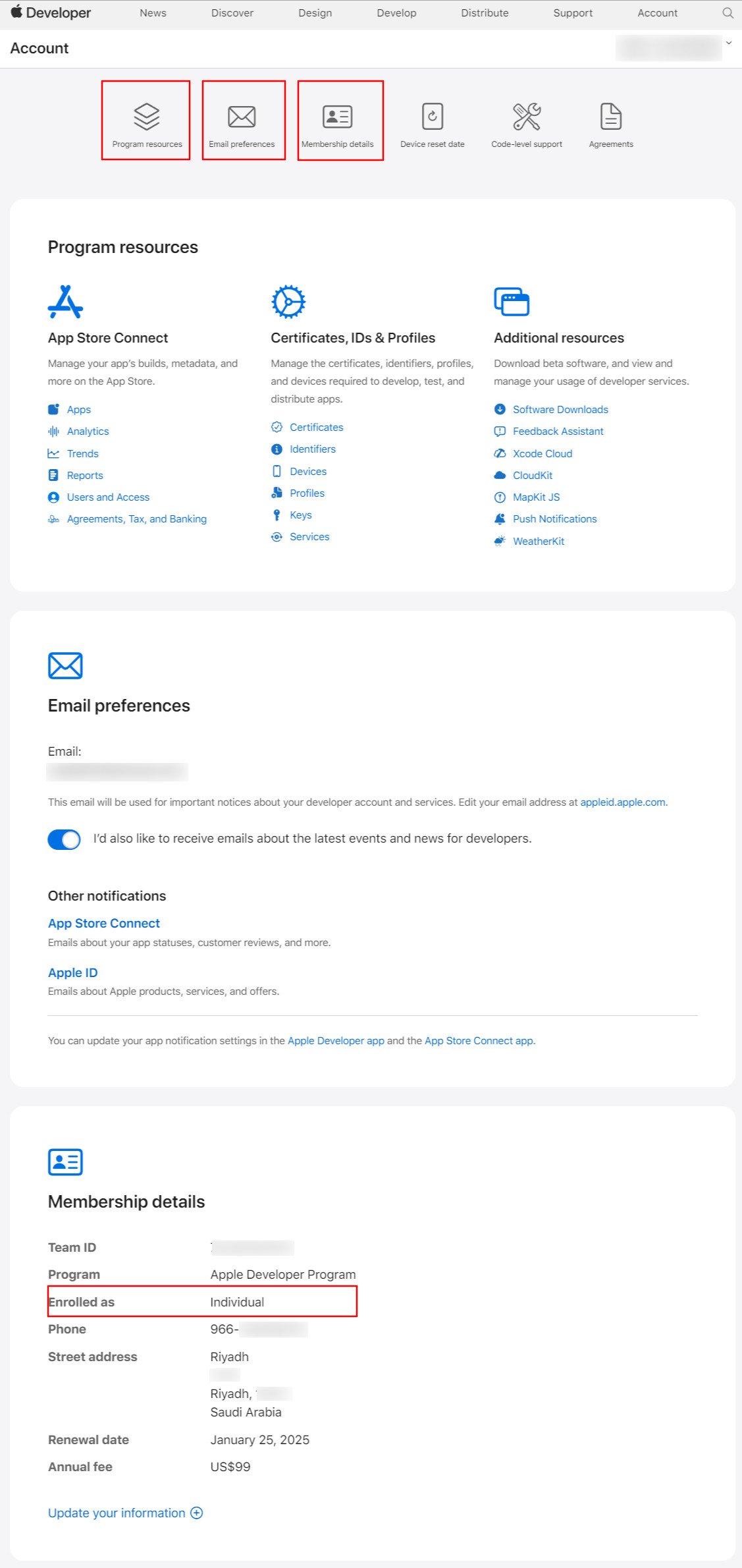
❓ How do I check that my Apple Developer Program registration is complete?
Sign in to the (Apple Developer dashboard). Once signed in, look for the account management options available to members — if they are missing, you are not yet a registered member.